

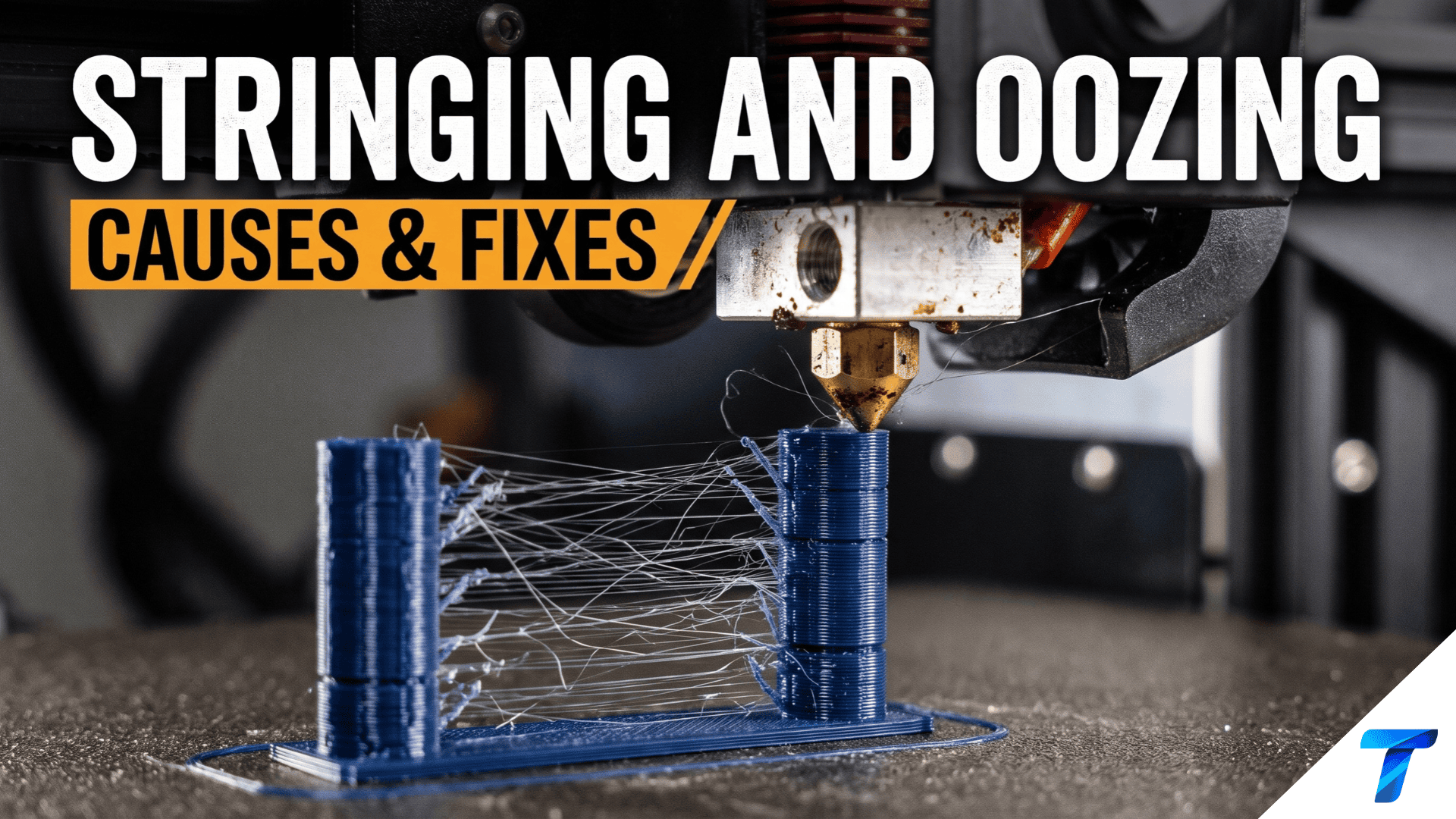

Thin plastic hairs between parts and blobs on outer walls are the most common cosmetic failures in FDM printing. They have a short list of causes: hot filament, wet filament, weak retraction, and uncontrolled nozzle pressure. This guide shows you how to identify which one you have, and the exact settings to fix it.
Quick Takeaways
- Stringing is thin filament threads across open gaps. Oozing is plastic leaking from the nozzle during travel moves, leaving blobs and zits.
- Fix temperature first. Drop the nozzle by 5-10 °C steps until strings fade without under-extruding.
- Dry the filament. Wet spools cause stringing that no retraction setting can fix.
- Tune retraction: 0.5-2 mm for direct drive, 4-7 mm for Bowden. Add pressure advance for the final polish.
| Symptom | Most Likely Cause | First Fix |
|---|---|---|
| Fine “cobwebs” between towers | Nozzle too hot | Lower temp 5-10 °C |
| Hairs plus popping or hissing | Wet filament | Dry 4-6 hours |
| Long strings, blobs at travel start | Retraction too low | Raise distance 0.2-0.5 mm |
| Zits at layer seams | Pressure buildup | Tune pressure advance |
| Strings only on one new spool | Filament quality | Compare spools at same temp |
Stringing vs. Oozing: What’s Actually Happening
Both problems share one root cause: molten plastic escapes the nozzle when it shouldn’t. The nozzle is a pressurized chamber. When the toolhead lifts off a surface and travels, residual pressure and gravity push melt out of the orifice.
- Oozing happens while the nozzle sits idle or moves slowly. Plastic drips out and lands on the part.
- Stringing happens when that leaking plastic is dragged across a gap. It stretches into a thread and sticks to the next surface.
Think of oozing as the leak and stringing as the visible result. Fix the leak and the strings disappear.
Root Causes of Stringing and Oozing
| Cause | How It Creates Strings | Difficulty to Fix |
|---|---|---|
| Nozzle temperature too high | Lowers melt viscosity, so plastic flows freely | Easy |
| Moisture in filament | Steam bubbles expand and push melt out | Easy (needs dryer) |
| Insufficient retraction | Pressure stays in the melt chamber | Easy |
| Slow travel speed | Gives plastic time to ooze and form threads | Easy |
| Pressure not managed | Extruder pressure lingers after moves | Medium |
| Partial clog or worn nozzle | Uneven flow and pressure spikes | Medium |
| Poor filament quality | Inconsistent diameter and additives | Replace spool |
| Heat creep | Filament softens above the heatbreak | Medium |
Fix 1: Lower Your Nozzle Temperature
This is the highest-impact change and costs nothing. Most users print too hot because they trust the spool label, which gives a wide range.
Print a temperature tower in 5 °C increments. Choose the coolest section that still shows good layer adhesion and no under-extrusion.
| Material | Typical Range | Stringing-Prone Range | Target for Clean Prints |
|---|---|---|---|
| PLA | 190-220 °C | Above 215 °C | 195-210 °C |
| PETG | 220-250 °C | Above 245 °C | 225-240 °C |
| ABS/ASA | 230-260 °C | Above 255 °C | 235-250 °C |
| TPU (95A) | 210-235 °C | Above 230 °C | 210-225 °C |
| Nylon (PA) | 240-270 °C | Above 265 °C | 245-260 °C |
Rule of thumb: each 10 °C drop cuts stringing noticeably, but going too low causes weak layer bonds. Never sacrifice strength to hide strings. Check that a printed part still resists splitting along layer lines.
Fix 2: Dial In Retraction
Retraction pulls filament backward before a travel move, relieving pressure in the nozzle. Two values matter: distance and speed.
Starting Values by Extruder Type
| Setup | Retraction Distance | Retraction Speed | Notes |
|---|---|---|---|
| Direct drive | 0.5-2.0 mm | 25-45 mm/s | Short path, so less retraction is needed |
| Bowden | 4.0-7.0 mm | 40-60 mm/s | Longer tube allows more elasticity |
| Direct drive + TPU | 0.5-1.0 mm | 15-25 mm/s | Flexible filament compresses and jams easily |
How to Tune It
- Print a retraction tower or a two-pillar stringing test.
- Change distance in 0.2 mm steps (direct drive) or 0.5 mm steps (Bowden).
- Stop increasing when strings vanish. More retraction than needed causes clogs, grinding, and gaps.
- Then adjust speed in 5 mm/s steps. Too fast grinds the filament. Too slow lets plastic ooze before the pull completes.
Slicer Settings That Help
- Combing mode (Cura): keeps travel moves inside the part’s perimeters. Set to “Not in Skin” to avoid surface scars.
- Wipe on retract (PrusaSlicer/OrcaSlicer): drags the nozzle along the wall to clean the tip.
- Z-hop: lift 0.2-0.4 mm on retraction to avoid dragging strings across the part. It can create its own strings on some printers, so test it.
- Avoid crossing perimeters: reduces the number of travel moves over open air.
Firmware Retraction (Klipper)
Define retraction in firmware so you can tune it live without reslicing. Add this to printer.cfg:
[firmware_retraction]
retract_length: 0.8
retract_speed: 35
unretract_extra_length: 0
unretract_speed: 35
Adjust it mid-print with:
SET_RETRACTION RETRACT_LENGTH=1.0 RETRACT_SPEED=40
Enable firmware retraction in your slicer, which then outputs G10 and G11 instead of raw extruder moves.
Firmware Retraction (Marlin)
Enable FWRETRACT in Configuration_adv.h, then set values with:
M207 S0.8 F2100 Z0.2  ; retract 0.8 mm at 35 mm/s (2100 mm/min), 0.2 mm Z-hop
M208 S0 F2100         ; recover 0 mm extra at 35 mm/s
M209 S1               ; enable auto-retract
M500                  ; save to EEPROM
Marlin feedrates use mm/min, so multiply mm/s by 60.
Fix 3: Speed Up Travel Moves
Slow travel gives molten plastic time to leak. Fast travel breaks the thread before it forms.
| Printer Class | Recommended Travel Speed | Acceleration for Travel |
|---|---|---|
| Bed-slinger (Ender 3 class) | 150-200 mm/s | 1,500-3,000 mm/s² |
| CoreXY (Voron, Bambu class) | 250-500 mm/s | 5,000-10,000 mm/s² |
| Flexible filaments | 100-150 mm/s | 1,000-2,000 mm/s² |
Raise travel speed in 25 mm/s increments. If your printer shakes or skips steps, back off.
Fix 4: Dry Your Filament
Most filaments absorb moisture from air. Heated water vapor expands inside the nozzle, pushing out plastic and causing stringing, rough surfaces, and popping sounds.
Signs of wet filament:
- Audible crackling or popping at the nozzle
- Steam or tiny bubbles in extruded plastic
- Matte, rough surface finish
- Stringing that no retraction change fixes
| Material | Drying Temp | Drying Time | Moisture Sensitivity |
|---|---|---|---|
| PLA | 45-55 °C | 4-6 hours | Medium |
| PETG | 60-65 °C | 4-6 hours | Medium-High |
| ABS/ASA | 80 °C | 4 hours | Low-Medium |
| TPU | 50-55 °C | 4-6 hours | High |
| Nylon (PA) | 70-80 °C | 8-12 hours | Very High |
| PVA | 45-50 °C | 4-6 hours | Extreme |
Use a dedicated filament dryer or a food dehydrator. Store dried spools in a sealed box with desiccant and keep humidity under 20% RH. A cheap hygrometer inside the box confirms it.
Fix 5: Control Pressure with Pressure Advance
Retraction handles the travel start. Pressure advance (Klipper) and Linear Advance (Marlin) compensate for melt compression inside the nozzle during extrusion, which reduces oozing at corners and seams.
Klipper
SET_PRESSURE_ADVANCE ADVANCE=0.045 SMOOTH_TIME=0.04
Typical starting values are 0.02-0.06 for direct drive and 0.4-1.0 for Bowden. Calibrate with the official tuning tower:
SET_VELOCITY_LIMIT SQUARE_CORNER_VELOCITY=1 ACCEL=500
TUNING_TOWER COMMAND=SET_PRESSURE_ADVANCE PARAMETER=ADVANCE START=0 FACTOR=.005
Save the best value to [extruder] in printer.cfg as pressure_advance: 0.045.
Marlin
M900 K0.05  ; set Linear Advance K-factor
M500        ; save to EEPROM
Typical K values run 0.0-0.1 for direct drive PLA and 0.5-1.5 for Bowden setups.
Fix 6: Check Hardware
If settings are tuned and strings persist, inspect the machine.
- Partial clog: cold-pull the nozzle at 90-100 °C (PLA) to remove debris.
- Worn nozzle: brass nozzles wear after roughly 1-2 kg of abrasive filament. Replace them.
- Heat creep: check the heatsink fan and make sure it spins. A cool heatbreak keeps filament rigid above the melt zone.
- Loose heatbreak or nozzle: tighten the hotend while hot to stop melt leaking back up the threads.
- Cheap or oversize bore: a 0.6 mm nozzle holds more pressurized melt than a 0.4 mm one and oozes more.
Diagnostic Workflow: Fix It in the Right Order
Change one variable at a time. Test with a stringing tower after each change.
- Dry the filament (4-6 hours). Reprint.
- Lower temperature in 5 °C steps. Reprint.
- Increase travel speed to the printer’s reliable maximum.
- Raise retraction distance in small steps, then tune speed.
- Enable combing or avoid-crossing-perimeters.
- Calibrate pressure advance.
- Inspect hardware if nothing improved.
Skip ahead only when the symptom points directly at a cause, such as popping sounds, which indicate wet filament.
Material-Specific Strategies
| Material | Main Stringing Driver | Best Fix |
|---|---|---|
| PLA | Temperature and moisture | Print at 195-205 °C and dry before use |
| PETG | Naturally stringy, high moisture uptake | Dry fully, lower temp, raise retraction slightly |
| ABS/ASA | Low, mostly heat related | Moderate temp and enclosure airflow control |
| TPU | Compression and moisture | Slow retraction, low speed, dry thoroughly |
| Nylon | Extreme moisture absorption | Dry 8-12 hours and print straight from the dryer |
PETG deserves special mention. It strings more than any common material, and perfect elimination is unrealistic. Aim for minimal strings that peel off by hand.
Real-World Use Cases
Miniature and tabletop figures. Fine details with many gaps make strings visible. Printers running PLA at 200 °C with 0.6 mm direct-drive retraction and combing enabled produce clean figures that need little cleanup before painting.
Functional PETG enclosures. Electronics housings with ventilation slots collect hairs in the openings. Dry the spool, print at 230 °C, and use wipe on retract. The slots stay clear without heat-gun cleanup.
Flexible TPU gaskets and phone cases. Strings fuse into the soft surface and cannot be sanded off. Use 0.8 mm retraction at 20 mm/s and slow travel, and keep filament dry. Skip z-hop to reduce stringing across the open area.
Production batches. Print farms running hundreds of identical parts lock in a validated profile per spool brand. They also dry every spool before use. This cuts post-processing labor and scrap rates.
FAQ
Why does my 3D printer string even with retraction turned on?
The usual causes are nozzle temperature that is too high or wet filament. Retraction only relieves pressure. It cannot stop steam expansion or low-viscosity melt from dripping. Dry the spool and lower temperature by 5-10 °C before increasing retraction.
What is the best retraction setting to stop stringing?
For direct drive, start at 0.8 mm at 35 mm/s. For Bowden, start at 5 mm at 45 mm/s. Adjust distance in small steps with a retraction tower and stop when strings disappear.
Can wet filament cause stringing?
Yes. Moisture turns to steam in the hotend, creating pressure that forces plastic out of the nozzle. Signs include popping sounds, bubbles, and rough surfaces. Dry PLA at 45-55 °C for 4-6 hours, or PETG at 60-65 °C.
Does printing faster or slower reduce oozing?
Faster travel speed reduces stringing, because the nozzle crosses gaps before a thread forms. Print speed itself matters less, but high-speed extrusion needs tuned pressure advance to avoid blobs at corners and seams.


