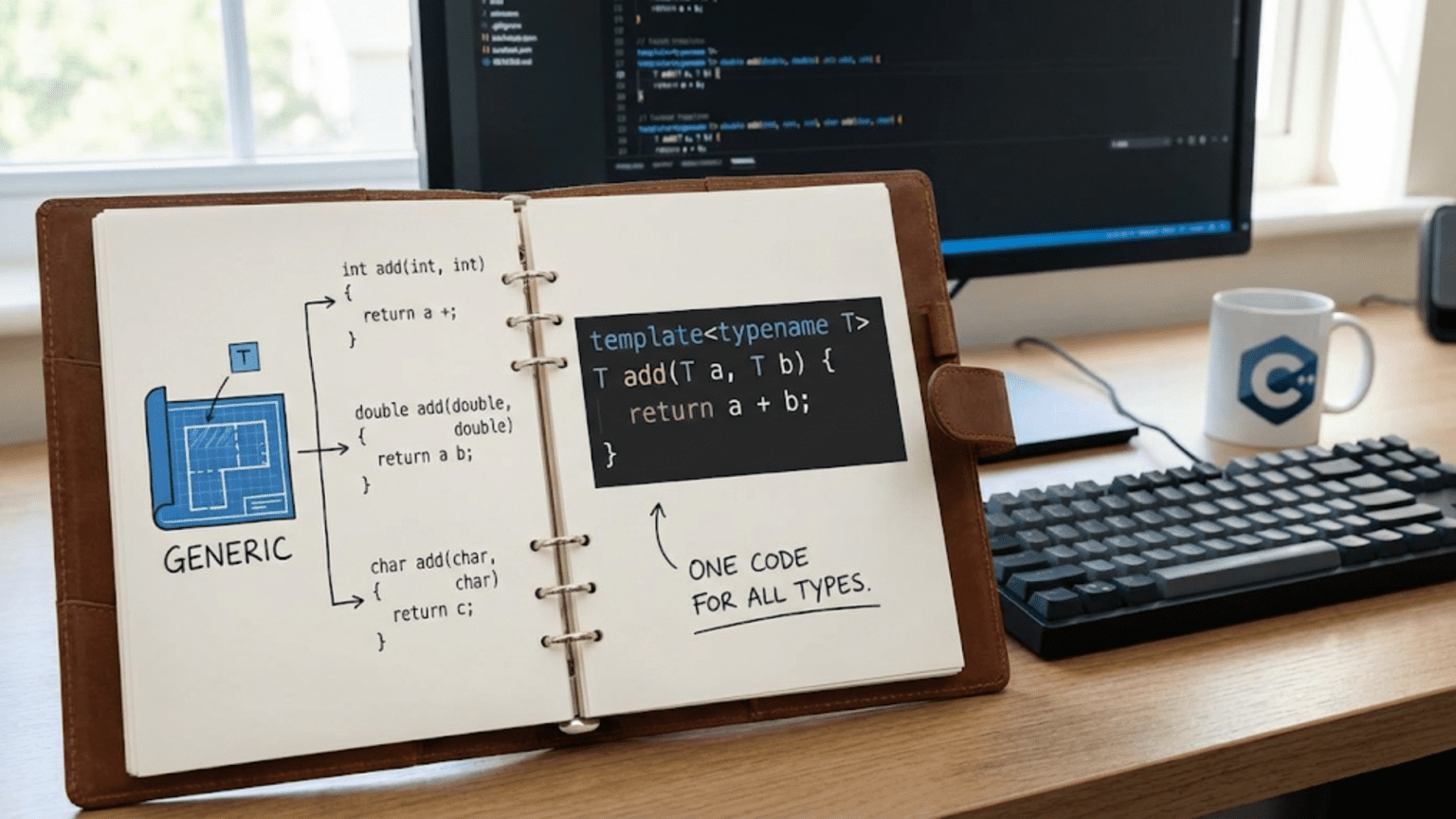
Templates in C++ are a powerful feature that enables generic programming by allowing functions and classes to work with any data type without being rewritten for each type. Using template parameters (specified with angle brackets), you write code once that the compiler instantiates for specific types at compile time, creating type-safe, reusable code that eliminates duplication while maintaining performance.
Introduction: Writing Code Once, Using It Everywhere
Imagine writing a function to find the maximum of two integers. Now imagine writing the exact same function for doubles, floats, characters, and strings. The logic is identical—only the types differ. This repetition violates the fundamental programming principle: Don’t Repeat Yourself (DRY). Templates solve this problem by letting you write the logic once and have the compiler generate specialized versions for each type you use.
Templates are C++’s mechanism for generic programming—writing code that works with types that are specified as parameters. Instead of writing separate max_int(), max_double(), and max_string() functions, you write one max<T>() template where T is a placeholder for any type. The compiler then generates the specific version you need based on how you call the function.
This isn’t just about convenience—templates are fundamental to modern C++ programming. The Standard Template Library (STL), which you use constantly, is built entirely on templates. vector<int>, map<string, int>, and sort() are all template-based. Understanding templates unlocks the full power of C++ and enables you to write elegant, efficient, reusable code.
This comprehensive guide will take you from zero to confident with templates. You’ll learn function templates, class templates, template parameters, template specialization, and best practices. Through practical examples, you’ll understand not just the syntax but the reasoning behind templates and how to use them effectively in your own code.
What Are Templates?
Templates are blueprints that the compiler uses to generate actual code. When you define a template, you’re not creating executable code—you’re creating instructions for the compiler to generate code when needed.
#include <iostream>
using namespace std;

// WITHOUT templates - repetitive code
int max_int(int a, int b) {
    cout << "Using max_int function" << endl;
    return (a > b) ? a : b;
}

double max_double(double a, double b) {
    cout << "Using max_double function" << endl;
    return (a > b) ? a : b;
}

char max_char(char a, char b) {
    cout << "Using max_char function" << endl;
    return (a > b) ? a : b;
}

// WITH templates - one function for all types
template <typename T>
T max_template(T a, T b) {
    cout << "Using max_template function" << endl;
    return (a > b) ? a : b;
}

int main() {
    cout << "=== Without Templates (Repetitive) ===" << endl;
    cout << "Max of 10 and 20: " << max_int(10, 20) << endl;
    cout << "Max of 3.14 and 2.71: " << max_double(3.14, 2.71) << endl;
    cout << "Max of 'a' and 'z': " << max_char('a', 'z') << endl;

    cout << "\n=== With Templates (Generic) ===" << endl;
    cout << "Max of 10 and 20: " << max_template(10, 20) << endl;
    cout << "Max of 3.14 and 2.71: " << max_template(3.14, 2.71) << endl;
    cout << "Max of 'a' and 'z': " << max_template('a', 'z') << endl;

    return 0;
}Step-by-step explanation:
- max_int function: Works only with integers, returns int
- max_double function: Identical logic but for doubles
- max_char function: Same logic again but for characters
- Code duplication: Three functions with identical logic, different types
- template keyword: Introduces a template definition
- typename T: T is a type parameter (placeholder for any type)
- T in signature: Return type and parameters use the template parameter T
- Single definition: One template replaces three separate functions
- Compiler instantiation: When you call
max_template(10, 20), compiler generatesintversion - Type deduction: Compiler figures out T=int from the arguments
- Different instantiations:
max_template(3.14, 2.71)creates double version - Type safety: Each instantiation is type-checked at compile time
- No runtime overhead: Template code is as fast as hand-written versions
- Reusability: Works with any type that supports operator>
Output:
=== Without Templates (Repetitive) ===
Using max_int function
Max of 10 and 20: 20
Using max_double function
Max of 3.14 and 2.71: 3.14
Using max_char function
Max of 'a' and 'z': z

=== With Templates (Generic) ===
Using max_template function
Max of 10 and 20: 20
Using max_template function
Max of 3.14 and 2.71: 3.14
Using max_template function
Max of 'a' and 'z': zFunction Templates: The Basics
Function templates allow you to define generic functions that work with multiple types.
#include <iostream>
#include <string>
using namespace std;

// Simple function template with one type parameter
template <typename T>
void printValue(T value) {
    cout << "Value: " << value << endl;
}

// Function template with two different type parameters
template <typename T1, typename T2>
void printPair(T1 first, T2 second) {
    cout << "First: " << first << ", Second: " << second << endl;
}

// Function template with return type
template <typename T>
T add(T a, T b) {
    cout << "Adding two values of same type" << endl;
    return a + b;
}

// Function template with explicit return type specification
template <typename T, typename U>
auto multiply(T a, U b) -> decltype(a * b) {
    cout << "Multiplying values of potentially different types" << endl;
    return a * b;
}

int main() {
    cout << "=== Single type parameter ===" << endl;
    printValue(42);           // T = int
    printValue(3.14);         // T = double
    printValue("Hello");      // T = const char*
    printValue(string("World")); // T = string

    cout << "\n=== Multiple type parameters ===" << endl;
    printPair(10, 20);        // T1 = int, T2 = int
    printPair(3.14, "Pi");    // T1 = double, T2 = const char*
    printPair("Age", 25);     // T1 = const char*, T2 = int

    cout << "\n=== Template with return value ===" << endl;
    cout << "5 + 3 = " << add(5, 3) << endl;
    cout << "2.5 + 1.5 = " << add(2.5, 1.5) << endl;

    cout << "\n=== Different types with auto return ===" << endl;
    cout << "10 * 2.5 = " << multiply(10, 2.5) << endl;
    cout << "3.14 * 2 = " << multiply(3.14, 2) << endl;

    return 0;
}Step-by-step explanation:
- printValue template: Single type parameter T
- Generic parameter: T value works with any type that can be output
- Automatic deduction: Compiler deduces T from argument type
- printPair template: Two independent type parameters T1 and T2
- Different types: T1 and T2 can be same or different types
- add template: Returns same type T as parameters
- Type consistency: Both parameters and return must be same type
- multiply template: Allows different parameter types
- auto return type: Uses decltype to deduce result type
- decltype(a * b): Determines type of multiplication result
- Type promotion: When multiplying int and double, result is double
- Compile-time generation: Compiler creates specific version for each usage
- Type safety: Each instantiation is fully type-checked
- No runtime cost: Templates resolved at compile time
Output:
=== Single type parameter ===
Value: 42
Value: 3.14
Value: Hello
Value: World

=== Multiple type parameters ===
First: 10, Second: 20
First: 3.14, Second: Pi
First: Age, Second: 25

=== Template with return value ===
Adding two values of same type
5 + 3 = 8
Adding two values of same type
2.5 + 1.5 = 4

=== Different types with auto return ===
Multiplying values of potentially different types
10 * 2.5 = 25
Multiplying values of potentially different types
3.14 * 2 = 6.28Explicit Template Arguments
Sometimes you need to explicitly specify template arguments instead of relying on type deduction.
#include <iostream>
#include <string>
using namespace std;

// Template that might need explicit specification
template <typename T>
T getValue() {
    cout << "Getting value of specified type" << endl;
    return T();  // Default constructor
}

// Template with conversion
template <typename ReturnType, typename InputType>
ReturnType convert(InputType value) {
    cout << "Converting from one type to another" << endl;
    return static_cast<ReturnType>(value);
}

// Template with default parameter
template <typename T = int>
T getDefaultValue(T value = 0) {
    return value;
}

int main() {
    cout << "=== Explicit template arguments ===" << endl;
    // Must specify type explicitly - can't deduce from no parameters
    int a = getValue<int>();
    double b = getValue<double>();
    string c = getValue<string>();

    cout << "a = " << a << endl;
    cout << "b = " << b << endl;
    cout << "c = '" << c << "'" << endl;

    cout << "\n=== Explicit conversion template ===" << endl;
    double d = convert<double>(42);          // int to double
    int e = convert<int>(3.14);              // double to int
    double f = convert<double, int>(100);    // Both types explicit

    cout << "42 as double: " << d << endl;
    cout << "3.14 as int: " << e << endl;
    cout << "100 as double: " << f << endl;

    cout << "\n=== Template with default ===" << endl;
    cout << "Default int: " << getDefaultValue() << endl;
    cout << "Explicit double: " << getDefaultValue<double>(3.14) << endl;

    return 0;
}Step-by-step explanation:
- getValue() template: No parameters, so type can’t be deduced
- Explicit specification: Must use
getValue<int>()syntax - Angle brackets: Contain explicit template arguments
- T(): Default constructor call creates default value of type T
- convert template: Two type parameters for input and output types
- ReturnType first: Explicitly specify what type to convert to
- InputType second: Can be deduced from argument
- Partial specification: Can specify some arguments, deduce others
- static_cast: Performs the actual type conversion
- Default template parameter:
typename T = intprovides default - Optional explicit: Can omit angle brackets if default is acceptable
- Override default: Can still specify different type explicitly
- Use cases: Factory functions, conversions, when deduction fails
- Clarity: Explicit arguments can make code clearer even when not required
Output:
=== Explicit template arguments ===
Getting value of specified type
Getting value of specified type
Getting value of specified type
a = 0
b = 0
c = ''

=== Explicit conversion template ===
Converting from one type to another
Converting from one type to another
Converting from one type to another
42 as double: 42
3.14 as int: 3
100 as double: 100

=== Template with default ===
Default int: 0
Explicit double: 3.14Class Templates: Generic Classes
Class templates allow you to create generic classes that work with any type.
#include <iostream>
using namespace std;

// Generic container class template
template <typename T>
class Box {
private:
    T content;

public:
    // Constructor
    Box(T item) : content(item) {
        cout << "Box created" << endl;
    }

    // Getter
    T getContent() const {
        return content;
    }

    // Setter
    void setContent(T item) {
        content = item;
    }

    // Method using template type
    void display() const {
        cout << "Box contains: " << content << endl;
    }
};

// Template class with multiple parameters
template <typename T1, typename T2>
class Pair {
private:
    T1 first;
    T2 second;

public:
    Pair(T1 f, T2 s) : first(f), second(s) {
        cout << "Pair created" << endl;
    }

    T1 getFirst() const { return first; }
    T2 getSecond() const { return second; }

    void display() const {
        cout << "Pair: (" << first << ", " << second << ")" << endl;
    }
};

// Template class with member function template
template <typename T>
class Container {
private:
    T value;

public:
    Container(T v) : value(v) {}

    T getValue() const { return value; }

    // Member function template
    template <typename U>
    void setValue(U newValue) {
        value = static_cast<T>(newValue);
        cout << "Value set using conversion" << endl;
    }

    void display() const {
        cout << "Container value: " << value << endl;
    }
};

int main() {
    cout << "=== Single type parameter ===" << endl;
    Box<int> intBox(42);
    intBox.display();

    Box<string> stringBox("Hello");
    stringBox.display();

    Box<double> doubleBox(3.14);
    doubleBox.display();

    cout << "\n=== Multiple type parameters ===" << endl;
    Pair<int, string> p1(1, "First");
    p1.display();

    Pair<double, int> p2(3.14, 100);
    p2.display();

    Pair<string, string> p3("Key", "Value");
    p3.display();

    cout << "\n=== Member function template ===" << endl;
    Container<int> c(10);
    c.display();

    c.setValue(20);      // int to int
    c.display();

    c.setValue(3.14);    // double to int (with conversion)
    c.display();

    return 0;
}Step-by-step explanation:
- Box class template: Generic container for single item of type T
- template <typename T>: Declares T as type parameter for class
- T content: Member variable of template type
- T in methods: Return types and parameters use template type
- Instantiation:
Box<int>creates version for integers - Different instantiations: Each
Box<type>is a separate class - Pair class template: Two independent type parameters
- T1 and T2: Can be same or different types
- Constructor: Takes parameters of both template types
- Getters return different types: getFirst() returns T1, getSecond() returns T2
- Container class: Has both class template parameter and member function template
- Member template: setValue<U> is a template within a template
- Type conversion: Can set value from different type with conversion
- Full specification required: Must specify all template arguments when creating object
Output:
=== Single type parameter ===
Box created
Box contains: 42
Box created
Box contains: Hello
Box created
Box contains: 3.14

=== Multiple type parameters ===
Pair created
Pair: (1, First)
Pair created
Pair: (3.14, 100)
Pair created
Pair: (Key, Value)

=== Member function template ===
Container value: 10
Container value: 20
Value set using conversion
Container value: 3Template Specialization: Customizing for Specific Types
Template specialization allows you to provide different implementations for specific types.
#include <iostream>
#include <string>
#include <cstring>
using namespace std;

// Primary template
template <typename T>
class Storage {
private:
    T data;

public:
    Storage(T d) : data(d) {
        cout << "Primary template: Storing value" << endl;
    }

    T getData() const {
        return data;
    }

    void display() const {
        cout << "Data: " << data << endl;
    }
};

// Full specialization for const char*
template <>
class Storage<const char*> {
private:
    char* data;

public:
    Storage(const char* d) {
        cout << "Specialized template for const char*: Making copy" << endl;
        data = new char[strlen(d) + 1];
        strcpy(data, d);
    }

    ~Storage() {
        cout << "Specialized destructor: Freeing memory" << endl;
        delete[] data;
    }

    const char* getData() const {
        return data;
    }

    void display() const {
        cout << "String data: " << data << endl;
    }
};

// Function template with specialization
template <typename T>
void print(T value) {
    cout << "Generic print: " << value << endl;
}

// Specialized version for bool
template <>
void print<bool>(bool value) {
    cout << "Boolean print: " << (value ? "true" : "false") << endl;
}

int main() {
    cout << "=== Primary template ===" << endl;
    Storage<int> intStorage(42);
    intStorage.display();

    Storage<double> doubleStorage(3.14);
    doubleStorage.display();

    cout << "\n=== Specialized template ===" << endl;
    Storage<const char*> stringStorage("Hello");
    stringStorage.display();

    cout << "\n=== Function template specialization ===" << endl;
    print(100);          // Uses generic template
    print(3.14);         // Uses generic template
    print(true);         // Uses specialized version
    print(false);        // Uses specialized version

    cout << "\n=== End of main ===" << endl;
    return 0;
}Step-by-step explanation:
- Primary template: Generic implementation for most types
- template <typename T>: Standard template syntax
- Simple storage: Just stores value, no special handling
- template <>: Indicates full specialization (no template parameters)
- *Storage<const char>**: Specialization for C-style strings
- Different implementation: Makes deep copy instead of storing pointer
- Dynamic allocation: Allocates memory for string copy
- Custom destructor: Frees allocated memory (primary template doesn’t need this)
- Why specialize: const char* needs special handling to avoid dangling pointers
- Function specialization: print<bool> has custom behavior
- Boolean formatting: Prints “true”/”false” instead of “1”/”0″
- Compiler selection: Automatically chooses specialized version for bool
- Type safety maintained: Each specialization is fully type-checked
- Customization point: Specialize when specific types need different behavior
Output:
=== Primary template ===
Primary template: Storing value
Data: 42
Primary template: Storing value
Data: 3.14

=== Specialized template ===
Specialized template for const char*: Making copy
String data: Hello

=== Function template specialization ===
Generic print: 100
Generic print: 3.14
Boolean print: true
Boolean print: false

=== End of main ===
Specialized destructor: Freeing memoryNon-Type Template Parameters
Templates can also accept non-type parameters like integers, which are constants known at compile time.
#include <iostream>
using namespace std;

// Template with non-type parameter (integer)
template <typename T, int SIZE>
class Array {
private:
    T data[SIZE];

public:
    Array() {
        cout << "Array of size " << SIZE << " created" << endl;
        for (int i = 0; i < SIZE; i++) {
            data[i] = T();  // Default initialize
        }
    }

    T& operator[](int index) {
        if (index >= 0 && index < SIZE) {
            return data[index];
        }
        throw out_of_range("Index out of bounds");
    }

    int getSize() const {
        return SIZE;
    }

    void display() const {
        cout << "Array[" << SIZE << "]: ";
        for (int i = 0; i < SIZE; i++) {
            cout << data[i] << " ";
        }
        cout << endl;
    }
};

// Template with multiple non-type parameters
template <int ROWS, int COLS>
class Matrix {
private:
    int data[ROWS][COLS];

public:
    Matrix() {
        cout << "Matrix " << ROWS << "x" << COLS << " created" << endl;
        for (int i = 0; i < ROWS; i++) {
            for (int j = 0; j < COLS; j++) {
                data[i][j] = 0;
            }
        }
    }

    void set(int row, int col, int value) {
        if (row >= 0 && row < ROWS && col >= 0 && col < COLS) {
            data[row][col] = value;
        }
    }

    int get(int row, int col) const {
        if (row >= 0 && row < ROWS && col >= 0 && col < COLS) {
            return data[row][col];
        }
        return -1;
    }

    void display() const {
        cout << "Matrix:" << endl;
        for (int i = 0; i < ROWS; i++) {
            for (int j = 0; j < COLS; j++) {
                cout << data[i][j] << " ";
            }
            cout << endl;
        }
    }
};

// Function template with non-type parameter
template <int N>
int power(int base) {
    cout << "Computing " << base << "^" << N << endl;
    int result = 1;
    for (int i = 0; i < N; i++) {
        result *= base;
    }
    return result;
}

int main() {
    cout << "=== Array with non-type parameter ===" << endl;
    Array<int, 5> arr1;
    for (int i = 0; i < arr1.getSize(); i++) {
        arr1[i] = i * 10;
    }
    arr1.display();

    Array<double, 3> arr2;
    arr2[0] = 1.1;
    arr2[1] = 2.2;
    arr2[2] = 3.3;
    arr2.display();

    cout << "\n=== Matrix with non-type parameters ===" << endl;
    Matrix<3, 4> matrix;
    matrix.set(0, 0, 1);
    matrix.set(1, 1, 5);
    matrix.set(2, 3, 9);
    matrix.display();

    cout << "\n=== Function with non-type parameter ===" << endl;
    cout << "2^3 = " << power<3>(2) << endl;
    cout << "5^2 = " << power<2>(5) << endl;
    cout << "3^4 = " << power<4>(3) << endl;

    return 0;
}Step-by-step explanation:
- Non-type parameter:
int SIZEis a compile-time constant - Must be constant: SIZE must be known at compile time
- Array size: Used to declare fixed-size array
T data[SIZE] - Different sizes different types: Array<int, 5> and Array<int, 10> are different types
- Compile-time computation: Size is embedded in compiled code
- No runtime overhead: Size checking done at compile time
- Matrix template: Uses two non-type parameters for dimensions
- Fixed dimensions: ROWS and COLS fixed when instantiating
- Type safety: Size mismatches caught at compile time
- power template: N is exponent, known at compile time
- Loop unrolling: Compiler can optimize since N is constant
- Different N different function: power<2> and power<3> are different functions
- Efficiency: Non-type parameters enable compile-time optimizations
- Use cases: Fixed-size arrays, compile-time computations, dimensions
Output:
=== Array with non-type parameter ===
Array of size 5 created
Array[5]: 0 10 20 30 40

Array of size 3 created
Array[3]: 1.1 2.2 3.3

=== Matrix with non-type parameters ===
Matrix 3x4 created
Matrix:
1 0 0 0
0 5 0 0
0 0 0 9

=== Function with non-type parameter ===
Computing 2^3
2^3 = 8
Computing 5^2
5^2 = 25
Computing 3^4
3^4 = 81Template Type Requirements and Constraints
Templates work with any type that satisfies certain requirements. Let’s see what types need to support:
#include <iostream>
#include <string>
using namespace std;

// Template that requires comparison operators
template <typename T>
T findMax(T a, T b, T c) {
    cout << "Finding maximum of three values" << endl;
    T max = a;
    if (b > max) max = b;  // Requires operator>
    if (c > max) max = c;  // Requires operator>
    return max;
}

// Template that requires arithmetic operators
template <typename T>
T average(T a, T b) {
    cout << "Calculating average" << endl;
    return (a + b) / 2;  // Requires operator+ and operator/
}

// Template that requires copy constructor and assignment
template <typename T>
void swap(T& a, T& b) {
    cout << "Swapping values" << endl;
    T temp = a;  // Requires copy constructor
    a = b;       // Requires copy assignment
    b = temp;    // Requires copy assignment
}

// Custom class that works with templates
class Point {
private:
    int x, y;

public:
    Point(int x = 0, int y = 0) : x(x), y(y) {}

    // Required: operator> for comparison templates
    bool operator>(const Point& other) const {
        return (x + y) > (other.x + other.y);
    }

    // Required: operator+ for arithmetic templates
    Point operator+(const Point& other) const {
        return Point(x + other.x, y + other.y);
    }

    // Required: operator/ for average calculation
    Point operator/(int divisor) const {
        return Point(x / divisor, y / divisor);
    }

    void display() const {
        cout << "(" << x << ", " << y << ")";
    }
};

int main() {
    cout << "=== Templates with built-in types ===" << endl;
    cout << "Max of 10, 20, 15: " << findMax(10, 20, 15) << endl;
    cout << "Max of 3.14, 2.71, 1.41: " << findMax(3.14, 2.71, 1.41) << endl;

    cout << "\n=== Arithmetic templates ===" << endl;
    cout << "Average of 10 and 20: " << average(10, 20) << endl;
    cout << "Average of 3.5 and 2.5: " << average(3.5, 2.5) << endl;

    cout << "\n=== Swap template ===" << endl;
    int a = 5, b = 10;
    cout << "Before: a=" << a << ", b=" << b << endl;
    swap(a, b);
    cout << "After: a=" << a << ", b=" << b << endl;

    cout << "\n=== Templates with custom class ===" << endl;
    Point p1(3, 4);
    Point p2(1, 2);
    Point p3(5, 1);

    Point maxPoint = findMax(p1, p2, p3);
    cout << "Max point: ";
    maxPoint.display();
    cout << endl;

    Point avgPoint = average(p1, p2);
    cout << "Average point: ";
    avgPoint.display();
    cout << endl;

    return 0;
}Step-by-step explanation:
- findMax template: Requires type T to support operator>
- Comparison requirement: Type must be comparable with >
- average template: Requires operator+ and operator/
- Arithmetic requirements: Type must support addition and division
- swap template: Requires copy constructor and assignment operator
- Copy semantics: Type must be copyable
- Point class: Custom class designed to work with templates
- operator> implementation: Compares sum of coordinates
- operator+ implementation: Adds corresponding coordinates
- operator/ implementation: Divides coordinates by scalar
- Interface requirement: Class must provide required operations
- Compile-time checking: If Point lacked operator>, compilation would fail
- Duck typing: Template doesn’t care about class hierarchy, just capabilities
- Implicit interface: Type requirements determined by template body
Output:
=== Templates with built-in types ===
Finding maximum of three values
Max of 10, 20, 15: 20
Finding maximum of three values
Max of 3.14, 2.71, 1.41: 3.14

=== Arithmetic templates ===
Calculating average
Average of 10 and 20: 15
Calculating average
Average of 3.5 and 2.5: 3

=== Swap template ===
Before: a=5, b=10
Swapping values
After: a=10, b=5

=== Templates with custom class ===
Finding maximum of three values
Max point: (5, 1)
Calculating average
Average point: (2, 3)Common Template Pitfalls and Best Practices
Let’s examine common mistakes and how to avoid them:
#include <iostream>
using namespace std;

// PITFALL 1: Forgetting typename for dependent types
template <typename T>
class Container {
public:
    // WRONG: typename missing
    // T::iterator it;  // Error if T::iterator is a type

    // CORRECT: Use typename for dependent types
    typename T::value_type getValue() {
        return typename T::value_type();
    }
};

// PITFALL 2: Template definitions in .cpp files
// Templates must be defined in headers, not separated into .cpp
// This is CORRECT - definition in same place as declaration:
template <typename T>
class GoodTemplate {
public:
    void method() {
        cout << "Method implementation here in header" << endl;
    }
};

// PITFALL 3: Unnecessary template instantiation
template <typename T>
void processValue(T value) {
    cout << "Processing: " << value << endl;
}

// BEST PRACTICE 1: Use const references for non-primitive types
template <typename T>
void efficientProcess(const T& value) {
    cout << "Efficient processing: " << value << endl;
}

// BEST PRACTICE 2: Use static_assert for compile-time checks
template <typename T>
class NumericOnly {
public:
    // Requires C++11 or later
    NumericOnly() {
        static_assert(std::is_arithmetic<T>::value,
                     "T must be a numeric type");
    }

    T value;
};

// BEST PRACTICE 3: Provide clear error messages
template <typename T>
T divide(T a, T b) {
    // Check at compile time that T is arithmetic
    static_assert(std::is_arithmetic<T>::value,
                 "divide() requires arithmetic type");

    if (b == T(0)) {
        throw runtime_error("Division by zero");
    }
    return a / b;
}

int main() {
    cout << "=== Demonstrating best practices ===" << endl;

    // Inefficient - copies large objects
    string s1 = "This is a long string that gets copied";
    processValue(s1);  // Copies entire string

    // Efficient - passes by const reference
    efficientProcess(s1);  // No copy

    cout << "\n=== Compile-time checks ===" << endl;
    NumericOnly<int> n1;
    NumericOnly<double> n2;
    // NumericOnly<string> n3;  // Compile error with clear message

    cout << "\n=== Type-safe division ===" << endl;
    cout << "10 / 2 = " << divide(10, 2) << endl;
    cout << "7.5 / 2.5 = " << divide(7.5, 2.5) << endl;

    try {
        divide(10, 0);  // Runtime error
    } catch (const exception& e) {
        cout << "Error caught: " << e.what() << endl;
    }

    return 0;
}Best practices summary:
- Keep templates in headers – Definitions must be visible to compiler
- Use const references – Avoid unnecessary copies of large objects
- Use static_assert – Catch type errors with clear messages at compile time
- Document requirements – State what operations type T must support
- Use typename keyword – Required for dependent type names
- Meaningful names – Use descriptive template parameter names
- Consider SFINAE – Enable/disable templates based on type properties
- Test with multiple types – Verify template works with various types
Output:
=== Demonstrating best practices ===
Processing: This is a long string that gets copied
Efficient processing: This is a long string that gets copied

=== Compile-time checks ===

=== Type-safe division ===
10 / 2 = 5
7.5 / 2.5 = 3

Error caught: Division by zeroConclusion: Mastering Generic Programming
Templates are a cornerstone of modern C++ programming, enabling you to write generic, reusable code that works with any type. By understanding templates, you unlock the full power of the Standard Template Library and can create your own flexible, type-safe abstractions.
Key takeaways:
- Templates are blueprints for generating type-specific code at compile time
- Function templates eliminate code duplication for type-agnostic functions
- Class templates create generic containers and data structures
- Template parameters can be types (typename) or compile-time constants (non-type)
- Template specialization customizes behavior for specific types
- Types used with templates must support required operations
- Templates are resolved at compile time with zero runtime overhead
- Keep template definitions in headers for proper compilation
- Use const references for template parameters when appropriate
- Modern C++ provides static_assert for compile-time type checking
Templates might seem complex at first, but they’re essential for writing idiomatic C++ code. Start with simple function templates, progress to class templates, and gradually explore advanced features. The STL provides excellent examples of template usage—studying how vector, map, and algorithm templates work will deepen your understanding.
Remember: templates aren’t about showing off language features—they’re about writing code once that works correctly with many types. When you find yourself writing nearly identical code for different types, that’s your cue to use a template. Master templates, and you’ll write more expressive, efficient, and maintainable C++ code.