Introduction: The Python Machine Learning Ecosystem
Python’s dominance in machine learning stems not just from the language itself, but from its rich ecosystem of specialized libraries. These libraries transform Python from a general-purpose programming language into a powerful platform for data science and artificial intelligence. Each library addresses specific needs in the machine learning workflow, from data manipulation and numerical computing to model building and visualization.
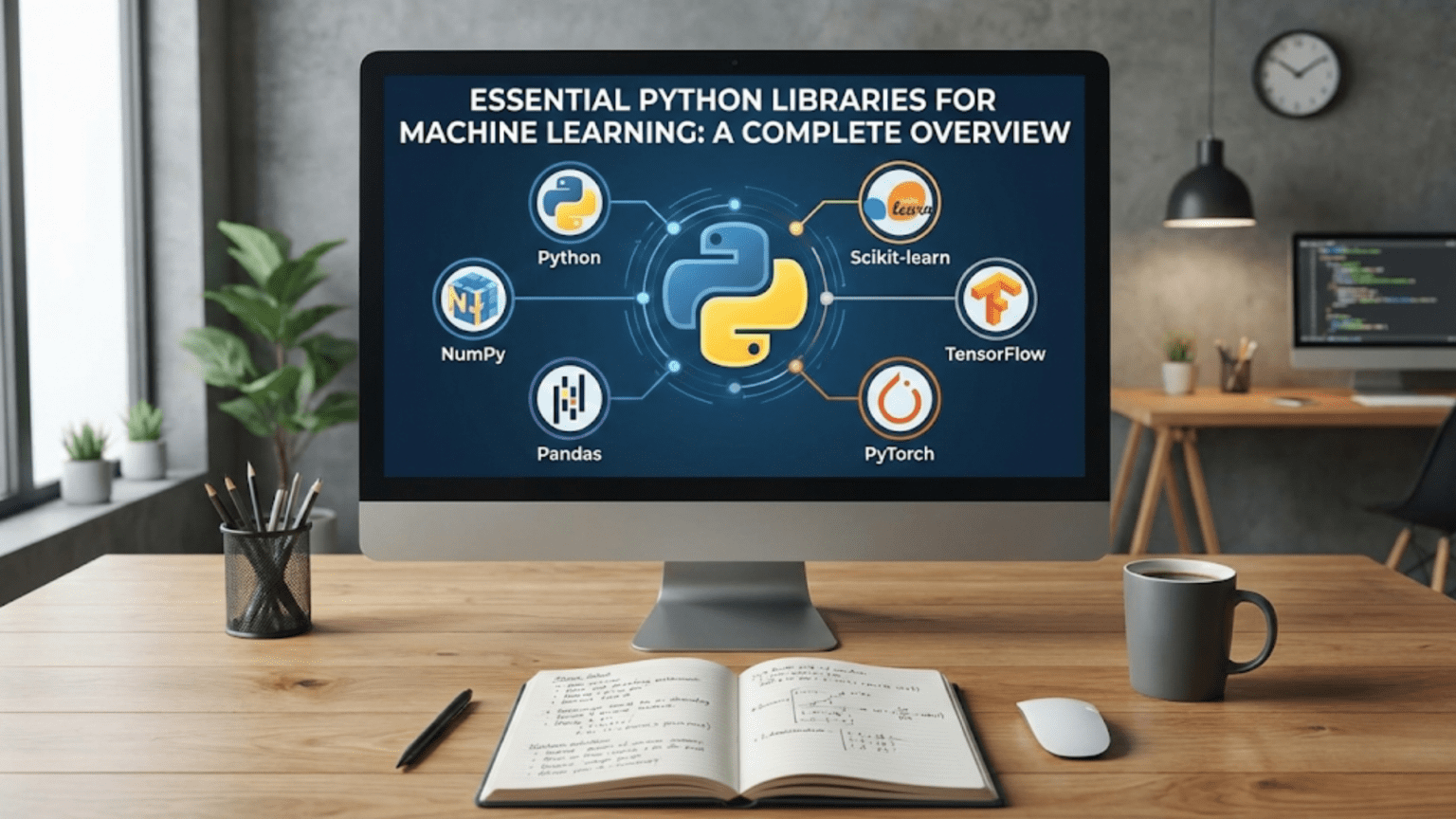
Understanding the machine learning library ecosystem is like understanding a craftsperson’s toolkit. Just as a carpenter has specific tools for different tasks—saws for cutting, hammers for nailing, drills for making holes—a machine learning practitioner has specialized libraries for different aspects of their work. NumPy provides the foundation for numerical computing. Pandas offers sophisticated data manipulation capabilities. Scikit-learn supplies ready-to-use machine learning algorithms. Matplotlib enables visualization. TensorFlow and PyTorch power deep learning applications.
The key to becoming an effective machine learning practitioner is not just knowing that these libraries exist, but understanding what each one does well, when to use it, and how they work together. This article will guide you through the essential libraries you need to know, explaining each one’s purpose, strengths, and typical use cases. We’ll explore why these libraries became standard tools, what problems they solve, and how to use them effectively in your machine learning projects.
By the end of this comprehensive overview, you’ll understand the role each library plays in the machine learning workflow. You’ll know which library to reach for when facing different tasks. You’ll see how these libraries complement each other, forming an integrated ecosystem that makes Python the premier platform for machine learning development.
NumPy: The Foundation of Numerical Computing
NumPy (Numerical Python) sits at the foundation of the entire scientific Python ecosystem. Before diving into what NumPy does, let’s understand why it exists and why it matters so much for machine learning.
Why NumPy Exists
Python’s built-in lists are flexible but slow for numerical operations. When you perform mathematical operations on lists, Python processes each element individually, checking types and calling methods for each operation. This is fine for small datasets but becomes prohibitively slow for the large numerical arrays common in machine learning. Machine learning involves operations on datasets with thousands, millions, or even billions of numbers. Speed matters immensely at this scale.
NumPy solves this problem by providing arrays—homogeneous, fixed-type data structures optimized for numerical operations. NumPy arrays store data in contiguous memory blocks, eliminating the overhead of Python’s dynamic typing. Operations on NumPy arrays execute in compiled C code, making them orders of magnitude faster than equivalent Python loops. Additionally, NumPy implements vectorization, which means applying operations to entire arrays at once rather than element by element.
What NumPy Provides
NumPy’s core offering is the ndarray (n-dimensional array)—a powerful, multi-dimensional container for numerical data. Unlike Python lists, NumPy arrays have fixed types (all elements must be the same type), fixed sizes (you can’t easily append elements), and homogeneous data (all integers or all floats, not mixed). These restrictions enable dramatic performance improvements.
Beyond arrays, NumPy provides comprehensive mathematical functions: basic arithmetic, trigonometry, exponentials, logarithms, and statistical operations. It includes linear algebra routines for matrix operations essential to machine learning algorithms. NumPy supplies tools for random number generation, crucial for initialization and sampling. It offers array manipulation functions for reshaping, slicing, and combining arrays.
When to Use NumPy
Use NumPy whenever you need to perform numerical operations on arrays of data. This includes preprocessing numerical features, implementing mathematical formulas, performing linear algebra operations, and working with images (which are arrays of pixel values). NumPy is essential for implementing machine learning algorithms from scratch. Even when using higher-level libraries, NumPy often appears underneath, and understanding it helps you work more effectively with those libraries.
Let’s see NumPy in action with a practical machine learning scenario:
import numpy as np

# Creating arrays - the foundation of NumPy
# In machine learning, your data typically starts as arrays
features = np.array([[1.0, 2.0, 3.0],
                     [4.0, 5.0, 6.0],
                     [7.0, 8.0, 9.0]])  # 3 samples, 3 features each

labels = np.array([0, 1, 0])  # Classification labels for each sample

print("Feature matrix shape:", features.shape)  # (3, 3) - 3 rows, 3 columns
print("Labels shape:", labels.shape)  # (3,) - 1-dimensional array
print("\nFeature matrix:")
print(features)
print("\nLabels:", labels)
print()

# Vectorized operations - the key to NumPy's speed
# Instead of looping through elements, operate on entire arrays
normalized_features = (features - features.mean()) / features.std()

print("Normalized features (zero mean, unit variance):")
print(normalized_features)
print(f"Mean after normalization: {normalized_features.mean():.10f}")
print(f"Std after normalization: {normalized_features.std():.4f}")
print()

# Mathematical operations common in machine learning
# Element-wise operations
squared_features = features ** 2
print("Squared features (element-wise):")
print(squared_features)
print()

# Matrix operations - fundamental to many ML algorithms
weights = np.array([0.5, -0.3, 0.8])  # Model weights
predictions = features.dot(weights)  # Matrix-vector multiplication

print("Linear model predictions (features @ weights):")
print(predictions)
print()

# Statistical operations - essential for data analysis
print("Feature statistics:")
print(f"  Mean of each feature: {features.mean(axis=0)}")
print(f"  Std of each feature: {features.std(axis=0)}")
print(f"  Min of each feature: {features.min(axis=0)}")
print(f" Max of each feature: {features.max(axis=0)}")What this code demonstrates: This example shows NumPy’s core capabilities. We create arrays to represent features and labels—the fundamental data structures in machine learning. We perform normalization, a crucial preprocessing step that standardizes features to have zero mean and unit variance. We demonstrate vectorized operations that apply to entire arrays without explicit loops. We show matrix multiplication, which underlies linear models, neural networks, and many other algorithms. Finally, we compute statistics along specific axes, useful for analyzing datasets.
The key insight is that operations that would require nested loops in pure Python happen in single lines with NumPy, executing much faster. This efficiency becomes critical when working with real datasets containing thousands of features and millions of samples.
Pandas: Data Manipulation and Analysis
While NumPy excels at numerical operations on arrays, real-world datasets are rarely simple numerical arrays. They have column names, mixed data types, missing values, and hierarchical indices. They come from various sources in different formats. This is where Pandas becomes indispensable.
Understanding Pandas’ Purpose
Pandas provides high-level data structures and tools specifically designed for data analysis. The name comes from “panel data,” a term from econometrics for multi-dimensional datasets. Pandas bridges the gap between raw data and machine learning algorithms. It handles the messy, real-world aspects of data that NumPy alone cannot easily manage.
Think of NumPy as providing the mathematical foundation—fast array operations—while Pandas builds on that foundation to provide data analysis capabilities. Pandas uses NumPy arrays internally but adds labels, handles heterogeneous data types, manages missing values, and provides powerful data manipulation operations.
The Two Main Data Structures
Pandas offers two primary data structures: Series and DataFrame. A Series is a one-dimensional labeled array, like a column in a spreadsheet. It has an index (labels for each value) and can hold any data type. A DataFrame is a two-dimensional labeled data structure, like a spreadsheet or SQL table. It has both row indices and column names. Think of a DataFrame as a collection of Series that share the same index.
DataFrames are the workhorses of data analysis. Each column can have a different data type—one might contain integers, another floats, another strings. This flexibility matches how real data looks: customer IDs as integers, purchase amounts as floats, product names as strings, all in one table.
Pandas’ Key Capabilities
Pandas excels at reading data from files (CSV, Excel, JSON, SQL databases), cleaning and preprocessing data (handling missing values, removing duplicates, transforming types), filtering and selecting subsets of data, grouping and aggregating (like SQL GROUP BY operations), merging and joining datasets, and reshaping data between long and wide formats.
For machine learning, Pandas is typically your first step. You load raw data into a DataFrame, explore it, clean it, and prepare it for modeling. Once prepared, you often convert Pandas structures to NumPy arrays for actual model training.
Let’s explore Pandas with a practical machine learning workflow:
import pandas as pd
import numpy as np

# Creating a DataFrame - representing a typical ML dataset
# In practice, you'd load this from a file, but we'll create it for illustration
data = {
    'customer_id': [1, 2, 3, 4, 5, 6, 7, 8],
    'age': [25, 35, 28, None, 42, 31, 29, 38],
    'income': [50000, 75000, 60000, 80000, None, 55000, 62000, 72000],
    'purchases': [3, 7, 4, 8, 9, 2, 5, 6],
    'will_churn': [0, 1, 0, 1, 1, 0, 0, 1]  # Target variable: will customer leave?
}

df = pd.DataFrame(data)
print("Original dataset:")
print(df)
print(f"\nDataset shape: {df.shape} (rows, columns)")
print()

# Data inspection - always your first step
print("Dataset info:")
print(df.info())  # Shows data types, non-null counts
print("\nBasic statistics:")
print(df.describe())  # Summary statistics for numerical columns
print()

# Handling missing values - critical for ML
print("Missing values per column:")
print(df.isnull().sum())
print()

# Option 1: Fill missing values with mean
df_filled = df.copy()
df_filled['age'].fillna(df['age'].mean(), inplace=True)
df_filled['income'].fillna(df['income'].median(), inplace=True)

print("After filling missing values:")
print(df_filled)
print()

# Selecting data - crucial for feature engineering
# Select specific columns (features)
features = df_filled[['age', 'income', 'purchases']]
target = df_filled['will_churn']

print("Features shape:", features.shape)
print("Target shape:", target.shape)
print()

# Filtering data - selecting subsets based on conditions
high_value_customers = df_filled[df_filled['income'] > 60000]
print("High-value customers (income > 60000):")
print(high_value_customers)
print()

# Creating new features - feature engineering
df_filled['income_per_purchase'] = df_filled['income'] / df_filled['purchases']
df_filled['age_group'] = pd.cut(df_filled['age'], bins=[0, 30, 40, 100],
                                 labels=['young', 'middle', 'senior'])

print("Dataset with engineered features:")
print(df_filled[['customer_id', 'age', 'income', 'purchases',
                 'income_per_purchase', 'age_group']])
print()

# Grouping and aggregation - understanding patterns
churn_by_age_group = df_filled.groupby('age_group')['will_churn'].agg(['mean', 'count'])
print("Churn rate by age group:")
print(churn_by_age_group)What this code demonstrates: This example walks through a typical data preparation workflow. We create a DataFrame representing customer data with a churn prediction task. We inspect the data to understand its structure and identify issues. We handle missing values—a ubiquitous problem in real data—by filling them with statistics like mean or median. We select specific columns as features and our target variable. We filter data based on conditions to analyze subsets. We engineer new features by combining existing ones. Finally, we group data and aggregate to find patterns, like churn rates across different customer segments.
Pandas makes each of these operations straightforward with intuitive syntax. What would require significant code with NumPy alone becomes single lines or simple method chains with Pandas. This efficiency is why Pandas is standard for the data preparation phase of machine learning projects.
Scikit-learn: Machine Learning Made Accessible
Scikit-learn is the most important library for traditional machine learning in Python. While NumPy provides numerical computing and Pandas handles data manipulation, Scikit-learn provides actual machine learning algorithms. It’s comprehensive, consistent, well-documented, and production-ready.
The Philosophy of Scikit-learn
Scikit-learn follows a consistent API design that makes it easy to learn and use. All models follow the same pattern: you create an estimator object, call .fit() to train it on data, and call .predict() to make predictions. This consistency means once you learn to use one algorithm, you can easily use any other with minimal changes to your code.
The library emphasizes simplicity and clarity over cutting-edge performance. It prioritizes well-established, proven algorithms implemented correctly over the latest research. This makes Scikit-learn ideal for learning, prototyping, and production systems for traditional machine learning tasks (those not requiring deep learning).
What Scikit-learn Includes
Scikit-learn provides supervised learning algorithms including linear models (linear regression, logistic regression, ridge, lasso), tree-based models (decision trees, random forests, gradient boosting), support vector machines, naive Bayes classifiers, and k-nearest neighbors. It includes unsupervised learning algorithms like k-means clustering, hierarchical clustering, DBSCAN, and principal component analysis.
Beyond algorithms, Scikit-learn offers model evaluation tools including train-test splitting, cross-validation, and numerous metrics for assessing classification and regression performance. It provides preprocessing utilities for scaling features, encoding categorical variables, imputing missing values, and polynomial feature creation. The library includes pipeline tools that chain preprocessing and modeling steps into single, reusable workflows.
When to Use Scikit-learn
Use Scikit-learn for traditional machine learning tasks: classification (spam detection, disease diagnosis, customer churn prediction), regression (price prediction, demand forecasting), clustering (customer segmentation, anomaly detection), and dimensionality reduction (feature extraction, visualization). For deep learning tasks involving images, text, or sequences, you’ll typically turn to TensorFlow or PyTorch instead.
Let’s see a complete machine learning workflow with Scikit-learn:
from sklearn.model_selection import train_test_split
from sklearn.preprocessing import StandardScaler
from sklearn.linear_model import LogisticRegression
from sklearn.tree import DecisionTreeClassifier
from sklearn.ensemble import RandomForestClassifier
from sklearn.metrics import accuracy_score, classification_report, confusion_matrix
import numpy as np

# Generate synthetic data for demonstration
# In practice, this would come from Pandas after data preparation
np.random.seed(42)
n_samples = 1000

# Create features: two that are predictive, one that's noise
X = np.random.randn(n_samples, 3)
# Create target: classification problem (binary: 0 or 1)
y = (X[:, 0] + 0.5 * X[:, 1] > 0).astype(int)

print("Dataset created:")
print(f"  Samples: {n_samples}")
print(f"  Features: {X.shape[1]}")
print(f"  Classes: {len(np.unique(y))} ({np.unique(y)})")
print(f"  Class distribution: {np.bincount(y)}")
print()

# Step 1: Split data into training and test sets
# This is crucial - we need unseen data to evaluate model performance
X_train, X_test, y_train, y_test = train_test_split(
    X, y, test_size=0.2, random_state=42
)

print("Data split:")
print(f"  Training samples: {len(X_train)}")
print(f"  Test samples: {len(X_test)}")
print()

# Step 2: Preprocessing - standardizing features
# Many algorithms work better when features have similar scales
scaler = StandardScaler()
X_train_scaled = scaler.fit_transform(X_train)  # Fit on training data only
X_test_scaled = scaler.transform(X_test)  # Apply same transformation to test data

print("Feature scaling applied")
print(f"  Original feature means: {X_train.mean(axis=0)}")
print(f"  Scaled feature means: {X_train_scaled.mean(axis=0)}")
print(f"  Scaled feature stds: {X_train_scaled.std(axis=0)}")
print()

# Step 3: Train multiple models - compare different algorithms
models = {
    'Logistic Regression': LogisticRegression(),
    'Decision Tree': DecisionTreeClassifier(max_depth=5, random_state=42),
    'Random Forest': RandomForestClassifier(n_estimators=100, random_state=42)
}

results = {}

for model_name, model in models.items():
    print(f"Training {model_name}...")

    # Train the model
    model.fit(X_train_scaled, y_train)

    # Make predictions
    y_pred = model.predict(X_test_scaled)

    # Evaluate
    accuracy = accuracy_score(y_test, y_pred)
    results[model_name] = accuracy

    print(f"  Accuracy: {accuracy:.4f}")
    print()

# Step 4: Detailed evaluation of best model
best_model_name = max(results, key=results.get)
best_model = models[best_model_name]
y_pred = best_model.predict(X_test_scaled)

print(f"Detailed evaluation of {best_model_name}:")
print("\nClassification Report:")
print(classification_report(y_test, y_pred, target_names=['Class 0', 'Class 1']))

print("\nConfusion Matrix:")
cm = confusion_matrix(y_test, y_pred)
print(cm)
print("\nConfusion Matrix Interpretation:")
print(f"  True Negatives: {cm[0,0]}")
print(f"  False Positives: {cm[0,1]}")
print(f"  False Negatives: {cm[1,0]}")
print(f"  True Positives: {cm[1,1]}")
What this code demonstrates: This example shows a complete supervised learning workflow. We start with data—features (X) and labels (y). We split the data into training and test sets, ensuring we have unseen data for honest evaluation. We preprocess the features using StandardScaler, which is critical for many algorithms. We train three different models using the same consistent API—create, fit, predict. We evaluate each model’s performance and compare them. Finally, we perform detailed evaluation of the best model, showing various metrics that reveal different aspects of performance.
The beauty of Scikit-learn is evident here: changing from logistic regression to random forest requires changing just the model object. The rest of the workflow stays identical. This consistency makes experimentation easy and code maintainable.
Matplotlib: Visualizing Data and Results
Understanding data and model behavior requires visualization. Matplotlib is Python’s foundational plotting library, providing comprehensive tools for creating static, animated, and interactive visualizations.
Why Visualization Matters in Machine Learning
Before training models, you need to understand your data. What do feature distributions look like? Are there outliers? How do features relate to each other? Visualization answers these questions far more effectively than staring at numbers. During model development, visualization helps you understand what’s happening: How is loss decreasing? Are there patterns in errors? After training, visualization communicates results: decision boundaries, feature importance, performance comparisons.
Matplotlib serves as the foundation for Python’s visualization ecosystem. Many higher-level libraries (Seaborn, Pandas’ plotting) build on Matplotlib. Understanding Matplotlib gives you fine-grained control over every aspect of your plots and helps you understand these other libraries better.
Matplotlib’s Structure
Matplotlib uses a hierarchy of objects. The Figure is the entire window or page—the top-level container. Within a figure, you create one or more Axes, which are individual plots (confusingly not the same as the x-axis and y-axis, but rather the entire plotting area). Each Axes contains actual plot elements like lines, markers, labels, and legends.
Matplotlib offers two interfaces: the pyplot module provides MATLAB-style state-based commands (simpler for quick plots), while the object-oriented interface offers more control (better for complex figures). Understanding both helps you choose the right approach for each situation.
Common Visualizations in Machine Learning
For data exploration, you’ll create histograms showing feature distributions, scatter plots revealing relationships between variables, box plots comparing distributions across categories, and correlation matrices showing relationships between all features. For model evaluation, you’ll plot learning curves showing training progress, confusion matrices visualizing classification errors, ROC curves assessing classifier performance at different thresholds, and feature importance charts highlighting which variables matter most.
Let’s explore practical visualizations for machine learning:
import matplotlib.pyplot as plt
import numpy as np
from sklearn.datasets import make_classification
from sklearn.model_selection import learning_curve
from sklearn.linear_model import LogisticRegression

# Set style for better-looking plots
plt.style.use('seaborn-v0_8-darkgrid')

# Generate sample data
np.random.seed(42)
X, y = make_classification(n_samples=300, n_features=2, n_redundant=0,
                          n_informative=2, n_clusters_per_class=1,
                          random_state=42)

# Create a figure with multiple subplots
fig, axes = plt.subplots(2, 2, figsize=(14, 12))

# Plot 1: Scatter plot showing data distribution
# This helps us understand if classes are separable
axes[0, 0].scatter(X[y==0, 0], X[y==0, 1], c='blue', label='Class 0',
                   alpha=0.6, edgecolors='black', s=50)
axes[0, 0].scatter(X[y==1, 0], X[y==1, 1], c='red', label='Class 1',
                   alpha=0.6, edgecolors='black', s=50)
axes[0, 0].set_xlabel('Feature 1', fontsize=11)
axes[0, 0].set_ylabel('Feature 2', fontsize=11)
axes[0, 0].set_title('Data Distribution: Class Separation', fontsize=12, fontweight='bold')
axes[0, 0].legend()
axes[0, 0].grid(True, alpha=0.3)

# Plot 2: Feature distributions (histogram)
# This reveals if features are normally distributed, skewed, etc.
axes[0, 1].hist(X[:, 0], bins=30, alpha=0.7, color='blue', edgecolor='black', label='Feature 1')
axes[0, 1].hist(X[:, 1], bins=30, alpha=0.7, color='red', edgecolor='black', label='Feature 2')
axes[0, 1].set_xlabel('Value', fontsize=11)
axes[0, 1].set_ylabel('Frequency', fontsize=11)
axes[0, 1].set_title('Feature Distributions', fontsize=12, fontweight='bold')
axes[0, 1].legend()
axes[0, 1].grid(True, alpha=0.3, axis='y')

# Plot 3: Learning curves
# This shows how model performance improves with more training data
model = LogisticRegression()
train_sizes, train_scores, val_scores = learning_curve(
    model, X, y, cv=5, n_jobs=-1,
    train_sizes=np.linspace(0.1, 1.0, 10),
    random_state=42
)

train_mean = train_scores.mean(axis=1)
train_std = train_scores.std(axis=1)
val_mean = val_scores.mean(axis=1)
val_std = val_scores.std(axis=1)

axes[1, 0].plot(train_sizes, train_mean, 'o-', color='blue', label='Training score')
axes[1, 0].fill_between(train_sizes, train_mean - train_std, train_mean + train_std,
                        alpha=0.2, color='blue')
axes[1, 0].plot(train_sizes, val_mean, 'o-', color='red', label='Validation score')
axes[1, 0].fill_between(train_sizes, val_mean - val_std, val_mean + val_std,
                        alpha=0.2, color='red')
axes[1, 0].set_xlabel('Training Set Size', fontsize=11)
axes[1, 0].set_ylabel('Accuracy Score', fontsize=11)
axes[1, 0].set_title('Learning Curves: Model Performance vs Data Size', fontsize=12, fontweight='bold')
axes[1, 0].legend(loc='lower right')
axes[1, 0].grid(True, alpha=0.3)

# Plot 4: Model comparison (bar chart)
# This visualizes which models perform best
model_names = ['Logistic\nRegression', 'Decision\nTree', 'Random\nForest', 'SVM']
accuracies = [0.87, 0.83, 0.91, 0.89]
colors = ['#3498db', '#e74c3c', '#2ecc71', '#f39c12']

bars = axes[1, 1].bar(model_names, accuracies, color=colors, alpha=0.8, edgecolor='black')
axes[1, 1].set_ylabel('Accuracy', fontsize=11)
axes[1, 1].set_title('Model Performance Comparison', fontsize=12, fontweight='bold')
axes[1, 1].set_ylim(0.7, 1.0)
axes[1, 1].grid(True, alpha=0.3, axis='y')

# Add value labels on bars
for bar, acc in zip(bars, accuracies):
    height = bar.get_height()
    axes[1, 1].text(bar.get_x() + bar.get_width()/2., height,
                    f'{acc:.2f}', ha='center', va='bottom', fontweight='bold')

plt.suptitle('Machine Learning Visualization Dashboard', fontsize=14, fontweight='bold')
plt.tight_layout()
plt.show()

print("Visualization created successfully!")
print("\nKey insights from visualizations:")
print("1. Scatter plot: Shows if classes are linearly separable")
print("2. Histograms: Reveal feature distributions and potential outliers")
print("3. Learning curves: Indicate if more data would help (curves not converged)")
print("4. Bar chart: Enables quick comparison of model performance")What this code demonstrates: This example creates a comprehensive visualization dashboard for machine learning. The scatter plot shows how data points are distributed in feature space, revealing whether classes are separable. The histograms display feature distributions, helping identify if features need transformation or if outliers exist. The learning curves show how model performance improves with more training data, indicating whether collecting more data would help. The bar chart compares different models’ performance at a glance.
Each visualization serves a specific analytical purpose. Together, they tell a story about your data and models. This is why visualization is not just about making pretty pictures—it’s a fundamental analytical tool that guides your machine learning decisions.
TensorFlow and PyTorch: Deep Learning Frameworks
For deep learning—neural networks with many layers—you need specialized frameworks. TensorFlow (developed by Google) and PyTorch (developed by Facebook/Meta) are the two dominant deep learning libraries. While Scikit-learn handles traditional machine learning, these frameworks power modern AI applications involving images, text, and sequences.
Why Deep Learning Needs Special Libraries
Deep learning models have millions or billions of parameters and require specialized computational techniques. These models need automatic differentiation to compute gradients for backpropagation. They benefit dramatically from GPU acceleration, which can speed up training by 10-100x compared to CPUs. They require sophisticated optimization algorithms beyond simple gradient descent. Building these capabilities from scratch is impractical, hence specialized frameworks.
Both TensorFlow and PyTorch provide automatic differentiation engines that compute gradients automatically. They optimize operations to run efficiently on GPUs. They include pre-built neural network layers, activation functions, and loss functions. They offer tools for building, training, and deploying complex models.
TensorFlow vs PyTorch: Key Differences
TensorFlow historically used static computational graphs—you define the entire computation graph first, then run data through it. This can be more efficient but less intuitive. TensorFlow 2.0 introduced eager execution, making it more like PyTorch. TensorFlow has stronger production deployment support through TensorFlow Serving and TensorFlow Lite for mobile devices.
PyTorch uses dynamic computational graphs, where the graph is built on-the-fly as operations execute. This makes debugging easier and code more intuitive. PyTorch is particularly popular in research due to its flexibility and Pythonic feel.
For learning, both are excellent choices. For research prototyping, PyTorch is often preferred. For production deployment, TensorFlow has more mature tooling. Many practitioners know both.
A Simple Neural Network Example
Let’s see a basic deep learning example to understand how these frameworks work:
import numpy as np

# We'll demonstrate the concept without requiring actual installation
# In practice, you would import: import tensorflow as tf

print("Deep Learning Framework Overview")
print("=" * 60)
print()

# Conceptual example of deep learning workflow
print("A typical deep learning workflow:")
print()

print("1. PREPARE DATA")
print("   - Load and preprocess data (images, text, etc.)")
print("   - Convert to appropriate format (tensors)")
print("   - Create batches for training")
print()

# Simulated data preparation
print("   Example: Preparing image data")
print("   Original images: 60,000 images of 28x28 pixels")
print("   After preprocessing: tensor shape (60000, 28, 28, 1)")
print("   Batched for training: batches of 32 images each")
print()

print("2. DEFINE MODEL")
print("   - Specify layers: input -> hidden layers -> output")
print("   - Choose activation functions: ReLU, sigmoid, etc.")
print("   - Define architecture: convolutional, recurrent, etc.")
print()

# Model architecture example
print("   Example: Image classification CNN")
print("   Input layer: 28x28 grayscale images")
print("   Conv layer 1: 32 filters, 3x3 kernel, ReLU activation")
print("   MaxPooling: 2x2 pool size")
print("   Conv layer 2: 64 filters, 3x3 kernel, ReLU activation")
print("   MaxPooling: 2x2 pool size")
print("   Flatten: Convert 2D to 1D")
print("   Dense layer: 128 neurons, ReLU activation")
print("   Output layer: 10 neurons (classes), softmax activation")
print()

print("3. COMPILE MODEL")
print("   - Choose loss function: categorical crossentropy, MSE, etc.")
print("   - Select optimizer: Adam, SGD, RMSprop, etc.")
print("   - Specify metrics: accuracy, precision, recall, etc.")
print()

print("   Example configuration:")
print("   Loss: categorical_crossentropy (for classification)")
print("   Optimizer: Adam (learning_rate=0.001)")
print("   Metrics: ['accuracy']")
print()

print("4. TRAIN MODEL")
print("   - Feed training data through model")
print("   - Compute loss (how wrong predictions are)")
print("   - Backpropagate gradients")
print("   - Update weights using optimizer")
print("   - Repeat for multiple epochs")
print()

# Simulated training
print("   Example training output:")
epochs = 5
for epoch in range(epochs):
    # Simulated metrics (would be real during actual training)
    train_loss = 1.5 * np.exp(-0.3 * epoch)
    train_acc = 0.5 + 0.08 * epoch
    val_loss = 1.6 * np.exp(-0.28 * epoch)
    val_acc = 0.48 + 0.08 * epoch

    print(f"   Epoch {epoch + 1}/{epochs}")
    print(f"     Train Loss: {train_loss:.4f}, Train Acc: {train_acc:.4f}")
    print(f"     Val Loss: {val_loss:.4f}, Val Acc: {val_acc:.4f}")
print()

print("5. EVALUATE MODEL")
print("   - Test on held-out data")
print("   - Calculate final metrics")
print("   - Analyze errors and confusion")
print()

print("   Example evaluation:")
print("   Test Loss: 0.324")
print("   Test Accuracy: 0.912 (91.2%)")
print("   Precision: 0.908")
print("   Recall: 0.915")
print()

print("6. DEPLOY MODEL")
print("   - Save trained model")
print("   - Deploy to production environment")
print("   - Serve predictions via API")
print()

print("\nKey differences from traditional ML (Scikit-learn):")
print("-" * 60)
print("✓ Handles much larger models (millions of parameters)")
print("✓ Automatically computes gradients (backpropagation)")
print("✓ Leverages GPUs for dramatic speedup")
print("✓ Better for unstructured data (images, text, audio)")
print("✓ Can learn hierarchical feature representations")
print()

print("When to use deep learning:")
print("-" * 60)
print("• Image classification, object detection")
print("• Natural language processing (text classification, translation)")
print("• Speech recognition and generation")
print("• Time series with complex patterns")
print("• Any problem with very large datasets and complex patterns")
print()

print("When traditional ML (Scikit-learn) is sufficient:")
print("-" * 60)
print("• Tabular data with clear features")
print("• Limited data (< 10,000 samples)")
print("• Need for interpretability")
print("• Simpler patterns that don't require deep feature learning")What this conceptual overview demonstrates: Deep learning involves a specific workflow: prepare data, define architecture, compile with loss and optimizer, train for multiple epochs, evaluate performance, and deploy. The framework handles complex operations like automatic differentiation and GPU acceleration automatically. While the syntax differs from Scikit-learn, the overall flow is similar: prepare data, create model, train model, evaluate model.
The key insight is that deep learning frameworks are necessary for neural networks because they handle the mathematical complexity (backpropagation, gradient computation) and computational requirements (GPU acceleration) that make deep learning practical. You don’t need to understand the intricate math—the framework handles it—but you do need to understand how to structure your network, choose appropriate hyperparameters, and interpret results.
SciPy: Scientific Computing Functions
SciPy builds on NumPy to provide additional scientific computing functionality. While NumPy provides basic array operations, SciPy adds advanced mathematical functions, optimization algorithms, signal processing, statistical distributions, and linear algebra routines beyond NumPy’s basics.
What SciPy Adds
SciPy includes modules for optimization (finding minima/maxima of functions), interpolation (estimating values between data points), integration (computing integrals), linear algebra (eigenvalues, matrix decompositions), statistics (probability distributions, statistical tests), and signal processing (filtering, Fourier transforms).
In machine learning, you use SciPy for advanced optimization (beyond gradient descent), statistical tests (checking if results are significant), working with probability distributions (sampling, computing probabilities), and linear algebra operations (singular value decomposition, solving systems of equations).
Let’s see SciPy in action:
from scipy import stats, optimize
import numpy as np

print("SciPy in Machine Learning")
print("=" * 60)
print()

# Statistical distributions - fundamental to probability
print("1. Working with Probability Distributions")
print("-" * 60)

# Create a normal distribution
mu, sigma = 100, 15
normal_dist = stats.norm(loc=mu, scale=sigma)

# Compute probabilities
print(f"Normal distribution: μ={mu}, σ={sigma}")
print(f"P(X < 110) = {normal_dist.cdf(110):.4f}")
print(f"P(X > 90) = {1 - normal_dist.cdf(90):.4f}")
print(f"P(90 < X < 110) = {normal_dist.cdf(110) - normal_dist.cdf(90):.4f}")

# Sample from distribution (useful for data generation)
samples = normal_dist.rvs(size=1000)
print(f"\nGenerated {len(samples)} samples")
print(f"Sample mean: {samples.mean():.2f} (theoretical: {mu})")
print(f"Sample std: {samples.std():.2f} (theoretical: {sigma})")
print()

# Statistical tests - checking significance
print("2. Statistical Hypothesis Testing")
print("-" * 60)

# Compare two samples (e.g., model A vs model B performance)
model_a_accuracy = np.random.normal(0.85, 0.05, 30)  # 30 runs of model A
model_b_accuracy = np.random.normal(0.88, 0.05, 30)  # 30 runs of model B

# T-test: is the difference statistically significant?
t_stat, p_value = stats.ttest_ind(model_a_accuracy, model_b_accuracy)

print(f"Model A mean accuracy: {model_a_accuracy.mean():.4f}")
print(f"Model B mean accuracy: {model_b_accuracy.mean():.4f}")
print(f"T-statistic: {t_stat:.4f}")
print(f"P-value: {p_value:.4f}")

if p_value < 0.05:
    print("Result: Statistically significant difference (p < 0.05)")
else:
    print("Result: No statistically significant difference (p >= 0.05)")
print()

# Optimization - finding best parameters
print("3. Optimization Beyond Gradient Descent")
print("-" * 60)

# Define a function to minimize (e.g., a loss function)
def loss_function(params):
    """A simple quadratic loss function"""
    x, y = params
    return (x - 3)**2 + (y + 2)**2 + 5

# Find minimum
initial_guess = [0, 0]
result = optimize.minimize(loss_function, initial_guess, method='BFGS')

print(f"Optimization result:")
print(f"Minimum found at: x={result.x[0]:.4f}, y={result.x[1]:.4f}")
print(f"Minimum value: {result.fun:.4f}")
print(f"Theoretical minimum: x=3, y=-2, value=5")
print()

# Correlation testing
print("4. Testing Correlation Significance")
print("-" * 60)

# Two features - are they significantly correlated?
feature1 = np.random.randn(100)
feature2 = 0.7 * feature1 + 0.3 * np.random.randn(100)  # Correlated with feature1

correlation, p_value = stats.pearsonr(feature1, feature2)

print(f"Correlation coefficient: {correlation:.4f}")
print(f"P-value: {p_value:.6f}")

if p_value < 0.05:
    print("Result: Correlation is statistically significant")
else:
print("Result: Correlation is not statistically significant")What this code demonstrates: SciPy provides advanced statistical and mathematical functions beyond NumPy’s basics. We work with probability distributions to compute probabilities and generate samples. We perform statistical hypothesis testing to determine if differences between models are significant or just random variation. We use optimization algorithms beyond simple gradient descent for finding function minima. We test whether observed correlations are statistically significant. These capabilities are crucial for rigorous machine learning experiments and analysis.
Conclusion: Building Your Machine Learning Toolkit
Understanding the Python machine learning ecosystem transforms you from a novice into an effective practitioner. Each library serves specific purposes and excels in its domain. NumPy provides fast numerical computing foundations. Pandas handles real-world data manipulation and analysis. Scikit-learn offers accessible implementations of traditional machine learning algorithms. Matplotlib enables essential visualization. TensorFlow and PyTorch power deep learning applications. SciPy adds advanced scientific computing capabilities.
The key to effectiveness is knowing which tool to use when. For data loading and cleaning, reach for Pandas. For numerical operations and array manipulation, use NumPy. For traditional machine learning tasks with structured data, Scikit-learn is ideal. For deep learning with images or sequences, turn to TensorFlow or PyTorch. For visualization and exploration, leverage Matplotlib. For statistical analysis and advanced optimization, employ SciPy.
These libraries work together seamlessly. A typical workflow might load data with Pandas, preprocess it using NumPy operations, visualize distributions with Matplotlib, train models with Scikit-learn, and evaluate significance with SciPy. Understanding how these pieces fit together enables you to tackle real machine learning problems efficiently.
As you continue your machine learning journey, invest time in each library. Don’t just memorize syntax—understand what problems each library solves and why it solves them that way. Practice with real datasets. Read documentation to discover capabilities beyond basic tutorials. Study examples from open-source projects to see how experienced practitioners combine these tools.
The Python machine learning ecosystem is vast, but these core libraries provide everything you need for most machine learning tasks. Master these foundations, and you’ll have the toolkit necessary to build sophisticated AI applications and contribute meaningfully to machine learning projects.