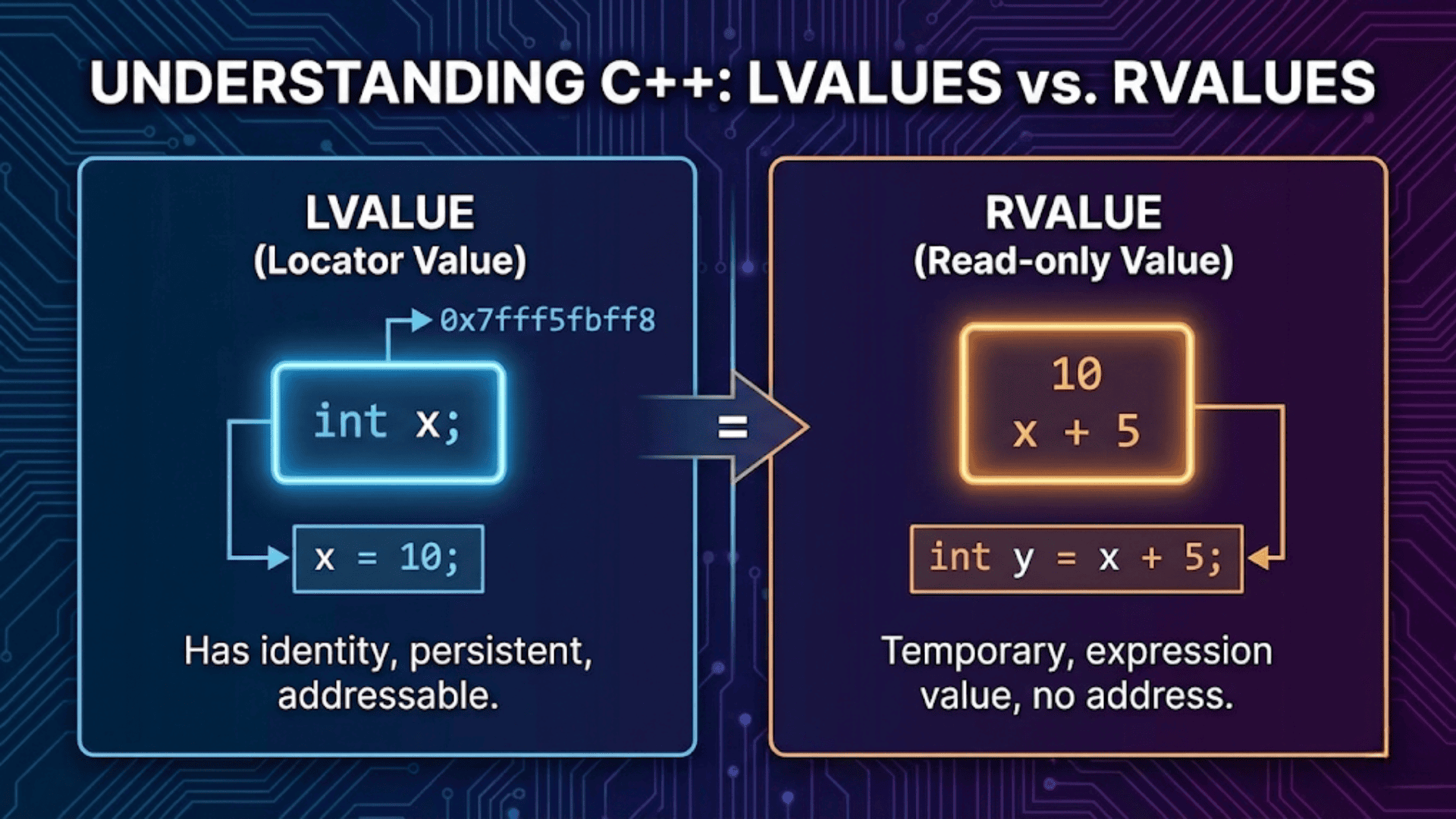

In C++, every expression belongs to a value category that determines how it can be used. An lvalue (historically “left value”) refers to an expression that identifies a specific, persistent memory location — something you can take the address of and assign to. An rvalue (historically “right value”) refers to a temporary value that does not have a stable address — typically a literal, a computed result, or the return value of a function. Understanding this distinction is the key to mastering move semantics, perfect forwarding, and modern C++ performance optimization.
Introduction
When you write int x = 5;, you instinctively know that x goes on the left and 5 goes on the right. But the left/right distinction in an assignment expression is just the most surface-level way to think about lvalues and rvalues. The real distinction is deeper, more nuanced, and far more consequential.
The lvalue/rvalue distinction governs which operations are legal in C++. It explains why you can take the address of a variable but not the address of an integer literal. It explains why some expressions can appear on the left of an assignment and others cannot. Most importantly in modern C++, it is the foundation of move semantics — the feature that allows C++ to eliminate expensive copies by transferring resources from temporary objects instead of duplicating them.
C++11 expanded the original two-category system (lvalue/rvalue) into a richer hierarchy with five categories. Understanding these categories will demystify confusing compiler error messages, help you write more efficient code, and make concepts like std::move, rvalue references, and perfect forwarding click into place naturally.
This article starts from the basics — what lvalues and rvalues are and how to identify them — then progressively builds up to rvalue references, move semantics, universal references, and std::forward. Every concept is grounded in practical, runnable code with clear step-by-step explanations.
The Original Distinction: lvalue vs. rvalue
The terms “lvalue” and “rvalue” come from the early days of C, where they literally meant “something that can appear on the Left side of an assignment” and “something that can only appear on the Right side.” While this intuition is useful as a starting point, it is not a complete definition.
A more accurate way to think about it:
- An lvalue is an expression that refers to a memory location that persists beyond the expression. You can take its address. It has a name, or at least a stable identity.
- An rvalue is an expression that represents a temporary value. It does not have a persistent address in the way lvalues do. It exists only for the duration of the expression that contains it.
#include <iostream>
using namespace std;

int main() {
    int x = 10;      // x is an lvalue; 10 is an rvalue
    int y = x + 5;   // y is an lvalue; (x + 5) is an rvalue

    // Taking the address of lvalues — works fine
    int* px = &x;    // OK: x is an lvalue
    int* py = &y;    // OK: y is an lvalue

    // Taking the address of rvalues — compile error
    // int* p = &10;       // ERROR: cannot take address of rvalue '10'
    // int* p = &(x + 5);  // ERROR: cannot take address of rvalue

    // Assigning to lvalues — fine
    x = 42;          // OK: x is an lvalue

    // Assigning to rvalues — compile error
    // 10 = x;        // ERROR: expression is not assignable
    // (x + 5) = x;   // ERROR: expression is not assignable

    cout << "x = " << x << ", y = " << y << endl;
    return 0;
}Output:
x = 42, y = 15Step-by-step explanation:
int x = 10—xis an lvalue: it has a name, it has a stable memory address, and it persists until the end of its scope.10is an rvalue: it is a literal with no address of its own.int y = x + 5—yis an lvalue. The expressionx + 5is an rvalue: it is a computed temporary value that exists only long enough to be assigned toy.&xand&ywork because both are lvalues with definite memory addresses.&10and&(x + 5)would fail to compile because rvalues do not have persistent, addressable storage.x = 42is valid becausexis an lvalue — it identifies a modifiable memory location.10 = xis invalid because you cannot assign to a temporary integer literal — it has no persistent storage.
Identifying lvalues and rvalues: Practical Tests
Learning to identify whether an expression is an lvalue or rvalue is a skill that comes with practice. Here are two practical rules:
The address-of test: If you can apply the & operator to an expression and get a valid pointer, it is an lvalue. If &expr fails to compile, the expression is an rvalue (or a non-addressable form of a value).
The assignment test: If an expression can appear on the left side of = by itself, it is likely an lvalue. If it cannot, it is likely an rvalue.
#include <iostream>
using namespace std;

int globalVar = 100;

int getValueByValue() { return 42; }       // Returns rvalue
int& getRefToGlobal() { return globalVar; } // Returns lvalue reference

int main() {
    int a = 5;
    int b = 10;
    int arr[3] = {1, 2, 3};

    // --- lvalues ---
    // Named variables
    // &a is fine — a is an lvalue
    cout << "Address of a: " << &a << endl;

    // Array elements — lvalues (they have addresses)
    arr[1] = 99;  // Array subscript is an lvalue
    cout << "arr[1] = " << arr[1] << endl;

    // Function returning lvalue reference — result is lvalue
    getRefToGlobal() = 200;  // Can assign to it!
    cout << "globalVar = " << globalVar << endl;

    // Dereference of a pointer — lvalue
    int* ptr = &a;
    *ptr = 77;    // *ptr is an lvalue
    cout << "a = " << a << endl;

    // --- rvalues ---
    // Integer literals
    // &42 would be a compile error

    // Arithmetic expressions
    // &(a + b) would be a compile error

    // Function call returning by value — rvalue
    int result = getValueByValue();  // getValueByValue() is an rvalue
    // &getValueByValue() would fail

    // String literals (special case: const char*, lvalue)
    const char* s = "hello";  // "hello" is actually an lvalue (array with address)

    cout << "result = " << result << endl;
    return 0;
}Output:
Address of a: 0x... (some address)
arr[1] = 99
globalVar = 200
a = 77
result = 42Step-by-step explanation:
- Named variables like
aandbare lvalues. Their addresses can be taken, and they persist across multiple statements. arr[1]is an lvalue. Array subscript on an array of known type always produces an lvalue — an expression that identifies a specific element in memory.getRefToGlobal()returns anint&— a reference toglobalVar. A function call that returns a reference is itself an lvalue. You can assign to it:getRefToGlobal() = 200writes200directly intoglobalVar.*ptr(dereferencing a pointer) is an lvalue. The dereference operator yields the object thatptrpoints to, which has a definite address.getValueByValue()returnsintby value. The return value is a temporary integer — an rvalue. You cannot take its address or assign to it directly.
C++11 Value Category Taxonomy: The Full Picture
C++11 expanded the two-category model into a hierarchy of five value categories to precisely describe the semantics needed for move semantics and perfect forwarding. Understanding the full taxonomy helps you read C++ compiler errors and reference documentation accurately.
          expression
         /          \
      glvalue       rvalue
      /     \      /     \
lvalue xvalue prvalueThe five categories are:
lvalue — An expression referring to a persistent object with a name and an address. Classic examples: named variables, function calls returning T&, array elements.
prvalue (pure rvalue) — An expression that computes a value but does not identify a persistent object. Examples: integer literals (42), floating-point literals (3.14), true/false, function calls returning by value (getValueByValue()), this pointer, lambda expressions.
xvalue (expiring value) — An expression that refers to an object whose resources can be moved because the object is about to expire. Examples: the result of std::move(x), a function call returning T&& (rvalue reference).
glvalue (generalized lvalue) — A supercategory covering both lvalues and xvalues. Any expression that refers to or locates an object (has identity).
rvalue — A supercategory covering both xvalues and prvalues. Any expression whose resources can be moved (either it is a pure temporary, or it is an expiring named object).
For practical day-to-day C++ programming, the most important distinction to grasp is between lvalue (named, persistent, addressable) and rvalue (temporary, movable, not directly addressable). The xvalue category becomes relevant when you start working with std::move and rvalue references.
lvalue References and rvalue References
In C++03, there was only one kind of reference: the lvalue reference (written T&). It can only bind to lvalues.
C++11 introduced the rvalue reference (written T&&). It can only bind to rvalues. This distinction enables move semantics.
#include <iostream>
using namespace std;

void processLvalue(int& x) {
    cout << "lvalue reference: " << x << endl;
    x *= 2;  // Can modify the original
}

void processRvalue(int&& x) {
    cout << "rvalue reference: " << x << endl;
    x *= 2;  // Can modify the temporary
}

int main() {
    int a = 10;

    // lvalue reference binds to lvalues
    processLvalue(a);          // OK: a is an lvalue
    cout << "a after: " << a << endl;  // a was modified

    // processLvalue(20);      // ERROR: cannot bind lvalue ref to rvalue '20'

    // rvalue reference binds to rvalues
    processRvalue(20);         // OK: 20 is an rvalue
    processRvalue(a * 3);      // OK: (a * 3) is an rvalue

    // processRvalue(a);        // ERROR: cannot bind rvalue ref to lvalue 'a'

    // const lvalue reference: the special case — binds to BOTH lvalues and rvalues
    const int& constRef = 42;  // OK: const lvalue ref extends lifetime of temporary
    cout << "constRef: " << constRef << endl;

    return 0;
}Output:
lvalue reference: 10
a after: 20
rvalue reference: 20
rvalue reference: 60
constRef: 42Step-by-step explanation:
int& x(lvalue reference) binds only to lvalues.processLvalue(a)works becauseais a named variable — an lvalue. Passing the literal20would fail at compile time because20has no persistent storage for the reference to bind to.int&& x(rvalue reference) binds only to rvalues.processRvalue(20)andprocessRvalue(a * 3)work because both expressions produce temporary values. Passing the named variableadirectly would fail.const int& constRef = 42is the classic C++ special rule: a const lvalue reference can bind to an rvalue. When this happens, the compiler creates a temporary, and theconstreference extends its lifetime to match the reference’s own lifetime. This is whyconst T&function parameters can accept both lvalues and rvalues — a useful property for read-only parameters.- Inside
processRvalue, even thoughxwas bound to an rvalue,xitself is an lvalue within the function body — it has a name and an address. This seemingly paradoxical fact is important for understandingstd::moveandstd::forward, covered later.
Why This Matters: The Copy Problem
To understand why the rvalue/lvalue distinction is so important in modern C++, you need to see the performance problem it solves. Without move semantics, copying is the only option for transferring data — and copying large objects is expensive.
#include <iostream>
#include <vector>
#include <string>
using namespace std;

class HeavyObject {
public:
    string name;
    vector<int> data;

    // Constructor
    HeavyObject(string n, size_t size) : name(n), data(size, 0) {
        cout << "HeavyObject '" << name << "' constructed (" << size << " ints)" << endl;
    }

    // Copy constructor
    HeavyObject(const HeavyObject& other) : name(other.name), data(other.data) {
        cout << "HeavyObject '" << name << "' COPIED (expensive!)" << endl;
    }

    // Move constructor
    HeavyObject(HeavyObject&& other) noexcept
        : name(move(other.name)), data(move(other.data)) {
        cout << "HeavyObject '" << name << "' MOVED (cheap!)" << endl;
    }

    ~HeavyObject() {
        cout << "HeavyObject '" << name << "' destroyed" << endl;
    }
};

HeavyObject createObject() {
    return HeavyObject("Temp", 1000000);  // Creates a temporary
}

int main() {
    cout << "--- Copying a named object ---" << endl;
    HeavyObject original("Original", 1000000);
    HeavyObject copy = original;           // COPY: original persists, must duplicate data

    cout << "\n--- Moving a temporary ---" << endl;
    HeavyObject fromTemp = createObject(); // MOVE (or RVO): temporary's data is stolen

    cout << "\n--- Explicit move of named object ---" << endl;
    HeavyObject stolen = move(original);   // MOVE: original gives up its data
    cout << "original.data.size() = " << original.data.size() << " (emptied)" << endl;

    return 0;
}Output (with move semantics):
--- Copying a named object ---
HeavyObject 'Original' constructed (1000000 ints)
HeavyObject 'Original' COPIED (expensive!)

--- Moving a temporary ---
HeavyObject 'Temp' constructed (1000000 ints)
HeavyObject 'Temp' MOVED (cheap!)

--- Explicit move of named object ---
HeavyObject 'Original' MOVED (cheap!)
original.data.size() = 0 (emptied)Step-by-step explanation:
HeavyObject copy = originaltriggers the copy constructor becauseoriginalis a named lvalue. The copy constructor duplicates the entirevector<int>— allocating 1,000,000 integers in a new heap buffer. This is expensive: it takes time proportional to the size of the data.HeavyObject fromTemp = createObject()creates a temporaryHeavyObjectinsidecreateObject(), which is an rvalue. The compiler either applies Return Value Optimization (RVO) — constructing the object directly infromTemp‘s storage — or uses the move constructor. Either way, no expensive copy of the million integers occurs.HeavyObject stolen = move(original)explicitly convertsoriginal(an lvalue) into an rvalue usingstd::move. This triggers the move constructor, which “steals” thedatavector’s internal heap buffer fromoriginalby transferring the pointer.original.datais left empty. The move is essentially free — it just copies a few pointers and sizes, not the 1,000,000 integers.- This is the core value of understanding lvalues and rvalues: the compiler uses the value category of the source expression to automatically choose between copying (expensive, safe) and moving (cheap, destructive). You control which is chosen by whether you pass an lvalue or an rvalue.
std::move: Converting lvalues to rvalues
std::move is a standard library function that casts its argument to an rvalue reference. Despite the name, it does not actually move anything — it simply grants permission for the move to occur by telling the compiler “treat this lvalue as a temporary you can steal resources from.”
#include <iostream>
#include <utility>
#include <string>
#include <vector>
using namespace std;

int main() {
    string s1 = "Hello, World!";
    cout << "s1 before move: '" << s1 << "'" << endl;

    // Move s1's internal buffer into s2
    string s2 = move(s1);

    cout << "s1 after move: '" << s1 << "'" << endl;  // s1 is valid but empty
    cout << "s2 after move: '" << s2 << "'" << endl;  // s2 has the string

    // move() is essentially a cast: static_cast<string&&>(s1)
    // It does NOT move by itself — the move constructor of s2 does the actual moving

    // Practical: move elements into a container efficiently
    vector<string> words;
    string temp = "expensive string data";
    words.push_back(move(temp));  // Move temp into the vector — no copy

    cout << "temp after push_back(move): '" << temp << "'" << endl;  // empty
    cout << "words[0]: '" << words[0] << "'" << endl;

    return 0;
}Output:
s1 before move: 'Hello, World!'
s1 after move: ''
s2 after move: 'Hello, World!'
temp after push_back(move): ''
words[0]: 'expensive string data'Step-by-step explanation:
string s2 = move(s1)first castss1tostring&&usingstd::move. This makes the expression an rvalue, which causes the string move constructor to be selected instead of the copy constructor.- The string move constructor transfers
s1‘s internal character buffer (a heap-allocatedchar*) tos2by copying the pointer, then setss1‘s pointer tonullptrand its size to0. This is essentially instantaneous regardless of string length. - After the move,
s1is in a valid but unspecified state. Forstd::string, this typically means an empty string. You should not rely on specific values in a moved-from object — only that it is safe to destroy and reassign. words.push_back(move(temp))demonstrates the practical use case: moving a local string into a container to avoid copying. The string’s heap-allocated character buffer is transferred into the container’s copy of the string — no heap allocation, no character-by-character copy.
What std::move Is and Is Not
std::move is a cast — specifically, static_cast<T&&>(t). It does not copy, move, allocate, or free anything. It simply changes the value category of an expression from lvalue to rvalue. The actual resource transfer happens in the move constructor or move assignment operator of the target type.
// std::move is exactly equivalent to:
template<typename T>
typename remove_reference<T>::type&& move(T&& arg) noexcept {
    return static_cast<typename remove_reference<T>::type&&>(arg);
}Calling move(x) on an object that has no move constructor simply falls back to the copy constructor — it is never an error, but it may not give you the performance benefit you expected.
Rvalue References in Function Overloading
One of the most powerful aspects of rvalue references is that they participate in function overloading, allowing you to write separate implementations for lvalue and rvalue arguments.
#include <iostream>
#include <string>
using namespace std;

class Buffer {
public:
    string data;

    // Constructor from lvalue string: must copy
    void setData(const string& s) {
        cout << "setData(const string&): copying '" << s << "'" << endl;
        data = s;  // Copy
    }

    // Constructor from rvalue string: can move
    void setData(string&& s) {
        cout << "setData(string&&): moving '" << s << "'" << endl;
        data = move(s);  // Move — much cheaper for large strings
    }
};

string generateLabel() {
    return "Generated_Label_" + to_string(42);
}

int main() {
    Buffer buf;

    string myLabel = "Persistent Label";

    // lvalue: copy overload selected
    buf.setData(myLabel);
    cout << "myLabel still valid: '" << myLabel << "'" << endl;

    // rvalue (temporary from function): move overload selected
    buf.setData(generateLabel());

    // Explicit move of lvalue: move overload selected
    buf.setData(move(myLabel));
    cout << "myLabel after explicit move: '" << myLabel << "'" << endl;

    return 0;
}Output:
setData(const string&): copying 'Persistent Label'
myLabel still valid: 'Persistent Label'
setData(string&&): moving 'Generated_Label_42'
setData(string&&): moving 'Persistent Label'
myLabel after explicit move: ''Step-by-step explanation:
buf.setData(myLabel)—myLabelis an lvalue. The compiler selectssetData(const string& s), the copy overload.myLabelremains intact because the function only takes aconstreference and copies from it.buf.setData(generateLabel())—generateLabel()returns by value, producing a temporary rvalue. The compiler selectssetData(string&& s), the move overload. The temporary’s data is moved directly intobuf.datawith no allocation.buf.setData(move(myLabel))—std::move(myLabel)convertsmyLabelto an rvalue. The move overload is again selected. After this call,myLabelis empty because its buffer was moved intobuf.data.- This overload pattern is the foundation of how C++ standard library types like
std::vector::push_back,std::string::operator=, and container constructors efficiently handle both lvalues and rvalues. Writing bothconst T&andT&&overloads is a core C++ idiom.
The Named rvalue Reference Is an lvalue
One of the most confusing facts about rvalue references is this: a named rvalue reference variable is itself an lvalue. This sounds contradictory, but it makes perfect logical sense.
#include <iostream>
#include <string>
using namespace std;

void process(string& s)  { cout << "lvalue overload: " << s << endl; }
void process(string&& s) { cout << "rvalue overload: " << s << endl; }

void forwardCorrectly(string&& s) {
    // s is an rvalue reference PARAMETER, but s itself is an LVALUE
    // (it has a name, it has an address)
    process(s);         // Calls lvalue overload! s is a named lvalue.
    process(move(s));   // Calls rvalue overload — move casts s back to rvalue
}

int main() {
    string text = "hello";

    cout << "Calling with rvalue:" << endl;
    forwardCorrectly(move(text));

    return 0;
}Output:
Calling with rvalue:
lvalue overload: hello
rvalue overload: helloStep-by-step explanation:
forwardCorrectly(string&& s)takes an rvalue reference parameter. When called withmove(text), it binds to the rvalue.- Inside
forwardCorrectly, the parametersis of typestring&&, but because it has a name, it is treated as an lvalue within the function body. Callingprocess(s)dispatches to the lvalue overload. - If you want to pass the rvalue nature through to another function, you must explicitly cast it back to an rvalue:
process(move(s)). Now the rvalue overload is selected. - This behavior is intentional and important for safety. If named rvalue references were automatically rvalues, you could accidentally move from a parameter twice — the second use would access a moved-from (empty) object. Making named rvalue references into lvalues forces you to be explicit about each move.
Universal References (Forwarding References)
C++11 introduced a special deduction rule: when T&& appears in a deduced template context, it is not simply an rvalue reference — it is a universal reference (also called a forwarding reference) that can bind to both lvalues and rvalues.
#include <iostream>
#include <string>
using namespace std;

// T&& in a deduced template context: universal reference
template<typename T>
void universalAccept(T&& arg) {
    cout << "Type of T: " << typeid(T).name() << endl;
    // When T = string& (lvalue passed), T&& collapses to string&
    // When T = string  (rvalue passed), T&& remains string&&
}

void nonTemplate(string&& arg) {
    // This is a plain rvalue reference — NOT a universal reference
    cout << "rvalue-only: " << arg << endl;
}

int main() {
    string s = "hello";

    // Universal reference accepts lvalue — T deduced as string&
    universalAccept(s);

    // Universal reference accepts rvalue — T deduced as string
    universalAccept(string("world"));
    universalAccept(move(s));

    // Regular rvalue reference ONLY accepts rvalues
    nonTemplate(string("temporary"));
    // nonTemplate(s);  // ERROR: cannot bind rvalue ref to lvalue
    nonTemplate(move(s));

    return 0;
}Step-by-step explanation:
universalAccept(s)passes an lvaluesto a template function withT&&. Template argument deduction makesT = string&, and by reference collapsing rules,string& &&collapses tostring&. So the parameter binds to the lvalue.universalAccept(string("world"))passes a temporary rvalue.Tis deduced asstring(no reference), soT&&becomesstring&&. The parameter binds to the rvalue.- Universal references are identified by the pattern
T&&whereTis a template parameter being deduced. They are not identified by the&&syntax alone —nonTemplate(string&&)with a specific type is a plain rvalue reference, not a universal reference. - Reference collapsing rules:
T& &→T&,T& &&→T&,T&& &→T&,T&& &&→T&&. Essentially, if any reference in the collapse is an lvalue reference, the result is an lvalue reference. Only&&collapsed with&&yields&&.
std::forward: Perfect Forwarding
std::forward is the complement to std::move. While std::move unconditionally converts its argument to an rvalue, std::forward conditionally preserves the value category — forwarding an lvalue as an lvalue and an rvalue as an rvalue. This is called perfect forwarding.
#include <iostream>
#include <string>
#include <utility>
using namespace std;

class Widget {
public:
    string name;
    explicit Widget(const string& n) : name(n) {
        cout << "Widget copy-constructed: " << name << endl;
    }
    explicit Widget(string&& n) : name(move(n)) {
        cout << "Widget move-constructed: " << name << endl;
    }
};

// Factory function: perfectly forwards arguments to Widget's constructor
template<typename... Args>
Widget makeWidget(Args&&... args) {
    // forward preserves the value category of each argument
    return Widget(forward<Args>(args)...);
}

int main() {
    string label = "Button";

    cout << "--- Passing lvalue ---" << endl;
    auto w1 = makeWidget(label);             // Should copy-construct
    cout << "label still valid: '" << label << "'" << endl;

    cout << "\n--- Passing rvalue ---" << endl;
    auto w2 = makeWidget(string("Label"));   // Should move-construct
    auto w3 = makeWidget(move(label));       // Should move-construct
    cout << "label after move: '" << label << "'" << endl;

    return 0;
}Output:
--- Passing lvalue ---
Widget copy-constructed: Button
label still valid: 'Button'

--- Passing rvalue ---
Widget move-constructed: Label
Widget move-constructed: Button
label after move: ''Step-by-step explanation:
makeWidgettakesArgs&&...— a pack of universal references.forward<Args>(args)...forwards each argument with its original value category preserved.- When
label(an lvalue) is passed,Argsis deduced asstring&.forward<string&>(args)returns an lvalue reference, causing Widget’s copy constructor to be called.labelis unchanged. - When
string("Label")(an rvalue) is passed,Argsis deduced asstring.forward<string>(args)returns an rvalue reference, causing Widget’s move constructor to be called. The temporary’s buffer is moved with no allocation. - Without
std::forward, using justargs...inside the template body would always pass lvalues (because named parameters are lvalues).forwardrestores the original value category, completing the “perfect” forwarding. std::forwardshould only be used in template functions with forwarding references (T&&). Usingforwardoutside this context is a misuse that can produce unexpected behavior.
Return Value Optimization (RVO) and Value Categories
One important interaction between value categories and compiler optimization is Return Value Optimization (RVO) and its variant Named Return Value Optimization (NRVO). These are compiler optimizations where the compiler eliminates unnecessary copies/moves when returning objects from functions.
#include <iostream>
#include <string>
using namespace std;

class Widget {
public:
    string name;

    Widget(string n) : name(n) {
        cout << "Widget('" << name << "') constructed" << endl;
    }

    Widget(const Widget& other) : name(other.name) {
        cout << "Widget COPIED: '" << name << "'" << endl;
    }

    Widget(Widget&& other) noexcept : name(move(other.name)) {
        cout << "Widget MOVED: '" << name << "'" << endl;
    }

    ~Widget() {
        cout << "Widget('" << name << "') destroyed" << endl;
    }
};

// RVO: unnamed temporary returned directly
Widget makeUnnamed() {
    return Widget("Unnamed");  // Compiler constructs directly in caller's space
}

// NRVO: named variable returned
Widget makeNamed() {
    Widget w("Named");
    // ... some work ...
    return w;  // Compiler may construct directly in caller's space (NRVO)
}

int main() {
    cout << "--- RVO ---" << endl;
    Widget w1 = makeUnnamed();  // Likely no copy or move at all

    cout << "\n--- NRVO ---" << endl;
    Widget w2 = makeNamed();    // NRVO may eliminate the move

    cout << "\n--- Defeating optimization (don't do this) ---" << endl;
    Widget w3 = move(makeNamed());  // move() actually PREVENTS RVO!

    return 0;
}Output (with optimizations enabled):
--- RVO ---
Widget('Unnamed') constructed

--- NRVO ---
Widget('Named') constructed

--- Defeating optimization (don't do this) ---
Widget('Named') constructed
Widget MOVED: 'Named'Step-by-step explanation:
- In
makeUnnamed(), the compiler applies RVO: instead of constructing theWidgetinside the function and then copying or moving it out, it constructs it directly in the memory location wherew1will live. Zero copies, zero moves. - NRVO is the same optimization applied to named local variables. The compiler constructs
winsidemakeNamed()directly inw2‘s storage. Again, zero extra operations. Widget w3 = move(makeNamed())is a common mistake.std::moveturns the return value into a named rvalue reference, which actually prevents RVO because RVO requires a prvalue. The result is that the compiler is forced to construct insidemakeNamed()and then perform a move intow3— worse than simply writingWidget w3 = makeNamed().- The lesson: never apply
std::moveto a return expression inside a function — doing so prevents RVO and can make your code slower, not faster.
Common Mistakes with lvalues, rvalues, and Move Semantics
Mistake 1: Moving from a Const Object
const string s = "hello";
string t = move(s);  // Calls copy constructor, not move!
cout << s << endl; // s is still "hello" — not movedstd::move on a const object produces const string&&. There is no move constructor that accepts const T&& (move constructors take T&&), so the copy constructor is silently called. The move was a no-op. Mark objects const only when you genuinely do not want them modified or moved.
Mistake 2: Using a Moved-From Object
string s = "data";
string t = move(s);
cout << s.size();  // Undefined behavior? No — but unspecified value
// Standard only guarantees: s is in a valid but unspecified state
// For std::string, it is typically empty, but do not rely on thisAfter a move, the source object is in a “valid but unspecified state.” It is safe to reassign or destroy, but reading its value produces unspecified results. The correct pattern is to reassign before reuse: s = "new value"; after the move.
Mistake 3: Returning a Local Variable with std::move
string buildString() {
    string result = "hello";
    return move(result);  // WRONG: prevents NRVO, may be slower
}

string buildString() {
    string result = "hello";
    return result;  // CORRECT: compiler can apply NRVO
}Mistake 4: Taking Universal References by Value Instead of Reference
// BAD: always copies, never moves
template<typename T>
void store(T value) { data_ = value; }

// GOOD: uses perfect forwarding
template<typename T>
void store(T&& value) { data_ = forward<T>(value); }Mistake 5: Forgetting noexcept on Move Constructors
Containers like std::vector use the move constructor during reallocation only if it is marked noexcept. If your move constructor can throw (or is not marked noexcept), vector falls back to copying even when moving would be correct. Always mark move constructors and move assignment operators noexcept when they genuinely cannot throw.
// WRONG: vector will copy instead of move during reallocation
MyClass(MyClass&& other) { ... }

// CORRECT: vector will move during reallocation
MyClass(MyClass&& other) noexcept { ... }Value Categories and Standard Library Types
Understanding value categories becomes especially practical when working with standard library functions that have both lvalue and rvalue overloads.
#include <iostream>
#include <vector>
#include <string>
using namespace std;

int main() {
    vector<string> v;

    // push_back has two overloads:
    // void push_back(const string&)   — copies
    // void push_back(string&&)        — moves

    string s1 = "lvalue string";
    v.push_back(s1);           // Copies — s1 still valid
    v.push_back(move(s1));     // Moves — s1 is now empty
    v.push_back("rvalue");     // Moves (from temporary)

    cout << "s1 after moves: '" << s1 << "'" << endl;
    cout << "Vector contents:" << endl;
    for (const auto& s : v) cout << "  '" << s << "'" << endl;

    // emplace_back: constructs in-place, avoids all copies/moves
    v.emplace_back("constructed in-place");

    cout << "After emplace_back:" << endl;
    for (const auto& s : v) cout << "  '" << s << "'" << endl;

    return 0;
}Output:
s1 after moves: ''
Vector contents:
  'lvalue string'
  'lvalue string'
  'rvalue'
After emplace_back:
  'lvalue string'
  'lvalue string'
  'rvalue'
'constructed in-place'Step-by-step explanation:
v.push_back(s1)—s1is an lvalue, so the copy overload ofpush_backis selected. A newstringis copy-constructed inside the vector.s1retains its value.v.push_back(move(s1))—move(s1)produces an rvalue, selecting the move overload.s1‘s internal buffer is transferred to the new vector element.s1is left empty.v.push_back("rvalue")— the string literal is implicitly converted to a temporarystring, which is an rvalue. The move overload is selected.v.emplace_back("constructed in-place")— constructs a newstringdirectly inside the vector’s storage by forwarding the argument tostring‘s constructor. This is the most efficient option: no temporary is created, no copy or move is needed.
Quick Reference: Value Category Summary
| Expression Type | Category | Can Assign To? | Can Take Address? | Can Bind to T&&? |
|---|---|---|---|---|
Named variable (x) | lvalue | Yes | Yes | No (need move) |
Array element (arr[i]) | lvalue | Yes | Yes | No |
Dereferenced pointer (*p) | lvalue | Yes | Yes | No |
Function returning T& | lvalue | Yes | Yes | No |
Integer literal (42) | prvalue | No | No | Yes |
String literal ("hi") | lvalue | No (const) | Yes | No |
Arithmetic expression (x+1) | prvalue | No | No | Yes |
Function returning T | prvalue | No | No | Yes |
std::move(x) | xvalue | No | No | Yes |
Function returning T&& | xvalue | No | No | Yes |
const T& param | lvalue | No (const) | Yes | No |
Conclusion
The distinction between lvalues and rvalues is one of the most foundational concepts in C++. At its simplest level, it explains why you can assign to a variable but not to a literal, and why you can take the address of a named object but not of a temporary expression. At its most powerful level, it is the mechanism that makes move semantics possible — enabling C++ programs to transfer resources from temporary objects instead of copying them, which can make the difference between a program that allocates millions of times and one that barely allocates at all.
The value category system in modern C++ — with lvalues, prvalues, xvalues, and the supercategories glvalue and rvalue — gives the compiler precise information about the lifetime and ownership of every expression. Rvalue references (T&&) let you write functions that can specifically act on temporary or expiring values. std::move lets you explicitly grant move permission to a named lvalue. std::forward preserves value categories through template layers for perfect forwarding.
As you advance in C++, you will encounter value categories everywhere: in overload resolution, in template instantiation, in move constructors, in container implementations, and in performance-critical code. Investing time in truly understanding lvalues and rvalues — not just memorizing rules, but understanding the ownership and lifetime reasoning behind them — will pay dividends throughout your entire C++ career.