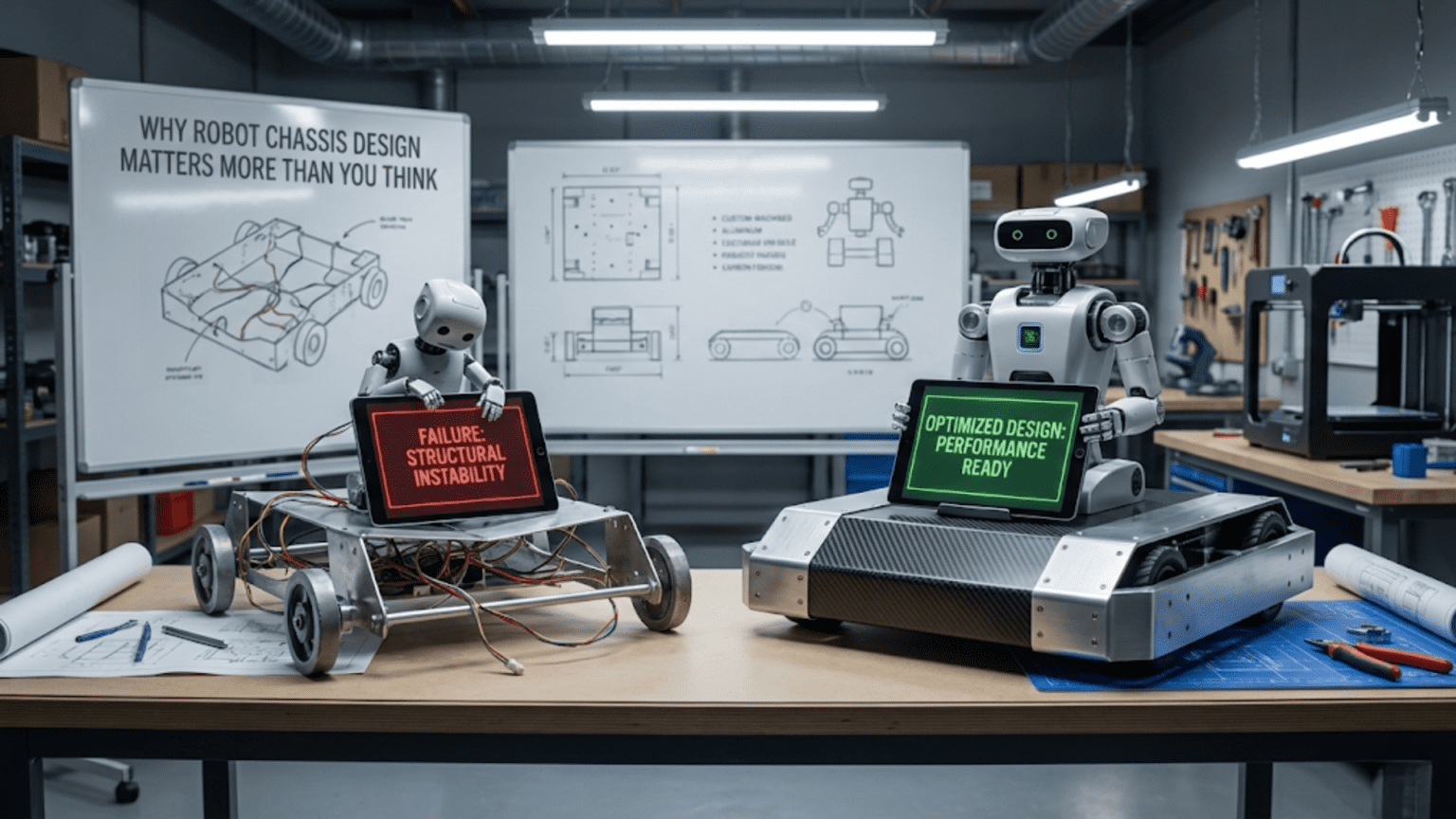
A robot chassis is the structural foundation that holds every component in precise alignment, distributes loads safely, maintains a stable center of gravity, and determines whether the robot can be built, serviced, and modified efficiently—making chassis design one of the highest-leverage decisions in the entire robot development process. Poor chassis design causes mechanical failures, sensor misalignment, control instability, and serviceability nightmares that no amount of software tuning can correct, while a well-designed chassis makes every other system on the robot perform better and more reliably.
Introduction
You’ve selected the perfect motors, chosen the right wheels, picked the best sensors, and written clean, well-tuned control code. The robot should work beautifully. But in testing, it veers to one side despite encoder-based heading correction. The ultrasonic sensor occasionally reads incorrect values because it’s mounted at a slight angle from vibration-induced loosening. The battery is buried under three other components, making every swap a 20-minute disassembly exercise. The whole structure flexes noticeably when a drive wheel hits a small bump, shifting the camera mount enough to affect visual processing. And when a wheel motor fails—as it inevitably does—replacing it requires removing eight other components first.
Every one of these problems has the same root cause: chassis design that wasn’t thought through carefully enough. Not bad code, not wrong sensors, not underpowered motors—chassis design.
The chassis is the robot’s skeleton. It determines the physical relationship between every component. It governs stability, vibration transmission, thermal management, sensor alignment, load distribution, and maintainability. Yet chassis design receives a fraction of the attention lavished on electronics selection and software architecture in most robotics education. This article corrects that imbalance with a thorough, practical exploration of what makes a robot chassis genuinely good.
What a Robot Chassis Actually Does
Before diving into design principles, it’s worth articulating precisely what a robot chassis is responsible for. Understanding these functions clarifies what properties to optimize during design.
Structural Integrity: Holding Shape Under Load
The chassis must maintain its geometry under all the forces the robot experiences during operation. These forces are larger and more varied than most beginners expect.
Static loads: The weight of all mounted components—batteries, electronics, sensors, motors, payload—presses down continuously. The chassis distributes these loads to the wheels or contact points without flexing excessively or concentrating stress at failure points.
Dynamic loads: During acceleration, deceleration, and turning, inertial forces add to static weight. A 2 kg robot accelerating at 2 m/s² experiences an additional 4 N of horizontal force—not enormous, but enough to matter in a flexible structure.
Impact loads: Robots fall. Robots collide with walls, other robots, furniture legs, and unexpected obstacles. Impact loads can be ten to fifty times the static weight, applied impulsively. A chassis that handles static loads comfortably may fracture or permanently deform under impact.
Vibration: Motor commutation, wheel rotation over textured surfaces, and mechanical drive train imperfections all generate vibration that propagates through the structure. Vibration causes fasteners to loosen, sensor mounts to shift, and cable connections to fatigue.
Component Positioning: The Foundation of Alignment
Every component on the robot is positioned relative to the chassis. If the chassis maintains precise geometry, component positions relative to each other remain stable. If the chassis flexes, creeps, or has poorly located mounting features, component positions shift—and what was aligned during assembly becomes misaligned in operation.
Sensor alignment is particularly sensitive. An ultrasonic range sensor mounted at 2° off-center produces distance readings that vary from the true perpendicular distance. A camera tilted 5° from horizontal produces visual processing artifacts. An encoder that works loose and shifts 0.5 mm can cause intermittent counting errors. These problems seem like sensor failures, but they’re chassis failures.
Load Path Management: Keeping Forces Where They Belong
Forces flow through structures along paths determined by geometry and stiffness. Good chassis design creates clear, direct load paths from load application points (wheels, payload mounting, actuators) to structural support points (axles, ground contacts, frame members). Indirect load paths through flexible intermediate components create deflection, stress concentrations, and eventual fatigue failure.
Thermal Management: Heat Has to Go Somewhere
Motor controllers, batteries, and high-current wiring generate heat. The chassis layout determines how easily that heat dissipates. A battery jammed against a motor controller with no airflow between them creates a thermal disaster zone—both components run hotter than they would separately, reducing performance and lifespan. Good chassis design provides airflow paths, separates heat sources, and positions heat-generating components where their heat can escape.
Serviceability: The Robot Has to Be Fixable
A robot that is difficult to service will consume enormous time during development and operation. The chassis layout determines whether replacing a battery takes 30 seconds or 30 minutes, whether swapping a wheel motor requires removing four other components first, and whether debugging an intermittent wiring connection requires tools or just fingertips. Good serviceability design pays dividends throughout the robot’s entire working life.
Center of Gravity: The Most Critical Design Parameter
Of all the chassis design parameters, the center of gravity (CoG) has the greatest influence on robot stability and behavior. Understanding CoG and deliberately designing it is the difference between a stable, controllable robot and one that tips, skids, and behaves unpredictably.
What Center of Gravity Means
The center of gravity is the single point through which the entire gravitational force on the robot effectively acts—the mass-weighted average position of all components. If you could attach a single string to this point, the robot would balance without tipping in any direction.
For a robot with multiple components, the CoG is calculated as the mass-weighted average of each component’s position:
CoG_x = Σ(mass_i × position_x_i) / Total_mass
CoG_y = Σ(mass_i × position_y_i) / Total_mass
CoG_z = Σ(mass_i × position_z_i) / Total_mass

Example: Two-component robot (horizontal axis only)
Component A: 0.5 kg at x = 50mm from robot center
Component B: 1.5 kg at x = -20mm from robot center
Total mass: 2.0 kg

CoG_x = (0.5 × 50 + 1.5 × (-20)) / 2.0
       = (25 - 30) / 2.0
       = -2.5 mm from robot center

The CoG is 2.5 mm to the left of center—slightly
biased toward the heavier component.Why CoG Height Matters: Tipping Stability
The height of the CoG above the ground is the most critical stability parameter for wheeled robots. A robot tips when the vertical line through its CoG falls outside its support polygon—the area bounded by its ground contact points.
For a differential drive robot with track width W (distance between drive wheels), the robot tips sideways when the lateral CoG offset exceeds W/2. The tipping stability margin is:
Lateral stability margin = W/2 - |CoG lateral offset|

For a robot with 150mm track width and 10mm lateral CoG offset:
Stability margin = 75mm - 10mm = 65mm

This margin reduces during cornering, because centripetal acceleration
adds a lateral force that tilts the effective gravity vector outward.

During a turn at speed v with turn radius r:
Effective lateral tilt = arctan(v² / (r × g))

At v = 0.5 m/s, r = 0.3 m:
Tilt = arctan(0.25 / (0.3 × 9.81)) = arctan(0.085) ≈ 4.9°

The effective CoG shifts outward by:
CoG_height × tan(4.9°) ≈ CoG_height × 0.086

For a CoG at 80 mm height: lateral shift = 80 × 0.086 = 6.9 mm during the turnThis analysis shows why a robot that seems stable while stationary can tip during high-speed turns: the centripetal effect moves the effective CoG laterally, consuming the stability margin.
Design rules for CoG height:
- Keep heavy components (battery, main electronics) as low as possible in the chassis
- Mount lightweight components (small sensors, covers) at any height
- Minimize tall, top-heavy structures on mobile robots
- For robot arms: the lowest stable position should keep the combined robot+arm CoG well within the support polygon
Longitudinal CoG and Drive Wheel Loading
For differential drive robots with caster wheels, the longitudinal position of the CoG (fore-aft) determines how weight is distributed between drive wheels and caster wheels:
Weight on drive wheels = Total_weight × (distance from CoG to caster) / wheelbase
Weight on casters     = Total_weight × (distance from CoG to drive axle) / wheelbase

For best traction: CoG should be closer to drive wheels than to casters
Typical target: 60–70% of weight on drive wheels

Example:
Robot: 2 kg, 200 mm wheelbase
Drive axle at rear, caster at front
Target: 65% on drive wheels

Required CoG distance from drive axle = (1 - 0.65) × 200 = 70 mm forward of drive axle
Position heavy components to place CoG 70 mm ahead of the drive axle.If the CoG is too far forward (toward the caster), the drive wheels carry less weight and lose traction. If too far backward, the caster barely touches the ground and the robot rocks forward under acceleration.
Weight Distribution Across the Chassis
Closely related to CoG is the distribution of weight across the chassis—not just where the average falls, but how mass is spread spatially.
Symmetric vs. Asymmetric Loading
Asymmetric weight distribution—more mass on one side than the other—causes a differential drive robot to turn consistently in one direction even when commanded to drive straight. The heavier side has more traction, creating a persistent turning moment.
This effect is why differential drive robots always need heading feedback (encoder or gyroscope-based) for precise straight-line driving. Even with identical motors and symmetric wiring, asymmetric weight distribution creates a bias that software must correct. Designing for symmetry—placing equal masses on each side of the longitudinal axis—reduces the magnitude of this bias and lightens the software correction burden.
Mass Moment of Inertia: How Quickly the Robot Turns
Beyond CoG position, the distribution of mass affects the robot’s rotational inertia—how easily it starts and stops turning. Mass concentrated near the center of rotation (low rotational inertia) allows the robot to turn quickly and responsively. Mass concentrated far from the center (high rotational inertia) makes turns sluggish and harder to control precisely.
Rotational inertia contribution: I = m × r²

A 0.5 kg battery at 100 mm from center: I = 0.5 × 0.1² = 0.005 kg·m²
Same battery at 50 mm from center:      I = 0.5 × 0.05² = 0.00125 kg·m²

Moving the battery 50 mm closer to center reduces its rotational
inertia contribution by a factor of 4.For robots that need quick, precise turns—line followers, competition robots, autonomous navigators—keeping heavy components near the geometric center minimizes rotational inertia and improves turning responsiveness.
Structural Design Principles for Robot Chassis
Beyond CoG and weight distribution, several structural design principles determine how well the chassis performs mechanically.
Triangulation: Making Structures Rigid
Rectangles are geometrically unstable—a rectangular frame with hinged corners can rack (deform into a parallelogram) under lateral load without any member breaking. Triangles are geometrically stable—a triangular frame with hinged corners cannot deform without changing member lengths.
This is why bridges use triangular trusses, why bicycle frames are triangulated, and why well-designed robot chassis use diagonal bracing, gussets, and triangulated member arrangements wherever possible.
Rectangular frame behavior:
    ┌──────┐         ┌──────┐
    │      │  →      /      /   Racks sideways under
    └──────┘        /______/   lateral load — unstable

Triangulated frame:
    ┌──────┐
    │  \   │    Cannot rack — any deformation
    │   \  │    requires changing member length — stable
└──────┘In practice, robot chassis achieve triangulation through diagonal cross-bracing on rectangular frames, gusset plates at corners (distributing the connection across multiple bolt locations), closed-section members (which resist torsion inherently), and overlapping plate connections rather than simple end-butt joints.
Closed-Section vs. Open-Section Members
A structural member’s resistance to bending and torsion depends critically on its cross-sectional shape, not just its cross-sectional area.
Open sections (L-angle, C-channel, flat bar) have poor torsional stiffness. They resist bending adequately in one direction but twist easily under combined loading.
Closed sections (square tube, rectangular tube, round tube) have dramatically better torsional stiffness than open sections of the same material and area. A square tube is roughly 400× more torsionally stiff than an equal-weight L-section made from the same material.
For robot frame members that experience combined bending and torsion—which describes most chassis members—closed rectangular or square tubing provides far superior performance per unit weight than flat plate or angle section. This is why aluminum T-slot extrusion (which has a complex closed-section profile) is so popular for robot frames.
Fastener Design: Keeping It Together Under Vibration
Vibration loosens fasteners. A well-designed robot chassis accounts for this systematically:
Use thread-locking compound on fasteners in high-vibration locations (motor mounts, drive assembly connections). Loctite 222 (purple, removable) for regularly serviced fasteners; Loctite 243 (blue, medium strength) for semi-permanent structural joints.
Use lock washers or nyloc nuts where thread-locking compound would complicate disassembly. Star lock washers bite into bearing surfaces; nyloc nuts have a polymer insert that resists loosening without adhesive.
Design redundant fastening for critical structural joints. A single M3 screw holding a motor mount can loosen and allow the motor body to rotate. Two M3 screws at different positions prevent this—one acts as a rotation stop for the other.
Use captured hardware where possible. A screw that falls into the chassis when loosened creates a conductive debris hazard. A screw that stays captured even when loose—held by a flange, pocket, or retaining clip—doesn’t become an internal short-circuit risk.
Minimizing Cantilevered Loads
Cantilever loading occurs when a component is attached at one point and loaded at another, with no support at the loaded end. The classic robotics example is a motor shaft with a wheel on the end: the wheel’s weight and drive force create a bending moment at the motor’s output bearing.
Cantilever loading concentrates stress at the attachment point and creates deflection at the loaded end. While often unavoidable, it can be minimized:
Add outboard bearing support to cantilevered shafts. A simple bracket with a ball bearing supporting the far end of a wheel axle dramatically reduces bending load on the motor’s output bearing and improves long-term alignment.
Minimize cantilever arm length by mounting components as close to their support point as possible.
Use stiff mounting structures for sensor arms and camera booms so that cantilever deflection under operating loads is negligible in practice.
Chassis Layout: Organizing Components for Success
The physical layout of components within the chassis—where everything goes and how it’s arranged—is as important as the structural design of the frame itself.
The Component Priority Hierarchy
When laying out a robot chassis, position components in priority order:
First: Drive system geometry. Wheel positions, axle location, and track width determine the robot’s footprint and kinematic behavior. These positions set the constraint that everything else must work around.
Second: Battery. The battery is typically the heaviest single component and should be positioned to achieve the desired CoG location. It must also be easily accessible for swapping—batteries require regular replacement and should be reachable without disassembly.
Third: Primary sensors. Sensors whose field of view or mounting angle affects robot performance must be positioned with their optimal geometry first. A front-facing distance sensor must be centered and level. A downward-facing camera for line following must be at the correct height above the surface.
Fourth: Drive electronics (motor controllers, ESCs). These generate significant heat and should be positioned with airflow access, separated from heat-sensitive components like batteries and IMUs.
Fifth: Logic electronics (microcontroller, communication modules). These are light, generate little heat, and can fit in remaining space—but should still be accessible for debugging and replacement.
Sixth: Secondary structure (covers, guards, aesthetic elements). These protect the robot but don’t drive layout decisions.
Access Design: Thinking About Service from the Start
Every component that needs regular service should be designed for easy access from the beginning. Ask these questions during layout:
“How do I replace the battery?” The battery should be removable without tools, or with a single latch or two screws at most. The battery connector should be accessible without moving other components.
“How do I access the programming port?” USB or serial programming ports should face an accessible direction without requiring chassis disassembly.
“How do I replace a failed motor?” The motor mounting screws should be accessible with the robot assembled. The motor connector should be reachable, and wire routing should allow the motor to slide out without cutting zip ties.
“How do I read sensor values during debugging?” LED indicators or debug pins on sensors should face directions where a connected device or test probe can reach them.
A practical design technique: after completing a chassis layout on paper or in CAD, mentally simulate each service operation. Trace the path from “problem identified” to “component replaced” step by step. If any step requires removing a component that shouldn’t need to move, redesign the layout to eliminate that step.
Mounting Strategies for Common Components
Battery mounting: Use velcro straps, quick-release trays, or lever-lock brackets. Design a specific battery bay with alignment features so the battery always returns to the same position (maintaining consistent CoG). Add a retention strap or latch to prevent shifting during aggressive maneuvering.
Microcontroller mounting: Use standoffs to provide clearance under the board for pin access and airflow. Mount with four screws at board corners to prevent board flexing that stresses solder joints. Ensure the USB port faces an accessible direction.
Sensor mounting: Use adjustable mounts where possible—slots instead of fixed holes allow angular and position adjustment without drilling new holes. Rubber-isolate vibration-sensitive sensors (IMUs, microphones) from the main chassis using rubber grommets or silicone pads.
Motor mounting: Use two or more screws per motor to prevent rotation under torque reaction. Design motor mounts to allow slight positional adjustment for gear mesh or belt tension. Use slotted holes in motor mounts to allow tensioning adjustments after assembly.
Designing for Specific Chassis Configurations
Different robot architectures impose different chassis design requirements.
Differential Drive Chassis
The most common configuration for wheeled robots. Key design considerations:
Wheelbase and track width selection: Wheelbase (distance between front and rear support points) affects fore-aft tipping resistance. Track width (distance between left and right drive wheels) affects lateral stability and turning radius. A square footprint (equal wheelbase and track width) is a reasonable starting point. Wider track improves lateral stability; narrower track reduces turning footprint.
Caster placement: Place casters as far as possible from the drive axle to maximize the support triangle area. A caster placed 10 mm in front of the drive axle provides almost no forward stability. A caster at the far front of the chassis provides maximum stability against forward tipping.
Drive axle position: For best performance, position the drive axle to coincide with the center of mass—not necessarily the geometric center of the chassis. If the battery is at the rear, move the drive axle rearward so the CoG stays over the drive wheels rather than over the casters.
Wheel well clearance: Design at least 5 mm clearance between wheel and chassis on all sides to prevent rubbing, accommodate slight wheel wobble, and allow debris to fall clear rather than accumulating.
Four-Wheel Drive Chassis
Four-wheel drive adds traction at the cost of turning flexibility. The key additional consideration is ensuring all four wheels contact the ground simultaneously on imperfect surfaces.
Rocker suspension: Mount front and rear axle pairs on pivoting beams that allow ±5–10° of relative tilt. This passive suspension keeps all four wheels in contact over moderate terrain irregularities without a separate suspension system.
Chassis flex approach: Design deliberate fore-aft flexibility at the chassis center, allowing the front and rear halves to twist slightly relative to each other. This keeps all wheels grounded on uneven terrain without a separate rocker mechanism.
Scrubbing friction: Four-wheel differential robots produce significant scrubbing friction during turns because the fixed-wheel geometry fights the turn kinematics. Moderately narrow wheels reduce this scrubbing compared to wide wheels.
Robot Arm Base Chassis
A robot arm mounted on a stationary or slow-moving base has very different chassis requirements than a fast mobile robot. The dominant requirement is rigidity—minimizing base flexure under arm loading, because any base deflection directly translates to arm tip positioning error.
Heavy base design: The base should be as heavy as practical to lower the system CoG and resist tipping when the arm extends with a payload. A base that tips when the arm reaches forward is dangerous and unusable.
Arm attachment rigidity: The arm’s base joint must attach to the chassis through a very stiff connection. Any flexibility here creates positional error that compounds through all downstream joints. Use large-diameter bolt circles, thick flanges, and direct metal-to-metal contact—never adhesive or flexible mounting for the primary arm base attachment.
Footprint vs. tip stability: For a given arm reach R, the base footprint should extend at least R in all directions the arm can reach, ensuring the CoG of (robot + arm + payload) stays within the support polygon in all arm configurations.
Common Chassis Design Mistakes and How to Avoid Them
| Mistake | Consequence | Fix |
|---|---|---|
| Burying the battery | 20-minute battery swaps during testing | Design a perimeter battery bay with quick-release access |
| No CoG calculation | Discovering poor balance after assembly | Calculate CoG from mass list before building |
| Single-screw motor mounts | Motor body rotates under torque reaction | Always use two or more screws per motor mount |
| No outboard axle bearing | Motor bearing overloaded; shaft deflects | Add bracket + ball bearing at the outboard shaft end |
| IMU on motor mount | Motor vibration corrupts gyro readings | Mount IMU on main chassis, isolated from motor mounts |
| Cable routing as afterthought | Pinched cables, fatigue failures, shorts | Design cable channels and anchor points as part of chassis |
| Insufficient ground clearance | Robot drags on carpet or catches on thresholds | Measure lowest point carefully; maintain 5–10 mm minimum |
| No thread-locking on fasteners | Critical screws loosen after 10 minutes of vibration | Apply Loctite 222/243 to motor mount and structural screws |
| Rectangular frames without bracing | Frame racks under lateral load | Add diagonal cross-bracing or gusset plates at all corners |
| Mounting cover screws inaccessible | Cover cannot be removed for service without other disassembly | Verify cover screw access with chassis fully assembled |
Chassis Design Checklist
Use this checklist before finalizing any robot chassis design:
Structural:
- [ ] Are major load paths direct and triangulated?
- [ ] Are closed-section members used for torsion-loaded frame elements?
- [ ] Is thread-locking compound planned for high-vibration fastener locations?
- [ ] Are outboard bearing supports provided for cantilevered axles?
- [ ] Is ground clearance adequate for the operating surface?
Center of gravity and stability:
- [ ] Has CoG been calculated from the component mass list?
- [ ] Is CoG height minimized by placing heavy components low?
- [ ] Is 60–70% of weight on the drive wheels (for differential drive)?
- [ ] Is the robot stable in all expected operating configurations?
Component layout:
- [ ] Is the battery accessible without disassembly?
- [ ] Is the programming interface accessible without disassembly?
- [ ] Is the microcontroller on standoffs with pin access clearance?
- [ ] Are heat-generating components separated and in airflow paths?
- [ ] Are sensors rigidly mounted with adjustment capability for fine tuning?
- [ ] Are vibration-sensitive sensors isolated from motor mounts?
Serviceability:
- [ ] Has each component’s replacement procedure been mentally simulated?
- [ ] Are motor mounting screws accessible with the robot assembled?
- [ ] Are cable connectors accessible for disconnection and reconnection?
- [ ] Are cable routes away from pinch points and moving mechanisms?
Chassis Iteration: Design, Build, Test, Improve
No chassis design is perfect on the first build. The most effective development process treats the first chassis as a testable prototype, deliberately planning for iteration.
The first build should use the fastest, cheapest fabrication methods available—laser-cut plywood, 3D-printed brackets, and off-the-shelf hardware. The goal is to test the fundamental layout, validate CoG calculations, and discover serviceability problems under realistic conditions. Investing in expensive machined aluminum for a first build is premature unless the design is already highly refined.
During first testing, systematically evaluate each design criterion. Does the chassis flex noticeably under load? Do fasteners loosen after 10 minutes? Does the robot balance as expected? Time the battery swap. Time the motor replacement. Write down every instance where you wish a component were positioned differently—these observations are lost within a day if not recorded.
The second build incorporates all lessons from the first, upgrades critical structural members to more durable materials, and adds the serviceability features identified during testing. This version should approach final quality—aluminum or polycarbonate where plywood was used, threaded inserts in critical mounting points, and proper cable management.
Summary
Robot chassis design is far more than building a box to hold parts. It’s the engineering discipline that determines structural integrity under all operating loads, positions components to achieve the right center of gravity for stability and control, distributes weight appropriately across contact points for consistent traction, routes loads efficiently through triangulated structures, manages heat, minimizes vibration transmission to sensitive components, and—critically—makes the robot serviceable throughout its working life.
The most advanced electronics and software cannot overcome a poorly designed chassis. Sensors that shift position produce incorrect readings that corrupt perception. Structural flex that changes component geometry invalidates calibration. Vibration reaching an IMU corrupts orientation estimates. A buried battery that takes 30 minutes to swap turns a 5-minute field repair into a major ordeal.
Conversely, a well-designed chassis makes every other system work better and more reliably. A rigid sensor mount stays calibrated indefinitely. Proper CoG placement means the robot drives straight with less software correction. Good thermal management keeps electronics operating at rated performance. An accessible layout means debugging happens in minutes rather than hours.
The principles covered in this article—triangulated structure, closed sections, controlled CoG, mass distribution awareness, direct load paths, vibration isolation, and service-oriented layout—apply to every robot from a 200 g tabletop rover to a 200 kg industrial platform. The scale changes; the principles are universal.
The next article turns from structure to power—specifically, the different battery technologies used in robotics, their characteristics, and how to choose the right battery chemistry for your robot’s energy, weight, voltage, and current demands.
Practical Chassis Design: A Step-by-Step Worked Example
To make all these principles concrete, let’s walk through the complete chassis design process for a specific robot: a mid-sized autonomous indoor mobile robot with the following requirements.
Robot specifications:
- Differential drive, two driven wheels + one front caster
- Target speed: 0.6 m/s
- Payload: none (sensor-only navigation robot)
- Operating surface: smooth office floor with occasional carpet transitions
- Battery: 3-cell LiPo, approximately 0.4 kg
- Electronics: Arduino Mega (0.05 kg), motor driver (0.07 kg), RPi for vision (0.045 kg)
- Motors + gearboxes: two motors at 0.12 kg each (0.24 kg total)
- Sensors: ultrasonic (front, rear), RPi camera, IMU
- Estimated total mass: ~1.2 kg
Step 1: Establish the Footprint
Start with drive wheel track width and wheelbase. For a 1.2 kg indoor robot moving at moderate speed, a track width of 160 mm and wheelbase of 180 mm gives a stable, compact platform.
Support polygon: approximately 160mm × 180mm rectangle
(with front caster at the apex of a triangle, footprint is a triangle
with base 160mm and height 180mm)

Area = 0.5 × 160 × 180 = 14,400 mm² — adequate for a 1.2 kg robotStep 2: Calculate Required Drive Axle Position
The battery (0.4 kg) is the dominant mass. Place it at the rear for low CoG and easy access. The electronics sit above center.
Rough mass map (distances measured from front caster):
- Battery (0.4 kg) at 160 mm from front (rear of chassis)
- Motors (0.24 kg) at 130 mm from front (drive axle region)
- Electronics (0.215 kg) at 90 mm from front (middle)
- Sensors/misc (0.1 kg) at 40 mm from front (front region)
CoG_x = (0.4×160 + 0.24×130 + 0.215×90 + 0.1×40) / 1.155
       = (64 + 31.2 + 19.35 + 4) / 1.155
       = 118.55 / 1.155
       = 102.6 mm from front caster

Drive axle target position (for 65% weight on drive wheels):
Weight on drive wheels = 65% → CoG must be 35% of wheelbase from drive axle
35% × 180 mm = 63 mm forward of drive axle
Drive axle position = 102.6 + 63 ...

Actually, solve directly:
Let drive axle be at distance d from front caster.
Weight on drive wheels = Total × (102.6 - 0) / d ...

Simpler: position drive axle so CoG is ~35% of wheelbase ahead of it.
Drive axle at 102.6 + (0.35 × 180) = 102.6 + 63 = 165.6 mm from front caster.
Rounds to 165 mm from front — nearly at the rear, consistent with rear battery placement.This tells us: with the battery at the rear, the drive axle should be placed near the rear too—not at the geometric center of the chassis. This is counterintuitive for beginners, who often center the drive axle geometrically, but it’s correct: the drive axle should be near the center of mass, not the center of the body.
Step 3: Establish CoG Height
Target: CoG as low as possible. Place the battery flat on the chassis floor—lowest possible position for the heaviest component.
Battery height from floor: 15 mm (half of 30 mm battery height)
Electronics height from floor: 50 mm (mounted on 30 mm standoffs above battery layer)
Motors height from floor: 35 mm (motor centerline)
Sensors height from floor: 70 mm (mounted on small risers at front)

CoG_z = (0.4×15 + 0.24×35 + 0.215×50 + 0.1×70) / 1.155
       = (6 + 8.4 + 10.75 + 7) / 1.155
       = 32.15 / 1.155
       = 27.8 mm above floor

CoG height: approximately 28 mm — very low for a robot this size.
This gives excellent lateral stability.Step 4: Verify Lateral Stability at Maximum Speed
Track width W = 160 mm → stability margin = 80 mm from center
Lateral CoG offset: assume 5 mm (minor asymmetry)
Static stability margin: 80 - 5 = 75 mm

At maximum speed v = 0.6 m/s, minimum turn radius r = 0.15 m:
Effective lateral shift = CoG_height × v² / (r × g)
                        = 28 × (0.6²) / (0.15 × 9.81)
                        = 28 × 0.36 / 1.47
                        = 28 × 0.245
                        = 6.9 mm outward

Total stability consumed: 5 + 6.9 = 11.9 mm
Remaining margin: 80 - 11.9 = 68.1 mm — very comfortable.

The robot is stable at full speed through tight turns.Step 5: Frame Material and Structural Design
Given the modest loads and need for quick iteration, choose:
- Main chassis plate: 3 mm aluminum (laser-cut or CNC-routed)
- Motor mounts: 3D-printed PETG (handles motor vibration and weight adequately)
- Electronics tray: 2 mm aluminum plate on M3 standoffs
- Sensor mounts: 3D-printed PLA (light duty, adjustable angle)
Two M3 screws per motor mount, with Loctite 243 on all motor mount fasteners. The chassis plate is a closed-perimeter design with cutouts to reduce weight—triangulated by the geometry of the cutout pattern.
Step 6: Service Access Verification
- Battery: slides out from the rear on a tray; connector at the rear edge. ✓
- USB programming port (Arduino): faces up through a cutout in the electronics tray. ✓
- Motor replacement: two M3 screws accessible from underside with chassis on its side. ✓
- Camera angle adjustment: slotted mounting holes allow tilt adjustment without tools. ✓
- IMU: mounted centrally on rubber grommets, away from motor mounts. ✓
All service operations verified before building the first physical prototype.
Chassis Design for Beginners: Where to Start
If you’re new to chassis design and feel overwhelmed by the depth of the above analysis, here is a practical starting point that avoids the most critical mistakes without requiring complex calculations.
Use a flat plate chassis for your first robot. Cut a rectangle of 3 mm plywood or 2 mm aluminum sheet. This gives you a flat, rigid base to mount everything onto. Flat plate chassis are not optimal, but they’re rigid in the vertical direction (resisting bending under component weight) and easy to drill, modify, and understand.
Mount the battery at one end, not in the middle. This makes it accessible and makes CoG adjustment easy—sliding the battery forward or backward shifts the CoG significantly.
Use M3 machine screws and standoffs for all electronics. Never hot-glue electronics to a chassis for any build you’ll debug for more than a day. Screws and standoffs allow removal, repositioning, and replacement.
Put the drive axle roughly under the center of mass. Lift the chassis by one finger placed roughly where you think the CoG is. If it balances, the drive axle is well positioned near that point.
Add a caster as far from the drive axle as possible. Front caster at the very front of the chassis, drive axle near the rear (where the battery is). This maximizes the forward stability margin.
Check every screw after the first 10 minutes of testing. Vibration loosens screws faster than you’d expect. Thread-locking compound is the long-term solution; checking screws is the short-term reality check.
These six practices eliminate the most common chassis failures and give any beginner robot a solid mechanical foundation to build on.