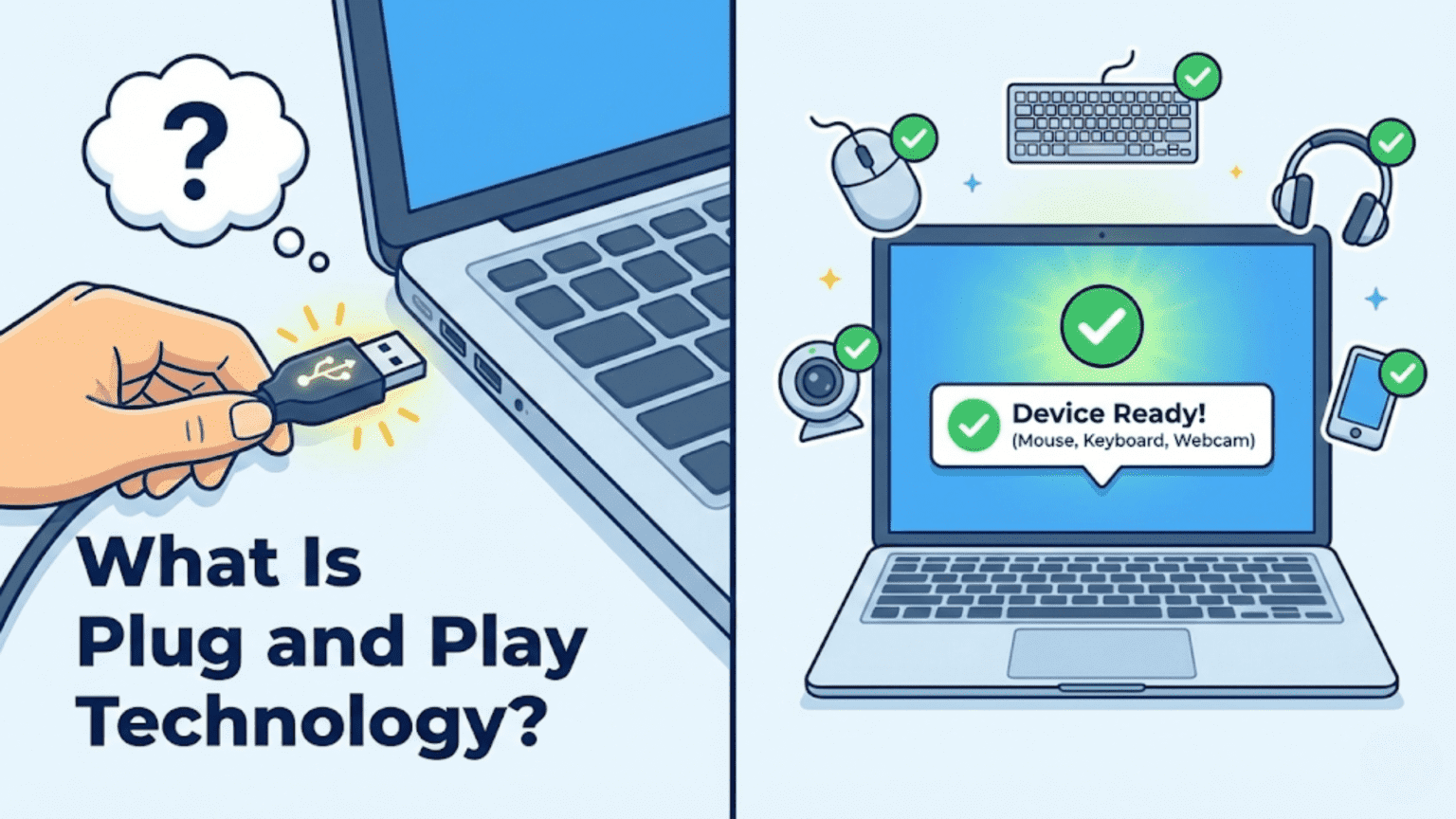
Plug and Play (PnP) is a technology that allows operating systems to automatically detect, identify, configure, and install hardware devices when they are connected to a computer, without requiring manual configuration by the user. When you plug in a USB drive, printer, or monitor, Plug and Play enables the operating system to recognize the device, load appropriate drivers, allocate system resources, and make the device available for use—often within seconds and without rebooting.
There was a time when connecting a new piece of hardware to a computer was a genuinely daunting task. Adding a sound card required manually setting physical jumpers on the card, configuring IRQ (Interrupt Request) lines, I/O port addresses, and DMA channels—then hoping these settings didn’t conflict with other devices already in the system. Printers needed careful manual driver installation with specific port settings. Even adding RAM could require consulting the motherboard manual and adjusting configuration. For average users, hardware installation was complex, error-prone, and often required technical expertise. Plug and Play technology transformed this experience entirely, enabling the modern reality where connecting a device causes it to automatically work within seconds—no jumpers, no manual configuration, no reboots required in most cases.
Plug and Play represents one of the most user-friendly advances in personal computing, making hardware expansion and connection accessible to everyone rather than just technically sophisticated users. The technology encompasses hardware standards, firmware protocols, operating system mechanisms, and driver architectures that collectively enable automatic device discovery, identification, resource allocation, and configuration. Understanding how Plug and Play works reveals important aspects of how modern operating systems interact with hardware, how resources like interrupts and memory addresses are managed, and why the seemingly simple act of plugging in a USB device involves sophisticated coordination between hardware, firmware, and software layers. This comprehensive guide explores what Plug and Play is, its history and evolution, how it works at technical and user levels, the role of different system components, how modern buses like USB and PCIe implement PnP, common issues and troubleshooting, and how PnP continues evolving in modern computing environments.
The History and Problem PnP Solved
Understanding Plug and Play requires appreciating the hardware configuration nightmare it replaced.
In the ISA (Industry Standard Architecture) bus era of the 1980s and early 1990s, expansion cards needed dedicated system resources: IRQ lines (numbered signals the hardware uses to get CPU attention), I/O port address ranges (memory addresses used for device registers), DMA channels (for direct memory access transfers), and sometimes memory address ranges. The ISA bus had a limited pool of these resources—only 16 IRQ lines, 8 DMA channels, and a constrained I/O port range—with many already reserved for built-in components like keyboards, system timers, and disk controllers. When adding expansion cards, users had to determine which resources each card needed, which were already in use, and which were free—then physically set jumpers or DIP switches on each card accordingly.
Resource conflicts occurred when two devices tried using the same IRQ, I/O address, or DMA channel. These conflicts caused mysterious failures—one or both devices wouldn’t work, or the system would crash unpredictably. Diagnosing conflicts required carefully documenting every device’s settings, which few users did methodically. The process was error-prone enough that hardware configuration problems consumed enormous amounts of technical support time.
The proliferation of devices made the situation increasingly untenable. As PCs expanded beyond keyboards, mice, and disk drives to include sound cards, modems, network cards, scanners, and countless other peripherals, the limited ISA resource pool became severely strained. Systems with many expansion cards faced near-impossible configuration puzzles where there simply weren’t enough IRQs or DMA channels for all devices.
Microsoft and Intel published the Plug and Play specification in 1993, with Windows 95 providing the first mainstream consumer operating system implementation. The specification defined a standard way for devices to identify themselves, declare their resource requirements and flexibility (which resources they could work with), and allow the operating system to allocate resources and configure devices automatically. This required PnP-compatible devices that could report their identities and accept configuration commands, a PnP-aware BIOS that could enumerate and configure devices before the OS loaded, and an operating system with PnP infrastructure to coordinate the entire process.
The transition wasn’t immediate. Legacy ISA cards without PnP support continued requiring manual configuration, and early Windows 95 PnP earned the nickname “Plug and Pray” among users who found it still frequently failed with legacy hardware combinations. But as PnP-compliant hardware became standard and legacy cards disappeared, the technology matured into the seamless experience we expect today.
How Plug and Play Works
The PnP process involves coordinated action across multiple system components, from the moment a device is connected through driver loading and device initialization.
Device identification is the foundation of PnP. Every PnP-compliant device carries identification information that it can report to the operating system. Hardware IDs are vendor-specific strings uniquely identifying the exact device model—like “USB\VID_045E&PID_07A5” for a specific Microsoft USB device where VID is the vendor ID and PID is the product ID. Compatible IDs are broader class identifiers that indicate device type, allowing generic drivers to support many related devices. A specific USB keyboard might have its own hardware ID plus compatible IDs indicating it’s a USB HID (Human Interface Device), allowing both a specific keyboard driver and a generic HID keyboard driver to recognize it.
Resource enumeration determines what system resources a device needs. Unlike old ISA cards requiring fixed resources, modern PnP devices declare flexible resource requirements. A device might state “I need one IRQ from this list of acceptable options” or “I need 256KB of memory mapped anywhere in this address range.” The operating system collects these requirements from all connected devices and solves the resource allocation problem—assigning specific resources to each device in ways that satisfy all devices’ requirements without conflicts.
The PnP manager in the operating system maintains the device tree, a hierarchical representation of all hardware in the system. Physical buses (PCI bus, USB controller) are parents containing child devices (PCI cards, USB devices). Each device node in the tree contains identification information, resource assignments, and driver association. This tree structure reflects how hardware is actually organized—a USB hub is a child of the USB controller and a parent of devices connected to it.
Bus enumeration is how the OS discovers what hardware exists. When the system boots, the PnP manager queries each bus controller for connected devices. The PCI bus enumerates by scanning configuration space registers across all possible device/function combinations. USB controllers enumerate connected devices through USB protocol device discovery. Each discovered device is added to the device tree with its reported identification.
Resource arbitration assigns specific resource values to devices. The PnP manager collects all devices’ resource requirements, considers currently assigned resources, and determines optimal assignments satisfying everyone’s requirements. Modern systems use APIC (Advanced Programmable Interrupt Controller) rather than the original 16 IRQs, providing 256 interrupt vectors and essentially eliminating IRQ conflicts. PCI devices can share IRQ lines through interrupt sharing, further reducing conflicts.
Driver loading associates appropriate software with each detected device. After identifying a device, the operating system searches for matching drivers by comparing device hardware IDs and compatible IDs against a driver database. On Windows, this database is maintained through Windows Update and locally installed drivers in the driver store. On Linux, the kernel’s module loading infrastructure (modprobe, udev) handles matching devices to drivers. When a match is found, the driver loads and initializes the device.
The complete PnP sequence for a newly connected USB device illustrates the process: the USB host controller detects device connection (voltage change on the port), resets the device using USB protocol, assigns a temporary USB address, reads the device descriptor containing identification information, reads configuration descriptors, reports the new device to the PnP manager, which looks up appropriate drivers, loads the driver, which initializes the device with its full configuration, makes the device available for use, and notifies any waiting applications. This entire sequence typically completes in under two seconds for familiar devices.
The Role of ACPI in Plug and Play
ACPI (Advanced Configuration and Power Interface) is a critical specification that extends PnP capabilities to firmware-defined hardware components.
While PCI and USB devices can describe themselves through their respective bus protocols, many system components—built-in controllers, embedded sensors, CPU thermal management, battery systems, docking connectors, and other integrated devices—aren’t on self-describing buses. ACPI provides a way for the system firmware (UEFI/BIOS) to describe these components to the operating system in a standardized way.
ACPI uses tables loaded by the firmware at boot time. The DSDT (Differentiated System Description Table) is the primary ACPI table containing ASL (ACPI Source Language) code compiled to AML (ACPI Machine Language) bytecode. This code describes the hardware topology, device locations and their relationships, available power states, thermal zones, and other hardware information. The operating system loads and interprets these tables to discover hardware that doesn’t self-enumerate via bus protocols.
ACPI device IDs (like ACPI\INT3400 or ACPI\ACPI0D9F) identify ACPI-enumerated devices, allowing the OS to find appropriate drivers just as it does for PCI or USB devices. ACPI-compliant operating systems include ACPI interpreters (Windows has its own, Linux uses ACPICA—the ACPI Component Architecture) that execute AML code to query hardware state, configure power management, and handle thermal events.
Power management integration is a major ACPI contribution to PnP. ACPI defines standardized power states for systems (S0=working through S5=off), devices (D0=fully on through D3cold=fully off), and processors (C0=executing through Cx=sleep states). The OS uses ACPI to put devices in lower power states when not in use and return them to full power when needed, supporting sleep, hibernate, and device power management transparently. When a device wakes from sleep, PnP re-initializes it appropriately.
Thermal management through ACPI allows the OS to respond to temperature changes. ACPI tables define thermal zones, temperature thresholds, and recommended actions (reducing CPU performance, activating cooling fans, initiating emergency shutdown). The OS monitors temperatures through ACPI and takes protective actions, preventing hardware damage from overheating while managing these responses in a standardized way across different hardware designs.
USB and the Modern PnP Experience
USB (Universal Serial Bus) is perhaps the most visible implementation of Plug and Play and represents the technology at its most refined.
USB’s design philosophy centered on ease of use from the start. The USB specification includes comprehensive device class definitions for common device types—mass storage, audio, video, HID (keyboards, mice), printing, networking, and others. These class drivers, bundled with operating systems, support any compliant device without manufacturer-specific drivers. When you plug in a USB keyboard from any manufacturer, the OS’s generic HID class driver handles it immediately.
USB Vendor ID and Product ID pairs provide precise device identification. The USB Implementers Forum assigns unique 16-bit Vendor IDs to device manufacturers. Manufacturers assign Product IDs to their specific products. This globally unique VID/PID combination allows the OS to find device-specific drivers when available or fall back to class drivers when not, providing optimal driver selection automatically.
USB versions have progressively improved PnP capabilities. USB 1.1 established the fundamental hot-plug model. USB 2.0 added high-speed support and improved enumeration. USB 3.x introduced SuperSpeed and improved power management. USB4 adds Thunderbolt compatibility and dramatically higher bandwidth. Importantly, USB devices negotiate their operating speed during enumeration—a USB 3.0 device plugged into a USB 2.0 port automatically falls back to USB 2.0 speeds through the enumeration protocol.
Power delivery in USB enables PnP for power as well. USB Power Delivery (USB PD) allows devices to negotiate power levels up to 240W, enabling laptops to charge from USB-C ports. The power negotiation is part of the USB protocol, happening automatically when devices connect. A laptop and charger negotiate the appropriate voltage and current without user involvement—pure PnP for power.
USB Type-C and the role of alternate modes extends USB PnP to non-USB protocols. USB-C connectors can carry DisplayPort, HDMI, Thunderbolt, and other signals through “Alternate Modes” negotiated during connection. When you plug a USB-C monitor into a laptop, the system negotiates whether to use USB data, DisplayPort video, or both simultaneously. This negotiation happens automatically, with the OS detecting the monitor and configuring display output.
PCIe and Internal PnP
PCIe (PCI Express) is the primary internal bus for expansion cards and built-in components, with comprehensive PnP support enabling automatic configuration of graphics cards, storage controllers, network adapters, and other internal devices.
PCIe configuration space provides standardized registers that every PCIe device implements. The Vendor ID and Device ID registers identify the specific device. Class code registers indicate device type (mass storage, display adapter, network controller, etc.). Base Address Registers (BARs) declare what memory and I/O address space the device needs. Capability registers list supported features. The OS reads these standard registers during bus enumeration to identify and configure every PCIe device without device-specific knowledge.
PCIe hot-plug allows adding and removing PCIe cards without system reboots in supported configurations. Enterprise servers with hot-plug PCIe slots support adding or replacing storage controllers or network cards while the system runs. The hot-plug mechanism informs the OS when devices arrive or depart through PnP notification mechanisms, triggering the same driver loading and resource allocation as if the device were present at boot.
M.2 and NVMe drives use PCIe internally with additional standards layering. M.2 is a physical form factor specification. NVMe (Non-Volatile Memory Express) is the protocol optimized for flash storage devices. Both use PCIe’s PnP infrastructure, so NVMe drives enumerate as PCIe devices and get recognized by NVMe drivers automatically through standard device IDs.
Thunderbolt extends PCIe PnP to an external connector. Thunderbolt daisy-chains multiple devices through a single cable, creating external PCIe tunnels that carry external PCIe devices as if they were internal. Plugging in a Thunderbolt dock with a storage device, display output, and USB hub triggers PnP enumeration of all these devices through the Thunderbolt controller, with each appearing as PCIe or USB devices to the OS.
The Role of Device Drivers in PnP
Device drivers are the software components that bring hardware to life within the PnP framework, translating generic OS requests into device-specific commands.
Driver packages contain not just the driver software but also metadata enabling the PnP matching process. On Windows, INF files describe which device IDs the driver supports, what files to install, and how to configure the driver. On Linux, kernel modules declare supported device IDs through MODULE_DEVICE_TABLE macros. These declarations enable the OS to automatically match devices to drivers without requiring explicit user action.
The driver store (Windows) or module repository (Linux) is a trusted collection of pre-vetted drivers the OS consults during PnP matching. Windows maintains a local driver store and connects to Windows Update for additional drivers. The broad availability of drivers through Windows Update means most common devices work immediately upon connection even without separate driver installation.
Driver signing ensures drivers are trustworthy before installation. Windows requires kernel-mode drivers to have valid digital signatures from trusted authorities. Unsigned drivers display warnings and may be blocked entirely in secure configurations. This verification prevents malicious software from disguising itself as a device driver and gaining kernel mode privileges through the PnP installation process.
Class drivers provide generic functionality for device categories, enabling PnP without device-specific drivers. Windows includes class drivers for hundreds of device types. Linux includes class drivers throughout the kernel. These class drivers implement standard protocols—HID for input devices, Mass Storage Class for storage, Audio Class for speakers and microphones, Video Class for webcams—allowing any standards-compliant device to work immediately.
Driver installation experiences differ by device complexity. Simple standardized devices (USB keyboards, USB flash drives, USB webcams) install instantly using class drivers already in the OS. Complex devices (high-end graphics cards, professional audio interfaces, multi-function printers) need manufacturer-specific drivers for full functionality. The OS might initially enable basic functionality through class drivers while recommending manufacturer driver installation for complete features.
Device Manager: The PnP Control Center
Device Manager is the primary tool for viewing and managing the results of PnP operations across operating systems.
Windows Device Manager (devmgmt.msc) provides a hierarchical view of the device tree maintained by the PnP manager. Devices are organized by type (Display adapters, Disk drives, Network adapters, etc.) with each device showing its status. The yellow exclamation icon indicates driver problems—missing, failed, or incompatible drivers. Red X marks show disabled devices. Detailed device properties reveal hardware IDs useful for finding correct drivers, resource assignments (IRQ, I/O addresses, memory ranges), and driver information including version and signature status.
Device Manager operations include updating drivers (the OS searches for newer matching drivers), rolling back drivers (reverting to previously installed versions when updates cause problems), disabling devices (preventing them from loading without uninstalling), enabling hidden devices (showing devices not currently connected but with remembered configurations), and scanning for hardware changes (triggering re-enumeration useful after physical hardware changes when the OS hasn’t auto-detected them).
Linux provides several equivalent tools. The lsusb command lists USB devices with their VID/PID identifiers. lspci lists PCIe devices with their vendor/device IDs. The lshw command provides detailed hardware listing including device addresses and driver bindings. udev (now part of systemd) manages device events and driver loading, and udevadm provides command-line control and monitoring. GNOME’s Settings application includes a “Device Manager” equivalent in some versions, while KDE provides hardware information through Info Center.
macOS System Information (About This Mac > System Report) shows all detected hardware including USB, PCIe (Thunderbolt), and ACPI devices with their identifiers and current drivers. The IORegistryExplorer developer tool provides extremely detailed visibility into the I/O Kit device tree, showing every device object in the kernel and its properties.
Common PnP Problems and Troubleshooting
Despite PnP’s automation, problems do occur, and understanding the technology enables effective troubleshooting.
Driver not found errors indicate the OS couldn’t find a matching driver for a detected device. The device appears in Device Manager with an error, showing its hardware IDs. Solutions include downloading drivers from the manufacturer’s website using the hardware ID to identify the correct driver, using Windows Update to search for drivers, or on Linux, identifying the kernel module needed and installing the appropriate package.
Device conflicts, while rare in modern systems due to ACPI and PCI’s improved resource management, occasionally occur. Symptoms include devices not working or working incorrectly, sometimes with error messages indicating resource conflicts. Device Manager shows resource assignments where conflicts can be identified. Modern systems rarely require manual resource assignment, but enterprise hardware or unusual configurations sometimes need intervention.
Driver installation failures indicate compatibility issues between driver and OS version, insufficient permissions for installation, or corrupted driver files. Ensuring administrative privileges, downloading fresh driver files, and verifying driver compatibility with your specific OS version resolves most cases.
Device not recognized (USB) is a common problem with several potential causes. Hardware issues like damaged USB cables or ports, power insufficiency (high-power devices on low-power ports), or device malfunctions prevent recognition. Software issues include corrupted USB driver stack, incorrect power management settings putting USB controllers to sleep aggressively, or resource exhaustion in USB controller handling (too many connected devices). Troubleshooting involves testing with different cables and ports, checking Device Manager for controller errors, and potentially resetting the USB controller through device manager or by power cycling.
Ghost devices—entries in Device Manager for hardware not currently connected—accumulate over time, particularly for USB devices used intermittently. These ghosts don’t cause problems but clutter Device Manager. Enabling “Show hidden devices” in Device Manager reveals them, and they can be uninstalled to remove the entries without affecting real devices.
Hot-plug failures in enterprise environments occasionally occur when servers enumerate devices too quickly or have driver initialization timing issues. Understanding that PnP hot-plug triggers a sequence of events—detection, enumeration, driver loading—helps when troubleshooting by examining system logs for where in this sequence failures occur.
PnP in Mobile and Embedded Systems
Plug and Play principles extend beyond desktop computing into mobile devices, embedded systems, and IoT environments with adaptations for different hardware architectures.
Android implements device tree-based hardware description similar to ACPI’s role on PC platforms. Device tree source (DTS) files describe the hardware topology of specific devices—which components exist at which memory addresses, how they connect, and what drivers they need. When Android boots on a specific phone model, it uses that model’s device tree to enumerate and initialize the built-in hardware. USB OTG (On-The-Go) extends PnP to Android devices, allowing USB peripherals to connect and be automatically recognized when phones act as USB hosts.
iOS/iPadOS similarly uses device tree mechanisms internally while presenting clean abstractions to developers through system frameworks. External device connectivity through the Lightning and USB-C connectors uses protocols including USB and proprietary Apple protocols, with automatic negotiation of connection type and capability.
Embedded Linux systems extensively use device trees for hardware description. Microcontrollers running Linux, embedded industrial computers, single-board computers like Raspberry Pi—all use device trees to describe their specific hardware to the Linux kernel, enabling the same Linux kernel to run on countless different hardware platforms by simply loading the appropriate device tree.
IoT devices implement PnP concepts for cloud connectivity as well as local hardware. When IoT devices connect to platforms like AWS IoT, Azure IoT Hub, or similar services, the platform automatically recognizes device types and capabilities through device provisioning and registration protocols. The operating concept parallels hardware PnP—devices identify themselves and the system automatically configures appropriate handling.
The Future of Plug and Play
PnP technology continues evolving as computing hardware and architectures advance.
PCIe Compute Express Link (CXL) is an emerging interconnect standard for high-bandwidth connections between CPUs and accelerators, memory expansion, and storage. CXL builds on PCIe’s physical layer but adds new protocols for memory pooling and cache coherency. The PnP aspects of CXL allow systems to enumerate CXL-attached memory and accelerators through extensions to existing device enumeration frameworks, expanding what PnP covers to include memory and compute resources that can be added dynamically.
USB4/Thunderbolt 4 continues expanding PnP scope. USB4 merges USB and Thunderbolt standards, enabling dock connections that present a single cable delivering power, multiple display outputs, multiple USB devices, and high-speed storage—all auto-configured through PnP mechanisms. As this connectivity becomes universal on laptops, the single-cable docking experience epitomizes modern PnP: one connection configuring an entire workstation setup automatically.
Network-attached hardware discovery extends PnP concepts to networked devices. mDNS/Bonjour (Apple), NetBIOS, and more capable protocols like DLNA, WSD (Web Services on Devices), and cloud-connected provisioning services enable printers, cameras, speakers, and other network-attached hardware to be discovered and configured automatically on local networks. The principle matches hardware PnP—connect a printer to the network and it appears as a discovered device in the print settings without manual IP configuration.
AI-assisted driver matching represents a future direction where machine learning helps match unrecognized devices to appropriate drivers based on device behavior patterns rather than just ID matching. This could extend PnP to handle non-standard or partially standard devices more gracefully.
Software-defined hardware through cloud gaming platforms, remote workstation services, and virtualization increasingly disconnects users from physical hardware entirely. From the user perspective, this is PnP taken to its extreme—hardware capabilities appear and configure automatically based on the software environment, with the complexity of actual hardware managed invisibly by cloud infrastructure.
Conclusion
Plug and Play technology represents one of the most user-impactful advances in personal computing history, transforming hardware installation from a technical ordeal requiring manual jumpers, resource conflict resolution, and detailed technical knowledge into the effortless “it just works” experience modern users take for granted. The coordination between self-describing hardware standards, PnP-aware firmware, and operating system PnP managers that automatically enumerate devices, allocate resources, and load appropriate drivers happens invisibly within seconds, enabling anyone to expand their computer’s capabilities without technical expertise.
The evolution from ISA’s manual jumper configurations through early PnP specifications to modern USB’s seamless hot-plug reflects both hardware standards progress and operating system sophistication. Today’s PnP infrastructure handles thousands of device types through automatically matched class drivers, millions of specific devices through curated driver databases accessible online, and even dynamically negotiates protocol modes and power delivery levels—capabilities that would have seemed like science fiction to the engineers manually setting IRQ jumpers in the 1980s.
Understanding Plug and Play—how devices identify themselves, how resources are allocated, how drivers are matched and loaded, and how the device tree reflects system hardware—provides practical knowledge for troubleshooting when devices don’t work as expected, selecting hardware that will work reliably, and appreciating the sophisticated infrastructure behind the simple act of connecting a device. As computing continues evolving with new bus standards, wireless connectivity, cloud-attached hardware, and increasingly diverse device ecosystems, the principles of Plug and Play—automatic discovery, identification, configuration, and driver association—remain central to making technology accessible and usable for everyone.
Summary Table: PnP Technology Comparison Across Buses and Platforms
| Bus / Standard | PnP Mechanism | Identification Method | Resource Management | Hot-Plug Support | Common Devices |
|---|---|---|---|---|---|
| USB | USB protocol device enumeration | VID (Vendor ID) + PID (Product ID) | Host controller assigns USB addresses | Yes — fundamental design | Keyboards, mice, storage, audio, webcams, printers |
| PCIe / PCI | Configuration space register reading | Vendor ID + Device ID in config registers | BIOS/UEFI + OS assigns BARs, IRQs | Yes (PCIe, enterprise servers) | Graphics cards, NVMe drives, network cards |
| ACPI | ACPI table (DSDT) enumeration by firmware | ACPI Hardware IDs (e.g., ACPI\INT3400) | Declared in ACPI tables | Limited (firmware-defined) | Embedded controllers, sensors, thermal zones |
| Thunderbolt | PCIe tunnel over Thunderbolt link | PCIe Vendor/Device IDs via tunnel | PCIe resource allocation | Yes — designed for hot-plug | Docks, storage, displays, eGPUs |
| Bluetooth | Bluetooth discovery protocol | Bluetooth address + device class | Protocol-managed | Yes — wireless connect/disconnect | Headphones, keyboards, mice, speakers |
| M.2 (NVMe) | PCIe enumeration | PCIe Vendor/Device IDs | PCIe BAR assignment | Typically no (server M.2 may support) | SSDs, Wi-Fi cards, cellular modems |
| SDIO/SD | Bus protocol enumeration | Manufacturer/Product IDs in CID register | Protocol-managed | Yes — card insertion/removal | SD cards, Wi-Fi modules, GPS modules |
PnP Device Status and Troubleshooting:
| Status | Icon (Windows) | Meaning | Common Causes | Solution |
|---|---|---|---|---|
| Working properly | No icon | Device detected, driver loaded, functioning | — | — |
| Driver error | Yellow ! | Driver present but failed to initialize | Incompatible driver version, corrupted files | Update/reinstall driver |
| No driver | Yellow ! | Device found but no matching driver | Missing driver, device too new | Download from manufacturer or Windows Update |
| Disabled | Down arrow | Device disabled by user or policy | Manual disable, group policy | Enable in Device Manager |
| Not started | Yellow ! | Driver exists but device failed to start | Hardware fault, resource conflict | Check Event Log, replace hardware |
| Resource conflict | Yellow ! | Two devices assigned same resource | ACPI/BIOS configuration error | Update BIOS, manually reassign |
| Code 43 | Yellow ! | Device driver reported failure | Driver bug, hardware fault | Update driver, test hardware |
| Code 10 | Yellow ! | Device cannot start | Driver error, hardware damage | Check device logs, replace if hardware fault |
| Unknown device | Yellow ? | Device detected but completely unrecognized | No matching driver at all | Look up hardware ID, find vendor driver |