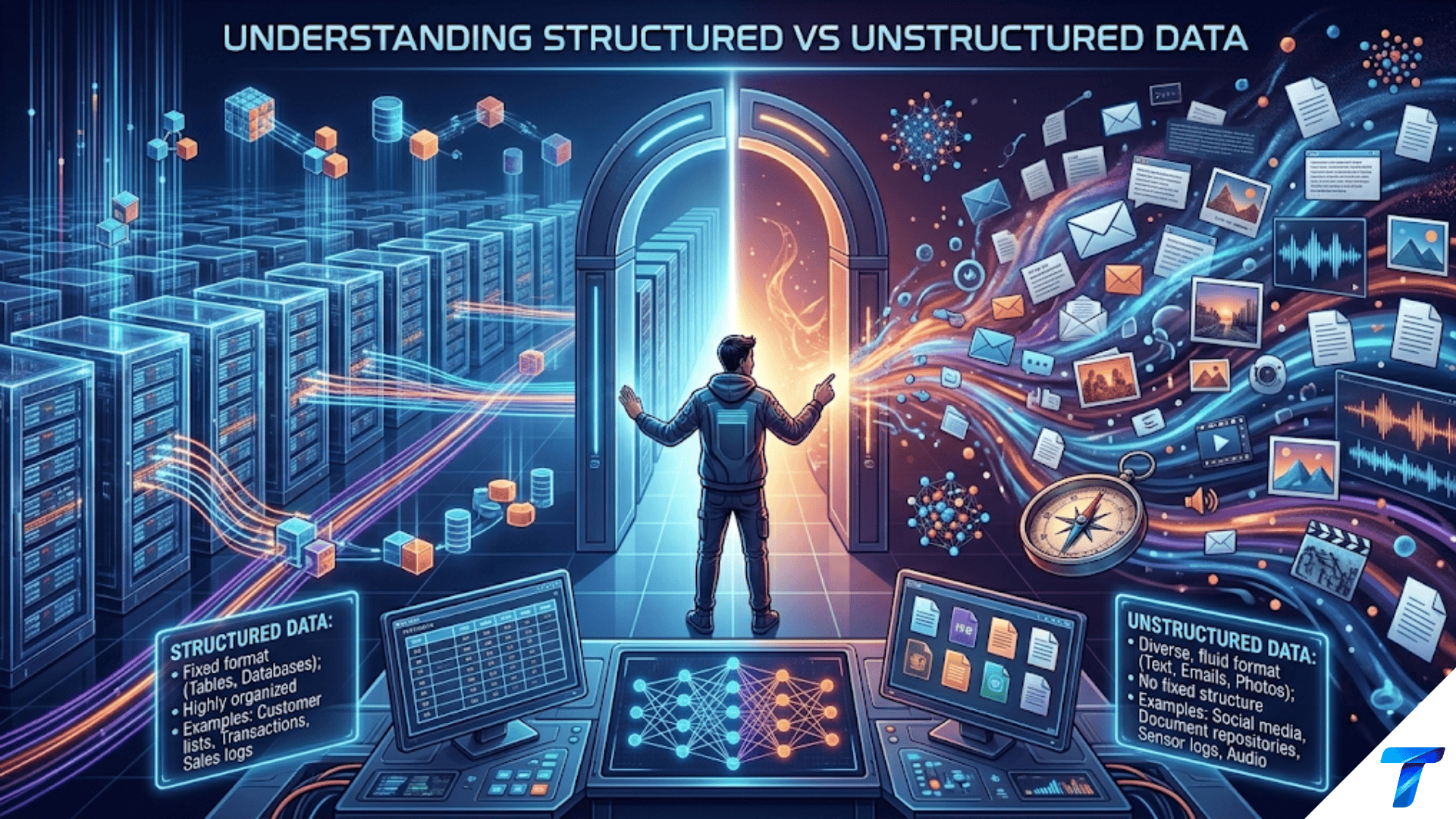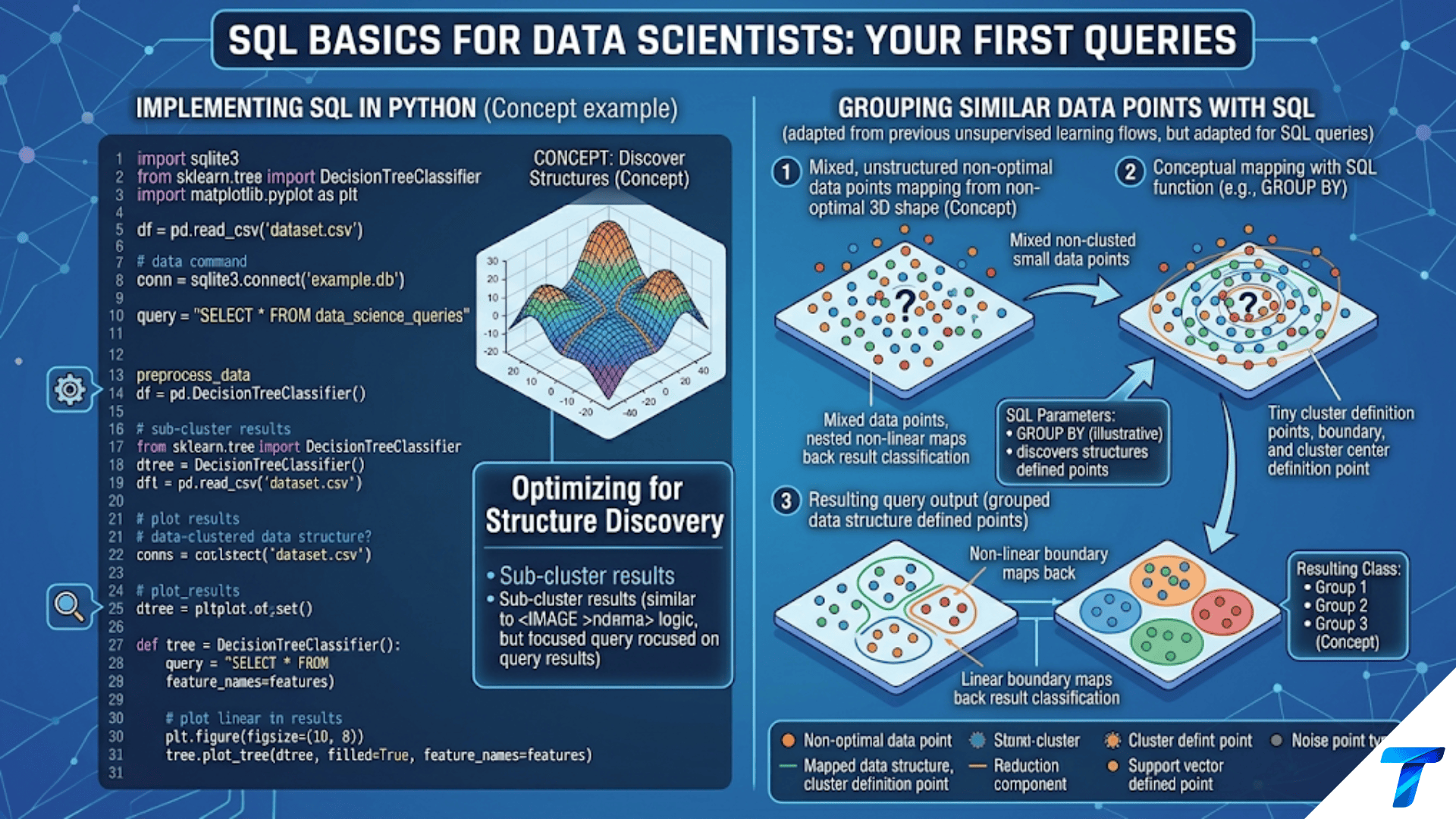
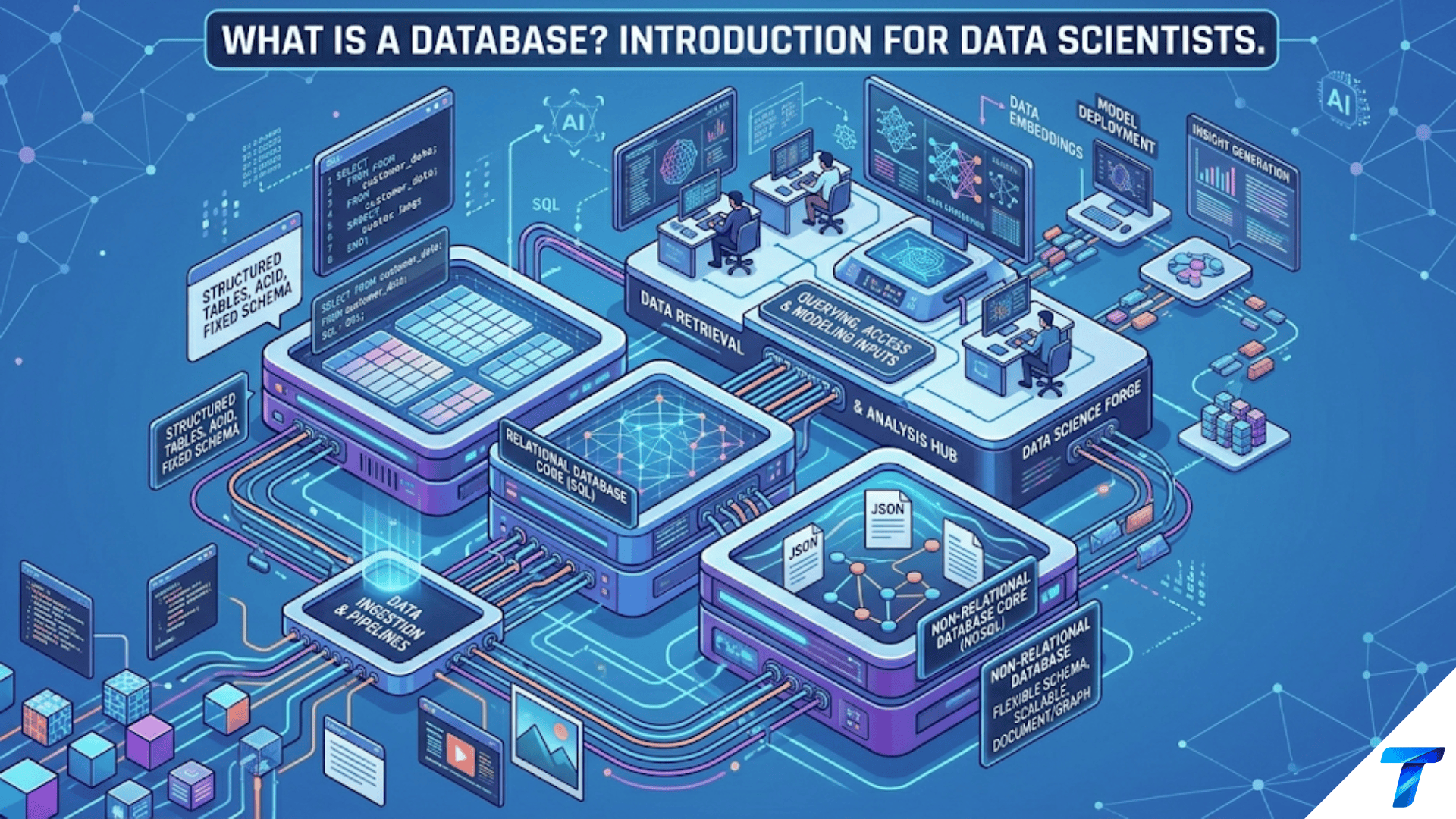

A database is an organized, structured collection of data stored electronically and managed by software called a Database Management System (DBMS), which controls how data is stored, retrieved, updated, and secured. For data scientists, databases are the primary source of real-world data — containing the historical records, transactional logs, customer information, and operational metrics that fuel analysis and machine learning models. Understanding how databases work, how they are organized, and how to query them efficiently is one of the most practically valuable skills a data scientist can have.
Introduction
Before a data scientist can do any analysis, they need data. And in virtually every professional setting, that data lives in a database. Customer records, purchase histories, financial transactions, user behavior logs, sensor readings, medical records, inventory levels — all of it is stored in databases that have been collecting and organizing information, often for years or decades before you join the team.
When you’re handed a data science project at a company, your first question is usually “where is the data?” The answer is almost always “in a database.” Knowing how to access that data, understand how it’s organized, and extract what you need efficiently is not just useful — it’s fundamental.
Yet many data science learners spend months learning Python, pandas, and scikit-learn without ever learning what a database actually is or how it works. They can build a neural network but struggle to join two tables or understand why a query is running slowly. This gap becomes painfully obvious on the job, where database access is required every single day.
This article gives you the solid conceptual foundation you need. We’ll cover what a database is and why it exists, the different types of databases you’ll encounter, how relational databases are organized, the key concepts every data scientist needs to understand, and how databases fit into the broader data science workflow. The following article in this series covers SQL specifically — here, we build the understanding that makes SQL make sense.
Why Databases Exist: The Problem They Solve
To appreciate what databases do, imagine the alternative: storing data in files.
The File-Based World Without Databases
In the early days of computing, organizations stored data in flat files — text or binary files that programs read from start to finish. This approach had severe problems that grew worse as data volumes increased.
Problem 1: Data redundancy and inconsistency Different departments kept their own copies of the same data. The sales team had a customer file. The accounting team had a different customer file. The shipping team had yet another one. When a customer changed their address, it got updated in some files but not others — creating inconsistency that led to operational errors.
Problem 2: Difficulty accessing data To answer a question like “which customers in Texas placed orders over $500 in September?”, a programmer had to write a custom program to read through every customer record and every order record, matching them manually. Every new question required new code.
Problem 3: Data isolation Because each application maintained its own files with its own formats, sharing data between applications was cumbersome. Data useful to one department was essentially invisible to another.
Problem 4: Concurrent access problems When two users tried to update the same file simultaneously, their changes would corrupt each other. There was no mechanism for safely coordinating multiple simultaneous updates.
Problem 5: Security vulnerabilities File-based systems offered crude, all-or-nothing access. You could either read the entire file or none of it — there was no way to say “this user can see customer names but not their credit card numbers.”
Problem 6: Integrity violations Nothing prevented someone from entering “banana” as a phone number or a date in the future as a birth date. Files had no built-in mechanisms for enforcing data validity rules.
Databases were invented specifically to solve these problems — and they solve them elegantly.
What a Database Actually Is
A database is an organized collection of related data, and a Database Management System (DBMS) is the software that manages it. When people say “database” in casual conversation, they usually mean both together — the stored data and the software managing it.
The DBMS is the intermediary between applications (or data scientists) and the raw data. Nothing touches the data directly — all access goes through the DBMS, which enforces rules, manages concurrent access, handles security, and optimizes performance.
What a DBMS Does
A DBMS provides a bundle of services that raw file storage cannot:
Storage management: Organizes data on disk efficiently, using data structures optimized for fast retrieval (B-trees, hash tables, columnar storage).
Query processing: Accepts queries (most commonly in SQL), figures out the most efficient way to execute them, and returns results — often in milliseconds even over millions of records.
Transaction management: Groups related operations into atomic units that either all succeed or all fail together. If a bank transfer involves debiting one account and crediting another, the DBMS ensures both operations happen or neither does — preventing money from disappearing if the system crashes halfway through.
Concurrency control: Allows multiple users to access and modify data simultaneously without conflicts. When two users update different fields of the same record at the same time, the DBMS coordinates their changes safely.
Access control: Enforces security policies — who can see which tables, who can modify data, who has administrative rights.
Data integrity enforcement: Enforces rules about what constitutes valid data — required fields, unique values, valid ranges, referential integrity between tables.
Backup and recovery: Maintains transaction logs and supports point-in-time recovery if hardware fails or data is corrupted.
For a data scientist, the most relevant DBMS services are query processing (you write SQL, the DBMS executes it efficiently), access control (you get a username and password with specific permissions), and the data integrity guarantees that mean you can trust the data follows defined rules.
The Relational Database: The Foundation of Data Science
The most important database type for data scientists to understand is the relational database. Developed in the 1970s based on mathematical set theory (Edgar Codd’s relational model), relational databases have been the dominant data management technology for 50 years — and they remain the workhorse of enterprise data management today.
Tables: The Core Structure
A relational database organizes data into tables (also called relations). A table is a collection of rows and columns:
- Rows (also called records or tuples) represent individual instances of the entity — one row per customer, one row per transaction, one row per product
- Columns (also called attributes or fields) represent specific properties of the entity — the customer’s name, their email address, their registration date
- Each cell (intersection of row and column) contains a single value of a defined data type
Table: customers

customer_id │ first_name │ last_name │ email                  │ registration_date │ city
────────────┼────────────┼───────────┼────────────────────────┼───────────────────┼──────────
CUST_0001   │ Jane       │ Smith     │ jane.smith@email.com   │ 2022-03-14        │ Austin
CUST_0002   │ Bob        │ Johnson   │ bob.j@email.com        │ 2021-11-28        │ Seattle
CUST_0003   │ Alice      │ Williams  │ alice.w@email.com      │ 2023-01-05        │ Chicago
Table: orders
order_id │ customer_id │ order_date │ total_amount │ status
──────────┼─────────────┼─────────────┼──────────────┼──────────
ORD_10001 │ CUST_0001 │ 2024-09-01 │ 149.99 │ shipped
ORD_10002 │ CUST_0002 │ 2024-09-01 │ 289.50 │ delivered
ORD_10003 │ CUST_0001 │ 2024-09-15 │ 534.00 │ processing
ORD_10004 │ CUST_0003 │ 2024-09-16 │ 89.99 │ shippedNotice that CUST_0001 (Jane Smith) appears in the customers table once, but has two rows in the orders table. This is the relational model at work — data is stored once (no redundancy) and linked through shared identifiers.
Primary Keys
A primary key is a column (or combination of columns) that uniquely identifies each row in a table. No two rows can have the same primary key value, and the primary key can never be null.
In the customers table above, customer_id is the primary key — it uniquely identifies each customer. In the orders table, order_id is the primary key.
Primary keys enforce uniqueness and serve as the anchor for relationships between tables.
-- Defining a primary key in SQL
CREATE TABLE customers (
    customer_id VARCHAR(20) PRIMARY KEY,
    first_name VARCHAR(50) NOT NULL,
    last_name VARCHAR(50) NOT NULL,
    email VARCHAR(100) UNIQUE NOT NULL,
    registration_date DATE NOT NULL,
    city VARCHAR(100)
);Foreign Keys
A foreign key is a column in one table that references the primary key of another table, creating a relationship between them. In the orders table, customer_id is a foreign key — it references customers.customer_id, establishing that each order belongs to a specific customer.
Foreign keys enforce referential integrity: the DBMS ensures that a foreign key value always corresponds to an existing primary key value. You can’t create an order for customer CUST_9999 if that customer doesn’t exist in the customers table.
CREATE TABLE orders (
    order_id VARCHAR(20) PRIMARY KEY,
    customer_id VARCHAR(20) NOT NULL,
    order_date DATE NOT NULL,
    total_amount DECIMAL(10, 2) NOT NULL,
    status VARCHAR(20) NOT NULL,
    -- Foreign key constraint
    FOREIGN KEY (customer_id) REFERENCES customers(customer_id)
);Relationships Between Tables
The relationships between tables are the heart of the relational model. There are three fundamental relationship types:
One-to-Many (the most common) One row in Table A corresponds to many rows in Table B.
- One customer → many orders
- One product category → many products
- One country → many cities
customers (one)  ──<  orders (many)
CUST_0001        ──<  ORD_10001, ORD_10003
CUST_0002        ──<  ORD_10002
CUST_0003 ──< ORD_10004Many-to-Many One row in Table A can correspond to many rows in Table B, and vice versa. Implemented through a junction table (also called a bridge table or associative table).
- One order → many products; one product → many orders
- One student → many courses; one course → many students
orders ──< order_items >── products
ORD_10001 contains PROD_047 (qty:2) and PROD_112 (qty:1)
ORD_10002 contains PROD_023 (qty:1)
PROD_047 appears in ORD_10001 and ORD_10003One-to-One One row in Table A corresponds to exactly one row in Table B.
- One customer → one customer profile (extended data stored separately)
- One employee → one HR record
Normalization: Why Tables Are Designed the Way They Are
When you encounter a relational database for the first time, you might wonder: why are there dozens of separate tables connected with foreign keys instead of one big table with everything in it? The answer is normalization — a process of organizing tables to minimize data redundancy and eliminate update anomalies.
The problem with one big table:
Imagine storing everything about orders in a single table:
order_id │ customer_id │ customer_name │ customer_email        │ product_id │ product_name │ category  │ unit_price │ quantity
─────────┼─────────────┼───────────────┼───────────────────────┼────────────┼──────────────┼───────────┼────────────┼─────────
ORD_001  │ CUST_001    │ Jane Smith    │ jane@email.com        │ PROD_047   │ Laptop Stand │ electronics│ 49.99     │ 2
ORD_001  │ CUST_001    │ Jane Smith    │ jane@email.com        │ PROD_112   │ USB Cable    │ electronics│ 9.99      │ 3
ORD_002 │ CUST_002 │ Bob Johnson │ bob@email.com │ PROD_047 │ Laptop Stand │ electronics│ 49.99 │ 1Problems immediately apparent:
- Jane Smith’s email is stored three times — if it changes, all three rows must update simultaneously or become inconsistent
- The laptop stand’s price (49.99) appears in multiple rows — a price change requires updating all of them
- Deleting the last order that contains a product would delete knowledge of that product’s existence
Normalization eliminates these issues by keeping each piece of information in exactly one place:
- Customer data lives in
customers— update once, reflects everywhere - Product data lives in
products— one authoritative price - Order line items live in
order_items— the many-to-many bridge table
The tradeoff: normalized databases require joins to reassemble related data. But this is exactly what SQL’s JOIN operation is designed for — and the DBMS executes joins with great efficiency.
Indexes: How Databases Stay Fast
A database table with millions of rows needs to find specific records quickly — without scanning every row. Indexes are the mechanism that makes this possible.
What an Index Is
An index is a separate data structure (typically a B-tree or hash table) that maintains a sorted copy of one or more columns, with pointers back to the full rows. It’s analogous to the index at the back of a book — instead of reading every page to find a topic, you look it up in the index and jump directly to the right page.
Table: transactions (5 million rows)

Without index on customer_id:
  "Find all transactions for customer CUST_8821"
  → Scan all 5 million rows checking customer_id ← Very slow (full table scan)

With index on customer_id:
  → Look up CUST_8821 in the B-tree index
  → Index returns: row locations [2,847,221], [2,847,890], [4,103,456]
→ Retrieve exactly those 3 rows ← Very fast (index scan)When Indexes Matter for Data Scientists
As a data scientist, you typically don’t create indexes (that’s a database administrator’s job), but understanding them helps you write faster queries:
- Filtering on indexed columns is fast:
WHERE customer_id = 'CUST_8821'is fast ifcustomer_idis indexed - Filtering on non-indexed columns is slow:
WHERE city = 'Austin'scans the full table ifcityhas no index - Join conditions benefit enormously from indexes: Joining on foreign keys is fast because foreign keys are typically indexed
- Ordering by an indexed column is fast:
ORDER BY customer_iddoesn’t require sorting if the index already maintains order
Primary keys are automatically indexed. Foreign keys and frequently filtered columns should also be indexed by a thoughtful database administrator.
Data Types in Relational Databases
Every column in a relational database has a defined data type that constrains what values it can hold. Understanding common data types helps you query and interpret data correctly.
| Data Type Category | Common Types | Description | Example Values |
|---|---|---|---|
| Integer | INT, BIGINT, SMALLINT | Whole numbers (no decimal) | 42, -7, 1000000 |
| Decimal/Float | DECIMAL(p,s), FLOAT, REAL | Numbers with decimals | 149.99, 3.14159 |
| Text/String | VARCHAR(n), TEXT, CHAR(n) | Variable/fixed-length strings | “Jane Smith”, “TX” |
| Date/Time | DATE, TIME, TIMESTAMP | Date and time values | 2024-09-15, 14:23:11 |
| Boolean | BOOLEAN, BIT | True/false values | TRUE, FALSE, 1, 0 |
| Binary | BLOB, BYTEA | Binary data (images, files) | Raw bytes |
| JSON | JSON, JSONB | Structured JSON (PostgreSQL) | {“key”: “value”} |
| UUID | UUID | Universally unique identifiers | 550e8400-e29b-41d4-a716 |
| Enum | Custom ENUM types | Fixed set of allowed values | (‘active’,’inactive’,’pending’) |
Understanding these types is important because:
- When pandas reads from a database, it maps SQL types to Python types (INT → int64, VARCHAR → object, DATE → datetime64)
- Type mismatches cause errors: comparing a string column to a number requires explicit casting
- Numeric precision matters: FLOAT has rounding errors; DECIMAL is exact (important for financial data)
Types of Databases Beyond Relational
While relational databases are the foundation, data scientists encounter several other database types regularly.
OLTP vs. OLAP: Two Different Purposes
Before exploring database types, understand the critical distinction between two usage patterns:
OLTP (Online Transaction Processing): Databases designed for operational applications — recording transactions as they happen. High write volume, many short transactions, optimized for single-record lookups and updates.
- The production database behind an e-commerce site, recording each purchase in real time
- A bank’s core banking system processing transfers
- A CRM system tracking sales interactions
OLAP (Online Analytical Processing): Databases designed for analytical queries — aggregating and analyzing large historical datasets. Low write volume, few but complex queries that scan many rows, optimized for aggregations and joins across millions of records.
- A data warehouse where analysts run reports on months of sales data
- A business intelligence platform where executives view dashboards
- A data science team’s environment for building features and training models
Data scientists almost always work with OLAP-style systems (data warehouses) rather than OLTP production databases directly — the production database is too busy with operational writes to also serve heavy analytical queries.
Relational Databases (SQL)
The traditional workhorse. Best for structured, tabular data with complex relationships and transactional requirements.
Common systems data scientists encounter:
| Database | Type | Common Use | Free? |
|---|---|---|---|
| PostgreSQL | RDBMS | Web apps, analytics, general purpose | Yes (open source) |
| MySQL | RDBMS | Web applications | Yes (open source) |
| SQLite | RDBMS | Local development, embedded apps | Yes (built into Python) |
| SQL Server | RDBMS | Microsoft enterprise environments | No (paid) |
| Oracle | RDBMS | Large enterprise, finance, healthcare | No (paid) |
| Amazon Redshift | Data warehouse | AWS analytics at scale | No (cloud, pay-per-use) |
| Google BigQuery | Data warehouse | GCP analytics, serverless | No (cloud, pay-per-query) |
| Snowflake | Data warehouse | Cloud-native analytics | No (cloud, pay-per-use) |
| DuckDB | OLAP database | Local analytical queries | Yes (open source) |
NoSQL Databases
NoSQL databases emerged to address data types and scale patterns that relational databases handle poorly. “NoSQL” doesn’t mean “no SQL” — many NoSQL databases support SQL-like query languages. It means “not only SQL” — relaxing some relational constraints to gain flexibility or performance.
Document Databases Store data as self-contained documents (usually JSON or BSON), ideal for hierarchical or variable-schema data:
// MongoDB document — a complete customer record in one document
{
  "_id": ObjectId("5f43a1b2c3d4e5f6a7b8c9d0"),
  "customer_id": "CUST_8821",
  "name": {"first": "Jane", "last": "Smith"},
  "contacts": [
    {"type": "email", "value": "jane@email.com"},
    {"type": "phone", "value": "512-555-0123"}
  ],
  "preferences": {"theme": "dark", "notifications": true},
  "created_at": ISODate("2022-03-14")
}Best for: product catalogs (varying attributes per category), user profiles, content management, event data. Examples: MongoDB, CouchDB, Firestore
Key-Value Stores The simplest NoSQL model — data is stored and retrieved by a unique key. Extremely fast for simple lookups, but limited query capability:
SET user:8821:session_token "abc123xyz"
GET user:8821:session_token  → "abc123xyz"
SET product:47:inventory 142
INCR product:47:inventory → 143Best for: session management, caching, leaderboards, rate limiting, real-time counters. Examples: Redis, DynamoDB (also supports other models), Memcached
Column-Family / Wide-Column Stores Organize data in column families rather than rows — optimized for write-heavy workloads and time-series data where you frequently add new columns:
Best for: IoT sensor data, time-series analytics, write-heavy applications with predictable access patterns. Examples: Apache Cassandra, HBase, Google Bigtable
Graph Databases Store data as nodes (entities) and edges (relationships), optimized for traversing highly connected data:
(Jane:Customer)-[:PURCHASED]->(Laptop:Product)
(Jane:Customer)-[:LIVES_IN]->(Austin:City)
(Laptop:Product)-[:MANUFACTURED_BY]->(TechCorp:Company)
(TechCorp:Company)-[:HEADQUARTERED_IN]->(Austin:City)Query: “Find all customers who bought products from companies headquartered in the same city the customer lives in” — trivial to express and fast to execute in a graph database; complex and slow in a relational database.
Best for: Social networks, recommendation engines, fraud detection, knowledge graphs, supply chain analysis. Examples: Neo4j, Amazon Neptune, TigerGraph
Search Engines (Text Search) Optimized for full-text search, relevance ranking, and faceted filtering:
Best for: E-commerce product search, log analysis, document retrieval, autocomplete. Examples: Elasticsearch, OpenSearch, Apache Solr
Vector Databases
A rapidly growing category specifically designed for the embeddings that power modern AI applications. Instead of querying by exact value, vector databases support similarity search — finding records most similar to a query vector based on distance metrics.
import chromadb

client = chromadb.Client()
collection = client.create_collection("product_descriptions")

# Store product descriptions as embeddings
collection.add(
    documents=["Wireless Bluetooth headphones",
               "Noise-cancelling earbuds",
               "USB-C laptop charger"],
    embeddings=[[0.1, 0.9, ...], [0.15, 0.85, ...], [0.8, 0.2, ...]],
    ids=["PROD_001", "PROD_002", "PROD_003"]
)

# Find products similar to a query (semantic search)
results = collection.query(
    query_texts=["audio listening device"],
    n_results=2
)
# Returns PROD_001 and PROD_002 — semantically similar even though
# "audio listening device" doesn't appear verbatim in any descriptionBest for: Semantic search, recommendation systems, RAG (Retrieval-Augmented Generation) for LLMs, image similarity search. Examples: Pinecone, Weaviate, Chroma, pgvector (PostgreSQL extension)
The Database Schema: Understanding the Map of the Data
When you first access a database at a new company, one of your most important tasks is understanding its schema — the complete description of all tables, their columns, data types, and relationships.
How to Explore a Database Schema
import pandas as pd
import sqlite3
import psycopg2  # For PostgreSQL

# SQLite: list all tables
conn = sq.lite3.connect("company_data.db")
print(tables)

# Get column information for a specific table
print(col_info)Entity-Relationship (ER) Diagrams
ER diagrams are visual maps of a database schema showing tables as rectangles, columns listed within each rectangle, and relationships shown as connecting lines with cardinality notation. Every data scientist should learn to read them:
┌─────────────────┐          ┌─────────────────────┐          ┌───────────────────┐
│   CUSTOMERS     │          │       ORDERS        │          │   ORDER_ITEMS     │
├─────────────────┤          ├─────────────────────┤          ├───────────────────┤
│ PK customer_id  │──────────│ PK order_id         │──────────│ PK item_id        │
│    first_name   │  1    ∞  │ FK customer_id      │  1    ∞  │ FK order_id       │
│    last_name    │          │    order_date       │          │ FK product_id     │
│    email        │          │    total_amount     │          │    quantity       │
│    city         │          │    status           │          │    unit_price     │
└─────────────────┘          └─────────────────────┘          └───────────────────┘
                                                                         │
                                                                    ∞    │    1
                                                               ┌─────────────────┐
                                                               │    PRODUCTS     │
                                                               ├─────────────────┤
                                                               │ PK product_id   │
                                                               │    product_name │
                                                               │    category     │
                                                               │    price        │
                                                               │    stock_qty    │
└─────────────────┘Reading this diagram: one customer has many orders (1-to-∞), one order has many order items (1-to-∞), and one product appears in many order items (∞-to-1 from order_items to products). This is a standard e-commerce schema — understanding it tells you immediately how to join tables to answer questions like “which products do our best customers buy most?”
Database Documentation Best Practices
When you’re exploring a new database, document what you learn:
# Company Database Schema Notes

## Key Tables

**customers** — One row per registered customer (85,234 as of 2024-09)
- PK: customer_id (format: CUST_XXXXXX)
- Grain: one row per customer account
- Key fields: registration_date, city, is_premium, lifetime_value

**orders** — One row per placed order (1.2M total)
- PK: order_id (format: ORD_XXXXXXXX)
- FK: customer_id → customers
- Grain: one row per order
- Key fields: order_date, total_amount, status

**order_items** — Line items within orders (3.8M total)
- PK: item_id
- FK: order_id → orders, product_id → products
- Grain: one row per product within an order
- Note: total_amount in orders = SUM of (quantity × unit_price) in order_items

## Common Joins

Customer with their orders:
  customers JOIN orders ON customers.customer_id = orders.customer_id

Full order detail with products:
  orders
    JOIN order_items ON orders.order_id = order_items.order_id
JOIN products ON order_items.product_id = products.product_idThis kind of documentation, built up incrementally as you learn a new database, becomes invaluable — both for your own future reference and for onboarding new team members.
How Databases Fit into the Data Science Workflow
Understanding databases in isolation is only part of the picture. Here’s how they fit into the complete data science workflow.
The Typical Data Flow
[Source Systems]                [Storage & Processing]           [Analysis & Modeling]
─────────────────              ──────────────────────           ──────────────────────
Production OLTP DB  ────┐
  (PostgreSQL/MySQL)    │       ┌─────────────────┐
                        ├─────> │  Data Warehouse │ ─────────> Data Scientist
Web clickstream events──┤       │  (Snowflake/    │           Jupyter Notebook
                        │       │   BigQuery/     │           pandas + SQL queries
CRM system ─────────────┤       │   Redshift)     │           Feature Engineering
                        │       └─────────────────┘           Model Training
Marketing platform ─────┘              │                           │
                              ETL/ELT Pipelines              ML Models & Reports
                              (dbt, Airflow, Spark)
The ETL/ELT Process
ETL (Extract, Transform, Load) and ELT (Extract, Load, Transform) are the processes that move data from operational databases to analytical systems:
- Extract: Pull data from source systems (production databases, APIs, files)
- Transform: Clean, standardize, join, and aggregate data into analytical-ready form
- Load: Store the transformed data in the data warehouse
Modern data teams typically use ELT — extract and load raw data into the warehouse first, then transform it there using dbt (data build tool) or SQL-based transformation frameworks.