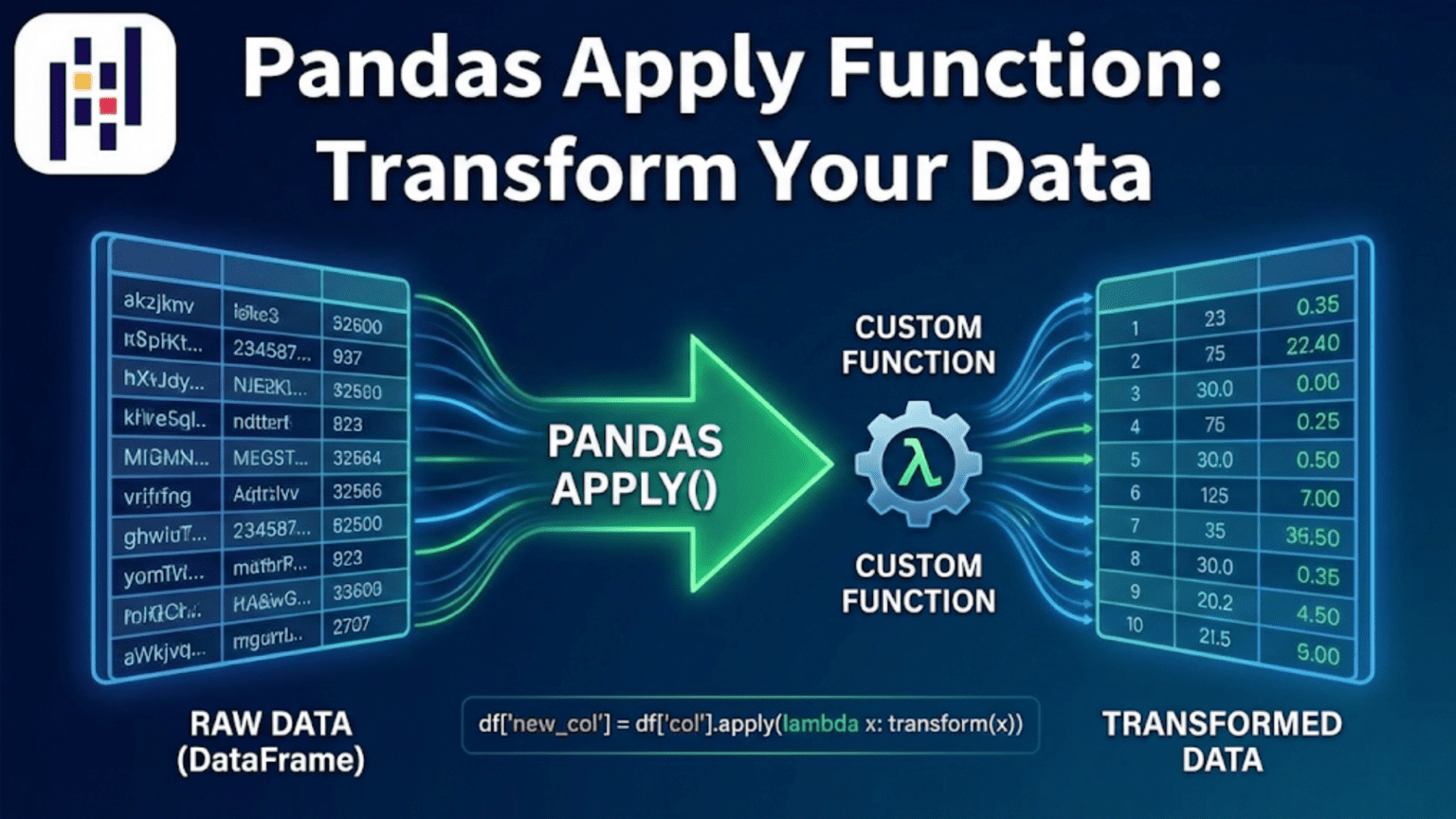
The Pandas apply() function lets you run any custom Python function across a DataFrame’s rows, columns, or a Series element by element. It bridges the gap between Pandas’ built-in vectorized operations and the full flexibility of arbitrary Python logic — making it the go-to tool when no built-in Pandas method exists for the transformation you need.
Introduction: When Built-In Operations Are Not Enough
Pandas ships with an impressive library of built-in operations — arithmetic, string methods via .str, datetime methods via .dt, statistical aggregations, and dozens of others. For the most common data transformations, these built-in operations are fast, concise, and expressive. But real-world data science constantly presents situations where no built-in method exists for what you need to do.
What if you need to classify customers into spending tiers based on a sliding scale formula? What if you need to parse a column of messy addresses into structured components? What if you need to apply a domain-specific scoring function that uses values from multiple columns simultaneously? Or what if you are working with a machine learning preprocessing step that needs to be applied row by row through your DataFrame?
This is exactly where apply() comes in. The apply() function is Pandas’ mechanism for applying any arbitrary Python function — built-in, lambda, or custom-defined — to a Series, to columns of a DataFrame, or to rows of a DataFrame. It is one of the most flexible tools in the entire Pandas ecosystem, and understanding it deeply will make you a significantly more capable data scientist.
In this article, you will learn how apply() works conceptually, how to use it on Series and DataFrames, how to write effective lambda functions and custom functions for it, how to handle common real-world transformation tasks, and when to use apply() versus faster alternatives. Along the way, you will build intuition for choosing the right transformation tool for each situation.
1. The Core Concept: What apply() Does
At its heart, apply() is an iteration mechanism — but one that is integrated with Pandas’ data structures and that supports a wide range of output types. Here is the mental model:
For a Series: apply() calls your function once for each element in the Series, passing the element’s value as the argument. The results are collected and returned as a new Series.
For a DataFrame with axis=0 (default): apply() calls your function once for each column, passing the entire column as a Series. The results are collected per column.
For a DataFrame with axis=1: apply() calls your function once for each row, passing the entire row as a Series. The results are collected per row.
This distinction — especially the difference between axis=0 and axis=1 on a DataFrame — is the most important concept to internalize when learning apply().
import pandas as pd
import numpy as np

df = pd.DataFrame({
    'A': [1, 2, 3, 4],
    'B': [10, 20, 30, 40],
    'C': [100, 200, 300, 400]
})

# axis=0 (default): function receives each COLUMN as a Series
col_sum = df.apply(lambda col: col.sum(), axis=0)
print(col_sum)
# A      10
# B     100
# C    1000
# dtype: int64

# axis=1: function receives each ROW as a Series
row_sum = df.apply(lambda row: row.sum(), axis=1)
print(row_sum)
# 0    111
# 1    222
# 2    333
# 3    444
# dtype: int64When axis=0, your function sees one column at a time — the column name is accessible via col.name. When axis=1, your function sees one row at a time — you can access individual column values via row['A'], row['B'], etc.
2. Applying Functions to a Series
Applying a function to a Pandas Series is the simplest use of apply(). It works element by element, transforming each value independently.
2.1 Using Lambda Functions
Lambda functions (anonymous one-liner functions) are the most common companion to apply() on a Series:
import pandas as pd
import numpy as np

prices = pd.Series([9.99, 24.99, 49.99, 99.99, 199.99])

# Apply a 15% discount to each price
discounted = prices.apply(lambda x: round(x * 0.85, 2))
print(discounted)
# 0     8.49
# 1    21.24
# 2    42.49
# 3    84.99
# 4    169.99
# dtype: float64

# Classify prices into tiers
def price_tier(price):
    if price < 20:
        return 'Budget'
    elif price < 80:
        return 'Mid-Range'
    else:
        return 'Premium'

tiers = prices.apply(price_tier)
print(tiers)
# 0       Budget
# 1    Mid-Range
# 2    Mid-Range
# 3      Premium
# 4      Premium
# dtype: object2.2 Applying Named Functions
You can pass any named function — not just lambdas — to apply(). Named functions are preferable when the logic is complex enough to deserve a name and docstring:
import re

def clean_phone_number(phone):
    """Remove all non-digit characters and format as XXX-XXX-XXXX."""
    if pd.isna(phone):
        return None
    digits = re.sub(r'\D', '', str(phone))
    if len(digits) == 10:
        return f"{digits[:3]}-{digits[3:6]}-{digits[6:]}"
    elif len(digits) == 11 and digits[0] == '1':
        return f"{digits[1:4]}-{digits[4:7]}-{digits[7:]}"
    else:
        return 'Invalid'

phones = pd.Series([
    '(555) 123-4567',
    '555.987.6543',
    '1-800-555-0199',
    None,
    '12345'
])

cleaned = phones.apply(clean_phone_number)
print(cleaned)
# 0    555-123-4567
# 1    555-987-6543
# 2    800-555-0199
# 3            None
# 4         Invalid
# dtype: object2.3 Passing Extra Arguments with args and kwargs
When your function needs additional parameters beyond the element value, use the args (tuple) or kwargs (dict) parameters in apply():
def apply_tax(price, tax_rate, currency_symbol='$'):
    """Apply a tax rate to a price and format as currency string."""
    total = price * (1 + tax_rate)
    return f"{currency_symbol}{total:.2f}"

prices = pd.Series([10.00, 25.00, 50.00, 100.00])

# Pass tax_rate via args (positional)
with_tax = prices.apply(apply_tax, args=(0.08,))
print(with_tax)
# 0    $10.80
# 1    $27.00
# 2    $54.00
# 3    $108.00

# Pass additional kwargs
european = prices.apply(apply_tax, args=(0.20,), currency_symbol='€')
print(european)
# 0    €12.00
# 1    €30.00
# 2    €60.00
# 3 €120.003. Applying Functions to DataFrame Columns (axis=0)
When you call apply() on a DataFrame without specifying axis, it defaults to axis=0, passing each column as a Series to your function. This is useful for computing column-level statistics or transformations.
import pandas as pd
import numpy as np

scores = pd.DataFrame({
    'Math':    [85, 92, 78, 95, 88],
    'Science': [90, 85, 92, 88, 76],
    'English': [78, 95, 82, 90, 85]
})

# Apply a custom normalization function to each column
def min_max_normalize(series):
    """Normalize a column to the range [0, 1]."""
    return (series - series.min()) / (series.max() - series.min())

normalized = scores.apply(min_max_normalize, axis=0)
print(normalized.round(3))
#    Math  Science  English
# 0  0.412    0.875    0.000
# 1  0.824    0.562    1.000
# 2  0.000    1.000    0.235
# 3  1.000    0.750    0.706
# 4  0.588    0.000    0.412

# Compute a custom summary per column
def column_summary(series):
    return pd.Series({
        'mean':   series.mean(),
        'median': series.median(),
        'range':  series.max() - series.min(),
        'cv_%':   (series.std() / series.mean() * 100).round(1)
    })

summary = scores.apply(column_summary, axis=0)
print(summary)
#          Math  Science  English
# mean     87.6     86.2     86.0
# median   88.0     88.0     85.0
# range    17.0     16.0     17.0
# cv_% 6.3 5.9 5.9When your function returns a Series (as column_summary does), the result is a DataFrame where the returned Series values become the rows. This is a very clean pattern for building custom summary tables.
4. Applying Functions Across Rows (axis=1)
Row-wise application with axis=1 is the most powerful and most commonly needed use of apply() in data science. It lets you write logic that depends on values from multiple columns simultaneously.
4.1 Basic Row-Wise Transformation
import pandas as pd
import numpy as np

employees = pd.DataFrame({
    'name':       ['Alice', 'Bob', 'Charlie', 'Diana', 'Edward'],
    'base_salary': [75000, 60000, 90000, 55000, 80000],
    'years_exp':   [4, 2, 8, 1, 6],
    'performance': ['Excellent', 'Good', 'Outstanding', 'Good', 'Excellent']
})

# Calculate total compensation based on multiple columns
def calculate_bonus(row):
    """Calculate bonus based on years of experience and performance rating."""
    base = row['base_salary']
    exp  = row['years_exp']

    # Base bonus rate by performance
    bonus_rates = {
        'Outstanding': 0.20,
        'Excellent':   0.15,
        'Good':        0.08,
        'Needs Work':  0.00
    }
    rate = bonus_rates.get(row['performance'], 0.0)

    # Experience multiplier: +1% per year of experience, capped at 10%
    exp_boost = min(exp * 0.01, 0.10)

    bonus = base * (rate + exp_boost)
    return round(bonus, 2)

employees['bonus'] = employees.apply(calculate_bonus, axis=1)
employees['total_comp'] = employees['base_salary'] + employees['bonus']

print(employees[['name', 'base_salary', 'performance', 'years_exp', 'bonus', 'total_comp']])
#       name  base_salary  performance  years_exp    bonus  total_comp
# 0    Alice        75000    Excellent          4  14250.0     89250.0
# 1      Bob        60000         Good          2   6000.0     66000.0
# 2  Charlie        90000  Outstanding          8  25200.0    115200.0
# 3    Diana        55000         Good          1   4950.0     59950.0
# 4 Edward 80000 Excellent 6 16800.0 96800.04.2 Accessing Row Values by Column Name
Inside a row-wise apply() function, the row argument is a Pandas Series with the column names as its index. You access individual values using familiar bracket notation:
def classify_employee(row):
    """Assign a tier label based on multiple criteria."""
    salary  = row['base_salary']
    exp     = row['years_exp']
    perf    = row['performance']

    if perf == 'Outstanding' and exp >= 5:
        return 'Senior Leader'
    elif perf in ('Outstanding', 'Excellent') and salary >= 75000:
        return 'High Performer'
    elif exp <= 2:
        return 'Junior'
    else:
        return 'Mid-Level'

employees['tier'] = employees.apply(classify_employee, axis=1)
print(employees[['name', 'tier']])
#       name            tier
# 0    Alice  High Performer
# 1      Bob          Junior
# 2  Charlie   Senior Leader
# 3    Diana          Junior
# 4 Edward High Performer4.3 Row-Wise Application Returning Multiple Values
A function applied row-wise can return a Series with multiple named values, which Pandas automatically expands into new columns:
import pandas as pd

orders = pd.DataFrame({
    'order_id':    [1001, 1002, 1003, 1004],
    'subtotal':    [120.00, 350.00, 85.00, 500.00],
    'region':      ['US', 'EU', 'US', 'UK'],
    'is_member':   [True, False, False, True]
})

def compute_pricing(row):
    """Compute tax, discount, and final price based on multiple factors."""
    subtotal   = row['subtotal']
    region     = row['region']
    is_member  = row['is_member']

    # Regional tax rates
    tax_rates = {'US': 0.08, 'EU': 0.20, 'UK': 0.20}
    tax_rate  = tax_rates.get(region, 0.10)

    # Member discount
    discount_rate = 0.10 if is_member else 0.0
    discount_amt  = round(subtotal * discount_rate, 2)

    # Tax on discounted price
    discounted_subtotal = subtotal - discount_amt
    tax_amount = round(discounted_subtotal * tax_rate, 2)

    final_price = round(discounted_subtotal + tax_amount, 2)

    return pd.Series({
        'discount':    discount_amt,
        'tax':         tax_amount,
        'final_price': final_price
    })

# expand=True is implicit when function returns a Series
pricing_cols = orders.apply(compute_pricing, axis=1)
orders_full  = pd.concat([orders, pricing_cols], axis=1)
print(orders_full)
#    order_id  subtotal region  is_member  discount    tax  final_price
# 0      1001    120.00     US      True     12.00   8.64       116.64
# 1      1002    350.00     EU     False      0.00  70.00       420.00
# 2      1003     85.00     US     False      0.00   6.80        91.80
# 3 1004 500.00 UK True 50.00 90.00 540.005. applymap() / map() for Element-Wise Operations
Pandas provides two other element-wise application methods that complement apply():
5.1 Series.map() for Element-Wise Mapping
Series.map() is the preferred way to apply element-wise transformations or lookups to a Series. It is similar to Series.apply() but is more explicitly designed for element-level operations and also accepts dictionaries for value mapping:
import pandas as pd

grades = pd.Series(['A', 'B', 'C', 'A', 'D', 'B', 'F'])

# Map using a dictionary (lookup table)
grade_points = {'A': 4.0, 'B': 3.0, 'C': 2.0, 'D': 1.0, 'F': 0.0}
gpa = grades.map(grade_points)
print(gpa)
# 0    4.0
# 1    3.0
# 2    2.0
# 3    4.0
# 4    1.0
# 5    3.0
# 6    0.0
# dtype: float64

# Map using a function
upper_grades = grades.map(lambda g: g.lower())
print(upper_grades)

# Map using another Series (acts as a lookup)
grade_descriptions = pd.Series({
    'A': 'Excellent', 'B': 'Good', 'C': 'Average', 'D': 'Below Average', 'F': 'Failing'
})
descriptions = grades.map(grade_descriptions)
print(descriptions)map() vs apply() on Series: For element-wise operations, map() is generally faster and more semantically clear. Use map() when you are transforming individual values; use apply() when your function needs to operate on the Series as a whole (e.g., computing statistics).
5.2 DataFrame.map() for Element-Wise DataFrame Operations
In Pandas 2.1+, DataFrame.map() (formerly called applymap() in older versions) applies a function to every individual element in the entire DataFrame:
import pandas as pd
import numpy as np

df = pd.DataFrame({
    'Q1': [1250.50, 2300.75, 850.25],
    'Q2': [1800.00, 1950.50, 1200.00],
    'Q3': [2100.75, 2450.00, 1100.50]
})

# Format every number as currency string
# Use map() in Pandas 2.1+, applymap() in older versions
try:
    formatted = df.map(lambda x: f"${x:,.2f}")
except AttributeError:
    formatted = df.applymap(lambda x: f"${x:,.2f}")  # For older Pandas

print(formatted)
#          Q1          Q2          Q3
# 0  $1,250.50  $1,800.00  $2,100.75
# 1  $2,300.75  $1,950.50  $2,450.00
# 2 $850.25 $1,200.00 $1,100.506. Practical Comparison Table: apply(), map(), and Vectorized Operations
Choosing the right transformation tool is as important as knowing how to use each one. Here is a comprehensive comparison to guide your decisions:
| Tool | Operates On | Axis | Returns | Speed | Best Use Case |
|---|---|---|---|---|---|
Vectorized ops (+, *, etc.) | Element | N/A | Same shape | Fastest | Arithmetic, math operations |
.str methods | Element (strings) | N/A | Series | Very fast | String cleaning and parsing |
.dt methods | Element (dates) | N/A | Series | Very fast | Datetime extraction |
Series.map() | Element | N/A | Series | Fast | Value lookup / substitution |
DataFrame.map() | Element | Both | DataFrame | Fast | Format every cell |
Series.apply() | Element or whole | N/A | Flexible | Moderate | Custom element logic |
DataFrame.apply(axis=0) | Column (Series) | Columns | Series/DF | Moderate | Custom column stats |
DataFrame.apply(axis=1) | Row (Series) | Rows | Series/DF | Slowest | Multi-column row logic |
The key insight from this table: apply() with axis=1 (row-wise) is the slowest option. It should be your last resort, used only when no vectorized alternative exists. For simple operations, always prefer vectorized approaches.
7. Real-World Data Transformation Examples
7.1 Parsing and Cleaning Addresses
import pandas as pd
import re

addresses = pd.DataFrame({
    'raw_address': [
        '123 Main St, Springfield, IL 62701',
        '456 Oak Avenue Apt 2B, Chicago, IL 60601',
        '789 Pine Road, Suite 100, Boston, MA 02134',
        'New York, NY 10001',           # No street address
        '321 Elm Blvd, Denver, CO'      # No zip code
    ]
})

def parse_address(addr):
    """Extract components from a raw address string."""
    if pd.isna(addr):
        return pd.Series({'street': None, 'city': None, 'state': None, 'zip': None})

    parts = [p.strip() for p in addr.split(',')]

    # Zip code: 5-digit number at end of last part
    zip_match = re.search(r'\b(\d{5})\b', parts[-1])
    zip_code  = zip_match.group(1) if zip_match else None

    # State: 2-letter code before zip
    state_match = re.search(r'\b([A-Z]{2})\b', parts[-1])
    state = state_match.group(1) if state_match else None

    # City: second-to-last comma-separated part
    city = parts[-2].strip() if len(parts) >= 2 else None

    # Street: everything before city
    street = ', '.join(parts[:-2]).strip() if len(parts) >= 3 else None

    return pd.Series({
        'street':   street,
        'city':     city,
        'state':    state,
        'zip_code': zip_code
    })

parsed = addresses['raw_address'].apply(parse_address)
result = pd.concat([addresses, parsed], axis=1)
print(result[['street', 'city', 'state', 'zip_code']])
#                   street        city state zip_code
# 0            123 Main St  Springfield    IL    62701
# 1   456 Oak Avenue Apt 2B     Chicago    IL    60601
# 2  789 Pine Road, Suite 100    Boston    MA    02134
# 3                     None   New York    NY    10001
# 4 321 Elm Blvd Denver CO None7.2 Computing Risk Scores from Multiple Factors
import pandas as pd
import numpy as np

# Loan application data
applications = pd.DataFrame({
    'applicant_id':   range(1001, 1011),
    'credit_score':   [750, 580, 680, 720, 640, 800, 560, 700, 620, 780],
    'debt_to_income': [0.25, 0.48, 0.35, 0.28, 0.42, 0.18, 0.55, 0.31, 0.45, 0.22],
    'loan_amount':    [150000, 280000, 200000, 180000, 120000, 400000, 95000, 220000, 160000, 350000],
    'employment_yrs': [5, 1, 3, 8, 2, 12, 0, 4, 1, 9],
    'has_collateral': [True, False, True, True, False, True, False, True, False, True]
})

def compute_risk_score(row):
    """
    Compute a composite risk score (0-100, higher = more risky).
    Combines credit score, DTI, loan amount, employment, and collateral.
    """
    score = 0

    # Credit score risk (0-40 points)
    credit = row['credit_score']
    if credit >= 750:    score += 0
    elif credit >= 700:  score += 10
    elif credit >= 650:  score += 20
    elif credit >= 600:  score += 30
    else:                score += 40

    # Debt-to-income ratio risk (0-25 points)
    dti = row['debt_to_income']
    if dti < 0.28:    score += 0
    elif dti < 0.36:  score += 8
    elif dti < 0.43:  score += 16
    else:             score += 25

    # Employment years risk (0-20 points)
    emp = row['employment_yrs']
    if emp >= 5:    score += 0
    elif emp >= 3:  score += 7
    elif emp >= 1:  score += 13
    else:           score += 20

    # Collateral reduces risk (0 or -10 points)
    if row['has_collateral']:
        score -= 10

    # High loan amount adds risk (0 or 15 points)
    if row['loan_amount'] > 300000:
        score += 15

    return max(0, min(score, 100))  # Clamp between 0 and 100

def risk_category(score):
    if score <= 20:   return 'Low Risk'
    elif score <= 40: return 'Moderate Risk'
    elif score <= 60: return 'High Risk'
    else:             return 'Very High Risk'

applications['risk_score']    = applications.apply(compute_risk_score, axis=1)
applications['risk_category'] = applications['risk_score'].apply(risk_category)
applications['approved']      = applications['risk_score'] <= 40

print(applications[['applicant_id', 'credit_score', 'debt_to_income',
'risk_score', 'risk_category', 'approved']])7.3 Text Feature Extraction
import pandas as pd
import re

product_reviews = pd.DataFrame({
    'review_id':  range(1, 6),
    'review_text': [
        "Absolutely love this product! Works perfectly. 5 stars!",
        "Terrible quality. Broke after 2 days. Very disappointed.",
        "Decent product for the price. Could be better but ok.",
        "AMAZING!!! Best purchase I've made this year. Highly recommend!!!",
        "Not great not terrible. Average product, average price."
    ]
})

def extract_text_features(text):
    """Extract numerical features from a review text string."""
    if pd.isna(text):
        return pd.Series({
            'word_count': 0, 'char_count': 0, 'exclamation_count': 0,
            'has_stars': False, 'caps_ratio': 0.0, 'avg_word_length': 0.0
        })

    words = text.split()
    return pd.Series({
        'word_count':        len(words),
        'char_count':        len(text),
        'exclamation_count': text.count('!'),
        'has_stars':         bool(re.search(r'\d+\s*stars?', text, re.IGNORECASE)),
        'caps_ratio':        round(sum(1 for c in text if c.isupper()) / len(text), 3),
        'avg_word_length':   round(sum(len(w) for w in words) / len(words), 2)
    })

text_features = product_reviews['review_text'].apply(extract_text_features)
result = pd.concat([product_reviews[['review_id']], text_features], axis=1)
print(result)
#    review_id  word_count  char_count  exclamation_count  has_stars  caps_ratio  avg_word_length
# 0          1           9          55                  2       True       0.036             5.33
# 1          2           8          55                  0      False       0.036             5.63
# 2          3          10          52                  0      False       0.019             4.30
# 3          4           9          64                  4      False       0.156             5.22
# 4 5 10 53 0 False 0.019 4.107.4 Group-Aware Scoring with apply() on GroupBy
One of the most powerful patterns is applying a custom function to each group in a groupby() operation:
import pandas as pd
import numpy as np

sales = pd.DataFrame({
    'salesperson': ['Alice', 'Bob', 'Alice', 'Charlie', 'Bob', 'Alice', 'Charlie', 'Bob'],
    'month':       ['Jan', 'Jan', 'Feb', 'Jan', 'Feb', 'Mar', 'Feb', 'Mar'],
    'revenue':     [12000, 8500, 15000, 11000, 9200, 13500, 14000, 7800]
})

def sales_summary(group):
    """Compute a comprehensive summary for a salesperson's group."""
    return pd.Series({
        'total_revenue':    group['revenue'].sum(),
        'avg_monthly':      group['revenue'].mean().round(2),
        'best_month':       group.loc[group['revenue'].idxmax(), 'month'],
        'months_active':    group['month'].nunique(),
        'consistency_cv':   round(group['revenue'].std() / group['revenue'].mean() * 100, 1)
    })

summary = sales.groupby('salesperson').apply(sales_summary, include_groups=False)
print(summary)
#             total_revenue  avg_monthly best_month  months_active  consistency_cv
# salesperson
# Alice               40500     13500.00        Feb              3           10.7
# Bob                 25500      8500.00        Jan              3            8.4
# Charlie 25000 12500.00 Feb 2 14.1Using apply() on a GroupBy object passes each group’s sub-DataFrame to your function, giving you full flexibility to compute any metric that requires the entire group’s data.
8. Performance: When to Avoid apply() and What to Use Instead
The most important practical lesson about apply() is knowing when not to use it. Row-wise apply() (with axis=1) is implemented as a Python-level loop and does not benefit from Pandas’ or NumPy’s vectorized C-level optimizations. For large DataFrames, this can be dramatically slower than equivalent vectorized operations.
8.1 The Performance Gap
import pandas as pd
import numpy as np
import time

# Large DataFrame
n = 100_000
df = pd.DataFrame({
    'price':    np.random.uniform(10, 1000, n),
    'quantity': np.random.randint(1, 50, n),
    'tax_rate': np.random.choice([0.05, 0.08, 0.10, 0.20], n)
})

# Method 1: apply() row-wise (SLOW)
start = time.time()
df['revenue_apply'] = df.apply(
    lambda row: row['price'] * row['quantity'] * (1 + row['tax_rate']),
    axis=1
)
apply_time = time.time() - start
print(f"apply() time:      {apply_time:.3f}s")

# Method 2: vectorized operations (FAST)
start = time.time()
df['revenue_vec'] = df['price'] * df['quantity'] * (1 + df['tax_rate'])
vec_time = time.time() - start
print(f"Vectorized time:   {vec_time:.4f}s")
print(f"Speedup:           {apply_time/vec_time:.0f}x faster with vectorization")

# Verify results are identical
print(f"Results match: {df['revenue_apply'].round(6).equals(df['revenue_vec'].round(6))}")On a typical machine with 100,000 rows, the vectorized approach runs roughly 50–200 times faster than the equivalent apply() call.
8.2 Refactoring apply() to Vectorized Operations
Many operations that beginners write with apply(axis=1) can be refactored to much faster vectorized forms:
# ── BEFORE: apply() approach (slow) ──────────────────────────────────────────
def categorize_slow(row):
    if row['age'] < 18:
        return 'Minor'
    elif row['age'] < 65:
        return 'Adult'
    else:
        return 'Senior'

df['age_category_slow'] = df.apply(categorize_slow, axis=1)

# ── AFTER: np.select() approach (fast) ───────────────────────────────────────
conditions = [
    df['age'] < 18,
    (df['age'] >= 18) & (df['age'] < 65),
    df['age'] >= 65
]
choices = ['Minor', 'Adult', 'Senior']
df['age_category_fast'] = np.select(conditions, choices)

# ── ALTERNATIVE: pd.cut() for binning ────────────────────────────────────────
df['age_category_cut'] = pd.cut(
    df['age'],
    bins=[0, 17, 64, 150],
    labels=['Minor', 'Adult', 'Senior']
)8.3 When apply() Is Actually Appropriate
Despite its relative slowness, apply() is the right tool when:
- Logic is too complex for vectorization: Multi-step branching logic using many columns, external lookups, or stateful computations that cannot be expressed as array operations.
- Working with strings that need regex or multi-step parsing: While
.strmethods cover many cases, complex multi-step parsing often requiresapply(). - Prototyping: When correctness matters more than speed during development; you can always optimize later.
- GroupBy custom aggregations: When
agg()built-in functions are not sufficient. - Small DataFrames: For DataFrames with a few hundred rows, the performance difference is negligible.
9. Best Practices for Writing Effective apply() Functions
9.1 Always Handle Missing Values Explicitly
Your apply() function will receive NaN values if the column contains them. Not handling these will cause errors or produce unexpected results:
def safe_divide(row):
    """Compute revenue/cost ratio, handling zeros and NaN safely."""
    revenue = row['revenue']
    cost    = row['cost']

    # Guard against NaN and division by zero
    if pd.isna(revenue) or pd.isna(cost) or cost == 0:
        return None

    return round(revenue / cost, 4)

df['profit_ratio'] = df.apply(safe_divide, axis=1)9.2 Use result_type for Better Output Control
The result_type parameter controls how the results of a row-wise apply() are assembled:
# result_type='expand': expand returned lists/tuples into columns
def get_stats(row):
    return [row['revenue'] * 1.1, row['revenue'] * 0.9]   # returns a list

# Without result_type='expand', each list becomes a single cell
df_expand = df.apply(get_stats, axis=1, result_type='expand')
# Column 0 = revenue * 1.1, Column 1 = revenue * 0.9

# result_type='reduce': opposite of expand — reduces Series to scalar if possible
# result_type='broadcast': broadcasts scalar results to original shape9.3 Write and Test Functions Independently First
Always test your apply() function on a single row before applying it to the entire DataFrame:
# Test function on a single row before applying to all rows
test_row = employees.iloc[0]
print("Testing on single row:")
print(calculate_bonus(test_row))   # Verify the output is correct

# Then apply to all rows
employees['bonus'] = employees.apply(calculate_bonus, axis=1)9.4 Add Descriptive Docstrings to Custom Functions
Since apply() functions often encapsulate domain logic, clear documentation is especially important:
def score_applicant(row):
    """
    Score a loan applicant from 0 (worst) to 100 (best).

    Parameters
    ----------
    row : pd.Series
        A row containing 'credit_score', 'debt_to_income',
        'employment_yrs', and 'has_collateral' columns.

    Returns
    -------
    int
        Composite score clamped to [0, 100].
    """
# ... implementation ...9.5 Profile Before Optimizing
Do not prematurely optimize. Write clear, correct apply() code first, then profile it to decide whether optimization is necessary:
import cProfile

# Profile the apply operation to identify bottlenecks
cProfile.run("df.apply(my_function, axis=1)")

# Only optimize if the profiler shows apply() is a significant bottleneck10. Complete Project: Customer Segmentation Pipeline
Let us build a complete customer segmentation pipeline that demonstrates the full power of apply() in a realistic data science context:
import pandas as pd
import numpy as np
import re

np.random.seed(42)
n = 500

# ── Generate realistic customer data ─────────────────────────────────────────
customers = pd.DataFrame({
    'customer_id':      range(10001, 10001 + n),
    'signup_date':      pd.date_range('2020-01-01', periods=n, freq='3D').strftime('%Y-%m-%d'),
    'last_purchase':    pd.date_range('2023-01-01', periods=n, freq='1D').strftime('%Y-%m-%d'),
    'total_orders':     np.random.poisson(8, n),
    'total_spend':      np.random.exponential(500, n).round(2),
    'avg_rating_given': np.random.uniform(1, 5, n).round(1),
    'email':            [f'user{i}@example.com' for i in range(n)],
    'phone':            [f'({np.random.randint(200,999)}) {np.random.randint(200,999)}-{np.random.randint(1000,9999)}'
                         for _ in range(n)],
    'country':          np.random.choice(['US', 'UK', 'CA', 'AU', 'DE'], n,
                                          p=[0.55, 0.15, 0.15, 0.08, 0.07]),
    'has_subscription': np.random.choice([True, False], n, p=[0.35, 0.65])
})

# Introduce some missing values
customers.loc[np.random.choice(n, 30, replace=False), 'avg_rating_given'] = np.nan
customers.loc[np.random.choice(n, 20, replace=False), 'phone'] = None

print(f"Dataset: {len(customers)} customers")
print(f"Missing ratings: {customers['avg_rating_given'].isna().sum()}")
print(f"Missing phones: {customers['phone'].isna().sum()}")

# ── Step 1: Data cleaning with apply() ───────────────────────────────────────
def clean_phone(phone):
    """Standardize phone number format."""
    if pd.isna(phone):
        return None
    digits = re.sub(r'\D', '', str(phone))
    if len(digits) == 10:
        return f"{digits[:3]}-{digits[3:6]}-{digits[6:]}"
    return None

customers['phone_clean'] = customers['phone'].apply(clean_phone)

# ── Step 2: Feature engineering with apply() ─────────────────────────────────
customers['signup_date']   = pd.to_datetime(customers['signup_date'])
customers['last_purchase'] = pd.to_datetime(customers['last_purchase'])

reference_date = pd.Timestamp('2024-01-01')

def compute_engagement_features(row):
    """Compute RFM-inspired engagement features per customer."""
    days_since_purchase = (reference_date - row['last_purchase']).days
    tenure_days         = (reference_date - row['signup_date']).days
    avg_order_value     = row['total_spend'] / max(row['total_orders'], 1)
    purchase_frequency  = row['total_orders'] / max(tenure_days / 30, 1)  # orders/month

    # Recency score (1-5, higher = more recent)
    if days_since_purchase <= 30:      recency_score = 5
    elif days_since_purchase <= 90:    recency_score = 4
    elif days_since_purchase <= 180:   recency_score = 3
    elif days_since_purchase <= 365:   recency_score = 2
    else:                              recency_score = 1

    return pd.Series({
        'days_since_purchase': days_since_purchase,
        'tenure_days':         tenure_days,
        'avg_order_value':     round(avg_order_value, 2),
        'purchase_frequency':  round(purchase_frequency, 3),
        'recency_score':       recency_score
    })

print("\nComputing engagement features...")
engagement = customers.apply(compute_engagement_features, axis=1)
customers  = pd.concat([customers, engagement], axis=1)

# ── Step 3: Customer segmentation with apply() ────────────────────────────────
def assign_segment(row):
    """
    Assign RFM-based customer segment.
    Champions: high recency, high frequency, high value.
    At Risk: formerly good customers who haven't purchased recently.
    New Customers: recently joined, few purchases.
    """
    recency   = row['recency_score']
    frequency = row['purchase_frequency']
    value     = row['avg_order_value']
    subscribed= row['has_subscription']

    if recency >= 4 and frequency >= 1.0 and value >= 300:
        return 'Champion'
    elif recency >= 4 and subscribed:
        return 'Loyal'
    elif recency <= 2 and frequency >= 0.5:
        return 'At Risk'
    elif row['tenure_days'] <= 90:
        return 'New Customer'
    elif recency >= 3 and value >= 200:
        return 'Promising'
    else:
        return 'Needs Attention'

customers['segment'] = customers.apply(assign_segment, axis=1)

# ── Step 4: Segment analysis ──────────────────────────────────────────────────
print("\n=== Customer Segment Distribution ===")
segment_stats = customers.groupby('segment').agg(
    count            = ('customer_id',      'count'),
    avg_spend        = ('total_spend',       'mean'),
    avg_orders       = ('total_orders',      'mean'),
    avg_recency_days = ('days_since_purchase','mean'),
    subscription_pct = ('has_subscription',  'mean')
).round(2)
segment_stats['count_pct'] = (segment_stats['count'] / len(customers) * 100).round(1)
segment_stats = segment_stats.sort_values('avg_spend', ascending=False)
print(segment_stats)

print("\n=== Segment Counts ===")
print(customers['segment'].value_counts())This pipeline demonstrates apply() used for three distinct purposes: data cleaning (phone standardization), feature engineering (RFM metrics), and business logic (segment assignment) — covering the full range of real-world apply() use cases in a single coherent workflow.
Conclusion: apply() Is Your Swiss Army Knife for Custom Transformations
The Pandas apply() function occupies a unique and essential position in the data science toolkit. It is not the fastest tool — vectorized NumPy operations, .str methods, and np.select() are all faster for operations they can express. But apply() is the most flexible tool, capable of running any arbitrary Python logic across your data’s rows, columns, or elements.
In this article, you learned the core mental model: apply() on a Series is element-wise, apply() on a DataFrame with axis=0 is column-wise, and apply() with axis=1 is row-wise. You learned to use lambda functions for concise inline transformations and named functions for complex logic. You explored map() for Series lookups and value substitution, and DataFrame.map() for element-wise DataFrame transformations. You saw practical examples ranging from phone number cleaning to risk scoring to text feature extraction, and you built a complete customer segmentation pipeline.
Most importantly, you learned when not to use apply() — recognizing that vectorized operations are dramatically faster and should always be your first choice. Apply apply() when the logic genuinely requires it: complex multi-column conditional logic, external library calls, or custom aggregations in GroupBy operations.
With apply() in your toolkit alongside the Pandas fundamentals you have built through this series — Series, DataFrames, missing data handling, groupby aggregation, and merging — you now have the complete foundation for professional-grade data manipulation in Python.
Key Takeaways
apply()on a Series calls your function once per element; on a DataFrame withaxis=0once per column; withaxis=1once per row.- Lambda functions are ideal for simple one-liner transformations; named functions are better for complex logic that deserves documentation.
- Pass additional arguments to your function via
args=(value,)(tuple) or keyword arguments directly in theapply()call. - When your function returns a
pd.Series, the result is automatically expanded into multiple columns — a powerful pattern for generating several new features at once. Series.map()is faster thanSeries.apply()for element-wise operations and also accepts dictionaries for value lookup/substitution.DataFrame.map()(formerlyapplymap()) applies a function to every individual cell in a DataFrame.- Row-wise
apply(axis=1)is the slowest Pandas operation — always check if a vectorized alternative exists usingnp.select(),pd.cut(), arithmetic operators, or.strmethods. - Always handle
NaNvalues explicitly inside yourapply()functions to avoid unexpected errors or silent incorrect results. - Test your function on a single row with
df.iloc[0]before applying it to the entire DataFrame. groupby().apply()passes each group’s full sub-DataFrame to your function, enabling powerful custom group-level aggregations beyond whatagg()supports.