Introduction
After mastering Python’s built-in data structures like lists and dictionaries, you possess the tools to store and organize data. However, when working with numerical data, especially arrays of numbers representing measurements, features, or observations, Python lists reveal significant limitations. Performing calculations on thousands of numbers using lists requires explicit loops, executes slowly, and feels cumbersome compared to mathematical notation. This is where NumPy enters, transforming Python from a general-purpose programming language into a powerful platform for numerical computing that rivals specialized tools like MATLAB.
NumPy, short for Numerical Python, provides the ndarray (n-dimensional array) object that serves as the foundation for virtually all scientific computing in Python. Unlike Python lists that store references to objects scattered in memory, NumPy arrays store data in contiguous memory blocks, enabling vectorized operations that execute at compiled C speed. This means you can add two arrays containing a million numbers each not with a slow Python loop but with a single operation that completes in milliseconds. This performance advantage makes NumPy not just convenient but necessary for serious data science work where datasets contain thousands or millions of values.
Beyond raw performance, NumPy fundamentally changes how you think about data operations. Instead of writing loops to process each element individually, you write operations that apply to entire arrays simultaneously. This vectorized mindset matches mathematical notation: adding two vectors or multiplying a matrix by a scalar expresses naturally as single operations rather than nested loops. NumPy provides this intuitive interface while handling all optimization details internally. Moreover, virtually every data science library you will use, from pandas to scikit-learn to TensorFlow, builds directly on NumPy arrays, making NumPy literacy essential for understanding the entire scientific Python ecosystem.
This comprehensive guide introduces NumPy from first principles through practical competence. You will learn why NumPy arrays differ fundamentally from Python lists and when each is appropriate, how to create arrays using various methods, how to access and modify array elements through indexing and slicing, how to perform mathematical operations efficiently on entire arrays, and common patterns for reshaping and manipulating arrays. You will also discover how to generate random numbers, compute statistics, and use broadcasting to perform operations on arrays of different shapes. By the end, you will think naturally in vectorized operations and recognize opportunities to use NumPy throughout your data science work.
Why NumPy? Understanding the Limitations of Python Lists
Before diving into NumPy, understanding what makes it necessary helps you appreciate its design. Python lists provide flexible, general-purpose containers that can hold any type of objects. This flexibility comes with performance costs that become prohibitive for numerical computing.
Consider calculating the sum of a million numbers. With a Python list:
import time

# Create a list of a million numbers
numbers = list(range(1000000))

# Time the sum operation
start = time.time()
total = sum(numbers)
end = time.time()

print(f"List sum time: {end - start:.4f} seconds")Now with NumPy:
import numpy as np
import time

# Create a NumPy array of a million numbers
numbers = np.arange(1000000)

# Time the sum operation
start = time.time()
total = np.sum(numbers)
end = time.time()

print(f"NumPy sum time: {end - start:.4f} seconds")NumPy executes this operation 10-100 times faster than Python lists, and the performance advantage grows with array size and operation complexity.
The performance difference stems from fundamental design differences:
Memory layout: Python lists store references to objects scattered throughout memory. Accessing elements requires following pointers, which causes cache misses and prevents optimization. NumPy arrays store data contiguously in memory, enabling efficient access and vectorized processing by CPUs.
Type homogeneity: Python lists can contain mixed types, requiring Python to check each element’s type before operations. NumPy arrays contain homogeneous data (all integers or all floats), eliminating type checks and enabling batch processing.
Compiled operations: Python list operations execute as interpreted Python code. NumPy operations compile to optimized C code that uses SIMD (Single Instruction Multiple Data) instructions, processing multiple values per CPU instruction.
Vectorization: Operations on Python lists require explicit loops written in slow Python. NumPy operations execute as single vectorized operations in fast C, eliminating Python loop overhead.
Beyond performance, NumPy provides mathematical functionality absent from Python lists. Matrix multiplication, element-wise operations, linear algebra, Fourier transforms, and statistical functions come built-in. Python lists would require you to implement these from scratch or use loops, while NumPy provides them as efficient, tested functions.
However, NumPy arrays trade flexibility for performance. All elements must have the same type. Arrays have fixed size after creation (though you can create new arrays from existing ones). These constraints rarely matter for numerical computing where you work with large collections of similar values.
Installing and Importing NumPy
Install NumPy using conda or pip:
# Using conda (recommended)
conda install numpy

# Using pip
pip install numpyImport NumPy with the standard alias:
import numpy as npThe np alias is universal convention. Always use it for consistency with documentation and other code.
Verify your installation and check the version:
print(np.__version__)NumPy version numbers matter because functionality and behavior evolve. Version 1.20 or later is recommended for modern features.
Creating NumPy Arrays
NumPy provides many ways to create arrays, each suited for different scenarios.
Create arrays from Python lists:
# 1D array from list
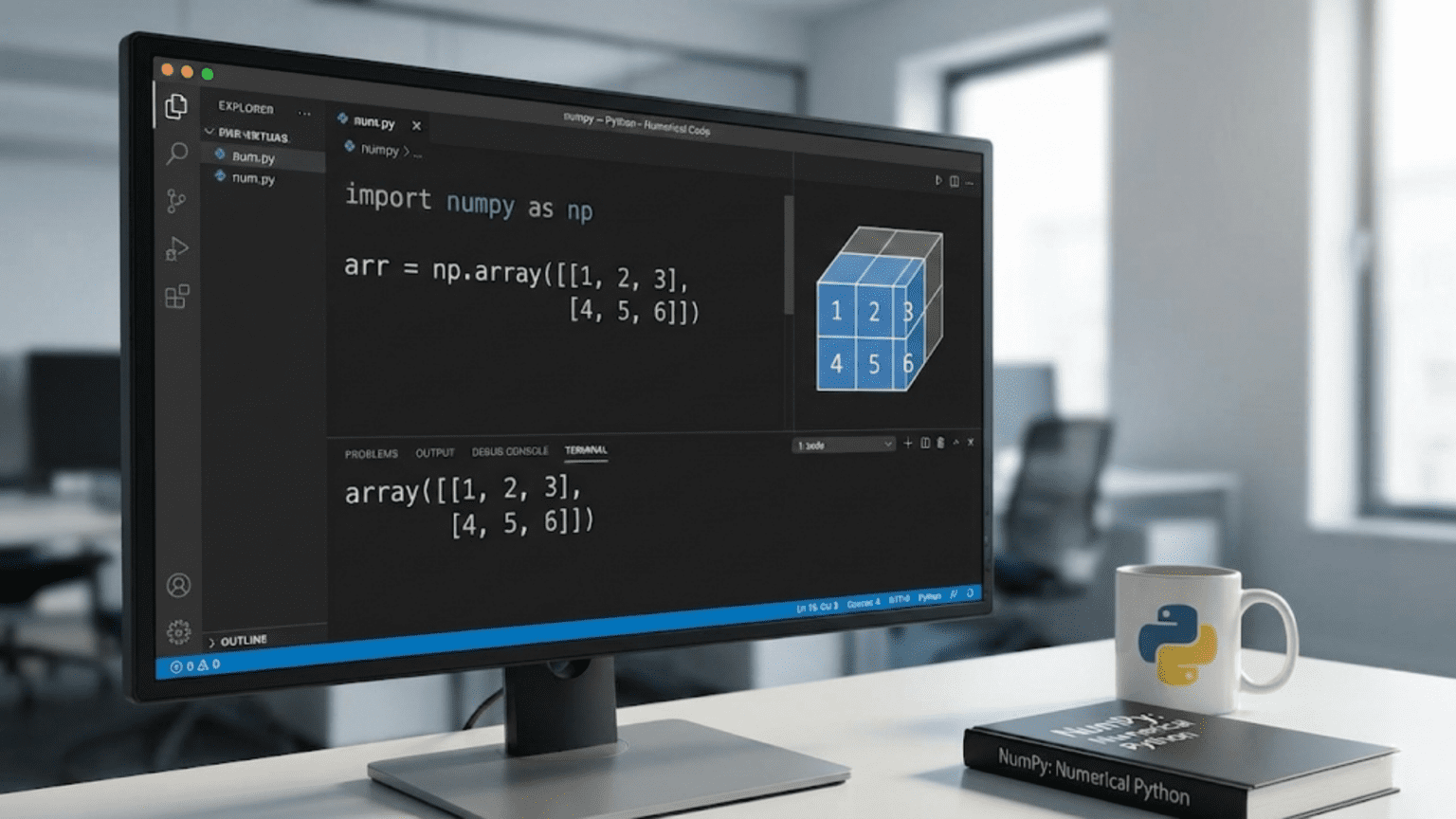
arr = np.array([1, 2, 3, 4, 5])
print(arr)  # [1 2 3 4 5]
print(type(arr))  # <class 'numpy.ndarray'>

# 2D array from nested lists
matrix = np.array([[1, 2, 3],
                   [4, 5, 6],
                   [7, 8, 9]])
print(matrix)
# [[1 2 3]
#  [4 5 6]
# [7 8 9]]When creating arrays from lists, NumPy infers the data type automatically. All elements convert to a common type:
# Mixed integers and floats become all floats
arr = np.array([1, 2.5, 3, 4])
print(arr)  # [1.  2.5 3.  4. ]
print(arr.dtype) # float64Specify data types explicitly:
# Create integer array
arr = np.array([1, 2, 3], dtype=np.int32)

# Create float array
arr = np.array([1, 2, 3], dtype=np.float64)

# Create boolean array
arr = np.array([True, False, True], dtype=np.bool_)Create arrays filled with zeros, ones, or a specific value:
# Array of zeros
zeros = np.zeros(5)
print(zeros)  # [0. 0. 0. 0. 0.]

# 2D array of zeros
zeros_2d = np.zeros((3, 4))  # Shape is a tuple
print(zeros_2d)
# [[0. 0. 0. 0.]
#  [0. 0. 0. 0.]
#  [0. 0. 0. 0.]]

# Array of ones
ones = np.ones(5)
print(ones)  # [1. 1. 1. 1. 1.]

# Array filled with specific value
sevens = np.full(5, 7)
print(sevens) # [7 7 7 7 7]Create arrays with evenly spaced values:
# Array with range (like Python's range)
arr = np.arange(10)
print(arr)  # [0 1 2 3 4 5 6 7 8 9]

# Array from 5 to 15 with step 2
arr = np.arange(5, 15, 2)
print(arr)  # [ 5  7  9 11 13]

# Array from 0 to 1 with step 0.1
arr = np.arange(0, 1, 0.1)
print(arr)  # [0.  0.1 0.2 0.3 0.4 0.5 0.6 0.7 0.8 0.9]

# Create array with specific number of points
arr = np.linspace(0, 1, 11)  # 11 points from 0 to 1 inclusive
print(arr) # [0. 0.1 0.2 0.3 0.4 0.5 0.6 0.7 0.8 0.9 1. ]The difference between arange and linspace is important: arange uses a step size, while linspace specifies how many points you want. linspace includes the endpoint by default, while arange excludes it.
Create random arrays:
# Random floats between 0 and 1
random_arr = np.random.random(5)
print(random_arr)

# Random integers in range
random_ints = np.random.randint(0, 10, size=5)
print(random_ints)

# Random normal distribution
normal = np.random.randn(5)  # Mean 0, std 1
print(normal)Create identity matrices:
# 3x3 identity matrix
identity = np.eye(3)
print(identity)
# [[1. 0. 0.]
#  [0. 1. 0.]
# [0. 0. 1.]]Array Attributes: Understanding Your Arrays
NumPy arrays have attributes that describe their properties:
arr = np.array([[1, 2, 3, 4],
                [5, 6, 7, 8]])

# Shape - dimensions of the array
print(arr.shape)  # (2, 4) - 2 rows, 4 columns

# Number of dimensions
print(arr.ndim)  # 2

# Total number of elements
print(arr.size)  # 8

# Data type of elements
print(arr.dtype)  # int64 (or int32 on Windows)

# Size of each element in bytes
print(arr.itemsize)  # 8 (for int64)

# Total memory consumed
print(arr.nbytes) # 64 (8 elements * 8 bytes each)Understanding shape is crucial for array operations. The shape tuple shows size along each dimension:
# 1D array
arr_1d = np.array([1, 2, 3, 4])
print(arr_1d.shape)  # (4,) - single dimension with 4 elements

# 2D array
arr_2d = np.array([[1, 2, 3],
                   [4, 5, 6]])
print(arr_2d.shape)  # (2, 3) - 2 rows, 3 columns

# 3D array
arr_3d = np.array([[[1, 2],
                    [3, 4]],
                   [[5, 6],
                    [7, 8]]])
print(arr_3d.shape) # (2, 2, 2)Indexing and Slicing Arrays
NumPy extends Python’s indexing and slicing to multiple dimensions.
Index 1D arrays like Python lists:
arr = np.array([10, 20, 30, 40, 50])

print(arr[0])   # 10 - first element
print(arr[-1])  # 50 - last element
print(arr[2]) # 30 - third elementSlice 1D arrays:
arr = np.array([10, 20, 30, 40, 50])

print(arr[1:4])   # [20 30 40] - elements 1 through 3
print(arr[:3])    # [10 20 30] - first three elements
print(arr[2:])    # [30 40 50] - from index 2 to end
print(arr[::2]) # [10 30 50] - every second elementIndex 2D arrays using comma-separated indices:
arr = np.array([[1, 2, 3],
                [4, 5, 6],
                [7, 8, 9]])

print(arr[0, 0])  # 1 - element at row 0, column 0
print(arr[1, 2])  # 6 - element at row 1, column 2
print(arr[-1, -1]) # 9 - last row, last columnSlice 2D arrays:
arr = np.array([[1, 2, 3, 4],
                [5, 6, 7, 8],
                [9, 10, 11, 12]])

# Get first two rows, all columns
print(arr[:2, :])
# [[1 2 3 4]
#  [5 6 7 8]]

# Get all rows, first two columns
print(arr[:, :2])
# [[ 1  2]
#  [ 5  6]
#  [ 9 10]]

# Get middle 2x2 block
print(arr[1:3, 1:3])
# [[ 6  7]
# [10 11]]Modify arrays through indexing:
arr = np.array([1, 2, 3, 4, 5])
arr[0] = 10
print(arr)  # [10  2  3  4  5]

arr[1:4] = [20, 30, 40]
print(arr)  # [10 20 30 40  5]

# Set all elements to same value
arr[:] = 0
print(arr) # [0 0 0 0 0]Boolean indexing selects elements based on conditions:
arr = np.array([1, 2, 3, 4, 5, 6])

# Create boolean mask
mask = arr > 3
print(mask)  # [False False False  True  True  True]

# Select elements where condition is True
filtered = arr[mask]
print(filtered)  # [4 5 6]

# More concisely
filtered = arr[arr > 3]
print(filtered)  # [4 5 6]

# Combine conditions
filtered = arr[(arr > 2) & (arr < 5)]
print(filtered) # [3 4]Note that boolean operations on arrays use & (and), | (or), and ~ (not), not Python’s and, or, and not keywords.
Array Operations: Vectorized Computation
NumPy’s power comes from vectorized operations that apply to entire arrays without explicit loops.
Arithmetic operations work element-wise:
arr = np.array([1, 2, 3, 4, 5])

# Add 10 to every element
result = arr + 10
print(result)  # [11 12 13 14 15]

# Multiply every element by 2
result = arr * 2
print(result)  # [ 2  4  6  8 10]

# Square every element
result = arr ** 2
print(result)  # [ 1  4  9 16 25]

# Apply function to every element
result = np.sqrt(arr)
print(result) # [1. 1.414 1.732 2. 2.236]Operations between arrays work element-wise:
arr1 = np.array([1, 2, 3, 4])
arr2 = np.array([10, 20, 30, 40])

# Add corresponding elements
result = arr1 + arr2
print(result)  # [11 22 33 44]

# Multiply corresponding elements
result = arr1 * arr2
print(result)  # [10 40 90 160]

# Divide
result = arr2 / arr1
print(result) # [10. 10. 10. 10.]Comparison operations return boolean arrays:
arr = np.array([1, 2, 3, 4, 5])

print(arr > 3)  # [False False False  True  True]
print(arr == 3)  # [False False  True False False]
print(arr % 2 == 0) # [False True False True False]Common Array Functions and Methods
NumPy provides extensive mathematical and statistical functions:
arr = np.array([1, 2, 3, 4, 5])

# Statistical functions
print(np.sum(arr))      # 15
print(np.mean(arr))     # 3.0
print(np.median(arr))   # 3.0
print(np.std(arr))      # Standard deviation: 1.414
print(np.var(arr))      # Variance: 2.0
print(np.min(arr))      # 1
print(np.max(arr))      # 5

# Find indices
print(np.argmin(arr))   # 0 - index of minimum
print(np.argmax(arr)) # 4 - index of maximumThese functions also work as methods:
arr = np.array([1, 2, 3, 4, 5])

print(arr.sum())   # 15
print(arr.mean())  # 3.0
print(arr.std())   # 1.414
print(arr.min())   # 1
print(arr.max()) # 5For multi-dimensional arrays, specify axis for operations:
arr = np.array([[1, 2, 3],
                [4, 5, 6]])

# Sum all elements
print(arr.sum())  # 21

# Sum along axis 0 (down columns)
print(arr.sum(axis=0))  # [5 7 9]

# Sum along axis 1 (across rows)
print(arr.sum(axis=1)) # [ 6 15]Axis 0 goes down rows (operates on columns), axis 1 goes across columns (operates on rows). This initially confuses many beginners.
Reshaping Arrays
Change array shapes without changing data:
arr = np.array([1, 2, 3, 4, 5, 6])

# Reshape to 2x3
reshaped = arr.reshape(2, 3)
print(reshaped)
# [[1 2 3]
#  [4 5 6]]

# Reshape to 3x2
reshaped = arr.reshape(3, 2)
print(reshaped)
# [[1 2]
#  [3 4]
# [5 6]]Use -1 to automatically calculate dimension:
arr = np.array([1, 2, 3, 4, 5, 6])

# NumPy calculates number of rows
reshaped = arr.reshape(-1, 2)  # ? rows, 2 columns
print(reshaped)
# [[1 2]
#  [3 4]
#  [5 6]]

# NumPy calculates number of columns
reshaped = arr.reshape(2, -1)  # 2 rows, ? columns
print(reshaped)
# [[1 2 3]
# [4 5 6]]Flatten multi-dimensional arrays:
arr = np.array([[1, 2, 3],
                [4, 5, 6]])

# Flatten to 1D
flattened = arr.flatten()
print(flattened)  # [1 2 3 4 5 6]

# Or use ravel (returns a view when possible)
flattened = arr.ravel()
print(flattened) # [1 2 3 4 5 6]Transpose arrays:
arr = np.array([[1, 2, 3],
                [4, 5, 6]])

transposed = arr.T
print(transposed)
# [[1 4]
#  [2 5]
# [3 6]]Practical Examples for Data Science
NumPy operations map directly to common data science tasks:
# Normalize data to 0-1 range
data = np.array([10, 20, 30, 40, 50])
normalized = (data - data.min()) / (data.max() - data.min())
print(normalized)  # [0.   0.25 0.5  0.75 1.  ]

# Standardize data to mean 0, std 1
standardized = (data - data.mean()) / data.std()
print(standardized)  # [-1.414 -0.707  0.     0.707  1.414]

# Calculate distances from mean
distances = np.abs(data - data.mean())
print(distances)  # [20. 10.  0. 10. 20.]

# Find outliers (values > 2 std from mean)
threshold = 2 * data.std()
outliers = data[np.abs(data - data.mean()) > threshold]
print(outliers) # [10 50]Conclusion
NumPy transforms Python into a powerful platform for numerical computing, providing arrays that store data efficiently and operations that process data at compiled speeds. Understanding NumPy is not optional for data science; it represents the foundation upon which pandas, scikit-learn, and most scientific Python libraries build. The time you invest learning NumPy pays dividends throughout your data science career because NumPy patterns appear everywhere in the ecosystem.
The transition from Python lists to NumPy arrays requires thinking differently about data operations. Instead of writing loops to process elements individually, you write vectorized operations that apply to entire arrays simultaneously. This mindset matches mathematical notation and executes dramatically faster than equivalent loops. While the initial learning curve might feel steep, NumPy operations become second nature with practice, and you will soon find yourself reaching for arrays automatically when working with numerical data.
This introduction provides foundation for the next article covering more advanced NumPy operations including broadcasting, linear algebra, and specialized array manipulation. Practice creating arrays, accessing elements, performing operations, and solving problems using NumPy. Build muscle memory for common patterns, and you will find NumPy indispensable for data science work.