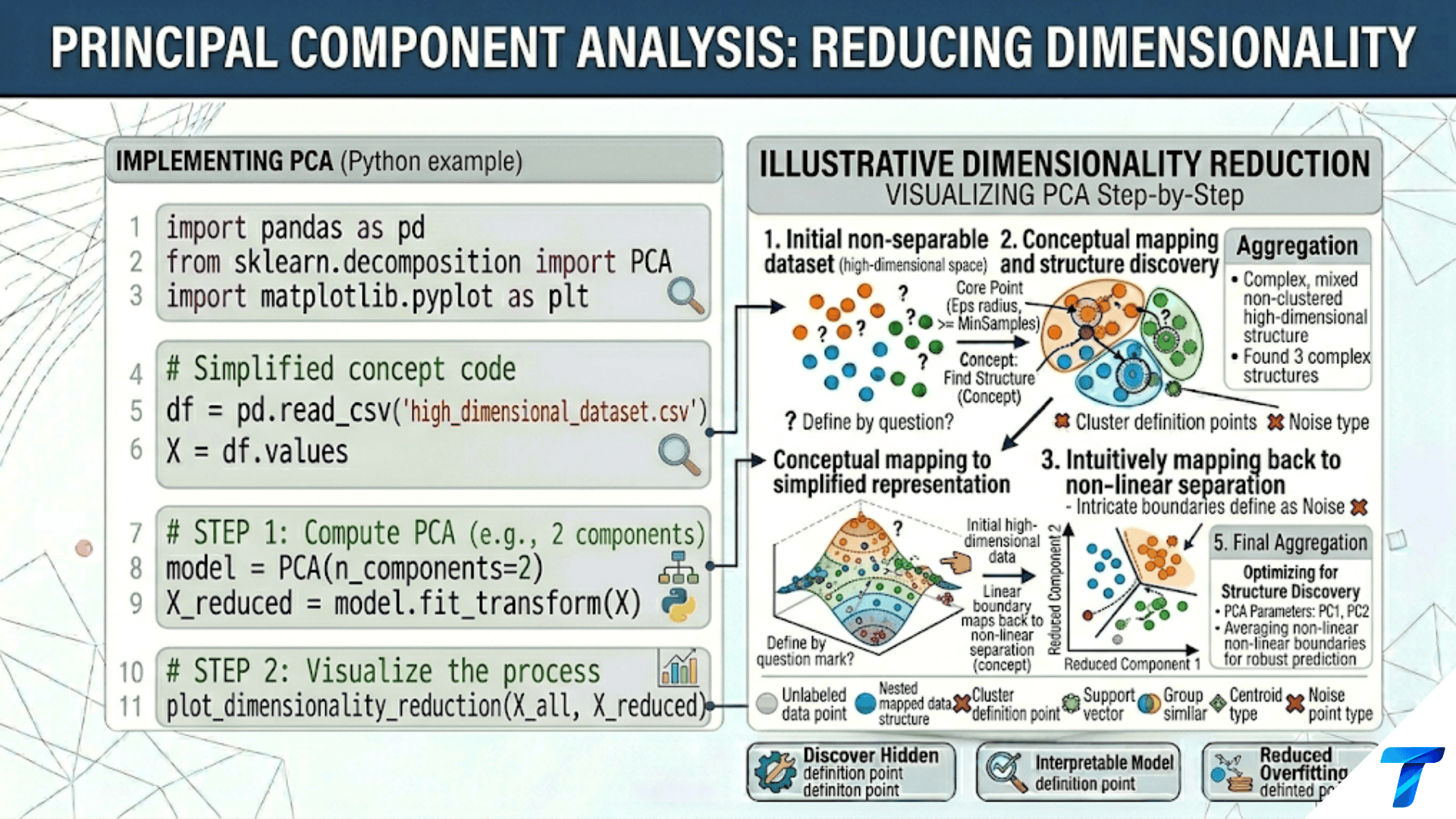

Principal Component Analysis (PCA) reduces high-dimensional data to fewer dimensions by finding the directions of maximum variance — the principal components. The first component captures the most variance, the second the most remaining variance while being perpendicular to the first, and so on. By projecting data onto the top k components, PCA compresses n dimensions into k while preserving as much information as possible. The result is decorrelated features, faster training, easier visualization, and often better generalization by removing noise dimensions.
Introduction
Imagine a dataset of 1,000 songs, each described by 200 audio features: tempo, key, loudness at every frequency band, rhythm patterns, and spectral characteristics. Training a classifier on all 200 features faces several problems. Many features are highly correlated (two adjacent frequency bands carry almost the same information). The 200-dimensional space is sparse — you need exponentially more data to cover it adequately. Visualization is impossible. And many of the 200 dimensions may be pure noise.
Principal Component Analysis solves all four problems simultaneously. It finds new coordinate axes — the principal components — that are linear combinations of the original features, ordered by the amount of variance they capture. The first axis points in the direction where the data spreads the most. The second axis is perpendicular to the first and points in the direction of next-greatest spread. Each subsequent axis is perpendicular to all previous ones and captures the remaining variance.
Projecting the data onto the first 20 components typically captures 90%+ of the total variance while discarding 180 dimensions of noise. The resulting 20-dimensional representation is decorrelated (no two components share information), compressed, visualizable (by taking the first 2 or 3 components), and often easier for downstream models to work with.
This article builds complete understanding of PCA: the geometric intuition, the mathematical derivation through covariance matrices and eigendecomposition, variance explained, how to choose the number of components, practical Python implementation, and the many applications of PCA beyond simple visualization.
The Geometric Intuition
Before the math, the picture: PCA rotates the coordinate system to align with the directions of maximum variance in the data.
import numpy as np
import matplotlib.pyplot as plt
from sklearn.decomposition import PCA
from sklearn.preprocessing import StandardScaler
import warnings
warnings.filterwarnings('ignore')

np.random.seed(42)


def visualize_pca_rotation(figsize=(16, 6)):
    """
    Show PCA as a coordinate rotation in 2D.
    Left:  original correlated data with original axes
    Middle: same data with principal component axes overlaid
    Right:  data projected onto PC axes (decorrelated)
    """
    # Generate correlated 2D data
    cov  = [[1.5, 1.2], [1.2, 1.5]]
    X    = np.random.multivariate_normal([0, 0], cov, 300)
    X_s  = StandardScaler().fit_transform(X)

    pca   = PCA(n_components=2)
    X_pca = pca.fit_transform(X_s)

    fig, axes = plt.subplots(1, 3, figsize=figsize)

    # ── Panel 1: Original correlated data ──────────────────────────
    ax = axes[0]
    ax.scatter(X_s[:, 0], X_s[:, 1], alpha=0.5, color='steelblue',
               s=25, edgecolors='white', linewidth=0.3)
    ax.axhline(0, color='black', lw=1, alpha=0.5)
    ax.axvline(0, color='black', lw=1, alpha=0.5)
    ax.set_title('Original Space\nCorrelated features\n(oval cloud)',
                 fontsize=10, fontweight='bold')
    ax.set_xlabel('Feature 1', fontsize=10)
    ax.set_ylabel('Feature 2', fontsize=10)
    ax.set_aspect('equal'); ax.grid(True, alpha=0.2)

    # ── Panel 2: PC axes overlaid on original data ─────────────────
    ax = axes[1]
    ax.scatter(X_s[:, 0], X_s[:, 1], alpha=0.5, color='steelblue',
               s=25, edgecolors='white', linewidth=0.3)

    # Draw principal component vectors (scaled by explained variance)
    pc_colors = ['coral', 'mediumseagreen']
    for i, (comp, var, color) in enumerate(zip(
            pca.components_, pca.explained_variance_, pc_colors)):
        scale = np.sqrt(var) * 2
        ax.annotate('', xy=comp * scale, xytext=(0, 0),
                    arrowprops=dict(arrowstyle='->', color=color,
                                    lw=3, mutation_scale=20))
        ax.text(comp[0] * scale * 1.15, comp[1] * scale * 1.15,
                f'PC{i+1}\n({pca.explained_variance_ratio_[i]*100:.1f}%)',
                color=color, fontsize=9, fontweight='bold', ha='center')

    ax.axhline(0, color='black', lw=0.8, alpha=0.4)
    ax.axvline(0, color='black', lw=0.8, alpha=0.4)
    ax.set_title('Principal Component Axes\nPC1 = direction of max variance\n'
                 'PC2 ⊥ PC1, remaining variance',
                 fontsize=10, fontweight='bold')
    ax.set_xlabel('Feature 1', fontsize=10)
    ax.set_aspect('equal'); ax.grid(True, alpha=0.2)

    # ── Panel 3: Projected data (decorrelated) ─────────────────────
    ax = axes[2]
    ax.scatter(X_pca[:, 0], X_pca[:, 1], alpha=0.5, color='coral',
               s=25, edgecolors='white', linewidth=0.3)
    ax.axhline(0, color='black', lw=1, alpha=0.5)
    ax.axvline(0, color='black', lw=1, alpha=0.5)

    # Show that PC coordinates are uncorrelated
    correlation = np.corrcoef(X_pca.T)[0, 1]
    ax.set_title(f'PCA Space (Projected Data)\nFeatures are now uncorrelated\n'
                 f'Correlation = {correlation:.6f} ≈ 0',
                 fontsize=10, fontweight='bold')
    ax.set_xlabel('PC1 (max variance direction)', fontsize=10)
    ax.set_ylabel('PC2 (next variance direction)', fontsize=10)
    ax.set_aspect('equal'); ax.grid(True, alpha=0.2)

    plt.suptitle('PCA as Coordinate Rotation: Finding the Natural Axes of the Data',
                 fontsize=13, fontweight='bold', y=1.02)
    plt.tight_layout()
    plt.savefig('pca_rotation.png', dpi=150, bbox_inches='tight')
    plt.show()
    print("Saved: pca_rotation.png")
    print(f"\n  Explained variance: {pca.explained_variance_ratio_}")
    print(f"  PC1 direction: [{pca.components_[0, 0]:.4f}, {pca.components_[0, 1]:.4f}]")
    print(f"  PC2 direction: [{pca.components_[1, 0]:.4f}, {pca.components_[1, 1]:.4f}]")
    print(f"  Dot product (should be 0): "
          f"{pca.components_[0] @ pca.components_[1]:.6f}")


visualize_pca_rotation()The key properties of principal components:
- Orthogonality: Every pair of components is perpendicular (dot product = 0)
- Ordering: PC1 captures the most variance, PC2 the second-most, etc.
- Decorrelation: After projecting, the resulting features have zero correlation
- Completeness: Together, all n components explain 100% of the variance
The Mathematics: Covariance, Eigendecomposition, SVD
PCA finds the principal components by solving an eigenvalue problem on the covariance matrix of the (centered, scaled) data.
Step 1: Center and Scale
import numpy as np
from sklearn.datasets import load_iris


def pca_step_by_step():
    """
    Implement PCA from scratch, step by step.
    Compare each step's output to sklearn's results.
    """
    iris = load_iris()
    X    = iris.data.astype(float)

    print("=== PCA From Scratch: Step-by-Step ===\n")
    print(f"  Data shape: {X.shape} (150 samples, 4 features)\n")

    # Step 1: Center (subtract mean)
    X_mean    = X.mean(axis=0)
    X_centered = X - X_mean
    print(f"  Step 1: Center data (subtract mean)")
    print(f"    Original means:  {X_mean.round(3)}")
    print(f"    Centered means:  {X_centered.mean(axis=0).round(8)}")

    # Step 2: Scale (divide by std) — standardization
    X_std  = X_centered.std(axis=0, ddof=1)
    X_scaled = X_centered / X_std
    print(f"\n  Step 2: Scale data (divide by std)")
    print(f"    Stds:            {X_std.round(3)}")
    print(f"    After scaling:   mean≈0, std≈1 for each feature")

    # Step 3: Compute covariance matrix
    n     = X_scaled.shape[0]
    C     = (X_scaled.T @ X_scaled) / (n - 1)
    print(f"\n  Step 3: Covariance matrix (4×4)")
    print(f"    Diagonal (variances = 1.0 since scaled):")
    print(f"    {np.diag(C).round(4)}")
    print(f"    Off-diagonal (correlations):")
    for i in range(4):
        for j in range(i+1, 4):
            print(f"      Cov({iris.feature_names[i][:8]}, "
                  f"{iris.feature_names[j][:8]}) = {C[i,j]:.4f}")

    # Step 4: Eigendecomposition
    eigenvalues, eigenvectors = np.linalg.eigh(C)
    # eigh returns ascending order; reverse for descending
    idx          = np.argsort(eigenvalues)[::-1]
    eigenvalues  = eigenvalues[idx]
    eigenvectors = eigenvectors[:, idx]

    print(f"\n  Step 4: Eigendecomposition of covariance matrix")
    print(f"    Eigenvalues (= variance captured by each PC):")
    for i, ev in enumerate(eigenvalues):
        pct = ev / eigenvalues.sum() * 100
        print(f"      PC{i+1}: {ev:.4f} ({pct:.1f}% of total variance)")

    print(f"\n    Eigenvectors (= principal component directions):")
    for i, evec in enumerate(eigenvectors.T):
        print(f"      PC{i+1}: [{', '.join(f'{v:.4f}' for v in evec)}]")

    # Step 5: Project data onto principal components
    X_pca_scratch = X_scaled @ eigenvectors

    # Compare with sklearn
    from sklearn.decomposition import PCA
    from sklearn.preprocessing import StandardScaler
    pca    = PCA()
    scaler = StandardScaler()
    X_sk   = scaler.fit_transform(X)
    X_pca_sk = pca.fit_transform(X_sk)

    print(f"\n  Step 5: Project data onto PCs")
    print(f"    Verification vs sklearn:")
    for i in range(4):
        # Note: sign convention may differ; compare absolute values
        corr = abs(np.corrcoef(X_pca_scratch[:, i],
                               X_pca_sk[:, i])[0, 1])
        print(f"      PC{i+1}: |correlation with sklearn| = {corr:.8f}")

    return eigenvalues, eigenvectors, X_pca_scratch


eigenvalues, eigenvectors, X_pca = pca_step_by_step()SVD: The Numerically Stable Alternative
In practice, PCA is computed via Singular Value Decomposition (SVD) rather than explicit eigendecomposition of the covariance matrix. SVD is more numerically stable (avoids squaring the data matrix which amplifies floating-point errors) and more efficient for large sparse matrices.
The columns of V are the principal component directions; the columns of U scaled by Σ are the projected data coordinates. Scikit-learn uses SVD internally.
import numpy as np
from sklearn.datasets import load_iris
from sklearn.preprocessing import StandardScaler


def pca_via_svd():
    """
    Demonstrate that SVD and eigendecomposition give identical results.
    SVD is preferred in practice for numerical stability.
    """
    iris  = load_iris()
    X     = StandardScaler().fit_transform(iris.data)
    n, d  = X.shape

    # Method 1: SVD of centered, scaled data matrix
    U, s, Vt = np.linalg.svd(X, full_matrices=False)
    # Principal components from SVD
    components_svd = Vt  # Each row is a PC direction
    # Variance explained: s² / (n-1) = eigenvalues
    eigenvalues_svd = s ** 2 / (n - 1)
    variance_ratio_svd = eigenvalues_svd / eigenvalues_svd.sum()
    # Projected coordinates
    X_pca_svd = U * s  # Same as X @ Vt.T

    # Method 2: Eigendecomposition
    C = (X.T @ X) / (n - 1)
    eigenvalues_eig, eigenvectors_eig = np.linalg.eigh(C)
    idx = np.argsort(eigenvalues_eig)[::-1]
    eigenvalues_eig = eigenvalues_eig[idx]
    variance_ratio_eig = eigenvalues_eig / eigenvalues_eig.sum()

    print("=== SVD vs Eigendecomposition ===\n")
    print(f"  {'PC':>4} | {'Eigenval (eig)':>16} | {'Eigenval (SVD)':>16} | "
          f"{'Var% (eig)':>12} | {'Var% (SVD)':>12}")
    print(f"  {'-'*66}")
    for i in range(d):
        print(f"  {i+1:>4} | {eigenvalues_eig[i]:>16.8f} | "
              f"{eigenvalues_svd[i]:>16.8f} | "
              f"{variance_ratio_eig[i]*100:>12.4f} | "
              f"{variance_ratio_svd[i]*100:>12.4f}")

    print(f"\n  Max eigenvalue difference: "
          f"{np.max(np.abs(eigenvalues_svd - eigenvalues_eig)):.2e}")
    print(f"  Identical to numerical precision. SVD is preferred for stability.")


pca_via_svd()Variance Explained: Choosing the Right Number of Components
The most important decision in PCA is how many components to keep. The explained variance ratio tells you what fraction of total data variance each component captures.
import numpy as np
import matplotlib.pyplot as plt
from sklearn.decomposition import PCA
from sklearn.preprocessing import StandardScaler
from sklearn.datasets import load_breast_cancer


def variance_explained_analysis(X_s, feature_names=None,
                                   dataset_name="Dataset", figsize=(14, 5)):
    """
    Three-panel analysis for choosing the number of PCA components:
    1. Scree plot: variance per component (look for elbow)
    2. Cumulative variance: choose k to hit target (e.g., 95%)
    3. Component loadings for the top-2 PCs
    """
    pca = PCA()
    pca.fit(X_s)
    var_ratio = pca.explained_variance_ratio_
    cum_var   = np.cumsum(var_ratio)
    n_comp    = len(var_ratio)

    # Find k for common thresholds
    thresholds = [0.80, 0.90, 0.95, 0.99]
    k_for_threshold = {t: np.searchsorted(cum_var, t) + 1 for t in thresholds}

    fig, axes = plt.subplots(1, 3, figsize=figsize)

    # Scree plot
    ax = axes[0]
    ax.bar(range(1, n_comp + 1), var_ratio * 100,
           color='steelblue', edgecolor='white', linewidth=0.5, alpha=0.8)
    ax.set_xlabel('Principal Component', fontsize=11)
    ax.set_ylabel('Variance Explained (%)', fontsize=11)
    ax.set_title('Scree Plot\nLook for the "elbow"',
                 fontsize=10, fontweight='bold')
    ax.grid(True, alpha=0.3, axis='y')

    # Cumulative variance
    ax = axes[1]
    ax.plot(range(1, n_comp + 1), cum_var * 100,
            'o-', color='coral', lw=2.5, markersize=5)
    ax.fill_between(range(1, n_comp + 1), cum_var * 100, alpha=0.15, color='coral')

    for t, color in zip([0.80, 0.90, 0.95, 0.99],
                         ['gray', 'goldenrod', 'coral', 'steelblue']):
        k = k_for_threshold[t]
        ax.axhline(y=t * 100, color=color, linestyle='--', lw=1.5, alpha=0.8,
                   label=f'{int(t*100)}% → k={k}')
        ax.axvline(x=k, color=color, linestyle=':', lw=1, alpha=0.6)

    ax.set_xlabel('Number of Components', fontsize=11)
    ax.set_ylabel('Cumulative Variance (%)', fontsize=11)
    ax.set_title('Cumulative Variance Explained\nChoose k to meet target',
                 fontsize=10, fontweight='bold')
    ax.legend(fontsize=8); ax.grid(True, alpha=0.3)

    # Loadings heatmap (first 2 PCs vs top features)
    ax = axes[2]
    top_n = min(15, len(var_ratio))
    loadings = pca.components_[:2, :top_n]
    feature_subset = (feature_names[:top_n] if feature_names is not None
                      else [f'F{i}' for i in range(top_n)])
    im = ax.imshow(loadings, aspect='auto', cmap='RdBu_r',
                    vmin=-1, vmax=1)
    ax.set_xticks(range(top_n))
    ax.set_xticklabels([f[:8] for f in feature_subset],
                        rotation=45, ha='right', fontsize=7)
    ax.set_yticks([0, 1])
    ax.set_yticklabels(['PC1', 'PC2'], fontsize=10)
    plt.colorbar(im, ax=ax, label='Loading coefficient')
    ax.set_title('PC Loadings (first 2 PCs)\nRed=positive, Blue=negative',
                 fontsize=10, fontweight='bold')

    plt.suptitle(f'PCA Variance Analysis: {dataset_name}',
                 fontsize=13, fontweight='bold')
    plt.tight_layout()
    plt.savefig('pca_variance_explained.png', dpi=150, bbox_inches='tight')
    plt.show()
    print("Saved: pca_variance_explained.png")

    print(f"\n  Components needed for variance thresholds:")
    for t, k in k_for_threshold.items():
        compression = X_s.shape[1] / k
        print(f"    {int(t*100)}%: k={k:>3} components "
              f"({compression:.1f}× compression)")

    print(f"\n  Total features: {X_s.shape[1]}")

    return k_for_threshold


cancer = load_breast_cancer()
X_ca_s = StandardScaler().fit_transform(cancer.data)
print("=== Variance Explained Analysis: Breast Cancer ===\n")
k_thresh = variance_explained_analysis(
    X_ca_s, feature_names=list(cancer.feature_names),
    dataset_name="Breast Cancer"
)Choosing k in Practice
Three common strategies:
- Fixed variance threshold: Choose the smallest k such that cumulative variance ≥ 95% (or 90%, 99% depending on application). Most common and principled.
- Elbow method on scree plot: Look for where the scree plot “elbows” — where adding another component gives diminishing returns. Useful when the 95% threshold gives too many components.
- Downstream task performance: Try PCA with k = 5, 10, 20, … components and measure the performance of a downstream supervised model. Choose the k where performance plateaus.
PCA for Dimensionality Reduction and Preprocessing
PCA’s most common practical use is as a preprocessing step before training a supervised model. It reduces dimensionality, removes noise, and decorrelates features — all of which can help downstream models.
import numpy as np
import matplotlib.pyplot as plt
from sklearn.decomposition import PCA
from sklearn.preprocessing import StandardScaler
from sklearn.pipeline import Pipeline
from sklearn.neighbors import KNeighborsClassifier
from sklearn.linear_model import LogisticRegression
from sklearn.ensemble import RandomForestClassifier
from sklearn.model_selection import cross_val_score, StratifiedKFold
from sklearn.datasets import load_digits


def pca_preprocessing_impact():
    """
    Compare classifier performance with and without PCA preprocessing.
    Shows how PCA affects different model families differently.
    """
    digits = load_digits()
    X, y   = digits.data, digits.target

    cv = StratifiedKFold(n_splits=5, shuffle=True, random_state=42)

    # K values to test
    k_values = [5, 10, 20, 30, 40, 50, 64]

    print("=== PCA Preprocessing Impact on Classifiers ===\n")
    print(f"  Dataset: Digits ({X.shape[0]} samples, {X.shape[1]} features)\n")

    classifiers = {
        'KNN (k=5)':     KNeighborsClassifier(n_neighbors=5),
        'Logistic Reg':  LogisticRegression(max_iter=1000),
        'Random Forest': RandomForestClassifier(n_estimators=100, random_state=42,
                                                 n_jobs=-1),
    }

    print(f"  {'Model':<15} | {'Raw':>7}", end='')
    for k in k_values:
        print(f" | {'PCA-'+str(k):>7}", end='')
    print()
    print("  " + "-" * (15 + 10 + len(k_values) * 10))

    for clf_name, clf in classifiers.items():
        pipe_raw = Pipeline([('scaler', StandardScaler()), ('clf', clf)])
        acc_raw  = cross_val_score(pipe_raw, X, y, cv=cv, n_jobs=-1).mean()
        print(f"  {clf_name:<15} | {acc_raw*100:>6.1f}%", end='')

        for k in k_values:
            pipe_pca = Pipeline([
                ('scaler', StandardScaler()),
                ('pca',    PCA(n_components=k)),
                ('clf',    clf),
            ])
            acc_pca = cross_val_score(pipe_pca, X, y, cv=cv, n_jobs=-1).mean()
            diff    = acc_pca - acc_raw
            marker  = "+" if diff > 0.005 else ("-" if diff < -0.005 else " ")
            print(f" | {acc_pca*100:>6.1f}%{marker}", end='')

        print()

    print("\n  +/−/space = improved/degraded/neutral vs raw features")
    print("  Note: KNN benefits most from PCA (curse of dimensionality)")
    print("        Random Forest usually unchanged (feature-level independence)")


pca_preprocessing_impact()PCA for Visualization: Projecting to 2D and 3D
The most visually powerful application of PCA is reducing high-dimensional data to 2 or 3 dimensions for plotting while preserving as much structure as possible.
import numpy as np
import matplotlib.pyplot as plt
from sklearn.decomposition import PCA
from sklearn.preprocessing import StandardScaler
from sklearn.datasets import load_digits, load_wine


def pca_2d_visualization(X, y, class_names, title, figsize=(14, 6)):
    """
    PCA-based 2D and 3D visualization of high-dimensional data.
    Left:  First two PCs (most variance)
    Right: Variance explained per class (separation quality)
    """
    scaler = StandardScaler()
    pca    = PCA(n_components=3)
    X_s    = scaler.fit_transform(X)
    X_pca  = pca.fit_transform(X_s)

    var12  = pca.explained_variance_ratio_[:2].sum() * 100
    var1   = pca.explained_variance_ratio_[0] * 100
    var2   = pca.explained_variance_ratio_[1] * 100

    k_classes = len(class_names)
    colors    = plt.cm.tab10(np.linspace(0, 0.9, k_classes))

    fig, axes = plt.subplots(1, 2, figsize=figsize)

    # ── Left: 2D PCA scatter ──────────────────────────────────────
    ax = axes[0]
    for cls, (name, color) in enumerate(zip(class_names, colors)):
        mask = y == cls
        ax.scatter(X_pca[mask, 0], X_pca[mask, 1],
                   c=[color], s=30, edgecolors='white', linewidth=0.4,
                   alpha=0.85, label=f'{name} (n={mask.sum()})')
    ax.set_title(f'PCA 2D Visualization: {title}\n'
                 f'PC1={var1:.1f}%, PC2={var2:.1f}% ({var12:.1f}% total)',
                 fontsize=10, fontweight='bold')
    ax.set_xlabel(f'PC1 ({var1:.1f}% variance)', fontsize=10)
    ax.set_ylabel(f'PC2 ({var2:.1f}% variance)', fontsize=10)
    ax.legend(fontsize=8, loc='best'); ax.grid(True, alpha=0.2)

    # ── Right: Per-class center distance in PCA space ─────────────
    ax = axes[1]
    class_centers  = np.array([X_pca[y == c, :2].mean(axis=0)
                                for c in range(k_classes)])
    global_center  = X_pca[:, :2].mean(axis=0)
    inter_class_d  = np.linalg.norm(class_centers - global_center, axis=1)

    bars = ax.bar(class_names, inter_class_d, color=colors, edgecolor='white')
    for bar, d in zip(bars, inter_class_d):
        ax.text(bar.get_x() + bar.get_width()/2, bar.get_height() + 0.02,
                f'{d:.2f}', ha='center', fontsize=9)
    ax.set_title('Class Separation in PC1-PC2 Space\n'
                 '(Distance of class center from global center)',
                 fontsize=10, fontweight='bold')
    ax.set_ylabel('Distance from global center', fontsize=10)
    ax.grid(True, alpha=0.3, axis='y')

    plt.suptitle(f'PCA Visualization: {title}', fontsize=13, fontweight='bold')
    plt.tight_layout()
    plt.savefig(f'pca_viz_{title.lower().replace(" ", "_")}.png', dpi=150)
    plt.show()
    print(f"Saved visualization for {title}.")


wine = load_wine()
pca_2d_visualization(wine.data, wine.target, list(wine.target_names), "Wine Dataset")

digits = load_digits()
pca_2d_visualization(digits.data, digits.target,
[str(i) for i in range(10)], "Digits Dataset")Reconstruction and Information Loss
PCA is a lossy compression: keeping fewer components discards information. Visualizing the reconstruction error makes this concrete.
import numpy as np
import matplotlib.pyplot as plt
from sklearn.decomposition import PCA
from sklearn.preprocessing import StandardScaler
from sklearn.datasets import load_digits


def pca_reconstruction_demo(figsize=(18, 8)):
    """
    Show image reconstruction quality at different compression levels.
    Demonstrates the information loss–compression tradeoff visually.
    """
    digits = load_digits()
    X = digits.data.astype(float)

    scaler = StandardScaler()
    X_s    = scaler.fit_transform(X)

    n_components_list = [2, 4, 8, 16, 32, 64]
    n_rows = 3   # 3 sample digits to reconstruct
    n_cols = len(n_components_list) + 1  # +1 for original

    fig, axes = plt.subplots(n_rows, n_cols, figsize=figsize)

    # Pick 3 representative samples
    sample_indices = [0, 7, 42]

    for row, idx in enumerate(sample_indices):
        # Original
        ax = axes[row, 0]
        ax.imshow(X[idx].reshape(8, 8), cmap='gray_r', vmin=0, vmax=16)
        ax.set_title('Original' if row == 0 else '', fontsize=9, fontweight='bold')
        ax.set_ylabel(f"Digit '{digits.target[idx]}'", fontsize=9)
        ax.set_xticks([]); ax.set_yticks([])

        for col, k in enumerate(n_components_list, 1):
            pca    = PCA(n_components=k)
            X_enc  = pca.fit_transform(X_s)
            X_rec  = pca.inverse_transform(X_enc)
            X_rec_orig = scaler.inverse_transform(X_rec)
            X_rec_clip = np.clip(X_rec_orig, 0, 16)

            mse = np.mean((X[idx] - X_rec_orig[idx]) ** 2)
            pct_var = pca.explained_variance_ratio_.sum() * 100

            ax = axes[row, col]
            ax.imshow(X_rec_clip[idx].reshape(8, 8), cmap='gray_r',
                       vmin=0, vmax=16)
            if row == 0:
                ax.set_title(f'k={k}\n{pct_var:.0f}% var', fontsize=8,
                              fontweight='bold')
            ax.set_xticks([]); ax.set_yticks([])

            # Color border by reconstruction quality
            border_color = ('green' if mse < 2 else
                            'goldenrod' if mse < 8 else 'coral')
            for spine in ax.spines.values():
                spine.set_edgecolor(border_color)
                spine.set_linewidth(2)

    plt.suptitle('PCA Reconstruction Quality at Different Compression Levels\n'
                 'Border: Green=good, Yellow=acceptable, Red=poor',
                 fontsize=13, fontweight='bold')
    plt.tight_layout()
    plt.savefig('pca_reconstruction.png', dpi=150, bbox_inches='tight')
    plt.show()
    print("Saved: pca_reconstruction.png")

    # Quantitative reconstruction quality
    print(f"\n  Reconstruction MSE vs compression (averaged over all digits):\n")
    print(f"  {'k':>6} | {'Var%':>7} | {'MSE':>9} | {'PSNR (dB)':>11} | Quality")
    print(f"  {'-'*55}")
    for k in n_components_list:
        pca   = PCA(n_components=k)
        X_enc = pca.fit_transform(X_s)
        X_rec = scaler.inverse_transform(pca.inverse_transform(X_enc))
        mse   = np.mean((X - X_rec) ** 2)
        psnr  = 10 * np.log10(16**2 / (mse + 1e-8))
        pct   = pca.explained_variance_ratio_.sum() * 100
        qual  = ("Excellent" if psnr > 30 else
                 "Good" if psnr > 25 else
                 "Acceptable" if psnr > 20 else "Poor")
        print(f"  {k:>6} | {pct:>7.1f} | {mse:>9.4f} | {psnr:>10.2f} | {qual}")


pca_reconstruction_demo()Limitations and When NOT to Use PCA
PCA is a powerful tool, but it has important limitations that determine when it is appropriate.
import numpy as np
import matplotlib.pyplot as plt
from sklearn.decomposition import PCA, KernelPCA
from sklearn.preprocessing import StandardScaler
from sklearn.datasets import make_moons, make_circles


def demonstrate_pca_limitations(figsize=(16, 5)):
    """
    Three failure cases for standard PCA:
    1. Nonlinear structure: PCA is linear — can't find curved manifolds
    2. Assumes Gaussian structure: outliers distort the components
    3. Scaled units matter: unscaled features dominate PCA
    """
    np.random.seed(42)

    fig, axes = plt.subplots(1, 3, figsize=figsize)

    # ── Failure 1: Nonlinear structure ────────────────────────────
    ax = axes[0]
    X_moons, y_moons = make_moons(300, noise=0.05, random_state=42)
    X_moons_s = StandardScaler().fit_transform(X_moons)

    # PCA can't separate the moons
    pca_lin = PCA(n_components=1)
    X_lin   = pca_lin.fit_transform(X_moons_s).ravel()

    # Kernel PCA can
    kpca    = KernelPCA(n_components=1, kernel='rbf', gamma=2)
    X_kpca  = kpca.fit_transform(X_moons_s).ravel()

    ax.hist(X_lin[y_moons == 0], bins=20, alpha=0.6, color='coral',
             label='Class 0 (Linear PCA)')
    ax.hist(X_lin[y_moons == 1], bins=20, alpha=0.6, color='steelblue',
             label='Class 1 (Linear PCA)')
    ax.set_title('Failure 1: Nonlinear Structure\n'
                 'Linear PCA cannot separate two moons\n'
                 '→ Use Kernel PCA or t-SNE/UMAP instead',
                 fontsize=9, fontweight='bold')
    ax.legend(fontsize=7); ax.set_xlabel('PC1 value', fontsize=9)

    # ── Failure 2: Outliers distort components ────────────────────
    ax = axes[1]
    np.random.seed(42)
    X_clean    = np.random.randn(200, 2)
    X_outliers = np.vstack([X_clean, np.array([[10, 0], [0, 10], [-8, 2]])])
    y_outlier  = np.array([0]*200 + [1]*3)

    pca_c = PCA(n_components=1); pca_c.fit(X_clean)
    pca_o = PCA(n_components=1); pca_o.fit(X_outliers)

    ax.scatter(X_clean[:, 0], X_clean[:, 1], alpha=0.4, color='steelblue',
                s=20, label='Clean data')
    ax.scatter(X_outliers[200:, 0], X_outliers[200:, 1], color='red',
                s=150, marker='*', label='Outliers', zorder=5)

    # Draw PC1 directions
    for pca_v, label, color in [(pca_c, 'PC1 (clean)', 'steelblue'),
                                  (pca_o, 'PC1 (with outliers)', 'coral')]:
        comp = pca_v.components_[0] * 3
        ax.annotate('', xy=comp, xytext=-comp,
                    arrowprops=dict(arrowstyle='<->', color=color,
                                    lw=2.5, mutation_scale=12))
        ax.text(comp[0] * 1.1, comp[1] * 1.1, label,
                color=color, fontsize=8, fontweight='bold')

    ax.set_title('Failure 2: Sensitivity to Outliers\n'
                 'Outliers pull PC1 toward them\n'
                 '→ Use Robust PCA or remove outliers first',
                 fontsize=9, fontweight='bold')
    ax.legend(fontsize=7); ax.grid(True, alpha=0.2)
    ax.set_aspect('equal')

    # ── Failure 3: Scale sensitivity ─────────────────────────────
    ax = axes[2]
    np.random.seed(42)
    X_unscaled = np.column_stack([
        np.random.randn(200) * 1000,  # Feature 1: range ~±3000
        np.random.randn(200) * 1,     # Feature 2: range ~±3
    ])
    y_s = (X_unscaled[:, 0] + X_unscaled[:, 1] > 0).astype(int)

    pca_us = PCA(n_components=1); pca_us.fit(X_unscaled)
    pca_sc = PCA(n_components=1)
    pca_sc.fit(StandardScaler().fit_transform(X_unscaled))

    ax.text(0.05, 0.95,
            "Without scaling:\n"
            f"PC1 direction: [{pca_us.components_[0,0]:.4f}, {pca_us.components_[0,1]:.4f}]\n"
            f"→ Almost all Feature 1 (large scale)\n\n"
            "With StandardScaler:\n"
            f"PC1 direction: [{pca_sc.components_[0,0]:.4f}, {pca_sc.components_[0,1]:.4f}]\n"
            "→ Equal contribution from both features",
            transform=ax.transAxes, fontsize=9,
            verticalalignment='top',
            bbox=dict(boxstyle='round', fc='lightyellow', ec='coral', alpha=0.9))
    ax.set_title('Failure 3: Scale Sensitivity\n'
                 'Unscaled features with large range dominate\n'
                 '→ ALWAYS StandardScale before PCA',
                 fontsize=9, fontweight='bold')
    ax.axis('off')

    plt.suptitle('PCA Limitations: When to Choose Alternatives',
                 fontsize=13, fontweight='bold')
    plt.tight_layout()
    plt.savefig('pca_limitations.png', dpi=150, bbox_inches='tight')
    plt.show()
    print("Saved: pca_limitations.png")

    print("\n  PCA Checklist:")
    print("  ✓ Always scale features before PCA (StandardScaler)")
    print("  ✓ Check for outliers — they distort principal components")
    print("  ✓ PCA is linear — if structure is nonlinear, use Kernel PCA")
    print("  ✓ PCA finds variance, not class discriminability — use LDA for supervised dim. reduction")
    print("  ✓ Interpret loadings carefully — PC1 may be driven by a confounding variable")


demonstrate_pca_limitations()Incremental PCA: Handling Large Datasets
Standard PCA loads the entire dataset into memory, which is impractical for datasets with millions of rows or high-dimensional features. Incremental PCA (IPCA) processes data in mini-batches, updating the components iteratively without materializing the full covariance matrix.
import numpy as np
import time
from sklearn.decomposition import PCA, IncrementalPCA
from sklearn.preprocessing import StandardScaler
from sklearn.datasets import load_digits


def compare_pca_ipca():
    """
    Compare standard PCA vs IncrementalPCA:
    - Correctness (same principal components within sign convention)
    - Memory usage (IPCA needs only one batch at a time)
    - Runtime tradeoffs
    """
    # Simulate a large dataset by tiling the digits data
    digits = load_digits()
    X_base = StandardScaler().fit_transform(digits.data)
    # Tile to make it bigger for meaningful timing comparison
    X_large = np.tile(X_base, (10, 1)) + np.random.randn(
        X_base.shape[0] * 10, X_base.shape[1]
    ) * 0.01

    n, d = X_large.shape
    k    = 20  # Number of components to extract

    print("=== Standard PCA vs Incremental PCA ===\n")
    print(f"  Dataset: {n:,} samples × {d} features → k={k} components\n")

    # Standard PCA
    t0  = time.perf_counter()
    pca = PCA(n_components=k)
    pca.fit(X_large)
    t_pca = time.perf_counter() - t0

    # Incremental PCA (batch_size = ~1000)
    batch_size = 1000
    t0   = time.perf_counter()
    ipca = IncrementalPCA(n_components=k, batch_size=batch_size)
    ipca.fit(X_large)
    t_ipca = time.perf_counter() - t0

    # Compare explained variance
    print(f"  {'Metric':<30} | {'Standard PCA':>14} | {'Incremental PCA':>16}")
    print(f"  {'-'*64}")
    print(f"  {'Fit time (s)':<30} | {t_pca:>14.4f} | {t_ipca:>16.4f}")
    print(f"  {'Explained var (top 1)':<30} | "
          f"{pca.explained_variance_ratio_[0]*100:>14.2f}% | "
          f"{ipca.explained_variance_ratio_[0]*100:>16.2f}%")
    print(f"  {'Explained var (top 5 cumul.)':<30} | "
          f"{pca.explained_variance_ratio_[:5].sum()*100:>14.2f}% | "
          f"{ipca.explained_variance_ratio_[:5].sum()*100:>16.2f}%")

    # Verify components are the same (up to sign)
    agreements = []
    for i in range(k):
        corr = abs(np.corrcoef(pca.components_[i], ipca.components_[i])[0, 1])
        agreements.append(corr)
    print(f"  {'Mean |corr| of components':<30} | {np.mean(agreements):>14.4f} | "
          f"{'(same reference)':>16}")

    print(f"\n  Batch size: {batch_size} (only {batch_size*d*8/1024:.0f} KB per batch)")
    print(f"  Full matrix: {n*d*8/1024/1024:.0f} MB")
    print(f"\n  Incremental PCA: same results, fraction of the memory.")
    print(f"  Use for: streaming data, datasets that don't fit in RAM.")


np.random.seed(42)
compare_pca_ipca()PCA Whitening: Decorrelated and Unit-Variance Features
Standard PCA produces decorrelated components but the variances of the resulting features differ (PC1 has the highest variance, PC2 less, etc.). Whitening additionally scales each component to unit variance, producing features that are both uncorrelated and equal in scale.
Whitening is useful as preprocessing before algorithms that assume equal-variance, unit-sphere inputs — particularly neural networks and image classification pipelines.
import numpy as np
import matplotlib.pyplot as plt
from sklearn.decomposition import PCA
from sklearn.preprocessing import StandardScaler
from sklearn.datasets import make_blobs


def demonstrate_whitening(figsize=(15, 5)):
    """
    Compare four representations of the same data:
    1. Raw features (correlated, different scales)
    2. StandardScaled (uncorrelated? No — still correlated after scaling)
    3. PCA projection (decorrelated, but different variances)
    4. PCA + whitening (decorrelated AND unit variance)
    """
    np.random.seed(42)
    cov = [[2.0, 1.6], [1.6, 2.0]]
    X   = np.random.multivariate_normal([0, 0], cov, 300)

    scaler = StandardScaler()
    X_s    = scaler.fit_transform(X)

    pca_no_white = PCA(n_components=2, whiten=False)
    X_pca        = pca_no_white.fit_transform(X_s)

    pca_white    = PCA(n_components=2, whiten=True)
    X_white      = pca_white.fit_transform(X_s)

    representations = [
        (X_s,       'StandardScaled',          'Still correlated'),
        (X_pca,     'PCA (no whitening)',       'Decorrelated, unequal variances'),
        (X_white,   'PCA + Whitening',          'Decorrelated + unit variance'),
    ]

    fig, axes = plt.subplots(1, 3, figsize=figsize)

    for ax, (X_rep, title, note) in zip(axes, representations):
        ax.scatter(X_rep[:, 0], X_rep[:, 1], alpha=0.4, s=20,
                   color='steelblue', edgecolors='white', linewidth=0.3)

        # Compute covariance for annotation
        cov_rep = np.cov(X_rep.T)
        corr    = np.corrcoef(X_rep.T)[0, 1]
        std1    = np.std(X_rep[:, 0])
        std2    = np.std(X_rep[:, 1])

        ax.set_title(f'{title}\n{note}', fontsize=10, fontweight='bold')
        ax.set_xlabel(f'Feature 1 (σ={std1:.3f})', fontsize=9)
        ax.set_ylabel(f'Feature 2 (σ={std2:.3f})', fontsize=9)

        info = f'corr = {corr:.4f}\nσ₁={std1:.3f}, σ₂={std2:.3f}'
        ax.text(0.05, 0.95, info, transform=ax.transAxes,
                fontsize=8, va='top',
                bbox=dict(boxstyle='round', fc='white', alpha=0.8))
        ax.set_aspect('equal'); ax.grid(True, alpha=0.2)

    plt.suptitle('PCA Whitening: From Correlated to Decorrelated + Unit Variance',
                 fontsize=13, fontweight='bold')
    plt.tight_layout()
    plt.savefig('pca_whitening.png', dpi=150, bbox_inches='tight')
    plt.show()
    print("Saved: pca_whitening.png")
    print("\n  Use whiten=True in PCA for:")
    print("    - Neural network preprocessing")
    print("    - ZCA whitening (image preprocessing)")
    print("    - Any algorithm assuming spherical Gaussian input")


demonstrate_whitening()Interpreting Principal Components: What Do They Mean?
A principal component is a weighted linear combination of the original features. The loadings (component coefficients) tell you which original features each PC emphasizes.
import numpy as np
import matplotlib.pyplot as plt
from sklearn.decomposition import PCA
from sklearn.preprocessing import StandardScaler
from sklearn.datasets import load_wine


def interpret_principal_components(top_k=4):
    """
    Interpret what each principal component represents
    by examining its loadings (coefficients) on the original features.
    """
    wine  = load_wine()
    X_s   = StandardScaler().fit_transform(wine.data)
    pca   = PCA(n_components=top_k)
    X_pca = pca.fit_transform(X_s)

    print("=== Interpreting Principal Components: Wine Dataset ===\n")
    print(f"  Top {top_k} principal components and their loadings:\n")

    for i in range(top_k):
        var_pct   = pca.explained_variance_ratio_[i] * 100
        loadings  = pca.components_[i]
        sorted_idx = np.argsort(np.abs(loadings))[::-1]

        print(f"  PC{i+1} ({var_pct:.1f}% variance):")
        print(f"  {'Feature':<35} | {'Loading':>9} | {'|Loading|':>10} | "
              f"Direction")
        print(f"  {'-'*62}")
        for j in sorted_idx[:6]:
            load   = loadings[j]
            direc  = "↑ Positive" if load > 0 else "↓ Negative"
            print(f"  {wine.feature_names[j]:<35} | {load:>9.4f} | "
                  f"{abs(load):>10.4f} | {direc}")

        # Interpret the PC
        top3 = [wine.feature_names[j] for j in sorted_idx[:3]]
        print(f"  → PC{i+1} ≈ contrast of: {', '.join(top3)}\n")

    # Loading heatmap
    fig, (ax1, ax2) = plt.subplots(1, 2, figsize=(14, 6))

    im = ax1.imshow(pca.components_[:top_k], aspect='auto', cmap='RdBu_r',
                     vmin=-0.6, vmax=0.6)
    ax1.set_xticks(range(len(wine.feature_names)))
    ax1.set_xticklabels([f[:12] for f in wine.feature_names],
                         rotation=45, ha='right', fontsize=7)
    ax1.set_yticks(range(top_k))
    ax1.set_yticklabels([f'PC{i+1} ({pca.explained_variance_ratio_[i]*100:.1f}%)'
                          for i in range(top_k)], fontsize=9)
    plt.colorbar(im, ax=ax1, label='Loading coefficient')
    ax1.set_title(f'Loading Heatmap: First {top_k} PCs\n'
                   'Red=positive loading, Blue=negative loading',
                   fontsize=10, fontweight='bold')

    # Biplot (PC1 vs PC2 scatter + loading vectors)
    ax2.scatter(X_pca[:, 0], X_pca[:, 1], alpha=0.5,
                c=wine.target, cmap='tab10', s=30, edgecolors='white',
                linewidth=0.3)
    # Draw loading vectors (arrows for top 5 features by total loading in PC1/PC2)
    top_feats = np.argsort(
        np.linalg.norm(pca.components_[:2].T, axis=1)
    )[::-1][:8]

    scale = 3  # Arrow scale
    for feat_idx in top_feats:
        ax2.annotate(
            '', xy=(pca.components_[0, feat_idx] * scale,
                    pca.components_[1, feat_idx] * scale),
            xytext=(0, 0),
            arrowprops=dict(arrowstyle='->', color='coral', lw=1.5)
        )
        ax2.text(pca.components_[0, feat_idx] * scale * 1.1,
                  pca.components_[1, feat_idx] * scale * 1.1,
                  wine.feature_names[feat_idx][:10],
                  fontsize=7, color='coral')

    ax2.set_xlabel(f'PC1 ({pca.explained_variance_ratio_[0]*100:.1f}%)', fontsize=10)
    ax2.set_ylabel(f'PC2 ({pca.explained_variance_ratio_[1]*100:.1f}%)', fontsize=10)
    ax2.set_title('PCA Biplot: Samples + Feature Loadings\n'
                   'Arrows = feature directions in PC space',
                   fontsize=10, fontweight='bold')
    ax2.grid(True, alpha=0.2)

    plt.suptitle('Interpreting Principal Components: Wine Dataset',
                 fontsize=13, fontweight='bold')
    plt.tight_layout()
    plt.savefig('pca_interpretation.png', dpi=150, bbox_inches='tight')
    plt.show()
    print("Saved: pca_interpretation.png")


interpret_principal_components()Summary
Principal Component Analysis is the foundational linear dimensionality reduction technique. It rotates the coordinate system to align with the directions of maximum variance in the data — the principal components — ordered from most to least variance. By projecting data onto the first k components, PCA achieves compression while preserving as much information as possible.
The mathematics is elegant: center and scale the data, compute the covariance matrix, find its eigenvectors (principal component directions) and eigenvalues (variance captured by each component). In practice, this is done via Singular Value Decomposition (SVD) for numerical stability. Scikit-learn’s PCA uses a randomized SVD algorithm that is efficient even for very large matrices.
Choosing k — the number of components to keep — is governed by the explained variance ratio. The standard criterion is the smallest k where cumulative variance ≥ 95% (or 90% for aggressive compression, 99% for conservative retention). The scree plot’s elbow provides a complementary visual guide. For preprocessing, downstream task performance provides the most practically relevant criterion.
Feature scaling before PCA is mandatory: features with large numerical ranges dominate the covariance matrix and distort the principal components toward themselves. Always use StandardScaler before PCA, preferably inside a Pipeline to prevent data leakage.
PCA works best when the important structure in data is approximately linear. When clusters are curved (moons, spirals) or lie on nonlinear manifolds, Kernel PCA, t-SNE, or UMAP are more appropriate. PCA is also sensitive to outliers — a few extreme points can pull principal components toward them, obscuring the true structure of the bulk of the data.
PCA vs Other Dimensionality Reduction Methods
Understanding how PCA compares to alternatives guides the choice for specific problems.
| Method | Linear? | Preserves | Best for | Limitation |
|---|---|---|---|---|
| PCA | Yes | Global variance | Preprocessing, compression, visualization | Linear only, sensitive to outliers |
| Kernel PCA | No | Nonlinear variance | Nonlinear manifolds | Kernel choice, no out-of-sample formula |
| LDA | Yes | Class separability | Supervised dim. reduction | Requires labels, at most C-1 components |
| t-SNE | No | Local neighborhoods | 2D/3D visualization | Cannot project new data, slow |
| UMAP | No | Local + some global | Visualization and general use | Hyperparameter sensitive |
| Autoencoders | No | Task-relevant structure | Deep feature learning | Requires training, complex |
For preprocessing before supervised learning, PCA is almost always the first choice — fast, interpretable, and generalizable to new data. For visualization, t-SNE or UMAP typically reveal cluster structure better. For supervised dimensionality reduction (where labels are available), Linear Discriminant Analysis maximizes class separability rather than total variance.