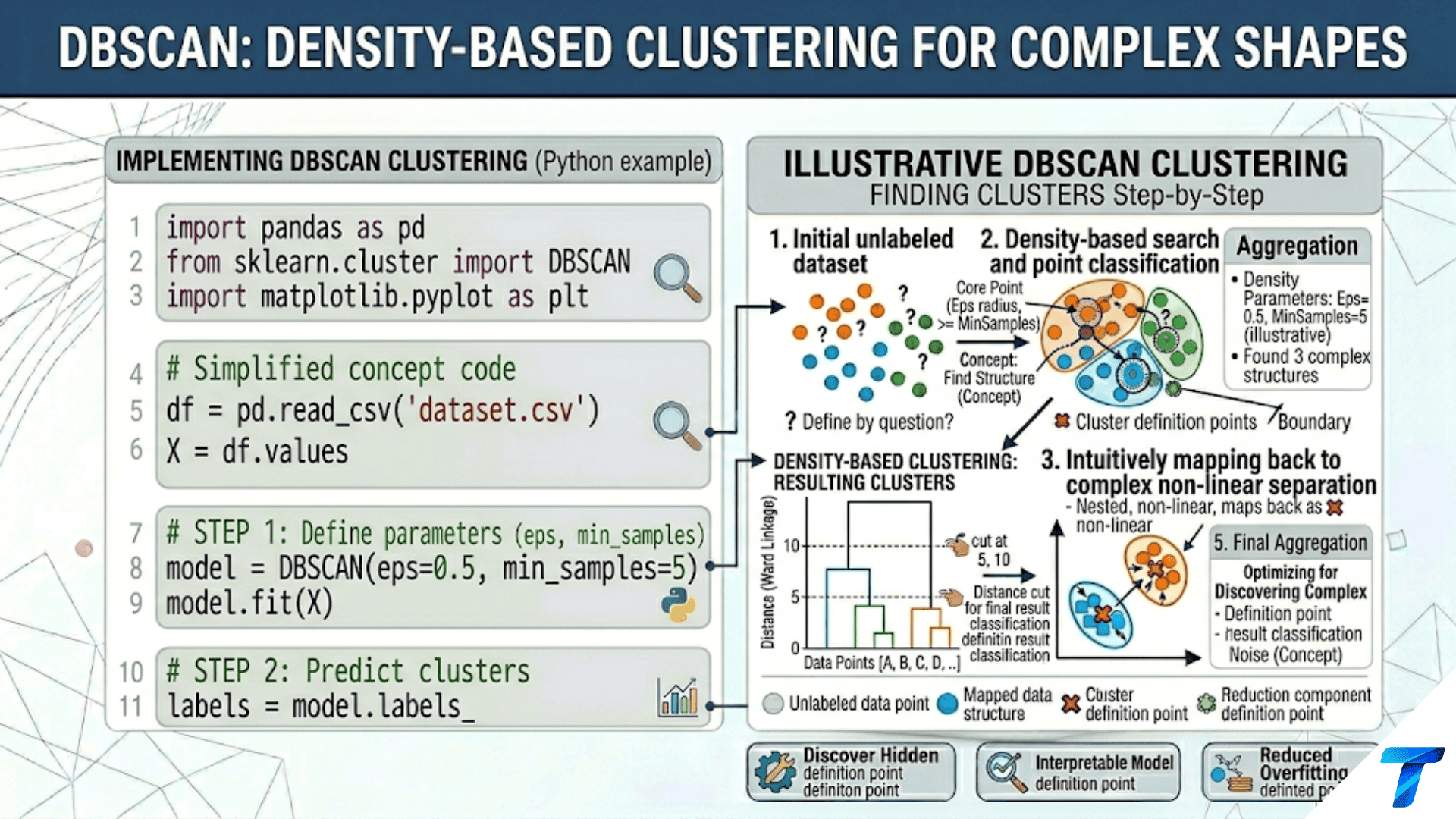

DBSCAN (Density-Based Spatial Clustering of Applications with Noise) groups points that are densely packed together and marks low-density points as outliers. It requires no advance specification of k — the number of clusters is discovered automatically. A point is a core point if at least min_samples neighbors exist within radius epsilon. Core points and their density-reachable neighbors form clusters; isolated points become noise (label = −1). This makes DBSCAN ideal for clusters with complex shapes, varying densities, and real-world noisy data.
Introduction
K-Means and hierarchical clustering both assume that clusters are compact, roughly spherical regions. This works well for well-separated Gaussian blobs but fails on real-world data where clusters have elongated shapes, irregular boundaries, or exist at different densities. Two points in the middle of a crescent-shaped cluster are “in the same cluster” even though they are geographically far apart — but K-Means, measuring only distance to centroids, would split them.
DBSCAN (Density-Based Spatial Clustering of Applications with Noise) takes a completely different approach. Instead of asking “which centroid is closest?”, it asks “is this point in a dense region of space?” Clusters are defined as dense regions separated by sparse regions. Any point that is not in a dense region is declared noise and not assigned to any cluster.
This definition makes DBSCAN remarkable in three ways. First, it discovers clusters of completely arbitrary shape — crescents, spirals, rings, irregular blobs — as long as they are dense. Second, it automatically detects the number of clusters from the data. Third, it explicitly identifies outliers as a first-class output (label = −1), rather than forcing every point into a cluster as K-Means does.
The algorithm was introduced by Ester et al. in 1996 and remains one of the most important clustering algorithms. This article covers DBSCAN from first principles: the three point types, the two hyperparameters, the algorithm logic, parameter selection, limitations, variants (HDBSCAN), and complete Python implementation.
The Three Point Types
DBSCAN classifies every point into one of three types based on its local neighborhood.
import numpy as np
import matplotlib.pyplot as plt
from sklearn.datasets import make_moons, make_blobs
from sklearn.preprocessing import StandardScaler
import warnings
warnings.filterwarnings('ignore')

np.random.seed(42)


def visualize_point_types(X_s, eps=0.5, min_samples=5, figsize=(14, 6)):
    """
    Visualize the three DBSCAN point types for a given eps and min_samples.

    Core point:   has >= min_samples neighbors within radius eps
                  (including itself in some implementations)
    Border point: within eps of a core point but is not itself a core point
    Noise point:  not within eps of any core point
    """
    from sklearn.neighbors import NearestNeighbors

    n = len(X_s)
    # Count neighbors within eps (excluding self)
    nbrs = NearestNeighbors(radius=eps, metric='euclidean')
    nbrs.fit(X_s)
    distances, indices = nbrs.radius_neighbors(X_s)
    neighbor_counts = np.array([len(idx) - 1 for idx in indices])  # -1 for self

    # Classify points
    is_core   = neighbor_counts >= min_samples
    is_border = np.zeros(n, dtype=bool)
    is_noise  = np.zeros(n, dtype=bool)

    for i in range(n):
        if not is_core[i]:
            # Check if within eps of any core point
            core_neighbors = [j for j in indices[i] if j != i and is_core[j]]
            if len(core_neighbors) > 0:
                is_border[i] = True
            else:
                is_noise[i] = True

    fig, axes = plt.subplots(1, 2, figsize=figsize)

    # ── Left: Point type visualization ───────────────────────────
    ax = axes[0]
    ax.scatter(X_s[is_noise, 0], X_s[is_noise, 1],
               c='gray', s=40, marker='x', linewidths=1.5,
               label=f'Noise ({is_noise.sum()})', zorder=3, alpha=0.8)
    ax.scatter(X_s[is_border, 0], X_s[is_border, 1],
               c='goldenrod', s=50, edgecolors='black', linewidth=0.8,
               label=f'Border ({is_border.sum()})', zorder=4, alpha=0.85)
    ax.scatter(X_s[is_core, 0], X_s[is_core, 1],
               c='steelblue', s=60, edgecolors='black', linewidth=0.5,
               label=f'Core ({is_core.sum()})', zorder=5, alpha=0.85)

    # Draw epsilon circles around a few core points
    sample_core_idx = np.where(is_core)[0][:3]
    for idx in sample_core_idx:
        circle = plt.Circle(X_s[idx], eps, fill=False,
                             color='steelblue', alpha=0.3, lw=1.5, linestyle='--')
        ax.add_patch(circle)

    ax.set_title(f'DBSCAN Point Types\nε={eps}, min_samples={min_samples}',
                 fontsize=11, fontweight='bold')
    ax.set_xlabel('Feature 1', fontsize=10)
    ax.set_ylabel('Feature 2', fontsize=10)
    ax.legend(fontsize=9, loc='upper right')
    ax.set_aspect('equal')
    ax.grid(True, alpha=0.2)

    # ── Right: Neighbor count distribution ───────────────────────
    ax = axes[1]
    ax.hist(neighbor_counts[is_noise],  bins=15, alpha=0.7, color='gray',
            label='Noise', edgecolor='white')
    ax.hist(neighbor_counts[is_border], bins=15, alpha=0.7, color='goldenrod',
            label='Border', edgecolor='white')
    ax.hist(neighbor_counts[is_core],   bins=15, alpha=0.7, color='steelblue',
            label='Core', edgecolor='white')
    ax.axvline(x=min_samples, color='coral', linestyle='--', lw=2,
               label=f'min_samples={min_samples}')
    ax.set_xlabel('Number of neighbors within ε', fontsize=11)
    ax.set_ylabel('Count', fontsize=11)
    ax.set_title('Neighbor Count Distribution\n'
                 '(Core = ≥ min_samples neighbors)',
                 fontsize=11, fontweight='bold')
    ax.legend(fontsize=9)
    ax.grid(True, alpha=0.3, axis='y')

    plt.suptitle(f'DBSCAN Point Classification: Core, Border, and Noise',
                 fontsize=13, fontweight='bold')
    plt.tight_layout()
    plt.savefig('dbscan_point_types.png', dpi=150, bbox_inches='tight')
    plt.show()
    print("Saved: dbscan_point_types.png")

    print(f"\n  Point classification summary:")
    print(f"    Core:   {is_core.sum():>5} ({is_core.mean()*100:.1f}%)")
    print(f"    Border: {is_border.sum():>5} ({is_border.mean()*100:.1f}%)")
    print(f"    Noise:  {is_noise.sum():>5} ({is_noise.mean()*100:.1f}%)")

    return is_core, is_border, is_noise


X_demo, _ = make_moons(n_samples=200, noise=0.1, random_state=42)
X_demo_s   = StandardScaler().fit_transform(X_demo)
is_core, is_border, is_noise = visualize_point_types(X_demo_s, eps=0.4, min_samples=5)The three types have clear semantic meanings:
- Core points are definitively inside a dense cluster — they have many close neighbors
- Border points are on the edge of a cluster — reachable from a core point but not dense enough to be cores themselves
- Noise points are isolated — not reachable from any core point
This leads to the key density-reachability concept: point B is density-reachable from core point A if B is within ε of A. A cluster is the maximal set of density-reachable points from any core point.
The DBSCAN Algorithm: Step-by-Step
import numpy as np
from sklearn.neighbors import NearestNeighbors


class DBSCANFromScratch:
    """
    DBSCAN implemented from scratch following the original Ester et al. (1996) paper.

    Time complexity:  O(n²) naive, O(n log n) with spatial index
    Space complexity: O(n)

    Parameters:
        eps:         Neighborhood radius ε
        min_samples: Minimum core-point neighborhood size
    """

    UNVISITED = -2
    NOISE     = -1

    def __init__(self, eps=0.5, min_samples=5):
        self.eps         = eps
        self.min_samples = min_samples
        self.labels_     = None
        self.core_sample_indices_ = None

    def _get_neighbors(self, X, point_idx):
        """Return indices of all points within eps of X[point_idx]."""
        dists = np.linalg.norm(X - X[point_idx], axis=1)
        return np.where(dists <= self.eps)[0]

    def fit(self, X):
        """Run DBSCAN on dataset X."""
        X        = np.array(X, dtype=float)
        n        = len(X)
        labels   = np.full(n, self.UNVISITED, dtype=int)
        cluster_id = 0

        for point_idx in range(n):
            if labels[point_idx] != self.UNVISITED:
                continue  # Already processed

            neighbors = self._get_neighbors(X, point_idx)

            # Is this point a core point?
            if len(neighbors) < self.min_samples:
                labels[point_idx] = self.NOISE
                continue

            # Start a new cluster from this core point
            cluster_id += 1
            labels[point_idx] = cluster_id

            # Expand the cluster using a seed set (BFS/DFS)
            seed_set = set(neighbors) - {point_idx}

            while seed_set:
                q = seed_set.pop()

                if labels[q] == self.NOISE:
                    # Border point: add to cluster but don't expand
                    labels[q] = cluster_id
                    continue

                if labels[q] != self.UNVISITED:
                    continue  # Already assigned to a cluster

                # Assign to current cluster
                labels[q] = cluster_id

                # Check if q is also a core point — if so, expand further
                q_neighbors = self._get_neighbors(X, q)
                if len(q_neighbors) >= self.min_samples:
                    seed_set |= set(q_neighbors) - {q}

        # Convert to 0-indexed labels (sklearn convention: noise=-1)
        self.labels_ = np.where(labels == self.NOISE, -1, labels - 1)
        self.core_sample_indices_ = np.where(
            [len(self._get_neighbors(X, i)) >= self.min_samples for i in range(n)]
        )[0]
        return self

    def fit_predict(self, X):
        return self.fit(X).labels_


# Validate against sklearn
from sklearn.cluster import DBSCAN
from sklearn.datasets import make_moons

np.random.seed(42)
X_val, y_val = make_moons(n_samples=100, noise=0.1, random_state=42)
X_val_s = StandardScaler().fit_transform(X_val)

print("=== DBSCAN From Scratch vs Scikit-learn Validation ===\n")

for eps, min_samp in [(0.4, 5), (0.3, 3), (0.5, 8)]:
    # Our implementation
    our_db  = DBSCANFromScratch(eps=eps, min_samples=min_samp)
    our_labels = our_db.fit_predict(X_val_s)

    # sklearn
    sk_db   = DBSCAN(eps=eps, min_samples=min_samp)
    sk_labels = sk_db.fit_predict(X_val_s)

    # Count unique clusters (excluding noise)
    our_k = len(set(our_labels) - {-1})
    sk_k  = len(set(sk_labels) - {-1})
    our_noise = (our_labels == -1).sum()
    sk_noise  = (sk_labels == -1).sum()

    match = "✓" if our_k == sk_k and our_noise == sk_noise else "✗"
    print(f"  ε={eps}, min_s={min_samp}: {match} "
          f"Our: k={our_k}, noise={our_noise} | "
f"SK: k={sk_k}, noise={sk_noise}")The Two Hyperparameters: ε and min_samples
DBSCAN has exactly two hyperparameters. Understanding their interaction is critical for good results.
epsilon (ε): The Neighborhood Radius
ε defines the size of each point’s neighborhood. Too small: most points become noise. Too large: all points are in one cluster.
min_samples: The Core Point Threshold
min_samples defines how many neighbors a point needs to be a core point. Too small: noise points become cores. Too large: legitimate clusters become noise.
import numpy as np
import matplotlib.pyplot as plt
from sklearn.cluster import DBSCAN
from sklearn.preprocessing import StandardScaler
from sklearn.datasets import make_moons


def visualize_parameter_effects(figsize=(18, 10)):
    """
    3×4 grid: rows = eps values, cols = min_samples values.
    Shows how the parameter grid controls what DBSCAN finds.
    """
    np.random.seed(42)
    X, y_true = make_moons(n_samples=200, noise=0.15, random_state=42)
    X_s = StandardScaler().fit_transform(X)

    eps_vals     = [0.15, 0.35, 0.65]
    min_samp_vals = [3, 5, 8, 15]

    fig, axes = plt.subplots(len(eps_vals), len(min_samp_vals), figsize=figsize)
    colors = plt.cm.tab10(np.linspace(0, 0.9, 8))
    noise_color = '#cccccc'

    for row, eps in enumerate(eps_vals):
        for col, min_samp in enumerate(min_samp_vals):
            ax   = axes[row, col]
            db   = DBSCAN(eps=eps, min_samples=min_samp)
            labels = db.fit_predict(X_s)

            n_clusters = len(set(labels) - {-1})
            n_noise    = (labels == -1).sum()

            # Plot noise first
            noise_mask = labels == -1
            if noise_mask.any():
                ax.scatter(X_s[noise_mask, 0], X_s[noise_mask, 1],
                           c=noise_color, s=20, marker='x', linewidths=1,
                           alpha=0.7, zorder=2)

            # Plot each cluster
            for cls in set(labels) - {-1}:
                mask = labels == cls
                ax.scatter(X_s[mask, 0], X_s[mask, 1],
                           c=[colors[cls % len(colors)]], s=25,
                           edgecolors='white', linewidth=0.3,
                           alpha=0.85, zorder=3)

            # Determine quality label
            if n_clusters == 0:
                quality = "All noise"
            elif n_clusters == 1:
                quality = "One blob"
            elif n_clusters == 2 and n_noise < 20:
                quality = "✓ Good"
            elif n_clusters > 4:
                quality = "Over-split"
            else:
                quality = f"{n_clusters} clusters"

            color_title = ('green' if quality == "✓ Good"
                           else ('coral' if quality in ("All noise", "One blob")
                                 else 'black'))

            ax.set_title(f'k={n_clusters}, noise={n_noise}\n{quality}',
                         fontsize=8, fontweight='bold', color=color_title)
            ax.set_xticks([]); ax.set_yticks([])
            ax.grid(True, alpha=0.2)

            if row == 0:
                ax.set_xlabel(f'min_s={min_samp}', fontsize=9, fontweight='bold',
                               labelpad=10)
                ax.xaxis.set_label_position('top')
            if col == 0:
                ax.set_ylabel(f'ε={eps}', fontsize=9, fontweight='bold')

    plt.suptitle('DBSCAN Parameter Grid: ε (rows) × min_samples (cols)\n'
                 'Too small ε = all noise | Too large ε = one cluster | '
                 'Too small min_s = over-splits | ✓ = correct k=2',
                 fontsize=12, fontweight='bold', y=1.02)
    plt.tight_layout()
    plt.savefig('dbscan_parameter_grid.png', dpi=150, bbox_inches='tight')
    plt.show()
    print("Saved: dbscan_parameter_grid.png")


visualize_parameter_effects()The k-Distance Graph: Automatic ε Selection
The most principled method for choosing ε uses the k-distance graph: sort all points by their distance to the k-th nearest neighbor (where k = min_samples). The “elbow” in this sorted curve is the natural ε — below the elbow, points are densely connected; above it, points are noise.
import numpy as np
import matplotlib.pyplot as plt
from sklearn.neighbors import NearestNeighbors
from sklearn.preprocessing import StandardScaler
from sklearn.datasets import make_moons, make_blobs


def kdistance_plot(X_s, min_samples=5, figsize=(10, 5)):
    """
    K-distance plot (sorted k-NN distance graph).

    Algorithm:
    1. For each point, compute its distance to the min_samples-th nearest neighbor
    2. Sort these distances in descending order
    3. Plot: x = point rank, y = k-distance
    4. The "elbow" of this curve is the suggested ε

    Intuition:
    - Points inside dense clusters: short k-distance (below elbow)
    - Points on cluster boundary: medium k-distance (at elbow)
    - Noise points: long k-distance (above elbow)
    """
    nbrs = NearestNeighbors(n_neighbors=min_samples, metric='euclidean')
    nbrs.fit(X_s)
    distances, _ = nbrs.kneighbors(X_s)
    k_distances   = np.sort(distances[:, -1])[::-1]  # Sort descending

    # Find elbow via maximum curvature
    # Normalize to [0,1] for the Kneedle algorithm
    n = len(k_distances)
    x_norm = np.linspace(0, 1, n)
    y_norm = (k_distances - k_distances.min()) / (k_distances.max() - k_distances.min() + 1e-10)

    # Distance from each point to the line from (0,1) to (1,0)
    dists_to_line = np.abs(x_norm + y_norm - 1) / np.sqrt(2)
    elbow_idx     = np.argmax(dists_to_line)
    suggested_eps = k_distances[elbow_idx]

    fig, axes = plt.subplots(1, 2, figsize=figsize)

    ax = axes[0]
    ax.plot(range(n), k_distances, color='steelblue', lw=2)
    ax.axhline(y=suggested_eps, color='coral', linestyle='--', lw=2,
               label=f'Suggested ε = {suggested_eps:.3f}')
    ax.axvline(x=elbow_idx, color='coral', linestyle=':', lw=1.5)
    ax.scatter([elbow_idx], [suggested_eps], color='coral', s=150, zorder=5)
    ax.set_xlabel(f'Points sorted by {min_samples}-distance (descending)',
                  fontsize=10)
    ax.set_ylabel(f'{min_samples}-NN distance', fontsize=10)
    ax.set_title(f'k-Distance Graph (k={min_samples})\n'
                 f'Elbow → suggested ε = {suggested_eps:.3f}',
                 fontsize=10, fontweight='bold')
    ax.legend(fontsize=9); ax.grid(True, alpha=0.3)

    # Verify: DBSCAN with suggested eps
    from sklearn.cluster import DBSCAN
    db = DBSCAN(eps=suggested_eps, min_samples=min_samples)
    labels = db.fit_predict(X_s)
    n_clusters = len(set(labels) - {-1})
    n_noise    = (labels == -1).sum()

    ax = axes[1]
    noise_mask = labels == -1
    if noise_mask.any():
        ax.scatter(X_s[noise_mask, 0], X_s[noise_mask, 1],
                   c='gray', s=30, marker='x', alpha=0.7, label='Noise')
    for cls in set(labels) - {-1}:
        mask = labels == cls
        ax.scatter(X_s[mask, 0], X_s[mask, 1],
                   s=35, edgecolors='white', linewidth=0.4, alpha=0.85,
                   label=f'Cluster {cls}')
    ax.set_title(f'DBSCAN with Suggested ε={suggested_eps:.3f}\n'
                 f'k={n_clusters} clusters, {n_noise} noise points',
                 fontsize=10, fontweight='bold')
    ax.legend(fontsize=8); ax.grid(True, alpha=0.2)

    plt.suptitle('K-Distance Plot: Automatic ε Selection',
                 fontsize=12, fontweight='bold')
    plt.tight_layout()
    plt.savefig('dbscan_kdistance.png', dpi=150)
    plt.show()
    print("Saved: dbscan_kdistance.png")

    print(f"\n  Suggested ε = {suggested_eps:.4f} (from k={min_samples} distance elbow)")
    print(f"  Result: {n_clusters} clusters, {n_noise} noise points")
    return suggested_eps


np.random.seed(42)
X_kd, _ = make_moons(n_samples=200, noise=0.15, random_state=42)
X_kd_s  = StandardScaler().fit_transform(X_kd)
print("=== K-Distance Plot: Automatic ε Selection ===\n")
suggested_eps = kdistance_plot(X_kd_s, min_samples=5)DBSCAN vs K-Means: When Each Wins
import numpy as np
import matplotlib.pyplot as plt
from sklearn.cluster import DBSCAN, KMeans
from sklearn.preprocessing import StandardScaler
from sklearn.datasets import make_moons, make_circles, make_blobs
from sklearn.metrics import adjusted_rand_score


def compare_dbscan_kmeans(figsize=(18, 16)):
    """
    Head-to-head comparison on six datasets that challenge different aspects.
    """
    np.random.seed(42)

    datasets = {
        'Spherical Blobs\n(K-Means home turf)':
            make_blobs(300, centers=3, cluster_std=0.6, random_state=42),
        'Two Moons\n(Non-spherical)':
            make_moons(300, noise=0.1, random_state=42),
        'Concentric Circles\n(K-Means cannot do)':
            make_circles(300, noise=0.05, factor=0.5, random_state=42),
        'Unequal Density\n(DBSCAN may struggle)':
            (np.vstack([
                np.random.randn(200, 2) * 0.3,
                np.random.randn(100, 2) * 1.5 + [4, 0]
            ]), np.array([0]*200 + [1]*100)),
        'With Outliers\n(DBSCAN labels them noise)':
            (np.vstack([
                make_blobs(150, centers=2, cluster_std=0.5, random_state=42)[0],
                np.random.uniform(-4, 8, (20, 2))
            ]), np.concatenate([
                make_blobs(150, centers=2, cluster_std=0.5, random_state=42)[1],
                np.full(20, 2)  # True "noise" label
            ])),
        'XOR Pattern\n(Requires density view)':
            None,  # Will build below
    }

    # XOR dataset
    X_xor = np.random.randn(300, 2)
    y_xor = (np.logical_xor(X_xor[:, 0] > 0, X_xor[:, 1] > 0)).astype(int)
    datasets['XOR Pattern\n(Requires density view)'] = (X_xor, y_xor)

    fig, axes = plt.subplots(len(datasets), 2, figsize=figsize)
    cluster_colors = plt.cm.tab10(np.linspace(0, 0.9, 8))

    dbscan_params = {
        'Spherical Blobs\n(K-Means home turf)':    {'eps': 0.5,  'min_samples': 5},
        'Two Moons\n(Non-spherical)':               {'eps': 0.3,  'min_samples': 5},
        'Concentric Circles\n(K-Means cannot do)':  {'eps': 0.2,  'min_samples': 5},
        'Unequal Density\n(DBSCAN may struggle)':   {'eps': 0.4,  'min_samples': 5},
        'With Outliers\n(DBSCAN labels them noise)':{'eps': 0.5,  'min_samples': 5},
        'XOR Pattern\n(Requires density view)':     {'eps': 0.35, 'min_samples': 5},
    }

    for row, (ds_name, (X, y_true)) in enumerate(datasets.items()):
        X_s  = StandardScaler().fit_transform(X)
        k    = len(np.unique(y_true))
        params = dbscan_params[ds_name]

        # K-Means
        km_labels = KMeans(n_clusters=k, init='k-means++', n_init=10,
                           random_state=42).fit_predict(X_s)
        km_ari = adjusted_rand_score(y_true, km_labels)

        # DBSCAN
        db_labels = DBSCAN(**params).fit_predict(X_s)
        # Remap DBSCAN labels for ARI (exclude noise from ARI)
        valid_mask = db_labels != -1
        db_ari = (adjusted_rand_score(y_true[valid_mask], db_labels[valid_mask])
                  if valid_mask.sum() > 0 else 0.0)
        n_noise = (db_labels == -1).sum()
        db_k    = len(set(db_labels) - {-1})

        for col, (labels, title, ari) in enumerate([
            (km_labels,  f'K-Means (k={k})\nARI={km_ari:.3f}',     km_ari),
            (db_labels,  f'DBSCAN (k={db_k}, noise={n_noise})\nARI={db_ari:.3f}', db_ari),
        ]):
            ax = axes[row, col]
            noise_mask = labels == -1
            if noise_mask.any():
                ax.scatter(X_s[noise_mask, 0], X_s[noise_mask, 1],
                           c='lightgray', s=20, marker='x', linewidths=1.2,
                           alpha=0.7, zorder=2)
            for cls in set(labels) - {-1}:
                mask = labels == cls
                ax.scatter(X_s[mask, 0], X_s[mask, 1],
                           c=[cluster_colors[cls % len(cluster_colors)]],
                           s=25, edgecolors='white', linewidth=0.3,
                           alpha=0.85, zorder=3)

            ari_color = ('green' if ari > 0.8 else
                         ('goldenrod' if ari > 0.5 else 'coral'))
            ax.set_title(title, fontsize=9, fontweight='bold', color=ari_color)
            ax.set_xticks([]); ax.set_yticks([])
            ax.grid(True, alpha=0.15)

        axes[row, 0].set_ylabel(ds_name.split('\n')[0], fontsize=9,
                                 fontweight='bold')

    axes[0, 0].set_title('K-Means', fontsize=11, fontweight='bold',
                          pad=10)
    axes[0, 1].set_title('DBSCAN', fontsize=11, fontweight='bold',
                          pad=10)

    plt.suptitle('DBSCAN vs K-Means: Six Comparative Scenarios\n'
                 'Green ARI=good, Yellow=partial, Red=poor',
                 fontsize=13, fontweight='bold', y=1.01)
    plt.tight_layout()
    plt.savefig('dbscan_vs_kmeans.png', dpi=150, bbox_inches='tight')
    plt.show()
    print("Saved: dbscan_vs_kmeans.png")


compare_dbscan_kmeans()HDBSCAN: Hierarchical DBSCAN
HDBSCAN (Hierarchical DBSCAN, Campello et al. 2013) extends DBSCAN in two critical ways: it handles clusters of varying density (DBSCAN’s main weakness), and it produces a hierarchy of cluster solutions rather than a single flat clustering.
import numpy as np
import matplotlib.pyplot as plt
from sklearn.preprocessing import StandardScaler
from sklearn.datasets import make_blobs


def compare_dbscan_hdbscan(figsize=(14, 5)):
    """
    Compare DBSCAN and HDBSCAN on datasets with varying cluster density.
    HDBSCAN handles varying density clusters that DBSCAN struggles with.
    """
    try:
        import hdbscan as hdbscan_lib
        HAS_HDBSCAN = True
    except ImportError:
        try:
            from sklearn.cluster import HDBSCAN
            HAS_HDBSCAN = True
            hdbscan_lib = None
        except ImportError:
            HAS_HDBSCAN = False
            print("  HDBSCAN not available. Install with: pip install hdbscan")
            print("  Or: sklearn >= 1.3 includes HDBSCAN natively")
            return

    np.random.seed(42)

    # Create dataset with very different cluster densities
    X_dense, _ = make_blobs(100, centers=[[0, 0]], cluster_std=0.3, random_state=42)
    X_sparse, _ = make_blobs(100, centers=[[3, 0]], cluster_std=1.2, random_state=42)
    X_vary = np.vstack([X_dense, X_sparse])
    y_vary = np.array([0] * 100 + [1] * 100)
    X_vary_s = StandardScaler().fit_transform(X_vary)

    from sklearn.cluster import DBSCAN

    fig, axes = plt.subplots(1, 3, figsize=figsize)
    colors = ['#e74c3c', '#3498db', '#2ecc71', '#f39c12']

    # DBSCAN with eps tuned for the dense cluster → misses sparse
    db_tight = DBSCAN(eps=0.3, min_samples=5).fit_predict(X_vary_s)
    # DBSCAN with eps tuned for the sparse cluster → merges dense with sparse
    db_loose = DBSCAN(eps=0.8, min_samples=5).fit_predict(X_vary_s)

    for ax, labels, title in [
        (axes[0], db_tight,
         f'DBSCAN (ε=0.3, tight)\nk={len(set(db_tight)-{-1})}, '
         f'noise={(db_tight==-1).sum()}'),
        (axes[1], db_loose,
         f'DBSCAN (ε=0.8, loose)\nk={len(set(db_loose)-{-1})}, '
         f'noise={(db_loose==-1).sum()}'),
    ]:
        noise = labels == -1
        if noise.any():
            ax.scatter(X_vary_s[noise, 0], X_vary_s[noise, 1],
                       c='gray', s=25, marker='x', alpha=0.7)
        for cls in set(labels) - {-1}:
            mask = labels == cls
            ax.scatter(X_vary_s[mask, 0], X_vary_s[mask, 1],
                       c=colors[cls % 4], s=30, edgecolors='white',
                       linewidth=0.4, alpha=0.85)
        ax.set_title(title, fontsize=9, fontweight='bold')
        ax.set_xticks([]); ax.set_yticks([])
        ax.grid(True, alpha=0.2)

    # HDBSCAN
    ax = axes[2]
    try:
        if hdbscan_lib is not None:
            clusterer = hdbscan_lib.HDBSCAN(min_cluster_size=10)
        else:
            from sklearn.cluster import HDBSCAN
            clusterer = HDBSCAN(min_cluster_size=10)
        hdb_labels = clusterer.fit_predict(X_vary_s)
        k_hdb   = len(set(hdb_labels) - {-1})
        noise_h = (hdb_labels == -1).sum()

        noise = hdb_labels == -1
        if noise.any():
            ax.scatter(X_vary_s[noise, 0], X_vary_s[noise, 1],
                       c='gray', s=25, marker='x', alpha=0.7)
        for cls in set(hdb_labels) - {-1}:
            mask = hdb_labels == cls
            ax.scatter(X_vary_s[mask, 0], X_vary_s[mask, 1],
                       c=colors[cls % 4], s=30, edgecolors='white',
                       linewidth=0.4, alpha=0.85)
        ax.set_title(f'HDBSCAN (min_cluster_size=10)\n'
                     f'k={k_hdb}, noise={noise_h}',
                     fontsize=9, fontweight='bold')

        from sklearn.metrics import adjusted_rand_score
        ari = adjusted_rand_score(y_vary, hdb_labels)
        ax.set_xlabel(f'ARI vs true labels: {ari:.3f}', fontsize=8)
    except Exception as e:
        ax.text(0.5, 0.5, f'HDBSCAN not available\n{str(e)[:50]}',
                transform=ax.transAxes, ha='center', fontsize=9)

    ax.set_xticks([]); ax.set_yticks([])
    ax.grid(True, alpha=0.2)

    plt.suptitle('DBSCAN vs HDBSCAN: Varying Density Clusters\n'
                 'DBSCAN needs single ε — HDBSCAN adapts to local density',
                 fontsize=12, fontweight='bold')
    plt.tight_layout()
    plt.savefig('dbscan_vs_hdbscan.png', dpi=150)
    plt.show()
    print("Saved: dbscan_vs_hdbscan.png")


compare_dbscan_hdbscan()Scikit-learn DBSCAN: Full Production Usage
import numpy as np
from sklearn.cluster import DBSCAN
from sklearn.preprocessing import StandardScaler
from sklearn.pipeline import Pipeline
from sklearn.metrics import silhouette_score, adjusted_rand_score
from sklearn.datasets import make_moons, load_iris
from sklearn.neighbors import NearestNeighbors


def dbscan_production_pipeline(X, y_true=None, dataset_name="Dataset"):
    """
    Full DBSCAN workflow:
    1. Scale features
    2. Determine ε from k-distance plot
    3. Fit DBSCAN
    4. Evaluate and report
    5. Flag for manual inspection if needed
    """
    scaler = StandardScaler()
    X_s    = scaler.fit_transform(X)

    # Auto-select ε using k-distance elbow
    min_samples = max(2 * X.shape[1], 5)  # Rule of thumb: 2×dimensionality
    nbrs = NearestNeighbors(n_neighbors=min_samples)
    nbrs.fit(X_s)
    dists, _ = nbrs.kneighbors(X_s)
    k_dists   = np.sort(dists[:, -1])[::-1]

    # Kneedle algorithm for elbow
    n = len(k_dists)
    x_n = np.linspace(0, 1, n)
    y_n = (k_dists - k_dists.min()) / (k_dists.max() - k_dists.min() + 1e-10)
    elbow_idx = np.argmax(np.abs(x_n + y_n - 1) / np.sqrt(2))
    eps_auto  = k_dists[elbow_idx]

    db = DBSCAN(eps=eps_auto, min_samples=min_samples, n_jobs=-1)
    labels = db.fit_predict(X_s)

    n_clusters = len(set(labels) - {-1})
    n_noise    = (labels == -1).sum()
    n_core     = len(db.core_sample_indices_)

    print(f"=== DBSCAN Pipeline: {dataset_name} ===\n")
    print(f"  n={len(X)}, d={X.shape[1]}")
    print(f"  Auto-selected: ε={eps_auto:.4f}, min_samples={min_samples}\n")
    print(f"  Results:")
    print(f"    Clusters:     {n_clusters}")
    print(f"    Noise points: {n_noise} ({n_noise/len(X)*100:.1f}%)")
    print(f"    Core points:  {n_core} ({n_core/len(X)*100:.1f}%)")

    if n_clusters > 1:
        valid_mask = labels != -1
        if valid_mask.sum() > n_clusters:
            sil = silhouette_score(X_s[valid_mask], labels[valid_mask])
            print(f"    Silhouette:   {sil:.4f} (non-noise points only)")

    if y_true is not None:
        ari = adjusted_rand_score(y_true, labels)
        print(f"    ARI:          {ari:.4f}")

    # Cluster size profile
    if n_clusters > 0:
        print(f"\n  Cluster profile:")
        for cls in sorted(set(labels) - {-1}):
            mask = labels == cls
            print(f"    Cluster {cls}: {mask.sum()} points "
                  f"({mask.sum()/len(X)*100:.1f}%)")

    # Flags for manual inspection
    flags = []
    if n_clusters == 0:
        flags.append("⚠ All noise: ε too small or no real clusters")
    if n_clusters == 1 and n_noise < 5:
        flags.append("⚠ One cluster: ε too large")
    if n_noise / len(X) > 0.30:
        flags.append(f"⚠ High noise ({n_noise/len(X)*100:.0f}%): try larger ε or smaller min_samples")
    if n_clusters > 10:
        flags.append(f"⚠ Many clusters ({n_clusters}): try larger ε")

    if flags:
        print(f"\n  Flags:")
        for f in flags:
            print(f"    {f}")
    else:
        print(f"\n  ✓ Results look reasonable — inspect visually to confirm")

    return labels, eps_auto


np.random.seed(42)
X_moons, y_moons = make_moons(300, noise=0.1, random_state=42)
labels_m, eps_m = dbscan_production_pipeline(X_moons, y_moons, "Two Moons")Parameter Sensitivity and Robustness Testing
import numpy as np
import matplotlib.pyplot as plt
from sklearn.cluster import DBSCAN
from sklearn.preprocessing import StandardScaler
from sklearn.metrics import adjusted_rand_score
from sklearn.datasets import make_moons


def parameter_sensitivity_analysis(X_s, y_true,
                                     eps_range=None, min_s_range=None,
                                     dataset_name="Dataset"):
    """
    Heatmap of ARI across the (eps, min_samples) grid.
    Shows which parameter region gives good results and
    how robust the algorithm is to parameter perturbation.
    """
    if eps_range is None:
        eps_range = np.linspace(0.1, 1.0, 20)
    if min_s_range is None:
        min_s_range = range(2, 15)

    ari_grid     = np.zeros((len(list(min_s_range)), len(eps_range)))
    k_grid       = np.zeros_like(ari_grid, dtype=int)
    noise_grid   = np.zeros_like(ari_grid, dtype=int)

    for i, min_s in enumerate(min_s_range):
        for j, eps in enumerate(eps_range):
            db     = DBSCAN(eps=eps, min_samples=min_s)
            labels = db.fit_predict(X_s)
            ari    = adjusted_rand_score(y_true, labels)
            ari_grid[i, j]   = ari
            k_grid[i, j]     = len(set(labels) - {-1})
            noise_grid[i, j] = (labels == -1).sum()

    fig, axes = plt.subplots(1, 3, figsize=(16, 5))

    # ARI heatmap
    ax = axes[0]
    im = ax.imshow(ari_grid, aspect='auto', cmap='RdYlGn',
                    origin='lower', vmin=-0.2, vmax=1.0)
    plt.colorbar(im, ax=ax, label='ARI')
    ax.set_xticks(range(0, len(eps_range), 4))
    ax.set_xticklabels([f'{e:.2f}' for e in eps_range[::4]], fontsize=8)
    ax.set_yticks(range(len(list(min_s_range))))
    ax.set_yticklabels(list(min_s_range), fontsize=8)
    ax.set_xlabel('ε', fontsize=11); ax.set_ylabel('min_samples', fontsize=11)
    ax.set_title(f'ARI Landscape\n{dataset_name}', fontsize=10, fontweight='bold')

    # Mark best parameter
    best_i, best_j = np.unravel_index(np.argmax(ari_grid), ari_grid.shape)
    ax.scatter(best_j, best_i, marker='*', s=300, c='white', zorder=5)
    ax.text(best_j + 0.3, best_i + 0.3,
            f'Best ARI={ari_grid[best_i,best_j]:.3f}\n'
            f'ε={eps_range[best_j]:.2f}\nmin_s={list(min_s_range)[best_i]}',
            fontsize=7, color='white',
            bbox=dict(boxstyle='round', fc='black', alpha=0.6))

    # k discovered heatmap
    ax = axes[1]
    im2 = ax.imshow(k_grid, aspect='auto', cmap='Blues',
                     origin='lower', vmin=0)
    plt.colorbar(im2, ax=ax, label='Clusters discovered')
    ax.set_xticks(range(0, len(eps_range), 4))
    ax.set_xticklabels([f'{e:.2f}' for e in eps_range[::4]], fontsize=8)
    ax.set_yticks(range(len(list(min_s_range))))
    ax.set_yticklabels(list(min_s_range), fontsize=8)
    ax.set_xlabel('ε', fontsize=11); ax.set_ylabel('min_samples', fontsize=11)
    ax.set_title('Clusters Discovered (k)\nDark = many clusters',
                 fontsize=10, fontweight='bold')

    # Noise % heatmap
    ax = axes[2]
    noise_pct = noise_grid / len(X_s) * 100
    im3 = ax.imshow(noise_pct, aspect='auto', cmap='Reds',
                     origin='lower', vmin=0, vmax=100)
    plt.colorbar(im3, ax=ax, label='Noise points (%)')
    ax.set_xticks(range(0, len(eps_range), 4))
    ax.set_xticklabels([f'{e:.2f}' for e in eps_range[::4]], fontsize=8)
    ax.set_yticks(range(len(list(min_s_range))))
    ax.set_yticklabels(list(min_s_range), fontsize=8)
    ax.set_xlabel('ε', fontsize=11); ax.set_ylabel('min_samples', fontsize=11)
    ax.set_title('Noise Fraction\nRed = many noise points',
                 fontsize=10, fontweight='bold')

    plt.suptitle(f'DBSCAN Parameter Sensitivity: {dataset_name}',
                 fontsize=13, fontweight='bold')
    plt.tight_layout()
    plt.savefig('dbscan_sensitivity.png', dpi=150)
    plt.show()
    print("Saved: dbscan_sensitivity.png")

    min_s_list = list(min_s_range)
    print(f"\n  Best parameters: ε={eps_range[best_j]:.3f}, "
          f"min_samples={min_s_list[best_i]}")
    print(f"  Best ARI: {ari_grid[best_i, best_j]:.4f}")
    print(f"\n  Good region: ε in [{eps_range[max(0,best_j-3)]:.2f}, "
          f"{eps_range[min(len(eps_range)-1, best_j+3)]:.2f}]")


np.random.seed(42)
X_mns_sens, y_mns_sens = make_moons(300, noise=0.1, random_state=42)
X_mns_s = StandardScaler().fit_transform(X_mns_sens)
print("=== Parameter Sensitivity Analysis ===\n")
parameter_sensitivity_analysis(X_mns_s, y_mns_sens,
dataset_name="Two Moons")Real-World Application: Geospatial Clustering
DBSCAN is especially well-suited to geospatial data — GPS coordinates where clusters are geographic hotspots separated by empty areas. K-Means would force k circles even where the hotspots are irregular; DBSCAN finds the natural boundaries.
import numpy as np
import matplotlib.pyplot as plt
from sklearn.cluster import DBSCAN
from sklearn.preprocessing import StandardScaler
from sklearn.metrics import silhouette_score


def geospatial_clustering_demo(random_state=42):
    """
    Simulate GPS coordinates for urban event hotspots and apply DBSCAN.

    Demonstrates:
    - Haversine distance for geographic coordinates
    - eps specified in kilometers rather than scaled units
    - Noise as isolated incidents (not part of any hotspot)
    """
    np.random.seed(random_state)

    # Simulate event coordinates (lat, lon) for a hypothetical city
    # Three dense hotspots + scattered noise
    hotspot_centers = [
        (40.758,  -73.985),   # Times Square area
        (40.706,  -74.009),   # Financial district
        (40.730,  -73.996),   # Greenwich Village
    ]

    events = []
    true_labels = []
    for i, (lat, lon) in enumerate(hotspot_centers):
        n = np.random.randint(80, 120)
        lat_events = lat + np.random.randn(n) * 0.008
        lon_events = lon + np.random.randn(n) * 0.008
        events.extend(zip(lat_events, lon_events))
        true_labels.extend([i] * n)

    # Add noise (isolated incidents)
    n_noise = 30
    lat_noise = np.random.uniform(40.68, 40.78, n_noise)
    lon_noise = np.random.uniform(-74.04, -73.93, n_noise)
    events.extend(zip(lat_noise, lon_noise))
    true_labels.extend([-1] * n_noise)

    X_geo = np.array(events)
    y_true = np.array(true_labels)

    # DBSCAN with Haversine metric (great-circle distance)
    # eps in radians: 0.5 km ≈ 0.5/6371 radians
    eps_km      = 0.5  # 500 meters
    eps_rad     = eps_km / 6371.0  # Convert to radians

    # Convert degrees to radians for haversine
    X_rad = np.radians(X_geo)

    db_geo = DBSCAN(eps=eps_rad, min_samples=10, metric='haversine', n_jobs=-1)
    labels = db_geo.fit_predict(X_rad)

    n_clusters = len(set(labels) - {-1})
    n_noise_found = (labels == -1).sum()
    n_true_noise  = (y_true == -1).sum()

    print("=== Geospatial DBSCAN: Event Hotspot Detection ===\n")
    print(f"  Total events: {len(X_geo)}")
    print(f"  True hotspots: 3, True noise: {n_true_noise}\n")
    print(f"  DBSCAN (ε={eps_km}km, min_samples=10):")
    print(f"    Clusters found: {n_clusters}")
    print(f"    Noise found:    {n_noise_found}")

    # Evaluate noise recovery
    noise_precision = np.sum((labels == -1) & (y_true == -1)) / max((labels == -1).sum(), 1)
    noise_recall    = np.sum((labels == -1) & (y_true == -1)) / max((y_true == -1).sum(), 1)
    print(f"\n  Noise detection:")
    print(f"    Precision: {noise_precision:.3f}")
    print(f"    Recall:    {noise_recall:.3f}")

    # Visualize
    fig, axes = plt.subplots(1, 2, figsize=(14, 6))
    colors = plt.cm.tab10(np.linspace(0, 0.9, 6))

    for ax, lbls, title in [
        (axes[0], y_true, 'True Labels\n(3 hotspots + noise)'),
        (axes[1], labels, f'DBSCAN Result\n(k={n_clusters}, noise={n_noise_found})'),
    ]:
        noise_m = lbls == -1
        if noise_m.any():
            ax.scatter(X_geo[noise_m, 1], X_geo[noise_m, 0],
                       c='lightgray', s=20, marker='x', alpha=0.6, label='Noise')
        for cls in sorted(set(lbls) - {-1}):
            mask = lbls == cls
            ax.scatter(X_geo[mask, 1], X_geo[mask, 0],
                       c=[colors[cls % 6]], s=30, edgecolors='white',
                       linewidth=0.3, alpha=0.85,
                       label=f'Cluster {cls} (n={mask.sum()})')
        ax.set_xlabel('Longitude', fontsize=10)
        ax.set_ylabel('Latitude', fontsize=10)
        ax.set_title(title, fontsize=11, fontweight='bold')
        ax.legend(fontsize=8, loc='upper right')
        ax.grid(True, alpha=0.2)

    plt.suptitle('DBSCAN for Geospatial Event Hotspot Detection\n'
                 '(Using Haversine distance metric)',
                 fontsize=13, fontweight='bold')
    plt.tight_layout()
    plt.savefig('dbscan_geospatial.png', dpi=150)
    plt.show()
    print("\nSaved: dbscan_geospatial.png")


geospatial_clustering_demo()Performance and Scalability
Understanding DBSCAN’s computational characteristics helps you choose between standard DBSCAN and alternatives for large datasets.
import numpy as np
import time
from sklearn.cluster import DBSCAN
from sklearn.preprocessing import StandardScaler
from sklearn.datasets import make_blobs


def dbscan_scalability_profile():
    """
    Profile DBSCAN runtime vs dataset size.

    Standard DBSCAN with ball_tree or kd_tree: O(n log n) average
    Naive DBSCAN: O(n²) — avoid for large n
    """
    np.random.seed(42)
    n_sizes = [500, 1000, 2000, 5000, 10000, 25000, 50000]

    print("=== DBSCAN Scalability ===\n")
    print(f"  {'n':>8} | {'Time (s)':>10} | {'Time×':>8} | Algorithm variant")
    print(f"  {'-'*50}")

    prev_time = None
    for n in n_sizes:
        X, _ = make_blobs(n_samples=n, centers=5, cluster_std=0.5, random_state=42)
        X_s  = StandardScaler().fit_transform(X)

        # Use ball_tree for efficient nearest neighbor search
        t0 = time.perf_counter()
        db = DBSCAN(eps=0.5, min_samples=5, algorithm='ball_tree', n_jobs=-1)
        db.fit(X_s)
        elapsed = time.perf_counter() - t0

        speedup_str = f"{elapsed/prev_time:.2f}×" if prev_time else "—"
        prev_time = elapsed

        n_clusters = len(set(db.labels_) - {-1})
        print(f"  {n:>8} | {elapsed:>10.4f} | {speedup_str:>8} | "
              f"ball_tree ({n_clusters} clusters)")

    print(f"\n  DBSCAN algorithms:")
    print(f"    ball_tree: O(n log n) — use for n > 10,000")
    print(f"    kd_tree:   O(n log n) — good for low dimensions (d < 20)")
    print(f"    brute:     O(n²)     — avoid; useful only for custom metrics")
    print(f"\n  For n > 100,000: consider Mini-Batch DBSCAN variants")
    print(f"  or approximate methods (e.g., OPTICS, HDBSCAN with condensed tree)")


dbscan_scalability_profile()


def dbscan_algorithm_comparison():
    """
    Compare DBSCAN algorithm variants (brute, kd_tree, ball_tree)
    for correctness and speed.
    """
    np.random.seed(42)
    n = 5000
    X, y = make_blobs(n, centers=4, cluster_std=0.5, random_state=42)
    X_s  = StandardScaler().fit_transform(X)

    eps, min_samples = 0.5, 5
    algorithms = ['brute', 'kd_tree', 'ball_tree']
    results = {}

    print("\n=== Algorithm Variant Comparison (n=5000) ===\n")
    print(f"  {'Algorithm':>12} | {'Time (s)':>10} | {'k':>5} | "
          f"{'Noise':>7} | Consistent?")
    print(f"  {'-'*52}")

    ref_labels = None
    for algo in algorithms:
        t0 = time.perf_counter()
        db = DBSCAN(eps=eps, min_samples=min_samples, algorithm=algo)
        labels = db.fit_predict(X_s)
        elapsed = time.perf_counter() - t0

        k = len(set(labels) - {-1})
        noise = (labels == -1).sum()

        if ref_labels is None:
            ref_labels = labels
            consistent = "✓ (reference)"
        else:
            # Same results?
            from sklearn.metrics import adjusted_rand_score
            ari = adjusted_rand_score(ref_labels, labels)
            consistent = f"✓ ARI={ari:.4f}" if ari > 0.99 else f"✗ ARI={ari:.4f}"

        results[algo] = (elapsed, k, noise)
        print(f"  {algo:>12} | {elapsed:>10.4f} | {k:>5} | "
              f"{noise:>7} | {consistent}")

    print(f"\n  All variants produce identical results.")
    print(f"  Choose: brute for custom metrics, kd_tree for low-d, "
          f"ball_tree for high-d.")


dbscan_algorithm_comparison()Summary
DBSCAN defines clusters as dense regions of space separated by low-density gaps. This single insight produces three concrete advantages: clusters of arbitrary shape, automatic discovery of k, and explicit noise identification. The algorithm assigns every point to one of three types — core (dense neighborhood), border (near a core), or noise (isolated) — and groups density-connected core points into clusters.
The two hyperparameters control the density threshold. ε (epsilon) is the neighborhood radius: too small and everything becomes noise; too large and all points merge into one cluster. min_samples is the minimum neighborhood size for a core point: too small and noise becomes core; too large and sparse clusters disappear. The k-distance plot provides a principled, data-driven way to select ε by identifying the “elbow” where distances jump from dense-cluster range to noise range.
DBSCAN’s main limitation is handling varying-density clusters: a single (ε, min_samples) pair cannot simultaneously capture both a tight dense cluster and a loose sparse cluster. HDBSCAN (available in scikit-learn ≥ 1.3) solves this by running DBSCAN at all ε values simultaneously and extracting the most persistent clusters, effectively adapting to local density.
Use DBSCAN when: clusters have non-spherical shapes, the number of clusters is unknown, outlier detection is needed, or data has genuine background noise. Avoid DBSCAN when: clusters vary dramatically in density (use HDBSCAN instead), datasets are very high-dimensional (distances become meaningless), or data is too large for distance computation (n > 100,000 — use Mini-Batch K-Means or approximate DBSCAN variants).
When to Use DBSCAN vs Alternatives
The right clustering algorithm depends on your data geometry, dataset size, and whether you need outlier detection.
DBSCAN wins when:
- Cluster shapes are irregular, elongated, or non-convex (moons, rings, spirals)
- The number of clusters k is unknown and you don’t want to guess
- Explicit outlier/noise labeling is required — K-Means never produces noise
- Data has genuine background clutter (geospatial events, astronomical surveys)
- Clusters are roughly equal in density
DBSCAN loses when:
- Clusters vary dramatically in density (one tight cluster + one diffuse cluster) → use HDBSCAN
- Data is very high-dimensional (d > 50) without prior dimensionality reduction → use PCA first
- n > 100,000 and you cannot use ball_tree effectively → use Mini-Batch K-Means
- You need to predict cluster membership for new data without refitting → use K-Means or GMM
- Multiple runs must be reproducible with random initialization → DBSCAN IS deterministic, which is an advantage here
Quick decision rule: If you have labeling budget for ground truth on a small subsample, compute ARI for both K-Means and DBSCAN across parameter ranges and compare. If DBSCAN’s best ARI exceeds K-Means’ best ARI by more than 5 points, the cluster shapes likely favor DBSCAN.