

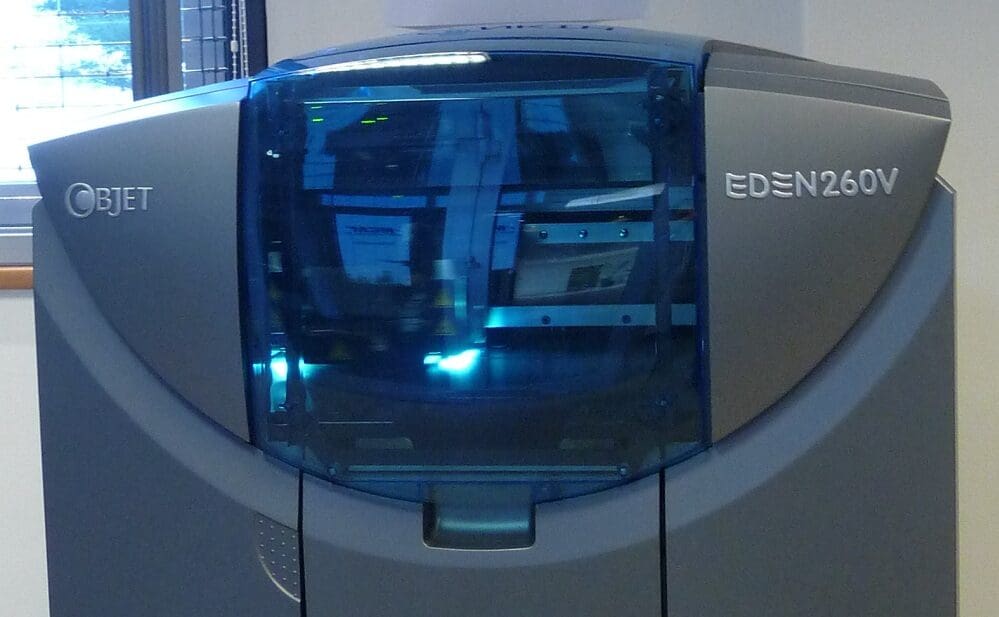

PolyJet technology stands out in the realm of 3D printing for its ability to produce highly detailed, multi-material objects with precision and speed. Utilizing a process akin to inkjet printing, PolyJet 3D printers spray layers of curable liquid photopolymer onto a build tray, which are instantly cured by UV light. This technology allows for the simultaneous use of multiple materials with different textures, colors, and mechanical properties, making it especially popular in industries like consumer electronics, automotive, and medical devices for prototyping and product design. Understanding the components of a PolyJet 3D printer is crucial for anyone looking to leverage this technology to its fullest potential.
Core Components of a PolyJet 3D Printer
1. Print Heads: The print heads in a PolyJet printer are similar to those found in traditional inkjet printers. They jet tiny droplets of photopolymeric resin onto the build platform. Each print head contains hundreds of nozzles, allowing for high-precision and high-resolution printing. The ability of these print heads to handle different materials simultaneously is what enables PolyJet printers to create complex models with diverse material properties.
2. UV Curing System: Immediately after the liquid resin is deposited by the print heads, it is cured by ultraviolet (UV) light. This UV light is integral to the printing process, as it solidifies the resin, making the layer firm and ready to support the next layer. The UV lamps are typically positioned close to the print heads, ensuring that the resin cures instantly and maintains its intended shape.
3. Material Cartridges: PolyJet printers use cartridges filled with photopolymer resins that can vary widely in color and material properties. These cartridges are installed into the printer, similar to ink cartridges in a standard printer. The system can pull different resins from various cartridges simultaneously to achieve the desired material mixture and gradient within a single print job.
4. Build Tray (Platform): The build tray is the surface upon which the model is constructed. In PolyJet printing, the build tray typically moves vertically (downward in most models) as each new layer is added from the top, allowing for the precise layering of materials. The build tray’s motion must be meticulously controlled to maintain the fine detail that PolyJet technology is known for.
5. Material Jetting System: This system is responsible for controlling the flow and distribution of the resin materials from the cartridges to the print heads. It includes pumps, tubing, and valves that manage the delivery of the resins, ensuring that the correct material is available at the right time during the printing process.
6. Wiper System: The wiper system helps maintain the cleanliness and functionality of the print heads by wiping off any excess or spilled resin. This system is crucial for preventing blockages in the nozzles and ensuring that the print quality remains high throughout the printing process.
7. Waste Management System: Given the complexity and precision of PolyJet printers, managing waste material and overflow is essential. The waste management system collects and contains unused or excess resin to keep the printer clean and prevent the contamination of printed parts.
8. Control Software: The software that operates a PolyJet printer is sophisticated, providing precise control over the deposition of materials, the curing process, and the overall management of the printing process. It converts digital models into instructions that the printer can execute, dictating everything from material selection to the final layout of the printed object.
9. Support Material System: Unlike some other forms of 3D printing, PolyJet technology often requires the use of support materials to uphold overhangs and complex geometries during the printing process. These support materials are jetted and cured similarly to the model materials but are designed to be easily removable after printing.
PolyJet 3D printing technology is distinguished by its ability to produce high-resolution, multi-material objects with precision and speed. Each component of the PolyJet printer—from the print heads and UV curing system to the material cartridges and control software—plays a critical role in achieving the high-quality output that this technology is known for. As PolyJet printers continue to evolve, they are likely to incorporate even more advanced features that enhance their usability and expand their application in various industries. Understanding these components not only aids in the effective operation of the printer but also in troubleshooting and maintenance, ensuring that the printer continues to function at its best.


