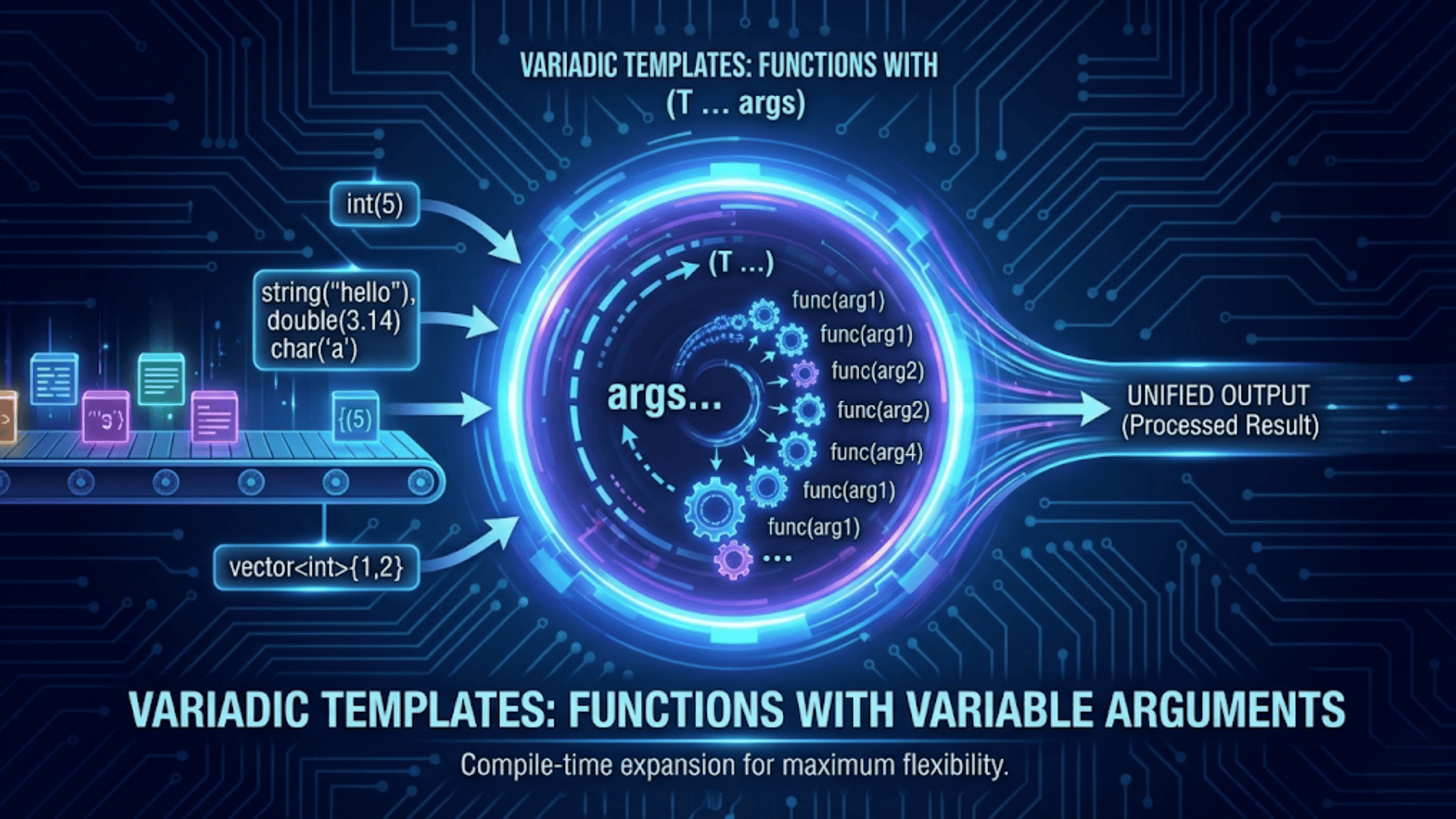

Variadic templates in C++ are templates that accept a variable number of template parameters of any types, introduced in C++11. Using a parameter pack (written as typename... Args), a single function or class template can handle zero, one, or any number of arguments — replacing the old, type-unsafe C-style variadic functions (printf-style) with a compile-time, fully type-safe alternative. The compiler expands the parameter pack recursively or with fold expressions (C++17) to generate the exact code needed for each unique combination of argument types.
Introduction
Before C++11, if you wanted to write a function that accepted a variable number of arguments, you had two imperfect options. You could write multiple overloads — add(int a, int b), add(int a, int b, int c), add(int a, int b, int c, int d) — which scaled terribly. Or you could use C-style variadic functions with ... and va_list, which completely abandon type safety and require error-prone format strings or sentinel values to know how many arguments were passed.
C++11 introduced variadic templates, a compile-time mechanism that lets you write a single template definition that works for any number of arguments of any types. The compiler instantiates a separate, fully type-checked version of the function for each unique combination of argument types it encounters. There is no runtime overhead from argument type discovery, no format strings, no null terminators, and no possibility of passing the wrong type — all of that is caught at compile time.
Variadic templates are the foundation of some of the most important patterns and utilities in modern C++. std::make_unique, std::make_shared, std::tuple, std::bind, std::forward, and std::apply all rely on variadic templates. Understanding them deeply will let you write flexible, zero-overhead generic utilities and will demystify a large portion of the C++ standard library internals.
This article builds your understanding from the very beginning. You will see the syntax for declaring and expanding parameter packs, learn the classic recursive expansion technique, discover C++17 fold expressions that simplify the pattern dramatically, and apply these tools to real-world use cases including type-safe logging, tuple implementation, and perfect-forwarding factory functions.
The Problem Variadic Templates Solve
Let’s start with a concrete problem to motivate the feature. Suppose you want a function called printAll that prints any number of values of any types, separated by spaces.
Approach 1: Multiple overloads (does not scale)
void printAll(int a) { cout << a << endl; }
void printAll(int a, int b) { cout << a << " " << b << endl; }
void printAll(int a, int b, int c) { cout << a << " " << b << " " << c << endl; }
// You would need infinitely many overloads...Approach 2: C-style variadic (not type-safe)
#include <cstdarg>
void printAll(int count, ...) {
    va_list args;
    va_start(args, count);
    for (int i = 0; i < count; i++) {
        cout << va_arg(args, int) << " ";  // Must know the type — no checking!
    }
    va_end(args);
    cout << endl;
}
printAll(3, 1, 2, 3);           // Works
printAll(3, 1, 2, 3.14); // Undefined behavior — passed double, read as intNeither approach is acceptable for production code. Variadic templates solve both limitations simultaneously: unlimited arguments, full type safety.
Variadic Template Syntax: The Basics
A variadic template is defined using an ellipsis (...) in the template parameter list. The group of zero or more types (or values) collected by ... is called a parameter pack.
#include <iostream>
using namespace std;

// Variadic template function
// 'Args' is a template parameter pack (a group of types)
// 'args' is a function parameter pack (a group of values)
template<typename... Args>
void printTypes(Args... args) {
    // sizeof...(args) gives the number of arguments at compile time
    cout << "Number of arguments: " << sizeof...(args) << endl;
    cout << "Number of types: " << sizeof...(Args) << endl;
}

int main() {
    printTypes();                      // 0 arguments
    printTypes(42);                    // 1 argument
    printTypes(1, 2.5, "hello");       // 3 arguments, mixed types
    printTypes(true, 'x', 99, 3.14f); // 4 arguments

    return 0;
}Output:
Number of arguments: 0
Number of types: 0
Number of arguments: 1
Number of types: 1
Number of arguments: 3
Number of types: 3
Number of arguments: 4
Number of types: 4Step-by-step explanation:
template<typename... Args>declaresArgsas a template parameter pack — a placeholder for zero or more types. The...before the name is the pack declaration syntax.void printTypes(Args... args)declaresargsas a function parameter pack — a group of values whose types come from theArgspack. For a call likeprintTypes(1, 2.5, "hello"),Argsis{int, double, const char*}andargscontains the values{1, 2.5, "hello"}.sizeof...(args)andsizeof...(Args)are compile-time operators that return the number of elements in a parameter pack. They are similar tosizeofbut operate on packs. Both always return the same value — one counts values, the other counts types.- The compiler generates a separate specialization of
printTypesfor each unique combination of argument types.printTypes(1, 2.5, "hello")generates code equivalent toprintTypes(int, double, const char*), completely type-checked at compile time.
Pack Expansion: The Ellipsis After the Pack Name
To use the values in a parameter pack, you must expand it. An expansion is written by placing ... after the expression containing the pack. This generates a comma-separated sequence of expressions — one for each element of the pack.
#include <iostream>
#include <vector>
using namespace std;

// Expand a pack into a vector initializer
template<typename... Args>
vector<int> makeVector(Args... args) {
    return vector<int>{ args... };  // Expands to: { arg0, arg1, arg2, ... }
}

// Expand a pack into a function call's argument list
template<typename Func, typename... Args>
void callWith(Func f, Args... args) {
    f(args...);  // Expands to: f(arg0, arg1, arg2, ...)
}

void sum3(int a, int b, int c) {
    cout << "Sum: " << (a + b + c) << endl;
}

int main() {
    auto v = makeVector(10, 20, 30, 40, 50);
    cout << "Vector: ";
    for (int x : v) cout << x << " ";
    cout << endl;

    callWith(sum3, 3, 7, 11);  // Calls sum3(3, 7, 11)

    return 0;
}Output:
Vector: 10 20 30 40 50
Sum: 21Step-by-step explanation:
- In
makeVector,{ args... }is a pack expansion inside a braced initializer list. FormakeVector(10, 20, 30, 40, 50), it expands to{ 10, 20, 30, 40, 50 }— the vector is initialized with all five values. - In
callWith,f(args...)is a pack expansion in a function call. ForcallWith(sum3, 3, 7, 11), it expands tof(3, 7, 11)which callssum3(3, 7, 11). - Pack expansion works wherever a comma-separated list is valid in C++: function call arguments, initializer lists, base class lists, template argument lists, and more.
- The key rule is: the
...goes after the expression containing the pack name.args...expands the pack as-is.(args * 2)...would expand to(arg0 * 2), (arg1 * 2), ...— the pattern before...is applied to every element.
Recursive Expansion: Processing One Element at a Time
The most common pre-C++17 technique for processing every element in a parameter pack is recursive expansion: peel off the first argument with a specific parameter, process it, then recursively call with the rest of the pack.
#include <iostream>
using namespace std;

// Base case: called when pack is empty — stops recursion
void printAll() {
    cout << endl;
}

// Recursive case: process first argument, recurse with the rest
template<typename First, typename... Rest>
void printAll(First first, Rest... rest) {
    cout << first;
    if (sizeof...(rest) > 0) cout << " ";
    printAll(rest...);  // Recurse with one fewer argument
}

int main() {
    printAll(1, 2.5, "hello", true, 'X');
    printAll(42);
    printAll();
    return 0;
}Output:
1 2.5 hello 1 X
42Step-by-step explanation:
printAll(First first, Rest... rest)separates the parameter pack into its first element (bound tofirst) and the rest (bound torest...). This peeling technique is the hallmark of recursive variadic expansion.- For the call
printAll(1, 2.5, "hello", true, 'X'), the compiler generates a chain of calls:printAll(int{1}, double{2.5}, const char*{"hello"}, bool{true}, char{'X'})- →
printAll(double{2.5}, const char*{"hello"}, bool{true}, char{'X'}) - →
printAll(const char*{"hello"}, bool{true}, char{'X'}) - →
printAll(bool{true}, char{'X'}) - →
printAll(char{'X'}) - →
printAll()— base case, prints newline
- The base case
void printAll()is a non-template overload. It is called when the pack is fully consumed and terminates the recursion. Without this base case, the recursion would try to instantiateprintAllwith an empty pack and fail to compile. sizeof...(rest) > 0is a compile-time constant, so theifbranch is evaluated at compile time and the compiler will not generate dead code for the trailing space when the pack is empty.
C++17 Fold Expressions: A Simpler Alternative
C++17 introduced fold expressions, which allow you to apply a binary operator across all elements of a pack without writing a recursive base case. This dramatically simplifies common patterns.
The four forms of fold expressions are:
- Unary left fold:
(... op pack)—((pack[0] op pack[1]) op pack[2]) op ... - Unary right fold:
(pack op ...)—pack[0] op (pack[1] op (pack[2] op ...)) - Binary left fold:
(init op ... op pack)—((init op pack[0]) op pack[1]) op ... - Binary right fold:
(pack op ... op init)—pack[0] op (pack[1] op (... op init))
#include <iostream>
using namespace std;

// Sum all arguments using a fold expression (left fold with +)
template<typename... Args>
auto sum(Args... args) {
    return (... + args);  // Expands to: ((arg0 + arg1) + arg2) + ...
}

// Print all arguments (right fold with comma operator trick using <<)
template<typename... Args>
void printFold(Args... args) {
    // Binary left fold: (cout << ... << args) — left-to-right output
    (cout << ... << args);
    cout << endl;
}

// Print all arguments with spaces between them
template<typename... Args>
void printSpaced(Args... args) {
    int dummy = 0;
    // Trick: fold with comma operator to print space before each arg except first
    ((cout << (dummy++ ? " " : "") << args), ...);
    cout << endl;
}

// Logical AND across all args
template<typename... Args>
bool allTrue(Args... args) {
    return (... && args);  // (arg0 && arg1 && arg2 && ...)
}

// Check if any argument equals a target value
template<typename T, typename... Args>
bool anyEqual(T target, Args... args) {
    return ((args == target) || ...);  // Right fold with ||
}

int main() {
    cout << "Sum: " << sum(1, 2, 3, 4, 5) << endl;
    cout << "Sum doubles: " << sum(1.1, 2.2, 3.3) << endl;

    cout << "Print fold: "; printFold(10, 20, 30);
    cout << "Print spaced: "; printSpaced("hello", 42, 3.14, true);

    cout << "allTrue(1,1,1): " << allTrue(true, true, true) << endl;
    cout << "allTrue(1,0,1): " << allTrue(true, false, true) << endl;

    cout << "anyEqual(3, 1,2,3,4): " << anyEqual(3, 1, 2, 3, 4) << endl;
    cout << "anyEqual(9, 1,2,3,4): " << anyEqual(9, 1, 2, 3, 4) << endl;

    return 0;
}Output:
Sum: 15
Sum doubles: 6.6
Print fold: 102030
Print spaced: hello 42 3.14 1
allTrue(1,1,1): 1
allTrue(1,0,1): 0
anyEqual(3, 1,2,3,4): 1
anyEqual(9, 1,2,3,4): 0Step-by-step explanation:
(... + args)is a unary left fold with+. Forsum(1, 2, 3, 4, 5), it expands to((((1 + 2) + 3) + 4) + 5)— equivalent to the recursive version but written in a single expression.(cout << ... << args)is a binary left fold with<<. ForprintFold(10, 20, 30), it expands to((cout << 10) << 20) << 30— chaining the<<operators left to right. Note this prints without spaces; the output102030reflects that.(... && args)is a unary left fold with&&. For threetruevalues it producestrue && true && true. The moment anyfalseis encountered, the entire expression short-circuits tofalse.((args == target) || ...)is a unary right fold with||. It checks each element for equality withtargetand returnstrueif any match. Right folds with||correctly short-circuit as soon as a match is found.- An empty pack with
+fold would be ill-formed (no identity element). For empty-pack safety with specific operators, use binary folds with an identity element:(0 + ... + args)returns0for empty packs.
Type-Safe Logging: A Real-World Application
One of the most compelling real-world use cases for variadic templates is building a type-safe logging system. Unlike printf, a variadic template logger can accept any types, format them correctly without explicit format specifiers, and catch type mismatches at compile time.
#include <iostream>
#include <string>
#include <sstream>
#include <chrono>
#include <iomanip>
using namespace std;

// Helper: convert any single value to string
template<typename T>
string toString(const T& value) {
    ostringstream oss;
    oss << value;
    return oss.str();
}

// Build a message by concatenating all arguments
template<typename... Args>
string buildMessage(Args&&... args) {
    string result;
    // Fold expression: concatenate all args as strings
    ((result += toString(forward<Args>(args))), ...);
    return result;
}

// Log levels
enum class LogLevel { INFO, WARNING, ERROR };

string levelToString(LogLevel level) {
    switch (level) {
        case LogLevel::INFO:    return "INFO   ";
        case LogLevel::WARNING: return "WARNING";
        case LogLevel::ERROR:   return "ERROR  ";
    }
    return "UNKNOWN";
}

// Main logger: accepts any number of arguments of any types
template<typename... Args>
void log(LogLevel level, Args&&... args) {
    string message = buildMessage(forward<Args>(args)...);
    cout << "[" << levelToString(level) << "] " << message << "\n";
}

// Convenience wrappers
template<typename... Args>
void logInfo(Args&&... args) { log(LogLevel::INFO, forward<Args>(args)...); }

template<typename... Args>
void logWarning(Args&&... args) { log(LogLevel::WARNING, forward<Args>(args)...); }

template<typename... Args>
void logError(Args&&... args) { log(LogLevel::ERROR, forward<Args>(args)...); }

int main() {
    logInfo("Server started on port ", 8080);
    logInfo("Processing request from ", "192.168.1.1", " — path: ", "/api/data");
    logWarning("Memory usage at ", 87.3, "% — threshold is ", 90, "%");
    logError("Connection to database failed after ", 3, " retries");

    // No format specifiers, no type mismatches possible
    int userId = 1042;
    double latency = 23.7;
    string endpoint = "/users/profile";
    logInfo("Request: user=", userId, " endpoint=", endpoint,
            " latency=", latency, "ms");

    return 0;
}Output:
[INFO   ] Server started on port 8080
[INFO   ] Processing request from 192.168.1.1 — path: /api/data
[WARNING] Memory usage at 87.3% — threshold is 90%
[ERROR  ] Connection to database failed after 3 retries
[INFO ] Request: user=1042 endpoint=/users/profile latency=23.7msStep-by-step explanation:
buildMessage(Args&&... args)uses a fold expression with the comma operator to concatenate every argument as a string.forward<Args>(args)uses perfect forwarding to preserve value categories (avoiding unnecessary copies of string arguments).- The
((result += toString(forward<Args>(args))), ...)fold expands to a series ofresult +=operations — one for each argument. The comma operator ensures they execute left to right. logInfo("Server started on port ", 8080)is called with aconst char*and anint. The compiler instantiateslogwithArgs = {const char*, int}and produces fully type-safe code that formats both correctly.- There is no format string, no
%dor%s, and no risk of passing the wrong type for a format specifier. If you pass a custom type that has anoperator<<, the logger will format it correctly without any modification. forward<Args>(args)...is the pattern for perfect forwarding inside variadic templates — it preserves whether each argument was an lvalue or rvalue, preventing unnecessary copies.
Implementing a Minimal std::tuple
std::tuple is one of the most fundamental variadic template classes in the C++ standard library. Building a simplified version from scratch is an excellent exercise that reveals how variadic templates work with class templates.
#include <iostream>
using namespace std;

// Forward declaration
template<typename... Types>
class Tuple;

// Base case: empty tuple
template<>
class Tuple<> {
public:
    static constexpr size_t size() { return 0; }
};

// Recursive case: Tuple stores Head and inherits rest from Tuple<Tail...>
template<typename Head, typename... Tail>
class Tuple<Head, Tail...> : public Tuple<Tail...> {
public:
    Head value;

    Tuple(Head h, Tail... t) : Tuple<Tail...>(t...), value(h) {}

    static constexpr size_t size() { return 1 + sizeof...(Tail); }
};

// Helper to get element at index I from a Tuple
// Primary template: count down index, inheriting up the chain
template<size_t I, typename T>
struct TupleElement;

template<typename Head, typename... Tail>
struct TupleElement<0, Tuple<Head, Tail...>> {
    using type = Head;
    static Head& get(Tuple<Head, Tail...>& t) { return t.value; }
};

template<size_t I, typename Head, typename... Tail>
struct TupleElement<I, Tuple<Head, Tail...>> {
    using type = typename TupleElement<I-1, Tuple<Tail...>>::type;
    static type& get(Tuple<Head, Tail...>& t) {
        return TupleElement<I-1, Tuple<Tail...>>::get(
            static_cast<Tuple<Tail...>&>(t));
    }
};

// Convenience get function
template<size_t I, typename... Types>
auto& get(Tuple<Types...>& t) {
    return TupleElement<I, Tuple<Types...>>::get(t);
}

int main() {
    Tuple<int, double, string> t(42, 3.14, "hello");

    cout << "Tuple size: " << t.size() << endl;
    cout << "Element 0: " << get<0>(t) << endl;
    cout << "Element 1: " << get<1>(t) << endl;
    cout << "Element 2: " << get<2>(t) << endl;

    // Modify element
    get<0>(t) = 100;
    cout << "After modification, element 0: " << get<0>(t) << endl;

    // Nested tuple
    Tuple<Tuple<int, int>, string> nested(Tuple<int, int>(1, 2), "nested");
    cout << "Nested inner[0]: " << get<0>(get<0>(nested)) << endl;
    cout << "Nested inner[1]: " << get<1>(get<0>(nested)) << endl;

    return 0;
}Output:
Tuple size: 3
Element 0: 42
Element 1: 3.14
Element 2: hello
After modification, element 0: 100
Nested inner[0]: 1
Nested inner[1]: 2Step-by-step explanation:
Tuple<Head, Tail...>inherits fromTuple<Tail...>. ForTuple<int, double, string>, the inheritance chain is:Tuple<int, double, string>(storesint value, inherits from →)Tuple<double, string>(storesdouble value, inherits from →)Tuple<string>(storesstring value, inherits from →)Tuple<>(base case, empty)
- Each level stores exactly one value (
Head), and the rest are stored in the base class. This “recursive inheritance” is the classic technique for implementing heterogeneous sequences at compile time. TupleElement<I, T>is a helper struct that navigates the inheritance chain to retrieve the element at indexI.TupleElement<0, ...>returns the current level’svalue. ForI > 0, it recursively delegates toTupleElement<I-1>on the base class.get<0>(t)callsTupleElement<0, Tuple<int,double,string>>::get(t), which returnst.value(theint).get<1>(t)callsTupleElement<1, ...>, which delegates toTupleElement<0>on the base classTuple<double, string>, returningdouble value. All type deduction happens at compile time.- This is a simplified version of how
std::tupleworks in the standard library. The real implementation adds const overloads, perfect forwarding in the constructor,make_tuple,tie,tuple_cat, and structured bindings — but the fundamental recursive inheritance structure is the same.
Perfect-Forwarding Factory Functions
A variadic template’s most critical real-world application is implementing factory functions that perfectly forward any number of arguments to an object’s constructor. This is exactly what std::make_unique and std::make_shared do.
#include <iostream>
#include <memory>
#include <string>
using namespace std;

class Widget {
public:
    string name;
    int    width;
    double opacity;

    Widget(string n, int w, double op)
        : name(move(n)), width(w), opacity(op) {
        cout << "Widget('" << name << "', " << width << ", " << opacity << ") constructed\n";
    }
};

class Button : public Widget {
public:
    string label;

    Button(string name, int width, double opacity, string lbl)
        : Widget(move(name), width, opacity), label(move(lbl)) {
        cout << "Button label: " << label << "\n";
    }
};

// Perfect-forwarding factory: creates any T using any constructor arguments
template<typename T, typename... Args>
unique_ptr<T> makeObject(Args&&... args) {
    // forward preserves lvalue/rvalue of each argument
    return make_unique<T>(forward<Args>(args)...);
}

// Generic object pool: stores objects created with any constructor signature
template<typename T>
class ObjectPool {
    vector<unique_ptr<T>> objects_;
public:
    template<typename... Args>
    T& create(Args&&... args) {
        objects_.push_back(make_unique<T>(forward<Args>(args)...));
        return *objects_.back();
    }

    size_t size() const { return objects_.size(); }
    T& get(size_t i) { return *objects_[i]; }
};

int main() {
    cout << "--- Using makeObject ---\n";
    auto w = makeObject<Widget>("Panel", 200, 0.9);
    auto b = makeObject<Button>("OK Button", 100, 1.0, "OK");

    cout << "\n--- Using ObjectPool ---\n";
    ObjectPool<Widget> pool;
    pool.create("Header",  400, 1.0);
    pool.create("Sidebar", 150, 0.8);
    pool.create("Footer",  400, 1.0);

    cout << "\nPool size: " << pool.size() << "\n";
    for (size_t i = 0; i < pool.size(); i++) {
        cout << "  [" << i << "] name='" << pool.get(i).name
             << "' width=" << pool.get(i).width << "\n";
    }

    return 0;
}Output:
--- Using makeObject ---
Widget('Panel', 200, 0.9) constructed
Widget('OK Button', 100, 1) constructed
Button label: OK

--- Using ObjectPool ---
Widget('Header', 400, 1) constructed
Widget('Sidebar', 150, 0.8) constructed
Widget('Footer', 400, 1) constructed

Pool size: 3
  [0] name='Header' width=400
  [1] name='Sidebar' width=150
[2] name='Footer' width=400Step-by-step explanation:
makeObject<Widget>("Panel", 200, 0.9)callsmakeObjectwithT = WidgetandArgs = {const char*, int, double}. Theforward<Args>(args)...expansion callsmake_unique<Widget>(forward<const char*>("Panel"), forward<int>(200), forward<double>(0.9)), which constructs theWidgetin-place on the heap. The string literal is forwarded as an rvalue and moved into theWidget‘snamemember.ObjectPool<T>::create(Args&&... args)is a variadic member function template. Forpool.create("Header", 400, 1.0),Argsis deduced as{const char*, int, double}, and the arguments are forwarded tomake_unique<Widget>without any copies.- Perfect forwarding is especially important here: if
createtook arguments by value, every string would be copied into the function before being copied again into theWidget. WithArgs&&...andforward, lvalue strings are copied once (into theWidget) and rvalue strings (or string literals that convert to temporaries) are moved directly into theWidget. ObjectPooldemonstrates how variadic templates compose with class templates: the class is parameterized on the stored typeT, while the member function is independently parameterized on the constructor argument typesArgs.... This separation is what makes it generic over any constructible type.
Variadic Class Templates: Compile-Time Type Lists
Variadic templates are also used to implement type lists — compile-time data structures that hold a sequence of types. These are the foundation of many metaprogramming utilities.
#include <iostream>
#include <type_traits>
using namespace std;

// A type list: holds a sequence of types at compile time (no runtime data)
template<typename... Types>
struct TypeList {
    static constexpr size_t size = sizeof...(Types);
};

// Check if a type T is in a TypeList
template<typename T, typename List>
struct Contains;

template<typename T>
struct Contains<T, TypeList<>> : false_type {};  // Base: empty list — not found

template<typename T, typename Head, typename... Tail>
struct Contains<T, TypeList<Head, Tail...>>
    : conditional_t<is_same_v<T, Head>,
                    true_type,
                    Contains<T, TypeList<Tail...>>> {};

// Get the Nth type from a TypeList
template<size_t N, typename List>
struct TypeAt;

template<typename Head, typename... Tail>
struct TypeAt<0, TypeList<Head, Tail...>> {
    using type = Head;
};

template<size_t N, typename Head, typename... Tail>
struct TypeAt<N, TypeList<Head, Tail...>> {
    using type = typename TypeAt<N-1, TypeList<Tail...>>::type;
};

// Append a type to a TypeList
template<typename T, typename List>
struct Append;

template<typename T, typename... Types>
struct Append<T, TypeList<Types...>> {
    using type = TypeList<Types..., T>;
};

int main() {
    using MyTypes = TypeList<int, double, string, bool>;
    cout << "MyTypes size: " << MyTypes::size << "\n";

    // Check membership at compile time
    constexpr bool hasInt    = Contains<int,    MyTypes>::value;
    constexpr bool hasFloat  = Contains<float,  MyTypes>::value;
    constexpr bool hasString = Contains<string, MyTypes>::value;

    cout << "Contains int:    " << hasInt    << "\n";
    cout << "Contains float:  " << hasFloat  << "\n";
    cout << "Contains string: " << hasString << "\n";

    // Get type at index
    using Type0 = TypeAt<0, MyTypes>::type;
    using Type2 = TypeAt<2, MyTypes>::type;
    cout << "Type at 0 is int? " << is_same_v<Type0, int> << "\n";
    cout << "Type at 2 is string? " << is_same_v<Type2, string> << "\n";

    // Append a type
    using Extended = Append<char, MyTypes>::type;
    cout << "Extended size: " << Extended::size << "\n";

    return 0;
}Output:
MyTypes size: 4
Contains int:    1
Contains float:  0
Contains string: 1
Type at 0 is int? 1
Type at 2 is string? 1
Extended size: 5Step-by-step explanation:
TypeList<int, double, string, bool>is a variadic class template that holds four types as template arguments. It has no runtime data — it only exists at compile time.TypeList::sizeis aconstexprvalue computed fromsizeof...(Types).Contains<T, TypeList<...>>is a recursive metafunction. The base case (TypeList<>) returnsfalse_type. The recursive case checks ifTmatchesHeadusingis_same_v; if yes, it returnstrue_type; if no, it recurses withTypeList<Tail...>.TypeAt<N, List>navigates the type list by index.TypeAt<0, ...>returnsHead. ForN > 0, it decrements the index and recurses on the tail.Append<T, TypeList<Types...>>creates a new type list withTadded at the end. TheTypes...pack expansion inside the newTypeList<Types..., T>reuses all existing types.- All of these operations — membership testing, index access, appending — happen entirely at compile time. They are metafunctions: functions that operate on types instead of values. This style of programming, called template metaprogramming, is built on variadic templates as its core mechanism.
Variadic Templates vs. C-Style Variadic Functions
It is worth making the comparison between variadic templates and the old C-style ... variadic functions explicit, because they solve the same surface problem in radically different ways.
| Feature | C-Style Variadic (va_list) | Variadic Templates |
|---|---|---|
| Type safety | None — types must be specified manually | Full — types deduced at compile time |
| Argument count | Must be passed explicitly or inferred | Determined at compile time via sizeof... |
| Supported types | Only POD types safely | Any type including non-trivial classes |
| Performance | Runtime overhead for va_start/va_arg | Zero overhead — inlined at compile time |
| Compile-time errors | No — type mismatches are runtime UB | Yes — mismatches caught immediately |
| Mixed types | Yes (via void* or format strings) | Yes (fully typed) |
| Code size | One function body for all calls | One instantiation per unique argument combination |
| Works with templates? | Not directly | Designed for templates |
| C++ standard | Available since C | C++11 and later |
The only advantage of C-style variadic functions is binary size when called with many unique argument type combinations — each unique Args... creates a new template instantiation. For most real-world code this is irrelevant, but in embedded systems with tight code-size constraints, it is worth keeping in mind.
Practical Patterns Summary
Here are the key patterns for working with variadic templates, collected for quick reference:
Counting pack elements: sizeof...(Args) — returns a constexpr size_t.
Recursive expansion: Define a base case overload plus a recursive case that peels off the first argument. Always needed when processing order matters.
Fold expressions (C++17): (... op pack) for left folds, (pack op ...) for right folds. Use for arithmetic, logical operations, and stream output. Eliminates recursive base cases for common patterns.
Forwarding a pack: std::forward<Args>(args)... — preserves value categories when passing pack elements to another function. Essential in factory functions.
Expanding into initializer lists: { args... } or { transform(args)... } — initializes containers or arrays from pack elements.
Recursive class inheritance: class T<Head, Tail...> : public T<Tail...> — the classic technique for heterogeneous storage (used in tuple).
Type list metaprogramming: struct TypeList<typename... Types>{} — stores sequences of types for compile-time type manipulation.
// Quick reference: all major patterns in one place
template<typename... Args>
void quickRef(Args&&... args) {
    // Count
    constexpr size_t n = sizeof...(Args);

    // Expand into function call
    someFunction(forward<Args>(args)...);

    // Fold: sum
    auto total = (0 + ... + args);  // Binary left fold with identity

    // Fold: print all
    (cout << ... << args);

    // Fold: all true
    bool all = (... && args);

    // Expand into vector
    vector<common_type_t<Args...>> v = { args... };
}Common Mistakes and How to Avoid Them
Mistake 1: Forgetting the base case in recursive expansion.
Without a base case, the compiler tries to instantiate the recursive template with an empty pack and finds no matching overload, producing a confusing compile error.
// BAD: missing base case
template<typename First, typename... Rest>
void print(First f, Rest... r) {
    cout << f;
    print(r...);   // When r is empty, no matching 'print()' exists — error
}

// GOOD: add base case
void print() {}  // Non-template base case
template<typename First, typename... Rest>
void print(First f, Rest... r) {
    cout << f;
    print(r...);
}Mistake 2: Expanding a pack outside an expansion context.
template<typename... Args>
void bad(Args... args) {
    cout << args;     // ERROR: cannot use pack without expansion
    cout << args...; // ERROR: expansion not valid in this context
}

// GOOD: use fold expression
template<typename... Args>
void good(Args... args) {
    (cout << ... << args);  // Valid fold expression
}Mistake 3: Forgetting forward inside variadic forwarding functions.
// BAD: args are always treated as lvalues inside the function
template<typename... Args>
void forwardBad(Args&&... args) {
    target(args...);  // All args forwarded as lvalues!
}

// GOOD: use forward to preserve value categories
template<typename... Args>
void forwardGood(Args&&... args) {
    target(forward<Args>(args)...);
}Mistake 4: Applying a non-associative operation as a fold without thinking about direction.
// Subtraction is not associative — left fold vs right fold gives different results!
template<typename... Args>
auto subLeft(Args... args)  { return (... - args);  }  // ((a-b)-c)
template<typename... Args>
auto subRight(Args... args) { return (args - ...);  }  // (a-(b-c))

cout << subLeft(10, 3, 2);   // ((10-3)-2) = 5
cout << subRight(10, 3, 2); // (10-(3-2)) = 9Choose your fold direction deliberately for non-commutative and non-associative operations.
Conclusion
Variadic templates are one of the most powerful features in modern C++. They transform what was previously only achievable through unsafe C-style varargs, fragile overload sets, or code generation into clean, type-safe, zero-overhead generic code that the compiler fully validates.
The core mechanism — parameter packs declared with typename... Args and expanded with ... — enables a single template to handle any number of arguments of any types. The recursive expansion pattern and C++17 fold expressions give you two complementary tools for processing those packs: recursion for complex per-element logic, and fold expressions for concise reductions over all elements.
The applications of variadic templates are everywhere in modern C++: std::tuple uses recursive inheritance to store heterogeneous values, std::make_unique and std::make_shared use perfect forwarding parameter packs to construct objects in-place, std::apply and std::visit use packs to dispatch over type alternatives, and std::format uses them to accept any number of format arguments type-safely.
Mastering variadic templates will not only make you a more capable C++ programmer — it will make the entire modern C++ standard library legible, turning what looked like impenetrable template magic into recognizable, learnable patterns.