
Pointers represent one of the most distinctive and powerful features of C++, yet they also have a reputation for being one of the most challenging concepts for beginners to grasp. This reputation isn’t entirely undeserved—pointers require you to think about how computers actually store and access data in memory, which is a more abstract level than most programming concepts you’ve encountered so far. However, understanding pointers opens doors to advanced programming techniques, efficient memory management, and the ability to write code that performs operations impossible with simpler language features.
At their core, pointers are simply variables that store memory addresses. While regular variables directly contain values—an integer variable holds an integer, a double variable holds a floating-point number—pointer variables hold the address of a location in memory where some other data resides. Think of it like the difference between having someone’s phone number written on a piece of paper versus having the actual person standing next to you. The phone number isn’t the person, but it tells you how to reach them. Similarly, a pointer isn’t the data itself, but it tells your program where to find that data in the computer’s memory.
Understanding why pointers exist helps you appreciate what they enable. Memory addresses give you indirect access to data, which provides several important capabilities. Pointers allow functions to modify variables from their calling code without needing to return values. They enable dynamic memory allocation, where your program requests memory while running rather than allocating everything at compile time. They provide efficient ways to work with arrays and strings. They’re essential for building complex data structures like linked lists, trees, and graphs. While these applications might sound advanced now, understanding pointers at a fundamental level prepares you to leverage these capabilities as your skills develop.
Let me start by explaining how computer memory works at a conceptual level. Your computer’s RAM (Random Access Memory) can be thought of as a vast sequence of storage locations, each identified by a unique address. When you declare a variable, the compiler allocates space in memory for it and associates your variable name with that memory address. For example, when you write int age = 25;, the compiler finds space in memory to store an integer, puts the value 25 there, and remembers that whenever you refer to age in your code, you’re talking about that particular memory location.
You can discover a variable’s memory address using the address-of operator, which is an ampersand (&):
int age = 25;
std::cout << "Value of age: " << age << std::endl;
std::cout << "Address of age: " << &age << std::endl;When you run this code, the first line displays 25—the value stored in the variable. The second line displays something that looks like 0x7ffd5c9e4a1c or similar—a hexadecimal number representing the memory address where age is stored. This address is different every time you run the program because the operating system assigns memory addresses dynamically, but within a single program run, age has a fixed address.
Now we can define what a pointer is formally: a pointer is a variable that stores a memory address. To declare a pointer, you use an asterisk (*) between the type and the variable name:
int* ptr; // Declares a pointer to an integerThis declaration says “ptr is a pointer to an integer,” meaning ptr can store the address of an integer variable. The asterisk is part of the type information—it tells the compiler that ptr doesn’t hold an integer directly, but rather holds the address of an integer somewhere in memory.
Let me show you how to make a pointer actually point to a variable:
int age = 25;
int* ptr = &age; // ptr now holds the address of ageReading this code in plain language: “Declare ptr as a pointer to int, and initialize it with the address of age.” After this statement, ptr contains the memory address where age is stored. The pointer doesn’t contain the value 25—it contains something like 0x7ffd5c9e4a1c, which tells the program where to find the value 25.
The real power of pointers comes from dereferencing—using a pointer to access or modify the value at the address it points to. You dereference a pointer by placing an asterisk before it:
int age = 25;
int* ptr = &age;

std::cout << "Value of age: " << age << std::endl;           // Prints: 25
std::cout << "Address in ptr: " << ptr << std::endl;         // Prints: address
std::cout << "Value pointed to: " << *ptr << std::endl;      // Prints: 25

*ptr = 30;  // Changes the value at the address ptr points to
std::cout << "Value of age now: " << age << std::endl; // Prints: 30Let me break down what’s happening here step by step, because understanding this is crucial. First, we create age with value 25. Then we create ptr and initialize it with age’s address. When we write *ptr, we’re telling the program “go to the address stored in ptr and access the value there.” Since ptr holds the address of age, *ptr gives us the value stored in age, which is 25.
The truly important part is the line *ptr = 30. This says “go to the address stored in ptr and change the value there to 30.” Since ptr points to age, this changes age’s value to 30. When we subsequently print age, it displays 30 even though we never directly assigned to age—we modified it indirectly through the pointer.
This indirection is what makes pointers powerful. A function can receive a pointer to a variable and modify that variable, even though the variable was declared in a different function:
void doubleValue(int* ptr) {
    *ptr = *ptr * 2;  // Dereference to access and modify the value
}

int main() {
    int number = 10;
    std::cout << "Before: " << number << std::endl;  // Prints: 10

    doubleValue(&number);  // Pass the address of number

    std::cout << "After: " << number << std::endl;   // Prints: 20
    return 0;
}The doubleValue function receives a pointer to an integer. Inside the function, it dereferences the pointer to access the value, doubles it, and stores the result back at that address. Back in main, the number variable has been modified even though it was never passed directly to the function—only its address was passed.
Pointer syntax can seem confusing at first because the asterisk serves different purposes in different contexts:
int* ptr;    // In a declaration: * makes it a pointer type
*ptr = 20; // In an expression: * dereferences the pointerIn declarations, the asterisk is part of the type information. In expressions, the asterisk is the dereference operator. The same symbol does different things depending on context, which takes some getting used to. Similarly, the ampersand has dual meanings:
int& ref = age;   // In a declaration: & makes it a reference
int* ptr = &age; // In an expression: & gets the addressThis overloading of operators is historical and occasionally confusing, but with practice you’ll learn to read these operators correctly based on context.
Uninitialized pointers contain garbage values just like uninitialized regular variables, but with pointers this is especially dangerous because dereferencing an uninitialized pointer causes undefined behavior that typically crashes your program:
int* ptr;      // Uninitialized - contains random address
*ptr = 20; // DANGER! Writing to random memory locationAlways initialize pointers, either to a valid address or to a special value called nullptr that indicates the pointer doesn’t currently point to anything:
int* ptr = nullptr;  // Safe - explicitly indicates "points to nothing"

if (ptr != nullptr) {
    *ptr = 20;  // Only dereference if ptr points to something
}The nullptr keyword (introduced in C++11) provides a type-safe way to represent a null pointer. Before C++11, programmers used NULL or 0, and you’ll see these in older code:
int* ptr = NULL;   // Old style
int* ptr = 0;      // Even older style
int* ptr = nullptr; // Modern C++11 and laterAlways use nullptr in modern C++ code—it’s safer because the compiler can catch certain types of errors that the older approaches allow through.
Checking whether a pointer is null before dereferencing it prevents crashes:
void processValue(int* ptr) {
    if (ptr == nullptr) {
        std::cout << "Error: null pointer!" << std::endl;
        return;
    }

    // Safe to use ptr here
    *ptr = *ptr * 2;
}This defensive programming style—checking preconditions before performing operations—helps create robust code that handles edge cases gracefully rather than crashing.
Pointers and arrays have a close relationship in C++. In fact, an array name can be used as a pointer to the array’s first element:
int numbers[] = {10, 20, 30, 40, 50};
int* ptr = numbers;  // numbers converts to pointer to first element

std::cout << *ptr << std::endl;        // Prints: 10 (first element)
std::cout << numbers[0] << std::endl; // Prints: 10 (same element)This equivalence explains many array behaviors you’ve encountered. When you pass an array to a function, you’re actually passing a pointer to its first element, which is why functions can modify array contents.
Pointer arithmetic allows you to navigate through array elements using pointers. Adding one to a pointer makes it point to the next element:
int numbers[] = {10, 20, 30, 40, 50};
int* ptr = numbers;  // Points to first element

std::cout << *ptr << std::endl;      // Prints: 10
ptr++;                               // Move to next element
std::cout << *ptr << std::endl;      // Prints: 20
ptr += 2;                            // Move forward two elements
std::cout << *ptr << std::endl; // Prints: 40When you add one to a pointer, it doesn’t add one byte to the address—it adds the size of one element. If you have a pointer to integers and each integer occupies four bytes, adding one to the pointer actually adds four to the address. The compiler handles this size calculation automatically based on the pointer’s type, so you can think in terms of “elements” rather than bytes.
This relationship between arrays and pointers means you can use pointer notation to access array elements:
int numbers[] = {10, 20, 30, 40, 50};
int* ptr = numbers;

// These are equivalent ways to access the third element:
std::cout << numbers[2] << std::endl;    // Array notation
std::cout << *(ptr + 2) << std::endl;    // Pointer notation
std::cout << ptr[2] << std::endl; // Pointer with array notationThe expression *(ptr + 2) means “add two to the pointer, then dereference.” Since ptr points to the first element, adding two makes it point to the third element, and dereferencing gives us that element’s value. The fact that you can use array notation with pointers (ptr[2]) demonstrates how deeply arrays and pointers are related in C++.
You can iterate through an array using pointer arithmetic:
int numbers[] = {10, 20, 30, 40, 50};
int* ptr = numbers;
int* end = numbers + 5;  // Points one past the last element

while (ptr < end) {
    std::cout << *ptr << " ";
    ptr++;
}
std::cout << std::endl;This pattern—using a pointer that starts at the beginning and increments until reaching the end—is common in C++ code, particularly in the standard library. The end pointer points one past the last element, which is valid for comparison but should never be dereferenced.
Pointers enable you to create dynamic data structures where the size isn’t known at compile time. While we haven’t covered dynamic memory allocation in detail yet, here’s a preview of why pointers matter for this:
int* ptr = new int;     // Allocate one integer dynamically
*ptr = 42;              // Store a value
std::cout << *ptr << std::endl;
delete ptr; // Free the memoryThe new operator allocates memory at runtime and returns a pointer to it. The delete operator frees that memory when you’re done with it. This dynamic memory allocation is essential for creating data structures whose size can change while the program runs, though it comes with the responsibility to free memory when you’re done to avoid memory leaks.
Multiple pointers can point to the same location, which can be useful but also requires careful management:
int value = 10;
int* ptr1 = &value;
int* ptr2 = &value;

*ptr1 = 20;  // Changes value through first pointer
std::cout << *ptr2 << std::endl; // Prints: 20 - sees the changeBoth pointers refer to the same memory location, so modifying through one pointer affects what the other pointer sees. This shared access can enable powerful techniques but also creates situations where changes in one part of your code affect another part in non-obvious ways.
Pointers to pointers represent another level of indirection, where a pointer stores the address of another pointer:
int value = 10;
int* ptr = &value;
int** ptrToPtr = &ptr;  // Pointer to pointer

std::cout << value << std::endl;      // Prints: 10
std::cout << *ptr << std::endl;       // Prints: 10
std::cout << **ptrToPtr << std::endl; // Prints: 10

**ptrToPtr = 20;  // Modify value through double indirection
std::cout << value << std::endl; // Prints: 20Reading this requires mental unwrapping: **ptrToPtr means “dereference ptrToPtr to get ptr, then dereference ptr to get value.” While pointers to pointers seem exotic, they’re used in certain programming patterns, particularly when you need a function to modify a pointer itself rather than just the value it points to.
Const and pointers interact in ways that can be confusing but provide important safety guarantees. You can make the pointer constant, the data it points to constant, or both:
int value = 10;
int otherValue = 20;

// Pointer to constant int - can't modify value through pointer
const int* ptr1 = &value;
// *ptr1 = 15;  // Error - can't modify through const pointer
ptr1 = &otherValue;  // OK - can change where pointer points

// Constant pointer to int - can't change where it points
int* const ptr2 = &value;
*ptr2 = 15;  // OK - can modify value
// ptr2 = &otherValue;  // Error - can't change where constant pointer points

// Constant pointer to constant int - can't change either
const int* const ptr3 = &value;
// *ptr3 = 15;  // Error
// ptr3 = &otherValue; // ErrorThe rule for reading these declarations: read right to left. const int* ptr1 is “ptr1 is a pointer to a constant int.” int* const ptr2 is “ptr2 is a constant pointer to int.” The placement of const determines what is constant.
Common mistakes with pointers often involve dereferencing null or invalid pointers:
int* ptr = nullptr;
*ptr = 10; // Crash! Dereferencing null pointerOr forgetting to initialize pointers before use:
int* ptr;  // Uninitialized
*ptr = 10; // Undefined behavior - points to random locationOr losing track of where pointers point:
int* ptr;
{
    int localValue = 10;
    ptr = &localValue;
}  // localValue goes out of scope and is destroyed
*ptr = 20; // Undefined behavior - ptr points to destroyed variableThis last example demonstrates a dangling pointer—a pointer that points to memory that’s no longer valid. The localValue variable is destroyed when its scope ends, but ptr still holds its address. Dereferencing ptr accesses memory that might now contain something else entirely, causing unpredictable behavior.
Let me show you a practical example that demonstrates useful pointer techniques—a function that swaps two integers:
void swap(int* a, int* b) {
    int temp = *a;  // Store first value temporarily
    *a = *b;        // Copy second value to first location
    *b = temp;      // Copy temporary value to second location
}

int main() {
    int x = 10, y = 20;
    std::cout << "Before: x=" << x << ", y=" << y << std::endl;

    swap(&x, &y);  // Pass addresses of variables

    std::cout << "After: x=" << x << ", y=" << y << std::endl;
    return 0;
}The swap function needs to modify both variables passed to it, which requires pointers. By receiving pointers to the variables, it can access and modify the original variables from main. This pattern appears frequently in C++ code when functions need to return multiple values or modify multiple variables.
Another practical example shows how pointers enable efficient array processing:
void reverseArray(int* arr, int size) {
    int* left = arr;              // Point to first element
    int* right = arr + size - 1;  // Point to last element

    while (left < right) {
        // Swap elements
        int temp = *left;
        *left = *right;
        *right = temp;

        // Move pointers toward middle
        left++;
        right--;
    }
}

int main() {
    int numbers[] = {1, 2, 3, 4, 5};

    std::cout << "Before: ";
    for (int num : numbers) std::cout << num << " ";
    std::cout << std::endl;

    reverseArray(numbers, 5);

    std::cout << "After: ";
    for (int num : numbers) std::cout << num << " ";
    std::cout << std::endl;

    return 0;
}This function uses two pointers starting at opposite ends of the array and moving toward each other, swapping elements as they go. This two-pointer technique is common in array algorithms and demonstrates how pointers provide flexible ways to navigate data structures.
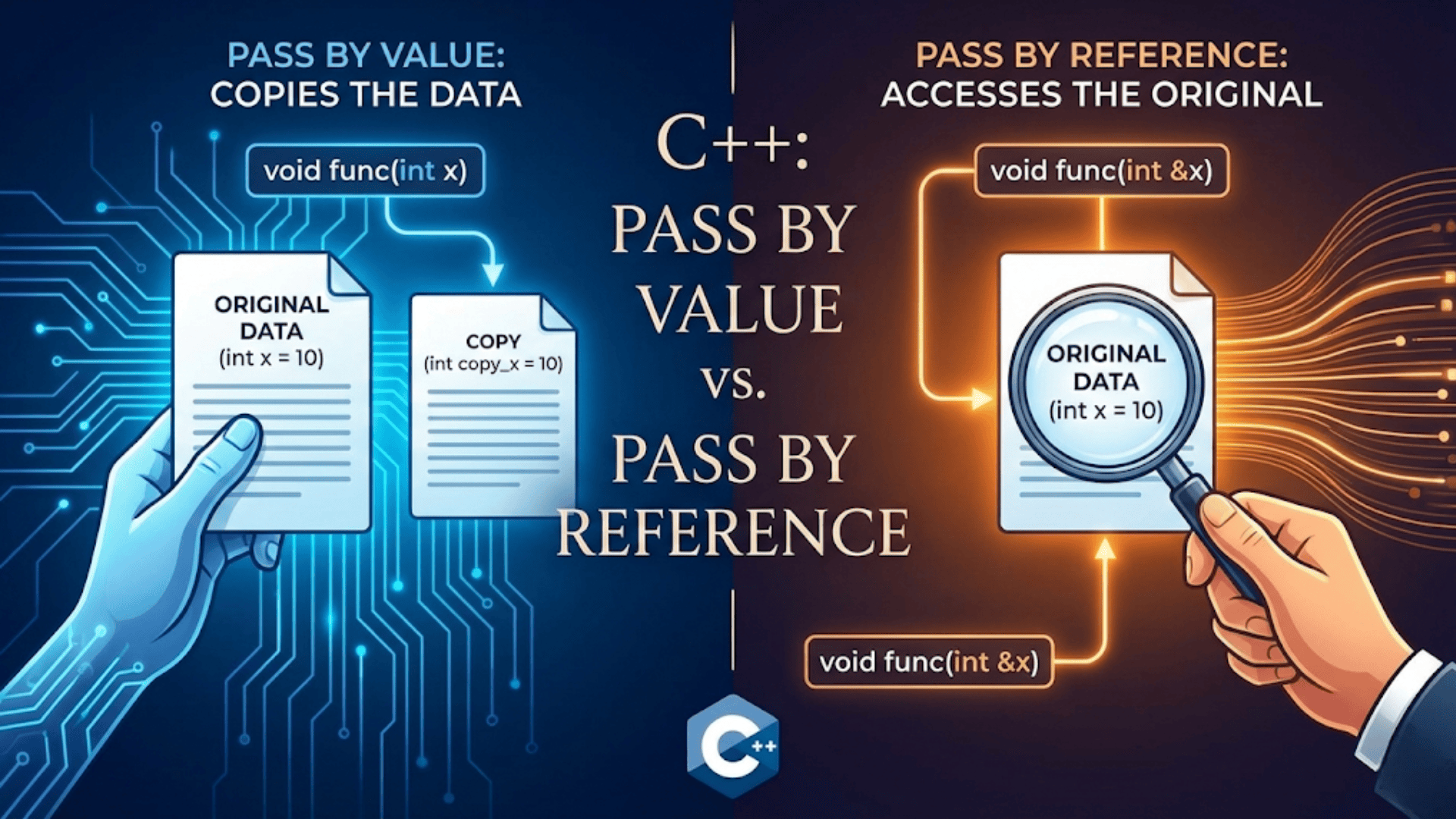
Understanding the difference between pointers and references helps clarify when to use each. References are like aliases—alternative names for existing variables:
int value = 10;
int& ref = value;  // ref is another name for value
ref = 20;          // Changes value to 20

int* ptr = &value;  // ptr holds value's address
*ptr = 30; // Changes value to 30 through pointerReferences must be initialized when declared and cannot be changed to refer to different variables. Pointers can be initialized later and can point to different things at different times. References can’t be null, while pointers can point to nothing (nullptr). References are generally safer and more convenient for function parameters when you just need to modify a variable:
void doubleByReference(int& value) {
    value *= 2;  // No need to dereference
}

void doubleByPointer(int* ptr) {
    if (ptr != nullptr) {  // Must check for null
        *ptr *= 2;         // Must dereference
    }
}The reference version is simpler—no null checking needed, no explicit dereferencing. Use references when you know you have a valid object and don’t need the flexibility of pointing to different things or being null. Use pointers when you need those capabilities or when working with dynamic memory.
Key Takeaways
Pointers are variables that store memory addresses rather than values directly. Understanding pointers requires grasping the concept of memory addresses—each variable in your program occupies a specific location in memory identified by an address. The address-of operator (&) retrieves a variable’s address, while the dereference operator (*) accesses the value at an address stored in a pointer.
Pointers enable indirect access to data, allowing functions to modify variables from calling code, supporting dynamic memory allocation, and providing efficient array manipulation. Always initialize pointers, either to a valid address or to nullptr. Check for null before dereferencing to prevent crashes. Understanding pointer arithmetic explains how arrays work and enables efficient iteration through collections.
The relationship between arrays and pointers is fundamental to C++. Array names convert to pointers to their first elements, and pointer arithmetic lets you navigate through array elements. While pointers are powerful, they require careful handling—dereferencing invalid pointers causes undefined behavior. Modern C++ provides alternatives like references for many common use cases, but understanding pointers remains essential for mastering the language and leveraging its full capabilities.