Introduction
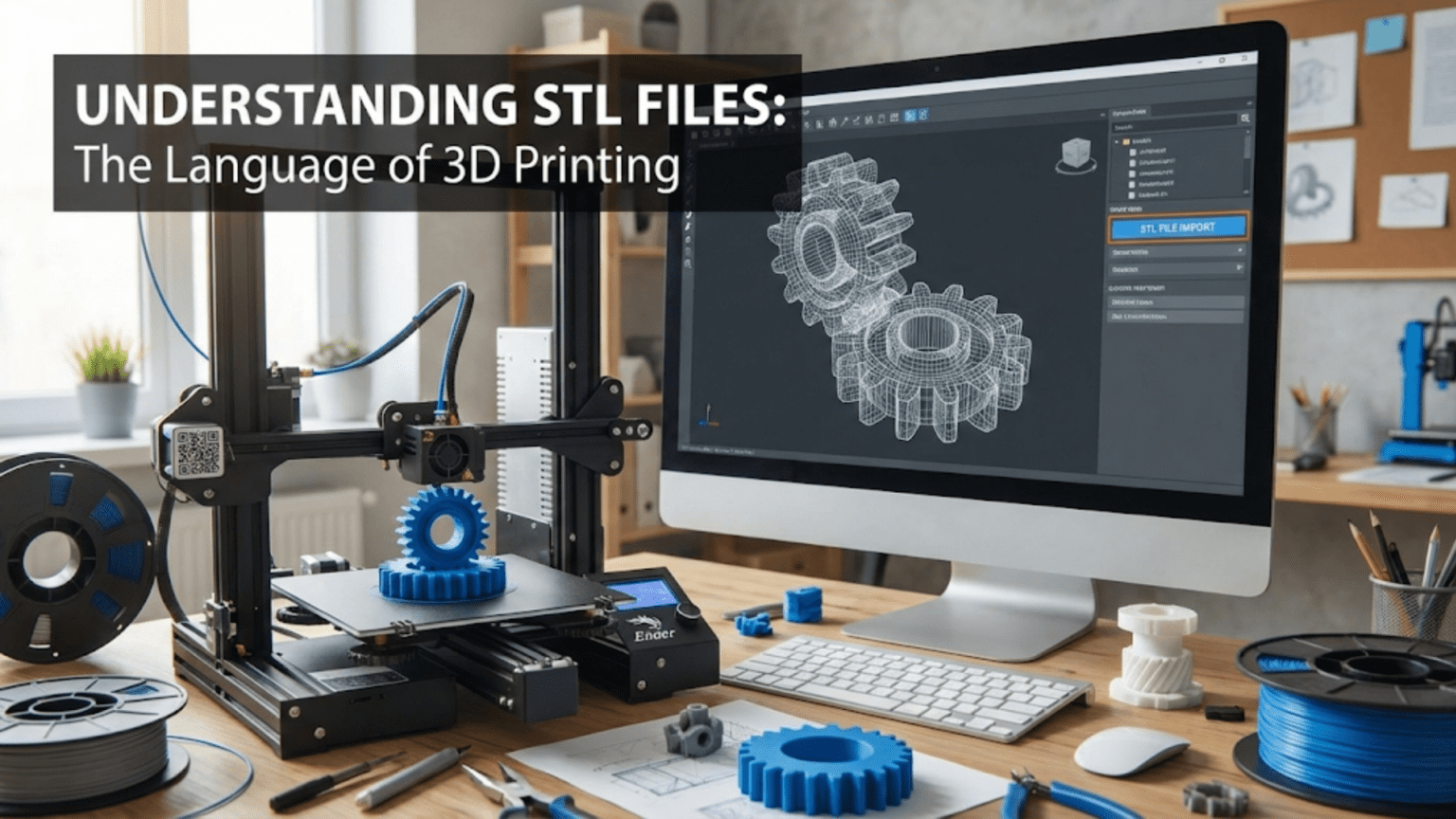
Every three-dimensional print begins its journey from the digital realm to physical reality through a specific file format that has become so ubiquitous in additive manufacturing that many users take its presence for granted without understanding what it actually contains or why this particular format became the industry standard. The STL file format, despite being developed in the 1980s and having significant limitations compared to modern alternatives, remains the predominant way that three-dimensional models are exchanged between CAD software, slicing programs, and ultimately 3D printers.
Understanding what STL files are and how they work provides insight into why certain problems occur during 3D printing, what limitations affect model quality, and when alternative file formats might be preferable. The simplicity that made STL files practical when computing power was limited also creates constraints that modern applications sometimes struggle against. Yet the format’s universality means that virtually every piece of software in the 3D printing ecosystem supports it, creating network effects that perpetuate its dominance despite newer formats offering superior capabilities.
The abbreviation STL originally stood for “stereolithography,” reflecting the file format’s origins in the early days of 3D printing when stereolithography represented the primary additive manufacturing technology. Over time, as other printing technologies emerged and the format spread beyond its original application, the backronym “Standard Tessellation Language” or “Standard Triangle Language” became more commonly cited, emphasizing the format’s geometric representation method rather than its historical origins. Regardless of which expansion you prefer, the core principle remains the same: STL files represent three-dimensional surfaces as collections of triangular facets that approximate the original geometry.
This comprehensive exploration will examine how STL files store three-dimensional geometry, why the triangular mesh representation both enables and constrains the format, what problems commonly arise with STL files and how to diagnose them, what alternatives exist and when they provide advantages, how to create high-quality STL files from CAD models, and how to repair problematic files that prevent successful printing. Whether you are downloading models from online repositories, exporting your own designs, or troubleshooting why a particular model will not slice correctly, understanding STL files equips you to work more effectively with the standard format that underpins most 3D printing workflows.
The Structure and Geometry of STL Files
To understand why STL files work as they do and what limitations they impose, examining how the format represents three-dimensional geometry reveals both its elegance and its constraints. The fundamental approach involves approximating smooth surfaces with flat triangular facets that together create a mesh resembling the original shape.
The triangular facet represents the atomic unit of STL geometry. Each triangle consists of three vertices defined by their coordinates in three-dimensional space, along with a normal vector that points outward from the surface to indicate which side is outside versus inside the object. The coordinates specify exact locations for each vertex using floating-point numbers that can represent positions with reasonable precision. The normal vector, while technically redundant since it can be calculated from the vertex positions using the right-hand rule, provides explicit surface orientation that helps software determine whether triangles face the correct direction.
The collection of triangles that comprises an STL file must form a watertight mesh that completely encloses a volume without gaps or ambiguities about what is inside versus outside. This requirement means edges must share vertices exactly rather than having nearly-coincident but distinct vertices, triangles must not intersect each other in ways that create geometric ambiguity, and the surface must form a closed manifold with no holes or boundaries. When these conditions are met, the mesh unambiguously defines a solid volume that slicing software can process reliably.
The tessellation or approximation of smooth surfaces using flat triangles inherently introduces error compared to the original mathematical surfaces. A curved surface gets represented by many small flat facets that approximate the curvature. Increasing the number of triangles allows better approximation at the cost of larger file sizes and more computation during processing. Decreasing triangle count reduces file size but creates coarser approximations where facets become individually visible. Finding the right balance between accuracy and file size affects both the quality of printed results and the performance of software handling the files.
File size scales directly with triangle count, as each triangle requires storing nine coordinates for the three vertices plus three values for the normal vector. A model with one hundred thousand triangles produces files measuring several megabytes. Complex detailed models can contain millions of triangles, creating files tens or hundreds of megabytes. This direct scaling means that unnecessarily high triangle density wastes storage space, increases file transfer times, and slows down software processing without improving print quality beyond what the printer’s resolution can reproduce.
Binary versus ASCII representations provide two encoding options for STL files with dramatically different characteristics. ASCII STL files store geometric data as human-readable text, making them easy to inspect and debug but resulting in much larger files for equivalent geometry. Binary STL files use compact binary encoding that reduces file sizes by roughly eighty percent compared to ASCII equivalents while making files unreadable without specialized software. The binary format has become standard for actual use while ASCII remains occasionally useful for debugging or when human readability matters more than file size.
The lack of color, texture, or material information in traditional STL files limits what they can represent. An STL file describes only geometry with no indication of what color different surfaces should be, what materials different regions require, or how surfaces should appear under different lighting. Every surface looks identical in the file format regardless of how the designer intended it to appear. Extensions like color STL or AMF files attempt to add this information, but traditional STL remains geometry-only, requiring other mechanisms to communicate appearance attributes.
Units and scale pose persistent problems because STL files contain no explicit unit information. The same numeric coordinates might represent millimeters, inches, or arbitrary units depending on what the CAD software that created the file assumed. When files transfer between programs with different unit assumptions, models can import at wildly incorrect scales—a part designed as one hundred millimeters tall might import as one hundred inches if units are misinterpreted. This ambiguity requires careful verification of dimensions after importing STL files to ensure correct scaling before printing.
Why STL Became the Standard Despite Its Limitations
The dominance of STL files in 3D printing despite obvious limitations compared to modern alternatives reflects historical circumstances, network effects, and the reality that the format, while imperfect, proves adequate for most applications. Understanding why STL persists helps explain when its limitations matter enough to justify using alternatives.
The historical timing of STL’s development positioned it to become the standard before superior alternatives existed. When 3D Systems developed the format for their stereolithography equipment in the 1980s, computing resources were vastly more limited than today. Representing geometry as simple triangular meshes matched the computational capabilities available and the needs of early additive manufacturing systems. The format worked well enough that it spread to other emerging 3D printing technologies, establishing itself before modern CAD systems and advanced file formats appeared.
Computational simplicity makes STL files easy to process with minimal software complexity. Determining whether a point lies inside or outside a closed triangular mesh requires straightforward geometric algorithms. Slicing the mesh at any height to determine cross-sections involves simple plane-triangle intersection calculations. The simplicity enabled software developers to implement STL support reliably without sophisticated geometric kernels, contributing to universal adoption across the industry. More advanced formats require more complex processing that can introduce bugs or compatibility issues.
Universal support across the entire 3D printing ecosystem creates network effects that perpetuate STL dominance. Every CAD package can export STL. Every slicing program can import STL. Every 3D printer accepts G-code generated from STL files. This universality means that using STL guarantees compatibility regardless of what specific software or hardware combinations are involved in the workflow. Alternative formats, even if technically superior, lack this universal support, creating practical barriers to adoption that technical merit alone cannot overcome.
Adequate quality for most applications means STL limitations rarely prevent achieving acceptable results. While the format cannot perfectly represent curved surfaces, sufficient tessellation density creates approximations indistinguishable from perfect curves at the scales and resolutions typical of 3D printing. The printer’s own limitations in resolution and accuracy often exceed the approximation errors in well-tessellated STL files. For most users printing most objects, STL quality proves entirely adequate, reducing motivation to adopt more complex alternatives.
The installed base of existing STL files constitutes substantial inertia against change. Online repositories contain millions of STL models that users have shared over decades. Moving to alternative formats would require converting this massive library or maintaining multiple format support indefinitely during any transition period. The practical benefit of accessing this existing library exceeds the theoretical advantages of newer formats for many users, particularly hobbyists and casual users rather than professionals pushing technical boundaries.
Simplicity for users who want to print rather than understand file formats makes STL attractive. The format works reliably without requiring users to understand its internal structure or make decisions about encoding options. More sophisticated formats may offer capabilities like embedded color or texture information, but these features add complexity that many users do not need and would rather avoid. The “it just works” reliability of STL appeals to users focused on results rather than format specifications.
Industry momentum and established workflows create resistance to format changes even when alternatives offer advantages. Companies have invested in software tools, training materials, and process documentation built around STL files. Changing to different formats requires updating tools, retraining staff, and revising procedures—costs that must be justified by clear benefits. Without compelling reasons to change, organizations continue using familiar formats that work adequately rather than investing in transitions to marginally better alternatives.
Common Problems with STL Files and How to Identify Them
Despite STL’s widespread use, certain geometric problems commonly arise that prevent successful printing or cause unexpected results. Recognizing these issues and understanding their causes helps diagnose why particular models fail to slice correctly or print as intended.
Non-manifold edges represent one of the most common STL problems, occurring when edges are shared by more than two triangles or only one triangle rather than exactly two. In valid manifold geometry, every edge belongs to exactly two adjacent triangles that share that edge. Non-manifold conditions create ambiguity about what is inside versus outside the object, preventing slicing software from determining correct cross-sections. These problems typically arise during CAD modeling when surfaces intersect incorrectly or when poorly executed Boolean operations leave dangling edges.
Holes and gaps in the mesh occur when triangles fail to connect properly, leaving openings in what should be a closed surface. Even tiny gaps measured in fractions of a millimeter can prevent successful slicing because the software cannot determine what volume the mesh encloses. Gaps often result from imprecise CAD operations, insufficient tolerance settings during STL export, or combining separate mesh components without ensuring they connect at shared edges. Identifying gaps requires careful inspection of the mesh, often with software tools that highlight boundary edges indicating unclosed surfaces.
Inverted normals create surfaces that face the wrong direction, defining what should be exterior surfaces as interior and vice versa. While geometrically the triangles connect correctly, the normal vectors point inward rather than outward, confusing slicing software about which side is solid. This problem manifests as parts of models appearing inside-out in preview displays or slicing incorrectly with material deposited where voids should exist. Inverted normals typically result from CAD software errors, incorrect mesh editing operations, or problems during file format conversions.
Intersecting or overlapping triangles create geometric ambiguity when surfaces pass through each other rather than connecting cleanly. Overlapping geometry might result from duplicated surfaces, Boolean operations that failed to remove internal surfaces properly, or combining separate mesh components without resolving intersections. Slicing software attempting to process intersecting geometry may produce unpredictable results or fail entirely, as the software cannot determine which surfaces define the actual boundaries of solid material.
Naked or boundary edges indicate the mesh is not closed, with edges belonging to only one triangle rather than the required two. These boundaries create holes in the surface definition, making the volume undefined. Boundary edges often appear at locations where surfaces should meet but have tiny gaps, where surfaces were deleted leaving holes, or where mesh editing operations created openings. Software tools can highlight boundary edges to make them visible for repair.
Degenerate triangles with zero area cause processing problems despite being geometrically valid. These occur when two or more vertices of a triangle occupy the same location or when all three vertices lie along a single line, creating triangles with no actual surface area. Degenerate triangles typically result from tolerance issues during mesh generation or from floating-point precision limits in coordinate calculations. While they do not technically violate mesh validity requirements, they confuse algorithms and should be removed.
Bad contiguity describes situations where triangle normals do not consistently point outward from the enclosed volume. Adjacent triangles might have normals pointing in inconsistent directions, making it impossible to determine a consistent inside versus outside orientation. This problem prevents determining the enclosed volume reliably and typically requires manual inspection and correction of normal directions to establish consistency across the entire mesh.
Extreme aspect ratios in triangles, where one dimension is much larger than others, can cause numerical precision problems during geometric calculations. Long thin triangles with aspect ratios exceeding one hundred to one may lead to precision loss in intersection calculations or other geometric operations. While not strictly invalid, extreme triangles indicate poor tessellation quality that might cause subtle problems during processing.
Creating High-Quality STL Files from CAD Models
Generating STL files from CAD models involves export settings and decisions that significantly affect file quality, size, and printability. Understanding these options allows creating files optimized for successful printing without excessive size or processing requirements.
Export resolution settings control tessellation density, determining how finely curved surfaces are approximated by triangular facets. CAD software typically provides controls like chord tolerance specifying maximum distance between the original surface and the triangulated approximation, or angle tolerance controlling maximum angular deviation between adjacent triangle normals. Tighter tolerances generate more triangles for better accuracy but larger files. Finding appropriate tolerances requires balancing accuracy against file size, considering that detail finer than the printer’s resolution provides no benefit.
The appropriate tessellation density depends on feature sizes and curvature in the model. Small features with tight curves require fine tessellation to capture detail accurately, while large flat or gently curved surfaces need fewer triangles. Variable tessellation that adapts density to local geometry requirements creates efficient files with fine detail where needed and coarser meshes where detail is unnecessary. Some CAD packages automatically adjust tessellation density based on local curvature while others require manual specification.
Binary versus ASCII format selection affects file size dramatically with no impact on geometric accuracy. Binary format should be used for essentially all practical applications, reserving ASCII only for debugging situations where human readability matters. The file size reduction from binary encoding improves storage efficiency, transfer speeds, and software performance without any quality compromise.
Unit verification before export prevents the scale ambiguity problems that plague STL files. Ensuring the CAD model uses intended units and that export settings do not apply unexpected unit conversions helps prevent models from importing at wrong scales. Including a reference cube or dimension annotation in the model that can be measured after import helps verify correct scaling during downstream processing.
Mesh validity checking before finalizing export catches problems while they are easily corrected in the CAD environment. Most CAD packages include mesh analysis tools that identify non-manifold conditions, holes, inverted normals, and other problems before export. Repairing issues in CAD where the original design intent is understood proves much easier than attempting to fix problems in mesh repair software where context is lost and automated repairs may not match design intent.
Combining multiple bodies into a single mesh during export creates files ready for printing without requiring assembly operations in slicing software. When models contain multiple separate solid bodies that should print together, Boolean union operations that merge them into a single watertight mesh simplify downstream processing. Separate bodies exported as multiple disconnected surfaces may confuse slicing software or require manual mesh combination operations.
Simplification or decimation operations reduce triangle count while maintaining geometric accuracy within specified tolerances. These operations intelligently remove triangles from regions where geometry is simple while preserving triangles where detail is important. Simplification can dramatically reduce file sizes for models exported with excessive tessellation density, improving performance without sacrificing printable quality. However, aggressive simplification risks losing important details, so conservative settings should be used with verification that critical features remain accurate.
Repairing Problematic STL Files
When STL files contain geometric problems that prevent successful printing, specialized repair tools and techniques can often fix the issues, though some problems require returning to the original CAD model for proper correction. Understanding repair options helps salvage problematic models when re-creating them is impractical.
Automated repair tools in slicing software provide first-line problem solving for many common issues. Programs like Cura, PrusaSlicer, and others include mesh repair algorithms that attempt to fix non-manifold conditions, close small gaps, orient normals consistently, and remove degenerate triangles. These automatic repairs work reliably for simple problems but may fail with complex issues or produce repairs that do not match design intent. Most slicers can be configured to apply repairs automatically during import, making repair transparent to users.
Dedicated mesh repair software offers more sophisticated capabilities than slicing software includes. Tools like Meshmixer, Netfabb, and 3D Builder provide extensive mesh editing and repair capabilities specifically designed for fixing problematic models. These programs visualize problems clearly, offer multiple repair algorithms with adjustable parameters, and allow manual intervention when automatic repairs fail. For seriously problematic models, investing time in specialized repair software often proves necessary.
Manual mesh editing provides ultimate control when automated repairs produce unsatisfactory results. Editing tools allow selecting and deleting problematic triangles, filling holes with new geometry, flipping inverted normals, and making other corrections that require human judgment. Manual editing demands understanding mesh topology and geometry, making it appropriate for experienced users dealing with challenging repairs rather than casual users fixing simple problems.
The workflow for repairing problematic files typically starts with diagnosis to identify specific problems, continues with automatic repair attempts using slicing software or dedicated tools, and escalates to manual intervention only when automatic repairs fail. Many models repair successfully with automatic tools, making manual editing necessary only for particularly problematic files. Keeping the original CAD source when available allows returning to correct problems at their source rather than attempting mesh repairs.
Common repair strategies include closing small gaps by selecting boundary edges and using hole-filling algorithms that generate new triangles to span openings. Fixing inverted normals involves analyzing normal consistency across the mesh and flipping normals for triangles facing wrong directions. Removing non-manifold edges requires identifying the problematic vertices or edges and either deleting excess triangles or splitting vertices to create manifold topology. Each problem type has characteristic repair approaches that experienced users learn through practice.
Repair quality verification ensures corrections actually fixed problems without introducing new issues. After repairing a mesh, slicing it and examining preview output reveals whether the repairs succeeded in making the model printable. Checking that critical dimensions and features remain accurate confirms repairs did not distort geometry unacceptably. Attempting a small test print can validate that repairs will actually result in successful physical printing rather than just passing software validation checks.
Alternative File Formats and When to Use Them
While STL dominates 3D printing, alternative file formats exist that address some of STL’s limitations. Understanding these alternatives and their advantages helps recognize situations where using them provides benefits worth the compatibility trade-offs.
OBJ files support color and texture information along with geometry, making them useful when appearance matters. The format can associate color values with vertices or reference external image files for texture mapping, allowing realistic visualization of how printed parts should look. Multi-material 3D printers capable of producing colored or textured parts can use OBJ files to define what colors or materials should be applied where. However, many basic 3D printers and slicing programs ignore color information, making OBJ’s advantages relevant only in specific workflows.
AMF or Additive Manufacturing File format was designed specifically to address STL limitations with modern 3D printing needs in mind. AMF supports color, material specification, curved triangles for more efficient surface representation, constellation of objects, and metadata about print parameters. The format compresses efficiently and handles complex requirements that STL cannot express. However, adoption has been limited with many software tools not supporting AMF, making it impractical despite technical superiority.
3MF or 3D Manufacturing Format represents a more recent standardization effort backed by major industry players including Microsoft, Autodesk, HP, and others. This format includes geometry, material properties, print settings, and other metadata in a compressed package. 3MF aims to replace STL as the standard interchange format by addressing its limitations while ensuring broad industry support. Adoption is growing but still incomplete, with older software and printers not supporting the format.
PLY or Polygon File Format originated in the 3D scanning community and supports geometry plus color and other per-vertex properties. PLY proves useful when working with 3D scanned data or when color information from scanning should transfer through the workflow. Like OBJ, PLY’s color capabilities only provide value when downstream tools support them, limiting practical applications.
Step, IGES, and other CAD-native formats preserve the original parametric and mathematical surface definitions rather than converting to mesh approximations. These formats maintain design intent, feature history, and exact geometry without tessellation. Exchanging native CAD formats between compatible software avoids the approximation and loss of information inherent in STL conversion. However, CAD formats are complex, vendor-specific, and generally unsupported by slicing software, making them unsuitable for the final stage before printing.
Choosing between STL and alternatives depends on specific workflow requirements. For standard single-material FDM printing, STL remains the practical choice due to universal compatibility. When color matters and equipment supports it, OBJ or 3MF may be appropriate. For applications requiring material specifications or when working with cutting-edge equipment and software that supports modern formats, 3MF represents the best choice. For scanning workflows, PLY might be convenient during initial processing before converting to STL for printing.
The practical reality is that STL continues to work reliably across all equipment and software combinations, making it the safe default choice unless specific requirements clearly indicate alternatives would provide meaningful benefits. As 3MF support broadens, it may gradually displace STL, but this transition will take years given the installed base of STL-dependent workflows.
Best Practices for Working with STL Files
Developing good practices for creating, handling, and verifying STL files helps avoid common problems and ensures reliable printing results. These practices apply whether generating files from your own designs or working with models from other sources.
Verify dimensions immediately after importing STL files into slicing software, measuring critical dimensions to ensure the model imported at correct scale. Catching scale errors before printing prevents wasted time on parts that are dramatically wrong sizes. Many slicers include measurement tools specifically for this verification. If dimensions are wrong, investigating unit settings in both the CAD export and slicer import can identify where mismatches occurred.
Check mesh integrity using analysis tools in slicing software or dedicated mesh repair programs. Even files from reputable sources occasionally contain problems that should be identified and repaired before attempting to print. Most problems fix easily with automatic repair tools when caught early, while discovering them only when prints fail wastes time and material.
Preview sliced results layer by layer before starting prints, watching particularly for unexpected holes, thin unsupported features, or other artifacts that might indicate mesh problems not caught by automated checking. The sliced preview shows exactly what the printer will attempt to build, making problems visible before committing to physical printing.
Maintain organized file libraries with clear naming conventions that indicate model source, version, and whether files have been repaired or modified. As model collections grow, organization prevents confusion about which file represents the current version and whether specific files are known to print successfully. Including the date or version number in filenames helps track iterations.
Keep original CAD sources whenever possible rather than relying solely on exported STL files. When problems arise with STL files, having the source CAD allows re-exporting with different settings or correcting problems at their source. STL files discard the design intent and feature history that CAD sources preserve, making modifications or corrections to STL geometry much harder than changes to source models.
Test print at small scale before committing to full-size builds of large or complex models, particularly when using files from unfamiliar sources. A scaled-down test reveals whether the model prints successfully without investing hours in full-size builds that might fail. If the test print succeeds, confidence in the full-size print increases. If it fails, troubleshooting with small fast tests consumes less time than debugging through repeated large print attempts.
Conclusion
STL files have served as the standard language of 3D printing for decades despite limitations that more modern formats address. The triangular mesh representation used by STL provides a simple, universal way to describe three-dimensional geometry that works reliably across all printing technologies and software tools. Understanding how STL files structure geometry, what problems commonly arise, and how to work effectively with the format enables successful printing while avoiding pitfalls that catch users unaware.
The persistence of STL despite obvious limitations reflects network effects and installed base inertia more than technical merit compared to alternatives. Newer formats like 3MF offer superior capabilities but lack universal support that STL enjoys. For practical purposes, STL remains the safe choice for broad compatibility, with alternatives reserved for specific situations where their additional capabilities provide clear benefits.
Creating high-quality STL files requires appropriate export settings that balance tessellation density against file size, unit verification to prevent scale problems, and validity checking to catch geometric issues before export. Repairing problematic files often succeeds with automated tools though some issues require manual intervention or returning to source CAD for proper correction. Best practices around verification, organization, and testing help maintain reliable workflows that consistently produce successful prints.
While STL may eventually give way to more capable formats as 3MF support broadens, the transition will be gradual given the massive installed base of STL-based tools and files. Understanding STL remains essential for anyone working with 3D printing, as it will continue serving as the interchange format for years to come regardless of what superior alternatives might theoretically replace it. Mastering this imperfect but ubiquitous standard enables effective participation in the 3D printing ecosystem as it exists today while remaining prepared to adopt better alternatives as they become practical.