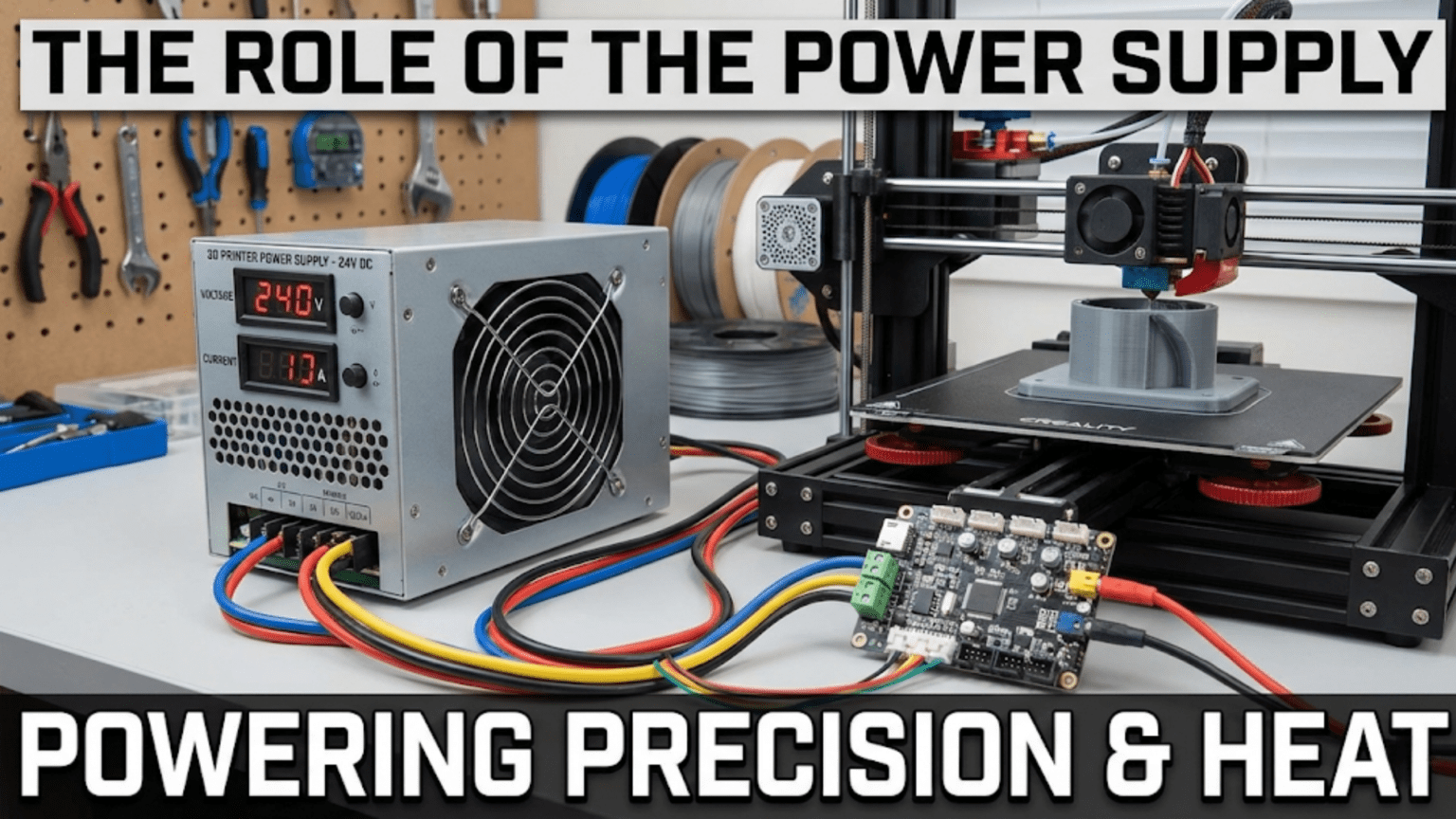
The power supply unit (PSU) converts high-voltage AC power from wall outlets into the regulated low-voltage DC power that 3D printer electronics, motors, heaters, and other components require to operate, typically providing either 12V or 24V DC output with adequate current capacity (amperage) to handle the substantial power demands of heated beds and hotends simultaneously. A quality PSU ensures stable voltage regulation, adequate power reserves, proper safety features like overcurrent and overvoltage protection, and efficient conversion that minimizes heat generation and energy waste while reliably delivering the hundreds of watts needed for successful printing.
Introduction
Every component in your 3D printer—from the microcontroller brain to the stepper motors, from the heated bed to the hotend, from cooling fans to display screens—requires electrical power to function. Yet none of them can run directly on the AC power from your wall outlet. Your printer needs low-voltage DC electricity at specific voltages, and it needs this power delivered reliably, safely, and consistently throughout prints that might last many hours.
This is where the power supply comes in. Often overlooked until it fails, the PSU represents one of the most critical components in your printer. It’s the electrical heart pumping power to everything else, working constantly whenever your printer operates. A quality power supply ensures stable operation, prevents component damage from voltage fluctuations, and provides the safety features that protect both the printer and your home.
Yet many users know nothing about their printer’s power supply beyond “it makes the printer work.” They don’t understand what the voltage rating means, why wattage matters, or what happens when a PSU fails. They might struggle with random shutdowns, unexplained print failures, or even dangerous situations—all stemming from inadequate or failing power supplies.
In this comprehensive guide, we’ll explore exactly what power supplies do, how they convert AC to DC, why voltage and wattage specifications matter, and how to choose, maintain, and troubleshoot this essential component. You’ll understand the invisible foundation that makes every other printer function possible.
What Power Supplies Do
The PSU performs several critical functions simultaneously:
AC to DC Conversion
The fundamental job involves converting alternating current (AC) from wall outlets into direct current (DC) that electronics require:
Alternating Current (AC): Wall power in most countries delivers AC at either 110-120V or 220-240V depending on region. This voltage alternates polarity 50 or 60 times per second (50Hz or 60Hz).
Direct Current (DC): Electronic devices need stable DC voltage that flows continuously in one direction. 3D printer components typically require either 12V DC or 24V DC.
Conversion Process: The PSU takes AC input and outputs regulated DC through several stages:
- Rectification: Converts AC to pulsating DC using diodes
- Filtering: Smooths the pulsating DC using capacitors
- Regulation: Maintains stable voltage despite varying loads
- Isolation: Transformer-based designs electrically isolate output from dangerous input voltage
Voltage Regulation
Maintaining stable voltage despite changing conditions is critical:
Load Variations: As different printer components activate and deactivate, the total current draw changes constantly. The heated bed might draw 10+ amps when heating but nothing when maintaining temperature. Motors draw variable current based on movement and resistance.
Input Fluctuations: Wall voltage isn’t perfectly stable—it can vary by ±10% or more depending on grid conditions and simultaneous loads from other devices.
Regulation: Quality PSUs maintain output voltage within ±5% (often much tighter) regardless of these variations. A 12V supply should deliver 12V ±0.6V under all normal conditions.
Importance: Precise voltage ensures:
- Consistent stepper motor torque and speed
- Reliable electronics operation
- Predictable heater power output
- Proper LED brightness and display operation
Current Supply
Delivering adequate current (amperage) is equally important:
Current Capacity: The PSU must supply enough current to handle all printer loads simultaneously. Total current draw includes:
- Heated bed: Often 8-15 amps or more during heating
- Hotend heater: 3-5 amps typically
- Stepper motors: 1-2 amps each × 4-5 motors
- Electronics, fans, displays: 1-3 amps combined
Peak Demands: When the bed heats from cold and the hotend heats simultaneously while motors move, peak current can reach 20+ amps on a 12V system.
Adequate Margin: The PSU should have 20-30% more capacity than maximum expected draw to:
- Prevent overload shutdowns
- Maintain stable voltage under load
- Ensure adequate cooling and longevity
- Account for component aging
Power Distribution
The PSU doesn’t just produce power—it distributes it safely:
Multiple Outputs: Some PSUs provide multiple voltage levels (12V and 5V, for example) for different components.
Connector Types: Screw terminals, blade connectors, or specialized plugs distribute power to the mainboard and other components.
Wire Gauging: Appropriate wire sizes handle the current without excessive voltage drop or heating.
Voltage Systems: 12V vs. 24V
Most modern printers use either 12V or 24V systems, each with distinct characteristics:
12V Systems
The traditional standard for consumer 3D printers:
Advantages:
- More available component options (fans, LEDs, accessories)
- Lower voltage is inherently safer (though still requires caution)
- Established ecosystem with proven compatibility
- Slightly less expensive components in some cases
Disadvantages:
- Higher current required for same power (P = V × I)
- Larger wire gauges needed to handle higher current
- Greater voltage drop in wiring
- Slower heated bed heating due to current limitations
- Motors produce slightly less torque at high speeds
Typical Current Requirements:
- 200W heated bed at 12V: 16.7 amps
- 50W hotend heater at 12V: 4.2 amps
- Total system peak: 20-25+ amps
24V Systems
Increasingly common in modern printers:
Advantages:
- Half the current for equivalent power (allows smaller wire gauges)
- Faster heated bed heating (can supply more power)
- Less voltage drop in wiring
- Slightly higher motor torque at high speeds
- Generally more efficient power delivery
Disadvantages:
- Fewer accessory options (though improving)
- Higher voltage requires more careful handling
- May need voltage converters for 12V accessories
- Slightly higher component costs
Typical Current Requirements:
- 200W heated bed at 24V: 8.3 amps
- 50W hotend heater at 24V: 2.1 amps
- Total system peak: 12-15 amps
Why 24V is Gaining Popularity: The halved current requirement for the same power output provides significant benefits. Smaller wires cost less, generate less heat, and create fewer voltage drop issues. The faster bed heating improves user experience.
Voltage Conversion
Some printers use mixed-voltage systems:
Primary 24V with 12V Conversion: A 24V PSU powers most components, with buck converters stepping down to 12V for fans, LEDs, or other 12V-only accessories.
Dual-Voltage PSUs: Some power supplies provide both 24V and 12V outputs natively, though this is less common than using converters.
Power Supply Specifications
Understanding PSU specs helps evaluate adequacy:
Wattage Rating
The power capacity, calculated as voltage × maximum current:
12V Example:
- 30-amp PSU = 12V × 30A = 360 watts
- Adequate for medium printers with moderate heated beds
24V Example:
- 15-amp PSU = 24V × 15A = 360 watts
- Same total power as above but at higher voltage, lower current
Sizing Guidelines:
- Small printer (no heated bed): 150-200W sufficient
- Medium printer (small heated bed): 250-360W typical
- Large printer (large heated bed): 400-500W or more
- Very large printers: 600-1000W+
Calculating Requirements: Add up maximum simultaneous loads:
Heated bed: 200W (typical medium bed)
Hotend heater: 40W
Motors (all): 50W peak
Electronics & fans: 20W
Safety margin (25%): 77W
Total: ~390W minimumEfficiency Rating
How effectively the PSU converts input power to output power:
Efficiency Percentage: The ratio of output power to input power. An 80% efficient PSU drawing 100W from the wall delivers 80W to the printer, wasting 20W as heat.
Common Ratings:
- Generic PSUs: 70-80% efficient
- Quality PSUs: 80-85% efficient
- Premium PSUs: 85-90%+ efficient
Why It Matters:
- Lower efficiency wastes more electricity
- More heat generation requires better cooling
- Higher temperatures reduce PSU lifespan
- Efficiency impacts electrical bills for heavy users
Ripple and Noise
Output voltage quality affects component operation:
Ripple: The AC component remaining in the DC output, measured in millivolts peak-to-peak.
Specifications:
- Good PSUs: <100mV ripple
- Quality PSUs: <50mV ripple
- Poor PSUs: 200mV+ ripple
Effects: Excessive ripple can cause:
- Motor driver malfunction or noise
- Electronics instability
- Display flickering
- Inconsistent heating
Active Power Factor Correction
Advanced PSUs include PFC:
Purpose: Improves how the PSU draws power from the AC line, reducing harmonic distortion and improving efficiency.
Types:
- Passive PFC: Simple, less effective
- Active PFC: More sophisticated, much better performance
Benefits:
- Reduced interference with other electronics
- Better efficiency
- Smaller current draw from wall outlet
- Required for some electrical codes
Power Supply Types and Designs
Different PSU architectures serve different needs:
Enclosed/Metal Case PSUs
The most common type in 3D printers:
Construction: Fully enclosed metal housing with ventilation holes or fans. All high-voltage components contained safely inside.
Advantages:
- Safe—high voltage components not exposed
- Durable metal construction
- Often include mounting holes for easy installation
- Fan-cooled for reliability
Common Brands:
- MeanWell: Industry standard, extremely reliable
- Generic Chinese models: Variable quality
- Delta, TDK-Lambda: High-end industrial options
Sizes: Standardized form factors allow replacement and upgrades.
Open-Frame PSUs
Less common but sometimes used:
Construction: Circuit board with components exposed, no protective housing.
Advantages:
- Lower cost
- Smaller size
- Better cooling (more air circulation)
Disadvantages:
- Exposed high voltage—safety hazard
- Dust and contamination risk
- Requires enclosure for safety
- More vulnerable to physical damage
Applications: Only suitable inside properly enclosed printer designs or protective cases.
Laptop-Style External Supplies
Some printers use external “brick” supplies:
Design: Similar to laptop power adapters—wall plug with cable to printer.
Advantages:
- Keeps heat outside printer enclosure
- Easy replacement (standard connector)
- Reduces printer size
Disadvantages:
- Limited power capacity
- External bulk and cable
- Less common for larger printers
Power Supply Safety Features
Quality PSUs include multiple protection mechanisms:
Overcurrent Protection (OCP)
Function: Shuts down or limits current if draw exceeds safe levels.
Purpose: Prevents:
- Wire overheating and fire hazards
- PSU component damage
- Damage to printer components from excessive current
Implementation: Current sensing circuits monitor output and activate protection when threshold exceeded.
Overvoltage Protection (OVP)
Function: Shuts down if output voltage exceeds specification.
Purpose: Protects printer components from damage. A 12V component receiving 15V+ might burn out immediately.
Trigger Level: Usually set 15-20% above nominal voltage.
Short Circuit Protection (SCP)
Function: Immediately shuts down if output terminals short together.
Purpose:
- Prevents PSU damage
- Protects wiring from overheating
- Fire prevention
Recovery: Some PSUs auto-restart after short removal; others require power cycling.
Over-Temperature Protection (OTP)
Function: Shuts down if internal temperature exceeds safe limits.
Purpose:
- Prevents component damage from overheating
- Extends PSU lifespan
- Indicates inadequate cooling or excessive load
Causes:
- Insufficient ventilation
- Fan failure
- Excessive ambient temperature
- Overloading
Input Fuses
Purpose: Protect against catastrophic failures on the AC input side.
Replacement: User-replaceable fuses allow recovery from certain failures, though repeated fuse blowing indicates serious problems requiring investigation.
Power Supply Comparison Table
| PSU Type | Typical Wattage | Voltage Options | Efficiency | Safety Features | Cost | Best For |
|---|---|---|---|---|---|---|
| Generic Enclosed | 200-500W | 12V or 24V | 70-80% | Basic (OCP, OVP) | $ | Budget builds, learning |
| MeanWell LRS Series | 200-600W | 12V, 24V, others | 85-90% | Comprehensive | $$ | Quality builds, reliability |
| Industrial Grade | 500-1000W+ | Multiple | 85-92% | Advanced | $$$ | Large/professional printers |
| Open Frame | 150-400W | 12V or 24V | 75-85% | Variable | $ | Custom enclosures only |
| External Brick | 100-200W | 12V or 24V | 80-85% | Basic | $$ | Small printers, portability |
Power Supply Problems and Diagnosis
Several failure modes affect PSUs:
Complete Failure (No Output)
Symptoms: Printer completely dead, no lights, no response.
Possible Causes:
- Blown fuse (check and replace)
- Failed rectifier or switching components
- Protection circuit activated
- Complete PSU failure
Diagnosis:
- Check wall outlet power
- Verify PSU input power switch (if present) is on
- Test fuse continuity
- Measure output voltage with multimeter
- Look/listen for signs of catastrophic failure (burning smell, damaged components)
Low or Unstable Voltage
Symptoms:
- Random resets or shutdowns
- Inconsistent motor performance
- Display dimming
- Unexpected errors
Causes:
- Aging capacitors
- Overloading
- Poor regulation circuitry
- High resistance connections
Diagnosis:
- Measure output voltage under load
- Watch voltage while bed heats (maximum load)
- Voltage should stay within ±5% of rating
- Significant drops indicate problems
Excessive Noise/Ripple
Symptoms:
- Motor driver noise or unusual behavior
- Display artifacts
- Electronics instability
Causes:
- Failed filter capacitors
- Degraded regulation
- Poor PSU quality
Diagnosis:
- Requires oscilloscope to measure ripple
- Symptoms often indicate replacement needed
Overheating
Symptoms:
- PSU hot to touch
- Fan running constantly at high speed
- OTP protection triggering
- Thermal shutdowns during printing
Causes:
- Inadequate ventilation
- Failed cooling fan
- Overloading
- High ambient temperature
Solutions:
- Improve airflow around PSU
- Replace failed cooling fan
- Verify load doesn’t exceed rating
- Reduce ambient temperature
Maintenance and Care
Proper maintenance extends PSU lifespan:
Cooling and Ventilation
Airflow: Ensure adequate space around PSU for air circulation:
- Don’t block ventilation holes
- Maintain 50mm clearance minimum on intake/exhaust sides
- Keep PSU away from heat sources
Fan Maintenance:
- Clean dust from fan blades and vents monthly
- Listen for bearing noise indicating fan wear
- Replace failing fans immediately
- Use compressed air to clear internal dust (power off!)
Electrical Connections
Terminal Tightness:
- Check screw terminals quarterly
- Thermal cycling can loosen connections
- Poor connections create resistance and heat
Wire Condition:
- Inspect for frayed or damaged insulation
- Verify proper wire gauge for current
- Replace questionable wiring
Environmental Factors
Temperature:
- PSUs perform best at moderate temperatures
- Excessive heat accelerates aging
- Keep printer area reasonably cool
Dust:
- Accumulated dust insulates and blocks airflow
- Clean regularly in dusty environments
- Consider filtered enclosures
Humidity:
- Excessive moisture can cause corrosion
- Keep PSU dry
- Allow acclimation before powering on after temperature changes
Upgrading Power Supplies
Consider upgrades for improved performance or reliability:
When to Upgrade
Reliability Concerns: Replace failing or questionable generic PSUs with quality alternatives.
Inadequate Capacity: Upgrade if adding heated bed, larger bed, or additional heaters.
Voltage Change: Converting from 12V to 24V system requires new PSU and component verification.
Quality Improvement: Upgrade from generic to MeanWell or equivalent for better reliability and safety.
Selection Criteria
Adequate Wattage: Calculate total load, add 25-30% safety margin.
Correct Voltage: Match printer’s voltage system (12V or 24V).
Quality Brand: Invest in MeanWell, Delta, or equivalent recognized brands.
Safety Features: Verify comprehensive protection (OVP, OCP, SCP, OTP).
Physical Dimensions: Ensure replacement fits mounting location.
Efficiency: Higher efficiency reduces heat and energy waste.
Installation Considerations
Wiring:
- Use adequate wire gauge for current
- Maintain proper polarity
- Secure all connections properly
- Route wiring safely
Grounding:
- Connect ground properly
- Use grounded outlet
- Verify chassis ground if metallic
Fusing:
- Install appropriate input fuse/breaker
- Size for PSU rating and local codes
Advanced Power Supply Topics
Power Loss Recovery
Some printers include battery backup or supercapacitor systems:
Purpose: Provide enough power to save print state during outage, allowing resume when power returns.
Implementation: Battery or supercap charges during normal operation, supplies power briefly during outage for firmware to save state.
Limitations: Doesn’t keep printer running, just saves position and allows coordinated shutdown.
Multiple PSUs
Large or specialized printers sometimes use multiple supplies:
Dedicated Bed Supply: Separate PSU for heated bed, another for everything else. This:
- Isolates bed heating from sensitive electronics
- Allows larger bed power without oversizing main PSU
- Improves stability by separating major loads
Voltage Segregation: One PSU for 24V components, another for 12V components in mixed systems.
Power Monitoring
Advanced setups monitor power consumption:
Energy Meters: Measure total power draw, track consumption, estimate costs.
Smart Outlets: Allow remote power control and monitoring.
Integration: Some printers integrate power monitoring into firmware for print statistics.
Conclusion
The power supply might not be the most glamorous component in your 3D printer, but it’s absolutely fundamental to reliable operation. Every motor turn, every degree of heating, every LED that lights—all depend on the PSU quietly converting wall power into the regulated low-voltage DC electricity your printer requires.
Understanding power supplies—how they convert AC to DC, why voltage and wattage specifications matter, what safety features protect your printer and home, and how to recognize failure symptoms—empowers better decision-making. You can evaluate whether your current PSU is adequate, choose quality replacements when necessary, and maintain this critical component properly.
The difference between a generic PSU and a quality MeanWell might seem like just a price difference, but quality power supplies provide stable voltage regulation, comprehensive safety features, better efficiency, and dramatically improved reliability. When a print fails 10 hours in because of a PSU brownout, or worse, when a PSU failure damages expensive electronics, the cost savings of that cheap PSU disappear quickly.
Proper maintenance—ensuring adequate cooling, keeping connections tight, protecting from dust and moisture—extends PSU lifespan significantly. Quality power supplies can operate reliably for many years, powering thousands of successful prints while staying invisible in the background.
The next time you power on your printer and everything springs to life—display illuminating, motors homing, heaters warming—appreciate the power supply making it all possible. That metal box humming quietly in the corner is the electrical foundation supporting every function, the invisible infrastructure enabling the visible magic of 3D printing.