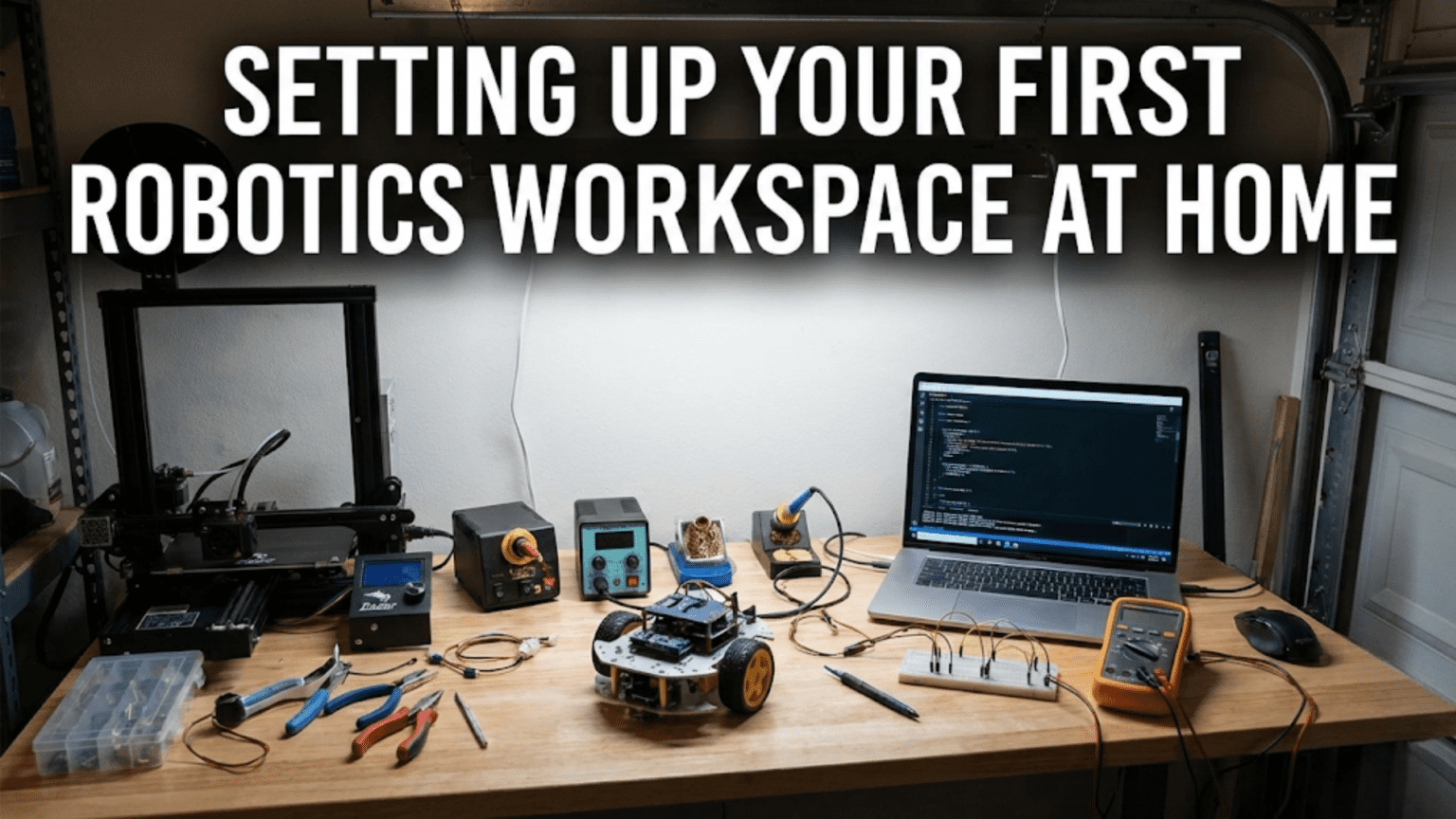
The moment you commit to learning robotics seriously, you face a practical question that textbooks and online tutorials rarely address: where exactly will you build these robots? While the romantic vision involves a spacious dedicated workshop filled with professional tools and organized storage, the reality for most beginners involves carving out workspace from whatever home environment you currently inhabit. Your available space might be a corner of a bedroom, a section of dining table, part of a garage, or if you are fortunate, an actual spare room that can become a dedicated workshop. Regardless of your spatial constraints, creating an effective robotics workspace requires thoughtful planning about how you will organize components, tools, and projects to enable productive work rather than constant frustration searching for misplaced parts or struggling with inadequate lighting.
The distinction between a makeshift temporary setup and a genuinely functional workspace goes far beyond having expensive equipment or large square footage. You can accomplish serious robotics work in surprisingly small spaces if that space is well-organized, properly lit, and equipped with appropriate furniture and storage. Conversely, even large workshops become frustrating if poorly organized or lacking essential infrastructure like adequate electrical outlets or proper lighting. The key insight is that workspace effectiveness depends more on thoughtful organization and appropriate infrastructure than on raw size or expensive furnishings. A small well-planned workspace outperforms a large chaotic one for actual productivity, though admittedly you eventually need sufficient space to store accumulating components, tools, and projects as your robotics work expands.
This article guides you through creating an effective home robotics workspace starting from common spatial and budgetary constraints. You will learn how to assess and choose appropriate workspace locations within your home, understand the essential furniture and infrastructure requirements that make robotics work practical, discover effective storage and organization strategies that keep components accessible rather than lost, and develop habits that maintain workspace functionality as projects accumulate. Rather than prescribing an ideal workshop that few can achieve, this practical approach helps you create the best possible workspace within your actual constraints, then improve it incrementally as experience reveals what matters most for your specific working style and project types.
Assessing Your Available Space
Before purchasing furniture or organizing anything, carefully evaluating what space you actually have available helps you make realistic plans rather than discovering halfway through setup that your ideal arrangement does not fit your actual home.
Begin by measuring the physical dimensions of candidate workspace areas including length, width, and ceiling height where relevant. Measure accurately with a tape measure rather than estimating, because even small measurement errors accumulate when planning furniture placement. Sketch simple floor plans showing walls, windows, doors, and existing fixtures like electrical outlets or heating vents. These sketches need not be artistic masterpieces, just accurate enough to plan furniture placement and identify constraints. Knowing exact dimensions prevents ordering furniture that will not fit or planning arrangements that block doors or windows you need to access regularly.
Consider access and traffic flow through the workspace because areas that block main traffic patterns through your home will create friction with family members and make you less likely to use the workspace. A corner of a living room might offer adequate space but forces everyone to navigate around your workbench constantly. A garage location might provide more space but requires going outside to access, which discourages quick short working sessions during cold weather. Basement locations often provide good space and isolation but might involve carrying components up and down stairs repeatedly. Each location presents tradeoffs between space, convenience, isolation from household activity, and impact on others sharing your home. Honestly assessing these tradeoffs helps you choose locations you will actually use rather than theoretically optimal spaces that prove impractical daily.
Evaluate environmental conditions including temperature extremes, humidity, dust, and vibration that might affect your work or damage components. Unheated garages in cold climates become too uncomfortable for extended work during winter. Damp basements risk corroding electronic components. Dusty workshops near woodworking areas contaminate electronics with fine particles. Areas near washers, dryers, or HVAC equipment experience vibration interfering with precision work. If environmental conditions prove problematic, consider whether you can mitigate them through heaters, dehumidifiers, air filters, or vibration isolation, or whether you should choose different locations entirely. Electronics particularly dislike temperature extremes, humidity, and dust, so protecting components from these environmental stresses should influence workspace location decisions.
Assess available electrical capacity because robotics work demands more electrical power than you might assume from thinking about small robots. Beyond powering your computer and bench lighting, you will charge batteries, operate soldering irons, run power supplies, use oscilloscopes or multimeters, and possibly operate power tools. Verify that your workspace location has adequate electrical outlets and that the circuit breaker serving those outlets can handle simultaneous operation of multiple devices without tripping. If outlet quantity or circuit capacity proves inadequate, budget for having additional outlets installed by a qualified electrician rather than creating dangerous situations with extension cords and power strips overloading circuits. Proper electrical infrastructure proves essential for safe productive work.
Think about noise considerations if your workspace shares walls with bedrooms or quiet living areas. Soldering and electronics work produces minimal noise, but operating power tools, testing motors, or running 3D printers generates sound that might disturb others. If noise isolation matters, choosing workspace locations with solid walls separating you from quiet areas, or planning noisy activities during times when disturbance matters less, prevents conflicts. Conversely, if you work during late hours, avoiding workspace locations where you disturb sleeping family members shows consideration that maintains domestic harmony while you pursue robotics.
Consider future expansion potential because successful robotics work accumulates components, tools, and projects faster than beginners anticipate. That small corner that seems adequate for starting might feel cramped within months as you acquire more equipment and begin multiple simultaneous projects. Choosing workspace locations that can expand into adjacent areas as needs grow, or planning modular furniture arrangements you can reconfigure as requirements evolve, creates flexibility adapting to changing needs. You need not plan for a professional workshop immediately, but thinking ahead about growth potential prevents boxing yourself into locations with no expansion options when inevitable accumulation occurs.
Essential Furniture and Work Surfaces
Once you have identified your workspace location, selecting appropriate furniture creates the foundation for effective work. The right furniture makes robotics activities comfortable and efficient while poor choices create frustration and physical discomfort.
A sturdy workbench or desk forms the centerpiece of any robotics workspace. This primary work surface must support several simultaneous activities including computer work, soldering, mechanical assembly, and tool storage. The surface should be large enough that you can spread out a project while keeping frequently-used tools within easy reach. A minimum surface area of about one meter by sixty centimeters provides barely adequate working room for basic projects. Larger surfaces of one and a half meters by eighty centimeters or more prove much more comfortable, allowing space for multiple simultaneous activities without constant rearrangement. The surface should stand at a comfortable height for extended work while seated, typically sixty-five to seventy-five centimeters for most adults. Adjustable-height tables provide flexibility accommodating different tasks and preferences, though fixed-height surfaces work adequately if chosen carefully.
The workbench construction should resist damage from the inevitable abuse robotics work inflicts. Soldering iron accidents, chemical spills, scratches from components, and impacts from dropped tools all gradually damage work surfaces. Durable materials like solid wood, plywood, or laminate surfaces resist casual damage better than particleboard or hollow-core surfaces. While solid hardwood benches provide ultimate durability, even basic plywood covered with protective material like hardboard creates serviceable surfaces you can replace when damaged without excessive cost. Avoid furniture with delicate finishes you would hesitate to modify or surfaces too precious to risk minor damage because robotics work will inevitably mark any surface you use regularly.
A comfortable chair proves essential because you will spend many hours at your workbench. Invest in a proper desk chair with adjustable height, adequate lumbar support, and stable rolling base. The chair should adjust so your feet rest flat on the floor while seated, your forearms rest horizontally on the work surface, and you can see your work clearly without hunching. Poor seating causes back pain, neck strain, and fatigue that make robotics work unpleasant regardless of how well-organized your workspace otherwise is. Since you will spend hundreds of hours in this chair across your robotics journey, allocating budget for comfort proves wise. An ergonomic office chair costs more than plastic folding chairs but pays dividends through reduced fatigue and discomfort during long working sessions.
Supplementary work surfaces for staging projects and storing works in progress prove increasingly valuable as you undertake multiple simultaneous projects. Small carts on wheels, folding tables, or wall-mounted fold-down shelves provide additional surfaces when needed without permanently consuming floor space. Being able to push an in-progress project aside on a cart while you work on something urgent, then pulling it back when ready to resume, enables productive multitasking that rigid single-surface arrangements prevent. Start with your primary workbench and add supplementary surfaces as needs become clear through actual use rather than buying everything immediately.
Storage furniture including shelving units, drawer cabinets, and parts organizers keeps components accessible while preventing clutter from overwhelming work surfaces. Vertical storage maximizes use of typically underutilized wall space in small workshops. Shelving units from floor to ceiling store larger items, reference books, and completed projects. Desktop drawer units or parts organizers with many small drawers store electronic components, fasteners, and small parts. The specific storage furniture you need depends on what you accumulate, so starting with basic shelving and expanding as your inventory grows prevents buying storage you do not yet need while ensuring you have adequate storage for your actual collection.
A proper electronics workstation mat or surface protector prevents electrostatic discharge damage to sensitive components while protecting your bench surface from soldering heat and chemical spills. ESD mats ground you and your work surface, preventing static electricity from destroying electronic components. They also withstand soldering iron heat and resist chemical damage from flux, solvents, and other materials. While you might initially work directly on your bench surface, adding an ESD mat as you progress into electronics work protects both your components and your work surface. These mats typically cost modest amounts while providing substantial protection, making them worthwhile additions once you regularly handle electronic components.
Lighting That Actually Works
Adequate lighting transforms robotics work from squinting frustration into clear visibility of small components, wire colors, and intricate assembly details. Yet lighting receives surprisingly little attention in workspace planning despite profoundly affecting work quality and eye strain.
Overhead ambient lighting provides general illumination preventing your workspace from feeling like a dim cave. Ceiling lights, whether existing fixtures in your chosen workspace location or supplementary lights you add, should illuminate the general area bright enough for safe movement and general orientation. However, overhead lighting alone proves inadequate for precision work because your head casts shadows exactly where you need to see clearly. Leaning over your work naturally blocks overhead light from reaching your hands, creating frustrating shadows on the exact area demanding attention. General lighting therefore serves as foundation rather than complete solution to workspace illumination.
Task lighting focused directly on your work area eliminates shadows and provides bright illumination exactly where needed. Adjustable desk lamps with flexible arms let you position light precisely where current work requires, moving the light as you switch between different tasks. LED desk lamps provide bright white light consuming minimal power and generating little heat compared to incandescent bulbs. Look for lamps with adjustable brightness and color temperature, allowing you to tune lighting conditions to specific tasks and personal preferences. Cool white light enhances visibility for detailed work while warmer light proves less fatiguing during extended working sessions. Having multiple brightness and color options accommodates different tasks and times of day.
Magnifying lamps combining task lighting with optical magnification help tremendously when working with tiny components, reading component markings, or performing precision soldering on small circuit boards. A magnifying lamp incorporating LED lighting and a large magnifying lens on an articulating arm provides both illumination and magnification exactly where needed. While not strictly essential for all robotics work, magnifying lamps make detailed electronics work dramatically easier and reduce eye strain from constantly squinting at small parts. If your work involves substantial electronics assembly or you find yourself struggling to see small components clearly, investing in a magnifying lamp proves worthwhile.
Natural daylight from windows provides excellent color rendering and reduces electrical lighting costs during daytime working sessions, but creates glare challenges requiring thoughtful window treatment. Direct sunlight on your work surface causes harsh glare and extreme brightness variation that fatigues eyes. However, indirect daylight from windows not directly illuminating your work area provides pleasant general lighting. If your workspace includes windows, position your workbench perpendicular to windows rather than facing them directly or having windows directly behind you. Adjustable window coverings like blinds or curtains let you control natural light, admitting pleasant indirect light while blocking direct glare when necessary.
Consider lighting across your entire workspace rather than just the main work surface, because you will access storage, move around the workspace, and work at secondary locations. Motion-activated LED strips under shelves illuminate stored components when you reach for them. Under-cabinet lighting provides task lighting for secondary work areas. Adequate general lighting throughout the space prevents constantly working in partial darkness when main task lighting focuses elsewhere. The small cost of additional LED lighting throughout the workspace pays dividends through reduced frustration searching for components or navigating the workspace safely.
Avoid harsh shadows from single-point lighting by using multiple light sources from different angles providing even illumination without dark shadows. A single bright light directly above your work creates deep shadows from components and your hands. Adding a second light from a different angle fills shadows created by the primary light, producing even illumination across your work. This multi-point lighting need not be complex or expensive, two adjustable desk lamps positioned at different angles provide substantial improvement over single-source lighting while costing modestly.
Storage and Organization Strategies
Even the largest workspace becomes dysfunctional if components scatter randomly across surfaces and storage. Effective organization keeps parts accessible, prevents loss of small components, and maintains clear work surfaces for actual projects rather than accumulated clutter.
Component storage systems should match the specific types of items you accumulate rather than using generic containers for everything. Electronic components including resistors, capacitors, LEDs, transistors, and integrated circuits work best in parts organizers with many small drawers or compartments. Label each compartment clearly indicating what it contains so you can find specific values quickly without searching through every drawer. Fasteners including screws, nuts, washers, and spacers similarly benefit from compartmentalized storage. Larger mechanical parts like motors, wheels, or structural components need shelf space or bins rather than tiny drawers. Assessing your actual inventory and choosing storage matching those specific items prevents buying inappropriate storage systems you struggle to use effectively.
Vertical storage maximizes space utilization in small workshops by using wall height rather than floor area for storage. Wall-mounted shelving, pegboards, and magnetic tool holders store items accessibly while keeping floor space clear for furniture and movement. Pegboard walls let you hang tools, frequently-used components, and work-in-progress projects on hooks that you can rearrange as needs change. Magnetic strips hold metal tools accessible and visible. Vertical storage also provides visual inventory of what you own, making it easier to find items compared to stacked opaque boxes where you must remember or search to locate specific components.
Clear storage containers allow seeing contents without opening every box when searching for specific items. Transparent plastic bins, drawer organizers, or storage boxes with clear sides eliminate the frustration of repeatedly opening containers trying to find the one containing the component you need. Label containers clearly with their contents, but transparent containers provide additional visual confirmation speeding searches. For items you access frequently, open storage like pegboard hooks or magnetic holders provides even faster access than containers requiring opening, though open storage accumulates dust and works poorly for tiny loose components.
Create designated locations for every category of items you own rather than allowing components to scatter randomly. All batteries go in the battery storage area. All screwdrivers live in the tool holder. All microcontrollers stay in the microcontroller drawer. When each type of item has a home, you can find things because you know where they should be, and you maintain organization by returning items to their designated locations after use. This designated-location approach requires initial effort creating logical organization, but pays continuous dividends through reduced time searching for components and tools.
Implement a system for managing works in progress because multiple simultaneous projects quickly clutter workspaces if components from different projects intermingle. Dedicated project boxes or bins contain all components for a single project, preventing mixing parts from different robots. When you finish working on a project for the day, all its components return to its project box, clearing your work surface for the next project. Labeling project boxes clearly helps you quickly identify which project each contains when you want to resume work. This project-containment discipline prevents the common scenario where you cannot find the specific sensor you need because it sits somewhere in a pile of components from three different unfinished projects.
Manage documentation and reference materials through dedicated storage rather than allowing papers and books to scatter across work surfaces. A filing system for datasheets, schematics, and project notes keeps this information accessible when needed. A bookshelf for robotics books and magazines prevents reference materials from overwhelming horizontal surfaces. Digital documentation in well-organized computer folders supplements physical documentation, with backups protecting against loss. The key is creating deliberate homes for documentation rather than treating it as an afterthought that accumulates randomly.
Maintain your organization through regular periodic reviews rather than allowing slow degradation into chaos. Schedule monthly or quarterly workspace organization sessions where you return stray components to proper storage, dispose of broken items you will never repair, consolidate partial component sets, and generally restore order. Organization naturally degrades during active project work when speed and progress matter more than perfect tidiness. Periodic intentional restoration prevents slow accumulation of disorder from reaching crisis levels where workspace dysfunction interferes with productivity.
Power and Connectivity Infrastructure
Robotics work demands reliable electrical power and data connectivity beyond what typical home rooms provide. Planning infrastructure carefully prevents frustrations and safety issues from inadequate capacity or inconvenient outlet placement.
Install adequate electrical outlets around your workspace placing them conveniently for computer, bench lighting, soldering station, battery chargers, and power tools. Counting your electrical devices and ensuring sufficient outlets prevents cascading power strips creating tangled cable messes and potential overload hazards. Each major work area should have its own outlet cluster. Mounting power strips on the underside of work surfaces or walls keeps them accessible while preventing cables from cluttering work surfaces. Label circuit breakers serving your workspace so you know which breaker to reset if overload trips one during your work.
Provide sufficient circuit capacity for simultaneous operation of multiple high-power devices. Robotics work might simultaneously run a soldering station, charge multiple battery packs, operate a 3D printer, power a computer with multiple monitors, and run various test equipment. Calculate total power consumption of devices you might operate simultaneously and verify your electrical circuit capacity handles this load. If existing circuits prove inadequate, have additional circuits installed rather than risking nuisance trips or fire hazards from overloaded wiring. Electrical safety takes priority over convenience, and proper installation costs much less than repairing fire damage.
Create a dedicated charging station for battery packs including LiPo chargers, power supplies, and fireproof charging bags. Charging batteries deserves dedicated space separate from your main work area because lithium battery charging presents fire risks requiring appropriate precautions. A metal shelf, fireproof bag, or dedicated charging box contains potential fires should batteries fail during charging. Never charge batteries unattended, and maintain clear space around charging areas preventing fire spread if failures occur. Taking battery charging seriously prevents preventable disasters that could destroy your workspace.
Establish reliable internet connectivity in your workspace for downloading datasheets, watching tutorials, posting questions on forums, and ordering components. WiFi connectivity works adequately if signal strength proves strong at your workspace location. If WiFi proves unreliable, running Ethernet cable to your workspace provides faster, more stable connectivity. Robotics work increasingly depends on internet access for documentation, community support, and software development, making good connectivity essential rather than luxury.
Plan cable management for power, data, and signal cables preventing tangled messes that create safety hazards and frustration. Use cable clips, zip ties, or cable sleeves organizing cables running along work surfaces or between equipment. Label both ends of cables identifying what they connect so you can disconnect equipment without confusion. Separating power cables from low-voltage signal cables prevents electrical interference affecting sensitive measurements. While perfect cable management proves difficult during active development work, establishing basic organization prevents cables from becoming impossibly tangled barriers to efficient work.
Safety Equipment and Practices
Creating a safe workspace protects you from preventable injuries while establishing habits that serve you throughout your robotics work.
Install a quality fire extinguisher rated for electrical fires within easy reach of your workspace. Understand how to operate it before emergencies occur, because reading instructions while flames grow wastes critical seconds. Electrical fires, soldering accidents, and lithium battery failures all present fire risks in robotics workshops. Having appropriate fire suppression immediately available and knowing how to use it prevents small incidents from becoming large disasters. Inspect and maintain your fire extinguisher according to manufacturer guidelines ensuring it remains functional when needed.
Provide adequate first aid supplies including bandages, antiseptic, burn gel, and eye wash for treating minor injuries without requiring emergency room visits for every small cut or burn. Robotics work involves sharp tools, hot soldering irons, and various injury risks. Most injuries prove minor and easily treated with basic first aid, but only if supplies are readily available. Keep first aid kit stocked and accessible rather than buried in storage where you cannot find it when bleeding or burned.
Maintain good ventilation in your workspace because soldering flux, chemical solvents, and 3D printer fumes can irritate lungs if concentrated in poorly-ventilated spaces. Open windows when using chemicals or soldering extensively. Consider a small fan exhausting fumes outdoors during heavy soldering sessions. If your workspace lacks windows or adequate natural ventilation, portable air filters help but should not replace actual ventilation to outdoors when using chemical-producing processes.
Keep your workspace reasonably clean and organized for safety as well as productivity. Clutter on floors creates trip hazards. Components and tools scattered across work surfaces fall to the floor creating additional hazards and potential damage. Flammable materials near heat sources create fire risks. Regular tidying to maintain clear walking paths, work surfaces with adequate space, and proper storage of hazardous materials prevents accidents from predictable causes you control through basic housekeeping.
Establish habits around wearing safety glasses during appropriate activities including grinding, cutting, drilling, or any operation creating flying debris. Make safety glasses automatic reflex rather than optional equipment you remember only sometimes. Keep safety glasses readily accessible at your workspace rather than stored inconveniently where you must retrieve them each time. The slight effort of wearing eye protection proves trivial compared to the catastrophic consequences of eye injuries from debris that safety glasses would have blocked.
Workspace Evolution and Improvement
Your workspace will evolve substantially as you gain experience and discover what actually matters for your specific work patterns and project types. Planning for this evolution prevents initial decisions from constraining future improvements.
Start minimally with essential furniture and organization rather than attempting to create a complete ideal workspace immediately. Initial priorities include stable work surface, comfortable seating, adequate lighting, and basic storage. As you work, you will discover what additional storage types you need, what supplementary surfaces would help, and what tools deserve dedicated storage locations. This experience-driven expansion results in workspaces matching your actual needs rather than someone else’s idealized vision that might not suit how you actually work.
Document what frustrates you during work sessions because repeated frustrations indicate opportunities for workspace improvements. If you constantly search for particular components, improve organization for that component type. If you bump your head on a shelf, relocate the shelf. If you struggle with lighting from certain angles, add task lighting there. Your experienced frustrations guide practical improvements rather than abstract optimization that might not address actual problems. Keep simple notes about workspace annoyances, then periodically address the most significant ones through targeted improvements.
Budget for gradual improvements rather than assuming your initial setup remains permanent. As you advance in robotics and your component collection grows, investing in better storage, additional furniture, or improved infrastructure makes sense. However, spreading these investments across time as needs become clear through actual use prevents wasting money on premature purchases that do not match eventual requirements. Each improvement should solve a real problem you experienced rather than implementing abstract “best practices” that might not apply to your situation.
Reassess your workspace organization every few months asking whether current arrangements still serve you effectively as your work evolves. The optimal organization for basic Arduino projects differs substantially from the organization supporting complex multi-subsystem robots or custom PCB design. Rather than rigidly maintaining initial organization, evolving your workspace to match changing needs keeps it functional as you develop new capabilities and undertake different project types. Flexibility and adaptation matter more than perfect initial planning because you cannot predict exactly how your robotics work will evolve.
Conclusion: Workspace as Foundation for Learning
An effective workspace provides far more than just physical location for robotics work. It creates environment supporting learning, experimentation, and gradual skill development through removing barriers that would otherwise frustrate and impede progress. You cannot prevent all obstacles to robotics success through workspace optimization, but you can eliminate the preventable problems that poor workspace creates. Adequate lighting prevents eyestrain. Good organization prevents wasting time searching for components. Proper seating prevents back pain during long working sessions. Sufficient work surface prevents constant rearrangement interrupting flow. These seemingly mundane workspace aspects accumulate into substantial differences between workspace that supports your robotics journey and workspace that subtly undermines it through death by a thousand small frustrations.
Your workspace will never be perfect and need not be perfect to enable productive robotics work. Even professional roboticists sometimes work in cluttered spaces that violate organization best practices. The goal is creating workspace that is good enough that it helps rather than hinders, then improving it incrementally as experience reveals opportunities. Starting with modest but functional space and expanding as needs and resources allow provides practical path forward rather than waiting until you can create ideal workspace before beginning robotics work.
The habits you develop around workspace organization, safety practices, and infrastructure maintenance serve you throughout your robotics journey and transfer to other technical pursuits. Learning to maintain organized component storage, respect safety procedures, and invest in proper infrastructure creates discipline supporting success across many technical domains. Your workspace becomes both literal foundation for physical robot building and metaphorical foundation for developing professional practices that characterize effective engineering work regardless of specific application.
Begin creating your robotics workspace now with whatever space you have available. Set up basic work surface and seating. Add adequate lighting. Implement simple organization for components you own. Start working on actual projects in this modest space. The workspace will evolve naturally as you discover what helps versus what proves unnecessary for your specific working style and project types. The perfect workspace you might eventually create will be far more functional because it grows from experience with real work in real constraints rather than from abstract planning about how you imagine robotics work should occur. Your actual workspace, built incrementally to serve actual needs, will outperform theoretical ideal workspaces that look impressive but might not match how you actually prefer to work.