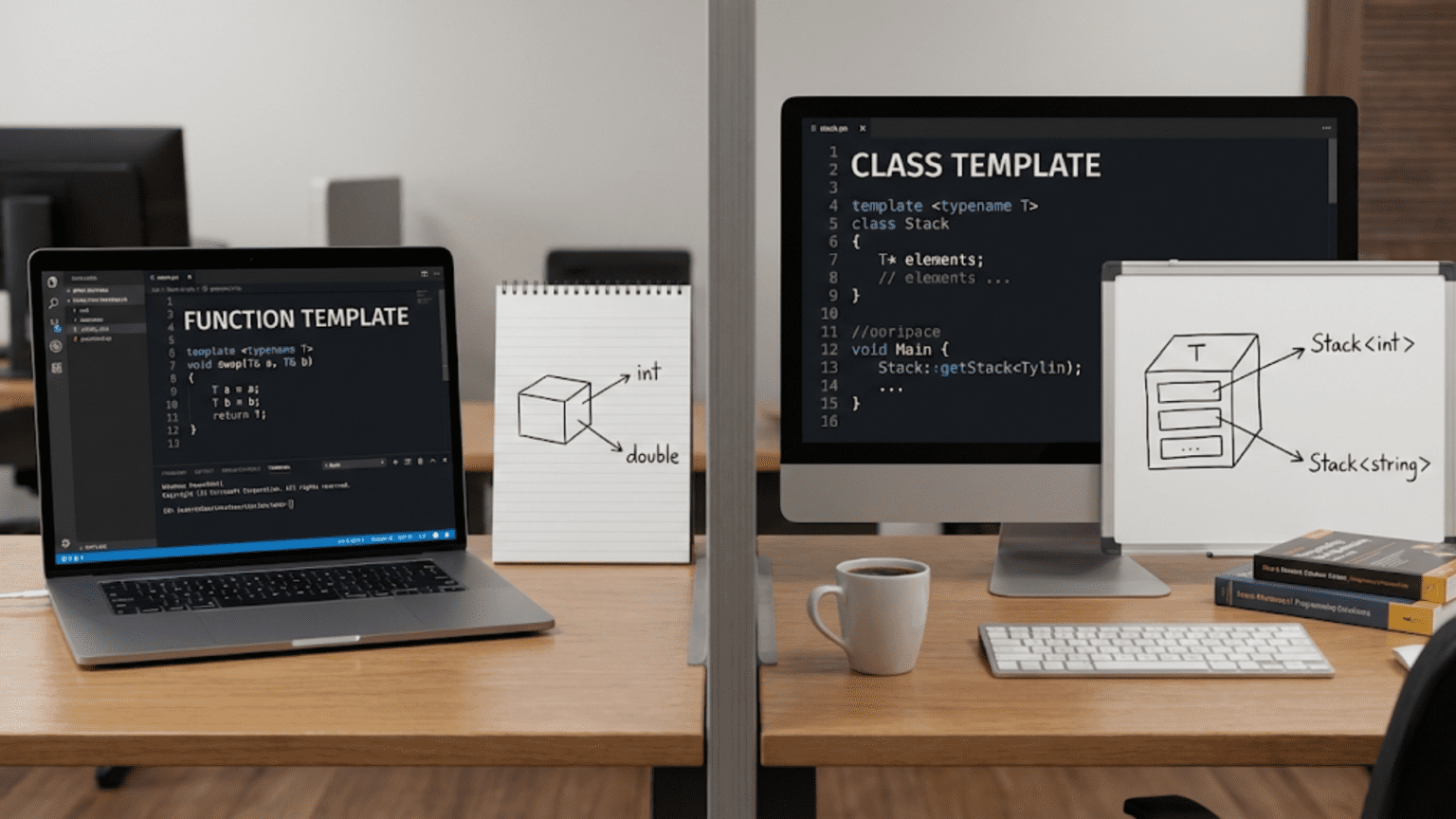
Function templates and class templates are two fundamental categories of templates in C++. Function templates generate type-generic functions that perform operations on different data types, while class templates generate type-generic classes that can contain data and methods for any type. The key difference lies in scope: function templates define single operations, whereas class templates define entire data structures with multiple related operations and state management.
Introduction: Two Sides of Generic Programming
Templates are C++’s mechanism for writing code that works with multiple types without sacrificing type safety or performance. Within the template system, two distinct categories exist: function templates and class templates. While both enable generic programming, they serve different purposes and have different use cases. Understanding when to use each is crucial for writing effective C++ code.
Function templates are like blueprints for functions—they define operations that can work with any type. When you write a sorting function or a maximum-finding function, you use a function template so it works with integers, doubles, strings, or any comparable type. The template generates a specific function for each type you use it with.
Class templates, on the other hand, are blueprints for entire classes. They define data structures that can store and manipulate any type of data. When you use vector<int> or map<string, int>, you’re using class templates. They encapsulate both data and the operations on that data, providing a complete abstraction for working with generic types.
This comprehensive guide will explore both function and class templates in depth, comparing their syntax, use cases, capabilities, and best practices. You’ll learn when to choose function templates for simple operations and when to use class templates for complex data structures, understanding the strengths and limitations of each approach.
Function Templates: Operations on Any Type
Function templates allow you to write a single function that works with multiple types. The compiler generates a specific version of the function for each type you use.
#include <iostream>
#include <string>
using namespace std;

// Function template - single operation
template <typename T>
T maximum(T a, T b) {
    cout << "Calling maximum function template" << endl;
    return (a > b) ? a : b;
}

// Function template with multiple parameters of same type
template <typename T>
T add(T a, T b) {
    cout << "Calling add function template" << endl;
    return a + b;
}

// Function template with multiple type parameters
template <typename T, typename U>
void displayPair(T first, U second) {
    cout << "Pair: (" << first << ", " << second << ")" << endl;
}

// Function template with return type deduction
template <typename T, typename U>
auto multiply(T a, U b) -> decltype(a * b) {
    cout << "Calling multiply with mixed types" << endl;
    return a * b;
}

int main() {
    cout << "=== Function Template: maximum ===" << endl;
    cout << "Max of 10 and 20: " << maximum(10, 20) << endl;
    cout << "Max of 3.14 and 2.71: " << maximum(3.14, 2.71) << endl;
    cout << "Max of 'a' and 'z': " << maximum('a', 'z') << endl;

    cout << "\n=== Function Template: add ===" << endl;
    cout << "5 + 3 = " << add(5, 3) << endl;
    cout << "2.5 + 1.5 = " << add(2.5, 1.5) << endl;

    string s1 = "Hello, ";
    string s2 = "World!";
    cout << "String concatenation: " << add(s1, s2) << endl;

    cout << "\n=== Function Template: multiple types ===" << endl;
    displayPair(42, "Answer");
    displayPair(3.14, 100);
    displayPair("Key", "Value");

    cout << "\n=== Function Template: type deduction ===" << endl;
    cout << "10 * 2.5 = " << multiply(10, 2.5) << endl;
    cout << "3.14 * 2 = " << multiply(3.14, 2) << endl;

    return 0;
}Step-by-step explanation:
- template <typename T>: Declares T as a type parameter
- T maximum(T a, T b): Function returns type T, takes two T parameters
- Single operation: Each function template performs one specific task
- Type deduction: Compiler deduces T from argument types (10, 20) → T=int
- Multiple instantiations: Compiler generates separate functions for int, double, char
- Stateless: Function templates don’t maintain state between calls
- add template: Works with any type supporting operator+
- String concatenation: add works with strings because they support +
- Multiple type parameters: displayPair uses T and U independently
- T and U can differ: displayPair(42, “Answer”) has T=int, U=const char*
- Auto return type: decltype(a * b) deduces result type of multiplication
- Type promotion: Multiplying int and double produces double
- Compile-time generation: All function versions generated during compilation
- No runtime overhead: As fast as hand-written type-specific functions
Output:
=== Function Template: maximum ===
Calling maximum function template
Max of 10 and 20: 20
Calling maximum function template
Max of 3.14 and 2.71: 3.14
Calling maximum function template
Max of 'a' and 'z': z

=== Function Template: add ===
Calling add function template
5 + 3 = 8
Calling add function template
2.5 + 1.5 = 4
Calling add function template
String concatenation: Hello, World!

=== Function Template: multiple types ===
Pair: (42, Answer)
Pair: (3.14, 100)
Pair: (Key, Value)

=== Function Template: type deduction ===
Calling multiply with mixed types
10 * 2.5 = 25
Calling multiply with mixed types
3.14 * 2 = 6.28Class Templates: Complete Data Structures
Class templates define entire classes that can work with any type, including data members and all associated operations.
#include <iostream>
using namespace std;

// Class template - complete data structure
template <typename T>
class Box {
private:
    T content;
    int id;
    static int nextId;

public:
    // Constructor
    Box(T item) : content(item), id(nextId++) {
        cout << "Box " << id << " created for type" << endl;
    }

    // Getter
    T getContent() const {
        return content;
    }

    // Setter
    void setContent(T item) {
        content = item;
    }

    // Member function
    void display() const {
        cout << "Box " << id << " contains: " << content << endl;
    }

    // Static member function
    static int getCount() {
        return nextId;
    }
};

// Static member initialization (must be outside class)
template <typename T>
int Box<T>::nextId = 1;

// Class template with multiple type parameters
template <typename KeyType, typename ValueType>
class KeyValuePair {
private:
    KeyType key;
    ValueType value;

public:
    KeyValuePair(KeyType k, ValueType v) : key(k), value(v) {
        cout << "KeyValuePair created" << endl;
    }

    KeyType getKey() const { return key; }
    ValueType getValue() const { return value; }

    void setValue(ValueType v) { value = v; }

    void display() const {
        cout << "Key: " << key << " -> Value: " << value << endl;
    }
};

// Class template with default parameter
template <typename T = int>
class Counter {
private:
    T count;

public:
    Counter() : count(T()) {
        cout << "Counter created with default type" << endl;
    }

    void increment() {
        count++;
    }

    T getCount() const {
        return count;
    }
};

int main() {
    cout << "=== Class Template: Box ===" << endl;
    Box<int> intBox(42);
    intBox.display();

    Box<string> stringBox("Hello");
    stringBox.display();

    Box<double> doubleBox(3.14);
    doubleBox.display();

    cout << "\nTotal boxes created: " << Box<int>::getCount() << endl;

    cout << "\n=== Class Template: Multiple Parameters ===" << endl;
    KeyValuePair<string, int> pair1("age", 25);
    pair1.display();

    KeyValuePair<int, string> pair2(404, "Not Found");
    pair2.display();

    KeyValuePair<string, double> pair3("pi", 3.14159);
    pair3.display();

    cout << "\n=== Class Template: Default Parameter ===" << endl;
    Counter<> defaultCounter;  // Uses default int
    defaultCounter.increment();
    defaultCounter.increment();
    cout << "Count: " << defaultCounter.getCount() << endl;

    Counter<double> doubleCounter;
    for (int i = 0; i < 5; i++) {
        doubleCounter.increment();
    }
    cout << "Count: " << doubleCounter.getCount() << endl;

    return 0;
}Step-by-step explanation:
- template <typename T>: Class template parameter declaration
- Box<T>: Template class name with type parameter
- T content: Data member of template type
- State management: Class maintains data across method calls
- Multiple methods: Class has constructor, getters, setters, display
- static member: nextId shared across all instances of Box<T>
- Separate static init: Must initialize static members outside class
- Box<int> intBox: Creates instance of Box specialized for int
- Different types different classes: Box<int> and Box<string> are unrelated types
- KeyValuePair template: Two independent type parameters
- KeyType and ValueType: Can be any types, same or different
- Default parameter: template <typename T = int> provides default type
- Counter<>: Empty angle brackets use default type
- Full encapsulation: Class template bundles data and operations
Output:
=== Class Template: Box ===
Box 1 created for type
Box 1 contains: 42
Box 1 created for type
Box 1 contains: Hello
Box 1 created for type
Box 1 contains: 3.14

Total boxes created: 2

=== Class Template: Multiple Parameters ===
KeyValuePair created
Key: age -> Value: 25
KeyValuePair created
Key: 404 -> Value: Not Found
KeyValuePair created
Key: pi -> Value: 3.14159

=== Class Template: Default Parameter ===
Counter created with default type
Count: 2
Counter created with default type
Count: 5Key Differences: Function vs Class Templates
Let’s directly compare the two with examples highlighting their differences:
#include <iostream>
#include <vector>
using namespace std;

// FUNCTION TEMPLATE - single operation, no state
template <typename T>
T square(T value) {
    return value * value;
}

// CLASS TEMPLATE - multiple operations, maintains state
template <typename T>
class Stack {
private:
    vector<T> elements;

public:
    void push(T element) {
        elements.push_back(element);
        cout << "Pushed: " << element << endl;
    }

    T pop() {
        if (elements.empty()) {
            throw runtime_error("Stack is empty");
        }
        T top = elements.back();
        elements.pop_back();
        cout << "Popped: " << top << endl;
        return top;
    }

    T peek() const {
        if (elements.empty()) {
            throw runtime_error("Stack is empty");
        }
        return elements.back();
    }

    bool isEmpty() const {
        return elements.empty();
    }

    int size() const {
        return elements.size();
    }
};

// FUNCTION TEMPLATE - type deduction works automatically
template <typename T>
void printValue(T value) {
    cout << "Value: " << value << endl;
}

int main() {
    cout << "=== FUNCTION TEMPLATE: square ===" << endl;
    // Type deduction - no explicit type needed
    cout << "square(5) = " << square(5) << endl;
    cout << "square(3.14) = " << square(3.14) << endl;

    // Stateless - each call is independent
    int result1 = square(4);
    int result2 = square(7);
    cout << "Two independent calls: " << result1 << ", " << result2 << endl;

    cout << "\n=== CLASS TEMPLATE: Stack ===" << endl;
    // Must specify type explicitly
    Stack<int> intStack;

    // Stateful - operations affect object state
    intStack.push(10);
    intStack.push(20);
    intStack.push(30);

    cout << "Stack size: " << intStack.size() << endl;
    cout << "Top element: " << intStack.peek() << endl;

    intStack.pop();
    intStack.pop();
    cout << "Stack size after pops: " << intStack.size() << endl;

    cout << "\n=== FUNCTION TEMPLATE: automatic deduction ===" << endl;
    printValue(42);           // Deduces int
    printValue(3.14);         // Deduces double
    printValue("Hello");      // Deduces const char*

    cout << "\n=== CLASS TEMPLATE: explicit specification ===" << endl;
    Stack<string> stringStack;  // Must specify <string>
    stringStack.push("First");
    stringStack.push("Second");
    stringStack.push("Third");

    return 0;
}Step-by-step explanation:
- Function template square: Single operation, no state maintained
- Each call independent: square(4) doesn’t affect square(7)
- Class template Stack: Complete data structure with multiple operations
- State persistence: Stack remembers all pushed elements
- Multiple related operations: push, pop, peek, isEmpty, size all work together
- Function type deduction: square(5) automatically deduces T=int
- Class explicit types: Stack<int> must specify type in angle brackets
- Stateless vs stateful: Functions don’t remember; classes do
- Single responsibility: Functions do one thing; classes manage related operations
- Function simplicity: Just input → output transformation
- Class complexity: Manages internal data, provides interface
- Function no initialization: Just call the function
- Class needs instantiation: Create object, then call methods
- Different use cases: Functions for operations, classes for data structures
Output:
=== FUNCTION TEMPLATE: square ===
square(5) = 25
square(3.14) = 9.8596
Two independent calls: 16, 49

=== CLASS TEMPLATE: Stack ===
Pushed: 10
Pushed: 20
Pushed: 30
Stack size: 3
Top element: 30
Popped: 30
Popped: 20
Stack size after pops: 1

=== FUNCTION TEMPLATE: automatic deduction ===
Value: 42
Value: 3.14
Value: Hello

=== CLASS TEMPLATE: explicit specification ===
Pushed: First
Pushed: Second
Pushed: ThirdWhen to Use Function Templates
Function templates are ideal for specific scenarios. Here are clear use cases:
#include <iostream>
#include <vector>
#include <string>
using namespace std;

// USE CASE 1: Simple operations on any type
template <typename T>
T min(T a, T b) {
    return (a < b) ? a : b;
}

template <typename T>
T max(T a, T b) {
    return (a > b) ? a : b;
}

// USE CASE 2: Algorithms that don't need state
template <typename T>
void swap(T& a, T& b) {
    T temp = a;
    a = b;
    b = temp;
}

// USE CASE 3: Type conversions
template <typename To, typename From>
To convert(From value) {
    return static_cast<To>(value);
}

// USE CASE 4: Working with containers (don't need to store state)
template <typename T>
void printContainer(const vector<T>& container) {
    cout << "Container: ";
    for (const T& item : container) {
        cout << item << " ";
    }
    cout << endl;
}

// USE CASE 5: Mathematical operations
template <typename T>
T absoluteValue(T value) {
    return (value < 0) ? -value : value;
}

int main() {
    cout << "=== Use Case 1: Simple Operations ===" << endl;
    cout << "Min of 10 and 20: " << min(10, 20) << endl;
    cout << "Max of 3.14 and 2.71: " << max(3.14, 2.71) << endl;

    cout << "\n=== Use Case 2: Algorithms ===" << endl;
    int x = 5, y = 10;
    cout << "Before swap: x=" << x << ", y=" << y << endl;
    swap(x, y);
    cout << "After swap: x=" << x << ", y=" << y << endl;

    cout << "\n=== Use Case 3: Type Conversions ===" << endl;
    int intValue = convert<int>(3.14);
    double doubleValue = convert<double>(42);
    cout << "3.14 as int: " << intValue << endl;
    cout << "42 as double: " << doubleValue << endl;

    cout << "\n=== Use Case 4: Container Operations ===" << endl;
    vector<int> numbers = {1, 2, 3, 4, 5};
    printContainer(numbers);

    vector<string> words = {"Hello", "World", "C++"};
    printContainer(words);

    cout << "\n=== Use Case 5: Math Operations ===" << endl;
    cout << "abs(-42) = " << absoluteValue(-42) << endl;
    cout << "abs(3.14) = " << absoluteValue(3.14) << endl;
    cout << "abs(-2.71) = " << absoluteValue(-2.71) << endl;

    return 0;
}Step-by-step explanation:
- Simple operations: min/max perform single comparison, return result
- No state needed: Result depends only on inputs, not previous calls
- Pure functions: Same inputs always produce same output
- Swap algorithm: Exchanges values, doesn’t need to remember anything
- Temporary variable: Only used within function scope
- Type conversion: One-time transformation, no ongoing state
- Container iteration: Processes existing data, doesn’t store new data
- Read-only operation: printContainer doesn’t modify container or keep state
- Mathematical functions: Compute result from input, stateless
- Function template benefits: Simple, clear, single responsibility
- Easy to understand: Each function has one clear purpose
- Easy to test: No hidden state to manage
- Composable: Can combine function templates easily
- When appropriate: Operations without persistent state
Output:
=== Use Case 1: Simple Operations ===
Min of 10 and 20: 10
Max of 3.14 and 2.71: 3.14

=== Use Case 2: Algorithms ===
Before swap: x=5, y=10
After swap: x=10, y=5

=== Use Case 3: Type Conversions ===
3.14 as int: 3
42 as double: 42

=== Use Case 4: Container Operations ===
Container: 1 2 3 4 5
Container: Hello World C++

=== Use Case 5: Math Operations ===
abs(-42) = 42
abs(3.14) = 3.14
abs(-2.71) = 2.71When to Use Class Templates
Class templates excel when you need to manage state and provide multiple related operations:
#include <iostream>
#include <vector>
#include <stdexcept>
using namespace std;

// USE CASE 1: Data structures (need to store elements)
template <typename T>
class DynamicArray {
private:
    T* data;
    int capacity;
    int size;

public:
    DynamicArray(int cap = 10) : capacity(cap), size(0) {
        data = new T[capacity];
        cout << "DynamicArray created with capacity " << capacity << endl;
    }

    ~DynamicArray() {
        delete[] data;
    }

    void add(T element) {
        if (size >= capacity) {
            resize();
        }
        data[size++] = element;
    }

    T get(int index) const {
        if (index < 0 || index >= size) {
            throw out_of_range("Index out of bounds");
        }
        return data[index];
    }

    int getSize() const { return size; }

private:
    void resize() {
        capacity *= 2;
        T* newData = new T[capacity];
        for (int i = 0; i < size; i++) {
            newData[i] = data[i];
        }
        delete[] data;
        data = newData;
    }
};

// USE CASE 2: Resource management (RAII pattern)
template <typename T>
class SmartPointer {
private:
    T* ptr;

public:
    explicit SmartPointer(T* p = nullptr) : ptr(p) {
        cout << "SmartPointer acquired resource" << endl;
    }

    ~SmartPointer() {
        cout << "SmartPointer releasing resource" << endl;
        delete ptr;
    }

    T& operator*() { return *ptr; }
    T* operator->() { return ptr; }

    // Delete copy operations (unique ownership)
    SmartPointer(const SmartPointer&) = delete;
    SmartPointer& operator=(const SmartPointer&) = delete;
};

// USE CASE 3: State machines or objects with behavior
template <typename T>
class Queue {
private:
    vector<T> elements;

public:
    void enqueue(T element) {
        elements.push_back(element);
        cout << "Enqueued: " << element << endl;
    }

    T dequeue() {
        if (elements.empty()) {
            throw runtime_error("Queue is empty");
        }
        T front = elements.front();
        elements.erase(elements.begin());
        cout << "Dequeued: " << front << endl;
        return front;
    }

    bool isEmpty() const {
        return elements.empty();
    }

    int size() const {
        return elements.size();
    }
};

int main() {
    cout << "=== Use Case 1: Data Structures ===" << endl;
    DynamicArray<int> arr;
    arr.add(10);
    arr.add(20);
    arr.add(30);
    cout << "Array size: " << arr.getSize() << endl;
    cout << "Element at index 1: " << arr.get(1) << endl;

    cout << "\n=== Use Case 2: Resource Management ===" << endl;
    {
        SmartPointer<int> ptr(new int(42));
        cout << "Value: " << *ptr << endl;
        // Automatic cleanup when ptr goes out of scope
    }
    cout << "Resource automatically released" << endl;

    cout << "\n=== Use Case 3: State-Based Behavior ===" << endl;
    Queue<string> taskQueue;
    taskQueue.enqueue("Task 1");
    taskQueue.enqueue("Task 2");
    taskQueue.enqueue("Task 3");

    cout << "Queue size: " << taskQueue.size() << endl;

    while (!taskQueue.isEmpty()) {
        taskQueue.dequeue();
    }

    return 0;
}Step-by-step explanation:
- DynamicArray class: Stores elements, manages capacity
- State maintenance: Remembers all added elements
- Multiple operations: add, get, getSize work on shared state
- Resource management: Allocates and frees memory
- Internal state changes: resize() modifies capacity
- SmartPointer class: Manages ownership of resource
- RAII pattern: Resource Acquisition Is Initialization
- Automatic cleanup: Destructor releases resource
- State tracking: Knows whether it owns a resource
- Queue class: Maintains ordered collection
- Order matters: FIFO behavior requires state
- Operations affect state: enqueue/dequeue modify internal collection
- Complex behavior: Multiple methods work together
- Class template benefits: Encapsulation, state management, multiple operations
Output:
=== Use Case 1: Data Structures ===
DynamicArray created with capacity 10
Array size: 3
Element at index 1: 20

=== Use Case 2: Resource Management ===
SmartPointer acquired resource
Value: 42
SmartPointer releasing resource
Resource automatically released

=== Use Case 3: State-Based Behavior ===
Enqueued: Task 1
Enqueued: Task 2
Enqueued: Task 3
Queue size: 3
Dequeued: Task 1
Dequeued: Task 2
Dequeued: Task 3Member Function Templates in Class Templates
Class templates can have member functions that are themselves templates:
#include <iostream>
#include <string>
using namespace std;

template <typename T>
class Container {
private:
    T value;

public:
    Container(T v) : value(v) {
        cout << "Container created" << endl;
    }

    T getValue() const {
        return value;
    }

    // Member function template
    template <typename U>
    void setValue(U newValue) {
        value = static_cast<T>(newValue);
        cout << "Value set with conversion from different type" << endl;
    }

    // Member function template for comparison
    template <typename U>
    bool isEqual(const Container<U>& other) const {
        return static_cast<double>(value) == static_cast<double>(other.getValue());
    }

    void display() const {
        cout << "Container value: " << value << endl;
    }
};

// Class template with conversion constructor template
template <typename T>
class Wrapper {
private:
    T data;

public:
    // Regular constructor
    Wrapper(T d) : data(d) {
        cout << "Wrapper created with same type" << endl;
    }

    // Template constructor for conversions
    template <typename U>
    Wrapper(const Wrapper<U>& other) : data(static_cast<T>(other.getData())) {
        cout << "Wrapper created with conversion from different type" << endl;
    }

    T getData() const { return data; }

    void display() const {
        cout << "Wrapper data: " << data << endl;
    }
};

int main() {
    cout << "=== Member Function Template ===" << endl;
    Container<int> intContainer(10);
    intContainer.display();

    // Using member function template to set value from different type
    intContainer.setValue(3.14);  // double to int
    intContainer.display();

    intContainer.setValue(20);    // int to int
    intContainer.display();

    cout << "\n=== Comparing Containers ===" << endl;
    Container<int> c1(10);
    Container<double> c2(10.0);
    Container<int> c3(20);

    if (c1.isEqual(c2)) {
        cout << "c1 and c2 are equal" << endl;
    }

    if (!c1.isEqual(c3)) {
        cout << "c1 and c3 are not equal" << endl;
    }

    cout << "\n=== Conversion Constructor Template ===" << endl;
    Wrapper<int> w1(42);
    w1.display();

    Wrapper<double> w2(w1);  // int to double conversion
    w2.display();

    Wrapper<int> w3(w2);     // double to int conversion
    w3.display();

    return 0;
}Step-by-step explanation:
- Container<T> class: Class template with type parameter T
- value member: Stores data of type T
- template <typename U>: Member function template with different parameter
- setValue<U>: Can accept argument of any type U
- static_cast<T>: Converts U to T for storage
- Two levels of templates: Class template T, member function template U
- T and U independent: Can be same or different types
- isEqual template: Compares containers of potentially different types
- Wrapper class: Another class template
- Template constructor: Allows construction from Wrapper of different type
- Wrapper<U> parameter: Takes Wrapper of any type U
- Conversion in constructor: Converts U to T during construction
- Type flexibility: Can convert between Wrapper<int> and Wrapper<double>
- Use case: Enable conversions between related template instantiations
Output:
=== Member Function Template ===
Container created
Container value: 10
Value set with conversion from different type
Container value: 3
Value set with conversion from different type
Container value: 20

=== Comparing Containers ===
Container created
Container created
Container created
c1 and c2 are equal
c1 and c3 are not equal

=== Conversion Constructor Template ===
Wrapper created with same type
Wrapper data: 42
Wrapper created with conversion from different type
Wrapper data: 42
Wrapper created with conversion from different type
Wrapper data: 42Comparison Table: Function vs Class Templates
| Aspect | Function Templates | Class Templates |
|---|---|---|
| Purpose | Single operation or algorithm | Complete data structure with state |
| State | Stateless (no persistent data) | Stateful (maintains data) |
| Type Deduction | Automatic from arguments | Must specify explicitly |
| Syntax | template<typename T> T func(T a) | template<typename T> class Name {...} |
| Instantiation | func(value) | ClassName<Type> obj |
| Complexity | Simple, single-purpose | Complex, multiple operations |
| Use Cases | Algorithms, conversions, utilities | Containers, resource managers |
| Examples | sort, find, max, swap | vector, list, map, unique_ptr |
| Member Functions | N/A (functions don’t have members) | Can have multiple member functions |
| Static Members | N/A | Can have static members |
| Specialization | Can specialize | Can specialize whole class or members |
Best Practices for Choosing Between Them
Here’s a practical guide for deciding which template type to use:
#include <iostream>
#include <vector>
using namespace std;

// GUIDELINE 1: Use function template for single operations
template <typename T>
bool isEven(T value) {
    return value % 2 == 0;
}

// GUIDELINE 2: Use class template for data collections
template <typename T>
class Collection {
private:
    vector<T> items;

public:
    void add(T item) { items.push_back(item); }
    int size() const { return items.size(); }
    T get(int index) const { return items[index]; }
};

// GUIDELINE 3: Use function template when no state needed
template <typename T>
T triple(T value) {
    return value * 3;
}

// GUIDELINE 4: Use class template when operations are related
template <typename T>
class Calculator {
private:
    T accumulator;

public:
    Calculator() : accumulator(T()) {}

    void add(T value) { accumulator += value; }
    void subtract(T value) { accumulator -= value; }
    void multiply(T value) { accumulator *= value; }
    T getResult() const { return accumulator; }
    void reset() { accumulator = T(); }
};

int main() {
    cout << "=== Guideline 1: Function for single operation ===" << endl;
    cout << "Is 10 even? " << (isEven(10) ? "Yes" : "No") << endl;
    cout << "Is 7 even? " << (isEven(7) ? "Yes" : "No") << endl;

    cout << "\n=== Guideline 2: Class for collections ===" << endl;
    Collection<int> numbers;
    numbers.add(10);
    numbers.add(20);
    numbers.add(30);
    cout << "Collection size: " << numbers.size() << endl;

    cout << "\n=== Guideline 3: Function when stateless ===" << endl;
    cout << "Triple of 5: " << triple(5) << endl;
    cout << "Triple of 3.14: " << triple(3.14) << endl;

    cout << "\n=== Guideline 4: Class for related operations ===" << endl;
    Calculator<int> calc;
    calc.add(10);
    calc.add(20);
    calc.multiply(2);
    cout << "Result: " << calc.getResult() << endl;

    return 0;
}Decision guidelines:
- Single operation? → Function template
- Need to store data? → Class template
- No state between calls? → Function template
- Multiple related operations? → Class template
- Simple transformation? → Function template
- Resource management? → Class template
- Algorithm implementation? → Function template
- Data structure? → Class template
Conclusion: Choosing the Right Template Type
Function templates and class templates are complementary tools in C++’s generic programming toolkit. Function templates excel at defining single operations that work with any type, providing a clean, simple way to write algorithms without code duplication. Class templates shine when you need to create complete data structures that manage state and provide multiple related operations.
Key takeaways:
- Function templates are stateless operations that transform inputs to outputs
- Class templates are stateful structures that manage data and provide interfaces
- Function templates support automatic type deduction from arguments
- Class templates require explicit type specification when instantiated
- Use function templates for algorithms, utilities, and single operations
- Use class templates for containers, resource managers, and complex types
- Both can be specialized for specific types when needed
- Member function templates add flexibility to class templates
- Choose based on whether you need state and multiple related operations
The C++ Standard Library demonstrates best practices: algorithms like sort, find, and max are function templates because they’re single operations. Containers like vector, map, and set are class templates because they manage collections of data with multiple operations.
Master both function and class templates, understand their strengths and appropriate use cases, and you’ll write generic C++ code that is both elegant and efficient. The key is recognizing the pattern: stateless operations suggest function templates, while stateful data structures call for class templates.