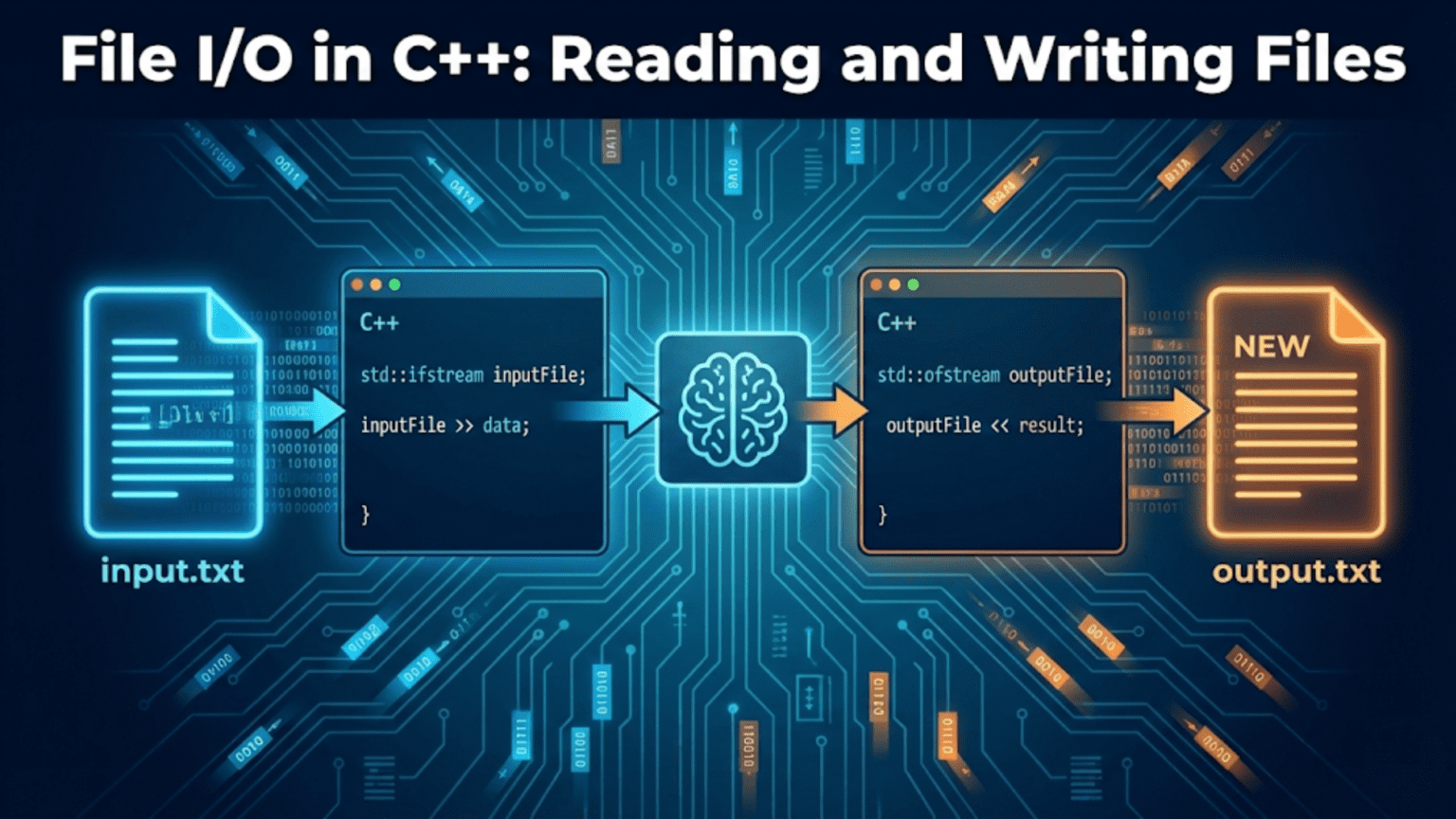
C++ file I/O uses three stream classes from the <fstream> header: ifstream for reading files, ofstream for writing files, and fstream for both reading and writing. Files are opened with a filename and optional mode flags, read or written using the same stream operators (>>, <<, getline) as cin and cout, and automatically closed when the stream object goes out of scope—following RAII principles to prevent resource leaks.
Introduction: Persisting Data Beyond Program Execution
Every non-trivial program eventually needs to interact with files. Configuration settings, user data, logs, reports, game saves, CSV exports—all require reading from or writing to persistent storage. Without file I/O, every program is an island: it starts fresh each run, produces no lasting output, and can accept no external input beyond what the user types in real time.
C++ provides a clean, stream-based file I/O system through the <fstream> header. If you already know how to use cin and cout, you already know most of the interface for file streams—the same >> and << operators, the same getline() function, the same formatting manipulators. The primary differences are that you open a specific file, choose whether you’re reading or writing, and close the stream when done (which happens automatically when the stream object is destroyed).
The file stream family includes three main classes: ifstream (input file stream for reading), ofstream (output file stream for writing), and fstream (bidirectional for both). Each supports text mode and binary mode, various open modes (truncate, append, create), seeking to arbitrary positions within files, and thorough error checking.
This comprehensive guide covers all aspects of C++ file I/O: opening and closing files, writing text and structured data, reading line by line and word by word, working with binary files, file positioning, error handling, and practical patterns for real-world file processing. Every concept is demonstrated with step-by-step code examples.
Opening and Closing Files
The foundation of file I/O is knowing how to open a file, verify it opened successfully, and close it properly.
#include <iostream>
#include <fstream>
#include <string>
using namespace std;

int main() {
    // --- Method 1: Open in constructor ---
    cout << "=== Opening files ===" << endl;

    ofstream outFile("example.txt");   // Creates or truncates the file

    if (!outFile) {
        cerr << "Failed to open example.txt for writing" << endl;
        return 1;
    }
    cout << "Opened example.txt for writing" << endl;

    outFile << "Line 1: Hello from C++!" << endl;
    outFile << "Line 2: File I/O is straightforward." << endl;
    outFile << "Line 3: This file will persist after the program ends." << endl;

    outFile.close();    // Explicit close (also automatic at end of scope)
    cout << "Wrote to and closed example.txt" << endl;

    // --- Method 2: Open with .open() ---
    ifstream inFile;
    inFile.open("example.txt");    // Open separately from declaration

    if (!inFile.is_open()) {
        cerr << "Failed to open example.txt for reading" << endl;
        return 1;
    }
    cout << "\nOpened example.txt for reading" << endl;

    // Check with is_open()
    cout << "is_open(): " << (inFile.is_open() ? "Yes" : "No") << endl;

    string line;
    while (getline(inFile, line)) {
        cout << "Read: " << line << endl;
    }

    inFile.close();

    // --- Method 3: RAII — auto-close via scope ---
    cout << "\n=== RAII auto-close ===" << endl;
    {
        ifstream autoClose("example.txt");
        if (autoClose) {
            string firstLine;
            getline(autoClose, firstLine);
            cout << "First line: " << firstLine << endl;
        }
        // autoClose destroyed here — file closed automatically
    }
    cout << "File closed automatically when stream went out of scope" << endl;

    // --- Opening non-existent file ---
    cout << "\n=== Error handling ===" << endl;
    ifstream missing("nonexistent_file.txt");
    if (!missing) {
        cout << "As expected: nonexistent_file.txt could not be opened" << endl;
    }

    return 0;
}Step-by-step explanation:
- ofstream outFile(“example.txt”): Constructor opens the file for writing — creates if absent, truncates if exists
- if (!outFile): Stream converts to bool — false when file failed to open (permission denied, path invalid, etc.)
- cerr: Standard error stream — separate from cout, conventionally used for error messages
- outFile << “…”: Same insertion operator as cout — writes text to the file
- endl: Flushes buffer and writes newline — use ‘\n’ for better performance in loops
- outFile.close(): Explicitly flushes and closes the file — optional since destructor does it
- Why close explicitly: Ensures data is written before reading same file, or before program might crash
- inFile.open(“example.txt”): Late opening via member function — declares stream first, opens later
- is_open(): Member function — returns true if file is currently open and accessible
- while (getline(inFile, line)): Reads one line per iteration — returns false when EOF or error
- RAII scope block:
{}creates a nested scope — stream destroyed when } is reached - Auto-close benefit: File closed even if exception is thrown inside the block
- !missing: Falsy when open fails — equivalent to !missing.is_open() but more concise
- Failure causes: File not found, permissions denied, disk error, invalid path
Output:
=== Opening files ===
Opened example.txt for writing
Wrote to and closed example.txt

Opened example.txt for reading
is_open(): Yes
Read: Line 1: Hello from C++!
Read: Line 2: File I/O is straightforward.
Read: Line 3: This file will persist after the program ends.

=== RAII auto-close ===
First line: Line 1: Hello from C++!
File closed automatically when stream went out of scope

=== Error handling ===
As expected: nonexistent_file.txt could not be openedFile Open Modes
Open modes control how the file is accessed—whether to truncate, append, read only, write only, or both.
#include <iostream>
#include <fstream>
#include <string>
using namespace std;

int main() {
    // --- ios::out (default for ofstream): write, truncate ---
    cout << "=== ios::out (truncate) ===" << endl;
    {
        ofstream f("modes_test.txt", ios::out);
        f << "Original line 1" << endl;
        f << "Original line 2" << endl;
    }
    {
        ofstream f("modes_test.txt", ios::out);   // Truncates existing content
        f << "Replaced content" << endl;
    }
    {
        ifstream f("modes_test.txt");
        string line;
        while (getline(f, line)) cout << "  " << line << endl;
    }

    // --- ios::app: append (never truncates) ---
    cout << "\n=== ios::app (append) ===" << endl;
    {
        ofstream f("append_test.txt", ios::out);
        f << "First write" << endl;
    }
    {
        ofstream f("append_test.txt", ios::app);   // Seek to end before each write
        f << "Second write (appended)" << endl;
    }
    {
        ofstream f("append_test.txt", ios::app);
        f << "Third write (appended)" << endl;
    }
    {
        ifstream f("append_test.txt");
        string line;
        while (getline(f, line)) cout << "  " << line << endl;
    }

    // --- ios::in | ios::out: read and write (no truncate) ---
    cout << "\n=== ios::in | ios::out (read+write) ===" << endl;
    {
        ofstream setup("readwrite.txt");
        setup << "Line A\nLine B\nLine C\n";
    }
    {
        fstream f("readwrite.txt", ios::in | ios::out);
        if (f) {
            string line;
            cout << "Contents:" << endl;
            while (getline(f, line)) cout << "  " << line << endl;

            // Seek back to beginning and overwrite
            f.clear();
            f.seekg(0);
            f << "MODIFIED";   // Overwrites first 8 chars
        }
    }

    // --- ios::trunc: explicit truncate ---
    cout << "\n=== ios::trunc ===" << endl;
    {
        ofstream f("trunc_test.txt");
        f << "Some data that will be truncated" << endl;
    }
    {
        fstream f("trunc_test.txt", ios::in | ios::out | ios::trunc);
        f << "Fresh start" << endl;
        f.seekg(0);
        string line;
        getline(f, line);
        cout << "After trunc: " << line << endl;
    }

    // --- Summary table ---
    cout << "\n=== Mode Flag Summary ===" << endl;
    cout << "ios::in    — Open for reading" << endl;
    cout << "ios::out   — Open for writing (default for ofstream)" << endl;
    cout << "ios::app   — Append: all writes go to end of file" << endl;
    cout << "ios::trunc — Truncate: discard existing content" << endl;
    cout << "ios::binary — Binary mode: no newline translation" << endl;
    cout << "ios::ate   — At-end: initial position at end of file" << endl;

    return 0;
}Step-by-step explanation:
- ios::out: Default for ofstream — opens for writing, truncates existing content
- Second open with ios::out: “Replaced content” overwrites — original two lines gone
- ios::app: All writes go to end of file, even if you seekp() to another position
- append vs truncate: app grows the file; out (without app) resets it
- Multiple append sessions: Each run of the program adds more without destroying previous data
- Log files: Classic use case for ios::app — grows the log without erasing history
- ios::in | ios::out: Bitwise OR combines flags — opens for both reading and writing
- fstream vs ofstream: ofstream is write-only; fstream supports both directions
- f.clear(): Clears error/EOF bits before seeking — necessary after reaching EOF
- f.seekg(0): Seek get position (read position) to beginning — seekg for reading
- Overwrites in place: Writing to position 0 overwrites existing bytes character by character
- ios::trunc with fstream: Explicit truncation flag — combined with in|out to read newly-written content
- ios::binary: Disables newline translation (\n → \r\n on Windows) — essential for binary files
- ios::ate: Opens file and immediately seeks to end — useful for checking file size
Output:
=== ios::out (truncate) ===
  Replaced content

=== ios::app (append) ===
  First write
  Second write (appended)
  Third write (appended)

=== ios::in | ios::out (read+write) ===
Contents:
  Line A
  Line B
  Line C

=== ios::trunc ===
After trunc: Fresh start

=== Mode Flag Summary ===
ios::in    — Open for reading
ios::out   — Open for writing (default for ofstream)
ios::app   — Append: all writes go to end of file
ios::trunc — Truncate: discard existing content
ios::binary — Binary mode: no newline translation
ios::ate — At-end: initial position at end of fileWriting to Files
Multiple techniques for writing structured, formatted, and raw data to files.
#include <iostream>
#include <fstream>
#include <iomanip>
#include <vector>
#include <string>
using namespace std;

struct Student {
    string name;
    int age;
    double gpa;
};

int main() {
    // --- Writing with <<  (text mode) ---
    cout << "=== Writing with insertion operator ===" << endl;
    {
        ofstream f("students.txt");

        f << "Student Database" << endl;
        f << "================" << endl;

        vector<Student> students = {
            {"Alice",   20, 3.85},
            {"Bob",     22, 3.40},
            {"Charlie", 21, 3.92},
            {"Diana",   19, 3.75}
        };

        for (const auto& s : students) {
            f << s.name << "," << s.age << "," << s.gpa << endl;
        }

        cout << "Wrote " << students.size() << " students to students.txt" << endl;
    }

    // --- Formatted writing with iomanip ---
    cout << "\n=== Formatted writing ===" << endl;
    {
        ofstream f("formatted.txt");

        // Column headers
        f << left << setw(15) << "Name"
          << setw(5)  << "Age"
          << right << setw(8) << "GPA" << endl;
        f << string(28, '-') << endl;

        vector<Student> students = {
            {"Alice",   20, 3.85},
            {"Bob",     22, 3.40},
            {"Charlie", 21, 3.92}
        };

        f << fixed << setprecision(2);
        for (const auto& s : students) {
            f << left  << setw(15) << s.name
              << setw(5)  << s.age
              << right << setw(8) << s.gpa << endl;
        }

        cout << "Wrote formatted table to formatted.txt" << endl;
    }

    // --- Writing with write() for raw data ---
    cout << "\n=== Writing with write() ===" << endl;
    {
        ofstream f("raw.txt");
        const char* msg = "Hello, raw write!";
        f.write(msg, strlen(msg));
        f.write("\n", 1);
        cout << "Wrote raw chars to raw.txt" << endl;
    }

    // --- Writing line by line from vector ---
    cout << "\n=== Writing lines from vector ===" << endl;
    {
        ofstream f("lines.txt");
        vector<string> lines = {
            "First line",
            "Second line",
            "Third line",
            "Fourth line"
        };
        for (const string& line : lines) {
            f << line << '\n';    // '\n' faster than endl (no flush)
        }
        cout << "Wrote " << lines.size() << " lines to lines.txt" << endl;
    }

    // --- Verify by reading back ---
    cout << "\n=== Reading back students.txt ===" << endl;
    {
        ifstream f("students.txt");
        string line;
        while (getline(f, line)) {
            cout << "  " << line << endl;
        }
    }

    cout << "\n=== Reading back formatted.txt ===" << endl;
    {
        ifstream f("formatted.txt");
        string line;
        while (getline(f, line)) {
            cout << "  " << line << endl;
        }
    }

    return 0;
}Step-by-step explanation:
- f << s.name << “,” << s.age << “,” << s.gpa: Comma-separated values (CSV) — standard interchange format
- endl vs ‘\n’: endl flushes the internal buffer to disk; ‘\n’ is faster when flush isn’t needed
- Flushing cost: Each endl triggers a system call — use ‘\n’ in tight write loops
- setw(15): Sets minimum field width — next value padded to at least 15 characters
- left / right: Alignment manipulators — left pads on right, right pads on left (default)
- fixed: Forces decimal notation for floating point (not scientific)
- setprecision(2): Two decimal places after the point
- string(28, ‘-‘): Creates a string of 28 dashes — separator line
- f.write(msg, len): Raw character write — writes exactly len bytes, no formatting
- strlen(msg): Gets length of C-style string for use with write()
- ‘\n’ in write loop: Each line ends with newline character — ‘\n’ preferred over endl here
- ofstream auto-creates file: File created if doesn’t exist; truncated if it does (default mode)
- CSV format: Comma-delimited values — readable by spreadsheets and many programs
- Formatted table: Aligned columns make report-style output readable
Output (console):
=== Writing with insertion operator ===
Wrote 4 students to students.txt

=== Formatted writing ===
Wrote formatted table to formatted.txt

=== Writing with write() ===
Wrote raw chars to raw.txt

=== Writing lines from vector ===
Wrote 4 lines to lines.txt

=== Reading back students.txt ===
  Student Database
  ================
  Alice,20,3.85
  Bob,22,3.4
  Charlie,21,3.92
  Diana,19,3.75

=== Reading back formatted.txt ===
  Name           Age      GPA
  ----------------------------
  Alice           20     3.85
  Bob             22     3.40
Charlie 21 3.92Reading from Files
Multiple strategies for reading file content depending on the structure of your data.
#include <iostream>
#include <fstream>
#include <sstream>
#include <vector>
#include <string>
using namespace std;

struct Student {
    string name;
    int age;
    double gpa;
};

int main() {
    // Create test file first
    {
        ofstream f("data.txt");
        f << "Alice 20 3.85\n";
        f << "Bob 22 3.40\n";
        f << "Charlie 21 3.92\n";
        f << "Diana 19 3.75\n";
    }

    // --- Strategy 1: Read word by word with >> ---
    cout << "=== Read word by word (>>) ===" << endl;
    {
        ifstream f("data.txt");
        string word;
        int wordCount = 0;
        while (f >> word) {
            cout << "  Word: " << word << endl;
            wordCount++;
        }
        cout << "Total words: " << wordCount << endl;
    }

    // --- Strategy 2: Read line by line with getline ---
    cout << "\n=== Read line by line (getline) ===" << endl;
    {
        ifstream f("data.txt");
        string line;
        int lineNum = 0;
        while (getline(f, line)) {
            cout << "  Line " << ++lineNum << ": " << line << endl;
        }
        cout << "Total lines: " << lineNum << endl;
    }

    // --- Strategy 3: Read structured data with >> ---
    cout << "\n=== Read structured records ===" << endl;
    {
        ifstream f("data.txt");
        vector<Student> students;
        string name;
        int age;
        double gpa;

        while (f >> name >> age >> gpa) {
            students.push_back({name, age, gpa});
        }

        cout << "Loaded " << students.size() << " students:" << endl;
        for (const auto& s : students) {
            cout << "  Name=" << s.name
                 << " Age=" << s.age
                 << " GPA=" << s.gpa << endl;
        }
    }

    // --- Strategy 4: Read CSV with getline + stringstream ---
    cout << "\n=== Read CSV with stringstream ===" << endl;
    {
        ofstream csv("students.csv");
        csv << "Alice,20,3.85\n";
        csv << "Bob,22,3.40\n";
        csv << "Charlie,21,3.92\n";
    }
    {
        ifstream f("students.csv");
        string line;
        vector<Student> students;

        while (getline(f, line)) {
            istringstream ss(line);
            string name, ageStr, gpaStr;

            getline(ss, name,   ',');   // Read up to comma
            getline(ss, ageStr, ',');
            getline(ss, gpaStr, ',');

            students.push_back({name, stoi(ageStr), stod(gpaStr)});
        }

        cout << "Parsed " << students.size() << " CSV records:" << endl;
        for (const auto& s : students) {
            cout << "  " << s.name << " | " << s.age << " | " << s.gpa << endl;
        }
    }

    // --- Strategy 5: Read entire file into string ---
    cout << "\n=== Read entire file at once ===" << endl;
    {
        ifstream f("data.txt");
        string content(
            (istreambuf_iterator<char>(f)),
            istreambuf_iterator<char>()
        );
        cout << "File length: " << content.size() << " characters" << endl;
        cout << "First 30 chars: " << content.substr(0, 30) << "..." << endl;
    }

    return 0;
}Step-by-step explanation:
- f >> word: Extraction operator reads one whitespace-delimited token — skips spaces and newlines
- while (f >> word): Loop continues while extraction succeeds — stops at EOF or error
- Word-by-word reading: Ignores line boundaries — treats newlines as whitespace
- getline(f, line): Reads entire line including spaces, stops at ‘\n’ (discards the newline)
- while (getline(…)): Returns reference to stream — converts to bool (false on failure/EOF)
- Structured reading:
f >> name >> age >> gpareads three different types in order - Type conversion automatic: >> converts “3.85” to double, “20” to int automatically
- Loop continues while all three succeed: If any extraction fails, loop exits
- istringstream for CSV: Wraps a string as a stream — enables getline with delimiter
- getline(ss, name, ‘,’): Three-argument getline reads until delimiter character ‘,’
- stoi() and stod(): Convert string to int/double — standard library string conversion
- Delimiter-based parsing: Splits “Alice,20,3.85” into three separate tokens
- istreambuf_iterator<char>: Low-level iterator that reads one character at a time from stream buffer
- Whole-file read idiom:
string content(istreambuf_iterator(f), istreambuf_iterator<char>())— standard one-liner
Output:
=== Read word by word (>>) ===
  Word: Alice
  Word: 20
  Word: 3.85
  Word: Bob
  ... (all 12 words)
Total words: 12

=== Read line by line (getline) ===
  Line 1: Alice 20 3.85
  Line 2: Bob 22 3.40
  Line 3: Charlie 21 3.92
  Line 4: Diana 19 3.75
Total lines: 4

=== Read structured records ===
Loaded 4 students:
  Name=Alice Age=20 GPA=3.85
  Name=Bob Age=22 GPA=3.4
  Name=Charlie Age=21 GPA=3.92
  Name=Diana Age=19 GPA=3.75

=== Read CSV with stringstream ===
Parsed 3 CSV records:
  Alice | 20 | 3.85
  Bob | 22 | 3.4
  Charlie | 21 | 3.92

=== Read entire file at once ===
File length: 52 characters
First 30 chars: Alice 20 3.85
Bob 22 3.40
Cha...Binary File I/O
Binary mode writes raw bytes without text interpretation—essential for numerical data, images, and custom file formats.
#include <iostream>
#include <fstream>
#include <vector>
#include <string>
using namespace std;

struct Record {
    int id;
    double value;
    char label[16];    // Fixed-size char array for binary safety
};

int main() {
    // --- Write binary data ---
    cout << "=== Binary write ===" << endl;
    {
        ofstream f("data.bin", ios::binary);

        // Write primitive types
        int count = 5;
        f.write(reinterpret_cast<const char*>(&count), sizeof(count));

        vector<double> values = {1.1, 2.2, 3.3, 4.4, 5.5};
        for (double v : values) {
            f.write(reinterpret_cast<const char*>(&v), sizeof(v));
        }

        cout << "Wrote " << count << " doubles to binary file" << endl;
    }

    // --- Read binary data ---
    cout << "\n=== Binary read ===" << endl;
    {
        ifstream f("data.bin", ios::binary);

        int count;
        f.read(reinterpret_cast<char*>(&count), sizeof(count));
        cout << "Count from file: " << count << endl;

        vector<double> values(count);
        for (double& v : values) {
            f.read(reinterpret_cast<char*>(&v), sizeof(v));
        }

        cout << "Values: ";
        for (double v : values) cout << v << " ";
        cout << endl;
    }

    // --- Write and read structs ---
    cout << "\n=== Binary struct read/write ===" << endl;
    {
        vector<Record> records = {
            {1, 3.14,  "Pi"},
            {2, 2.718, "Euler"},
            {3, 1.618, "Phi"}
        };

        // Write all records
        ofstream outF("records.bin", ios::binary);
        for (const auto& r : records) {
            outF.write(reinterpret_cast<const char*>(&r), sizeof(Record));
        }
        cout << "Wrote " << records.size() << " records" << endl;
    }
    {
        // Read all records back
        ifstream inF("records.bin", ios::binary);
        vector<Record> loaded;
        Record r;

        while (inF.read(reinterpret_cast<char*>(&r), sizeof(Record))) {
            loaded.push_back(r);
        }

        cout << "Loaded " << loaded.size() << " records:" << endl;
        for (const auto& rec : loaded) {
            cout << "  ID=" << rec.id
                 << " Value=" << rec.value
                 << " Label=" << rec.label << endl;
        }
    }

    // --- Binary vs text comparison ---
    cout << "\n=== Binary vs Text size comparison ===" << endl;
    {
        double pi = 3.14159265358979;

        // Text file: writes "3.14159265358979" (18 bytes)
        ofstream textF("pi_text.txt");
        textF << pi;
        textF.close();

        // Binary file: writes 8 bytes (sizeof double)
        ofstream binF("pi_binary.bin", ios::binary);
        binF.write(reinterpret_cast<const char*>(&pi), sizeof(pi));
        binF.close();

        // Read back to verify binary
        double readBack;
        ifstream check("pi_binary.bin", ios::binary);
        check.read(reinterpret_cast<char*>(&readBack), sizeof(readBack));
        cout << "Original: " << pi << endl;
        cout << "Read back: " << readBack << endl;
        cout << "Exact match: " << (pi == readBack ? "Yes" : "No") << endl;
        cout << "Text file: ~18 bytes, Binary file: 8 bytes" << endl;
    }

    return 0;
}Step-by-step explanation:
- ios::binary: Disables newline translation — on Windows, prevents \n ↔ \r\n conversion
- f.write(ptr, size): Writes exactly
sizebytes from the memory addressptr - *reinterpret_cast<const char>(&count)**: Treats the int’s memory as a byte array for writing
- sizeof(count): Number of bytes in an int — typically 4 on modern systems
- &v for each double: Address of the double variable — write its raw 8 bytes
- Read count first: File structure must be known — read in same order as written
- f.read(ptr, size): Reads exactly
sizebytes from file into memory atptr - *reinterpret_cast<char>**: Treats destination variable as raw bytes to fill
- vector<double> values(count): Pre-allocate the right number of elements
- Struct layout: Fixed-size members make struct binary-safe — avoid std::string in binary structs
- char label[16]: Fixed char array has predictable size; std::string has pointer internally
- sizeof(Record): Writes exactly the struct’s byte layout to disk
- while (inF.read(…)): read() returns false when fewer than requested bytes available (EOF)
- Binary vs text: Binary preserves exact floating-point bits; text loses precision during string conversion
- pi == readBack: Binary read returns identical bit pattern — text often loses last few digits
Output:
=== Binary write ===
Wrote 5 doubles to binary file

=== Binary read ===
Count from file: 5
Values: 1.1 2.2 3.3 4.4 5.5

=== Binary struct read/write ===
Wrote 3 records
Loaded 3 records:
  ID=1 Value=3.14 Label=Pi
  ID=2 Value=2.718 Label=Euler
  ID=3 Value=1.618 Label=Phi

=== Binary vs Text size comparison ===
Original: 3.14159
Read back: 3.14159
Exact match: Yes
Text file: ~18 bytes, Binary file: 8 bytesFile Positioning: seekg and seekp
Seeking allows you to jump to any position in a file for random access.
#include <iostream>
#include <fstream>
#include <string>
using namespace std;

int main() {
    // Create test file
    {
        ofstream f("seek_test.txt");
        f << "ABCDEFGHIJKLMNOPQRSTUVWXYZ";   // 26 characters
    }

    // --- seekg: seek the GET (read) position ---
    cout << "=== seekg (read position) ===" << endl;
    {
        ifstream f("seek_test.txt");

        // Read from position 0 (beginning)
        char c;
        f.get(c);
        cout << "Position 0: " << c << endl;    // 'A'

        // Seek to absolute position 5
        f.seekg(5, ios::beg);    // ios::beg = from beginning
        f.get(c);
        cout << "Position 5 from beg: " << c << endl;    // 'F'

        // Seek relative to current position
        f.seekg(3, ios::cur);    // ios::cur = from current
        f.get(c);
        cout << "3 forward from current: " << c << endl;    // 'J' (was at 6, +3=9, +1=10)

        // Seek from end
        f.seekg(-3, ios::end);   // ios::end = from end
        f.get(c);
        cout << "3 back from end: " << c << endl;    // 'X'

        // tellg: get current read position
        f.seekg(10, ios::beg);
        cout << "tellg at position 10: " << f.tellg() << endl;
    }

    // --- seekp: seek the PUT (write) position ---
    cout << "\n=== seekp (write position) ===" << endl;
    {
        fstream f("seek_test.txt", ios::in | ios::out);

        // Overwrite characters at position 0
        f.seekp(0, ios::beg);
        f.put('a');
        f.put('b');
        f.put('c');

        // Overwrite at position 10
        f.seekp(10, ios::beg);
        f.put('X');
        f.put('X');
        f.put('X');

        // Read back and verify
        f.seekg(0, ios::beg);
        string content;
        getline(f, content);
        cout << "After seekp writes: " << content << endl;
    }

    // --- Getting file size with seekg ---
    cout << "\n=== Getting file size ===" << endl;
    {
        ifstream f("seek_test.txt", ios::binary | ios::ate);
        // ios::ate positions at end on open
        streampos fileSize = f.tellg();
        cout << "File size: " << fileSize << " bytes" << endl;
        f.seekg(0, ios::beg);   // Seek back to read from beginning
    }

    // --- Random access: read Nth record ---
    cout << "\n=== Random access binary records ===" << endl;
    {
        struct SimpleRecord { int id; double value; };

        // Write 5 records
        {
            ofstream f("records.bin", ios::binary);
            for (int i = 0; i < 5; i++) {
                SimpleRecord r = {i * 10, i * 1.5};
                f.write(reinterpret_cast<const char*>(&r), sizeof(r));
            }
        }

        // Read record at index 3 directly
        {
            ifstream f("records.bin", ios::binary);
            int targetIndex = 3;
            f.seekg(targetIndex * sizeof(SimpleRecord), ios::beg);

            SimpleRecord r;
            f.read(reinterpret_cast<char*>(&r), sizeof(r));
            cout << "Record[3]: id=" << r.id << ", value=" << r.value << endl;
        }
    }

    return 0;
}Step-by-step explanation:
- seekg(pos, origin): Sets the read position — g stands for “get” (reading)
- ios::beg: Origin is beginning of file — absolute position from start
- ios::cur: Origin is current position — relative offset (+ forward, – backward)
- ios::end: Origin is end of file — negative offset goes backward
- f.get(c): Reads single character into c — advances read position by 1
- tellg(): Returns current read position as streampos — useful for tracking location
- seekp(pos, origin): Sets the write position — p stands for “put” (writing)
- f.put(c): Writes single character to current write position
- fstream for both: Reading and writing same file requires fstream (not ifstream or ofstream)
- Overwriting in place: seekp then put/write modifies specific bytes without reading entire file
- ios::ate (at end): File opened with position at end — tellg() immediately gives file size
- File size pattern: Open with ios::ate | ios::binary, call tellg() before seeking back
- Random record access: Binary files with fixed-size records enable O(1) access by index
- targetIndex * sizeof(record): Computes byte offset for Nth record — precise positioning
- Database-like behavior: Seekable binary files behave like simple flat-file databases
Output:
=== seekg (read position) ===
Position 0: A
Position 5 from beg: F
3 forward from current: J
3 back from end: X
tellg at position 10: 10

=== seekp (write position) ===
After seekp writes: abcDEFGHIJXXXNOPQRSTUVWXYZ

=== Getting file size ===
File size: 26 bytes

=== Random access binary records ===
Record[3]: id=30, value=4.5Error Handling in File I/O
Robust file I/O requires checking for and handling errors at every step.
#include <iostream>
#include <fstream>
#include <stdexcept>
#include <string>
using namespace std;

class FileManager {
public:
    // Safe read with exception throwing
    static string readFile(const string& filename) {
        ifstream f(filename);
        if (!f.is_open()) {
            throw runtime_error("Cannot open file: " + filename);
        }

        string content(
            (istreambuf_iterator<char>(f)),
            istreambuf_iterator<char>()
        );

        if (f.bad()) {
            throw runtime_error("Read error on file: " + filename);
        }

        return content;
    }

    // Safe write with exception throwing
    static void writeFile(const string& filename, const string& content) {
        ofstream f(filename);
        if (!f.is_open()) {
            throw runtime_error("Cannot open file for writing: " + filename);
        }

        f << content;

        if (!f.good()) {
            throw runtime_error("Write error on file: " + filename);
        }
    }
};

void demonstrateStreamState() {
    cout << "=== Stream State Bits ===" << endl;

    ifstream f("example.txt");

    cout << "After open:" << endl;
    cout << "  good(): " << f.good() << endl;    // All OK
    cout << "  fail(): " << f.fail() << endl;    // Logical error
    cout << "  bad():  " << f.bad()  << endl;    // Serious error
    cout << "  eof():  " << f.eof()  << endl;    // End of file

    // Read to EOF
    string content;
    while (getline(f, content)) {}   // Read all lines

    cout << "\nAfter reading to EOF:" << endl;
    cout << "  good(): " << f.good() << endl;
    cout << "  eof():  " << f.eof()  << endl;
    cout << "  fail(): " << f.fail() << endl;

    // clear() resets state bits
    f.clear();
    f.seekg(0);
    cout << "\nAfter clear() + seekg(0):" << endl;
    cout << "  good(): " << f.good() << endl;
    cout << "  eof():  " << f.eof()  << endl;
}

int main() {
    // Create example.txt first
    FileManager::writeFile("example.txt", "Hello, File I/O!\nSecond line.\n");

    demonstrateStreamState();

    cout << "\n=== Safe file operations ===" << endl;
    try {
        string content = FileManager::readFile("example.txt");
        cout << "Read " << content.size() << " characters" << endl;
    }
    catch (const runtime_error& e) {
        cerr << "Error: " << e.what() << endl;
    }

    try {
        string content = FileManager::readFile("nonexistent.txt");
    }
    catch (const runtime_error& e) {
        cerr << "Expected error: " << e.what() << endl;
    }

    cout << "\n=== Enabling exceptions on streams ===" << endl;
    {
        ifstream f;
        f.exceptions(ifstream::failbit | ifstream::badbit);

        try {
            f.open("nonexistent.txt");
        }
        catch (const ios_base::failure& e) {
            cerr << "Stream exception caught: " << e.what() << endl;
        }
    }

    return 0;
}Step-by-step explanation:
- !f.is_open(): Primary check — file couldn’t be opened at all
- runtime_error with filename: Informative error includes which file failed
- f.bad(): True for serious unrecoverable errors (disk failure, hardware error)
- f.good(): True when stream is fully operational — all bits clear
- f.fail(): True when logical error (wrong format, bad extraction) — includes eof
- f.eof(): True when end of file reached — not necessarily an error
- !f.good(): After writing — catches write failures (disk full, permissions changed)
- Four state bits: good, eof, fail, bad — compose to describe stream health
- After EOF: eof=1, fail=1: When getline reaches EOF, both bits set
- f.clear(): Resets ALL state bits — required before seekg after EOF
- seekg without clear: Would fail silently — must clear fail bit first
- exceptions(bits): Configures stream to throw ios_base::failure for specified conditions
- failbit | badbit: Throw on logical failure OR hardware error
- ios_base::failure: Base class for stream exceptions — has what() like standard exceptions
- Two approaches: Check state manually (f.good(), f.fail()) OR enable exceptions — choose consistently
Output:
=== Stream State Bits ===
After open:
  good(): 1
  fail(): 0
  bad():  0
  eof():  0

After reading to EOF:
  good(): 0
  eof():  1
  fail():  1

After clear() + seekg(0):
  good(): 1
  eof():  0

=== Safe file operations ===
Read 30 characters

Expected error: Cannot open file: nonexistent.txt

=== Enabling exceptions on streams ===
Stream exception caught: basic_ios::clear: iostream errorPractical File Processing Patterns
Real-world file processing examples combining multiple techniques.
#include <iostream>
#include <fstream>
#include <sstream>
#include <vector>
#include <map>
#include <algorithm>
#include <string>
using namespace std;

// Count word frequency in a text file
map<string, int> countWords(const string& filename) {
    ifstream f(filename);
    if (!f) throw runtime_error("Cannot open: " + filename);

    map<string, int> freq;
    string word;
    while (f >> word) {
        // Strip punctuation from word
        word.erase(remove_if(word.begin(), word.end(),
                   [](char c){ return !isalpha(c); }), word.end());
        if (!word.empty()) {
            // Convert to lowercase
            transform(word.begin(), word.end(), word.begin(), ::tolower);
            freq[word]++;
        }
    }
    return freq;
}

// Write a simple log entry with timestamp simulation
void writeLog(const string& filename, const string& level, const string& message) {
    ofstream f(filename, ios::app);
    if (!f) throw runtime_error("Cannot open log: " + filename);
    f << "[" << level << "] " << message << "\n";
}

// Read and parse a CSV file
vector<vector<string>> readCSV(const string& filename, char delimiter = ',') {
    ifstream f(filename);
    if (!f) throw runtime_error("Cannot open CSV: " + filename);

    vector<vector<string>> rows;
    string line;
    while (getline(f, line)) {
        vector<string> row;
        istringstream ss(line);
        string cell;
        while (getline(ss, cell, delimiter)) {
            row.push_back(cell);
        }
        rows.push_back(row);
    }
    return rows;
}

int main() {
    // --- Word frequency counter ---
    cout << "=== Word Frequency Counter ===" << endl;
    {
        ofstream f("text.txt");
        f << "The quick brown fox jumps over the lazy dog.\n";
        f << "The dog barked at the fox.\n";
        f << "The fox ran away quickly.\n";
    }
    auto freq = countWords("text.txt");

    // Sort by frequency
    vector<pair<string, int>> sorted(freq.begin(), freq.end());
    sort(sorted.begin(), sorted.end(),
         [](const auto& a, const auto& b){ return a.second > b.second; });

    cout << "Top 5 words:" << endl;
    for (int i = 0; i < 5 && i < (int)sorted.size(); i++) {
        cout << "  " << sorted[i].first << ": " << sorted[i].second << endl;
    }

    // --- Simple logger ---
    cout << "\n=== Logger ===" << endl;
    writeLog("app.log", "INFO",    "Application started");
    writeLog("app.log", "WARNING", "Config file not found, using defaults");
    writeLog("app.log", "INFO",    "Processing complete");
    writeLog("app.log", "ERROR",   "Failed to connect to database");

    ifstream logFile("app.log");
    string line;
    cout << "Log contents:" << endl;
    while (getline(logFile, line)) {
        cout << "  " << line << endl;
    }

    // --- CSV parser ---
    cout << "\n=== CSV Parser ===" << endl;
    {
        ofstream csv("inventory.csv");
        csv << "Item,Qty,Price\n";
        csv << "Apple,100,0.50\n";
        csv << "Banana,50,0.30\n";
        csv << "Cherry,200,1.20\n";
    }
    auto rows = readCSV("inventory.csv");
    cout << "Parsed " << rows.size() << " rows (including header):" << endl;
    for (size_t i = 0; i < rows.size(); i++) {
        cout << "  Row " << i << ": ";
        for (const string& cell : rows[i]) cout << "[" << cell << "] ";
        cout << endl;
    }

    return 0;
}Step-by-step explanation:
- Word frequency function: Combines file reading, string manipulation, and map counting
- erase-remove with isalpha: Strips punctuation —
!isalpha(c)removes non-letter characters - tolower transform: Case normalization — “The” and “the” count as same word
- map[word]++: Counting idiom — creates 0 entry if absent, then increments
- Logger with ios::app: Each call appends without erasing previous entries
- Log format [LEVEL] message: Simple structured logging — parseable and human-readable
- CSV parser with delimiter: getline with third argument splits on given character
- istringstream from line: Treats each file line as a stream for token extraction
- Nested getline loops: Outer reads lines, inner splits each line by delimiter
- vector<vector<string>> rows: Two-dimensional result — rows[i][j] accesses cell
- Header row included: Row 0 contains headers — caller can skip if needed
- sort by frequency: Copies map to vector for sorting (maps can’t sort by value)
- Top-5 loop: min(5, size) guard prevents out-of-bounds on small datasets
- Composing utilities: Each function does one job — combine for complex file processing
Conclusion: Mastering File I/O in C++
File I/O is a fundamental capability that transforms programs from temporary calculators into systems that create, read, and modify persistent data. The C++ stream model provides a clean, consistent interface that mirrors the console I/O you already know.
Key takeaways:
- Three classes:
ifstream(read),ofstream(write),fstream(both) — all from<fstream> - RAII: Stream objects close files automatically when destroyed — use scope blocks for deterministic closure
- Open modes: ios::out (truncate), ios::app (append), ios::in|ios::out (read+write), ios::binary (raw bytes)
- Always check open success:
if (!file)orif (!file.is_open())— never assume the file opened - Text reading strategies:
>>for tokens,getlinefor lines,istringstreamfor CSV parsing - Binary mode: Use
read()/write()withreinterpret_cast<char*>for raw bytes — avoids text translation - File positioning:
seekg/seekpwith ios::beg, ios::cur, ios::end — enables random access - State bits:
good(),eof(),fail(),bad()— alwaysclear()before seeking after EOF - Error handling: Check state after operations, throw descriptive exceptions, or enable stream exceptions
- ‘\n’ vs endl: Use ‘\n’ in write loops — endl flushes buffer unnecessarily, hurting performance
Master these patterns, and you’ll handle any file processing task C++ throws at you—from simple configuration files to high-performance binary databases.