The Invisible Orchestra Conductor Making Everything Run
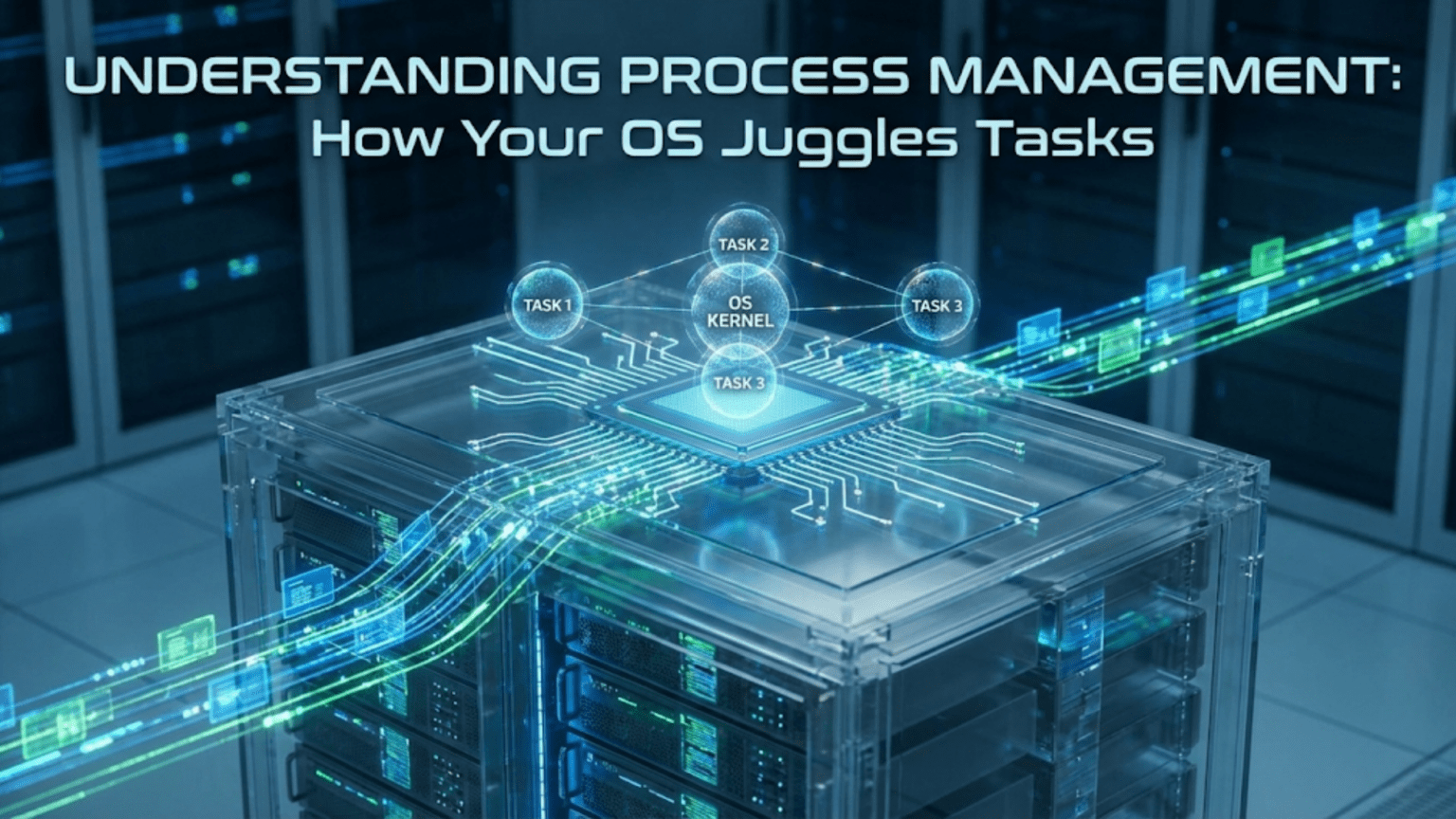
When you sit down at your computer, you might have a dozen programs running simultaneously—a web browser with multiple tabs, an email client, a music player, a document editor, messaging apps, and numerous background services you never directly interact with. Somehow, all these programs seem to run at the same time, each responding to your input and continuing their work without apparent interference from the others. This seemingly magical ability to run many programs simultaneously on hardware that might have only a few processor cores represents one of the operating system’s most fundamental and impressive capabilities. The operating system serves as an invisible orchestra conductor, coordinating dozens or hundreds of programs so that each gets the processor time it needs, resources are allocated fairly, and the entire system remains responsive despite juggling far more tasks than it has processors to run them.
At the heart of this coordination lies the concept of a process. Every program you run becomes a process from the operating system’s perspective—a complete execution environment including the program’s instructions, its data in memory, files it has opened, network connections it maintains, and the current state of its execution showing exactly which instruction it is running and what values its variables hold. The operating system creates a process when you launch a program, manages that process throughout its lifetime, and cleans up after the process when the program finishes. This process abstraction allows the operating system to treat each running program as a manageable unit that can be scheduled, monitored, and controlled independently of other processes. Understanding processes reveals how your computer maintains the illusion that many programs run simultaneously when in reality they are rapidly sharing limited processor resources through sophisticated scheduling that you never see.
Process management involves solving numerous challenging problems that might not be immediately obvious. How does the operating system prevent one misbehaving program from crashing the entire system? How does it ensure that important programs get processor time even when many programs compete for attention? How does it allow programs to create new programs and coordinate with each other when needed? How does it protect sensitive data in one program from unauthorized access by other programs? These questions and many others find their answers in the comprehensive process management systems that operating systems implement—systems that have evolved over decades to become remarkably robust and efficient at handling the complexity of modern multitasking computing.
What Exactly Is a Process?
Understanding what processes are and how they differ from programs provides the foundation for grasping process management. This distinction between programs and processes might seem subtle but is crucial for understanding how operating systems work.
A program is a passive collection of instructions and data stored on your hard drive or SSD. It sits there doing nothing until you decide to run it. The program file contains all the code that defines what the program does, but by itself it accomplishes nothing. Think of a program like a recipe in a cookbook—it specifies a sequence of actions that could be performed, but until someone actually follows the recipe and starts cooking, nothing happens. You can have Microsoft Word installed on your computer, and the program files sit on your disk whether you are actively using Word or not. The program exists as a static artifact waiting to be executed.
A process is what happens when you run a program—it is the dynamic execution of those instructions. When you double-click a program icon, the operating system creates a process that loads the program’s instructions into memory and begins executing them. This process has a life—it starts when you launch the program, runs for some period performing useful work, and eventually ends when the program completes or you close it. Multiple processes can run from the same program simultaneously. If you open three different Word documents in three separate windows, you might have three Word processes running, each with its own memory space and execution state, all executing the same Word program code but working on different documents.
Each process gets its own isolated memory space where it stores its data and variables. This isolation is fundamental to system stability and security. Process A cannot directly read or write the memory belonging to Process B. If one process crashes due to a bug, its corrupted memory does not affect other processes because they each operate in separate memory spaces. Think of it like each chef having their own kitchen—they cannot accidentally use ingredients from someone else’s kitchen or make a mess that affects other chefs’ work. This protection prevents programs from interfering with each other and limits the damage any single buggy program can cause.
The operating system assigns each process a unique identifier called a Process ID or PID. This number distinguishes one process from all others, allowing the operating system to track and manage them individually. When you use Task Manager on Windows or Activity Monitor on macOS to see running programs, each listed item has a PID. These identifiers are crucial for system management because they provide unambiguous ways to reference specific processes when you want to monitor their resource usage, change their priority, or terminate them if they stop responding.
The Process Lifecycle: From Birth to Death
Every process moves through a lifecycle from creation to termination, passing through several distinct states along the way. Understanding this lifecycle reveals how the operating system manages processes throughout their existence.
Process creation typically happens when you launch a program by double-clicking an icon, typing a command, or when another program starts a new program. The operating system creates a new process using system calls designed for this purpose. On Windows, the CreateProcess function sets up new processes. On Unix-like systems including Linux and macOS, processes are created through the fork system call, which makes a copy of the creating process, followed by exec which replaces that copy with the new program you want to run. These different approaches achieve the same goal through mechanisms that reflect each system’s design philosophy.
When a process is first created, it enters the new state where the operating system is setting everything up. During this brief period, the operating system allocates memory for the process, loads the program code from disk into that memory, sets up the process control block containing all the information needed to manage the process, and establishes the initial execution state. This initialization happens quickly, usually completing in milliseconds, but involves considerable behind-the-scenes work preparing the complete execution environment that the process needs.
Once initialization completes, the process moves to the ready state, which means it is fully prepared to run and is waiting for the processor to become available. The process has everything it needs to execute—its code is loaded, its memory is allocated, its resources are ready—but the processor is currently busy running other processes. Many processes can be in the ready state simultaneously, all waiting their turn for processor time. The operating system’s scheduler decides which ready process gets to run next based on priorities, fairness policies, and other scheduling criteria we will explore shortly.
When the scheduler selects a process, it moves to the running state where the processor is actively executing its instructions. The process’s code runs, calculations complete, data gets processed, and the program does useful work. On a computer with four processor cores, up to four processes can be in the running state simultaneously. All other processes must wait their turn, either in the ready state if they could run, or in the waiting state if they cannot proceed yet for other reasons.
The waiting state, sometimes called the blocked state, represents processes that cannot continue executing even if the processor were available because they need something else first. A process waiting for a file to be read from disk sits in the waiting state until that disk operation completes. A process waiting for network data blocks until packets arrive. A process waiting for user to click a button waits until that input occurs. These processes do not consume processor time while waiting—they are suspended until the event they await happens, at which point they transition back to the ready state to eventually get processor time again.
Finally, processes reach the terminated state when they finish executing. This happens when the program completes normally and exits, when the user forcibly closes the program, or when errors cause the program to crash. A terminated process must report its exit status to the operating system and any parent process that created it. Until this status is collected, the process remains as what is called a zombie—not running but not fully gone either. Once the exit status is acknowledged, the operating system fully cleans up the process, freeing all its resources and removing it from the system entirely.
The Process Scheduler: Deciding Who Runs When
With many processes competing for limited processor time, the scheduler must decide which process gets to run at any given moment. This decision-making profoundly affects both system responsiveness and how fairly resources are shared among processes.
The scheduler’s goals often conflict with each other, requiring careful balance. Maximizing system throughput means completing as many tasks as possible, favoring efficiency over fairness. Minimizing response time means reducing how long interactive tasks wait for attention, favoring responsiveness over total work completed. Ensuring fairness means giving all processes reasonable processor access, preventing starvation where some processes never run. The scheduler cannot perfectly optimize all goals simultaneously, so different operating systems make different trade-offs based on their intended use cases and design philosophies.
First-Come-First-Served scheduling runs processes in the order they become ready, providing perfect fairness but potentially poor performance. If a long-running process arrives before many short processes, all the short processes must wait for the long one to complete even though they could finish quickly if allowed to run first. This convoy effect where many processes wait behind one slow process makes FCFS unsuitable for general-purpose systems despite its simplicity and fairness.
Shortest Job First scheduling runs the process that will complete soonest, minimizing average waiting time for all processes. If you have one process that will run for an hour and ten processes that will each run for a minute, running all the short processes first means they only wait minutes instead of an hour. However, SJF requires knowing in advance how long processes will run, which is usually impossible to predict accurately. It also risks starving long processes if short processes continuously arrive—the long processes might never run because there are always shorter processes ready.
Round-robin scheduling gives each process a small time slice, typically a few milliseconds, before switching to the next process in a circular order. Every process gets regular turns at the processor, ensuring reasonable responsiveness and fairness. The time slice length critically affects performance—too short and the system wastes time switching between processes instead of doing useful work, too long and processes wait too long for their turns and the system feels sluggish. Most systems use round-robin with time slices of five to twenty milliseconds, balancing switching overhead against responsiveness.
Priority scheduling assigns each process a priority level and always runs the highest-priority ready process. Critical system processes get high priority ensuring they receive prompt attention, while less important background work gets lower priority. However, pure priority scheduling can starve low-priority processes that never run because higher-priority processes constantly demand attention. Priority aging addresses this by gradually increasing the priority of processes that wait a long time, ensuring even low-priority work eventually gets processor time.
Multi-level queue scheduling organizes processes into different queues with different scheduling rules. Interactive processes might go in a queue that uses short time slices and high priority, while batch processing goes in a queue with longer time slices and lower priority. Processes might move between queues based on their behavior—a process that uses its entire time slice repeatedly is probably compute-intensive and moves to a lower-priority queue, while a process that frequently yields before its time slice expires is probably interactive and stays in a high-priority queue.
Modern operating systems typically use sophisticated multi-level feedback queues that combine many of these approaches. Processes start in high-priority queues with short time slices. If they consume entire time slices repeatedly, they are demoted to lower-priority queues with longer time slices. Interactive processes that wait for input frequently remain in high-priority queues for good responsiveness. This adaptive behavior automatically adjusts to process characteristics without requiring manual priority assignment.
Context Switching: The Hidden Cost of Multitasking
Every time the scheduler switches from one process to another, a context switch occurs where the operating system saves the current process’s complete state and loads the next process’s state. Understanding context switching reveals both how multitasking works and why it has performance costs.
The process context encompasses everything needed to resume execution exactly where it left off. This includes all processor register values, the program counter showing which instruction to execute next, processor status flags indicating conditions like whether the last comparison was equal or greater, memory management information pointing to the process’s memory space, and lists of open files and network connections. This complete execution state allows the operating system to stop a process at any instruction, run other processes, then restart the original process later as if nothing happened.
Saving context happens when the scheduler decides to switch away from the currently running process. The operating system stores all processor registers, the program counter, and other execution state in the process’s control block—a data structure the operating system maintains for each process containing all its management information. This preservation ensures that when the process runs again, it can continue from exactly where it stopped with all variables and state intact. Without proper context saving, processes would lose their place, variables would contain wrong values, and programs would behave erratically.
Loading context happens after saving, when the operating system restores the state of the process being switched to. It loads that process’s register values, program counter, and execution state from its control block, and updates memory management hardware to point to that process’s memory space. Once context loading completes, the processor resumes executing the new process, completely unaware it was previously suspended. From each process’s perspective, it has continuous access to the processor even though it is actually being rapidly switched in and out.
The cost of context switching includes both the time spent saving and loading state and the effects of disrupted caches. A context switch typically takes several microseconds—brief in absolute terms but significant when thousands occur per second. Additionally, after a context switch the new process’s instructions and data are not in the processor’s caches, forcing slower memory accesses until caches warm up with the new process’s data. These cache effects mean context switching impacts performance beyond just the time spent switching, affecting the efficiency of code execution after the switch.
Minimizing context switch frequency improves performance, which is why schedulers try to avoid excessive switching. Giving processes longer time slices reduces switching but makes the system less responsive. Finding the right balance between responsiveness and efficiency is one of the scheduler’s ongoing challenges. Systems with many processes competing for processor time might perform thousands of context switches per second, and this overhead becomes measurable. However, modern processors switch efficiently enough that multitasking works well despite the costs.
Process Communication and Coordination
While process isolation provides protection, processes sometimes need to communicate and coordinate their activities. Operating systems provide several mechanisms enabling controlled interaction between processes.
Pipes connect the output of one process to the input of another, fundamental to command-line environments. When you run a command like “ls | grep document” in a terminal, the shell creates a pipe connecting the programs—everything the ls command writes to its output flows into grep’s input. This simple mechanism enables powerful combinations where programs that each do one thing well are connected to accomplish complex tasks. Pipes buffer data temporarily, handling timing differences between processes that produce and consume data at different rates.
Shared memory allows multiple processes to access the same physical memory region, providing extremely fast communication since no data copying is required. One process writes data to shared memory, and other processes read it directly. However, shared memory requires careful synchronization because concurrent access can cause race conditions where processes interfere with each other. Processes must coordinate access using locks or other synchronization mechanisms, adding complexity but providing high performance when implemented correctly.
Message queues provide structured communication where processes send and receive discrete messages rather than byte streams. Messages can have priorities determining their order, and processes can selectively receive messages of specific types. Message queues buffer messages when receivers are not ready, decoupling sender and receiver timing. This abstraction fits many communication patterns more naturally than raw byte streams.
Signals provide lightweight asynchronous notifications sent to processes for various reasons. A signal might indicate a timer expired, a child process terminated, or the user pressed a special key combination like Ctrl-C. Processes can register signal handlers—functions that execute when specific signals arrive—allowing them to respond to events without constantly checking whether those events occurred. However, signal handling is tricky because signals can arrive at any time, interrupting normal execution, and signal handlers must be carefully written to avoid corrupting process state.
Resource Management and Protection
The operating system must manage system resources and ensure processes cannot interfere with each other or monopolize resources needed by others. This resource management and protection is essential for system stability and security.
Memory protection prevents processes from accessing each other’s memory through hardware enforcement. Each process’s virtual address space maps to different physical memory, and the memory management unit prevents accessing memory outside the process’s own space. Attempts to access forbidden memory trigger segmentation faults that typically terminate the offending process rather than allowing corruption of other processes’ data. This hardware-enforced isolation is fundamental to system security and stability.
Process priorities influence both scheduling and resource allocation. Higher-priority processes get processor time more readily and might receive preferential access to other resources. System processes that keep the computer functioning have high priorities ensuring they are never starved by user applications. Background tasks like indexing or backup have lower priorities so they do not interfere with interactive work. Users can usually adjust process priorities to indicate which programs they consider more important.
Resource limits prevent individual processes from consuming excessive resources that would affect others. The operating system can limit maximum memory usage, maximum CPU time, maximum number of open files, and other resources per process. These limits protect against runaway processes that might accidentally or maliciously attempt to exhaust system resources. When processes hit limits, they receive errors rather than being allowed to consume unlimited resources.
Process isolation through separate address spaces, protected file descriptors, and independent security contexts ensures processes operate independently unless they explicitly choose to communicate. This isolation prevents bugs or malicious behavior in one process from affecting others, containing problems to individual processes rather than allowing system-wide corruption.
Monitoring and Managing Processes
Operating systems provide tools for viewing and controlling processes, essential for users and administrators who need to understand what the system is doing and troubleshoot problems.
Task Manager on Windows shows all running processes along with their resource consumption including CPU usage, memory usage, and disk activity. You can sort by various metrics to identify which processes consume the most resources, and you can terminate unresponsive processes when they stop responding to normal close commands. Task Manager also shows process relationships, revealing which processes are children of which parents.
Activity Monitor on macOS provides similar functionality with processes listed alongside CPU, memory, energy, disk, and network usage statistics. Color-coded memory pressure indicators show whether the system has adequate free memory or is struggling with memory constraints. The hierarchical process view shows parent-child relationships making it easy to see which processes spawned which others.
The ps command on Unix-like systems lists processes with various details depending on options specified. A simple “ps aux” shows all processes with their owners, PIDs, CPU and memory usage, and the commands that started them. More specialized uses can show process relationships, scheduling information, or specific subsets of processes. While less graphical than Task Manager or Activity Monitor, ps provides powerful querying capabilities for those comfortable with command-line tools.
The top command provides continuously updating displays of processes sorted by resource usage, making it easy to spot which processes are currently consuming the most CPU or memory. Interactive commands within top allow changing process priorities or terminating processes. Improved versions like htop offer color-coded displays and more intuitive interfaces while maintaining command-line accessibility.
Understanding process management reveals the sophisticated orchestration that enables your computer to run many programs simultaneously while keeping them isolated and responsive. The operating system creates processes when programs launch, schedules their execution fairly across limited processor resources, switches between them rapidly enough to maintain the illusion of simultaneous execution, protects them from interfering with each other, and provides mechanisms for controlled communication when processes need to coordinate. This process management happens continuously and invisibly, enabling the multitasking computing experience you rely on every day. The next time you have a dozen programs running smoothly, appreciate the complex process management working behind the scenes to make that possible.