Understanding One of the Most Critical Operating System Functions
Memory management stands as one of the most crucial responsibilities an operating system performs, yet it’s also one of the least visible to everyday users. When you open a program, load a file, or switch between applications, intricate memory management processes are working behind the scenes to make these actions possible. The operating system constantly orchestrates the movement of data between different types of memory, decides which programs get access to limited memory resources, and ensures that programs don’t interfere with each other’s data. Understanding how this works provides insight into why computers behave the way they do and why memory is such a critical resource.
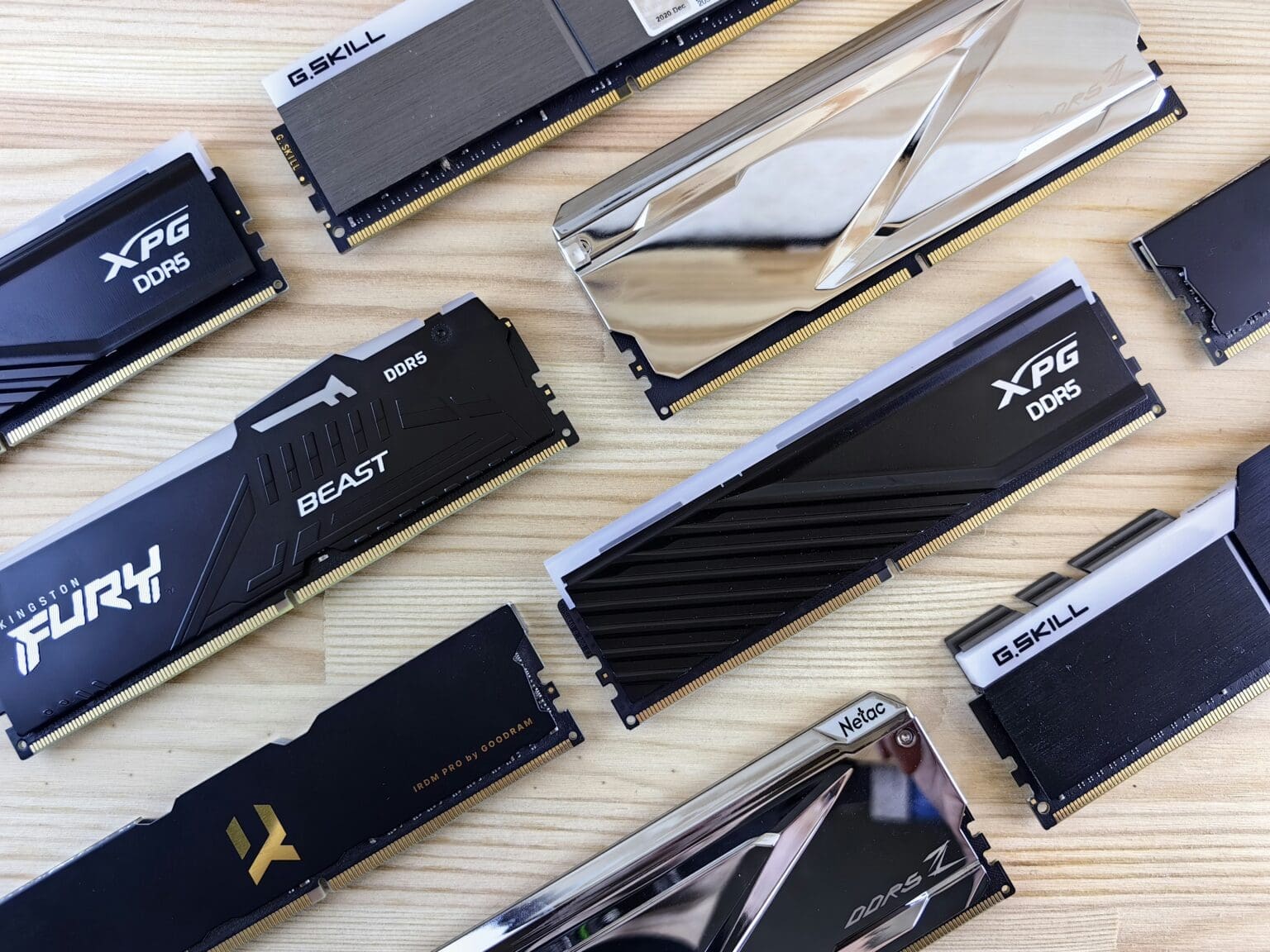
Memory, in computing terms, typically refers to Random Access Memory or RAM—the fast, temporary storage that your computer uses for data that programs are actively working with. Unlike your hard drive or solid-state drive, which stores information permanently even when the computer is off, RAM is volatile memory that loses all its contents when power is removed. This volatility is actually advantageous because it allows RAM to be extremely fast, with access times measured in nanoseconds rather than the milliseconds required by permanent storage. Programs load their instructions and data into RAM so the processor can access them quickly, making RAM speed a major factor in overall system performance.
The challenge the operating system faces is that RAM is a finite resource that must be shared among all running programs. A modern computer might have 8, 16, or 32 gigabytes of RAM, which sounds like a lot until you consider that a web browser with multiple tabs can easily consume several gigabytes, a photo editing program might need several more, and the operating system itself requires significant memory. The operating system must allocate this limited resource fairly and efficiently, ensuring every program gets the memory it needs while preventing any single program from monopolizing resources or accessing memory it shouldn’t.
The Fundamentals of Memory Allocation
When a program launches, one of its first needs is memory—space to store its instructions, working data, and various resources it requires to operate. The operating system fulfills this need through a process called memory allocation. The program requests a certain amount of memory, and the operating system finds available space in RAM and assigns it to that program. This sounds straightforward, but the complexities multiply quickly when you consider that dozens of programs might be running simultaneously, each making memory requests and releasing memory as their needs change.
Operating systems use several strategies to organize and allocate memory efficiently. One fundamental approach divides memory into fixed-size blocks called pages, typically 4 kilobytes each. When a program needs memory, the operating system allocates whole pages to it. This page-based system simplifies memory management considerably because the operating system only needs to track which pages are allocated to which programs rather than managing arbitrary chunks of different sizes. Think of it like a parking lot with standardized spaces—it’s much easier to manage than if every vehicle required a custom-sized parking area.
The operating system maintains detailed records of memory allocation through data structures called page tables. These tables map virtual addresses (what programs think they’re using) to physical addresses (where data actually resides in RAM). Every running program has its own page table, creating an isolated view of memory. From a program’s perspective, it has access to a large, contiguous block of memory starting at address zero. In reality, its data might be scattered across different physical locations in RAM, but the page table translates between these views seamlessly. This abstraction provides both flexibility for the operating system and security between programs.
Memory allocation happens at different levels with different characteristics. The operating system allocates large chunks of memory to programs when they start or request additional space. Within these allocated regions, programs perform their own fine-grained memory management, creating smaller structures for individual variables, arrays, and objects. Programming languages provide automatic memory management features that handle these details—in languages like Java or Python, a garbage collector automatically reclaims memory from objects that are no longer being used, while languages like C require programmers to explicitly free memory when they’re finished with it.
The operating system must also handle memory fragmentation, which occurs when memory fills up with a patchwork of allocated and free regions. External fragmentation happens when free memory exists but is scattered in small, non-contiguous pieces, making it impossible to fulfill large allocation requests even though the total free memory would be sufficient. The page-based memory system largely solves this problem because pages are uniform in size. Internal fragmentation occurs when a program is allocated more memory than it actually needs—if a program needs 5 kilobytes but the system allocates in 4-kilobyte pages, it gets two pages (8 kilobytes) and 3 kilobytes go unused. Operating systems accept this small inefficiency because the benefits of page-based management outweigh the cost.
Virtual Memory: Expanding Beyond Physical Limits
One of the most ingenious innovations in operating system design is virtual memory, a technique that allows computers to use more memory than physically exists in the system. Virtual memory creates the illusion that far more RAM is available than actually installed by using space on the hard drive or SSD as an extension of physical memory. When RAM fills up, the operating system can move some data from RAM to a reserved area on the storage drive, freeing up physical memory for other uses. This reserved area is called a page file on Windows or swap space on Linux and other Unix-like systems.
The magic of virtual memory lies in its transparency. Programs don’t know or care whether their data is currently in physical RAM or temporarily stored on disk. The operating system’s memory management unit handles all the details of moving data between RAM and disk storage as needed. When a program tries to access data that’s been moved to disk, the operating system intercepts this access, retrieves the data from disk, potentially moving other data to disk to make room, updates the page tables, and then allows the program to continue. This process, called paging, happens automatically without any action required from the program or user.
However, virtual memory is not without costs. While RAM access times are measured in nanoseconds, disk access times are measured in milliseconds—a difference of roughly six orders of magnitude. Even fast solid-state drives are dramatically slower than RAM. When the operating system must constantly move data between RAM and disk because physical memory is exhausted, the system experiences thrashing—performance degrades significantly as the disk becomes a bottleneck. You’ve probably experienced this: when your computer slows to a crawl and the hard drive light blinks constantly, the system is likely thrashing as it desperately tries to juggle too much data with insufficient physical memory.
Operating systems use sophisticated algorithms to decide which data to move to disk when physical memory fills up. These page replacement algorithms try to identify memory that probably won’t be needed soon, making it a good candidate for temporary storage on disk. Common strategies include least recently used (LRU), which assumes that data that hasn’t been accessed recently is unlikely to be needed soon, and various optimizations that track access patterns to predict future needs. The effectiveness of these algorithms has significant performance implications—good decisions keep frequently accessed data in fast RAM, while poor decisions lead to constant paging and degraded performance.
Virtual memory provides several important benefits beyond simply expanding available memory. It enables memory overcommitment, where the operating system can allocate more memory to programs than physically exists, banking on the fact that programs rarely use all their allocated memory simultaneously. It provides memory protection by giving each program its own isolated virtual address space—programs cannot accidentally or maliciously access memory belonging to other programs because those addresses simply don’t exist in their virtual address space. It enables demand paging, where programs can be partially loaded into memory and start running while remaining portions are loaded as needed, speeding up program launch times.
The size of virtual address spaces has grown dramatically with the transition from 32-bit to 64-bit computing. A 32-bit system can address only 4 gigabytes of memory total, shared between all programs and the operating system. This limitation became increasingly constraining as memory-hungry applications evolved. 64-bit systems can theoretically address 16 exabytes of memory—16 million terabytes—an amount so vast that it won’t present practical limitations for the foreseeable future. This enormous address space enables new applications and simplifies memory management, though operating systems don’t actually support the full theoretical limit for practical reasons.
Memory Protection and Security
Operating systems must not only allocate memory efficiently but also protect it from unauthorized access. Memory protection prevents programs from reading or modifying memory that belongs to other programs or the operating system itself. Without this protection, a buggy program could crash the entire system by accidentally corrupting operating system memory, or a malicious program could steal passwords and sensitive data by reading memory from other applications. Memory protection has become increasingly sophisticated as security threats have evolved, forming a critical layer in the defense against malware and exploitation.
The foundation of memory protection is the virtual memory system itself. Each program runs in its own virtual address space with its own page table. When a program tries to access memory, the memory management unit uses the page table to translate the virtual address to a physical address. If a program tries to access a virtual address that isn’t in its page table, the access fails and the operating system terminates the program or denies the access. This hardware-enforced isolation means programs simply cannot access memory outside their address space, even if they try. The protection happens at the processor level, making it extremely difficult to circumvent.
Operating systems further classify memory regions with permission flags that specify what operations are allowed. Memory can be marked as read-only, preventing programs from modifying certain data. Executable memory contains program instructions that can be run by the processor, while non-executable memory holds only data. This distinction enables a security feature called data execution prevention (DEP or NX bit), which prevents attackers from running malicious code they’ve injected into a program’s data regions. If attackers manage to insert their code into a buffer or other data structure, the processor will refuse to execute it because that memory region isn’t marked as executable.
Address space layout randomization (ASLR) adds another layer of security by randomizing where in virtual memory different components are loaded. Without ASLR, programs load at predictable addresses every time they run, making it easier for attackers to craft exploits that target specific memory locations. With ASLR, the operating system randomly positions the program’s executable code, libraries, stack, and heap in virtual memory each time it runs. Attackers can’t predict these addresses, making many classes of exploits much more difficult to execute successfully.
The operating system also protects its own memory from user programs through privilege levels. Modern processors support multiple privilege modes, typically at least a privileged kernel mode and an unprivileged user mode. The operating system kernel runs in privileged mode with unrestricted access to all memory and hardware. User programs run in unprivileged mode with limited capabilities. When a user program needs operating system services, it must make a system call—a controlled transfer to kernel mode that allows the operating system to perform privileged operations on behalf of the program while maintaining security boundaries.
Stack and heap protections defend against specific types of attacks. Stack canaries place known values on the stack that are checked before functions return—if an attacker has overflowed a buffer on the stack, they’ll likely have overwritten the canary value, and the operating system can detect and stop the attack. Guard pages are unmapped pages placed around memory regions; any attempt to access a guard page causes a fault that the operating system can catch. These protections make common attack techniques like buffer overflows and stack smashing much harder to exploit successfully.
Memory Management Performance Optimization
Operating systems employ numerous techniques to optimize memory management performance. The speed and efficiency of memory operations directly impact overall system performance, so operating systems continuously refine these mechanisms. Understanding these optimizations helps explain why certain operations are fast while others take longer, and why having more RAM generally makes computers feel more responsive.
Caching represents one of the most important performance optimizations. Modern processors include multiple levels of cache memory—extremely fast but small memory built into the processor chip that holds copies of frequently accessed data. The operating system doesn’t directly control these hardware caches, but it organizes memory to maximize cache effectiveness. By keeping related data near each other in memory and accessing memory in predictable patterns, the operating system helps ensure that data the processor needs is likely to be in cache rather than requiring a slower trip to main RAM.
Translation lookaside buffers (TLBs) cache page table entries to speed up virtual-to-physical address translation. Looking up addresses in page tables requires multiple memory accesses, which would be intolerably slow if performed for every memory operation. TLBs store recently used translations so the processor can skip the page table lookup for most memory accesses. Operating systems try to minimize TLB misses by using larger pages for memory regions where appropriate—larger pages mean fewer distinct translations need to be cached, improving TLB effectiveness.
The operating system also implements memory-mapped files, a technique that treats file contents as if they were in memory. Instead of explicitly reading a file into a buffer, programs can request that the operating system map a file into their virtual address space. The file’s contents then appear as memory that can be accessed with normal memory operations. The operating system loads portions of the file into physical memory on demand as they’re accessed and can write changes back to disk automatically. This technique simplifies file I/O programming and allows the operating system to use its sophisticated memory management for file caching.
Copy-on-write optimization saves memory and time when creating new processes. When a program starts a new process (common in Unix-like systems), the operating system could copy all the parent process’s memory to the new child process. Instead, the operating system initially marks all memory pages as shared between parent and child but read-only. Both processes can read this shared memory, saving both time and memory. Only when one process tries to modify a page does the operating system make a private copy of that page for the writing process. Most pages are never modified and remain shared, significantly reducing the cost of creating new processes.
Pre-fetching and read-ahead mechanisms predict what data programs will need next and load it into memory before it’s requested. When a program reads from a file, the operating system often loads more data than immediately needed, betting that the program will continue reading sequentially. If this prediction is correct, the extra data is already in memory when needed. If incorrect, the wasted effort is usually small compared to the benefit when predictions succeed. Operating systems analyze access patterns to improve these predictions over time.
Memory compression provides another optimization for systems with limited RAM. Instead of moving infrequently used pages to disk, some operating systems compress them in RAM. Compressed memory is slower to access than uncompressed memory but faster than data stored on disk. This technique extends effective memory capacity without the severe performance penalty of disk paging. Modern processors include instructions specifically designed to accelerate compression and decompression, making this optimization increasingly practical.
Memory Management Challenges and Solutions
Despite decades of refinement, memory management continues to present challenges that operating system designers must address. Memory leaks occur when programs allocate memory but fail to release it when finished, gradually consuming available memory until the system runs out. While this is technically a programming error rather than an operating system problem, modern operating systems implement garbage collection for managed languages and automatically reclaim all memory when programs terminate, mitigating the impact of leaks.
Fragmentation remains an ongoing concern, particularly for long-running systems. Even with page-based management, physical memory can become fragmented in ways that reduce efficiency. Some operating systems implement memory compaction, moving allocated pages to consolidate free space, though this is expensive and complex. Careful allocation strategies that minimize fragmentation are generally preferred over trying to fix it after the fact.
The tension between memory security and performance creates difficult trade-offs. Security features like ASLR, stack canaries, and guard pages all impose performance costs. Hardware features like speculative execution—which improves performance by executing instructions before knowing if they’re actually needed—have created security vulnerabilities like Spectre and Meltdown that allow unauthorized memory access. Operating systems must balance security needs against performance requirements, a balance that shifts as new threats emerge.
Non-uniform memory access (NUMA) architectures present unique management challenges in modern multi-processor systems. In NUMA systems, processors can access some memory faster than other memory depending on physical location. Operating systems must be NUMA-aware, trying to allocate memory physically close to the processor that will use it most frequently. Poor memory placement decisions on NUMA systems can significantly impact performance, yet making optimal decisions requires predicting how programs will use memory.
Mobile and embedded devices introduce additional constraints. Limited physical memory makes efficient memory management even more critical. Battery life concerns mean that paging to flash storage must be minimized because flash writes consume significant power and wear out the storage medium. Mobile operating systems implement aggressive memory management policies, killing background applications when memory runs low and requiring apps to save state so they can be terminated and restarted without users noticing.
The Future of Memory Management
Memory management continues to evolve as technology advances and new computing paradigms emerge. Persistent memory technologies blur the line between RAM and storage, offering memory that’s nearly as fast as RAM but retains data when powered off. Operating systems are being adapted to take advantage of these new memory types, reconsidering assumptions built on the traditional distinction between volatile RAM and persistent storage.
Heterogeneous memory systems combine different types of memory—traditional DDR RAM, high-bandwidth memory, and persistent memory—in the same system. Operating systems must intelligently place data in the appropriate memory type based on access patterns and requirements. Hot data that’s accessed frequently belongs in the fastest memory, while cold data can reside in slower but larger or more persistent memory types. Machine learning techniques are being explored to predict access patterns and optimize placement decisions.
As applications grow more complex and memory demands continue increasing, the fundamental principles of memory management remain critical to system performance and stability. Understanding how operating systems manage this crucial resource provides insight into computer behavior and helps users make informed decisions about memory upgrades, program configuration, and system optimization. Every time you successfully run multiple programs simultaneously or experience smooth multitasking, you’re witnessing sophisticated memory management at work—an invisible but essential operating system function that makes modern computing possible.