The Invisible Science of Energy Efficiency
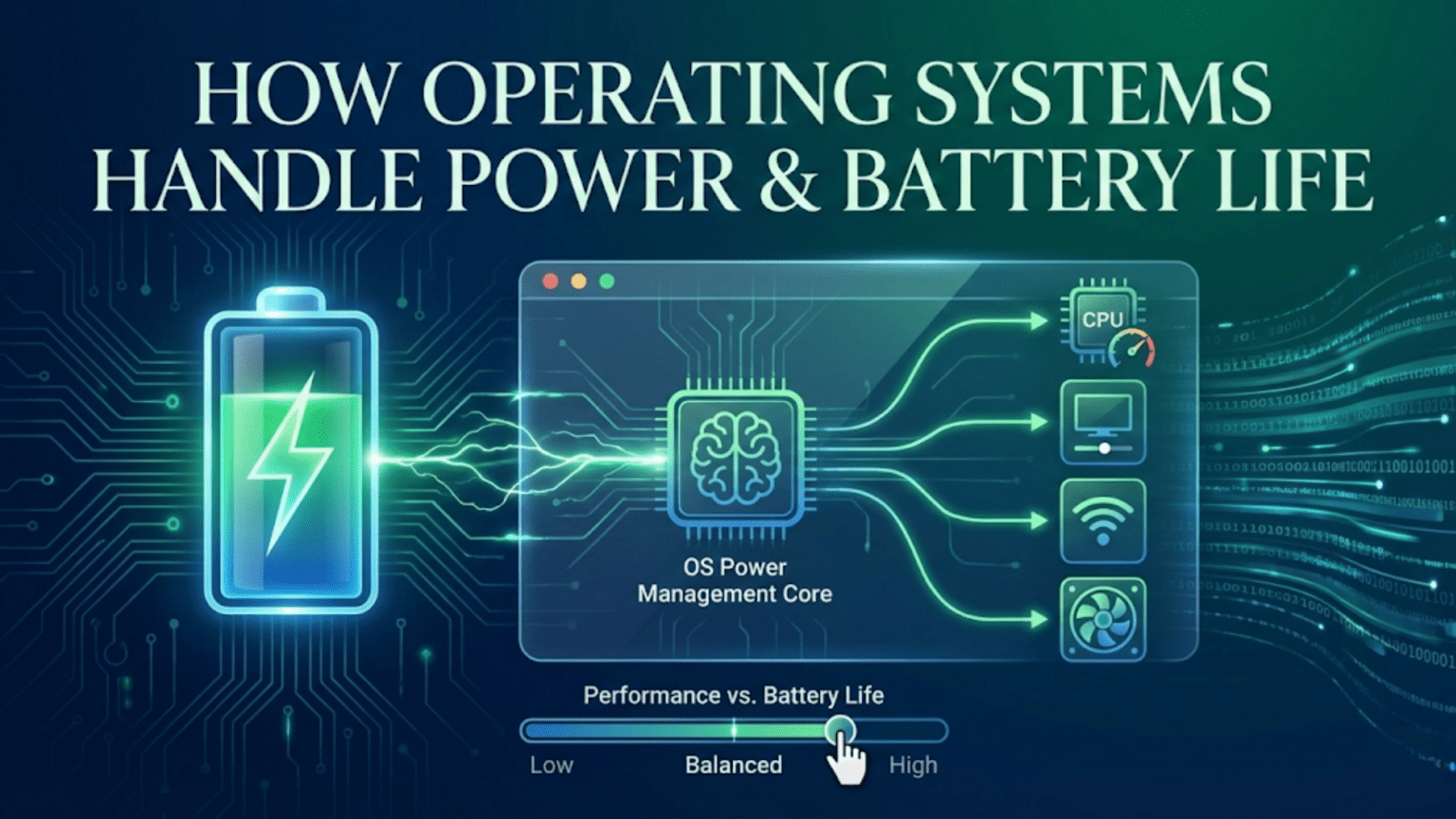
Every time you check how much battery remains on your laptop or smartphone, you’re seeing the culmination of sophisticated power management systems working constantly in the background. These systems monitor dozens of hardware components, adjust their power consumption hundreds of times per second, and make complex decisions balancing performance against energy use—all invisibly, requiring no user intervention. Modern operating systems have become remarkably intelligent about power, extending battery life from hours to a full day or more while maintaining the responsiveness and capabilities users expect. This transformation didn’t happen by accident; it required fundamental changes in how operating systems think about hardware control and resource allocation.
Power management represents one of the most critical responsibilities of modern operating systems, particularly for battery-powered devices like laptops, tablets, and smartphones. Unlike desktop computers with unlimited wall power, portable devices must carefully budget their finite energy reserves, ensuring users can work throughout the day without constantly searching for outlets. The operating system must continuously balance competing demands: providing excellent performance for demanding tasks while aggressively conserving power during idle periods, keeping displays bright enough to see while minimizing their substantial energy consumption, maintaining network connectivity for notifications while reducing the power drain of radio transmissions.
Understanding how operating systems manage power reveals why certain behaviors occur—why your laptop screen dims after a period of inactivity, why background apps might update less frequently when battery is low, why performance sometimes decreases when unplugged from power. These aren’t arbitrary choices but carefully designed strategies to maximize battery life while maintaining usability. Operating systems employ dozens of techniques across multiple layers, from processor frequency scaling and display brightness control to intelligent scheduling and peripheral management. The complexity is substantial, involving hardware coordination, software optimization, and predictive algorithms that learn from your usage patterns.
The Challenge: Power Consumption Across Components
Before understanding power management strategies, we must recognize where power goes in modern devices. Different components consume vastly different amounts of energy, and understanding this distribution guides effective power management.
The display typically represents the single largest power consumer in laptops and mobile devices, often accounting for 30-50% of total battery drain. Liquid crystal displays require constant backlighting to be visible, and that backlight consumes substantial power. Higher brightness requires more power—a display at maximum brightness might use three times the power of the same display at medium brightness. OLED displays offer some advantages by individually controlling each pixel’s light, allowing truly black pixels to consume no power, but bright content still demands significant energy. Screen size directly affects power consumption—larger displays require more backlight power or more self-emitting pixels.
The processor (CPU) represents another major power consumer, though its consumption varies dramatically based on activity. Running complex calculations at maximum speed consumes vastly more power than idling at low frequencies. Modern processors include multiple power states, allowing them to dramatically reduce consumption when full performance isn’t needed. Graphics processors (GPUs) follow similar patterns, using substantial power during gaming or video rendering but minimal power when displaying static content or simple interfaces.
Wireless radios—WiFi, cellular, Bluetooth—consume power continuously when active, even when not actively transmitting data. The cellular radio is particularly power-hungry, especially in areas with weak signal where the device must boost transmission power to reach towers. WiFi is generally more efficient than cellular for data transfer, but maintaining connections and scanning for networks still drains battery. GPS is extremely power-intensive when active, which is why navigation apps drain batteries so quickly.
Storage devices consume varying amounts of power. Traditional hard drives with spinning platters and moving read heads consume substantial power, especially during seeks. Solid-state drives are far more efficient but still use meaningful power during read and write operations. The difference between idle and active power consumption for storage is significant, making it worthwhile to spin down unused drives.
Memory (RAM) requires continuous power to maintain its contents, though the amount is relatively modest. Different memory types have different power characteristics—LPDDR (Low Power DDR) RAM, common in mobile devices, specifically optimizes for reduced power consumption. However, RAM power is largely constant whether the system is active or idle, since it must maintain its contents.
Peripheral devices—keyboards, touchpads, USB devices, cameras, speakers—each consume power. While individually modest, collectively these peripherals contribute meaningfully to total consumption. External USB devices draw power from the host system, potentially accelerating battery drain. Some peripherals like external hard drives or powered USB hubs can consume substantial power.
Processor Power Management: Dynamic Frequency and Voltage Scaling
Processors represent both a major power consumer and one of the most controllable components for power optimization. Modern CPUs implement sophisticated power management features that operating systems leverage to balance performance and energy use.
Dynamic Voltage and Frequency Scaling (DVFS), often called CPU throttling or speed stepping, adjusts processor speed based on current demand. Processors can operate at multiple frequency levels, from maximum performance (perhaps 4.0 GHz or higher) down to minimal idle frequencies (often 800 MHz or lower). Power consumption doesn’t scale linearly with frequency—it scales roughly with the cube of frequency, meaning a processor running at half speed uses approximately one-eighth the power. The operating system monitors CPU utilization and adjusts frequency accordingly: boosting to maximum speed when intensive work demands it, dropping to lower speeds during routine operations, reducing to minimum during idle periods.
Voltage scaling accompanies frequency changes because lower frequencies allow running at lower voltages, further reducing power consumption. The relationship between voltage and power is also cubic—halving voltage reduces power consumption by roughly 87.5%. Combined frequency and voltage scaling provides dramatic power savings. Modern processors integrate voltage regulators that can adjust voltage extremely rapidly, enabling seamless transitions between power states.
Turbo Boost and similar technologies temporarily overclock processors beyond their rated speeds when power and thermal budgets allow. When only one or few cores are active, the system can safely run them faster than the rated maximum because total power consumption remains within limits. This provides burst performance for demanding tasks while maintaining efficiency overall. The operating system coordinates with processor firmware to manage these dynamic adjustments.
Multiple CPU cores enable per-core power management. Each core can operate at different frequencies or be powered off entirely when not needed. Operating systems schedule workloads to minimize the number of active cores, concentrating work on few cores running at higher frequencies rather than spreading it across many cores at lower frequencies. This strategy, called race-to-idle, completes work quickly so the system can return to low-power states sooner. Powering off unused cores saves substantial energy since even idle cores consume power.
Different processor power states (C-states) define varying levels of sleep. C0 is active operation, C1 through C3 represent progressively deeper sleep states where more processor subsystems power down, and C6 or deeper essentially powers off the core entirely, though maintaining enough state to resume quickly. Deeper sleep states save more power but take longer to exit, creating trade-offs the operating system must manage. The OS predicts idle durations and selects appropriate sleep states—shallow sleep for brief pauses, deep sleep for extended idle periods.
Display Power Management: Balancing Visibility and Battery
The display’s substantial power consumption makes it a prime target for optimization, though user experience constraints limit what operating systems can do.
Brightness control represents the most direct power management tool. Operating systems automatically dim displays after periods of inactivity, providing a gentle reminder to either interact (resetting the timer) or save power if you’re not actively using the device. Users can manually set brightness levels, with operating systems respecting these preferences while also implementing automatic adjustments. Some systems use ambient light sensors to automatically adjust brightness based on environmental lighting—dimming in dark environments and brightening in sunlight—maintaining visibility while minimizing power use.
Adaptive brightness learns from user adjustments, building models of preferred brightness in different conditions. If you consistently increase brightness in bright environments or decrease it at night, the system learns these patterns and proactively adjusts. This personalization improves both user experience and power efficiency by avoiding unnecessarily high brightness.
Screen timeout settings determine how long the display remains active during inactivity. After the timeout expires, the system turns off the display entirely, providing maximum power savings. Different contexts might use different timeouts—shorter when on battery, longer when plugged in, very short when battery is critically low. Operating systems also detect user presence through various sensors, immediately waking the display when you return rather than making you press buttons.
Refresh rate adjustment on capable displays reduces power consumption. High refresh rates (120Hz, 144Hz) improve smoothness but consume more power than standard 60Hz. Operating systems can dynamically adjust refresh rate based on content—using high rates for scrolling or gaming but dropping to lower rates for static content or video playback that doesn’t benefit from higher rates.
OLED-specific optimizations leverage that technology’s ability to power off individual pixels. Dark user interface themes consume significantly less power on OLED displays than bright themes because dark pixels use minimal power while white pixels require maximum power. Operating systems with dark modes provide meaningful battery benefits on OLED devices, though the effect is negligible on traditional LCD displays with always-on backlights.
Content-aware optimizations adjust display power based on what’s shown. Playing video might disable certain display features that aren’t necessary for video playback. Reading text might reduce brightness slightly from levels needed for photo viewing. These contextual adjustments happen automatically based on the active application’s characteristics.
Storage and Memory Power Management
Storage devices offer opportunities for power savings, though strategies differ between traditional hard drives and solid-state drives.
Hard drive spin-down powers off spinning platters and parking read heads during inactivity. Spinning consumes continuous power, so stopping rotation saves energy. However, spinning up again requires substantial power and time (several seconds), creating trade-offs. The operating system must predict whether idle periods are long enough to justify spin-down. Spinning down too aggressively causes frequent spin-up/down cycles that waste power and potentially reduce drive lifespan. Spinning down too conservatively misses power-saving opportunities. Modern systems use sophisticated algorithms balancing these concerns.
SSD power management focuses on idle state optimization since SSDs have no mechanical components requiring continuous power. SSDs support multiple power states, from active read/write through various idle states to deep sleep. Operating systems coordinate with SSDs to enter appropriate power states during inactivity. Unlike hard drives, SSDs can transition between power states nearly instantaneously, enabling more aggressive power management without performance penalties.
Write caching reduces storage accesses by holding writes in memory temporarily, batching them together for more efficient write operations. This reduces the frequency of storage device activity, allowing longer idle periods and more time in low-power states. However, caching introduces risk—power loss before flushing cached writes to storage means data loss. Operating systems balance aggressive caching for power savings against periodic flushing for data safety.
Memory compression reduces the amount of physical RAM needed by compressing infrequently accessed pages. This allows more aggressive power management of RAM modules and reduces the need for power-intensive disk swapping. Compression requires CPU power to compress and decompress data, but modern processors handle this efficiently, with overall power savings outweighing compression overhead.
Wireless Radio Management
Wireless connectivity represents a significant battery drain, particularly on mobile devices, making radio management crucial for battery life.
Cellular radio management is particularly important due to cellular’s high power consumption. Signal strength dramatically affects power—weak signals require higher transmission power to reach towers, substantially increasing battery drain. Operating systems monitor signal strength and, when possible, prefer WiFi over cellular for data transfer since WiFi is typically more power-efficient. In very weak signal areas, some systems can suggest enabling airplane mode to prevent the radio from continuously attempting to connect.
WiFi power-saving modes allow radios to sleep briefly between data transmissions. When no data is actively transferring, the radio can briefly power down, waking periodically to check for incoming data. This sleep/wake cycling provides substantial power savings with minimal latency impact. The operating system coordinates with WiFi access points to buffer incoming data during sleep periods.
Bluetooth Low Energy (BLE) specifically optimizes for minimal power consumption, enabling devices like fitness trackers and wireless headphones to operate for days or weeks on small batteries. Operating systems intelligently manage Bluetooth connections, maintaining always-on connectivity only when necessary and using BLE protocols when possible.
Background network activity management limits unnecessary data transfers that keep radios active. Operating systems can defer non-urgent background operations—app updates, cloud synchronization, email checking—until devices are plugged in or connected to WiFi. Priority-based networking ensures important notifications arrive promptly while less urgent operations happen during more power-friendly conditions.
Location services management controls GPS power consumption. Since GPS is extremely power-intensive, operating systems limit its use aggressively. Only applications with explicit permission can access location, and even then, systems can provide lower-accuracy location based on WiFi/cellular triangulation rather than GPS when approximate location suffices. GPS might be completely disabled during extreme power-saving modes.
Intelligent Scheduling and Background Process Management
Operating systems manage when and how background processes execute to minimize power consumption without degrading functionality.
Background task coalescing groups multiple background operations to execute together, reducing the number of times the system must wake from low-power states. If three apps want to check for updates at approximately the same time, the operating system might synchronize these operations to happen simultaneously rather than separately. This allows the system to wake once, perform all operations while active components are already powered up, and return to sleep, rather than waking three separate times.
Opportunistic execution runs background tasks during times when the system is already active for other reasons. If you’re actively using your device, background operations might execute then rather than waking the system later when it would otherwise be idle. This “free rides” background work on activity that’s happening anyway, avoiding additional power consumption.
Priority-based scheduling distinguishes between urgent and deferrable tasks. Time-critical operations like notifications or real-time communication execute immediately, while less urgent tasks like indexing, maintenance, or analytics can wait for more power-friendly conditions. The operating system maintains multiple priority queues, executing high-priority work immediately while deferring lower-priority work until the device is plugged in or battery constraints relax.
Power budgets allocate a certain amount of power to background operations. Once background tasks have consumed their allocated power budget for a period, the system throttles or suspends additional background work. This prevents background processes from excessively draining battery, ensuring power is available for user-facing activities.
Application lifecycle management suspends or terminates background apps that aren’t actively needed. Mobile operating systems are particularly aggressive about this, allowing apps to remain in memory but suspending their execution when they move to the background. The system might later terminate suspended apps if memory is needed, requiring them to restart when accessed again. This ensures only actively used apps consume system resources.
Thermal Management and Power
Thermal constraints interact closely with power management because power consumption generates heat, and excessive heat requires thermal throttling that reduces performance.
Temperature monitoring tracks heat levels across system components. Processors, graphics cards, and batteries all include thermal sensors. The operating system continuously monitors these temperatures, taking action when they approach concerning levels. Thermal management isn’t just about preventing damage—it’s also about maintaining comfortable external temperatures for devices users hold.
Thermal throttling reduces component power consumption when temperatures rise too high. Processor frequencies drop, graphics rendering scales back, and charging rates decrease. These adjustments cool components by reducing power consumption, since power roughly equals heat generation. The operating system implements throttling gradually, preferring modest performance reductions over abrupt changes that users might notice.
Workload distribution across components can manage heat. On systems with multiple processor types (like ARM big.LITTLE or Apple’s performance/efficiency cores), the OS can shift work to cooler cores or alternate between core types to spread heat. This thermal management happens transparently, with the scheduler considering thermal state alongside performance needs.
Charging management prevents excessive heat during battery charging. Fast charging generates significant heat, so systems might slow or pause charging if the device becomes too hot. Operating systems coordinate with battery management systems to optimize charging rates based on temperature, battery health, and usage patterns.
Operating System-Specific Power Management Features
Different operating systems implement unique power management approaches tailored to their target devices and use cases.
Windows power plans provide user-configurable power management profiles. Balanced mode compromises between performance and efficiency, High Performance prioritizes speed over battery life, and Power Saver aggressively conserves energy. Each plan configures dozens of underlying power management parameters—CPU minimum/maximum frequencies, display timeout durations, disk spin-down timing, and more. Users can select plans manually or let Windows automatically switch based on power source (plugged in vs. battery).
Windows Modern Standby maintains connectivity during sleep, enabling notifications and updates while consuming minimal power. Unlike traditional sleep that completely suspends the system, Modern Standby keeps the system partially awake, ready to respond to network events or wake triggers instantly. This smartphone-like behavior makes Windows devices more responsive while still providing significant power savings.
macOS power management emphasizes battery longevity alongside runtime. The system actively manages battery charging to extend lifespan, sometimes deliberately limiting charge to 80% if it learns you keep the device plugged in constantly. Optimized battery charging learns your usage patterns and times full charges to complete just before you typically unplug the device.
Linux power management is highly configurable, with tools like TLP and PowerTop allowing detailed power optimization. However, Linux power management traditionally lagged behind Windows and macOS due to fragmented hardware support and less aggressive default settings. Recent improvements, particularly in laptop-specific distributions, have substantially narrowed this gap.
Android’s Doze mode aggressively limits background activity when the device is stationary and screen-off, dramatically extending standby time. The system defers background operations, restricts network access, and limits wakelocks. Periodic maintenance windows allow deferred operations to execute in batches. This aggressive approach provides multi-day standby times on modern devices.
iOS Background App Refresh intelligently updates apps in the background, learning which apps you use and when, proactively updating them before you typically open them. The system uses machine learning to predict usage patterns, ensuring apps are fresh when you need them while minimizing power consumed by unnecessary background updates.
User-Facing Power Management Controls
Operating systems provide various controls allowing users to influence power management behavior.
Battery percentage indicators show remaining charge as a simple percentage or time estimate. These estimates use sophisticated algorithms considering current power draw, battery health, and usage patterns to predict remaining runtime. Accuracy improves as the system learns your usage patterns over time.
Power-saving modes provide aggressive conservation for emergency situations. When enabled (manually or automatically at low battery), these modes dim displays further, restrict background activity more aggressively, reduce performance, disable visual effects, and limit connectivity options. The goal is extending remaining battery life by hours, allowing you to reach a charger even with critically low battery.
Battery health monitoring tracks battery degradation over time. Batteries lose capacity through repeated charge cycles and aging. Operating systems monitor this degradation and warn users when batteries need replacement. Some systems adjust power management strategies for degraded batteries, limiting fast charging or reducing maximum charge to extend remaining lifespan.
Charging optimization features learn when you typically need full charge and time charging accordingly. If you always plug in overnight and unplug at 8 AM, the system might charge to 80% quickly then slowly complete the final 20% to finish just before 8 AM. This pattern reduces time spent at full charge, which stresses batteries, extending overall battery lifespan.
Power usage analytics show which apps and activities consume the most battery. These insights help users identify power-hungry apps and modify usage patterns. Operating systems might proactively suggest restrictions for problematic apps consuming excessive background power.
The Future of Power Management
Power management continues evolving as new hardware capabilities emerge and machine learning enables more intelligent predictions.
Artificial intelligence and machine learning increasingly drive power management decisions. Systems learn individual usage patterns—when you typically use intensive apps, when you usually charge, which features you need active—and optimize accordingly. Predictive models anticipate your needs, proactively preparing necessary resources while conserving power for unused features.
Heterogeneous computing with specialized processors enables more efficient task execution. Rather than running everything on general-purpose CPU cores, systems can offload specific workloads to specialized, more efficient processors—neural processing units for AI tasks, dedicated video encoders, or custom accelerators. This specialization provides better performance per watt for specific workloads.
More sophisticated thermal management using multiple temperature sensors across the system enables fine-grained thermal optimization. Rather than globally throttling all components, systems can target specific hot spots while allowing cooler areas to maintain performance.
Energy harvesting and improved battery technology might eventually reduce power management importance by providing sufficient energy for extended operation. Solar charging, kinetic energy harvesting, and dramatically improved battery density could shift focus from aggressive conservation to ensuring reasonable efficiency.
Context-aware power management considering location, activity, and calendar might enable even smarter decisions. If your calendar shows a long meeting approaching, the system might conserve power more aggressively beforehand. If GPS indicates you’re traveling away from chargers, power management might become more conservative.
Practical Tips for Better Battery Life
Understanding power management enables users to make informed decisions extending battery life.
Adjusting display brightness to the minimum comfortable level provides immediate, substantial battery improvement since the display typically consumes the most power. Using auto-brightness helps maintain appropriate levels without constant manual adjustment.
Closing unnecessary apps and browser tabs frees system resources and eliminates background power consumption. Each running program consumes some power, and reducing the number of active processes extends battery life.
Limiting background activity, notifications, and automatic updates reduces power drain from apps you’re not actively using. Reviewing which apps have background access and restricting non-essential ones provides meaningful savings.
Using WiFi instead of cellular when possible reduces power consumption since WiFi is generally more efficient than cellular for data transfer. Enabling airplane mode in areas with no signal prevents the cellular radio from continuously searching for towers.
Keeping software updated ensures you have the latest power management improvements. Operating system updates often include power optimization refinements that accumulate into meaningful efficiency gains.
Understanding your system’s power management capabilities and configuring them appropriately for your usage pattern ensures optimal battery life without sacrificing needed functionality. The operating system works constantly to extend your battery life—understanding how helps you work with it rather than against it, maximizing the time between charges while maintaining the responsive, capable experience modern computing provides.