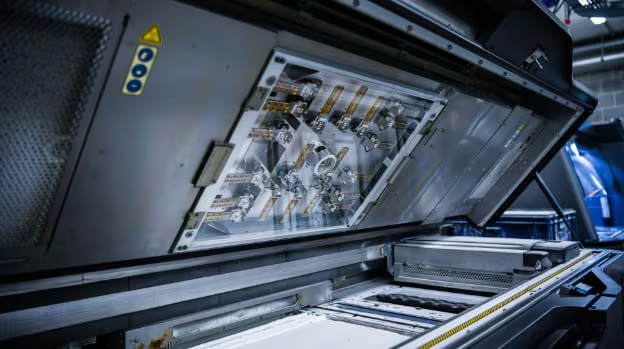
The inkjet printhead is a crucial component in several 3D printing technologies, particularly those involving material jetting and binder jetting processes. This component is responsible for precisely depositing tiny droplets of material—be it liquid photopolymer, ceramic slurries, or binding agents onto powder beds—to build objects layer by layer. The functionality of the inkjet printhead significantly impacts the accuracy, resolution, and speed of 3D printing processes. This article explores the importance, functionality, and maintenance of the inkjet printhead, emphasizing its role in enhancing the quality and efficiency of 3D printed products.
Importance of the Inkjet Printhead in 3D Printing
High Precision: The inkjet printhead allows for extremely precise deposition of materials, essential for achieving fine details and complex geometries in printed objects.
Material Efficiency: By ejecting only the required amount of material, inkjet printheads minimize waste, making the 3D printing process more cost-effective and environmentally friendly.
Speed: The ability of inkjet printheads to quickly and accurately deposit materials across the build platform significantly reduces the time required for printing, enhancing throughput.
Versatility: Modern inkjet printheads can handle a wide range of materials, enabling them to produce parts with varying properties and characteristics within a single printing session.
Components of the Inkjet Printhead in 3D Printers
Nozzle Array: Consists of hundreds or even thousands of tiny nozzles that can each eject droplets of material. The density and configuration of the nozzles determine the resolution and deposition rate of the printhead.
Piezoelectric Actuators: These components control the ejection of droplets from the nozzles. When an electric charge is applied, the piezoelectric material changes shape, creating a pressure pulse that forces a droplet out of the nozzle.
Ink Delivery System: Includes reservoirs and channels that supply material to the nozzles. This system must maintain a precise flow rate and pressure to ensure consistent droplet formation.
Heating Elements: Some inkjet printheads include heaters to control the viscosity of the material by adjusting its temperature, which is crucial for maintaining fluid flow and preventing clogs.
Control Electronics: Govern the timing and firing sequence of the nozzles to achieve precise material deposition patterns. These electronics are crucial for synchronizing the printhead’s operation with the printer’s motion systems.
Installation and Calibration of the Inkjet Printhead
Proper Installation: Ensuring that the printhead is correctly installed is crucial for its effective operation. This includes aligning it precisely over the build platform and ensuring that it is at the correct height.
Calibration: The printhead must be calibrated regularly to ensure accuracy in droplet size, placement, and deposition rate. This process typically involves adjusting the voltage levels of the piezoelectric actuators and the temperature settings of the heaters.
Testing: Initial and routine testing is essential to verify the uniformity and accuracy of material deposition, and to adjust calibration settings as necessary.
Maintenance and Optimization of the Inkjet Printhead
Regular Cleaning: To prevent clogging and ensure smooth operation, the printhead nozzles must be cleaned regularly. This often involves purging the nozzles with a cleaning solution or using ultrasonic vibrations to dislodge dried materials.
Nozzle Checks: Routine checks of the nozzle array are necessary to identify any failures or misalignments. Some systems include automated nozzle checking and compensation functions.
Material Handling: Ensuring that materials are properly prepared and maintained at the right viscosity is critical for preventing printhead issues and ensuring quality prints.
Firmware Updates: Keeping the printhead’s firmware updated can lead to improvements in performance, including more efficient material handling and enhanced deposition control.
Challenges and Solutions
Nozzle Clogging: This is a common issue due to the small size of the nozzles and the complexity of the materials used. Regular maintenance and the use of filtered materials can help minimize clogging.
Wear and Tear: Continuous operation can wear out the piezoelectric actuators and other mechanical components. Implementing a preventive maintenance schedule and replacing parts before they fail can help avoid downtime.
Material Compatibility: Not all materials are suitable for use with every type of inkjet printhead. Testing materials for compatibility before use can prevent damage to the printhead and ensure good print quality.
The inkjet printhead is a vital component of many 3D printing systems, playing a critical role in the precision, efficiency, and versatility of the additive manufacturing process. Proper management and meticulous maintenance of the inkjet printhead are essential for maximizing the capabilities of 3D printers and ensuring the production of high-quality, reliable, and cost-effective products. By understanding and optimizing the function and maintenance of the inkjet printhead, manufacturers can achieve improved operational reliability and enhanced print quality, fully leveraging the advantages of advanced 3D printing technology.