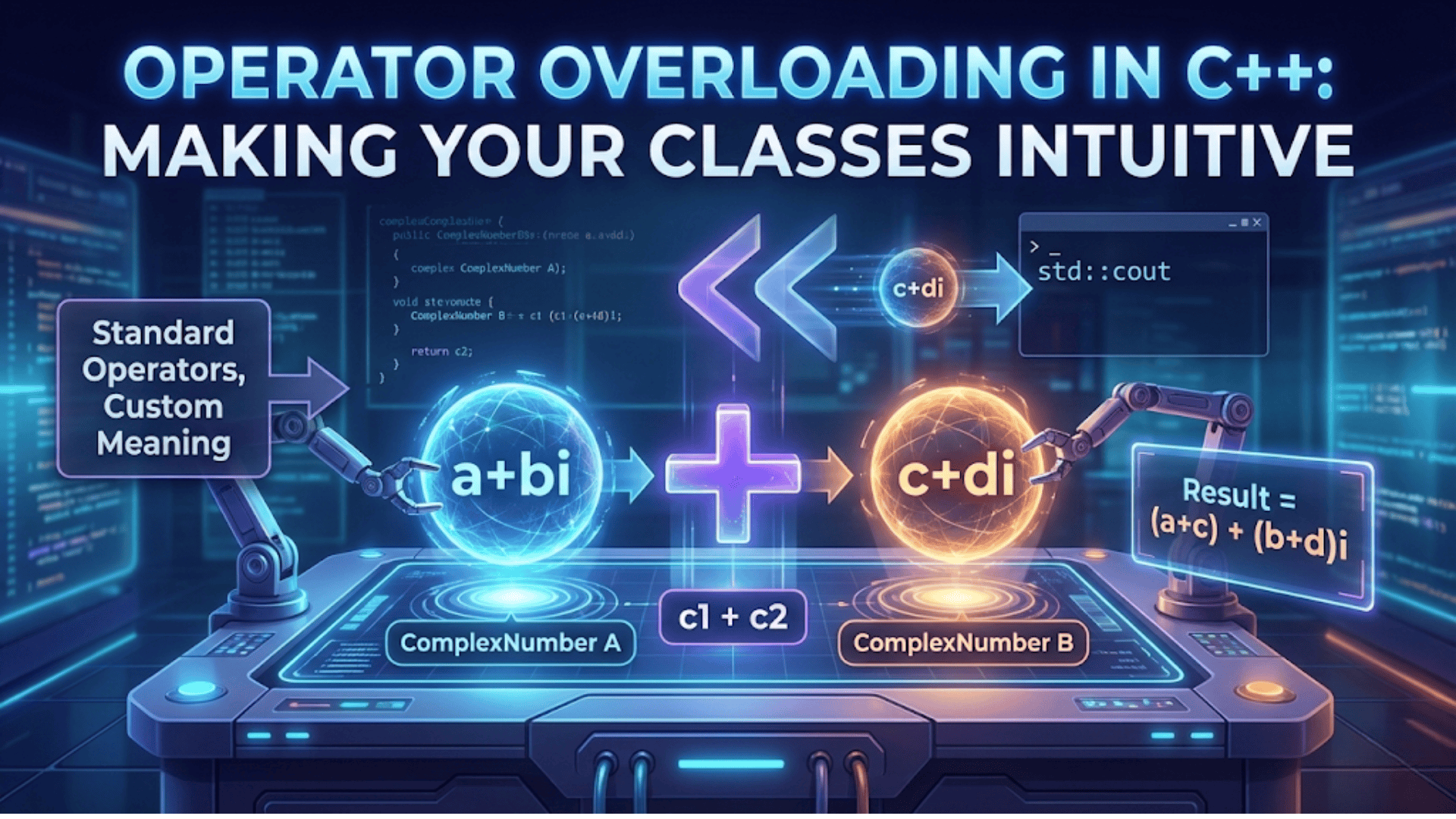

Operator overloading in C++ allows you to define custom behavior for standard operators (+, -, *, ==, <<, etc.) when used with user-defined types, enabling objects of your classes to work with familiar syntax just like built-in types. This powerful feature makes code more intuitive and expressive by allowing natural mathematical and logical operations on custom classes.
Introduction: Making Your Classes Feel Native
Operator overloading is one of C++’s most elegant features, allowing you to extend the language’s built-in operators to work with your custom classes. Instead of writing verbose method names like object1.add(object2), you can write natural expressions like object1 + object2. This makes your code more readable, intuitive, and closer to the domain you’re modeling.
Imagine working with a Complex number class. Without operator overloading, you’d write calculations like this: result = complex1.add(complex2.multiply(complex3)). With operator overloading, the same operation becomes: result = complex1 + complex2 * complex3. The second version is clearer, more maintainable, and mirrors how mathematicians actually write complex number operations.
Operator overloading doesn’t add new capabilities to the language—anything you can do with overloaded operators can also be done with regular member functions. However, it dramatically improves code readability and makes your classes feel like natural extensions of C++. When you create a Vector class, Matrix class, or Currency class, operator overloading lets users interact with these objects using familiar mathematical notation.
This comprehensive guide will take you through every aspect of operator overloading in C++, from basic arithmetic operators to advanced patterns. You’ll learn which operators can be overloaded, the syntax for different overloading styles, best practices, and common pitfalls to avoid. By the end, you’ll be able to create classes that integrate seamlessly into C++’s expression syntax.
What is Operator Overloading?
Operator overloading is the ability to provide custom implementations of operators for user-defined types. When you overload an operator, you’re defining what that operator means when applied to objects of your class.
#include <iostream>
using namespace std;

class Counter {
private:
    int value;

public:
    Counter(int v = 0) : value(v) {
        cout << "Counter created with value: " << value << endl;
    }

    // Without operator overloading - verbose
    Counter add(const Counter& other) {
        return Counter(value + other.value);
    }

    // With operator overloading - intuitive
    Counter operator+(const Counter& other) {
        cout << "Adding " << value << " + " << other.value << endl;
        return Counter(value + other.value);
    }

    void display() const {
        cout << "Value: " << value << endl;
    }
};

int main() {
    Counter c1(5);
    Counter c2(3);

    cout << "\n=== Using add() method ===" << endl;
    Counter c3 = c1.add(c2);
    c3.display();

    cout << "\n=== Using operator+ ===" << endl;
    Counter c4 = c1 + c2;  // Much more intuitive!
    c4.display();

    return 0;
}Step-by-step explanation:
- Counter class: Simple class that holds an integer value
- Private value: Encapsulated data that the class manages
- Constructor: Initializes the counter with a value (default 0)
- add() method: Traditional approach – explicit method call to add counters
- operator+ declaration: Special function name using the
operatorkeyword followed by the operator symbol - Return type: Returns a new Counter object (result of the addition)
- Parameter: Takes another Counter by const reference (can’t modify it)
- Implementation: Creates and returns a new Counter with the sum of both values
- Usage of add(): Requires explicit method call syntax:
c1.add(c2) - Usage of operator+: Natural syntax:
c1 + c2– looks just like adding integers - Compiler translation: When you write
c1 + c2, the compiler translates it toc1.operator+(c2) - Improved readability: The operator version is more intuitive and easier to understand at a glance
Output:
Counter created with value: 5
Counter created with value: 3

=== Using add() method ===
Counter created with value: 8
Value: 8

=== Using operator+ ===
Adding 5 + 3
Counter created with value: 8
Value: 8Arithmetic Operators: Building a Vector Class
Let’s create a mathematical Vector class demonstrating multiple arithmetic operator overloads.
#include <iostream>
#include <cmath>
using namespace std;

class Vector2D {
private:
    double x, y;

public:
    Vector2D(double x = 0, double y = 0) : x(x), y(y) {
        cout << "Vector created: (" << x << ", " << y << ")" << endl;
    }

    // Addition operator
    Vector2D operator+(const Vector2D& other) const {
        cout << "Adding vectors" << endl;
        return Vector2D(x + other.x, y + other.y);
    }

    // Subtraction operator
    Vector2D operator-(const Vector2D& other) const {
        cout << "Subtracting vectors" << endl;
        return Vector2D(x - other.x, y - other.y);
    }

    // Multiplication by scalar
    Vector2D operator*(double scalar) const {
        cout << "Multiplying vector by " << scalar << endl;
        return Vector2D(x * scalar, y * scalar);
    }

    // Division by scalar
    Vector2D operator/(double scalar) const {
        if (scalar == 0) {
            cout << "Error: Division by zero!" << endl;
            return Vector2D(0, 0);
        }
        cout << "Dividing vector by " << scalar << endl;
        return Vector2D(x / scalar, y / scalar);
    }

    // Unary minus (negation)
    Vector2D operator-() const {
        cout << "Negating vector" << endl;
        return Vector2D(-x, -y);
    }

    // Dot product (using * operator differently)
    double dot(const Vector2D& other) const {
        return x * other.x + y * other.y;
    }

    double magnitude() const {
        return sqrt(x * x + y * y);
    }

    void display() const {
        cout << "(" << x << ", " << y << ")" << endl;
    }
};

// Non-member operator for scalar * vector (reverse order)
Vector2D operator*(double scalar, const Vector2D& vec) {
    cout << "Scalar-first multiplication: " << scalar << " * vector" << endl;
    return vec * scalar;  // Reuse member operator*
}

int main() {
    Vector2D v1(3, 4);
    Vector2D v2(1, 2);

    cout << "\n=== Addition ===" << endl;
    Vector2D v3 = v1 + v2;
    cout << "Result: ";
    v3.display();

    cout << "\n=== Subtraction ===" << endl;
    Vector2D v4 = v1 - v2;
    cout << "Result: ";
    v4.display();

    cout << "\n=== Scalar Multiplication ===" << endl;
    Vector2D v5 = v1 * 2;
    cout << "Result: ";
    v5.display();

    cout << "\n=== Reverse Scalar Multiplication ===" << endl;
    Vector2D v6 = 3 * v2;  // Uses non-member operator*
    cout << "Result: ";
    v6.display();

    cout << "\n=== Division ===" << endl;
    Vector2D v7 = v1 / 2;
    cout << "Result: ";
    v7.display();

    cout << "\n=== Unary Minus ===" << endl;
    Vector2D v8 = -v1;
    cout << "Result: ";
    v8.display();

    cout << "\n=== Complex Expression ===" << endl;
    Vector2D result = (v1 + v2) * 2 - v3;
    cout << "Result of (v1 + v2) * 2 - v3: ";
    result.display();

    cout << "\n=== Magnitude ===" << endl;
    cout << "Magnitude of v1: " << v1.magnitude() << endl;

    return 0;
}Step-by-step explanation:
- Vector2D class: Represents a 2D vector with x and y components
- operator+ const: Marked const because it doesn’t modify the current object
- Return by value: Returns a new Vector2D object, not a reference
- Parameter const reference: Efficient (no copy) and safe (can’t modify argument)
- operator- implementation: Similar to addition but subtracts components
- operator with scalar*: Multiplies both components by the scalar value
- operator/ with scalar: Divides both components, includes division-by-zero check
- Unary operator-: Takes no parameters (operates on single object), returns negated vector
- Non-member operator*: Defined outside class to support
scalar * vectorsyntax - Symmetry: Both
vector * scalarandscalar * vectorwork thanks to non-member operator - Complex expressions: Multiple operators can be chained:
(v1 + v2) * 2 - v3 - Operator precedence: C++ maintains normal precedence rules – multiplication before addition
- Natural syntax: Code reads like mathematical formulas
- Efficiency: Each operator creates new objects, which is intuitive but can be optimized if needed
Output:
Vector created: (3, 4)
Vector created: (1, 2)

=== Addition ===
Adding vectors
Vector created: (4, 6)
Result: (4, 6)

=== Subtraction ===
Subtracting vectors
Vector created: (2, 2)
Result: (2, 2)

=== Scalar Multiplication ===
Multiplying vector by 2
Vector created: (6, 8)
Result: (6, 8)

=== Reverse Scalar Multiplication ===
Scalar-first multiplication: 3 * vector
Multiplying vector by 3
Vector created: (3, 6)
Result: (3, 6)

=== Division ===
Dividing vector by 2
Vector created: (1.5, 2)
Result: (1.5, 2)

=== Unary Minus ===
Negating vector
Vector created: (-3, -4)
Result: (-3, -4)

=== Complex Expression ===
Adding vectors
Vector created: (4, 6)
Multiplying vector by 2
Vector created: (8, 12)
Subtracting vectors
Vector created: (4, 6)
Result of (v1 + v2) * 2 - v3: (4, 6)

=== Magnitude ===
Magnitude of v1: 5Comparison Operators: Making Objects Comparable
Comparison operators enable objects to be compared using familiar relational operators.
#include <iostream>
#include <string>
using namespace std;

class Student {
private:
    string name;
    int studentId;
    double gpa;

public:
    Student(string n, int id, double g)
        : name(n), studentId(id), gpa(g) {}

    // Equality operator
    bool operator==(const Student& other) const {
        cout << "Comparing " << name << " == " << other.name << endl;
        return studentId == other.studentId;  // Students equal if same ID
    }

    // Inequality operator
    bool operator!=(const Student& other) const {
        cout << "Comparing " << name << " != " << other.name << endl;
        return !(*this == other);  // Use == operator
    }

    // Less than operator (compare by GPA)
    bool operator<(const Student& other) const {
        cout << "Comparing " << name << " < " << other.name << " (by GPA)" << endl;
        return gpa < other.gpa;
    }

    // Greater than operator
    bool operator>(const Student& other) const {
        return other < *this;  // Reverse the comparison
    }

    // Less than or equal
    bool operator<=(const Student& other) const {
        return !(other < *this);
    }

    // Greater than or equal
    bool operator>=(const Student& other) const {
        return !(*this < other);
    }

    void display() const {
        cout << "Student: " << name
             << " (ID: " << studentId
             << ", GPA: " << gpa << ")" << endl;
    }

    double getGPA() const { return gpa; }
    string getName() const { return name; }
};

int main() {
    Student alice("Alice", 101, 3.8);
    Student bob("Bob", 102, 3.5);
    Student aliceCopy("Alice", 101, 3.8);

    cout << "=== Student Information ===" << endl;
    alice.display();
    bob.display();
    aliceCopy.display();

    cout << "\n=== Equality Comparison ===" << endl;
    if (alice == aliceCopy) {
        cout << "Alice and AliceCopy are the same student (same ID)" << endl;
    }

    cout << "\n=== Inequality Comparison ===" << endl;
    if (alice != bob) {
        cout << "Alice and Bob are different students" << endl;
    }

    cout << "\n=== GPA Comparison ===" << endl;
    if (alice > bob) {
        cout << alice.getName() << " has higher GPA than "
             << bob.getName() << endl;
    }

    if (bob < alice) {
        cout << bob.getName() << " has lower GPA than "
             << alice.getName() << endl;
    }

    cout << "\n=== Finding Best Student ===" << endl;
    Student best = (alice >= bob) ? alice : bob;
    cout << "Best student: ";
    best.display();

    return 0;
}Step-by-step explanation:
- Student class: Contains name, ID, and GPA
- operator==: Compares students by ID (unique identifier)
- Return bool: All comparison operators return boolean values
- const correctness: All comparison operators are const (don’t modify objects)
- operator!= implementation: Leverages operator== by negating its result
- DRY principle: Reusing existing operators reduces code duplication
- operator< by GPA: Compares students based on grade point average
- operator> implementation: Reverses the less-than comparison
- Clever reuse:
other < *thisis equivalent to*this > other - operator<= and >=: Defined using negation of opposite operators
- Minimal implementation: Only implement == and <, derive the rest
- Consistent semantics: All comparison operators work together logically
- Ternary operator: Works naturally with overloaded comparison operators
- Natural syntax: Comparison code reads like comparing built-in types
Output:
=== Student Information ===
Student: Alice (ID: 101, GPA: 3.8)
Student: Bob (ID: 102, GPA: 3.5)
Student: Alice (ID: 101, GPA: 3.8)

=== Equality Comparison ===
Comparing Alice == Alice
Alice and AliceCopy are the same student (same ID)

=== Inequality Comparison ===
Comparing Alice != Bob
Comparing Alice == Bob
Alice and Bob are different students

=== GPA Comparison ===
Comparing Bob < Alice (by GPA)
Alice has higher GPA than Bob
Comparing Bob < Alice (by GPA)
Bob has lower GPA than Alice

=== Finding Best Student ===
Comparing Alice < Bob (by GPA)
Best student: Student: Alice (ID: 101, GPA: 3.8)Stream Operators: Input and Output
The stream insertion (<<) and extraction (>>) operators make your classes work naturally with cout and cin.
#include <iostream>
#include <string>
using namespace std;

class Complex {
private:
    double real;
    double imag;

public:
    Complex(double r = 0, double i = 0) : real(r), imag(i) {}

    // Friend functions for stream operators
    friend ostream& operator<<(ostream& os, const Complex& c);
    friend istream& operator>>(istream& is, Complex& c);

    // Addition for completeness
    Complex operator+(const Complex& other) const {
        return Complex(real + other.real, imag + other.imag);
    }

    Complex operator*(const Complex& other) const {
        // (a + bi)(c + di) = (ac - bd) + (ad + bc)i
        double r = real * other.real - imag * other.imag;
        double i = real * other.imag + imag * other.real;
        return Complex(r, i);
    }
};

// Output operator - must be non-member to have ostream& as first parameter
ostream& operator<<(ostream& os, const Complex& c) {
    os << c.real;
    if (c.imag >= 0) {
        os << " + " << c.imag << "i";
    } else {
        os << " - " << (-c.imag) << "i";
    }
    return os;  // Return stream for chaining
}

// Input operator - must be non-member
istream& operator>>(istream& is, Complex& c) {
    cout << "Enter real part: ";
    is >> c.real;
    cout << "Enter imaginary part: ";
    is >> c.imag;
    return is;  // Return stream for chaining
}

class Point {
private:
    double x, y;

public:
    Point(double x = 0, double y = 0) : x(x), y(y) {}

    friend ostream& operator<<(ostream& os, const Point& p);

    double getX() const { return x; }
    double getY() const { return y; }
};

ostream& operator<<(ostream& os, const Point& p) {
    os << "(" << p.x << ", " << p.y << ")";
    return os;
}

int main() {
    cout << "=== Complex Number Output ===" << endl;
    Complex c1(3, 4);
    Complex c2(2, -5);
    Complex c3(-1, 3);

    cout << "c1 = " << c1 << endl;  // Uses overloaded <<
    cout << "c2 = " << c2 << endl;
    cout << "c3 = " << c3 << endl;

    cout << "\n=== Complex Number Operations ===" << endl;
    Complex sum = c1 + c2;
    Complex product = c1 * c2;

    cout << "c1 + c2 = " << sum << endl;
    cout << "c1 * c2 = " << product << endl;

    cout << "\n=== Chained Output ===" << endl;
    cout << "c1 = " << c1 << ", c2 = " << c2 << ", c3 = " << c3 << endl;

    cout << "\n=== Point Output ===" << endl;
    Point p1(10, 20);
    Point p2(-5, 15);

    cout << "p1 = " << p1 << endl;
    cout << "p2 = " << p2 << endl;

    // Complex input example (commented out for automated testing)
    // cout << "\n=== Complex Number Input ===" << endl;
    // Complex c4;
    // cout << "Enter a complex number:" << endl;
    // cin >> c4;
    // cout << "You entered: " << c4 << endl;

    return 0;
}Step-by-step explanation:
- Complex class: Represents complex numbers with real and imaginary parts
- Friend declarations: Stream operators need access to private members
- operator<< signature: Takes ostream& first, Complex const& second
- Non-member function: Must be outside class so ostream is first parameter
- Formatting logic: Handles positive and negative imaginary parts differently
- Return ostream&: Returns the stream to enable chaining (multiple << in one line)
- operator>> signature: Takes istream& and non-const Complex& (needs to modify it)
- Interactive input: Prompts user for real and imaginary parts
- Return istream&: Enables chaining of input operations
- Friend access: Stream operators can access private real and imag members
- Point class: Demonstrates another class with stream output
- Different format: Point uses parentheses, Complex uses mathematical notation
- Chaining demonstration: Multiple << operators in single statement
- Natural usage: Works just like outputting int or double
Output:
=== Complex Number Output ===
c1 = 3 + 4i
c2 = 2 - 5i
c3 = -1 + 3i

=== Complex Number Operations ===
c1 + c2 = 5 - 1i
c1 * c2 = 26 + -7i

=== Chained Output ===
c1 = 3 + 4i, c2 = 2 - 5i, c3 = -1 + 3i

=== Point Output ===
p1 = (10, 20)
p2 = (-5, 15)Assignment and Compound Assignment Operators
Assignment operators allow you to customize how objects are assigned and how compound operations work.
#include <iostream>
#include <cstring>
using namespace std;

class String {
private:
    char* data;
    int length;

public:
    // Constructor
    String(const char* str = "") {
        length = strlen(str);
        data = new char[length + 1];
        strcpy(data, str);
        cout << "String created: \"" << data << "\"" << endl;
    }

    // Copy constructor
    String(const String& other) {
        length = other.length;
        data = new char[length + 1];
        strcpy(data, other.data);
        cout << "String copied: \"" << data << "\"" << endl;
    }

    // Assignment operator
    String& operator=(const String& other) {
        cout << "Assignment: \"" << data << "\" = \"" << other.data << "\"" << endl;

        // Check for self-assignment
        if (this == &other) {
            cout << "Self-assignment detected, skipping" << endl;
            return *this;
        }

        // Delete old data
        delete[] data;

        // Copy new data
        length = other.length;
        data = new char[length + 1];
        strcpy(data, other.data);

        return *this;  // Return *this for chaining
    }

    // Compound assignment: +=
    String& operator+=(const String& other) {
        cout << "Appending: \"" << other.data << "\"" << endl;

        // Create new buffer
        int newLength = length + other.length;
        char* newData = new char[newLength + 1];

        // Copy existing and new data
        strcpy(newData, data);
        strcat(newData, other.data);

        // Replace old data
        delete[] data;
        data = newData;
        length = newLength;

        return *this;
    }

    // Addition operator (uses +=)
    String operator+(const String& other) const {
        String result(*this);  // Copy current string
        result += other;        // Append other string
        return result;
    }

    // Destructor
    ~String() {
        cout << "String destroyed: \"" << data << "\"" << endl;
        delete[] data;
    }

    void display() const {
        cout << "\"" << data << "\" (length: " << length << ")" << endl;
    }

    const char* c_str() const { return data; }
};

int main() {
    cout << "=== Creating strings ===" << endl;
    String s1("Hello");
    String s2("World");

    cout << "\n=== Assignment operator ===" << endl;
    String s3("Original");
    s3.display();
    s3 = s1;  // Assignment
    s3.display();

    cout << "\n=== Self-assignment test ===" << endl;
    s3 = s3;  // Self-assignment

    cout << "\n=== Chained assignment ===" << endl;
    String s4, s5;
    s4 = s5 = s1;  // Right-to-left: s5 = s1, then s4 = s5
    cout << "s4: ";
    s4.display();
    cout << "s5: ";
    s5.display();

    cout << "\n=== Compound assignment (+=) ===" << endl;
    String greeting("Hello");
    greeting.display();
    greeting += String(" ");
    greeting += String("World");
    greeting.display();

    cout << "\n=== Addition operator ===" << endl;
    String part1("C++");
    String part2(" is ");
    String part3("awesome");
    String sentence = part1 + part2 + part3;
    sentence.display();

    cout << "\n=== Cleanup ===" << endl;
    return 0;
}Step-by-step explanation:
- String class: Custom string class to demonstrate assignment operators
- Dynamic memory: Uses char* to store string data dynamically
- Constructor: Allocates memory and copies C-string
- Copy constructor: Creates deep copy of another String object
- operator= signature: Returns String& for chaining, takes const String&
- Self-assignment check: Essential to prevent deleting data we’re about to copy
- Delete old data: Frees existing memory before allocating new
- Deep copy: Allocates new memory and copies data
- *Return this: Enables chained assignments like
a = b = c - operator+= implementation: Appends another string, modifying current object
- Return reference: Returns *this to allow chaining
- operator+ implementation: Creates new string by copying and appending
- Reuse operator+=: Leverages existing code for consistency
- Destructor: Frees allocated memory
- Chaining demonstration: Multiple assignments and additions in expressions
Output:
=== Creating strings ===
String created: "Hello"
String created: "World"

=== Assignment operator ===
String created: "Original"
"Original" (length: 8)
Assignment: "Original" = "Hello"
"Hello" (length: 5)

=== Self-assignment test ===
Assignment: "Hello" = "Hello"
Self-assignment detected, skipping

=== Chained assignment ===
String created: ""
String created: ""
Assignment: "" = "Hello"
Assignment: "" = "Hello"
s4: "Hello" (length: 5)
s5: "Hello" (length: 5)

=== Compound assignment (+=) ===
String created: "Hello"
"Hello" (length: 5)
String created: " "
Appending: " "
String destroyed: " "
String created: "World"
Appending: "World"
String destroyed: "World"
"Hello World" (length: 11)

=== Addition operator ===
String created: "C++"
String created: " is "
String created: "awesome"
String copied: "C++"
Appending: " is "
String copied: "C++ is "
Appending: "awesome"
"C++ is awesome" (length: 14)

=== Cleanup ===
String destroyed: "C++ is awesome"
String destroyed: "awesome"
String destroyed: " is "
String destroyed: "C++"
String destroyed: "Hello World"
String destroyed: "Hello"
String destroyed: "Hello"
String destroyed: "Hello"
String destroyed: "Hello"
String destroyed: "World"
String destroyed: "Hello"Increment and Decrement Operators
Prefix and postfix increment/decrement operators have different syntax and semantics.
#include <iostream>
using namespace std;

class Counter {
private:
    int value;

public:
    Counter(int v = 0) : value(v) {}

    // Prefix increment: ++counter
    Counter& operator++() {
        cout << "Prefix increment: " << value << " -> ";
        ++value;
        cout << value << endl;
        return *this;  // Return reference to modified object
    }

    // Postfix increment: counter++
    Counter operator++(int) {  // Dummy int parameter distinguishes postfix
        cout << "Postfix increment: " << value << " -> ";
        Counter temp(*this);  // Save current state
        ++value;
        cout << value << " (returns " << temp.value << ")" << endl;
        return temp;  // Return old value
    }

    // Prefix decrement: --counter
    Counter& operator--() {
        cout << "Prefix decrement: " << value << " -> ";
        --value;
        cout << value << endl;
        return *this;
    }

    // Postfix decrement: counter--
    Counter operator--(int) {
        cout << "Postfix decrement: " << value << " -> ";
        Counter temp(*this);
        --value;
        cout << value << " (returns " << temp.value << ")" << endl;
        return temp;
    }

    int getValue() const { return value; }

    void display() const {
        cout << "Counter value: " << value << endl;
    }
};

int main() {
    Counter c(10);

    cout << "=== Initial state ===" << endl;
    c.display();

    cout << "\n=== Prefix increment ===" << endl;
    ++c;  // Increments, returns new value
    c.display();

    cout << "\n=== Postfix increment ===" << endl;
    Counter result1 = c++;  // Increments, returns old value
    cout << "Returned value: " << result1.getValue() << endl;
    c.display();

    cout << "\n=== Prefix decrement ===" << endl;
    --c;
    c.display();

    cout << "\n=== Postfix decrement ===" << endl;
    Counter result2 = c--;
    cout << "Returned value: " << result2.getValue() << endl;
    c.display();

    cout << "\n=== Using in expressions ===" << endl;
    Counter c2(5);
    int x = (++c2).getValue();  // Prefix: increment then use
    cout << "After ++c2, x = " << x << endl;
    c2.display();

    int y = (c2++).getValue();  // Postfix: use then increment
    cout << "After c2++, y = " << y << endl;
    c2.display();

    cout << "\n=== Chaining ===" << endl;
    Counter c3(0);
    ++(++c3);  // Can chain prefix
    c3.display();

    return 0;
}Step-by-step explanation:
- Counter class: Simple integer counter for demonstration
- Prefix operator++: No parameters, returns reference
- Modify then return: Increments value, then returns reference to modified object
- Return reference: Enables chaining and reflects new state
- Postfix operator++: Has dummy int parameter (value ignored)
- Save old state: Creates temporary copy before incrementing
- Return by value: Returns the old state as a new object
- Less efficient: Postfix requires creating temporary object
- Prefix operator–: Similar to prefix increment but decrements
- Postfix operator–: Similar to postfix increment but decrements
- Usage difference: Prefix used when new value needed, postfix when old value needed
- Expression behavior: Prefix can be chained, postfix cannot efficiently chain
- Prefer prefix: In loops, prefer ++i over i++ for efficiency (no temporary)
Output:
=== Initial state ===
Counter value: 10

=== Prefix increment ===
Prefix increment: 10 -> 11
Counter value: 11

=== Postfix increment ===
Postfix increment: 11 -> 12 (returns 11)
Returned value: 11
Counter value: 12

=== Prefix decrement ===
Prefix decrement: 12 -> 11
Counter value: 11

=== Postfix decrement ===
Postfix decrement: 11 -> 10 (returns 11)
Returned value: 11
Counter value: 10

=== Using in expressions ===
Prefix increment: 5 -> 6
After ++c2, x = 6
Counter value: 6
Postfix increment: 6 -> 7 (returns 6)
After c2++, y = 6
Counter value: 7

=== Chaining ===
Prefix increment: 0 -> 1
Prefix increment: 1 -> 2
Counter value: 2Subscript Operator: Array-like Access
The subscript operator [] enables array-like syntax for your classes.
#include <iostream>
#include <stdexcept>
using namespace std;

class IntArray {
private:
    int* data;
    int size;

public:
    IntArray(int s) : size(s) {
        data = new int[size];
        for (int i = 0; i < size; i++) {
            data[i] = 0;
        }
        cout << "Array of size " << size << " created" << endl;
    }

    // Non-const version - allows modification
    int& operator[](int index) {
        cout << "Non-const operator[] called for index " << index << endl;
        if (index < 0 || index >= size) {
            throw out_of_range("Index out of bounds");
        }
        return data[index];
    }

    // Const version - for const objects
    const int& operator[](int index) const {
        cout << "Const operator[] called for index " << index << endl;
        if (index < 0 || index >= size) {
            throw out_of_range("Index out of bounds");
        }
        return data[index];
    }

    int getSize() const { return size; }

    void display() const {
        cout << "Array: [";
        for (int i = 0; i < size; i++) {
            cout << data[i];
            if (i < size - 1) cout << ", ";
        }
        cout << "]" << endl;
    }

    ~IntArray() {
        delete[] data;
        cout << "Array destroyed" << endl;
    }
};

void printArray(const IntArray& arr) {
    cout << "In printArray (const): ";
    for (int i = 0; i < arr.getSize(); i++) {
        cout << arr[i] << " ";  // Uses const operator[]
    }
    cout << endl;
}

int main() {
    cout << "=== Creating array ===" << endl;
    IntArray arr(5);
    arr.display();

    cout << "\n=== Writing to array ===" << endl;
    arr[0] = 10;  // Uses non-const operator[]
    arr[1] = 20;
    arr[2] = 30;
    arr.display();

    cout << "\n=== Reading from array ===" << endl;
    int value = arr[1];
    cout << "arr[1] = " << value << endl;

    cout << "\n=== Using in expressions ===" << endl;
    arr[3] = arr[0] + arr[1];
    arr[4] = arr[2] * 2;
    arr.display();

    cout << "\n=== Const array ===" << endl;
    printArray(arr);  // Uses const version of operator[]

    cout << "\n=== Bounds checking ===" << endl;
    try {
        arr[10] = 100;  // Out of bounds
    } catch (const out_of_range& e) {
        cout << "Exception caught: " << e.what() << endl;
    }

    cout << "\n=== Cleanup ===" << endl;
    return 0;
}Step-by-step explanation:
- IntArray class: Custom array class with bounds checking
- Dynamic allocation: Uses new[] to create array in constructor
- Two operator[] versions: Non-const for modification, const for read-only access
- Non-const returns int&: Reference allows both reading and writing
- Const returns const int&: Reference prevents modification
- Bounds checking: Both versions validate index before access
- throw exception: Uses out_of_range for invalid indices
- Non-const usage: When modifying elements, non-const version called
- Const usage: When passing to const function, const version called
- Compiler selection: Compiler automatically chooses correct version based on const-ness
- Natural syntax: Works just like built-in arrays: arr[index]
- Safety: Unlike built-in arrays, provides bounds checking
- Reference return: Enables arr[i] on left side of assignment
- Exception handling: Catch block demonstrates error handling
Output:
=== Creating array ===
Array of size 5 created
Array: [0, 0, 0, 0, 0]

=== Writing to array ===
Non-const operator[] called for index 0
Non-const operator[] called for index 1
Non-const operator[] called for index 2
Array: [10, 20, 30, 0, 0]

=== Reading from array ===
Non-const operator[] called for index 1
arr[1] = 20

=== Using in expressions ===
Non-const operator[] called for index 0
Non-const operator[] called for index 1
Non-const operator[] called for index 3
Non-const operator[] called for index 2
Non-const operator[] called for index 4
Array: [10, 20, 30, 30, 60]

=== Const array ===
In printArray (const): Const operator[] called for index 0
10 Const operator[] called for index 1
20 Const operator[] called for index 2
30 Const operator[] called for index 3
30 Const operator[] called for index 4
60

=== Bounds checking ===
Non-const operator[] called for index 10
Exception caught: Index out of bounds

=== Cleanup ===
Array destroyedOperators That Cannot Be Overloaded
Some operators cannot be overloaded in C++. Here’s a comprehensive list and explanation:
#include <iostream>
using namespace std;

class Example {
public:
    int value;

    Example(int v = 0) : value(v) {}

    // These operators CAN be overloaded (examples):
    Example operator+(const Example& other) { return Example(value + other.value); }
    bool operator==(const Example& other) { return value == other.value; }

    // These operators CANNOT be overloaded:

    // 1. Scope resolution operator (::)
    // Cannot overload: Example operator::()

    // 2. Member access operator (.)
    // Cannot overload: Example operator.()

    // 3. Member pointer access operator (.*)
    // Cannot overload: Example operator.*()

    // 4. Ternary conditional operator (?:)
    // Cannot overload: Example operator?:()

    // 5. sizeof operator
    // Cannot overload: Example operator sizeof()

    // 6. typeid operator
    // Cannot overload: Example operator typeid()
};

int main() {
    Example e1(10);
    Example e2(20);

    cout << "=== Operators you CAN overload ===" << endl;
    Example e3 = e1 + e2;  // Overloaded +
    cout << "e1 + e2 = " << e3.value << endl;

    if (e1 == Example(10)) {  // Overloaded ==
        cout << "e1 equals 10" << endl;
    }

    cout << "\n=== Operators you CANNOT overload ===" << endl;
    cout << "Scope resolution (::) - compiler built-in" << endl;
    cout << "Member access (.) - compiler built-in" << endl;
    cout << "Member pointer (.*) - compiler built-in" << endl;
    cout << "Ternary (?:) - compiler built-in" << endl;
    cout << "sizeof - compiler built-in" << endl;

    return 0;
}Explanation of non-overloadable operators:
- Scope resolution (::): Fundamental to language structure, used for namespaces and class members
- Member access (.): Core mechanism for accessing members, must remain consistent
- Member pointer (.*): Used with pointers to members, low-level operation
- Ternary (?:): Conditional operator requires special short-circuit evaluation
- sizeof: Compile-time operator, not runtime
- typeid: Runtime type information, system-level operation
Operator Overloading Best Practices
Practice 1: Maintain Intuitive Semantics
#include <iostream>
using namespace std;

class Temperature {
private:
    double celsius;

public:
    Temperature(double c = 0) : celsius(c) {}

    // Good: Addition makes sense
    Temperature operator+(const Temperature& other) const {
        return Temperature(celsius + other.celsius);
    }

    // Good: Comparison makes sense
    bool operator<(const Temperature& other) const {
        return celsius < other.celsius;
    }

    // Bad: Division doesn't make intuitive sense for temperatures
    // Temperature operator/(const Temperature& other) const {
    //     return Temperature(celsius / other.celsius);  // What does this mean?
    // }

    void display() const {
        cout << celsius << "°C" << endl;
    }
};Explanation: Only overload operators when the operation makes intuitive sense for your class.
Practice 2: Provide Complete Sets
class Number {
private:
    int value;

public:
    Number(int v = 0) : value(v) {}

    // If you provide ==, also provide !=
    bool operator==(const Number& other) const {
        return value == other.value;
    }

    bool operator!=(const Number& other) const {
        return !(*this == other);
    }

    // If you provide <, consider providing >, <=, >=
    bool operator<(const Number& other) const {
        return value < other.value;
    }

    bool operator>(const Number& other) const {
        return other < *this;
    }

    bool operator<=(const Number& other) const {
        return !(other < *this);
    }

    bool operator>=(const Number& other) const {
        return !(*this < other);
    }
};Explanation: Provide related operators together for consistency and user expectations.
Practice 3: Return Types Matter
class Value {
public:
    int data;

    Value(int d = 0) : data(d) {}

    // Arithmetic: return by value (new object)
    Value operator+(const Value& other) const {
        return Value(data + other.data);
    }

    // Assignment: return reference for chaining
    Value& operator=(const Value& other) {
        data = other.data;
        return *this;
    }

    // Compound assignment: return reference
    Value& operator+=(const Value& other) {
        data += other.data;
        return *this;
    }

    // Comparison: return bool
    bool operator==(const Value& other) const {
        return data == other.data;
    }
};Explanation: Different operators have conventional return types that users expect.
Conclusion: Creating Natural and Intuitive Classes
Operator overloading is a powerful feature that, when used correctly, makes your C++ classes feel like natural extensions of the language. By allowing objects to work with familiar operators, you create code that is more readable, maintainable, and intuitive.
The key principles to remember:
- Overload operators when they have clear, intuitive meanings for your class
- Maintain consistency with built-in type behavior and mathematical conventions
- Provide complete sets of related operators (== with !=, < with >, etc.)
- Use appropriate return types (references for assignment, values for arithmetic)
- Implement stream operators for easy input/output
- Be cautious with operator overloading—clarity is more important than brevity
- Consider const-correctness and efficiency in your implementations
When you overload operators effectively, you transform your classes from collections of methods into first-class types that integrate seamlessly with C++’s expression syntax. A well-designed Vector class with overloaded operators reads like mathematical notation. A String class with operator+ for concatenation feels natural to use. This is the power of operator overloading—making complex types simple to work with.
Remember that operator overloading is about improving usability, not showing off technical prowess. Every overloaded operator should make code clearer and more expressive. If an operator doesn’t have an obvious, intuitive meaning for your class, use a named method instead. The goal is code that reads naturally and communicates intent clearly—and when done right, operator overloading achieves exactly that.