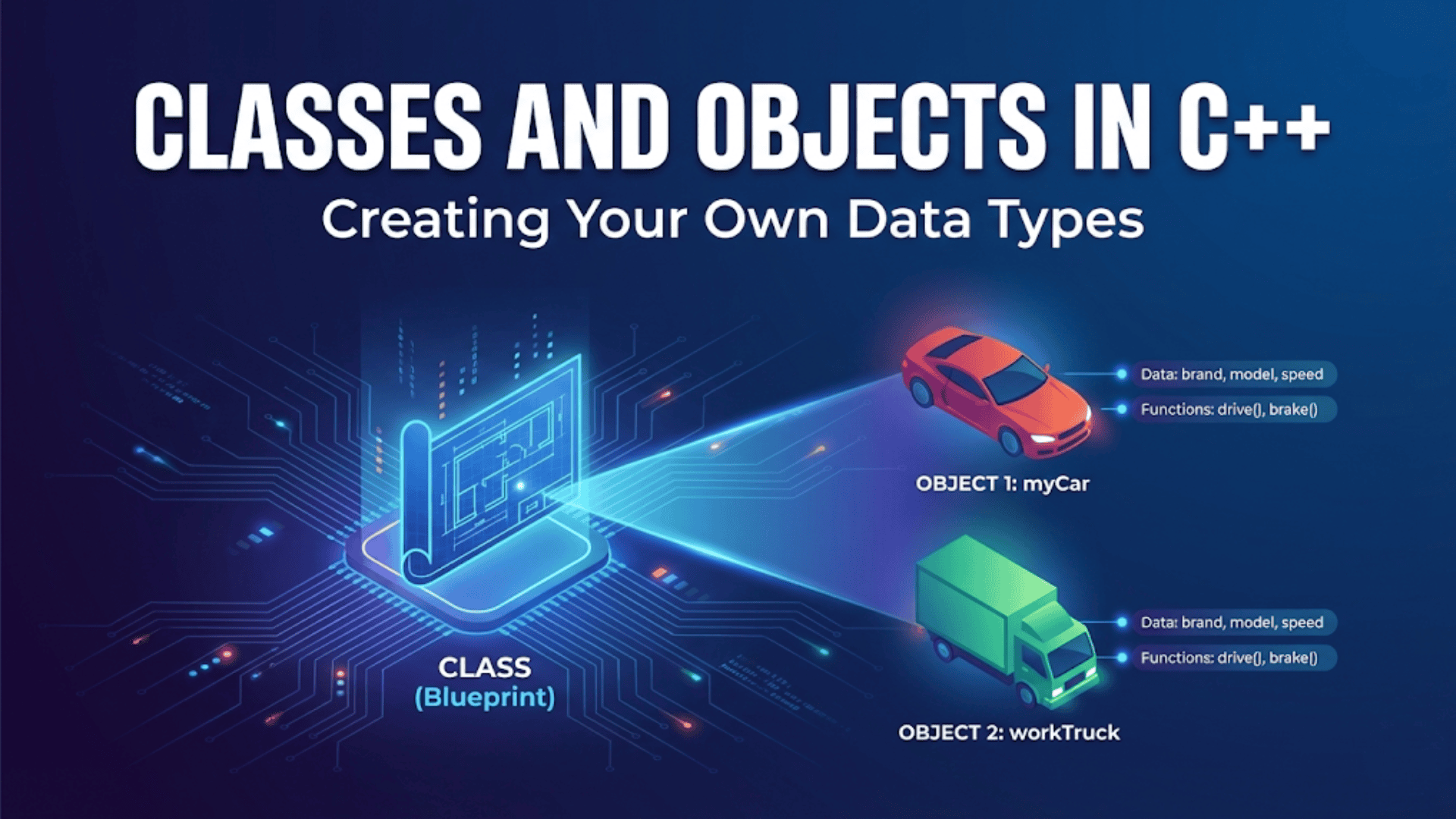

When you create an object of a class, the object needs to start with valid, meaningful data rather than random garbage values left over in memory. In the previous article, you saw classes where we manually called an initialize method after creating objects, which works but feels clumsy and error-prone because you can easily forget to initialize an object before using it. Constructors solve this problem elegantly by providing special member functions that run automatically whenever you create an object, ensuring that every object begins life in a valid state without requiring manual initialization calls. Understanding constructors transforms object creation from a two-step process requiring discipline to a single automatic operation where initialization happens correctly by design.
Think of constructors like the setup that happens automatically when you turn on a new smartphone. You do not manually initialize each component, configure each setting, and prepare each app. Instead, the moment you power on the device, an automatic startup sequence runs that initializes the operating system, loads default settings, and prepares everything for use. Constructors work similarly for objects. The moment you declare a variable of a class type, the constructor runs automatically, setting up the object with appropriate initial values, allocating any resources needed, and ensuring the object is ready to use. This automatic initialization guarantees consistency and removes the burden of remembering initialization steps.
The power of constructors comes from making initialization impossible to forget while providing flexibility in how objects can be created. You can define multiple constructors that accept different parameters, letting users create objects in various ways depending on what information they have available. You can use member initializer lists to efficiently initialize members before the constructor body runs, which is essential for const members and references. You can provide default constructors that create objects with sensible default values, or require specific parameters that make invalid object states impossible. Understanding how to design and implement effective constructors enables creating classes that are both safe and convenient to use.
Let me start by showing you the most basic form of constructor and how it differs from manual initialization:
#include <iostream>
#include <string>

// WITHOUT constructor - manual initialization required
class BookManual {
public:
    std::string title;
    std::string author;
    int pages;
    double price;

    // Must call this manually after creating object
    void initialize(const std::string& t, const std::string& a, int p, double pr) {
        title = t;
        author = a;
        pages = p;
        price = pr;
    }

    void display() const {
        std::cout << "\"" << title << "\" by " << author
                  << " - " << pages << " pages, $" << price << std::endl;
    }
};

// WITH constructor - automatic initialization
class BookAuto {
private:
    std::string title;
    std::string author;
    int pages;
    double price;

public:
    // Constructor - same name as class, no return type
    BookAuto(const std::string& t, const std::string& a, int p, double pr) {
        title = t;
        author = a;
        pages = p;
        price = pr;
        std::cout << "Book constructor called for \"" << title << "\"" << std::endl;
    }

    void display() const {
        std::cout << "\"" << title << "\" by " << author
                  << " - " << pages << " pages, $" << price << std::endl;
    }
};

int main() {
    std::cout << "=== Manual Initialization ===" << std::endl;
    BookManual book1;
    // book1.display();  // Dangerous! Contains garbage values
    book1.initialize("Clean Code", "Robert Martin", 464, 44.99);
    book1.display();

    std::cout << "\n=== Automatic Initialization ===" << std::endl;
    // Constructor called automatically with these arguments
    BookAuto book2("The C++ Programming Language", "Bjarne Stroustrup", 1376, 79.99);
    book2.display();

    // Cannot create BookAuto without providing values
    // BookAuto book3;  // Compilation error! No matching constructor

    return 0;
}The constructor has the exact same name as the class and no return type, not even void. When you create a BookAuto object, you must provide the four arguments the constructor expects, and the constructor runs automatically to initialize the object. This makes forgetting initialization impossible because the compiler enforces it. The BookManual class allows creating uninitialized objects that contain garbage values, which the BookAuto constructor-based approach prevents entirely.
Default constructors take no parameters and run when you create an object without providing arguments. If you do not define any constructors, the compiler provides a default constructor automatically, but as soon as you define any constructor, you must explicitly define a default constructor if you want one:
#include <iostream>
#include <string>

class Point {
private:
    double x;
    double y;

public:
    // Default constructor - no parameters
    Point() {
        x = 0.0;
        y = 0.0;
        std::cout << "Default constructor: Point created at origin" << std::endl;
    }

    // Parameterized constructor
    Point(double xVal, double yVal) {
        x = xVal;
        y = yVal;
        std::cout << "Parameterized constructor: Point created at ("
                  << x << ", " << y << ")" << std::endl;
    }

    void display() const {
        std::cout << "(" << x << ", " << y << ")";
    }
};

class Rectangle {
private:
    double width;
    double height;

public:
    // Only parameterized constructor - no default
    Rectangle(double w, double h) {
        width = w;
        height = h;
        std::cout << "Rectangle created: " << width << " x " << height << std::endl;
    }

    void display() const {
        std::cout << "Rectangle: " << width << " x " << height << std::endl;
    }
};

int main() {
    std::cout << "=== Creating Points ===" << std::endl;
    Point origin;              // Calls default constructor
    Point corner(10, 20);      // Calls parameterized constructor

    origin.display();
    std::cout << std::endl;
    corner.display();
    std::cout << std::endl;

    std::cout << "\n=== Creating Rectangles ===" << std::endl;
    Rectangle rect(5, 10);     // Must provide dimensions
    // Rectangle invalid;      // Compilation error! No default constructor

    return 0;
}The Point class defines both a default constructor that initializes coordinates to zero and a parameterized constructor that accepts specific coordinates. This gives users flexibility in how they create points. The Rectangle class defines only a parameterized constructor, making it impossible to create a rectangle without specifying dimensions, which makes sense because a rectangle without dimensions is meaningless. When you define any constructor, the compiler stops providing the automatic default constructor, so you must explicitly define one if you want it.
Member initializer lists provide a more efficient and sometimes necessary way to initialize members, running before the constructor body executes:
#include <iostream>
#include <string>

class BankAccount {
private:
    const std::string accountNumber;  // const member must use initializer list
    std::string ownerName;
    double balance;

public:
    // Constructor with member initializer list
    BankAccount(const std::string& accNum, const std::string& owner, double initial)
        : accountNumber(accNum),  // Initialize const member
          ownerName(owner),       // Initialize regular member
          balance(initial >= 0 ? initial : 0)  // Initialize with validation
    {
        // Constructor body runs after member initialization
        std::cout << "Account " << accountNumber << " created for "
                  << ownerName << " with balance $" << balance << std::endl;
    }

    void display() const {
        std::cout << "Account: " << accountNumber << ", Owner: " << ownerName
                  << ", Balance: $" << balance << std::endl;
    }
};

class Person {
private:
    std::string name;
    int age;
    std::string address;

public:
    // Without initializer list - uses assignment in constructor body
    Person(const std::string& n, int a, const std::string& addr) {
        name = n;      // Assignment, not initialization
        age = a;
        address = addr;
        std::cout << "Person created: " << name << std::endl;
    }
};

class PersonBetter {
private:
    std::string name;
    int age;
    std::string address;

public:
    // With initializer list - more efficient
    PersonBetter(const std::string& n, int a, const std::string& addr)
        : name(n),     // Direct initialization
          age(a),
          address(addr)
    {
        std::cout << "Person created: " << name << std::endl;
    }
};

int main() {
    BankAccount account("ACC001", "Alice Johnson", 1000.0);
    account.display();

    std::cout << std::endl;

    Person person1("Bob Smith", 30, "123 Main St");
    PersonBetter person2("Carol White", 25, "456 Oak Ave");

    return 0;
}The member initializer list comes after the constructor parameter list, starting with a colon and containing comma-separated member initializations. Members are initialized in the order they appear in the class definition, not the order in the initializer list, which sometimes catches people by surprise. The initializer list is required for const members and reference members because they must be initialized and cannot be assigned to. For regular members, the initializer list is more efficient because it performs direct initialization rather than default construction followed by assignment. Getting into the habit of using initializer lists for all constructors represents good practice.
Constructor overloading lets you define multiple constructors with different parameter lists, giving users flexibility in how they create objects:
#include <iostream>
#include <string>

class Date {
private:
    int day;
    int month;
    int year;

public:
    // Default constructor - today's date as example
    Date() : day(1), month(1), year(2024) {
        std::cout << "Default constructor: Date set to 01/01/2024" << std::endl;
    }

    // Constructor with all three components
    Date(int d, int m, int y) : day(d), month(m), year(y) {
        std::cout << "Full constructor: Date set to " << d << "/" << m << "/" << y << std::endl;
    }

    // Constructor with just year - assume January 1st
    Date(int y) : day(1), month(1), year(y) {
        std::cout << "Year constructor: Date set to 01/01/" << y << std::endl;
    }

    // Constructor with month and year - assume 1st day
    Date(int m, int y) : day(1), month(m), year(y) {
        std::cout << "Month/Year constructor: Date set to 01/" << m << "/" << y << std::endl;
    }

    void display() const {
        std::cout << day << "/" << month << "/" << year << std::endl;
    }
};

class Timer {
private:
    int hours;
    int minutes;
    int seconds;

public:
    // Default - zero time
    Timer() : hours(0), minutes(0), seconds(0) {
        std::cout << "Timer created at 00:00:00" << std::endl;
    }

    // Just hours
    Timer(int h) : hours(h), minutes(0), seconds(0) {
        std::cout << "Timer created at " << h << ":00:00" << std::endl;
    }

    // Hours and minutes
    Timer(int h, int m) : hours(h), minutes(m), seconds(0) {
        std::cout << "Timer created at " << h << ":" << m << ":00" << std::endl;
    }

    // All components
    Timer(int h, int m, int s) : hours(h), minutes(m), seconds(s) {
        std::cout << "Timer created at " << h << ":" << m << ":" << s << std::endl;
    }

    void display() const {
        std::cout << hours << ":" << minutes << ":" << seconds << std::endl;
    }
};

int main() {
    std::cout << "=== Date Constructors ===" << std::endl;
    Date date1;                 // Default
    Date date2(25, 12, 2024);  // Full date
    Date date3(2025);          // Just year
    Date date4(6, 2024);       // Month and year

    std::cout << "\n=== Timer Constructors ===" << std::endl;
    Timer timer1;              // Default
    Timer timer2(2);           // Hours only
    Timer timer3(2, 30);       // Hours and minutes
    Timer timer4(2, 30, 45);   // Full time

    return 0;
}Each constructor provides a different way to create objects based on what information is available or convenient. The Date class lets you create a date with full details, just a year, or use defaults, making the class flexible for different usage scenarios. The compiler selects which constructor to call based on the arguments you provide, matching the number and types of arguments to the constructor parameter lists. This overloading capability makes classes convenient to use in various contexts.
Let me show you a comprehensive example that demonstrates constructors working in a realistic application with multiple interacting classes:
#include <iostream>
#include <string>
#include <vector>

class Product {
private:
    std::string name;
    std::string category;
    double price;
    int stockQuantity;

public:
    // Constructor with validation
    Product(const std::string& productName, const std::string& cat, double p, int stock)
        : name(productName),
          category(cat),
          price(p >= 0 ? p : 0),
          stockQuantity(stock >= 0 ? stock : 0)
    {
        std::cout << "Product created: " << name << " ($" << price << ")" << std::endl;
    }

    // Constructor with default stock quantity
    Product(const std::string& productName, const std::string& cat, double p)
        : Product(productName, cat, p, 0)  // Delegate to other constructor
    {
        std::cout << "  (using default stock of 0)" << std::endl;
    }

    void display() const {
        std::cout << name << " (" << category << ") - $" << price
                  << " - Stock: " << stockQuantity << std::endl;
    }

    std::string getName() const { return name; }
    double getPrice() const { return price; }
    int getStock() const { return stockQuantity; }

    bool isAvailable() const { return stockQuantity > 0; }
};

class ShoppingCartItem {
private:
    Product product;
    int quantity;

public:
    // Constructor takes a Product and quantity
    ShoppingCartItem(const Product& prod, int qty)
        : product(prod),  // Copy construct the product
          quantity(qty > 0 ? qty : 1)
    {
        std::cout << "Cart item added: " << quantity << "x "
                  << product.getName() << std::endl;
    }

    double getSubtotal() const {
        return product.getPrice() * quantity;
    }

    void display() const {
        std::cout << quantity << "x " << product.getName()
                  << " = $" << getSubtotal() << std::endl;
    }

    int getQuantity() const { return quantity; }
};

class ShoppingCart {
private:
    std::vector<ShoppingCartItem> items;
    std::string customerName;

public:
    // Constructor initializes cart for a customer
    ShoppingCart(const std::string& customer)
        : customerName(customer)
    {
        std::cout << "\nShopping cart created for " << customerName << std::endl;
    }

    void addItem(const Product& product, int quantity) {
        // Create ShoppingCartItem and add to vector
        items.push_back(ShoppingCartItem(product, quantity));
    }

    double calculateTotal() const {
        double total = 0;
        for (const auto& item : items) {
            total += item.getSubtotal();
        }
        return total;
    }

    void displayCart() const {
        std::cout << "\n=== Shopping Cart for " << customerName << " ===" << std::endl;

        if (items.empty()) {
            std::cout << "Cart is empty" << std::endl;
            return;
        }

        for (const auto& item : items) {
            item.display();
        }

        std::cout << "Total: $" << calculateTotal() << std::endl;
    }

    int getItemCount() const { return items.size(); }
};

class Customer {
private:
    std::string name;
    std::string email;
    ShoppingCart cart;

public:
    // Constructor initializes customer and creates their shopping cart
    Customer(const std::string& customerName, const std::string& customerEmail)
        : name(customerName),
          email(customerEmail),
          cart(customerName)  // Initialize cart with customer name
    {
        std::cout << "Customer registered: " << name << " (" << email << ")" << std::endl;
    }

    void addToCart(const Product& product, int quantity) {
        cart.addItem(product, quantity);
    }

    void viewCart() const {
        cart.displayCart();
    }

    void checkout() const {
        std::cout << "\n=== Checkout for " << name << " ===" << std::endl;
        std::cout << "Email confirmation will be sent to: " << email << std::endl;
        std::cout << "Total amount: $" << cart.calculateTotal() << std::endl;
        std::cout << "Items in order: " << cart.getItemCount() << std::endl;
    }
};

int main() {
    std::cout << "=== Creating Products ===" << std::endl;
    Product laptop("Gaming Laptop", "Electronics", 1299.99, 5);
    Product mouse("Wireless Mouse", "Electronics", 29.99, 15);
    Product keyboard("Mechanical Keyboard", "Electronics", 89.99);  // Uses default stock

    std::cout << "\n=== Creating Customer ===" << std::endl;
    Customer customer("Alice Johnson", "alice@example.com");

    std::cout << "\n=== Shopping ===" << std::endl;
    customer.addToCart(laptop, 1);
    customer.addToCart(mouse, 2);
    customer.addToCart(keyboard, 1);

    customer.viewCart();
    customer.checkout();

    return 0;
}This comprehensive example demonstrates constructors at multiple levels of abstraction. The Product constructor validates price and stock to ensure objects start in valid states, with an overloaded constructor providing a default stock value. The ShoppingCartItem constructor initializes itself with a product and quantity, demonstrating how objects can contain other objects initialized through constructors. The ShoppingCart constructor takes a customer name and initializes an empty items vector. The Customer constructor initializes the customer’s data and constructs the embedded ShoppingCart object, showing how object initialization cascades through composition hierarchies.
Constructor delegation allows one constructor to call another constructor of the same class, reducing code duplication when multiple constructors share common initialization logic:
#include <iostream>
#include <string>

class Rectangle {
private:
    double width;
    double height;
    std::string color;

public:
    // Primary constructor with all parameters
    Rectangle(double w, double h, const std::string& c)
        : width(w), height(h), color(c)
    {
        std::cout << "Full constructor: " << width << "x" << height
                  << " " << color << " rectangle" << std::endl;
    }

    // Delegate to primary constructor with default color
    Rectangle(double w, double h)
        : Rectangle(w, h, "white")  // Calls other constructor
    {
        std::cout << "  (using default color)" << std::endl;
    }

    // Create a square by delegating with equal dimensions
    Rectangle(double size)
        : Rectangle(size, size, "white")  // Calls other constructor
    {
        std::cout << "  (square constructor)" << std::endl;
    }

    void display() const {
        std::cout << color << " rectangle: " << width << " x " << height << std::endl;
    }

    double getArea() const {
        return width * height;
    }
};

int main() {
    Rectangle rect1(10, 5, "blue");
    Rectangle rect2(8, 4);
    Rectangle square(6);

    std::cout << "\n=== Rectangle Information ===" << std::endl;
    rect1.display();
    rect2.display();
    square.display();

    return 0;
}Constructor delegation uses the member initializer list syntax to call another constructor before the constructor body runs. This eliminates duplicated initialization code across multiple constructors, making the class easier to maintain. When you change the initialization logic, you only need to modify the primary constructor, and all delegating constructors automatically use the updated logic. The delegating constructor can still have a body that runs after the delegated constructor completes.
Explicit constructors prevent implicit type conversions that might be surprising or unintended:
#include <iostream>

class Distance {
private:
    double meters;

public:
    // Implicit constructor - allows implicit conversions
    Distance(double m) : meters(m) {
        std::cout << "Distance created: " << meters << " meters" << std::endl;
    }

    void display() const {
        std::cout << "Distance: " << meters << " meters" << std::endl;
    }
};

class DistanceExplicit {
private:
    double meters;

public:
    // Explicit constructor - prevents implicit conversions
    explicit DistanceExplicit(double m) : meters(m) {
        std::cout << "Distance created: " << meters << " meters" << std::endl;
    }

    void display() const {
        std::cout << "Distance: " << meters << " meters" << std::endl;
    }
};

void printDistance(const Distance& d) {
    d.display();
}

void printDistanceExplicit(const DistanceExplicit& d) {
    d.display();
}

int main() {
    std::cout << "=== Implicit Constructor ===" << std::endl;
    Distance d1(100.0);      // Direct initialization
    Distance d2 = 200.0;     // Copy initialization - implicit conversion!

    printDistance(300.0);    // Implicit conversion from double to Distance!

    std::cout << "\n=== Explicit Constructor ===" << std::endl;
    DistanceExplicit d3(100.0);      // Direct initialization
    // DistanceExplicit d4 = 200.0;  // Error! No implicit conversion

    // printDistanceExplicit(300.0);  // Error! No implicit conversion
    printDistanceExplicit(DistanceExplicit(300.0));  // Must explicitly construct

    return 0;
}Without the explicit keyword, single-parameter constructors create implicit conversions from the parameter type to the class type. This allows passing a double where a Distance is expected, with the compiler automatically constructing a temporary Distance object. While sometimes convenient, these implicit conversions can cause surprising behavior and make code harder to understand. The explicit keyword prevents implicit conversions, requiring explicit construction when creating objects or passing arguments. Using explicit for single-parameter constructors represents good practice unless you specifically want implicit conversion behavior.
Understanding constructor execution order matters when classes contain other objects or inherit from base classes:
#include <iostream>
#include <string>

class Engine {
private:
    std::string type;

public:
    Engine(const std::string& t) : type(t) {
        std::cout << "  Engine constructor: " << type << std::endl;
    }

    ~Engine() {
        std::cout << "  Engine destructor: " << type << std::endl;
    }
};

class Transmission {
private:
    std::string type;

public:
    Transmission(const std::string& t) : type(t) {
        std::cout << "  Transmission constructor: " << type << std::endl;
    }

    ~Transmission() {
        std::cout << "  Transmission destructor: " << type << std::endl;
    }
};

class Car {
private:
    std::string model;
    Engine engine;
    Transmission transmission;

public:
    Car(const std::string& m, const std::string& e, const std::string& t)
        : model(m),
          engine(e),           // Initialize engine
          transmission(t)      // Initialize transmission
    {
        std::cout << "Car constructor: " << model << std::endl;
    }

    ~Car() {
        std::cout << "Car destructor: " << model << std::endl;
    }
};

int main() {
    std::cout << "=== Creating Car ===" << std::endl;
    Car myCar("Tesla Model 3", "Electric Motor", "Single-Speed");

    std::cout << "\n=== Program Ending ===" << std::endl;

    return 0;
}When a Car object is constructed, member objects are constructed first in the order they appear in the class definition, then the Car constructor body runs. When the Car is destroyed, the opposite order occurs—the Car destructor runs first, then member objects are destroyed in reverse order of construction. This automatic initialization and cleanup of member objects ensures that complex objects with many components are properly initialized and cleaned up without manual intervention.
Key Takeaways
Constructors are special member functions that run automatically when objects are created, ensuring every object begins life in a valid state without requiring manual initialization calls. Constructors have the same name as the class and no return type, and they run automatically when you declare a variable of the class type or dynamically allocate an object. Default constructors take no parameters and create objects with default values, while parameterized constructors accept arguments that specify initial object state.
Member initializer lists provide efficient initialization of member variables before the constructor body executes, and they are required for initializing const members and reference members that cannot be assigned to. The initializer list syntax uses a colon after the parameter list followed by comma-separated member initializations, with members initialized in the order they appear in the class definition regardless of the order in the initializer list. Getting into the habit of using initializer lists for all constructors represents good practice because it is more efficient than assignment in the constructor body.
Constructor overloading provides multiple ways to create objects by defining constructors with different parameter lists, with the compiler selecting the appropriate constructor based on the arguments provided at object creation. Constructor delegation allows one constructor to call another constructor to avoid duplicating initialization code. The explicit keyword prevents implicit type conversions from single-parameter constructors, making code more predictable and preventing surprising automatic conversions. Understanding constructors deeply enables designing classes that are both safe and convenient to use, where proper initialization happens automatically by design rather than requiring user discipline.