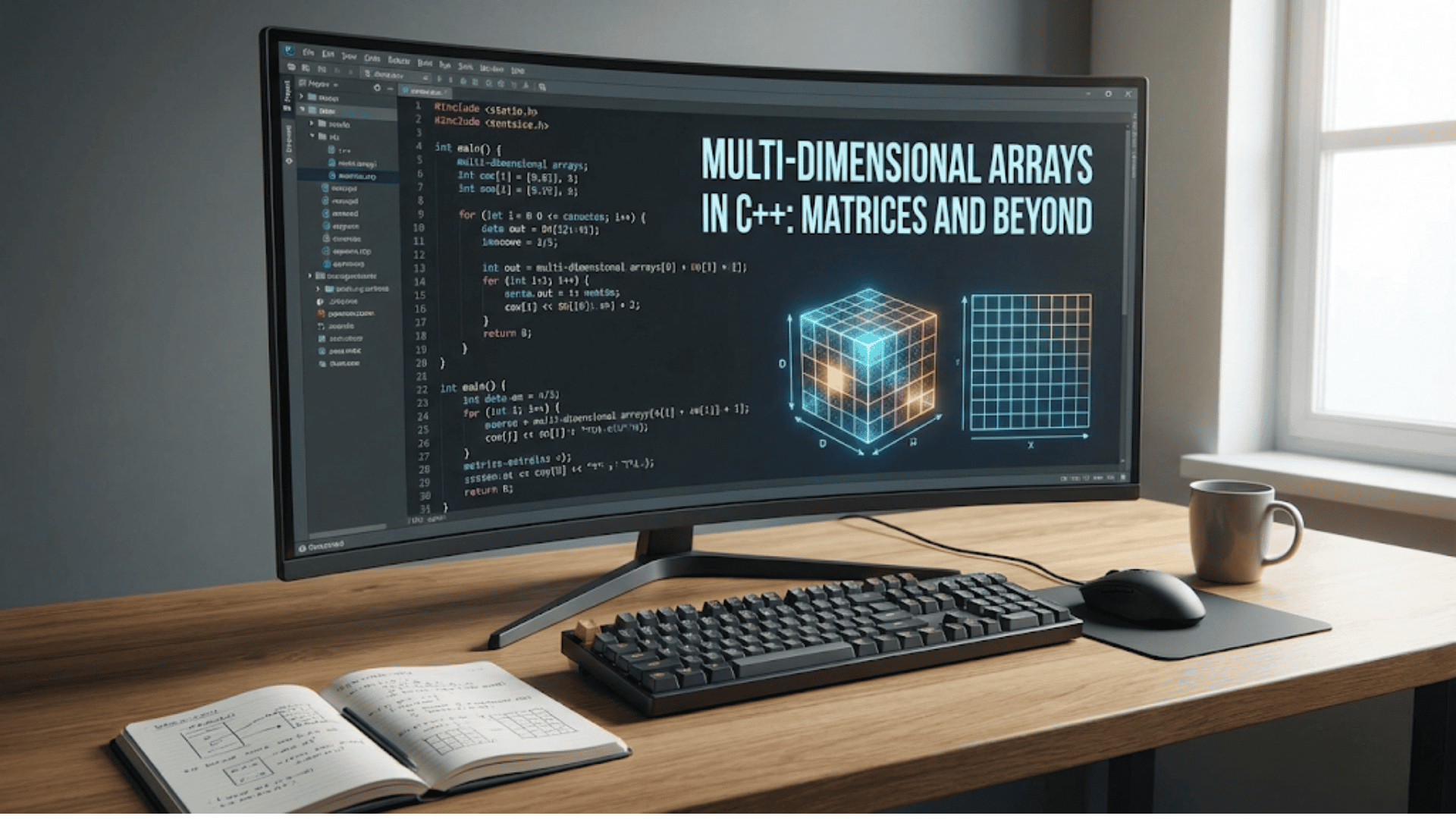

When you learned about arrays, you discovered how to store a sequence of values like test scores or temperatures for each day of the week. But what happens when your data has more than one dimension? Consider a chessboard with sixty-four squares arranged in eight rows and eight columns, or a spreadsheet with rows and columns of data, or a digital image where each pixel has a row and column position. These naturally two-dimensional structures need multi-dimensional arrays—arrays of arrays that let you organize data with rows and columns, or even more dimensions. Multi-dimensional arrays extend the basic array concept to handle complex, structured data that appears constantly in real-world programming, from game development to scientific computing to image processing.
Think of a regular array as a single row of mailboxes along a street, where each mailbox has a number and contains one item. A two-dimensional array is like an apartment building where you need both a floor number and an apartment number to locate a specific unit—each apartment can hold an item, and the building is organized in rows and columns. Just as you can have apartment buildings with many floors and many apartments per floor, you can have arrays with multiple dimensions organizing data in increasingly complex structures. This organizational capability makes multi-dimensional arrays perfect for representing grids, tables, matrices, and other structured data.
The power of multi-dimensional arrays comes from their ability to mirror the structure of real-world data. When you’re writing a tic-tac-toe game, a 3×3 array naturally represents the game board. When you’re working with digital images, a 2D array with rows and columns naturally represents pixels. When you’re doing matrix mathematics, multi-dimensional arrays provide exactly the structure mathematicians use. Understanding multi-dimensional arrays transforms how you think about organizing data, enabling you to model complex structures directly in code rather than fighting to fit them into one-dimensional sequences.
Let me start by showing you the basic syntax for declaring and using two-dimensional arrays, which are by far the most common type of multi-dimensional array:
#include <iostream>

int main() {
    // Declare a 2D array - 3 rows, 4 columns
    int matrix[3][4];

    // Initialize values
    matrix[0][0] = 1;
    matrix[0][1] = 2;
    matrix[0][2] = 3;
    matrix[0][3] = 4;

    matrix[1][0] = 5;
    matrix[1][1] = 6;
    matrix[1][2] = 7;
    matrix[1][3] = 8;

    matrix[2][0] = 9;
    matrix[2][1] = 10;
    matrix[2][2] = 11;
    matrix[2][3] = 12;

    // Access individual elements
    std::cout << "Element at [1][2]: " << matrix[1][2] << std::endl;  // Prints: 7

    // Print the entire matrix
    std::cout << "\nMatrix contents:" << std::endl;
    for (int row = 0; row < 3; row++) {
        for (int col = 0; col < 4; col++) {
            std::cout << matrix[row][col] << " ";
        }
        std::cout << std::endl;
    }

    return 0;
}The syntax int matrix[3][4] declares a two-dimensional array with three rows and four columns, creating space for twelve integers total. You access individual elements using two indices—the first index selects the row, the second selects the column. The notation matrix[1][2] means “row 1, column 2,” which, remembering that arrays are zero-indexed, refers to the second row, third column. This double-indexing naturally extends the single-index notation you already know from one-dimensional arrays.
Notice the nested for loops used to traverse the array. The outer loop iterates through rows, and the inner loop iterates through columns. This pattern—nested loops for nested dimensions—appears constantly when working with multi-dimensional arrays. The outer loop controls which row you’re examining, while the inner loop walks across that row, visiting each column position.
You can initialize two-dimensional arrays at declaration time using nested curly braces, which makes the structure much clearer and avoids tedious individual assignments:
#include <iostream>

int main() {
    // Initialize a 2D array with values
    int matrix[3][4] = {
        {1, 2, 3, 4},     // Row 0
        {5, 6, 7, 8},     // Row 1
        {9, 10, 11, 12}   // Row 2
    };

    // Each inner set of braces represents one row
    std::cout << "Matrix:" << std::endl;
    for (int i = 0; i < 3; i++) {
        for (int j = 0; j < 4; j++) {
            std::cout << matrix[i][j] << "\t";  // Tab for alignment
        }
        std::cout << std::endl;
    }

    // You can also use flat initialization
    int flatMatrix[3][4] = {1, 2, 3, 4, 5, 6, 7, 8, 9, 10, 11, 12};
    // This works but is less clear - nested braces show structure better

    return 0;
}The nested braces initialization syntax makes the two-dimensional structure visible in your code. Each inner set of braces represents one row, and the elements within each row set represent the columns. This visual organization helps you understand the array’s structure at a glance and makes initialization errors easier to spot. While flat initialization works, the nested syntax is strongly preferred because it documents your intentions—you’re creating a structure with rows and columns, not just a flat sequence of numbers.
Let me show you a practical example that demonstrates why two-dimensional arrays are so useful—representing a game board:
#include <iostream>

const int ROWS = 8;
const int COLS = 8;

void initializeChessBoard(char board[ROWS][COLS]) {
    // Initialize with empty squares
    for (int i = 0; i < ROWS; i++) {
        for (int j = 0; j < COLS; j++) {
            board[i][j] = '.';  // '.' represents empty square
        }
    }

    // Place some pieces (simplified chess setup)
    // Black pieces (top)
    board[0][0] = 'r';  // Rook
    board[0][1] = 'n';  // Knight
    board[0][7] = 'r';  // Rook

    // White pieces (bottom)
    board[7][0] = 'R';  // Rook (uppercase for white)
    board[7][1] = 'N';  // Knight
    board[7][7] = 'R';  // Rook
}

void displayBoard(const char board[ROWS][COLS]) {
    std::cout << "  ";
    for (int i = 0; i < COLS; i++) {
        std::cout << i << " ";
    }
    std::cout << std::endl;

    for (int i = 0; i < ROWS; i++) {
        std::cout << i << " ";
        for (int j = 0; j < COLS; j++) {
            std::cout << board[i][j] << " ";
        }
        std::cout << std::endl;
    }
}

bool isValidMove(int fromRow, int fromCol, int toRow, int toCol) {
    // Check if positions are within board boundaries
    if (fromRow < 0 || fromRow >= ROWS || fromCol < 0 || fromCol >= COLS) {
        return false;
    }
    if (toRow < 0 || toRow >= ROWS || toCol < 0 || toCol >= COLS) {
        return false;
    }
    return true;
}

void movePiece(char board[ROWS][COLS], int fromRow, int fromCol, int toRow, int toCol) {
    if (!isValidMove(fromRow, fromCol, toRow, toCol)) {
        std::cout << "Invalid move - out of bounds" << std::endl;
        return;
    }

    if (board[fromRow][fromCol] == '.') {
        std::cout << "No piece at starting position" << std::endl;
        return;
    }

    // Move the piece
    board[toRow][toCol] = board[fromRow][fromCol];
    board[fromRow][fromCol] = '.';

    std::cout << "Piece moved from [" << fromRow << "][" << fromCol
              << "] to [" << toRow << "][" << toCol << "]" << std::endl;
}

int main() {
    char chessBoard[ROWS][COLS];

    initializeChessBoard(chessBoard);

    std::cout << "Initial board:" << std::endl;
    displayBoard(chessBoard);

    std::cout << "\nMoving piece from [7][1] to [5][2]:" << std::endl;
    movePiece(chessBoard, 7, 1, 5, 2);

    std::cout << "\nBoard after move:" << std::endl;
    displayBoard(chessBoard);

    return 0;
}This chess board example demonstrates the natural fit between two-dimensional arrays and grid-based data. The array indices directly correspond to positions on the board—board[3][4] means row 3, column 4, which naturally maps to the chess board structure. Functions can pass these arrays and manipulate them, enabling clean separation of concerns where initialization, display, and game logic each have their own functions. The two-dimensional structure makes the code intuitive because it matches how we think about chess boards.
Passing multi-dimensional arrays to functions requires special syntax because the compiler needs to know the size of all dimensions except the first:
#include <iostream>

// Must specify all dimensions except the first
void printMatrix(int matrix[][4], int rows) {
    for (int i = 0; i < rows; i++) {
        for (int j = 0; j < 4; j++) {
            std::cout << matrix[i][j] << " ";
        }
        std::cout << std::endl;
    }
}

// Alternative: specify both dimensions as template parameters
template <int ROWS, int COLS>
void printMatrixTemplate(int matrix[ROWS][COLS]) {
    for (int i = 0; i < ROWS; i++) {
        for (int j = 0; j < COLS; j++) {
            std::cout << matrix[i][j] << " ";
        }
        std::cout << std::endl;
    }
}

int main() {
    int data[3][4] = {
        {1, 2, 3, 4},
        {5, 6, 7, 8},
        {9, 10, 11, 12}
    };

    std::cout << "Using regular function:" << std::endl;
    printMatrix(data, 3);

    std::cout << "\nUsing template function:" << std::endl;
    printMatrixTemplate<3, 4>(data);

    return 0;
}When passing two-dimensional arrays to functions, you must specify the column count in the parameter declaration because the compiler needs this information to calculate memory addresses correctly. The row count can be passed as a separate parameter. Alternatively, template functions can accept the dimensions as template parameters, creating type-safe functions that work with specific array sizes. This ensures the function cannot be accidentally called with arrays of the wrong dimensions.
Common operations on two-dimensional arrays include finding maximums, summing elements, and searching:
#include <iostream>
#include <climits>

const int ROWS = 4;
const int COLS = 5;

int findMax(int matrix[ROWS][COLS]) {
    int maxValue = INT_MIN;
    for (int i = 0; i < ROWS; i++) {
        for (int j = 0; j < COLS; j++) {
            if (matrix[i][j] > maxValue) {
                maxValue = matrix[i][j];
            }
        }
    }
    return maxValue;
}

int sumAll(int matrix[ROWS][COLS]) {
    int sum = 0;
    for (int i = 0; i < ROWS; i++) {
        for (int j = 0; j < COLS; j++) {
            sum += matrix[i][j];
        }
    }
    return sum;
}

bool search(int matrix[ROWS][COLS], int target, int& foundRow, int& foundCol) {
    for (int i = 0; i < ROWS; i++) {
        for (int j = 0; j < COLS; j++) {
            if (matrix[i][j] == target) {
                foundRow = i;
                foundCol = j;
                return true;
            }
        }
    }
    return false;
}

void sumRows(int matrix[ROWS][COLS]) {
    std::cout << "Row sums:" << std::endl;
    for (int i = 0; i < ROWS; i++) {
        int rowSum = 0;
        for (int j = 0; j < COLS; j++) {
            rowSum += matrix[i][j];
        }
        std::cout << "Row " << i << ": " << rowSum << std::endl;
    }
}

void sumColumns(int matrix[ROWS][COLS]) {
    std::cout << "Column sums:" << std::endl;
    for (int j = 0; j < COLS; j++) {
        int colSum = 0;
        for (int i = 0; i < ROWS; i++) {
            colSum += matrix[i][j];
        }
        std::cout << "Column " << j << ": " << colSum << std::endl;
    }
}

int main() {
    int data[ROWS][COLS] = {
        {10, 20, 30, 40, 50},
        {15, 25, 35, 45, 55},
        {12, 22, 32, 42, 52},
        {18, 28, 38, 48, 58}
    };

    std::cout << "Maximum value: " << findMax(data) << std::endl;
    std::cout << "Sum of all elements: " << sumAll(data) << std::endl;

    int row, col;
    if (search(data, 35, row, col)) {
        std::cout << "Found 35 at position [" << row << "][" << col << "]" << std::endl;
    }

    std::cout << std::endl;
    sumRows(data);

    std::cout << std::endl;
    sumColumns(data);

    return 0;
}These operations demonstrate the flexibility of two-dimensional arrays. Notice how sumRows keeps the outer loop for rows while the inner loop accumulates across columns, while sumColumns reverses this—the outer loop iterates through columns while the inner loop accumulates down rows. Understanding how to structure nested loops based on whether you’re processing rows or columns is crucial for working effectively with multi-dimensional arrays.
Three-dimensional arrays extend the concept further, useful for representing volumetric data like 3D grids, video frames over time, or data cubes:
#include <iostream>

int main() {
    // 3D array: layers x rows x columns
    int cube[3][4][5];

    // Initialize all elements to zero
    for (int layer = 0; layer < 3; layer++) {
        for (int row = 0; row < 4; row++) {
            for (int col = 0; col < 5; col++) {
                cube[layer][row][col] = layer * 100 + row * 10 + col;
            }
        }
    }

    // Display one layer
    std::cout << "Layer 1:" << std::endl;
    for (int row = 0; row < 4; row++) {
        for (int col = 0; col < 5; col++) {
            std::cout << cube[1][row][col] << "\t";
        }
        std::cout << std::endl;
    }

    return 0;
}Three-dimensional arrays require three indices to access an element—you might think of this as layer, row, and column, or depth, height, and width, depending on your application. The declaration int cube[3][4][5] creates an array with three layers, each containing four rows of five elements, for sixty total elements. Triple-nested loops traverse all elements, with the outermost loop typically controlling the first dimension, the middle loop the second dimension, and the innermost loop the third dimension.
Let me show you a comprehensive example that demonstrates multi-dimensional arrays in a realistic application—a simple grade management system:
#include <iostream>
#include <string>
#include <iomanip>

const int NUM_STUDENTS = 5;
const int NUM_SUBJECTS = 4;

std::string subjects[NUM_SUBJECTS] = {"Math", "Science", "English", "History"};
std::string students[NUM_STUDENTS] = {"Alice", "Bob", "Carol", "David", "Eve"};

void initializeGrades(int grades[NUM_STUDENTS][NUM_SUBJECTS]) {
    int sampleGrades[NUM_STUDENTS][NUM_SUBJECTS] = {
        {85, 92, 78, 88},  // Alice
        {78, 85, 82, 90},  // Bob
        {92, 88, 95, 91},  // Carol
        {70, 75, 72, 68},  // David
        {88, 90, 86, 89}   // Eve
    };

    for (int i = 0; i < NUM_STUDENTS; i++) {
        for (int j = 0; j < NUM_SUBJECTS; j++) {
            grades[i][j] = sampleGrades[i][j];
        }
    }
}

void displayGradeTable(int grades[NUM_STUDENTS][NUM_SUBJECTS]) {
    std::cout << std::setw(12) << "Student";
    for (int j = 0; j < NUM_SUBJECTS; j++) {
        std::cout << std::setw(10) << subjects[j];
    }
    std::cout << std::setw(10) << "Average" << std::endl;
    std::cout << std::string(62, '-') << std::endl;

    for (int i = 0; i < NUM_STUDENTS; i++) {
        std::cout << std::setw(12) << students[i];

        int sum = 0;
        for (int j = 0; j < NUM_SUBJECTS; j++) {
            std::cout << std::setw(10) << grades[i][j];
            sum += grades[i][j];
        }

        double average = sum / (double)NUM_SUBJECTS;
        std::cout << std::setw(10) << std::fixed << std::setprecision(1) << average << std::endl;
    }
}

void displaySubjectAverages(int grades[NUM_STUDENTS][NUM_SUBJECTS]) {
    std::cout << "\nSubject Averages:" << std::endl;
    for (int j = 0; j < NUM_SUBJECTS; j++) {
        int sum = 0;
        for (int i = 0; i < NUM_STUDENTS; i++) {
            sum += grades[i][j];
        }
        double average = sum / (double)NUM_STUDENTS;
        std::cout << std::setw(12) << subjects[j] << ": "
                  << std::fixed << std::setprecision(1) << average << std::endl;
    }
}

void findTopStudent(int grades[NUM_STUDENTS][NUM_SUBJECTS]) {
    double highestAverage = 0;
    int topStudentIndex = 0;

    for (int i = 0; i < NUM_STUDENTS; i++) {
        int sum = 0;
        for (int j = 0; j < NUM_SUBJECTS; j++) {
            sum += grades[i][j];
        }
        double average = sum / (double)NUM_SUBJECTS;

        if (average > highestAverage) {
            highestAverage = average;
            topStudentIndex = i;
        }
    }

    std::cout << "\nTop Student: " << students[topStudentIndex]
              << " with average " << std::fixed << std::setprecision(1)
              << highestAverage << std::endl;
}

void displayStudentGrades(int grades[NUM_STUDENTS][NUM_SUBJECTS], const std::string& studentName) {
    int studentIndex = -1;
    for (int i = 0; i < NUM_STUDENTS; i++) {
        if (students[i] == studentName) {
            studentIndex = i;
            break;
        }
    }

    if (studentIndex == -1) {
        std::cout << "Student not found" << std::endl;
        return;
    }

    std::cout << "\nGrades for " << studentName << ":" << std::endl;
    for (int j = 0; j < NUM_SUBJECTS; j++) {
        std::cout << std::setw(12) << subjects[j] << ": "
                  << grades[studentIndex][j] << std::endl;
    }
}

int main() {
    int grades[NUM_STUDENTS][NUM_SUBJECTS];

    initializeGrades(grades);

    std::cout << "=== Grade Management System ===" << std::endl;
    displayGradeTable(grades);

    displaySubjectAverages(grades);

    findTopStudent(grades);

    displayStudentGrades(grades, "Carol");

    return 0;
}This grade management system demonstrates the power of two-dimensional arrays for tabular data. The rows represent students, the columns represent subjects, and each element contains a grade. The code shows different traversal patterns—calculating student averages requires summing across rows, while calculating subject averages requires summing down columns. The natural correspondence between the array structure and the problem domain makes the code intuitive and maintainable.
Memory layout of multi-dimensional arrays is important to understand. In C++, multi-dimensional arrays are stored in row-major order, meaning all elements of the first row are stored consecutively, followed by all elements of the second row, and so on:
#include <iostream>

int main() {
    int matrix[3][4] = {
        {1, 2, 3, 4},
        {5, 6, 7, 8},
        {9, 10, 11, 12}
    };

    // View memory layout using pointer arithmetic
    int* ptr = &matrix[0][0];

    std::cout << "Memory layout (contiguous):" << std::endl;
    for (int i = 0; i < 12; i++) {
        std::cout << ptr[i] << " ";
    }
    std::cout << std::endl;

    // This demonstrates that matrix[i][j] is equivalent to:
    // *(ptr + i * COLS + j)
    // where COLS is the number of columns

    return 0;
}Understanding row-major order helps with performance optimization—accessing elements row-by-row is more cache-friendly than column-by-column access because consecutive memory locations are accessed sequentially, taking advantage of CPU cache prefetching.
Common mistakes with multi-dimensional arrays include mixing up row and column indices, forgetting that indices start at zero, and attempting to initialize arrays with wrong dimensions:
// Common mistakes:
int wrong1[3][4];
wrong1[4][0] = 10;  // Error! Row index 4 doesn't exist (only 0-2 valid)

int wrong2[3][4];
wrong2[0][4] = 10;  // Error! Column index 4 doesn't exist (only 0-3 valid)

int wrong3[3][4] = {
    {1, 2, 3, 4, 5}  // Error! Too many elements in row (only 4 columns)
};

// Correct usage:
int correct[3][4];
correct[2][3] = 10; // Valid - last elementAlways verify that both indices are within valid bounds. Remember that for an array declared as type array[ROWS][COLS], valid row indices are 0 to ROWS-1, and valid column indices are 0 to COLS-1.
Key Takeaways
Multi-dimensional arrays extend the basic array concept to handle data with multiple dimensions, with two-dimensional arrays being by far the most common for representing grids, tables, and matrices. The syntax type array[ROWS][COLS] creates a two-dimensional array where the first index selects the row and the second selects the column. Nested initialization using curly braces makes the structure clear and self-documenting.
Traversing multi-dimensional arrays requires nested loops, with the nesting level matching the array dimensions. The outer loop typically controls the first dimension while inner loops control subsequent dimensions. Different traversal patterns—row-major versus column-major—affect both correctness and performance, with row-major traversal being more cache-friendly due to how C++ stores arrays in memory.
When passing multi-dimensional arrays to functions, you must specify all dimension sizes except the first, or use templates to create type-safe functions that enforce dimension matching. Understanding multi-dimensional arrays enables modeling complex, structured data naturally in code, from game boards to spreadsheets to scientific simulations. The key to mastering multi-dimensional arrays is recognizing when data naturally has multiple dimensions and using array structures that mirror that natural organization.