Introduction: The Foundation of Your 3D Printing Journey
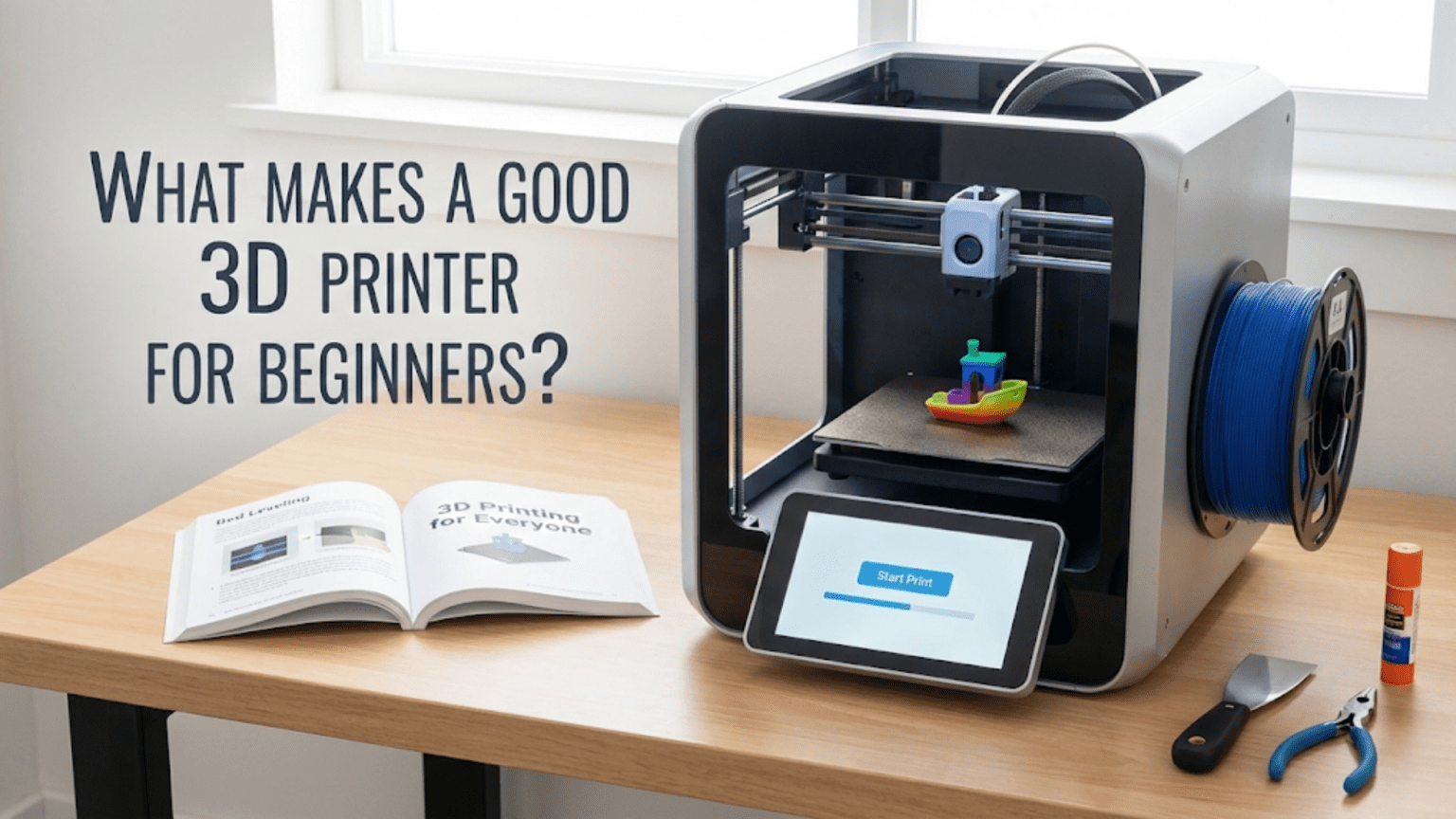
Choosing your first 3D printer represents one of the most important decisions in your journey into additive manufacturing. This isn’t just about spending money on a tool, it’s about selecting the platform that will either enable your success and enthusiasm or create endless frustration that sours you on 3D printing entirely. A well-chosen beginner printer serves as an effective teacher, providing reliable results that let you focus on learning fundamentals rather than constantly troubleshooting equipment. A poorly chosen printer becomes a source of constant problems that prevent you from ever experiencing the satisfaction of successful prints and might leave you with an expensive paperweight gathering dust.
The challenge facing beginners is that the 3D printer market has exploded in recent years, with dozens of manufacturers offering hundreds of models at price points ranging from a couple hundred dollars to several thousand. Every printer claims to be the best for beginners, the easiest to use, or the most reliable, yet these claims often mean little without understanding what actually makes a printer beginner-friendly. Marketing emphasizes exciting features like massive build volumes, lightning-fast print speeds, or exotic material capabilities, but these advanced features often matter less for beginners than more mundane characteristics like consistent bed leveling, reliable extrusion, and helpful documentation.
What makes this decision particularly challenging is that beginners, by definition, don’t yet have the experience to evaluate printer specifications meaningfully. When a printer boasts “high precision motion control” or “advanced automatic bed leveling,” how do you judge whether those features actually work well or are just marketing speak? When specifications list build volumes, layer heights, and print speeds, how do you know which numbers matter and what represents good versus mediocre performance? The beginner is asked to make an informed decision about something they don’t yet understand, creating a difficult catch-22.
The good news is that while the market is crowded and confusing, certain principles consistently distinguish truly beginner-friendly printers from those better suited to experienced users. These principles don’t require deep technical knowledge to understand. They focus on factors like reliability, the completeness of out-of-box experience, quality of documentation and support, community size and helpfulness, and whether the printer’s design forgives beginner mistakes or punishes them. Understanding these principles helps you evaluate printers even without hands-on experience.
Another piece of good news is that the budget entry-level printer market has improved dramatically in recent years. Printers that cost three hundred to five hundred dollars today are significantly better than printers at that price point five years ago. Competition has driven improvements in quality while pushing prices down, meaning beginners now have access to genuinely capable printers at relatively modest costs. You don’t need to spend thousands to get a printer that will serve you well through the learning process and beyond.
This article explores what actually makes a 3D printer suitable for beginners rather than just repeating manufacturer claims or listing popular models that might be outdated by the time you read this. We’ll examine the characteristics and features that enable success for new users, discuss what to prioritize versus what to ignore when comparing printers, explore different categories of beginner printers and their trade-offs, and provide a framework for making an informed decision based on your specific situation, goals, and budget. Whether you’re considering your very first printer purchase or helping someone else choose their beginner machine, understanding these principles will guide you toward a choice that enables success rather than creating frustration.
Reliability and Consistency: The Most Important Feature
If you could have only one characteristic in a beginner 3D printer, reliability would be the clear choice. A reliable printer produces successful prints most of the time with minimal intervention, allowing you to focus on learning the craft rather than constantly fighting equipment failures. An unreliable printer turns every print into a gamble, wasting time and material while preventing you from building the experience and confidence that come from successful prints. Understanding what contributes to reliability helps you identify printers likely to serve you well.
Reliability manifests in multiple dimensions. Mechanical reliability means the printer’s physical components function consistently without frequent failures, adjustments, or replacements. Belts maintain proper tension, bearings run smoothly, and motors operate without skipping steps. Electrical reliability means components don’t fail, connections remain secure, and the printer doesn’t suffer from intermittent problems that come and go mysteriously. Thermal reliability means hotend and bed temperatures remain stable and accurate. Software reliability means the firmware doesn’t crash, corrupt files, or behave unpredictably.
Build quality fundamentally affects reliability. Printers with rigid frames resist flexing during operation, maintaining alignment and producing consistent results. Quality components like name-brand stepper motors, reliable power supplies, and well-designed hotends last longer and fail less frequently than cheap generic parts. The assembly quality matters too, with properly assembled printers exhibiting fewer problems than those assembled hastily or with poor tolerances. While you can’t easily evaluate build quality from specifications alone, reviews from actual users and the manufacturer’s reputation provide insights.
Proven designs with years of development and refinement tend to be more reliable than cutting-edge designs introducing new technology. The latest innovations sound exciting, but they haven’t been tested in thousands of homes over months and years. Mature printer designs have had their bugs worked out, their weak points strengthened, and their quirks documented. For beginners, proven reliability trumps bleeding-edge features. There’s nothing wrong with innovative printers, but they’re often better choices for experienced users who can troubleshoot novel problems.
Simplicity correlates with reliability because simpler designs have fewer things that can go wrong. A printer with one well-designed extruder is typically more reliable than a printer with complex multi-extruder systems. A basic Cartesian motion system with proven kinematics is more reliable than exotic motion systems with more points of potential failure. Auto-leveling that works well is valuable, but manual leveling that’s simple and effective beats auto-leveling that’s finicky and unreliable. For beginners, simple and reliable beats complex and temperamental every time.
Consistency relates closely to reliability but focuses specifically on repeatable results. A consistent printer produces similar quality across prints, across different areas of the build plate, and across time without requiring constant re-calibration. When you find settings that work, they continue working. When you level the bed, it stays level for multiple prints. This consistency lets you build on successful experiences rather than treating each print as starting from scratch. Printers that require frequent re-leveling, constant adjustment, or demonstrate significant variation in print quality lack the consistency beginners need.
User reviews and community experiences provide the best insights into actual reliability because manufacturer claims rarely admit to reliability issues. Look for patterns in reviews. If multiple users report the same failure mode, that’s a red flag. If reviews consistently praise reliability and low maintenance requirements, that’s a positive signal. Pay particular attention to reviews from beginners rather than experts, as beginners are less able to work around reliability problems and their experiences better predict your likely experience.
The warranty and manufacturer support quality indicate the manufacturer’s confidence in reliability and their commitment to addressing problems. A longer warranty suggests the manufacturer expects fewer failures. Responsive customer support that actually helps users solve problems is invaluable when issues do occur. Manufacturers with poor reputations for support leave you on your own when problems arise. While warranty and support don’t directly create reliability, they provide insurance against reliability issues and signal the manufacturer’s overall quality standards.
Component upgradeability provides a path forward if specific components prove unreliable or limit performance. If a stock hotend is mediocre but you can upgrade to a proven aftermarket hotend, that printer remains usable long-term. If the printer uses proprietary components that can’t be replaced or upgraded, you’re stuck with whatever limitations exist. For beginners, upgradeability isn’t essential on day one but becomes valuable as you grow into the hobby and want to enhance capabilities.
Price doesn’t perfectly correlate with reliability. Some expensive printers are well-engineered and reliable, while others are overpriced for what they deliver. Some budget printers punch above their weight class with excellent reliability, while others are cheap in both price and quality. However, as a general rule, the very cheapest printers often cut corners on build quality and components that affect reliability. Spending a bit more to get to established, well-reviewed models in the three hundred to six hundred dollar range typically provides significant reliability improvements over the absolute bottom of the market.
Ease of Setup and Out-of-Box Experience
The first few hours with a new 3D printer set the tone for your entire experience. A printer that’s easy to unbox, assemble, and get printing quickly creates positive momentum and excitement. A printer that requires hours of frustrating assembly, obscure adjustments, and troubleshooting before producing your first successful print can discourage beginners before they’ve really started. Understanding what makes setup easy helps identify beginner-friendly options.
Pre-assembled printers ship ready to use with minimal setup required. You unbox the printer, perhaps attach a few components like the vertical frame or display screen, plug it in, and you’re ready to print after basic leveling. These plug-and-play printers are ideal for beginners who want to start printing immediately without mechanical assembly. The trade-off is typically higher price compared to equivalent kit printers, but the convenience and reduced frustration are valuable for many beginners. Successfully printing something on day one builds confidence and enthusiasm that carries you through later learning challenges.
Partially-assembled printers require some assembly but keep it manageable with clear instructions and pre-built sub-assemblies. You might need to attach the vertical gantry to the base, connect wiring harnesses, and install the print head, but you’re not building from bare components. This middle ground between fully assembled and full kit provides some assembly experience without being overwhelming. Good instructions and clear labeling make partial assembly straightforward, while poor instructions turn it into frustrating puzzle-solving.
Full kit printers ship as boxes of components that you assemble completely from scratch. While building a printer from a kit teaches you about its mechanics and can be satisfying for hands-on learners, it’s generally not ideal for beginners who primarily want to learn 3D printing rather than printer assembly. Kit assembly takes substantial time, requires following detailed instructions carefully, and introduces opportunities for assembly errors that cause problems. If assembly interests you and you’re mechanically inclined, kits can work well, but most beginners are better served by pre-assembled or partially-assembled options.
Clear, comprehensive documentation makes setup dramatically easier. Good assembly manuals include clear photographs or illustrations of each step, written instructions that don’t assume prior knowledge, and troubleshooting sections for common assembly issues. Video assembly guides are particularly helpful because they show the assembly process in motion, making it easier to understand what goes where. Manufacturers who invest in quality documentation demonstrate commitment to user success. Poor documentation with vague instructions, unclear diagrams, or missing steps creates unnecessary frustration.
Included accessories and tools reduce friction during setup. If the printer includes all tools needed for assembly and basic operations like Allen keys, scrapers, and sample filament, you can get started immediately. If you need to hunt for tools or order additional parts to complete setup, momentum stalls. The best beginner printers include everything needed to print your first object successfully, even if that means including just a small sample of filament. This complete out-of-box experience eliminates barriers to your first success.
Initial calibration requirements affect how quickly you get to successful printing. Printers with automatic bed leveling or factory-calibrated settings reduce initial setup time and complexity. Manual leveling isn’t inherently difficult once you know how, but as your first task with a new printer, it can be intimidating. Printers designed to minimize initial calibration or that include clear calibration guides help beginners succeed sooner. However, overly-automated systems that hide the calibration process can make troubleshooting harder later, so there’s a balance to strike.
Beginner-friendly test prints and sample G-code files included with the printer let you verify everything works before attempting your own models. These pre-sliced files eliminate slicer software as a variable during initial testing. If the included test print succeeds, you know the printer works. If it fails, the problem is hardware or setup rather than your slicing settings. Many printers include sample models on SD cards or USB drives ready to print immediately.
Physical printer design affects ease of use during setup. Printers with clearly labeled connectors, color-coded wiring, and intuitive component placement are easier to assemble correctly. Printers with adequate access to adjustment points make bed leveling and other calibrations straightforward. Cramped designs where you can barely reach adjustment screws frustrate beginners. Consideration for the user experience during design results in printers that are simply nicer to work with from day one.
The boot-up and first-run experience matters too. Printers with clear displays, intuitive menus, and guided setup wizards help beginners navigate initial use. Confusing menus with unclear options, missing translations, or counterintuitive organization make even simple tasks difficult. The first time you power on the printer and navigate its interface shouldn’t require a PhD in engineering. User-interface quality correlates with overall attention to beginner needs.
Learning Curve and Forgiveness
Beyond initial setup, beginner-friendly printers are forgiving of mistakes and provide learning curves that build skills progressively rather than overwhelming newcomers with complexity. Understanding what makes a printer forgiving helps identify which options will frustrate versus enable your learning journey.
Forgiving printers tolerate imperfect settings and minor user errors without catastrophic failure. If you set temperature ten degrees off optimal, a forgiving printer still produces acceptable prints rather than failing completely. If bed leveling is slightly off but not terrible, you still get adhesion rather than immediate failure. This tolerance provides breathing room for learning and experimentation. Printers with narrow operating windows that only work when everything is perfectly dialed in are frustrating for beginners who don’t yet know what “perfect” looks like.
Clear feedback about problems helps beginners learn from mistakes rather than being mystified by failures. Printers that indicate error conditions clearly, whether through messages on the display, LED indicators, or obvious visual symptoms, help you understand what went wrong. If the printer simply stops working without explanation, troubleshooting becomes guesswork. If it displays “heating failed” or “thermal runaway,” you at least know where to start investigating. This educational aspect of error handling helps build troubleshooting skills.
Limited but well-implemented features beat extensive but poorly-implemented features for beginners. A printer that does basic FDM printing really well is more valuable than a printer that promises dual-extrusion, exotic materials, and high-speed printing but delivers mediocre results on all fronts. Master the basics first on a printer designed to teach those basics, then graduate to advanced features when you’re ready. Trying to learn everything simultaneously while fighting unreliable advanced features creates discouragement.
Material versatility matters more than material exotica for beginners. A printer that reliably prints PLA and PETG covers most beginner needs. Capability to print ABS adds value. Claims about printing nylon, polycarbonate, or exotic composites sound impressive but beginners rarely need these materials immediately. Focus on printers that excel with common, beginner-friendly materials rather than those that theoretically print everything but excel at nothing. You can always upgrade later if you develop needs for advanced materials.
Reasonable print speeds enable success without requiring speed optimization. Beginners benefit from printers that print at moderate speeds reliably rather than printers pushing speed boundaries. While fast printing sounds appealing, speed optimization requires understanding and tuning that beginners don’t yet possess. A printer that defaults to safe, reliable speeds while allowing speed increases as you gain experience provides better learning progression than one that defaults to aggressive speeds that frequently fail.
Accessible troubleshooting means problems can be diagnosed and fixed without disassembling the entire printer or requiring special tools. If accessing the nozzle for cleaning requires removing ten other components, maintenance becomes a major project. If adjusting belt tension requires complete disassembly, you’ll avoid necessary maintenance. Printers designed with troubleshooting in mind provide reasonable access to components that commonly need attention. This accessibility matters increasingly as you progress beyond initial learning into regular use and maintenance.
The availability of beginner-focused learning resources specific to your printer accelerates skill development. Manufacturers who provide clear guides, tutorial videos, and well-organized documentation help beginners learn faster. Generic 3D printing knowledge helps, but printer-specific resources that show you exactly how to level that specific bed, load filament on that specific extruder, or adjust that specific slicer profile eliminate guesswork and build confidence. Printers popular with beginners often have extensive unofficial learning resources created by users.
Upgrade paths that grow with you provide long-term value. A printer that remains useful as you advance keeps you from needing to replace it after six months of learning. Upgradeability to better hotends, printable mods that improve performance, and compatibility with advanced materials or features means you can enhance capabilities incrementally rather than replacing the entire printer. However, don’t obsess over upgrade potential when choosing your first printer, getting started successfully matters more than theoretical future capabilities.
Community and Support Ecosystem
The community and support surrounding a 3D printer often matters as much as the hardware itself, particularly for beginners who will inevitably encounter questions, problems, and learning opportunities. A strong support ecosystem transforms challenges into learning experiences, while isolation leaves beginners stuck and frustrated.
Active user communities provide peer support when you encounter problems. Online forums, Reddit communities, Discord servers, and Facebook groups dedicated to specific printer models or manufacturers create networks of users who’ve solved the problems you’re facing. Posting a question with photos of a print failure and receiving helpful advice from experienced users within hours or even minutes is incredibly valuable. Popular printers have larger communities, meaning more people available to help and more accumulated knowledge addressing common issues.
Community-created resources supplement official documentation with real-world insights. Users create tutorial videos, write troubleshooting guides, share tested print profiles, design upgrades, and document solutions to problems. This crowdsourced knowledge base often exceeds official resources in usefulness because it’s created by people who’ve actually struggled with and solved problems rather than engineers who designed the printer. Searching for “printer model problem description” and finding multiple detailed solutions from community members is immensely helpful.
Manufacturer support quality varies dramatically and significantly affects beginner experience. Responsive customer service that actually helps when you contact them provides confidence and practical assistance. Companies that stand behind their products, honor warranties, ship replacement parts promptly, and employ staff who understand their own printers make ownership much more pleasant. Poor manufacturer support where questions go unanswered, warranty claims are denied, or you’re told to figure it out yourself leaves beginners stranded. Research manufacturer reputation for support before buying.
The availability of replacement parts matters when components fail or need upgrading. Printers using standard, widely-available components make repairs straightforward and affordable. If you can order replacement nozzles, hotends, or belts from multiple suppliers rather than being locked into a single expensive source, maintenance becomes manageable. Proprietary components that only the manufacturer supplies create dependencies and potentially high costs. While beginners shouldn’t obsess over replacement parts initially, knowing they’re available provides peace of mind.
Third-party ecosystem including compatible upgrades, alternative slicing profiles, and aftermarket accessories indicates popularity and utility. When independent companies develop products for a specific printer model, it signals that printer is successful and worth supporting. This ecosystem provides options for enhancement and customization as your skills grow. Printers without third-party ecosystems leave you dependent on the manufacturer for everything.
Documentation quality extends beyond setup guides to include maintenance procedures, troubleshooting flowcharts, material guides, and software configuration help. Comprehensive documentation answers questions before you need to ask, providing self-service problem-solving. Manufacturers investing in quality documentation demonstrate commitment to customer success. Sparse or poorly-translated documentation suggests less attention to user experience.
Social proof through reviews and recommendations from respected sources provides validation. When experienced 3D printing enthusiasts recommend specific printers for beginners, their recommendations carry weight. Mainstream technology reviewers, YouTube channels specializing in 3D printing, and maker community influencers provide relatively unbiased perspectives. Aggregate reviews across multiple platforms give you broader perspective than any single source. Be wary of reviews that seem overly positive without acknowledging any limitations, as all printers have some drawbacks.
Longevity of model availability and support affects long-term value. Printers from established product lines with years of availability tend to have better-developed ecosystems and continuing support. Printers that were introduced recently may be improved designs but have less accumulated community knowledge. Conversely, very old printer models may be well-documented but lack current support. Recent models from established manufacturers often strike the best balance of refinement and current support.
Regional availability and support matters depending on where you live. Some manufacturers have strong presence in certain markets but limited availability or support in others. Verify that printers you’re considering are actually available in your region, that local suppliers carry parts and materials, and that any warranty support extends to your country. Ordering internationally can work but complicates support and returns if problems arise.
Key Features Worth Prioritizing
Certain features consistently improve the beginner experience and are worth prioritizing when comparing printers, while other features sound impressive but matter less for beginners. Understanding which features provide real value versus which are marketing helps you make better decisions.
Automatic bed leveling, when implemented well, dramatically improves the beginner experience by eliminating one of the most frustrating initial challenges. Good ABL systems probe the bed before each print, compensate for any imperfections, and significantly reduce adhesion problems. However, poorly implemented ABL can be worse than no ABL at all, creating frustrating inconsistency. Research whether the specific ABL system on printers you’re considering actually works reliably based on user reviews. Manual leveling isn’t difficult once learned, but ABL removes a barrier to early success.
Heated beds are nearly essential for reliable printing with most materials. While PLA can technically print on unheated beds, heated beds dramatically improve adhesion and first layer quality across all materials. This is one feature worth considering mandatory rather than optional. Verify the bed reaches and maintains appropriate temperatures for materials you plan to print. Beds that heat slowly or struggle to reach higher temperatures limit material options.
Direct drive extruders generally provide more reliable feeding and better retraction than Bowden systems, making them friendlier for beginners. Direct drive handles flexible materials better, requires less retraction tuning, and responds more immediately to extrusion commands. Bowden systems aren’t bad and many excellent beginner printers use them successfully, but all else equal, direct drive provides slight advantages for beginners. Don’t eliminate printers solely for being Bowden, but recognize direct drive as a positive feature.
Resume printing capability protects against power outages by saving print state and allowing resumption after power returns. For long prints, this insurance against lost time and material is valuable. Not all printers include this feature, but it’s worth having if available at your price point. Similarly, filament runout detection that pauses printing when filament runs out prevents failed prints from completing without plastic and wasting hours of time.
Touchscreen interfaces are more intuitive than button-based navigation, particularly for beginners unfamiliar with printer operation. Clear, responsive touchscreens with logical menu organization make printer interaction straightforward. However, a well-designed button interface beats a laggy or confusing touchscreen. Evaluate interface quality holistically rather than assuming touchscreen automatically means better.
Build volume is important but shouldn’t be overemphasized for beginners. Printers with build volumes around 200x200x200mm handle the vast majority of beginner projects comfortably. Larger is nice if affordable, but don’t pay significant premiums for build volume you won’t use immediately. Small printers under 150mm cube are limiting, while printers over 300mm cube are often more expensive and have other trade-offs. The sweet spot for most beginners falls in that 200-250mm range.
Print quality potential matters more than maximum print speed for beginners. Printers capable of producing clean, detailed prints at moderate speeds serve beginners better than printers pushing speed records but struggling with quality. Speed can be increased as you gain skills, but learning on a printer that produces sloppy results even at slow speeds is frustrating. Look for reviews mentioning print quality specifically rather than just speed specifications.
Removable build surfaces make print removal dramatically easier and reduce risk of damaging prints or bed surfaces. Magnetic flexible plates that can be removed and flexed to release prints are particularly beginner-friendly. Rigid removal tools required to pry prints off fixed beds risk gouging the bed or breaking prints. The convenience and safety of removable surfaces are worth prioritizing.
Quiet operation matters if the printer will live in living spaces rather than dedicated workshops. Loud printers that sound like industrial equipment can’t run overnight in apartments without disturbing household members or neighbors. Quieter printers with dampened stepper motors and quieter fans enable printing at any hour. This might seem like a luxury feature, but domestic peace is valuable and overnight printing is convenient.
Dual extrusion capabilities sound appealing for multi-color or multi-material printing but add significant complexity that beginners rarely need immediately. Dual extrusion requires extensive calibration, doubles potential problems, and most beginners should master single-material printing before attempting multi-material complexity. Unless you have specific planned projects requiring dual extrusion, prioritize single-extrusion reliability over dual-extrusion capability.
Budget Considerations and Value
The question of how much to spend on a first 3D printer lacks a universal answer, but understanding how budget affects options and value helps you make appropriate decisions for your situation.
Entry-level printers under $300 have improved dramatically but still carry trade-offs. These budget options can produce successful prints and teach fundamentals, but often require more patience, troubleshooting, and possibly upgrades. Build quality may be adequate but not exceptional. Components may be basic rather than premium. Support and documentation might be sparse. For users on tight budgets willing to invest extra time and learning effort, these printers provide access to the hobby at minimal cost. However, they’re more likely to generate frustration than printers at slightly higher price points.
The $300-500 range represents the sweet spot for most beginners, offering significantly improved reliability, build quality, and features compared to ultra-budget options without requiring huge investment. Printers in this range often include automatic bed leveling, quality hotends, reliable power supplies, and reasonable build volumes. Many established, well-reviewed models for beginners occupy this price bracket. Unless budget absolutely demands cheaper, spending to this range provides substantially better beginner experience and long-term satisfaction.
The $500-800 range provides premium features, better build quality, and enhanced capabilities while remaining accessible to serious hobbyists. Printers here might include larger build volumes, faster printing speeds, quieter operation, touchscreens, or enclosed builds. The improvements aren’t absolutely necessary for learning but provide nicer ownership experiences and room to grow. For buyers who can afford this range comfortably, the enhanced features and reduced frustration often justify the investment.
Printers above $800 generally target advanced users or production rather than beginners learning basics. While these high-end options offer excellent capabilities, the marginal benefit for a beginner learning fundamentals doesn’t justify the cost. Master printing on a $400 printer first, then upgrade to advanced equipment if you develop needs justifying the investment. Starting with expensive printers doesn’t accelerate learning and you might discover 3D printing isn’t for you after all.
Total cost of ownership extends beyond initial purchase price. Consider filament costs, replacement parts, potential upgrades, and accessories. All printers consume filament at similar rates, so material costs don’t vary dramatically between models. However, printers requiring proprietary parts or expensive maintenance increase long-term costs. Printers accepting standard components provide more cost-effective long-term ownership. Factor these ongoing costs into budget planning.
The used market offers options for budget-conscious buyers, but buying used carries risks. You inherit any problems or wear from previous ownership, possibly lack warranty coverage, and might not receive accessories or documentation. If buying used, purchase from knowledgeable sellers who can demonstrate the printer works correctly and provide honest assessment of condition. Used deals from individuals upgrading to better equipment can provide excellent value, while used printers from frustrated sellers who couldn’t make them work may just transfer problems to you.
Waiting for sales and discounts can reduce effective prices significantly. The 3D printer market sees frequent promotions during holiday shopping seasons, with discounts of twenty to thirty percent or more. If you’re not in immediate rush and can wait for sales events, patience often rewards you with better equipment for the same budget or equivalent equipment for less money. However, don’t let waiting for perfect deals prevent you from starting if you’re ready to begin learning.
Consider value rather than just price when comparing options. A $350 printer that requires a $100 auto-bed-leveling upgrade to work reliably costs more than a $400 printer with functional ABL included. A $300 printer with poor documentation requiring hours of troubleshooting costs time even if it saves money initially. The cheapest option isn’t always the best value when accounting for time, frustration, and potentially needing to replace inadequate equipment. Evaluate total value delivered rather than purchase price alone.
Common Beginner Printer Categories
The beginner printer market includes several distinct categories, each with characteristics worth understanding when choosing your first printer.
Cartesian FDM printers represent the most common category with standard XYZ motion systems. These familiar designs with rectangular build volumes and straightforward mechanical systems are well-understood and widely supported. The vast majority of beginner recommendations fall into this category because they offer proven reliability, good part availability, and extensive community knowledge. Unless you have specific reasons to consider alternatives, Cartesian FDM represents the safe, sensible starting point.
CoreXY printers use a different motion system where both motors drive the XY motion in a coordinated way. These designs can print faster and more accurately than traditional Cartesian setups, but add mechanical complexity. CoreXY printers are increasingly common at all price points, with some beginner-friendly options available. They’re not inherently better or worse than Cartesian designs, just different with their own trade-offs. CoreXY experience doesn’t transfer significantly to other technologies, so choose CoreXY because the specific printer appeals to you rather than for the motion system itself.
Delta printers use three vertical arms creating motion through coordinated movement. These distinctive looking printers with cylindrical build volumes can print very quickly and efficiently on tall objects. However, delta kinematics are more complex to tune and troubleshoot than Cartesian systems. While capable printers, deltas are generally not the best first printer choice unless you specifically need their characteristics. Master basics on a Cartesian printer first, then explore deltas if they interest you.
Resin printers using SLA or LCD technology create parts by curing liquid resin layer by layer. These printers achieve much finer detail than FDM and excel for miniatures, jewelry, and highly detailed models. However, resin printing involves handling toxic chemicals, requires ventilation, includes extensive post-processing, and produces relatively small parts. While resin printers are legitimate beginner options for users specifically interested in that technology, FDM represents a more versatile and less fussy starting point for most people. Consider resin as a second printer or first printer if you have specific detail-intensive projects in mind.
All-in-one or multi-function printers attempting to combine 3D printing with laser engraving, CNC milling, or other capabilities sound appealing but often compromise on each individual function. These machines are more complex, potentially less reliable in each mode, and may not excel at anything. Unless you genuinely need multiple functions and understand the trade-offs, focusing on a dedicated 3D printer typically provides better 3D printing experience than a multi-function compromise.
Enclosed printers with complete or partial enclosures around the build area provide benefits for certain materials and environments but add cost and complexity. Enclosures help with materials prone to warping like ABS and maintain more stable temperatures. However, many beginners primarily print PLA which doesn’t require enclosures. You can add enclosures to open printers later if needed, so lacking built-in enclosure shouldn’t eliminate printers from consideration. Conversely, included enclosures provide value if you plan to print challenging materials.
Printer brands versus generic printers represents another decision point. Established brands like Prusa, Creality, AnyCubic, and Elegoo have reputations and track records to maintain. Generic printers from unknown manufacturers may be fine but lack the validation of proven track records. Brand recognition doesn’t guarantee quality, and some generic printers punch above their weight, but brands provide useful screening of the market. For beginners uncertain about evaluating options independently, starting with established brands provides some reassurance.
Conclusion: Making Your Decision
Choosing your first 3D printer requires balancing multiple considerations, and there’s no single perfect choice for everyone. Your specific situation, goals, budget, and personality all influence what printer will serve you best. However, armed with understanding of what actually makes printers beginner-friendly, you can make informed decisions rather than relying solely on marketing or price.
Prioritize reliability and consistency above flashy features or impressive specifications. The printer that consistently produces successful prints teaches you 3D printing effectively and builds skills that transfer to any equipment. The printer that constantly fails prevents learning and may sour you on the hobby entirely. Reviews from actual users, particularly beginners, provide the best insight into real-world reliability that specifications alone can’t convey.
Value the complete ownership experience including setup, documentation, support, and community rather than just hardware specifications. The box of components that arrives at your door is only part of what you’re buying. The knowledge, help, and resources available around that hardware often matter as much as the hardware itself. Printers with strong community and manufacturer support enable success even when challenges arise.
Recognize that your first printer is exactly that, your first. You’re not locked into this choice forever, and many successful 3D printing enthusiasts eventually own multiple printers for different purposes. Your first printer’s job is teaching you fundamentals and enabling enough success that you stay engaged with the hobby. Whether it remains your primary printer for years or serves as a learning platform before upgrading, it succeeds if it brings you successfully into 3D printing.
Consider starting with established, proven designs in the middle price ranges rather than chasing the cheapest possible option or the most feature-laden premium model. The sweet spot for most beginners balances capability, reliability, cost, and support in ways that minimize frustration while maintaining accessibility. You can always start modestly and upgrade later if 3D printing becomes a serious pursuit.
Don’t let perfect be the enemy of good enough. No printer is perfect, all have some limitations or quirks, and you’ll find things you wish were different about any choice. Reasonable options in appropriate price ranges will serve you well despite not being ideal in every respect. Analysis paralysis where you endlessly research without buying prevents you from actually learning through hands-on experience. Make an informed decision based on the principles discussed here, but then commit and start printing.
Your first prints won’t be perfect regardless of which printer you choose, and that’s okay. The point is beginning the learning journey with equipment that enables progress rather than preventing it. The sophisticated calibration cube or detailed figurine you’ll print six months from now isn’t the goal right now. Successfully printing a simple test piece, learning what good first layers look like, understanding how temperature affects quality, and building fundamental skills are the goals. The right beginner printer enables these learning experiences without fighting the equipment.
The 3D printing community is generally welcoming and helpful, so don’t hesitate to ask questions, share experiences, and learn from others. Your first printer choice matters, but it’s not irrevocable and doesn’t determine your ultimate success or failure in the hobby. What matters more is your willingness to learn, persistence through inevitable challenges, and excitement about creating physical objects from digital designs. The printer is a tool serving those goals, and many different tools can serve them successfully.
Looking forward, 3D printing technology continues improving with better printers at lower prices appearing regularly. Whatever you buy today will eventually be surpassed by better options tomorrow. That’s fine. The printer that teaches you fundamentals and enables your first successful projects serves its purpose regardless of what comes later. Focus on starting your journey with appropriate equipment rather than waiting for some future perfect printer that may never exist.
The satisfaction of watching your first successful 3D print complete, removing it from the bed, and holding a physical object you created from nothing but digital files and plastic is genuinely special. That moment is where your 3D printing journey really begins. Choose a printer that reliably delivers those moments of satisfaction rather than one that impresses on specifications but disappoints in practice. The right beginner printer becomes your partner in learning, enabling and supporting your progress as you develop skills that will serve you across all future 3D printing endeavors.