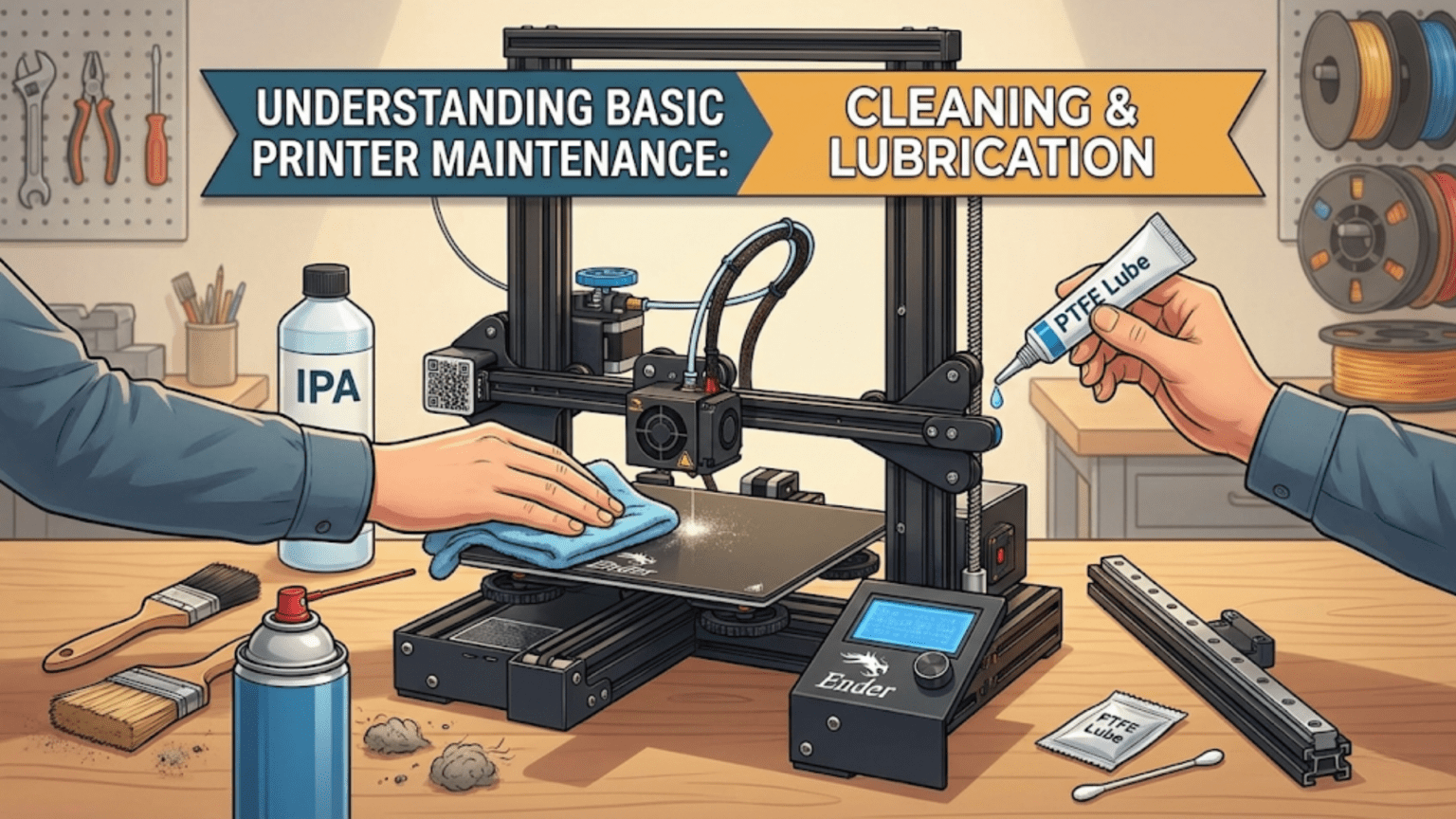
Basic 3D printer maintenance involves regular cleaning (removing dust, debris, and plastic residue from all components) and lubrication (applying appropriate lubricants to lead screws, linear rods, and rails to reduce friction and wear), following a schedule that includes daily visual checks, weekly cleaning of the build surface and hotend exterior, monthly lubrication of motion components and inspection of belts and connections, and quarterly deep cleaning of the entire printer. Consistent preventive maintenance prevents the majority of print failures, extends component lifespan, maintains print quality, and costs far less in time and money than repairing problems caused by neglect.
Introduction
3D printers are mechanical machines with dozens of moving parts, heating elements, electrical connections, and precision components working together thousands of times per print. Like any complex machine, they need regular care to perform reliably. Yet maintenance is the most overlooked aspect of 3D printing, particularly among beginners who focus entirely on settings, filament, and design—until something breaks.
The relationship between maintenance and print quality is direct and undeniable. Worn lead screws cause Z-wobble artifacts. Dirty V-slot channels create jerky movement that manifests as surface texture problems. Unlubricated linear bearings generate friction that causes inconsistent extrusion. Loose belt connections produce layer shifts. Dirty build surfaces cause adhesion failures. Every one of these common problems has a maintenance solution that costs minutes of attention versus hours of troubleshooting.
The good news is that 3D printer maintenance isn’t difficult. Most tasks require nothing more than basic tools, common household cleaning supplies, and a few specialized lubricants. What it does require is consistency—doing simple tasks regularly rather than waiting for obvious problems to develop. A printer maintained on schedule rarely fails unexpectedly. A neglected printer fails constantly and unpredictably.
In this comprehensive guide, we’ll build a complete maintenance framework covering every component of your printer, with clear schedules, specific products, and detailed techniques. By the end, you’ll have everything needed to keep your printer running reliably for years.
Why Maintenance Matters
Understanding the consequences of neglect:
Print Quality Degradation
Gradual Decline:
- Problems develop slowly, imperceptibly
- Each missed maintenance step adds small degradation
- Accumulation eventually becomes obvious
- By then, significant remediation needed
Quality Connections:
- Dirty build surface → poor adhesion, failed first layers
- Dirty nozzle exterior → ooze contamination, artifacts
- Worn linear bearings → surface texture issues, inconsistency
- Loose belts → layer shifts, dimensional inaccuracy
- Dirty V-slot channels → rough movement, surface artifacts
- Worn nozzle → inconsistent extrusion, poor print quality
Component Lifespan
Wear Acceleration Without Maintenance:
- Unlubricated lead screws wear 3-5× faster
- Dirty bearings wear 2-4× faster
- Contaminated V-slot wheels wear 2-3× faster
- All wear costs money and time to address
Prevention vs. Repair:
- 10 minutes lubrication → prevents $20-50 in replacement parts
- 5 minutes cleaning → prevents hours of troubleshooting
- Consistent care → components lasting years vs. months
Reliability
The Reliability Paradox:
- Well-maintained printers fail rarely and predictably
- Neglected printers fail constantly and randomly
- Random failures ruin prints at worst moments
- Scheduled maintenance = scheduled downtime (acceptable)
- Random failures = unscheduled downtime (unacceptable)
The Maintenance Schedule Framework
Organizing tasks by frequency:
Daily (Every Print Session)
Takes 2-5 Minutes:
Visual Inspection:
- Look for anything obviously wrong before starting
- Check filament loaded correctly
- Verify no loose components
- Confirm cables routing properly
Build Surface Check:
- Surface clean and properly attached?
- Any adhesion aids needed (glue, hairspray)?
- Z-offset still appropriate?
- No damage from previous prints?
Quick Nozzle Check:
- Any obvious ooze or buildup?
- Previous print residue on hotend exterior?
- Wipe if needed (brass brush, paper towel when cold)
Motion Observation:
- Listen and watch during homing
- Any unusual sounds?
- Movement smooth?
- Endstops triggering correctly?
Weekly (Every 5-10 Print Hours)
Takes 15-30 Minutes:
Build Surface Deep Clean:
- Remove from printer if possible
- Clean thoroughly for material type
- IPA for most surfaces
- Check for damage
Hotend Exterior:
- Cold pull or cleaning with brass brush
- Remove accumulated plastic ooze
- Check heater block for excessive buildup
- Clean thermistor/heater wire area
Nozzle Tip:
- Remove plastic buildup from exterior
- Brass brush while hot
- Check for material hanging from tip
- Consistent clean tip improves quality
Belt Visual Check:
- Look for obvious wear, fraying
- Feel tension (quick tap test)
- Nothing obviously wrong?
Fan Check:
- All fans spinning?
- Any unusual noise?
- Nothing blocking fan blades?
Monthly (Every 50-100 Print Hours)
Takes 30-60 Minutes:
Lead Screw Lubrication:
- Clean existing lubricant
- Apply fresh grease
- Work through full Z range
Linear Rod/Rail Lubrication:
- Clean rods with lint-free cloth
- Apply light oil or grease
- Move axis to distribute
- Check for wear or damage
V-Slot Channel Cleaning:
- Compressed air or soft brush
- Remove debris from channels
- IPA for stubborn contamination
- Check wheel condition after cleaning
Belt Tension Check:
- Pluck belt like guitar string
- Compare X and Y tension
- Adjust if different or insufficient
- Check pulley seating
Electrical Connection Check:
- Wiggle connections at mainboard
- Check screw terminal tightness
- Inspect wiring for damage
- Verify all connections secure
Extruder Check:
- Inspect drive gear for wear
- Clean filament dust from gear
- Check idler tension
- Verify grip on filament
Quarterly (Every 200-400 Print Hours)
Takes 2-4 Hours:
Deep Frame Cleaning:
- Remove all components if possible
- Clean frame extrusion slots
- Vacuum interior
- Clean electronics area
Bearing Inspection:
- Test all axes for smooth movement
- Listen for bearing noise
- Replace any rough or worn bearings
- Re-lubricate after inspection
Hotend Inspection:
- Check for heat creep signs
- Inspect PTFE liner if accessible
- Verify heater block seating
- Check thermistor connection
Full Electrical Audit:
- Check all connections
- Inspect wiring for wear
- Verify cable chain function
- Check for chafing or damage
Calibration Verification:
- Print calibration cube
- Measure and compare to nominal
- Adjust steps/mm if needed
- Re-tune PID if temperature instability noted
Bed Leveling System:
- Clean probe if present
- Test probe repeatability
- Verify Z-offset still correct
- Re-run bed mesh
Cleaning Techniques and Products
The right tools and methods for each surface:
Build Surface Cleaning
PEI Sheets:
- Best: IPA (70-99%) after every few prints
- Deep clean: Dish soap and water, dry completely
- Avoid: Acetone (damages PEI)
- Avoid: Touching surface (oils from skin reduce adhesion)
Glass Beds:
- IPA wipe for routine maintenance
- Soap and water for thorough cleaning
- Scraper for stubborn adhesion aids
- Check for cracks or chips quarterly
BuildTak and Similar:
- Dry brush or gentle wipe
- Light IPA if needed
- Avoid excessive moisture
- Replace when adhesion decreases permanently
PCB Heated Beds:
- Clean surface only (protect electronics)
- Gentle IPA wipe
- Avoid liquid getting into PCB layers
- Check cable connections underneath
Hotend and Nozzle Cleaning
Exterior Nozzle and Heater Block:
- Brass wire brush (not steel—too aggressive)
- Apply when at printing temperature
- Plastic is soft and removable when hot
- Never use excessive force
- Brass brush in kits specifically for this purpose
Cold Pull (Atomic Pull):
- Best for clearing partial clogs
- Heat nozzle to printing temperature
- Feed filament until it flows
- Cool nozzle to 90°C (PLA) or material-specific temperature
- Pull filament sharply
- Pulls debris from nozzle tip
- Repeat until clean pull
Cleaning Filament:
- Specialized high-temperature filament
- Run through hot nozzle
- Picks up contamination from interior
- Useful for material changes
- Follow manufacturer procedure
Nozzle Interior (if blocked):
- Needle clearing: 0.4mm needle through tip when hot
- Acupuncture needles work well
- Chemical cleaning: Acetone for ABS, dimethylformamide for nylon
- Ultrasonic cleaning for severe clogs
- Replacement often easier than extensive cleaning
Frame and Motion Component Cleaning
Aluminum Extrusion:
- Compressed air removes loose debris
- Soft brush for V-slot channels
- IPA for oil or adhesion contamination
- Check for metal shavings (indicate wear)
- Clean slot inserts if accessible
Linear Rods:
- Lint-free cloth removes old lubricant and debris
- IPA dissolves stubborn contamination
- Allow complete drying before re-lubricating
- Inspect for pitting, scoring, or rust
- Polish with fine steel wool if minor surface rust (not recommended for precision surfaces)
V-Slot Channels:
- Compressed air most effective
- Soft bristle brush for debris
- IPA for sticky contamination
- Avoid abrasives in channel
- Clean wheels simultaneously
Belt Surfaces:
- Soft brush removes debris
- Slightly damp cloth for cleaning
- Avoid solvents that degrade rubber
- Inspect while cleaning for wear
Lubrication Guide
The right lubricant for each application:
Lead Screw Lubrication
Best Products:
- Super Lube Multi-Purpose Synthetic Grease: Top recommendation, widely used
- White lithium grease: Reliable, widely available
- PTFE-based grease: Dry finish, less debris attraction
Application Procedure:
- Power off printer
- Clean existing lubricant with dry cloth
- Apply IPA if contaminated, dry completely
- Apply grease sparingly (thin coat)
- Work grease into threads with cloth or finger
- Move Z-axis through full range several times
- Wipe any excess from screw exterior
- Leave thin working coat in threads
Frequency: Monthly or when movement becomes noisy
Avoid:
- WD-40 (too thin, washes away quickly)
- Motor oils (too thin, attract debris)
- Petroleum jelly (degrades plastic components)
- Over-lubrication (attracts debris, messy)
Linear Rod Lubrication
Recommended Products:
- Light machine oil: 3-in-1 oil, sewing machine oil
- Super Lube oil (thin): Excellent performance
- PTFE spray (dry): Less mess, adequate protection
Application:
- Clean rods thoroughly first
- Apply few drops of oil along rod
- Spread with lint-free cloth
- Move carriage through full range to distribute
- Wipe rod leaving very thin coat
- Oil should barely be visible
What to Avoid:
- Heavy greases (too viscous, creates drag)
- Excess oil (drips onto print bed or parts)
- Petroleum-based products near heated components
Linear Rail Lubrication
Different from Rods:
- Rails need lubricant inside carriage, not just on surface
- Apply oil to rail surface, carriage distributes internally
- Dedicated rail grease also acceptable
Application:
- Light oil applied to rail running surfaces
- Move carriage repeatedly to work oil in
- Less is more—rails use small quantities
V-Slot Wheel System
Good News: Minimal Lubrication Required:
- Polymer wheels don’t need lubrication
- Extrusion channels don’t need lubrication
- Adding lubricant can actually attract debris
- Focus on cleaning rather than lubrication
Exception:
- Bearing inside wheels may benefit from occasional light oil
- Apply to bearing surfaces if accessible
- Very small quantity
- Most sealed bearings don’t need external lubrication
Extruder Gears
Cleaning Priority Over Lubrication:
- Filament dust accumulates in gear teeth
- This dust causes slipping and inconsistent feeding
- Remove with stiff brush or compressed air
- Clean more important than lubrication
If Lubrication Needed:
- Very light oil on gear teeth only
- Avoid getting lubricant on filament gripping surface
- Would reduce grip, cause feeding problems
- Most extruders need no lubrication with clean gears
What Never to Lubricate
Critical Avoidance:
- Filament gripping surfaces: Reduces traction, causes feeding problems
- Endstop switches: Contamination causes false triggers
- Electrical contacts: Short circuits, corrosion
- Encoder sensors: Optical interference
- Belts: Degrades rubber compound
- Build surface: Ruins adhesion
Component-Specific Maintenance Details
Hotend System
PTFE Liner (if present):
- Replace annually or when discolored
- Check for heat damage (brown/black color)
- Replace after high-temp printing
- Ensure proper seating after replacement
Heat Break:
- Inspect for clogging or damage
- Clean with appropriate solvent
- Check for cracks (common failure point)
- Replace if damaged
Heater Block:
- Remove plastic buildup quarterly
- Check heater cartridge security (set screw tight)
- Verify thermistor secure and undamaged
- Reapply thermal paste if disturbed
Nozzle:
- Replace when worn (grooves visible, inconsistent extrusion)
- Brass nozzles: 200-500 hours typical
- Hardened steel: 1000+ hours
- Install at temperature for proper seating
Extruder Drive System
Drive Gear Cleaning:
- Filament dust between teeth must be removed
- Stiff brush or compressed air
- Toothpick for stubborn packed dust
- Clean monthly or when feeding issues develop
Idler Bearing:
- Verify rotates freely
- Listen for roughness
- Replace if rough or noisy
- Adjust tension if improper
Tension Check:
- Filament should feed without slipping
- But not so tight it deforms
- Most extruders have adjustment mechanism
- Refer to extruder documentation
Heated Bed
Surface Maintenance (see build surface cleaning above)
Mechanical Maintenance:
- Check leveling screw tightness periodically
- Spring tension consistent?
- Z-offset stable?
- Wiring in good condition?
Silicone Mounts (if present):
- Inspect for degradation
- Replace if compressed or damaged
- Provide thermal isolation
Electronics and Wiring
Mainboard:
- Compressed air removes dust quarterly
- Don’t use contact cleaner on components
- Check fan functioning
- Inspect for visible damage
Connections:
- Wiggle test all connections
- Verify screw terminal tightness
- Check for corrosion
- Replace damaged connectors
Cables and Wiring:
- Inspect for fraying, cuts, or damage
- Check cable chain function
- Verify strain relief intact
- Replace damaged sections immediately
Maintenance Tools and Supplies Checklist
Every 3D printer owner should have:
Cleaning Supplies:
- Isopropyl alcohol (IPA) 70-99%
- Lint-free cloths or microfiber towels
- Compressed air (canned or compressor)
- Soft bristle brushes (various sizes)
- Brass wire brush (hotend cleaning)
- Cotton swabs (detail cleaning)
- Paper towels
Lubrication:
- Super Lube synthetic grease
- Light machine oil (3-in-1 or similar)
- PTFE lubricant (optional)
Tools:
- Hex/Allen key set (metric)
- Pliers (needle nose useful)
- Screwdrivers (flathead and Phillips)
- Digital calipers (calibration verification)
- Multimeter (electrical testing)
- Tweezers
Spare Parts:
- Nozzles (same size as installed)
- PTFE tube length
- Spare belts
- Extra V-slot wheels or bearings
- Thermistor and heater cartridge
- Fuses (check printer specifications)
Maintenance Log
Tracking maintenance history:
What to Record
Log Entries Should Include:
- Date of maintenance
- Tasks performed
- Parts replaced
- Any observations (wear noted, adjustments made)
- Print hours since last maintenance
Benefits:
- Identifies patterns (component failing regularly)
- Tracks when replacement due
- Documents printer history
- Useful for troubleshooting
Simple Tracking Methods
Physical Log:
- Notebook dedicated to printer
- Quick entries after maintenance sessions
- Easy reference
Digital Options:
- Spreadsheet with dates and tasks
- Notes app on phone
- OctoPrint plugins that track print hours
- Whatever you’ll actually maintain
Maintenance Schedule Summary Table
| Task | Frequency | Duration | Priority | Key Products |
|---|---|---|---|---|
| Visual inspection | Daily | 2 min | High | None |
| Build surface clean | Weekly | 5 min | High | IPA |
| Hotend exterior clean | Weekly | 5 min | Medium | Brass brush |
| Lead screw lubrication | Monthly | 10 min | High | Lithium grease |
| Linear rod/rail lubrication | Monthly | 10 min | High | Machine oil |
| V-slot channel cleaning | Monthly | 15 min | High | Compressed air |
| Belt tension check | Monthly | 10 min | High | None |
| Electrical connection check | Monthly | 10 min | Medium | None |
| Extruder gear cleaning | Monthly | 5 min | Medium | Brush |
| Deep frame cleaning | Quarterly | 60 min | Medium | IPA, brushes |
| Bearing inspection/replacement | Quarterly | 30 min | High | Replacement bearings |
| Full calibration check | Quarterly | 30 min | High | Calipers |
| PTFE liner inspection | Quarterly | 10 min | Medium | None |
| Nozzle inspection/replacement | As needed | 15 min | High | Replacement nozzle |
Troubleshooting Through Maintenance
Connecting symptoms to maintenance needs:
Layer Shifts:
- Check and adjust belt tension
- Inspect V-slot wheels or linear bearings
- Verify pulley set screws tight
- Clean V-slot channels
Z-Wobble Artifacts:
- Lubricate lead screws
- Check flexible coupler condition
- Inspect screw for straightness
- Check nut floating mount
Inconsistent Extrusion:
- Clean extruder drive gear
- Check nozzle for partial clog
- Verify PTFE tube condition
- Inspect idler tension
Poor Bed Adhesion:
- Clean build surface thoroughly
- Check Z-offset accuracy
- Verify bed temperature stability
- Inspect build surface condition
Unusual Noises:
- Lubricate motion components
- Check for loose components
- Inspect bearings for wear
- Check fan blades for obstruction
Conclusion
Maintenance is not the glamorous part of 3D printing—there are no impressive prints to share, no new settings to discover, no exciting upgrades to evaluate. Yet consistent, scheduled maintenance is the single most impactful practice separating reliable printers from frustrating ones. Every component explored in this section of articles—from thermistors and heating elements to bearings and lead screws—performs better and lasts longer with proper care.
The maintenance framework presented here isn’t overwhelming. Daily tasks take two minutes. Weekly tasks take thirty minutes. Monthly tasks take an hour. Quarterly deep maintenance takes a few hours. This modest time investment, consistently applied, prevents the vast majority of printer failures and print quality problems. The alternative—reactive maintenance performed only after problems develop—costs far more in ruined prints, replacement parts, and troubleshooting hours.
Building good maintenance habits early, while your printer is new and functioning well, is far easier than developing them after problems have already degraded performance. Start with the daily and weekly tasks—they’re brief and build valuable familiarity with your printer’s normal condition. Add monthly lubrication and inspection. Schedule quarterly deep maintenance sessions. Keep a simple log.
Your printer is a precision machine with hundreds of components working in concert to transform digital designs into physical objects. Those components deserve the basic care that keeps them functioning as intended. The few minutes spent cleaning a build surface or lubricating a lead screw aren’t maintenance chores—they’re investments in every future print those components will help create.
This concludes the Printer Hardware and Components section. You now have comprehensive understanding of every major system in your 3D printer—from the thermistors measuring temperature to the lead screws controlling Z movement, from the bearings enabling smooth motion to the cables delivering power. This foundation of hardware knowledge supports everything else in 3D printing: understanding why settings matter, why problems occur, and how to resolve them effectively.