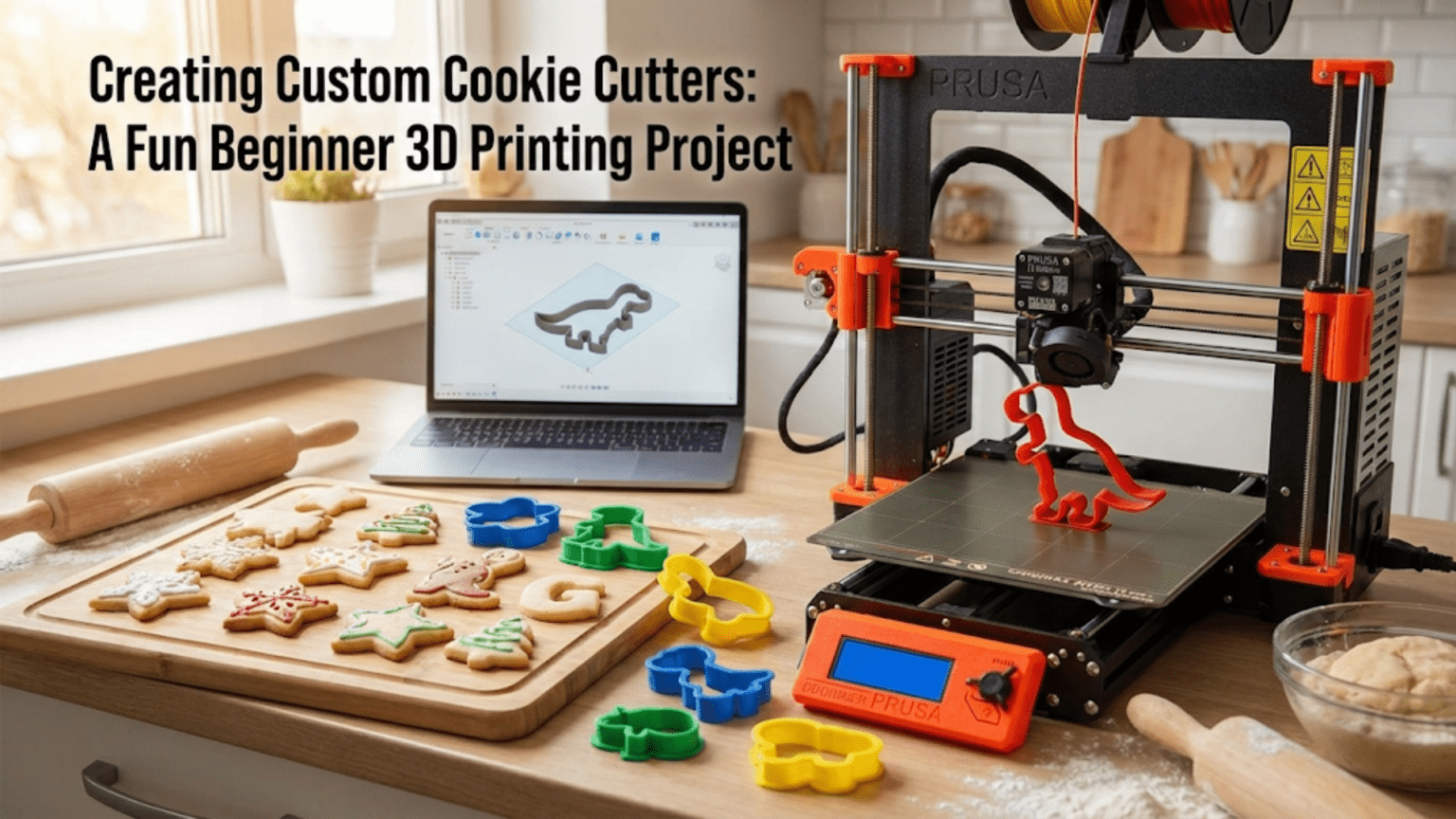
3D printed cookie cutters are custom-shaped baking tools made by printing thin-walled forms in food-compatible filament materials, allowing you to create any shape imaginable — from simple geometric forms to intricate logos, personalized names, and detailed character outlines. They are one of the most popular beginner 3D printing projects because they print quickly (typically 30–90 minutes), require no supports, teach fundamental design and slicing concepts, and produce immediately usable, crowd-pleasing results.
Introduction: Why Cookie Cutters Are the Perfect First Creative Print
There’s a moment in every 3D printer owner’s journey when the machine stops being a novelty and starts being a tool. For many people, that moment comes when they print their first custom cookie cutter.
It’s easy to understand why. Cookie cutters sit at a perfect intersection of accessibility and creativity. They’re technically simple enough that a complete beginner can produce a successful result on their first or second attempt. They’re meaningful enough that people actually use them — at birthday parties, holiday gatherings, bake sales, and school events. And they’re personal enough that a custom cookie cutter shaped like a family pet, a favorite sports team’s logo, or a child’s name carries genuine emotional value that no store-bought cutter can replicate.
From a technical standpoint, cookie cutters are also exceptionally educational. Designing one — or customizing an existing template — introduces you to the concepts of wall thickness, structural rigidity, geometry simplification, and the practical relationship between a 2D design and a 3D printed object. Slicing one teaches you about single-wall or thin-wall printing, which is a fundamentally different mode of operation from printing solid functional parts. And printing one successfully — then actually using it in your kitchen — closes the loop between digital creation and real-world application in the most satisfying possible way.
This guide covers everything you need to know about creating custom 3D printed cookie cutters: the design process (including both finding existing designs and creating your own), the critical food safety considerations that many beginners overlook, the optimal slicer settings for clean thin-wall printing, the best materials for kitchen use, and troubleshooting guidance for the most common cookie cutter printing problems.
By the end of this guide, you’ll be ready to design and print a custom cookie cutter for any occasion — and to do it safely, reliably, and with results that make people genuinely impressed.
Understanding Cookie Cutter Geometry
Before diving into design tools and slicer settings, it’s worth understanding the fundamental geometry of a cookie cutter, because this geometry directly drives every technical decision you’ll make.
The Basic Structure
A cookie cutter consists of three structural elements:
The cutting edge: The bottom edge of the cutter that actually cuts through the dough. This edge should be thin and sharp — typically 1–2mm wide — to make a clean cut without tearing or dragging the dough.
The walls: Vertical walls that rise from the cutting edge to give the cutter its shape and provide enough height for a comfortable grip. Wall height is typically 20–30mm — high enough to push through a standard cookie dough thickness with room to grip.
The top edge or grip surface: The top of the cutter that you press down on. This can be the same thin wall as the body, or it can be reinforced with a wider lip, a handle, or a press-grip feature.
The elegance of this structure is its simplicity. A cookie cutter is essentially a vertical extrusion of a 2D outline — take any closed shape, give it walls, and you have a cutter. This directness is why cookie cutters are so well-suited to basic 3D design tools and why beginners can create successful designs without advanced modeling skills.
What Makes a Good Cookie Cutter Shape
Not every shape makes an equally good cookie cutter. Some geometric characteristics produce clean, functional cutters; others create problems during both printing and actual baking use.
Good characteristics:
- Smooth, flowing curves without extremely fine points
- Minimum feature width of 3–5mm (narrower features may not cut cleanly through dough)
- No enclosed internal spaces (a cutter shaped like a donut with a hole requires the inner circle to be a separate piece or to be connected by a bridge)
- Consistent wall height throughout the design
Challenging characteristics:
- Very sharp, fine points (like star tips that taper to a near-zero width) — these print fine but can tear dough rather than cut cleanly
- Extremely complex outlines with many tiny details — fine details at cookie scale (typically 50–100mm across) may not be distinguishable in the final baked cookie
- Very large cutters (over 150mm in any dimension) — these can warp during printing and may be too unwieldy to use effectively
- Cutters with undercuts or features that would require support material
Option 1: Finding Existing Cookie Cutter Designs
The fastest path to your first cookie cutter is finding an existing design that matches your needs. The 3D printing community has produced an astonishing variety of cookie cutter designs, covering virtually every holiday, season, animal, food, hobby, sports team, and popular character imaginable.
Best Sources for Cookie Cutter Files
Printables.com — Search “cookie cutter” and filter by category. Printables has thousands of cookie cutter designs, and the “Food & Kitchen” category is a useful filter. The “Make” feature on Printables shows photos of other users’ printed versions, giving you a realistic preview of what the final result looks like.
Thingiverse.com — The “cookie cutter” search on Thingiverse returns thousands of results including many classic designs that have been refined through years of community feedback. The “Cookie Cutter” category is well-populated.
Cults3D.com — Has a good selection of both free and premium cookie cutter designs, including many with more refined aesthetics and more complex shapes than the typical community upload.
Cookiecad.com — A specialized tool specifically for cookie cutter design that lets you create simple outlines directly in your browser and download ready-to-print STL files. Excellent for beginners who want to create basic custom shapes without any 3D modeling software.
MyMiniFactory.com — Good selection, particularly for character and pop culture designs, though availability changes as copyright enforcement applies.
What to Look for in an Existing Design
When evaluating an existing cookie cutter design, consider:
Wall thickness specification: Good designs specify their wall thickness in the description. For cookie cutters, 1.2–1.5mm walls are standard. Thinner walls may be flimsy; thicker walls produce less sharp cuts.
Height specification: Most cookie cutters are 20–25mm tall. Taller cutters (30mm+) give more grip surface but use more material and print time. Shorter cutters (15mm) may not penetrate thick dough.
User photos and comments: Photos of actually baked cookies made with this cutter are the gold standard of validation. If you can see finished cookies in the user photos, you know the design actually works in a real baking context.
Print settings notes: Designs with recommended print settings in the description are more thoughtfully prepared. Look for wall count and layer height recommendations.
Option 2: Designing Your Own Cookie Cutter
Creating your own custom cookie cutter design is one of the most rewarding early design exercises in 3D printing. It doesn’t require advanced modeling skills — the basic cookie cutter form is achievable in even the simplest tools.
Method 1: Tinkercad (Browser-Based, No Installation Required)
Tinkercad (tinkercad.com) is a free, browser-based 3D design tool from Autodesk that’s specifically designed for beginners. It works with simple geometric shapes that you combine, subtract, and arrange to build models. For cookie cutters, Tinkercad’s approach works surprisingly well.
Basic cookie cutter workflow in Tinkercad:
- Start with a solid shape that represents your cookie outline (a star, heart, animal body, etc.) using Tinkercad’s built-in shape library or imported SVG files.
- Create a slightly smaller version of the same shape and set it to “hole” in Tinkercad’s terminology — this is the shape that will be subtracted.
- Center the hole shape inside the solid shape and group them together. The result is a ring-shaped outline of your cookie shape.
- Extrude the outline to your desired cutter height (20–25mm) by adjusting the height in Tinkercad’s dimension controls.
- Export as STL and import into your slicer.
Tinkercad also supports importing SVG files — flat vector graphics — and extruding them into 3D shapes. This is particularly powerful for cookie cutters because you can draw or download any outline in a vector graphics program (like Inkscape, which is free) and import it directly into Tinkercad to extrude into a cutter.
Method 2: Cookiecad.com
Cookiecad is a purpose-built online tool specifically for designing cookie cutters. Its workflow is simpler than Tinkercad for this specific application:
- Upload an image or choose from a library of templates.
- The tool traces the outline automatically.
- Adjust the outline, set the wall thickness and cutter height.
- Download the ready-to-print STL file.
For complete beginners who want a custom shape without any 3D modeling learning curve, Cookiecad is the fastest path from idea to printed cutter.
Method 3: Inkscape + OpenSCAD or Fusion 360
For users comfortable with vector graphics, creating a cookie cutter outline in Inkscape (free vector graphics software) and then extruding it in OpenSCAD or Fusion 360 gives the most control over the final design. This workflow is more involved but produces cleaner results for complex shapes.
The Inkscape-to-OpenSCAD pipeline is particularly popular in the maker community for cookie cutters. You draw your outline as a closed path in Inkscape, export it as an SVG, import it into OpenSCAD using the import() function, and use linear_extrude() to give it height. The entire OpenSCAD script for a basic cookie cutter can be written in just 5–10 lines of code.
Design Tips for Custom Cookie Cutters
Simplify your outline: Complex shapes with many small details don’t translate well to cookie cutters — the cutter can’t reproduce fine details at baking scale, and the details make the cut harder to complete cleanly. Simplify your chosen shape to its essential outline. Think of silhouettes rather than detailed illustrations.
Minimum feature width: Ensure no part of your cutter outline is thinner than 3mm. Features narrower than this may not print reliably (especially at 1.2–1.5mm wall thickness) and won’t cut cleanly through dough.
Close your outlines: Every outline must be a closed path — no gaps or open ends. Open paths produce cutters with gaps, which don’t cut properly. Check your design in your modeling tool to ensure every path is closed before printing.
Round sharp interior corners: If your design has sharp interior corners (like the inner corners of a star shape), consider adding a small radius (1–2mm) to these corners. Sharp interior corners concentrate stress in the printed material and can crack over time with repeated use.
Add a reinforcing top lip: For cutters that will be used frequently, adding a slightly wider (2–3mm) lip at the top of the cutter — essentially thickening the top edge — makes it more comfortable to press down and more resistant to deformation under repeated pressing force. This can be added in Tinkercad by creating a slightly larger outline at the top of the cutter and blending it in.
Food Safety: The Most Important Section in This Guide
Food safety is the topic that many beginner tutorials about 3D printed cookie cutters either skip entirely or address inadequately. This is a genuine oversight, because the food safety considerations for 3D printed kitchen tools are real, important, and not immediately obvious.
The Core Issue: FDM Layer Lines Harbor Bacteria
FDM 3D printing creates objects layer by layer, and the boundaries between layers create microscopic ridges and grooves on the surface of the print. These surface features — invisible to the naked eye but very real at the microscopic level — create crevices where bacteria, mold spores, and food particles can accumulate and be extremely difficult to clean out.
This is fundamentally different from commercial cookie cutters, which are made from stainless steel or food-grade plastic with smooth, seamless surfaces that can be thoroughly cleaned. A 3D printed cookie cutter can look clean while harboring contamination in its layer lines.
The practical implication: A 3D printed cookie cutter cannot be considered food-safe in the same way that a commercial stainless steel cutter is food-safe. The risk is real but manageable through appropriate material choices, careful use, and proper cleaning protocols.
Material Considerations for Food Contact
| Material | Food Safety Status | Notes |
|---|---|---|
| Standard PLA | Questionable | May contain additives; layer lines harbor bacteria; not recommended for long-term use |
| Food-Safe PLA | Better, but still limited | Certified food-safe formulation, but layer lines still present; use with caution |
| PETG | Not certified food-safe | Layer lines still present; some PETG formulations contain concerning additives |
| Food-Safe PETG | Better than standard PETG | Certified formulation; better moisture resistance than PLA; still has layer lines |
| PLA+ | Not recommended | Additives typically not food-certified |
| ABS | Not recommended | Contains styrene; not food-safe |
| Stainless Steel (Metal FDM) | Food-safe | Smooth after post-processing; professional grade; expensive |
The most important material guideline: For cookie cutters, use filaments specifically marketed and certified as “food-safe.” Several filament manufacturers produce food-safe PLA and PETG formulations. These materials are made without the colorant and additive packages used in standard filaments that may include non-food-safe compounds.
The Coating Approach
Many makers address the layer-line problem by coating their finished cookie cutters with a food-safe sealant. Options include:
Food-safe epoxy resin: Two-part epoxy resins certified for food contact can be applied to the interior of the cutter (the surfaces that contact dough), filling the layer lines and creating a smooth, cleanable surface. The coating must be allowed to fully cure before use (typically 72+ hours) and must be from a specifically food-safe formulation.
Food-safe silicone sealant: Food-grade silicone can be applied similarly, though it’s more difficult to achieve an even coating inside the narrow cutter walls.
Spray-on food-safe lacquer: Some food-grade lacquers are available in spray form that can create a thin, smooth coating over the layer lines.
Practical Food Safety Protocol for Cookie Cutters
Given the realities of FDM food safety, here is a practical protocol that balances safety with enjoyment:
- Use food-safe certified filament — this eliminates the material contamination concern even if layer lines remain.
- Clean immediately after use — wash the cutter immediately after using it, before food residue can dry and become more difficult to remove from layer lines. Use hot soapy water and a brush that can reach into layer lines.
- Do not soak — FDM prints can absorb water if soaked for extended periods. Quick washing is preferable to soaking.
- Dry thoroughly — moisture trapped in layer lines can promote mold growth. Dry completely before storage.
- Consider single-use or limited-use — for cutters used at public events (bake sales, parties where you don’t know the guests’ health status), treat them as single-use or strictly limited-use items. For home use among family, the risk profile is more acceptable.
- Use a barrier — some bakers place a thin layer of plastic wrap between the cookie dough and the cutter, eliminating direct contact entirely. This is the most conservative and safest approach.
- Replace regularly — don’t use a cutter that shows visible discoloration, cracking, or any sign of degradation.
The Honest Assessment
The honest assessment for beginners is this: 3D printed cookie cutters are widely used, popular, and enjoyed by thousands of makers and bakers around the world. The risk from using a properly printed, food-safe filament cutter with good cleaning habits is generally considered low for home use among healthy adults. The risk is more significant for vulnerable populations (young children, elderly people, immunocompromised individuals) and for cutters used at public events.
Make informed decisions based on your specific situation. When in doubt, use the plastic wrap barrier method — it solves the food contact problem entirely while still letting you use your custom-printed cutter.
Optimal Slicer Settings for Cookie Cutters
Cookie cutters have unique slicer requirements that differ significantly from solid functional parts. Understanding why helps you make better decisions when the standard settings don’t apply.
The Thin-Wall Challenge
The most important characteristic of a cookie cutter from a slicing perspective is that the walls are thin — typically 1.2–1.5mm — while a standard nozzle is 0.4mm wide. This means the walls are only 3–4 nozzle widths across. With standard settings, the slicer would try to place infill inside walls this thin, which doesn’t make sense and can produce messy results.
The solution is to configure your slicer to treat the cutter walls as purely perimeter walls — no infill, just perimeters. This is where two different approaches come into play:
Approach 1: Set wall count to match wall thickness Set your perimeter/wall count to exactly the number of extrusion widths that fit in your wall. For a 1.2mm wall and 0.4mm nozzle, that’s exactly 3 perimeters. Set infill to 0%. This tells the slicer to fill the wall with 3 adjacent perimeters and nothing else.
Approach 2: Use a thin-wall or “vase mode” adjacent setting Some advanced users print cookie cutters in a modified vase mode or use slicer settings specifically designed for thin-wall objects. This is more complex but can produce cleaner results.
Recommended Settings Table
| Setting | Recommended Value | Notes |
|---|---|---|
| Layer Height | 0.2mm | Standard; 0.15mm for smoother cutting edge |
| Print Speed | 30–40 mm/s | Slower for cleaner thin walls |
| Wall Count/Perimeters | 3 | For 1.2mm wall with 0.4mm nozzle |
| Infill | 0% | Walls should be all perimeters, no infill |
| Top Layers | 0 | No top surface needed (cutter is open) |
| Bottom Layers | 3–4 | Solid base for the cutting edge |
| Support | None | Should never be needed for basic cutters |
| Bed Adhesion | Brim (5mm) | Helps with adhesion of thin walls |
| Hotend Temperature | 200–210°C (PLA) | Standard PLA range |
| Bed Temperature | 55–60°C (PLA) | Standard PLA bed temp |
| Cooling | 100% | Important for clean thin walls |
The Bottom Layers Question
One detail that trips up beginners is the bottom layers. Cookie cutters need a solid bottom (the cutting edge) but no top (the cutter is open at the top to allow dough to pass through or be released). Setting bottom layers to 3–4 gives you a solid cutting edge while setting top layers to 0 leaves the cutter open at the top.
Some designs don’t have a solid bottom at all — the cutting edge is formed purely by the sharp edge of the first layer. For these designs, set both top and bottom layers to 0 and rely on the wall geometry alone. However, designs with a thin solid bottom at the cutting edge tend to be more rigid and produce cleaner cuts.
Line Width Considerations
For cookie cutters specifically, reducing your line width to 90–95% of your nozzle diameter in your slicer can produce slightly crisper, more defined walls. This is an advanced setting but worth experimenting with once you’ve achieved reliable basic results. In Cura, this is the “Line Width” setting; in PrusaSlicer, it’s “Extrusion Width.”
Step-by-Step: Printing Your First Cookie Cutter
Let’s walk through a complete workflow for printing a simple heart-shaped cookie cutter as a first project.
Step 1: Get Your Design
Download a heart-shaped cookie cutter from Printables.com. Choose one with clear dimensions (aim for 70–80mm across for a standard cookie size) and a description that mentions 1.2–1.5mm wall thickness.
Step 2: Import Into Slicer
Open your slicer (Cura or PrusaSlicer) and import the STL. The cutter should auto-orient with the cutting edge (bottom of the cutter) facing down on the build plate. Verify this is correct — the thin, sharp edge should be closest to the bed.
Step 3: Apply Settings
Apply the cookie cutter settings from the table above:
- 3 perimeters/walls
- 0% infill
- 0 top layers
- 3–4 bottom layers
- 5mm brim
- 30–40 mm/s print speed
- 100% cooling
Step 4: Preview
In the layer preview, verify:
- The walls look like solid bands of material (3 adjacent extrusion lines)
- There is no infill pattern visible inside the walls
- The bottom few layers are solid
- The top layers are absent (open top)
If you see infill between your walls, your wall count setting isn’t matching your wall thickness — adjust either the wall count or check that you’ve set infill to 0%.
Step 5: Print
Start the print. Watch the first layer carefully — thin walls on a brim are more prone to first-layer issues than solid parts. The first layer should lay down cleanly with the brim creating a stable foundation.
The print should complete in 30–60 minutes for a standard 70–80mm cookie cutter.
Step 6: Remove and Inspect
Once printed and cooled, remove the cutter and brim. Inspect the cutting edge — it should be thin and relatively sharp, not bulged or irregular. Check that the walls are smooth and consistent around the full perimeter.
Step 7: Test Bake
Before using for an important occasion, do a test bake with your cutter to verify:
- It cuts through your dough cleanly without tearing
- The cut shape releases cleanly from the cutter
- The dough doesn’t stick excessively to the interior walls
If the cutter drags or tears rather than cuts cleanly, your cutting edge may need to be thinner (reduce bottom layer thickness) or your dough may need to be chilled more firmly before cutting.
Troubleshooting Common Cookie Cutter Issues
Walls Are Separating or Weak
Cause: Wall count is too low, print temperature is too low, or print speed is too high for good layer bonding in thin walls.
Solution: Increase print temperature by 5°C. Reduce print speed to 30 mm/s. Ensure wall count is set to 3 (not 2) for a 1.2mm design. Check that your cooling fan isn’t cooling so aggressively that layers can’t bond — try 80% cooling rather than 100% if walls are very weak.
Cutter Is Warping Off the Bed
Cause: Large thin-walled objects have high aspect ratio and limited bed contact, making them prone to thermal warping.
Solution: Increase brim width to 8–10mm. Increase bed temperature by 5°C. Ensure the bed is level and clean. For very large cutters (100mm+), consider printing in PETG which warps less than PLA.
Infill Appearing Inside the Cutter Walls
Cause: The slicer is detecting space inside the wall and filling it with infill, which creates a messy interior.
Solution: Set infill to 0% explicitly. In Cura, also check “Fill Gaps Between Walls” — this should be set to “Nowhere” for cookie cutters. In PrusaSlicer, ensure perimeter count matches your wall thickness exactly and infill density is 0%.
Cutting Edge Is Too Thick and Tears Dough
Cause: Too many bottom layers, or the cutting edge wall isn’t thin enough.
Solution: Reduce bottom layers to 1–2. If the cutting edge wall is the problem, look for a design with thinner walls at the bottom, or reduce your line width setting slightly.
Brim Is Difficult to Remove
Cause: Brim adhered too strongly to the first layer, or the brim is too wide.
Solution: Reduce brim width to 3mm. Allow the bed to cool completely before removing — cold PLA releases more cleanly than warm. Use a thin spatula or dental floss run along the brim-to-cutter junction to help separate them.
Design Has Gaps or Isn’t Closed
Cause: The original design file has open paths or gaps in the outline, causing the slicer to produce a cutter with gaps in its wall.
Solution: In your slicer, inspect the layer preview carefully. If there are gaps, the design file needs correction. Import the STL into Meshmixer or Netfabb (both free) to repair the mesh, or find a corrected version of the design.
Creative Cookie Cutter Ideas Worth Trying
Once you’ve mastered the basic cookie cutter workflow, here are some creative directions worth exploring:
Personalized Name Cutters
A cutter shaped like individual letters that spell a name or word. Each letter is a separate cutter, and together they spell out a message in cookies — perfect for birthday parties, holidays, or personalized gifts. Most slicer software and Tinkercad make letter-shaped cutters straightforward to create.
Multi-Piece Scene Cutters
A set of several cutters that together create a scene when cookies are arranged together — a farmyard set (barn, cow, chicken, fence), a space set (rocket, planet, star, moon), or a seasonal set (snowman, snowflake, mitten, tree).
Stamp Cutters (Cutter + Imprint Combination)
Some cookie cutter designs combine a cutting edge with a stamp surface that simultaneously cuts the cookie shape and imprints a design into the top of the dough. These are more complex to design but produce remarkably professional-looking results. Search “cookie stamp” or “cookie cutter stamp” on Printables for examples.
Embossed Detail Cutters
Rather than a simple cutting outline, embossed detail cutters have raised features on the interior that press a design into the dough surface when pushed down. These work particularly well for simple patterns — geometric designs, simple flowers, basic faces.
Seasonal and Holiday Sets
Print complete seasonal sets: Christmas (tree, star, reindeer, snowflake, ornament), Halloween (pumpkin, ghost, bat, witch hat, spider), Easter (egg, bunny, chick, cross), Valentine’s Day (heart, arrow, lips, envelope). These sets become cherished seasonal items that get used year after year.
Character and Pop Culture Cutters
Custom character outlines from favorite books, games, or fandoms make extraordinarily popular gifts. Be aware of copyright considerations when distributing or selling these designs — for personal home use, the legal risk is low, but sharing or selling designs based on copyrighted characters is a different matter.
Beyond Cookie Cutters: Other Kitchen Applications
The same design principles and settings that produce great cookie cutters apply to other kitchen tools worth printing:
Fondant cutters: The same thin-wall design works perfectly for cutting fondant shapes for cake decoration. Fondant is more forgiving of imperfect cutting edges than cookie dough.
Pastry cutters: Slightly taller versions of cookie cutters work for cutting puff pastry, pie dough, and other pastry applications.
Sandwich cutters: Cutters sized for sandwich bread slices can create fun shaped sandwiches — particularly popular with children.
Butter molds: Simple press molds for shaping softened butter into decorative forms.
Chocolate molds: While FDM-printed molds for chocolate use require careful food safety consideration, the basic design principle is the same — a simple outline form that can contain and shape a soft material.
Conclusion: Where Creativity Meets the Kitchen
Custom cookie cutters represent something special in the 3D printing world: a project where technical skill directly enables creative expression, where the output is shared and enjoyed by people far removed from the technical process that created it, and where the maker’s thoughtfulness — in choosing a shape meaningful to a specific person or occasion — is the most important ingredient.
The grandmother who receives a cookie cutter shaped like her beloved cat doesn’t need to know anything about layer heights or perimeter counts. She just needs to know that someone thought of her specifically, used a remarkable technology to create something that couldn’t be bought in any store, and did it because they cared enough to make it personal.
That’s what the best making looks like. It uses technical tools in service of human connection.
Print your first cutter. Bake your first batch. Hand out the cookies and watch people’s faces when they realize the shape is one you made specifically for them. That reaction is your reward — and it’s a very good one.