


Every 3D printer is a stack of simple systems: a frame that holds everything still, motors that move things, a heater that melts plastic, and a board that coordinates it all. Learn these systems and you can diagnose most print failures, choose upgrades that matter, and buy your next machine with confidence. This guide covers every major component of an FDM printer, with typical specs, failure symptoms, and copy-pasteable commands.
Quick Takeaways
- A 3D printer has five core systems: frame, motion, extrusion, heating, and electronics.
- The hotend (typically 190-300 °C) and the motion system (belts, rails, steppers) decide print quality more than any other parts.
- Most failures trace back to loose belts, worn nozzles, a dirty bed, or bad PID/e-step calibration.
- Upgrade in this order for the best return: nozzle, build surface, cooling, then mainboard/firmware.
| System | Main Parts | What It Controls |
|---|---|---|
| Frame | Aluminum extrusions, gantry | Rigidity, vibration |
| Motion | Steppers, belts, rails, lead screws | Accuracy, speed |
| Extrusion | Extruder, hotend, nozzle | Flow, detail |
| Heating | Heated bed, heater cartridge, thermistors | Adhesion, melt quality |
| Electronics | Mainboard, drivers, display, PSU | Control, safety |

The Frame: Where Rigidity Starts
The frame holds every other part in alignment. Flex here becomes ringing, layer shifts, and wavy walls.
Common frame types:
- Aluminum extrusion (2020/2040 V-slot): The standard on Ender-style and most hobby machines. Cheap, modular, easy to upgrade.
- Sheet metal or cast aluminum: Used by enclosed machines like the Bambu Lab X1 series and Prusa MK4 for added stiffness.
- Cubic or CoreXY box frames: Fully enclosed, ideal for ABS, ASA, and nylon.
Check squareness with a machinist square. A gantry that is out of square by even 0.5 mm causes skewed parts and uneven first layers.
The Motion System
Motion converts digital instructions into precise physical movement. Typical positioning accuracy sits around ±0.05-0.1 mm on a well-tuned FDM printer.
Stepper Motors
Most printers use NEMA 17 steppers with 1.8° steps (200 steps/rev). Typical holding torque runs 40-60 N·cm. Microstepping (usually 16x) smooths movement and reduces noise.

Belts and Pulleys
GT2 belts (2 mm pitch, 6 mm wide) drive the X and Y axes. Tension matters: too loose causes backlash, too tight wears bearings. A properly tensioned belt gives a low, clear “twang” when plucked.
Linear Rails, Rods, and Wheels
| Motion Type | Cost | Precision | Maintenance | Best For |
|---|---|---|---|---|
| V-slot wheels | Low | Moderate | Re-tension wheels periodically | Budget builds |
| Linear rods + bearings | Medium | Good | Lubricate lightly | Mid-range printers |
| MGN12 linear rails | High | Excellent | Occasional grease | High-speed, CoreXY |
Lead Screws (Z Axis)
Most printers use a T8 lead screw with 8 mm lead (2 mm pitch, 4 starts). Bent screws cause Z-banding, a repeating ripple across the part. Dual Z screws keep the gantry level and reduce sag.
Endstops and Probes
Endstops tell the printer where “home” is. Auto bed leveling probes (BLTouch, inductive, strain-gauge) measure bed height at multiple points. A 5×5 mesh is typical on bed-slinger machines.
The Extrusion System
This is where filament becomes plastic on the bed. Three parts work together: the extruder, the hotend, and the nozzle.
Extruder
The extruder grips filament and pushes it into the hotend using a toothed drive gear and a spring-loaded idler.
| Type | Position | Pros | Cons |
|---|---|---|---|
| Direct drive | On the toolhead | Precise retraction, good with TPU | Heavier toolhead |
| Bowden | On the frame | Light toolhead, faster moves | Longer retraction, harder with flexibles |
Typical gear ratios: 1:1 (standard) up to ~5:1 or higher (geared extruders like Orbiter or BMG). Higher ratios give stronger push force at smaller motor sizes.
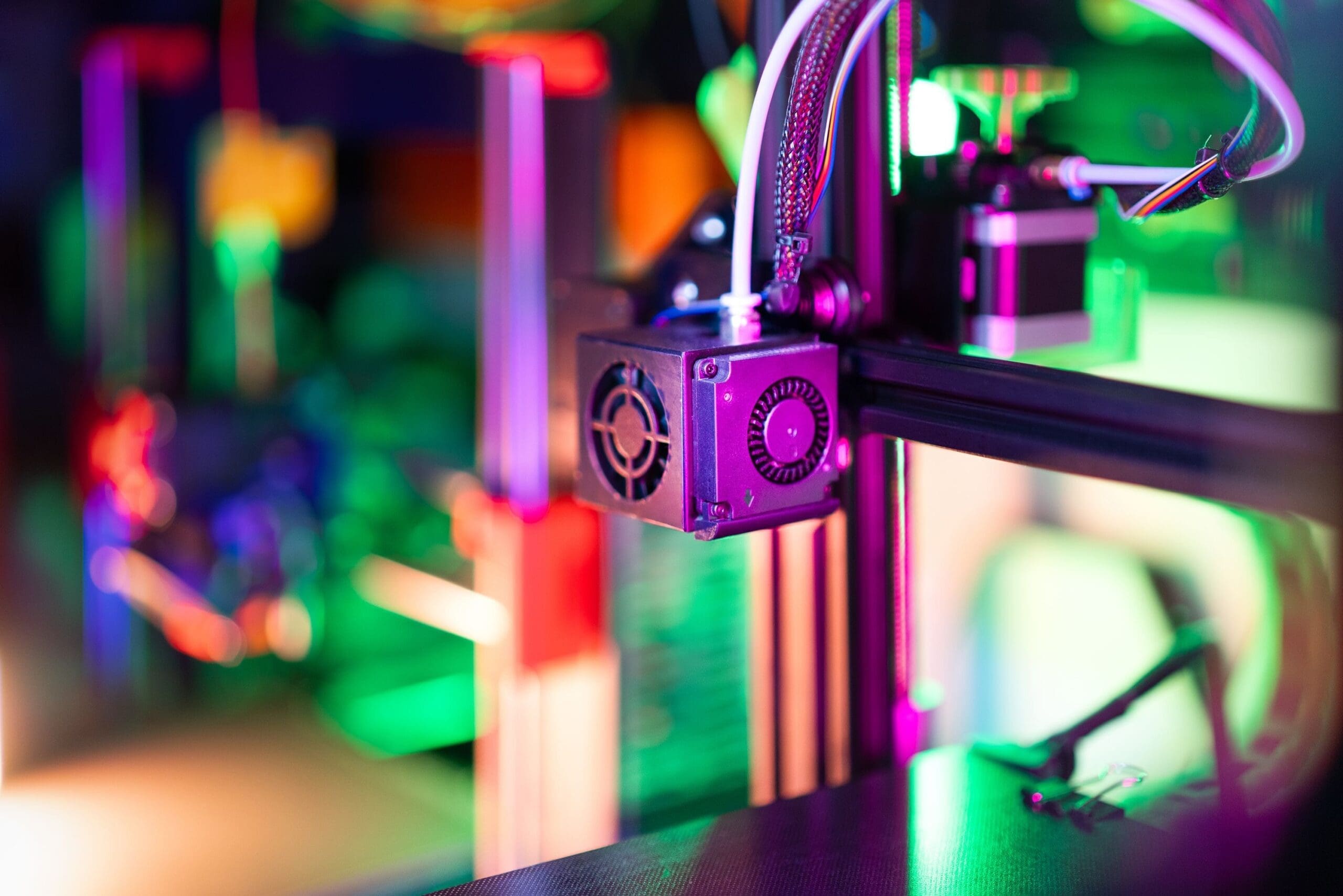
Hotend
The hotend has three zones:
- Heatsink and cooling fan keep the upper section cool.
- Heat break is a thin-walled tube that separates cold and hot zones.
- Heater block holds the heater cartridge (usually 24 V, 40-60 W), a thermistor or thermocouple, and the nozzle.
Max temperature: Standard PTFE-lined hotends are limited to about 240-260 °C. All-metal hotends reach 300 °C or more, enabling nylon, PC, and carbon-fiber blends.
Nozzle
| Material | Max Use | Wear Resistance | Thermal Conductivity | Best For |
|---|---|---|---|---|
| Brass | Standard | Low | High | PLA, PETG, ABS |
| Hardened steel | Abrasives | High | Lower | Carbon fiber, glow-in-dark |
| Copper-plated / coated | High flow | Medium to high | Very high | Speed printing |
| Ruby-tipped | Abrasives | Excellent | High | Long-term abrasive printing |
The common size is 0.4 mm. Use 0.2-0.25 mm for fine detail and 0.6-1.0 mm for fast, strong prints. Layer height should stay within 25-80% of nozzle diameter.
The Heating System
Heated Bed
Heated beds improve adhesion and reduce warping. Common targets:
| Material | Bed Temp | Nozzle Temp |
|---|---|---|
| PLA | 50-60 °C | 190-220 °C |
| PETG | 70-85 °C | 220-250 °C |
| ABS/ASA | 95-110 °C | 230-260 °C |
| Nylon | 70-90 °C | 250-290 °C |
Build Surface
Pick the surface to match the filament:
- Textured PEI spring steel: Great all-rounder; parts pop off when cool.
- Smooth PEI: Glossy bottom layers; can bond too strongly with PETG, so add a release agent.
- Glass: Very flat; needs glue stick or hairspray.
- BuildTak-style sheets: Cheap; wear out faster.
Thermistors and PID Control
A thermistor reads temperature; the board uses PID control to hold it steady. Poor PID tuning causes temperature swings of ±5 °C or more, which shows up as inconsistent extrusion.
Klipper PID tune (hotend at 210 °C):
PID_CALIBRATE HEATER=extruder TARGET=210
SAVE_CONFIG
Klipper PID tune (bed at 60 °C):
PID_CALIBRATE HEATER=heater_bed TARGET=60
SAVE_CONFIG
Marlin PID tune (hotend, 8 cycles, then save):
M303 E0 S210 C8 U1
M500
C8 runs eight cycles, U1 applies the result, and M500 writes it to EEPROM.
Cooling Components
Cooling fixes overhangs, bridges, and small details.
- Hotend fan: Always on; protects the heat break. Failure causes heat creep and jams.
- Part cooling fan: Blows air onto the freshly extruded layer through a shroud or duct. Radial blowers are common; dual-duct setups improve symmetry.
- Mainboard fan: Keeps the stepper drivers from throttling.
- Chamber fan/filter: On enclosed machines, handles ABS fumes and temperature balance.
PLA prints best at 100% fan after the first layers. ABS and ASA usually print at 0-30% to avoid layer splitting.
The Electronics

Mainboard
The mainboard reads G-code and drives every motor, heater, and fan. Common options:
| Board Type | Processor | Typical Firmware | Notes |
|---|---|---|---|
| 8-bit (ATmega2560) | 16 MHz | Marlin | Older, limited features |
| 32-bit STM32 | 72-168 MHz | Marlin, Klipper | Current budget standard |
| Klipper host + MCU | Raspberry Pi or similar | Klipper | Offloads planning; supports input shaping |
Stepper Drivers
Drivers like TMC2209 offer silent operation, stallGuard sensorless homing, and 256 microstep interpolation. Older A4988 drivers are noisy and cheaper.
Power Supply
Most printers use 24 V (faster heating, lower current) with 240-360 W capacity. Older machines use 12 V. Check wiring gauge: a 24 V, 350 W bed needs ~14.6 A, so use thick wires and quality connectors.
Display and Interface
LCD knobs, color touchscreens, or web interfaces (Mainsail, Fluidd, OctoPrint) all load G-code and control the printer.
Calibration Commands Every Owner Should Know
Check your current settings (Marlin):
M503
Set Z-offset and save:
M851 Z-1.25
M500
Calibrate extruder e-steps (mark 120 mm, extrude 100 mm):
M83
G1 E100 F100
New e-steps = (current e-steps × 100) ÷ actual extruded length. Apply with:
M92 E<new_value>
M500
Klipper input shaper test:
SHAPER_CALIBRATE
SAVE_CONFIG
This corrects ringing and allows higher accelerations without losing quality.
Common Failure Points and Their Symptoms
| Symptom | Likely Part | Quick Fix |
|---|---|---|
| Under-extrusion, clicking | Nozzle or extruder gear | Clean or replace nozzle, check tension |
| Layer shifts | Belt, pulley, driver current | Re-tension, tighten grub screws |
| Z-banding | Bent lead screw, loose coupler | Straighten or replace, add Z-couplers |
| First layer won’t stick | Bed surface, Z-offset | Clean with IPA, re-tune offset |
| Stringing | Retraction, wet filament | Dry filament, tune retraction |
| Thermal runaway error | Thermistor or heater | Check wiring and seat the sensor |
Real-World Use Cases
Functional parts in an automotive shop: A hardened-steel nozzle, direct-drive extruder, and enclosed frame let technicians print ABS or carbon-fiber nylon brackets and jigs that tolerate heat.
Miniature painters and cosplayers: A 0.25 mm nozzle, well-tuned cooling ducts, and a rigid frame deliver crisp details at 0.08-0.12 mm layers.
Rapid prototyping at a startup: A CoreXY printer with a Klipper board and input shaping cuts print time by 50% or more while holding dimensional accuracy near ±0.2 mm.
Classroom and maker spaces: A reliable bed-slinger with a PEI plate, auto-leveling probe, and PLA only is easy to maintain and forgiving for beginners.
Upgrade Priority List
- Hardened or coated nozzle for abrasives and longevity
- PEI spring steel plate for consistent first layers
- Better part cooling duct for overhang quality
- Silent drivers and 32-bit board for noise and features
- Direct-drive geared extruder for flexibles and retraction control
- Enclosure for ABS, ASA, and nylon
FAQ
What are the main parts of a 3D printer?
The main parts are the frame, stepper motors, belts and rails, extruder, hotend, nozzle, heated bed, mainboard, power supply, and cooling fans. Together they move the toolhead, melt filament, and deposit it layer by layer.
What is the most important part of a 3D printer?
The hotend and motion system have the biggest effect on quality. A stable hotend delivers consistent flow, while a rigid, well-tensioned motion system gives accurate dimensions.
What is the difference between a direct drive and a Bowden extruder?
A direct drive extruder sits on the toolhead and pushes filament a short distance, which suits flexibles and fine retraction. A Bowden extruder sits on the frame and feeds filament through a PTFE tube, which reduces toolhead weight but needs longer retraction.
Which 3D printer part wears out first?
The nozzle wears first, especially with abrasive filaments. Brass nozzles should be replaced every few months with regular use, and PTFE tubes and PEI sheets typically follow.


